


Spam or Junk Folder: What's the Difference (and Why It Matters)?
The spam or junk folder is a special mailbox where your email provider automatically sends unwanted or suspicious messages - keeping them out of your main inbox. Most people use "spam" and "junk" interchangeably, but there is a subtle difference depending on which email client or provider you use.
Quick answer:
| Term | Who uses it | What it means |
|---|---|---|
| Spam folder | Gmail, Yahoo, email providers | Server-side filtered unwanted mail |
| Junk folder | Outlook, Thunderbird | Client-side or app-filtered unwanted mail |
| Same thing? | Mostly, yes | Different labels, same basic purpose |
The scale of the problem is staggering. In 2023 alone, 160 billion spam messages were sent every day worldwide. That's roughly 90% of all global email traffic - most of which never reaches your inbox, because filters quietly catch it first.
But here's the catch: those same filters sometimes also catch emails you actually want. A receipt, a password reset, a message from a friend. Gone - buried in a folder most people forget to check.
For anyone who values their privacy online, understanding how these folders work isn't just useful. It's essential.
Defining the Spam or Junk Folder: Is There a Difference?
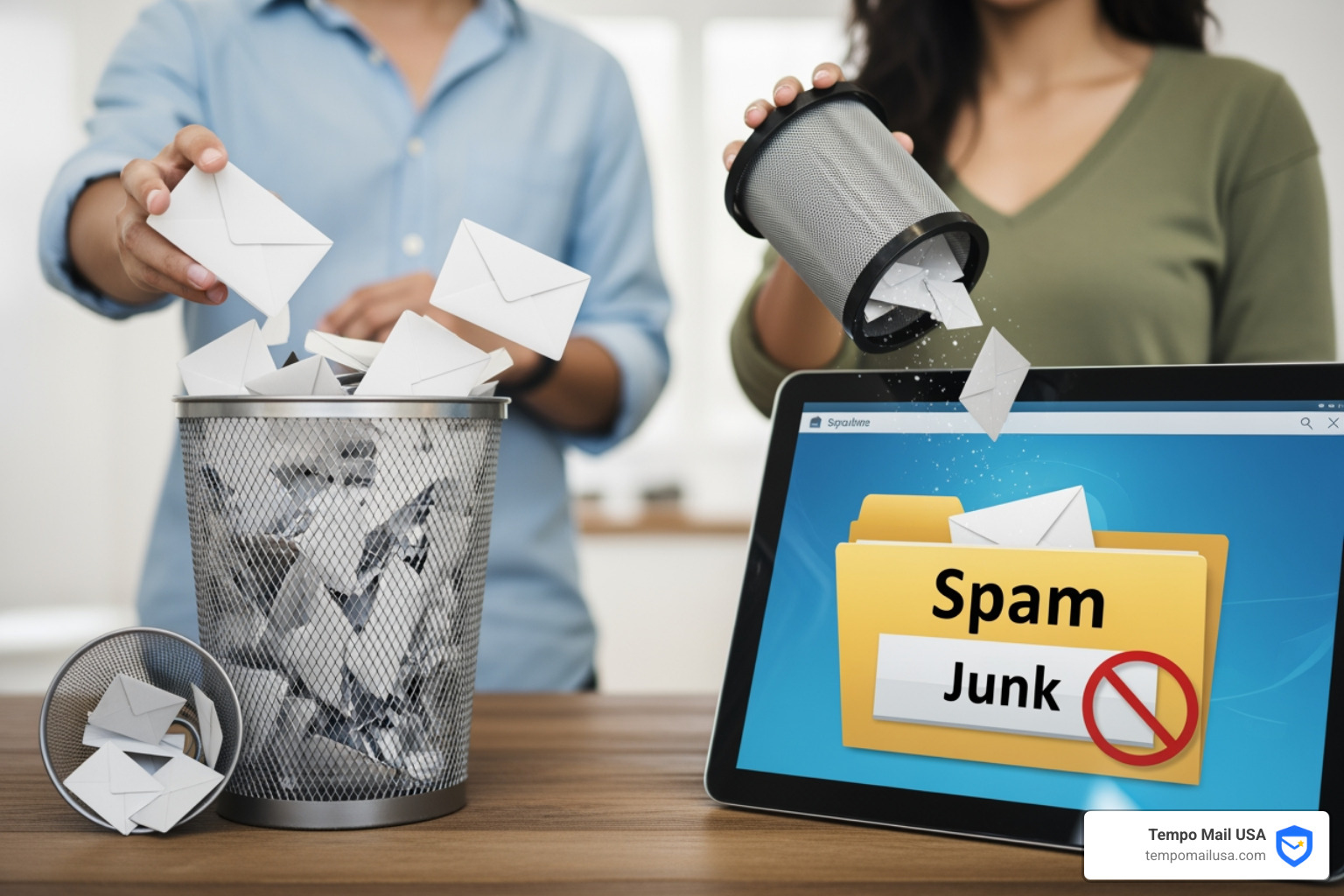
When we look at our sidebar and see a folder labeled "Spam" while our colleague sees "Junk Email," it is natural to ask if they are the same thing. Technically, the definition of "spam" refers to unsolicited bulk email. The folders themselves, however, are created and managed by different entities in the digital chain.
Who Creates These Folders?
The spam or junk folder you see is usually generated by one of three sources:
- The Email Provider: Services like Gmail or Yahoo create a "Spam" folder on their servers. They filter mail before it even reaches your computer or phone.
- The Email Client: Applications like Microsoft Outlook or Mozilla Thunderbird often create a "Junk Email" or "Junk" folder. These use internal logic to sort mail once it arrives in the app.
- Third-Party Software: Antivirus programs like Norton 360 or McAfee can integrate with your email client, often creating a brand new "Spam" folder to house messages caught by their specific security engines.
Terminology and Origins
The term "spam" actually finds its roots in a classic Monty Python sketch where the name of a canned meat product is repeated so intrusively that it drowns out all other conversation. This is a perfect metaphor for the 8 billion spam messages sent daily from the United States alone.
While the terms are often used as synonyms, "Junk" is frequently the label chosen by Microsoft and Thunderbird, whereas "Spam" is the preferred nomenclature for Google and most webmail providers.
| Feature | Junk Folder (Outlook/Thunderbird) | Spam Folder (Gmail/Yahoo) |
|---|---|---|
| Primary Creator | Email Client / Software | Email Service Provider |
| Filtering Method | Client-side rules & Bayesian learning | Server-side algorithms & Global reports |
| Common Label | Junk Email | Spam |
| Retention | Often determined by user settings | Typically 30 days (auto-delete) |
Accessing and Managing Your Filtered Mail
Finding your filtered mail is the first step in digital hygiene. Because 46% of users have opened a spam message at some point, knowing where they live—and how to handle them safely—is vital.
Finding the Folder in Popular Clients
- Gmail: On the desktop, look at the left-hand sidebar. You may need to click "More" to reveal the Spam folder. On mobile, tap the "hamburger" (three horizontal lines) menu and scroll down. If you still can't find it, you can use the search operator
in:spamto see everything hidden there. - Outlook: Look for the "Junk Email" folder located directly under your Inbox or within the "Folders" menu.
- Thunderbird: This client uses a folder simply titled "Junk."
For more detailed navigation, we recommend checking out our guides on Mastering Gmail Spam: A Step-by-Step Guide and Where is the Junk: Locating Your Spam Folder on iPhone.
How to Train Your Spam or Junk Folder
Filters aren't perfect; they are students that need a teacher. When you find a legitimate email in your spam or junk folder, don't just drag it to the inbox. Use the "Not Spam" or "Not Junk" button. This tells the system's adaptive learning algorithm that it made a mistake.
Conversely, if a nuisance email hits your inbox, use the "Report Spam" icon (the exclamation point in a stop sign for Gmail). This helps the provider identify new patterns used by spammers. To proactively stop the flood, you can learn how to block unwanted emails on Gmail or follow our general tips to stop spam emails.
Why Legitimate Emails End Up in Spam
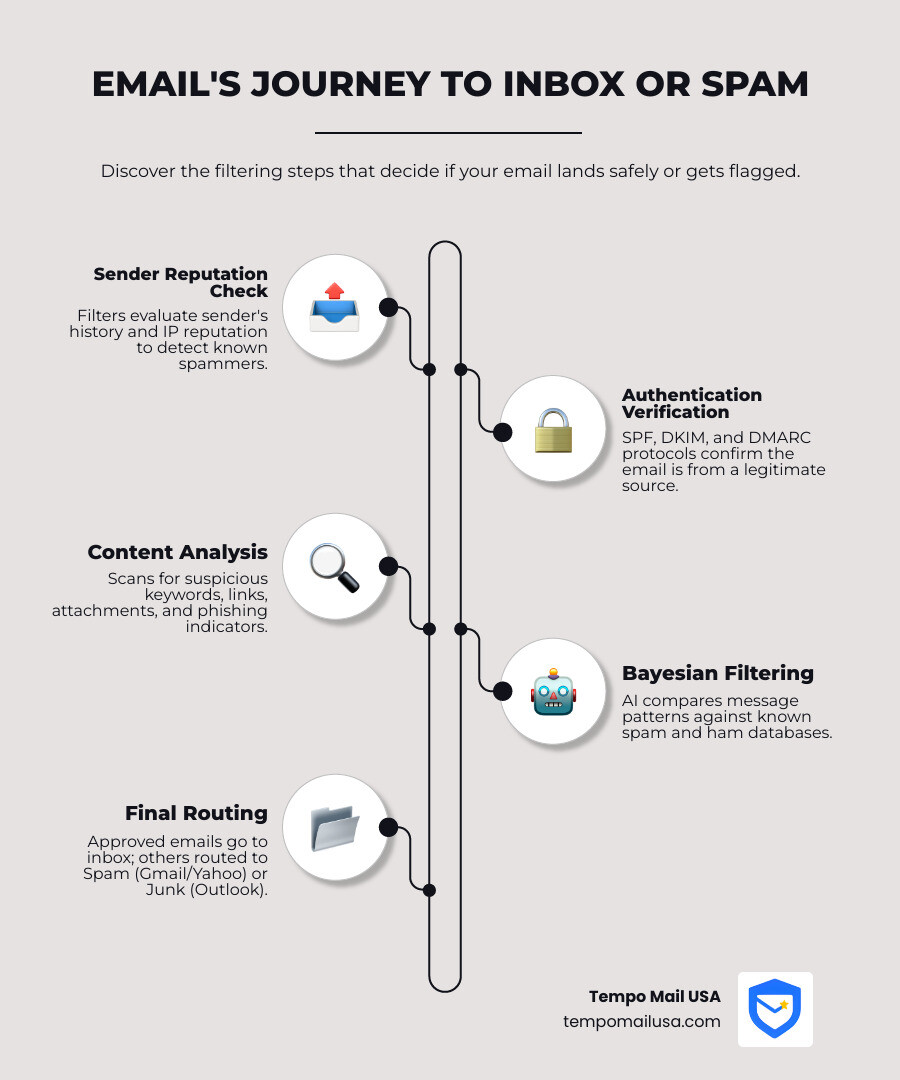
It is incredibly frustrating when an important business proposal or a family update lands in the "digital dumpster." This happens because filters use a scoring system. If an email triggers enough "red flags," it gets diverted.
The Role of Authentication
Modern filters look for "ID cards" called SPF (Sender Policy Framework), DKIM (DomainKeys Identified Mail), and DMARC. If a sender hasn't set these up correctly, the receiving server might think the email is "spoofed" (faked) and toss it into the spam or junk folder.
Bayesian Filtering and Image Spam
Many clients use Bayesian filtering, which calculates the probability of an email being spam based on the frequency of certain words. Spammers try to bypass this using "Image Spam"—putting text inside a GIF or JPEG so the filter can't "read" the words. If a legitimate sender sends an email that is just one large image with no text, it might accidentally look like a "pump-and-dump" stock scam to a filter.
To ensure your own outgoing mail doesn't suffer this fate, see our stop emails from going to spam: effective prevention tips.
Common Triggers for the Spam or Junk Folder
- Phishing Red Flags: Using urgent language like "Account Suspended" or "Verify Now."
- Mass Sending: Sending to thousands of recipients without a professional Email Service Provider (ESP).
- Suspicious Content: Excessive use of caps, "spammy" keywords (e.g., "Free," "Winner," "Guaranteed"), or shortened URLs.
- Lack of Opt-Out: Legally, commercial emails must have an unsubscribe link. If they don't, filters often pounce.
If you are an Outlook user, Microsoft provides specific steps to review email messages identified as junk safely.
Protocol Impacts: IMAP vs. POP3
How you connect to your mail affects what you see.
- IMAP (Internet Message Access Protocol): This syncs your folders across all devices. If Gmail marks something as spam on the server, you will see it in the Spam folder on your iPhone and your laptop.
- POP3 (Post Office Protocol): This often only downloads the "Inbox." If your provider's server filters an email into a spam folder, a POP3 client might never even download it, making it "disappear" unless you log into webmail.
Understanding these differences is key to understanding your iPhone junk mail behavior.
Frequently Asked Questions about Spam and Junk
Why did a large number of old emails suddenly appear in my spam folder?
This often happens due to third-party security software interference. For example, if you install or update an antivirus like Norton 360, it may perform a "sweep" of your existing mail or sync with a server-side folder it previously ignored. This can cause dozens of old messages—some of which you may have already read—to suddenly populate a new "Spam" folder.
Who creates the "Spam" folder versus the "Junk" folder?
As we noted, "Spam" is typically the server-side folder created by your provider (Gmail, Yahoo). "Junk" is usually the client-side folder created by your app (Outlook, Thunderbird). Thunderbird is unique because it has its own internal "Junk Controls" that you can train independently of your email provider's settings.
Does moving an email from "Spam" to "Junk" help train the filter?
This is a bit of a gray area. Moving a message from a provider's "Spam" folder to a client's "Junk" folder might train your local software (like Thunderbird), but it doesn't necessarily tell your provider (like Gmail) that the message was categorized correctly. It is always best to use the specific "Report Spam" or "Not Junk" buttons provided by the interface you are currently using to ensure the feedback reaches the right "brain."
Conclusion
Managing your spam or junk folder is a necessary part of modern life, but it shouldn't feel like a full-time job. By understanding the terminology, training your filters, and keeping an eye on your authentication settings, you can keep your inbox clean and your important messages safe.
At Tempo Mail USA, we believe the best way to deal with spam is to prevent it from ever finding your real address. We provide temporary email aliases that act as a secure identity proxy. By using our aliases when signing up for new services, you shield your personal data and create a powerful cybersecurity firewall. If an alias starts receiving too much junk, you can simply delete it—leaving your real inbox pristine and your PII protected.
Ready to take control of your digital privacy? Protect your data at TempoMailUSA.com and stop spam before it even starts.