TempoMail Commercial Documentation
Welcome to the definitive deployment manual and technical reference for TempoMail v1.0. Follow this guide to install, license, configure mail routing, and launch your high-converting disposable email platform.
Overview & Architecture
TempoMail is an enterprise-grade disposable temporary email SaaS application built with modern Laravel and clean architectural boundaries. It allows webmasters to run a turnkey disposable email service with multi-domain support, custom mailbox prefixes, attachment handling, auto-expiry schedules, and a high-converting customer portal.
Real-Time Inboxes
WebSockets and polling engines deliver incoming emails with attachments in under 2 seconds without page refresh.
cPanel UAPI Provisioning
With the 1-Click Addon, TempoMail generates catch-all routing and SSL IMAP/SMTP configurations automatically.
Dual Licensing Protection
Seamlessly accepts either CodeCanyon purchase codes or TempoMail Store keys with cryptographic HMAC validation.
Visual Feature Tour & Marketing Graphics
High-resolution previews and marketing infographics showcasing TempoMail's core capabilities, user interface, and integrations:
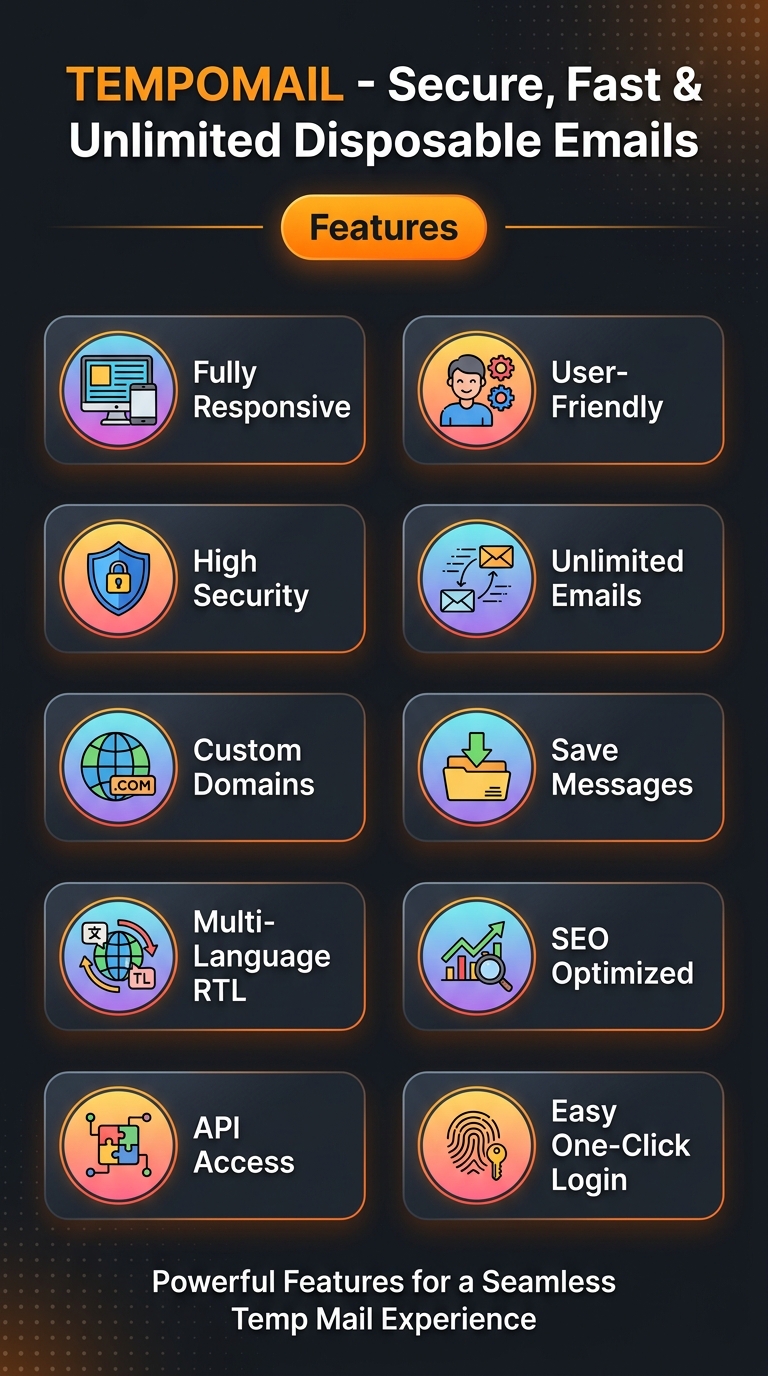
10 Core Features Infographic
Plugins & Integrations Showcase

Multi-Language & RTL Support

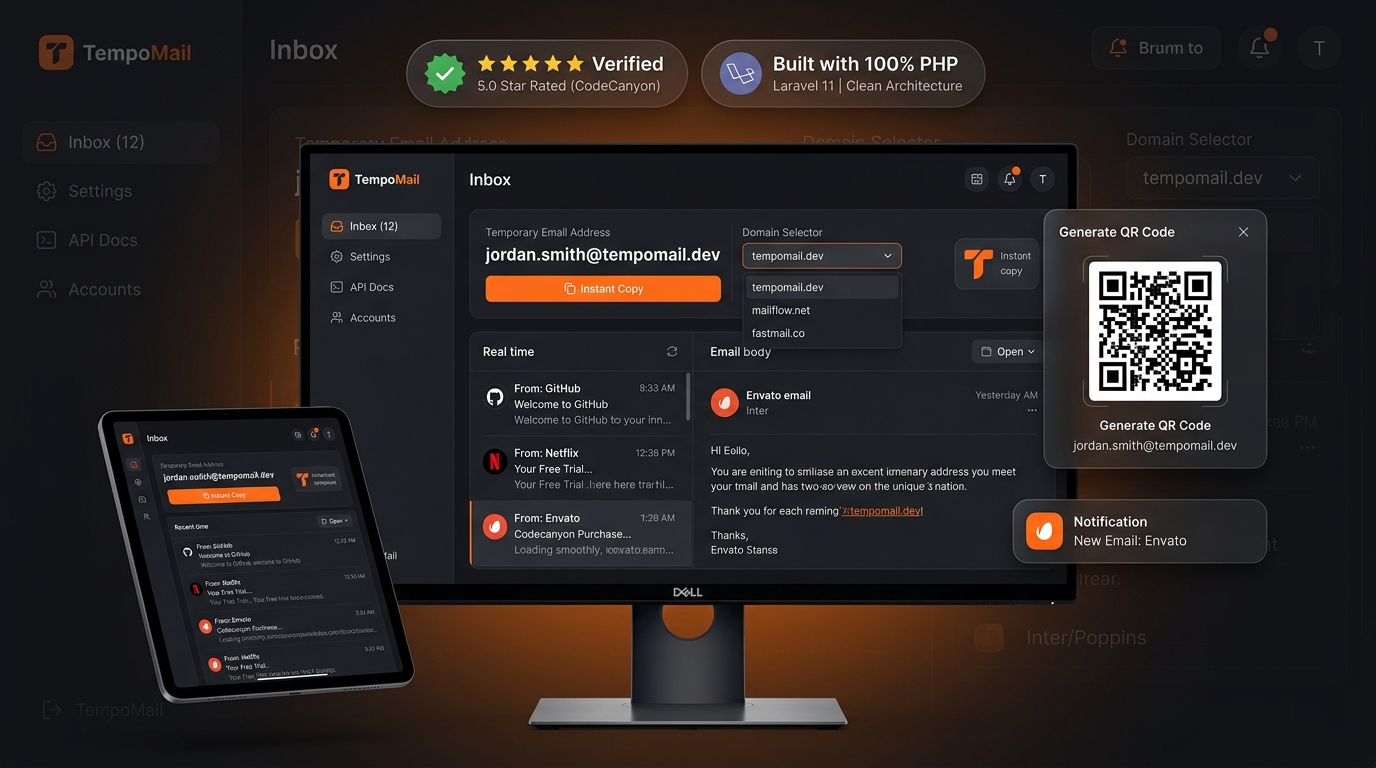
Modern Glassmorphic Frontend
Superadmin Analytics Dashboard
High-Impact Frontend Features
Modern & Responsive UI
Engineered for phones, tablets, and high-DPI screens. Supports Obsidian Luxury Dark Mode and Crisp Ivory Light Mode with zero white flashes.
Multi-Language & RTL
Complete Right-to-Left (RTL) formatting for Arabic, Hebrew, Urdu, and Persian, plus 40+ international LTR translations.
Unlimited Inboxes
Generate random disposable addresses in 1 click, or let users define custom prefix vanity addresses across active domains.
Favorite & Save Messages
Users can favorite critical verification and activation emails to protect them from automated expiry routines.
QR Code Mobile Sync
Scan a live QR code on the desktop monitor to instantly access and monitor the same temporary mailbox on a smartphone.
Sound Alerts & Notifications
Tactile audio chime plays when incoming emails arrive, accompanied by browser title unread badge updates.
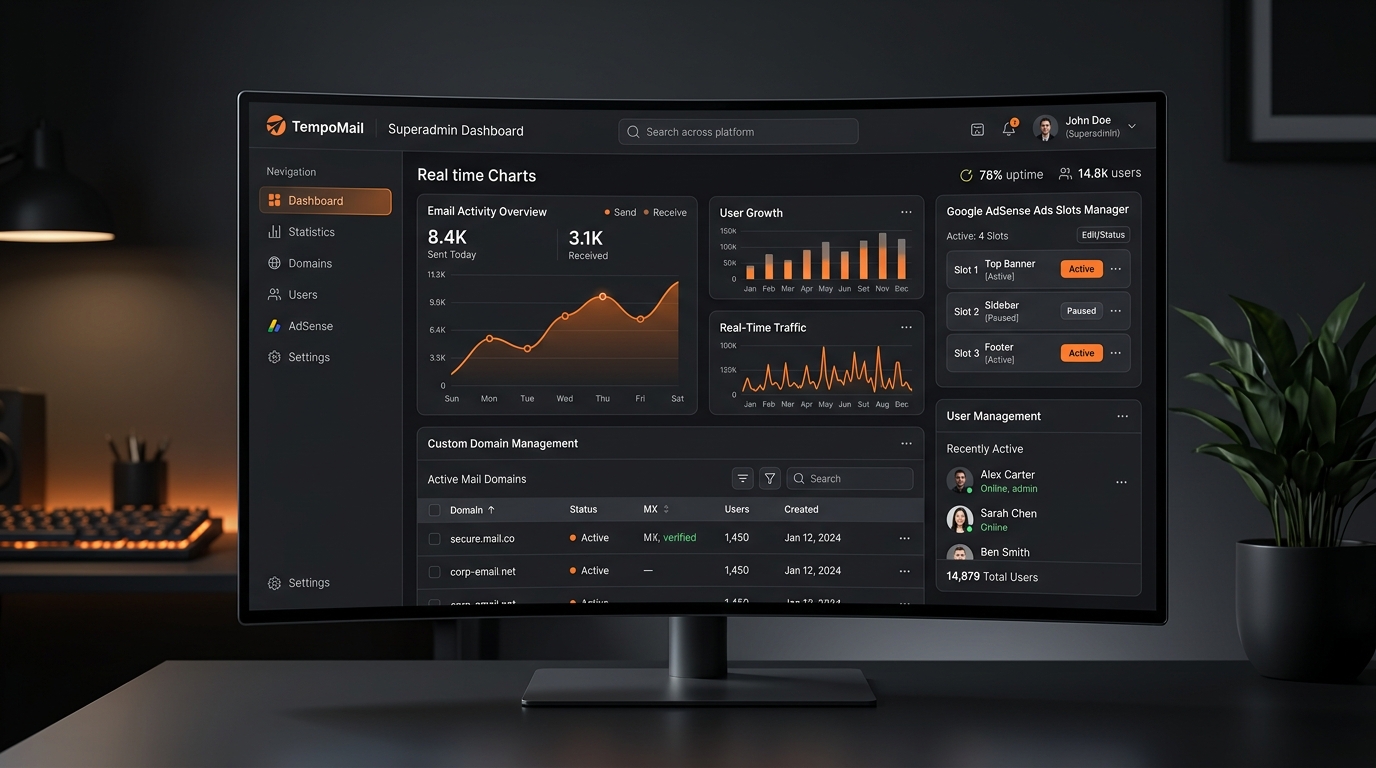
Powerful Admin Control Center
The administrative dashboard puts complete operational control at your fingertips:
Real-Time Analytics & Volume Metrics
Track active mailboxes, messages received today, weekly activity charts, and server disk usage in real time.
User & Role Management
Manage registered accounts, grant moderator/admin privileges, ban abusive users, or view active user mailboxes.
Domain & Routing Control
Add unlimited mail domains, toggle default domain, verify DNS MX propagation, and configure catch-all forwarders.
Blog, FAQ & Content Management
Built-in rich article editor for long-term SEO content, FAQ accordions, and custom static legal policy pages.
Security & Abuse Prevention
Configure bot protection (reCAPTCHA/hCaptcha), IP rate limiting, forbidden username blacklists, and Trustip proxy checks.
Turnkey Plugins & Integrations
Enable or disable modular extensions directly from Admin -> Plugins:
| Plugin Name | Type | Description | Status |
|---|---|---|---|
| Tawk.to Live Chat | Support | Embeds real-time live visitor chat widget across frontend pages. | Ready |
| Google reCAPTCHA v2 / v3 | Security | Protects forms and address generation against automated bot attacks. | Ready |
| hCaptcha Protection | Security | Privacy-focused captcha alternative to Google reCAPTCHA. | Ready |
| Google AdSense & Ads Engine | Monetization | 11 responsive banner ad slots across header, sidebar, and message reader. | Ready |
| Trustip VPN / Proxy Blocker | Security | Detects and blocks suspicious proxies and abusive TOR exit nodes. | Ready |
| Robots.txt & XML Sitemap | SEO | Dynamically produces search engine sitemaps for rapid Google indexing. | Ready |
| Google Tag Manager & GA4 | Analytics | Tracks traffic, conversion events, and page views without code edits. | Ready |
| Instant Translation API | Localization | Connects to OpenAI / TR- keys for 1-click 40+ language localization. | Ready |
Demo Credentials & Live Sandbox
| Environment | URL | Username / Email | Password |
|---|---|---|---|
| Public Frontend | https://tempomailusa.com | N/A (Instant Access) | N/A |
| Superadmin Panel | https://tempomailusa.com/admin | admin@tempomailusa.com |
password123 |
| Documentation | https://tempomailusa.com/docs | Publicly Accessible | N/A |
Server Requirements
Ensure your hosting environment meets the following specifications before launching the installer:
| Requirement | Recommended | Minimum | Notes |
|---|---|---|---|
| PHP Version | PHP 8.2 or 8.3 | PHP 8.2.0 | Strict typing and high performance JIT. |
| Database | MySQL 8.0+ or MariaDB 10.4+ | MySQL 5.7+ | Ships with optimized database/data.sql schema. |
| Web Server | Apache (mod_rewrite) or Nginx | Apache 2.4+ | Document root must point to the /public directory. |
| PHP Extensions | All required | 15 Core Extensions | imap, openssl, pdo_mysql, mbstring, curl, fileinfo, gd, bcmath, zip |
| cURL Functions | Enabled | Enabled | Required for license authentication and external webhooks. |
public/ folder inside the script. If your cPanel points to public_html, upload the script files into your home directory and symlink public_html to public, or move the public files according to standard Laravel deployment practices.
8-Step Modern Web Installer
TempoMail features an interactive, guided 8-step visual installation wizard designed to eliminate deployment errors:
Welcome Screen
Overview of system capabilities and preparation checklist.
System & PHP Requirements
Real-time audit of PHP version and required extensions (IMAP, cURL, OpenSSL, etc.).
File Permissions Audit
Verifies write access on storage/, bootstrap/cache/, and public/.
Dual License Verification
Select your provider (CodeCanyon Purchase Code OR TempoMail Store Key) to activate your instance.
Database Setup & Data Import
Connect your MySQL host, username, password, and database. Automatically imports the production schema.
1-Click cPanel Mailbox Provisioning (Addon)
Enter your 1-Click Addon License Key and cPanel API Token to auto-create encrypted mailboxes and catch-all routing in under 5 seconds. Or click "Skip & Configure Manually".
Admin Account & Site Configuration
Create your Superadmin email, password, and default site branding.
Installation Complete & Lock
Locks the installer permanently and directs you to the admin command center.
Dual License Activation
TempoMail v1.0 features a tabbed dual licensing architecture allowing activation through either marketplace:
CodeCanyon / Envato Market
Format: 36-character UUID (e.g. 1a2b3c4d-5e6f-7a8b-9c0d-1e2f3a4b5c6d).
Where to find: Log into Envato Market → Downloads → TempoMail → Download → "License certificate & purchase code (PDF/text)".
TempoMail Official Store
Format: TM-XXXX-XXXX-XXXX.
Where to find: Log in at tempomailusa.com → Account Dashboard → My Purchases.
tempomailusa.com). Each purchase code securely binds to your active domain with cryptographic HMAC verification stored in storage/app/.license.enc.
1-Click Auto-Setup Addon Guide
The 1-Click cPanel Auto-Installer Addon is an official productivity enhancement that saves 30+ minutes on every server deployment by communicating with cPanel UAPI:
TMA-XXXX-XXXX-XXXX). If you have not purchased the addon yet, purchase it directly at tempomailusa.com/shop/cpanel-auto-installer-addon.
How to Generate Your cPanel API Token in 30 Seconds:
- Log into your hosting cPanel account (e.g.
https://yourdomain.com:2083). - In the search box at the top, type "API Tokens" and click the result under the Security section.
- Click the blue "Create API Token" button.
- Enter a Token Name (e.g.,
TempoMailAutoSetup). - Under Privileges, check the Email privilege checkbox.
- Click Create and copy the generated token string into the installer.
What the 1-Click Engine Automates:
- Generates a cryptographically secure 20-character encrypted password.
- Executes
Email::add_popto provision a dedicated catch-all mailbox on your server. - Executes
Email::set_default_addressto route all incoming emails (*@yourdomain.com) into this mailbox. - Pre-wires SSL IMAP (Port 993) and SSL SMTP (Port 465) directly into your database.
- Adds the domain to the active receiving domains table.
Manual Mailbox & Catch-All Guide
If you do not have the 1-Click Addon, or if you are using a non-cPanel environment (CyberPanel, Plesk, DirectAdmin, Postfix, Docker, or bare VPS), you can configure your mailbox manually in under 5 minutes:
Step-by-Step Manual cPanel Configuration:
- Create Mailbox: In cPanel, navigate to Email Accounts → Create. Create an account such as
catchall@yourdomain.comwith a strong password. - Enable Catch-All (Default Address): Navigate to Default Address in cPanel. Select your domain, choose "Forward to Email Address", and enter
catchall@yourdomain.com. - Connect in TempoMail Admin: Log in to TempoMail Admin Panel → Settings → IMAP Settings. Enter:
- Host:
mail.yourdomain.com - Port:
993 - Encryption:
SSL - Username:
catchall@yourdomain.com - Password: Your mailbox password
- Host:
- Add Active Domain: Go to Admin → Domains → Add New Domain and enter
yourdomain.com.
DNS, MX & SPF Records Setup
For your domain to accept incoming emails from Gmail, Yahoo, Outlook, and other providers, your DNS records must be configured correctly:
| Type | Host / Name | Value / Target | Priority / TTL |
|---|---|---|---|
| MX | @ (root) |
mail.yourdomain.com |
Priority: 10 |
| A | mail |
YOUR_SERVER_IP |
DNS Only (Grey Cloud on Cloudflare) |
| TXT | @ (root) |
v=spf1 mx a ~all |
Auto |
mail A-record is set to DNS Only (Grey Cloud) and NOT Proxied (Orange Cloud). Cloudflare does not proxy raw IMAP (993) or SMTP (465) mail ports on free plans!
Background Cron Jobs & Automation
TempoMail requires a single Laravel background cronjob to process incoming emails, purge expired mailboxes, and maintain performance:
* * * * * cd /home/username/public_html && php artisan schedule:run >> /dev/null 2>&1How to Add via cPanel:
- In cPanel, search for "Cron Jobs" under the Advanced section.
- Under Common Settings, choose "Once Per Minute (* * * * *)".
- In the Command field, enter:
php /home/YOUR_CPANEL_USER/path-to-script/artisan schedule:run >> /dev/null 2>&1 - Click "Add New Cron Job".
REST API Documentation
Integrate TempoMail with third-party software, mobile apps, or browser extensions using our authenticated JSON REST API:
Authorization: Bearer YOUR_API_TOKEN
Accept: application/json
Content-Type: application/json| Method | Endpoint | Description |
|---|---|---|
| POST | /api/v1/mailbox/create |
Generates a new random or custom temporary inbox. |
| GET | /api/v1/mailbox/{email}/messages |
Retrieves message list for specified mailbox. |
| GET | /api/v1/message/{id} |
Fetches full HTML/text body and attachment URLs. |
| DELETE | /api/v1/message/{id} |
Permanently deletes an individual email message. |
Troubleshooting & FAQ
Q: The installer says "License verification failed"?
Ensure your server has outbound internet connectivity to communicate with tempomailusa.com. Check that your purchase code matches UUID format or your store key begins with TM-.
Q: 1-Click Auto-Setup says "API Token Invalid"?
Ensure your cPanel token has the Email privilege checked, that the cPanel username matches exactly, and that the hostname does NOT contain https:// or :2083.
Q: Emails are sent to my domain but not appearing in inboxes?
Verify that your MX record points to mail.yourdomain.com and that the cPanel Default Address (catch-all) is routing to the configured mailbox. Also ensure the minute cron job is running.
Official Author & Developer Support
Need installation assistance, custom modifications, or enterprise integrations? Contact the author directly: