

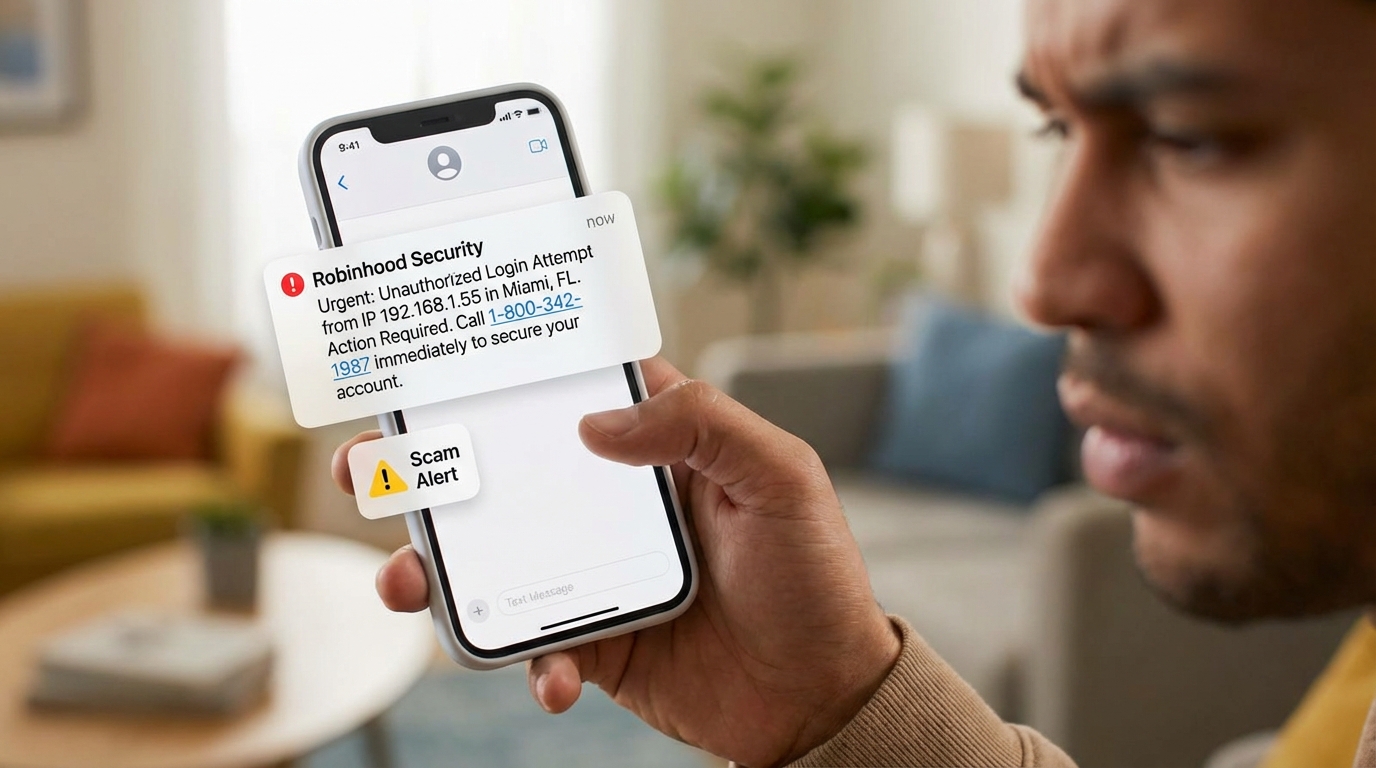

The Robinhood Scam Text Is Targeting Users Right Now — Here's What You Need to Know
A robinhood scam text is a fake security alert sent by scammers pretending to be Robinhood. It claims someone accessed your account from an unknown device or location, then pressures you to call a phone number — where scammers are waiting to steal your account details.
Quick answer — what to do if you got this text:
- Do not call any phone number in the message
- Do not click any links or reply
- Check your account directly at robinhood.com or in the official app
- Report it to reportphishing@robinhood.com
- Delete the message and block the sender
These texts are being sent to thousands of people at once, pulled from data breach lists. Getting one does not mean your account was hacked. Scammers don't know who actually has a Robinhood account — they're casting a wide net.
The scam is real and spreading. In October 2025, the Manchester Township Police Department issued a public alert after residents reported receiving these fake Robinhood messages. Reddit's r/RobinhoodApp saw multiple reports within just four days, all describing nearly identical texts from different spoofed numbers.
What makes this scam unusually dangerous is how polished it looks. It uses official-sounding language, technical details like IP addresses, and high-end device names to seem credible — all designed to trigger panic before you stop to think.
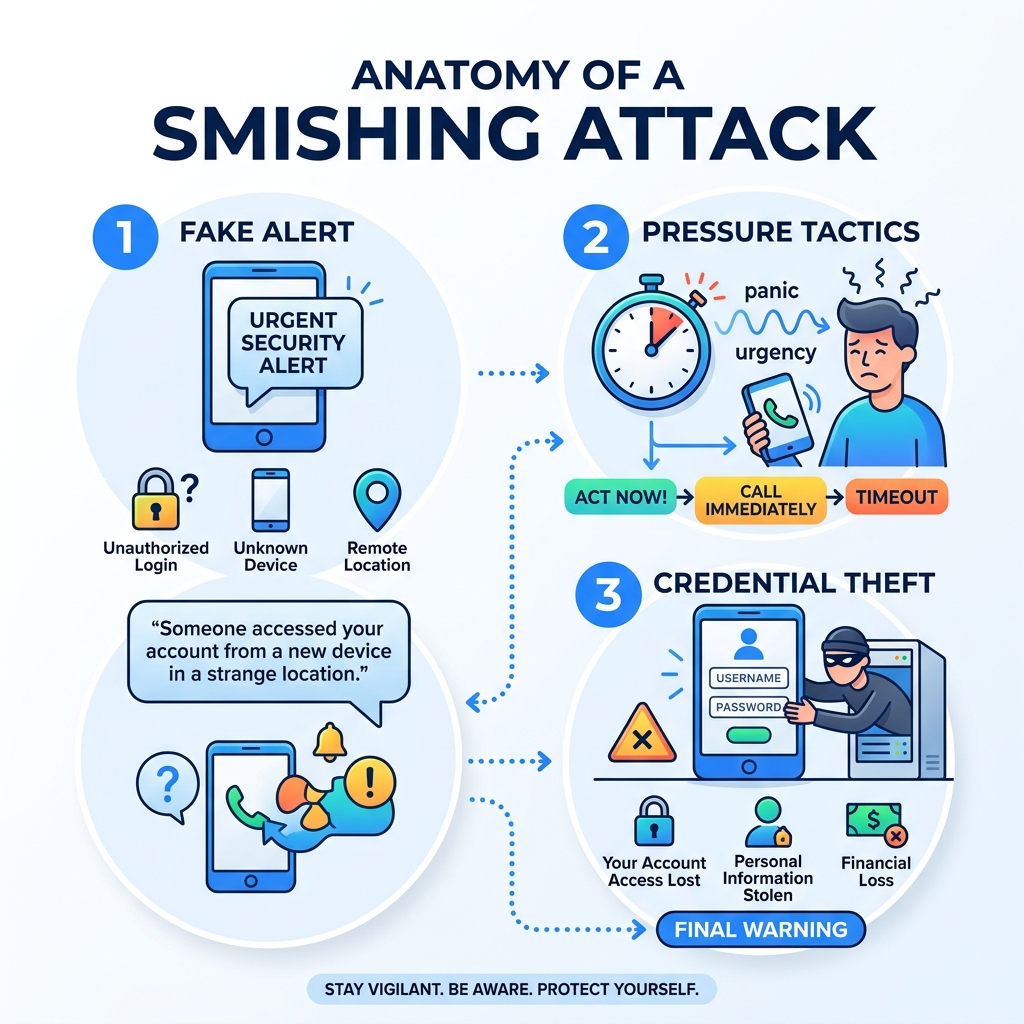
Anatomy of a Robinhood Scam Text
To protect ourselves, we first need to understand what we are looking at. A typical robinhood scam text isn't just a poorly written message with typos; it is a sophisticated piece of social engineering.
Scammers use high-end device names to make the "unauthorized login" feel more threatening. According to reports on Reddit and news outlets like Fox News, these messages often claim your account was accessed by a Google Pixel 9, an iPhone 15 Pro Max, or a Samsung Galaxy S24. To add a layer of realism, they often include a specific (but fake) location, such as Berlin, London, or Dubai.
The technical jargon is where they really try to hook you. You might see mentions of "API keys being linked to a wallet" or specific "IP addresses" (e.g., 192.168.x.x or foreign ranges). For the average investor, these terms sound serious and official, even if they are used incorrectly in the context of the message.
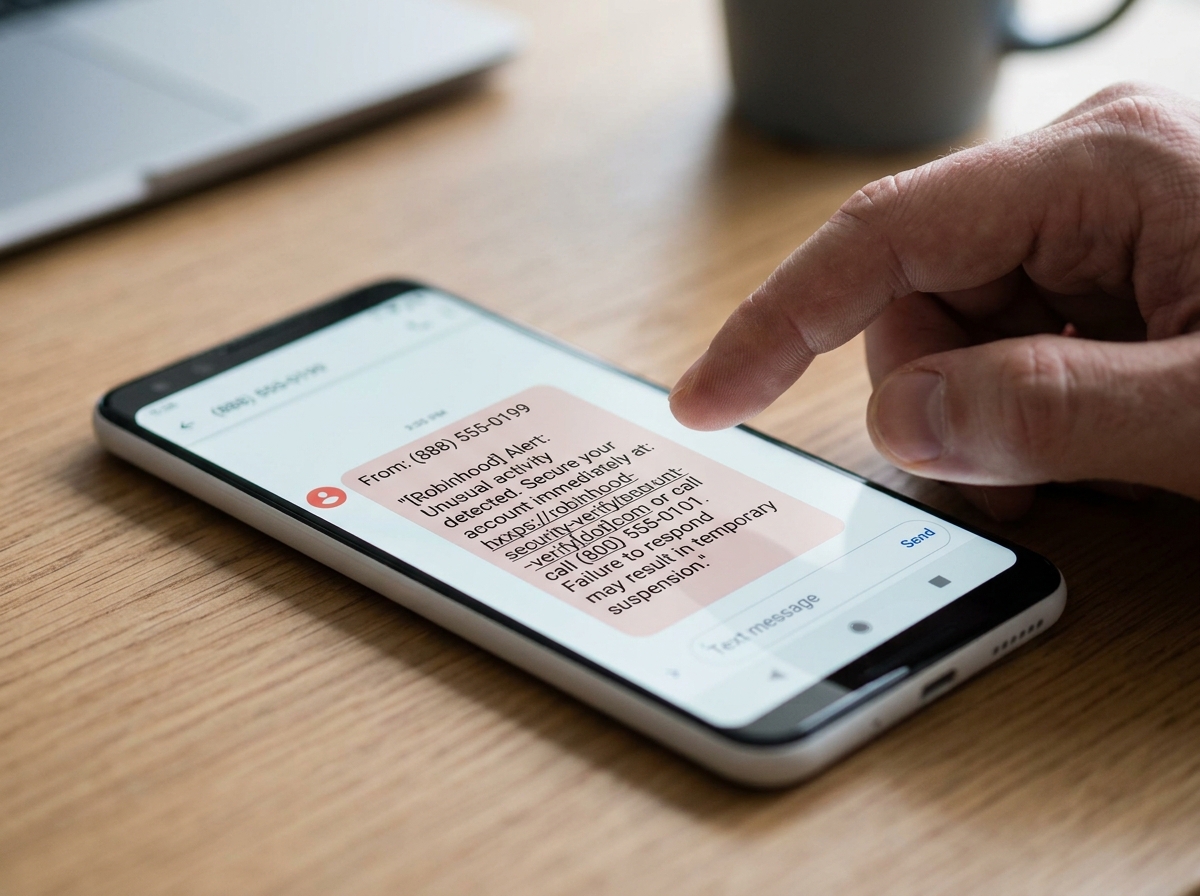
Legitimate Robinhood Alerts vs. Scam Messages
We’ve put together this comparison to help you spot the fakes at a glance.
| Feature | Legitimate Robinhood Alert | Robinhood Scam Text |
|---|---|---|
| Sender | Verified short code or "Robinhood" | Random 10-digit number or UK-based (+44) |
| Call to Action | Check the app or official website | "Call support right away at [Number]" |
| Links | Rarely included; usually directs to app | Phishing links (e.g., robinhood-secure-login.com) |
| Tone | Informational and neutral | Urgent, threatening, or panic-inducing |
| Personal Info | Never asks for passwords or 2FA codes | Asks for codes, passwords, or remote access |
As the Manchester Township Police Department recently warned, these scams are designed specifically to steal personal information through fake websites that mimic the real Robinhood login page.
Why the Robinhood Scam Text is So Convincing
You might wonder why so many people fall for this. It’s not because they aren't tech-savvy; it's because scammers are experts at psychological manipulation.
The "No-Link" Strategy
In the past, most phishing texts relied on a suspicious link. However, users have become wary of clicking links. Scammers adapted by using a "no-link" strategy. Instead of a URL, the robinhood scam text provides a phone number. For many, a phone call feels "safer" and more human than a website. This is a trap. When you call that number, you aren't reaching Robinhood; you're reaching a trained fraudster who sounds professional and uses a script to extract your credentials.
Technical Authority and Brand Imitation
By using terms like "API key" and "anomaly detected," scammers leverage technical authority. They want you to feel like there is a complex security breach that only a "support agent" can fix. This aligns with the Guidance on phishing from the FTC, which notes that scammers often impersonate well-known brands to lower your guard.
Data Breach Sources
If you received a text but don't even have a Robinhood account, don't be surprised. Scammers buy massive lists of phone numbers from unrelated data breaches on the dark web. They send these messages in bulk, knowing that statistically, a certain percentage of recipients will have an account and will react out of fear.
How to Safely Verify Your Account
If you receive a suspicious message, the most important thing we can tell you is: Pause. Do not react to the urgency. Here is how we recommend you verify your account status safely.
- Use the Official App Only: If there is a real security issue, Robinhood will notify you inside the app. Open the app directly from your home screen—never through a link in a text.
- Manual URL Entry: If you prefer using a browser, manually type
https://robinhood.cominto your address bar. Do not use Google to search for "Robinhood Support," as scammers often pay for ads to place fake support numbers at the top of search results. - Check Verified Domains: Official emails from Robinhood will only come from
@robinhood.com. Be wary of variants like@robinh00d.comor@robinhood-support.com. - Review Linked Devices: Inside the Robinhood app, go to your security settings to see a list of "Authorized Devices." If you don't see a Google Pixel 9 or an iPhone 15 Pro Max from London, then the text was a lie.
- Enable 2FA: If you haven't already, enable two-factor authentication (2FA). Robinhood officially recommends using an authenticator app (like Google Authenticator or Duo) rather than SMS, as SMS can be intercepted through SIM swapping.
For more detailed steps on what to avoid, you can read our guide on robinhood text message scam do not log in.
What to Do If You Received a Robinhood Scam Text
If the text is sitting in your inbox right now, here is your step-by-step survival plan.
1. Do Not Call or Reply
The goal of the robinhood scam text is to get you on the phone. Once they have you in a live conversation, they will use high-pressure tactics to get your 2FA code or convince you to "transfer your funds to a safe wallet" (which is actually their wallet). Remember: Robinhood does not have a direct-dial support number that connects you to a live agent immediately. You must request a call through the app.
2. Block the Sender and Report as Spam
On most smartphones, you can report the message as spam directly in the messaging app. You should also forward the message to 7726 (which spells SPAM). This helps wireless carriers identify and block the scammer's numbers across their networks.
3. Screenshot and Email Robinhood
Before you delete the message, take a screenshot. Send that screenshot along with the sender's phone number to reportphishing@robinhood.com. This helps Robinhood’s security team track the campaign and work to shut down the fraudulent numbers.
4. Delete the Message
Once reported, delete the text. This prevents you from accidentally clicking it later or feeling lingering anxiety every time you open your messages.
Recovery Steps for Victims
If you’ve already interacted with a scammer—whether you called the number, clicked a link, or shared a code—don't panic. You need to act fast to minimize the damage.
- Reset Your Password Immediately: Change your Robinhood password to something strong and unique. If you use that same password elsewhere (like your email), change it there too.
- Force Logout All Sessions: In your Robinhood security settings, look for an option to "Log out of all devices." This kicks the scammer out if they managed to gain access.
- Remove Remote Access Software: If a "support agent" convinced you to download an app like AnyDesk or TeamViewer, uninstall it immediately. These tools allow scammers to see your screen and control your device.
- Contact Your Bank: If you shared banking details or approved a transfer, call your bank's fraud department immediately to freeze your accounts.
- Report Identity Theft: If you shared your SSN or other highly sensitive data, visit IdentityTheft.gov to create a recovery plan and place a fraud alert on your credit reports.
Frequently Asked Questions about Robinhood Security
Does receiving a robinhood scam text mean I'm hacked?
No. In almost all cases, receiving the text simply means your phone number was part of a data breach or marketing list. Scammers send these messages to millions of people, many of whom don't even have a Robinhood account. Your account is only at risk if you engage with the scammer by calling the number or clicking a link.
What are common numbers for a robinhood scam text?
Scammers constantly change their numbers to avoid being blocked. However, recent reports from Reddit and news alerts have identified several recurring numbers:
- (601) 301-6851
- (888) 674-3263 (Commonly used as the "support" callback number)
- Many texts also originate from UK-based numbers starting with +44. Always assume any number provided in a text is fraudulent.
Will Robinhood ever ask for my 2FA code?
Never. This is the golden rule of account security. A legitimate Robinhood employee will never ask you for your password, your two-factor authentication (2FA) code, or your recovery phrase. If someone asks for this information, they are 100% a scammer. They will also never ask for remote access to your computer or phone.
Conclusion
The robinhood scam text is a reminder that our personal information is constantly under fire. While Robinhood has safeguards in place to monitor and disrupt fraudulent activity, the final line of defense is always you.
At Tempo Mail USA, we believe the best way to stop a scam is to prevent scammers from getting your data in the first place. By using temporary email aliases, you create a secure identity proxy—a firewall that protects your real PII (Personally Identifiable Information) from being harvested in data breaches. When you sign up for services with a proxy email, your real identity stays hidden, making it much harder for scammers to target you with personalized phishing attacks.
Stay vigilant, stay private, and never let a text message rush you into a bad decision. For more information on protecting your digital footprint, visit https://tempomailusa.com.