

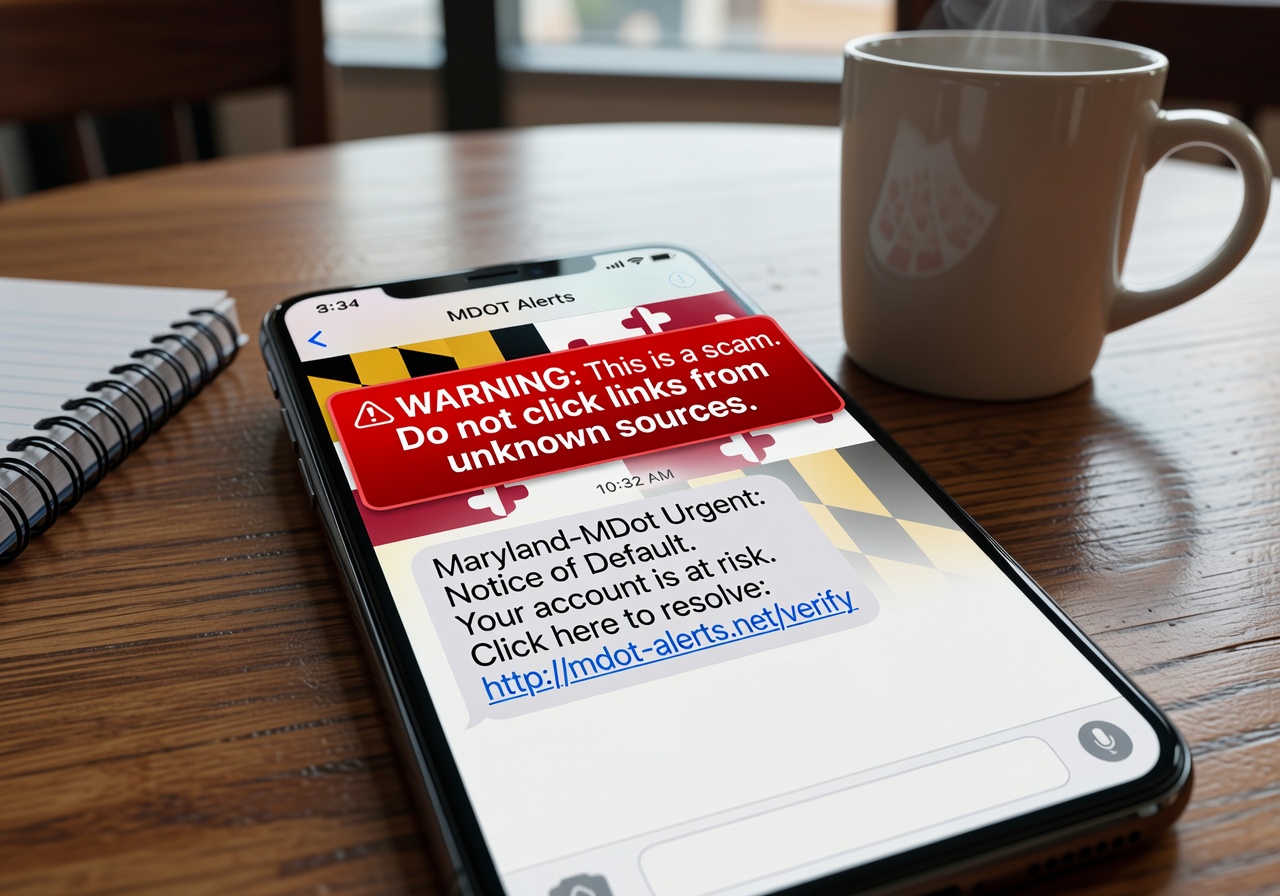

Maryland Drivers Are Being Targeted by MVA Scam Texts Right Now
MVA scam text Maryland residents are receiving is a phishing scheme where fraudsters impersonate the Maryland Motor Vehicle Administration to steal personal information and money. Here's what you need to know fast:
Quick answers:
- Is the text real? No. The Maryland MVA will never text you asking for personal information, payments, or threatening arrest or license suspension.
- What should you do? Do not click any links. Delete the message immediately.
- What if you already clicked? Visit the Maryland Attorney General's ID Theft page for help right away.
- Where to report it? Report to the FTC or email abuse@mdot.maryland.gov.
These scam texts often come from random long phone numbers and use urgent language like "Notice of Default" or threats of arrest to pressure you into clicking a fake link. One Baltimore resident described receiving a message that read: "It looks like it's coming straight from the MVA, and it says if I don't pay today, I could be arrested."
This is a growing problem. Phishing attacks — including text-based "smishing" scams like this one — now account for over 36% of all data breaches, and losses from phishing in the US have exceeded $1.4 billion according to the FBI. Maryland residents are squarely in the crosshairs.
The good news? Once you know what to look for, these scams are easy to spot and avoid.

Identifying an MVA Scam Text Maryland Residents Receive
Spotting an MVA scam text Maryland fraudsters send out is your first line of defense. These messages are designed to look official, often mimicking the branding of the Maryland Department of Transportation (MDOT) or the Motor Vehicle Administration (MVA). However, they always contain "tells" that give away their true nature.
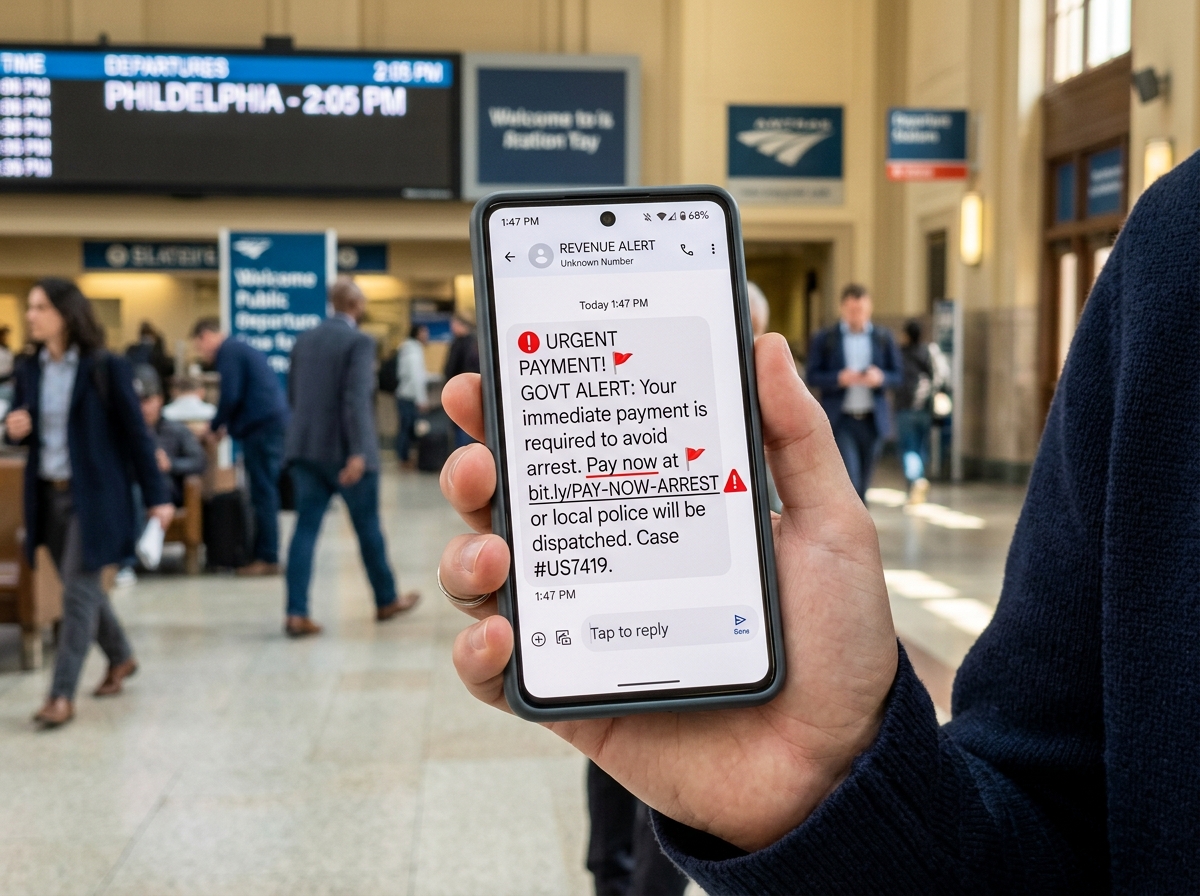
The primary goal of these scammers is "smishing"—a portmanteau of SMS and phishing. They want you to panic. By claiming you have a parking violation scam text or a suspended license, they hope you'll click their link before your brain has a chance to process the inconsistencies. Maryland MVA warns drivers about text scam attempts frequently, noting that these messages often demand immediate payment to avoid legal action.
Common Phrases in an MVA Scam Text Maryland
Scammers tend to reuse the same scripts because they work. We have seen a surge in messages using high-pressure language. If you see any of the following phrases, it is almost certainly a scam:
- "Notice of Default": This sounds legal and scary, implying you've already missed a deadline.
- "Unpaid Parking Fine": A common tactic used to lure people into checking a "violation" they don't remember.
- "Maryland-MDot Urgent": Many scammers use this specific sender name to appear legitimate.
- "Action Required: License Suspension": Threats to your driving privileges are a major red flag.
- "Warrant for Arrest": This is an extreme escalation meant to bypass your logical thinking.
The official text message scam warning from the MVA explicitly states they will never threaten legal action or demand payment via a text message.
How to Spot a Fake MVA Scam Text Maryland Link
The link is the "hook" in the smishing attempt. While the text might look okay, the URL usually tells a different story.
- Check the Domain: Official Maryland government websites will always end in .gov. If the link ends in .com, .net, .org, or something strange like .xyz or .info, it is a fraud.
- Look for Shortened URLs: Scammers love using Bitly or TinyURL to hide the final destination of the link. The real Official MVA website will never send you a shortened link for sensitive matters.
- Typos and Look-alikes: Sometimes they use "mva-maryland-gov.com" or similar variations. Always look closely at the spelling.
If you are unsure, you can learn how to confirm ParkMobile scam texts or other parking-related messages by comparing the URL to the service's official homepage.
Official Communication vs. Fraudulent Messages
Understanding how the state actually communicates with you is the best way to stay safe. We’ve put together a comparison to help you distinguish between a helpful reminder and a dangerous scam.
| Feature | Legitimate MVA Communication | MVA Scam Text |
|---|---|---|
| Sender | Short codes or verified MDOT accounts | Long, random 10-digit phone numbers |
| Purpose | Appointment reminders, cancellations | Demanding payment, threatening arrest |
| Personal Info | Never asks for SSN or DOB via text | Asks for SSN, DOB, or Credit Card |
| Urgency | Informational and professional | Threatening, aggressive, and "Immediate" |
| Links | Directs to mva.maryland.gov | Directs to non-gov or shortened URLs |
The MVA’s Premier Customer Protection program emphasizes that while they do use SMS, it is strictly an opt-in service for things like appointment confirmations. If you didn't schedule an appointment recently, any "MVA" text you get is likely a fake. This is similar to the EZPass scam text which has seen over 60,000 reports nationwide.
Legitimate Maryland MVA Contact Methods
The Maryland MVA is very specific about how they reach out to customers. If you receive an email, it will only come from authorized domains like admin@renewals.mva.maryland.gov or MVACC-NoReply@mdot.state.md.us.
If you have questions about a court-related item mentioned in a text, do not click the link. Instead, use the Directory of Courts to find the official contact information for your local jurisdiction. You can also look up District Court contact info directly to verify if you actually have any outstanding issues. The courts will never text you to demand a payment.
Risks and Immediate Steps After Receiving a Scam
The risks of interacting with an MVA scam text Maryland residents receive are significant. It's not just about a one-time payment; it's about your entire digital identity.
According to the Verizon Data Breach Investigations Report, phishing remains a top entry point for hackers. If you click a link and provide information, you face:
- Financial Loss: Direct theft from your bank account or credit card.
- Identity Theft: Scammers can use your SSN and DOB to open new accounts in your name.
- Malware: Simply clicking a link can sometimes trigger a silent download of spyware onto your phone.
If you realize you've been targeted, treat it like a wrong number text scam—don't engage, don't "stop" the message by replying, and definitely don't click.
Where to Report Maryland Phishing Attempts
Reporting these scams helps authorities track the "campaigns" and shut down the fraudulent websites. We recommend these three steps:
- FTC: Use the online reporting to the FTC portal. This is the primary database for consumer fraud in the US.
- FBI: Submit a tip to the Internet Crime Complaint Center (IC3). You can read about the impact of these reports in the FBI’s IC3 report.
- MDOT: Forward suspicious emails or screenshots of texts to abuse@mdot.maryland.gov.
Preventive Measures to Shield Your Personal Information
We believe that prevention is always better than recovery. While scammers are getting smarter, our tools for staying safe are also improving.
One of the most effective things you can do is enable Multi-Factor Authentication (MFA) on all your sensitive accounts. Microsoft MFA security benefits are clear: it can prevent over 99% of account compromise attacks. Even if a scammer gets your password through a fake MVA site, they won't be able to log in without that second code.
Additionally, use the advanced phishing protection settings in your email and mobile carrier's "spam block" features. These tools use AI to identify patterns common in scam texts and filter them out before they even hit your inbox.
Using Technology to Block Smishing
At Tempo Mail USA, we advocate for a "PII Firewall" approach. This means limiting how much of your Personally Identifiable Information (PII) is out in the wild.
- Email Aliases: When signing up for services, don't use your primary email. Use an alias. If that alias starts receiving MVA spam, you know exactly which service leaked your data, and you can simply delete the alias without changing your whole life.
- Privacy Firewalls: Use tools that mask your phone number or email when dealing with third-party sites.
The APWG Phishing Activity Trends Report shows a 31% year-over-year increase in phishing. By compartmentalizing your digital life, you make yourself a much harder target. Just as TXTag only texts from one number, you should train yourself to expect communications only through verified, secure channels.
Frequently Asked Questions about MVA Scams
Does the Maryland MVA ever text about unpaid fines?
No. The Maryland MVA and MDOT do not send unsolicited texts regarding fines, violations, or legal threats. Legitimate bills are sent via physical mail to the address on file or can be viewed by logging directly into your official myMVA account.
What should I do if I clicked a link in a scam text?
If you clicked but didn't enter info, run a malware scan on your device. If you did enter personal information or payment details:
- Contact your bank to freeze your cards.
- Change your passwords for important accounts.
- Place a fraud alert on your credit report via Equifax, Experian, or TransUnion.
- Report the incident to the Maryland Attorney General's office.
Are there other Maryland agencies targeted by similar scams?
Yes. Scammers often impersonate "DriveEzMD" for toll violations, the Maryland Judiciary for "jury duty" fines, and even the Maryland Department of Labor for unemployment insurance "verification." The rule of thumb is the same: government agencies don't text you out of the blue asking for your Social Security number or a credit card payment.
Conclusion
The MVA scam text Maryland residents are facing is a serious threat, but it doesn't have to be a successful one. By staying calm, looking for red flags like urgent threats and non-gov links, and reporting suspicious activity, you can protect yourself and your community.
We recommend taking a proactive stance on your cybersecurity. Using a PII firewall and temporary email aliases can stop your real information from ending up on a scammer's "hit list" in the first place. Stay safe, stay skeptical, and always verify before you click.
For more tools on how to protect your digital identity, visit us at https://tempomailusa.com.