

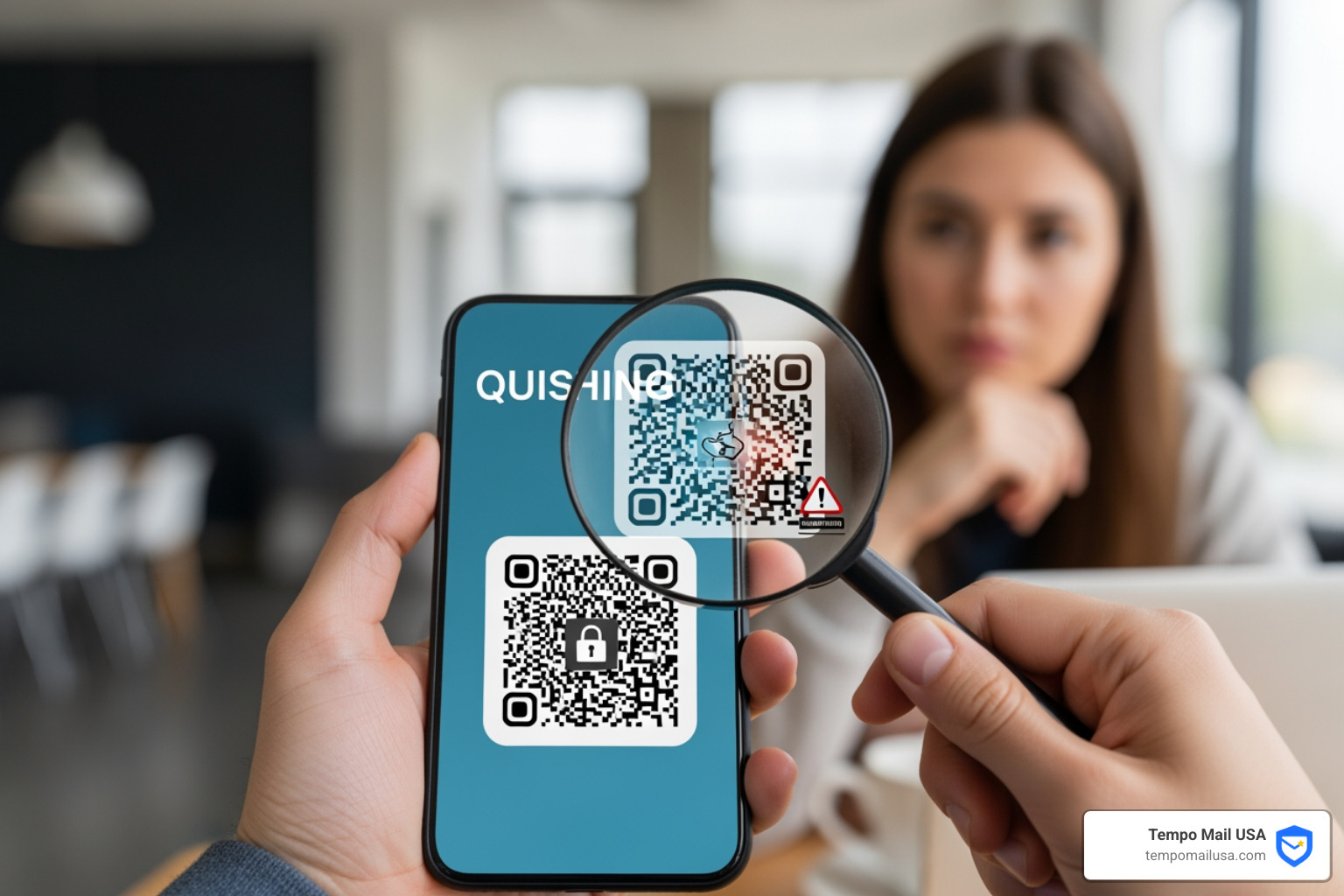

What Is Quishing — and Why Should You Care?
Quishing is a type of phishing attack that uses malicious QR codes to trick people into visiting fake websites or downloading malware.
Here's a quick breakdown:
- What it is: QR code phishing — attackers replace real links with QR codes that hide where they're actually sending you
- How it works: You scan a code, land on a convincing fake site, and unknowingly hand over passwords, payment details, or personal information
- Why it's dangerous: QR codes look identical whether they're safe or malicious — you can't tell just by looking
- Who's at risk: Anyone with a smartphone — but especially people who frequently scan codes in public places or open emails on mobile
QR codes have become part of everyday life — restaurant menus, parking meters, email promotions. That familiarity is exactly what attackers exploit.
And the numbers back it up. Bitcoin thieves using malicious QR code readers stole $45,000 worth of cryptocurrency in a single month. Quishing scams are growing because they work — and because most people don't see them coming.
Traditional phishing sends you a link you can hover over and inspect. Quishing hides that link inside an image. Your email security software often can't read it. Your eyes definitely can't.
That's what makes quishing one of the fastest-evolving cyber threats right now.
Understanding Quishing and the Rise of QR Codes
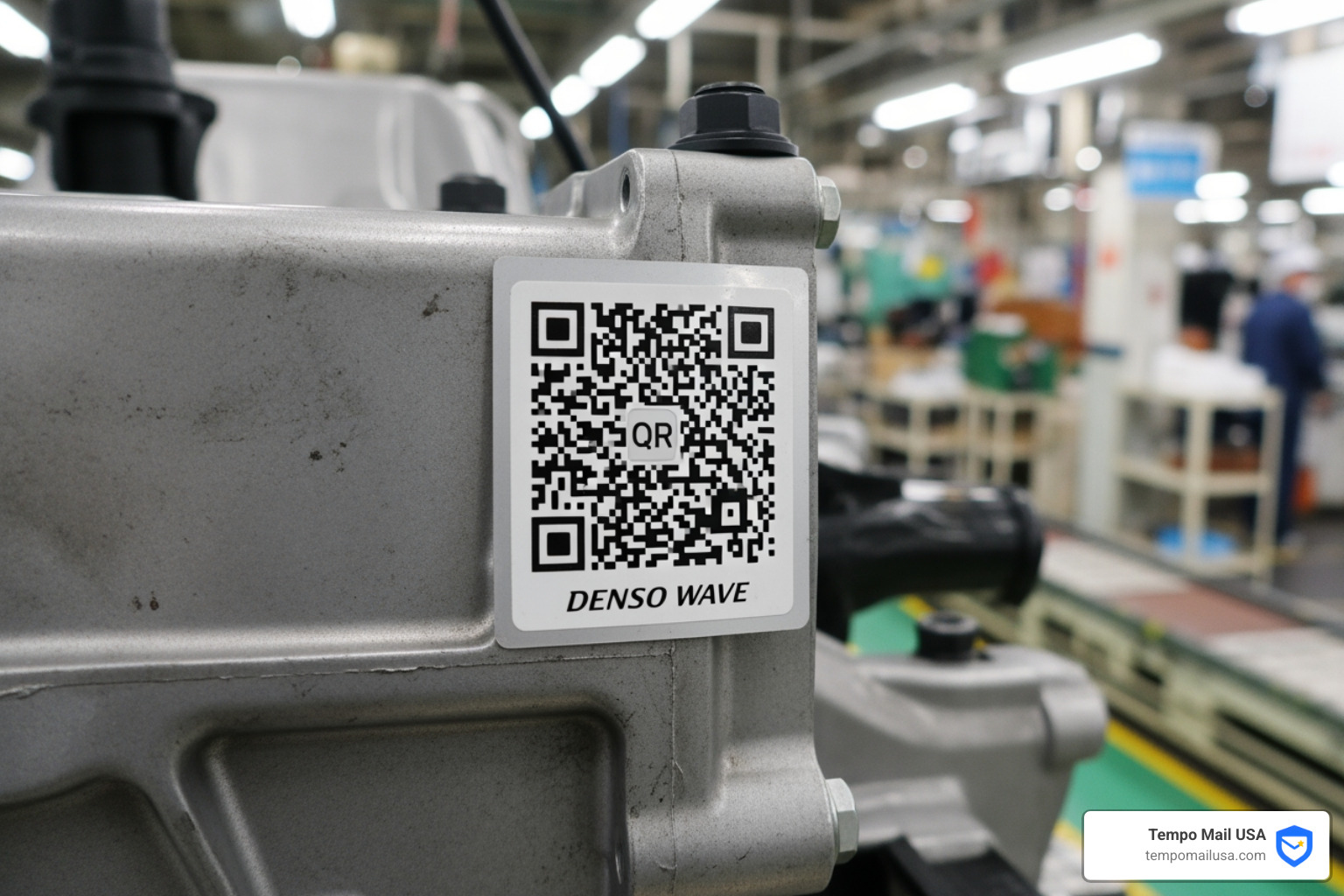
To understand why quishing is such a headache for us in the cybersecurity world, we first need to look at the humble QR code itself. QR stands for "Quick Response," and these two-dimensional barcodes were actually invented in 1994 by a Japanese automobile manufacturing company to track parts during the assembly process. They were designed to hold much more data than a standard barcode and to be read quickly from any angle.
For a long time, QR codes were a bit of a niche technology. You might have seen them in a magazine or on a flyer, but they didn't really "take off" until the smartphone era. The real turning point, however, was the COVID-19 pandemic. Suddenly, we all needed a way to view menus, check into venues, and make payments without touching physical surfaces.
This cultural shift was massive. According to industry research, 99.5 million users in the US will use their phones to scan QR codes by 2025. Even more telling is that 59 percent of people believe scanning QR codes will be a permanent part of how they use their phones in the future. We’ve become conditioned to trust that little square of black-and-white pixels.
There are two main types of QR codes you should know about:
- Static QR Codes: These contain fixed information that cannot be changed once the code is generated. If the URL it points to is malicious, it stays malicious.
- Dynamic QR Codes: These are more flexible and allow the owner to change the destination URL after the code is printed. This is great for businesses, but it’s a goldmine for scammers who can start with a legitimate link and later swap it for a phishing site.
Because we’ve become so comfortable with them, we often forget the basics of digital safety. If you're feeling a bit rusty, check out our Quick Guide: How to Spot Phishing Emails to refresh your internal "scam detector."
Mechanics of QR Phishing and QRLJacking
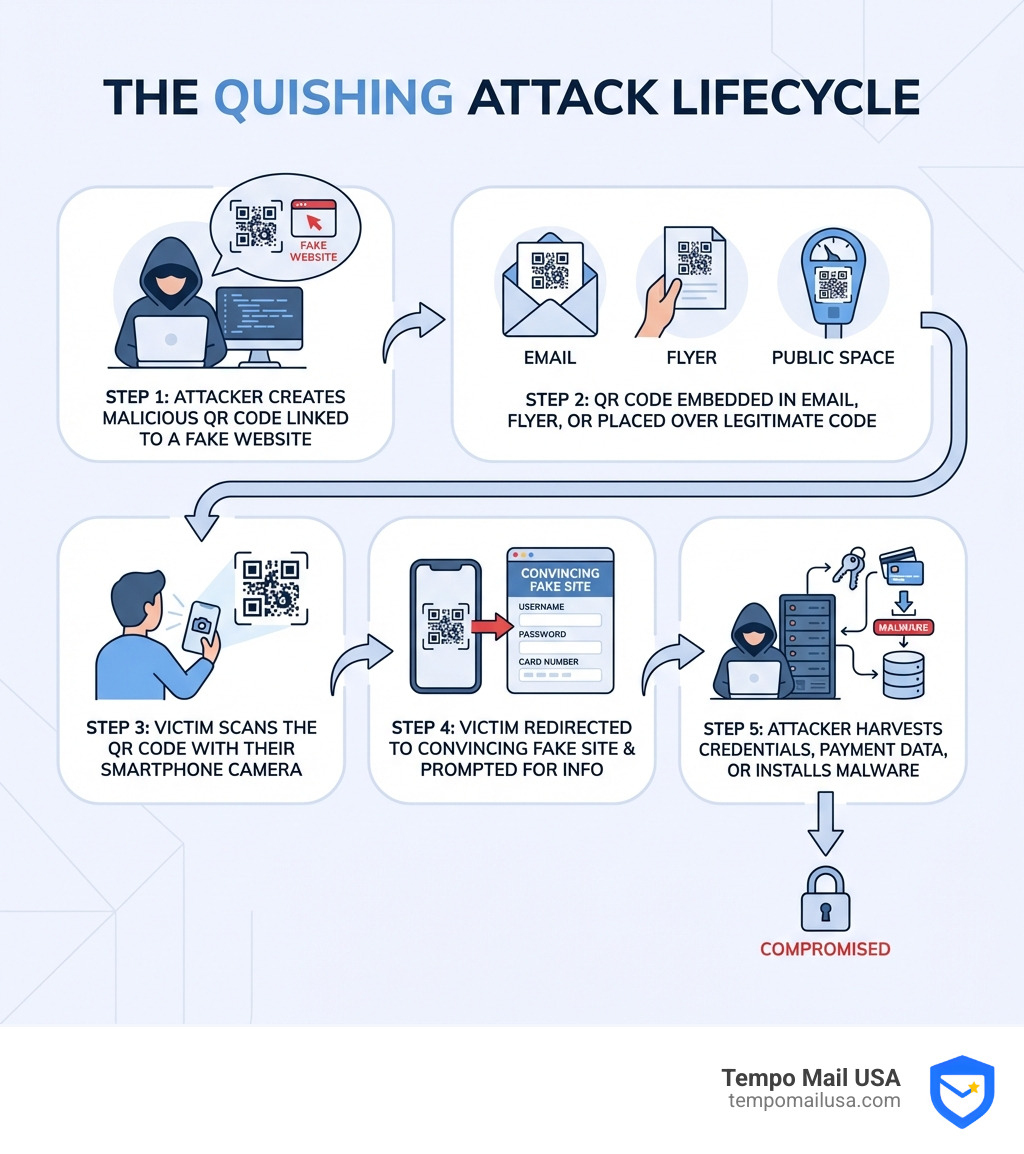
So, how does a standard phishing attack evolve into quishing? In a traditional phishing scam, an attacker sends an email with a suspicious link. If you're savvy, you might hover your mouse over the link to see where it’s actually going. If the text says "YourBank.com" but the link goes to "scam-site-123.ru," you know to hit delete.
Quishing removes that layer of transparency. Since the URL is encoded into an image, there is no "hover" feature for your eyes. You have to scan it first to see where it leads, and by then, you're already on the attacker's home turf. These attacks often lead to malicious redirects or direct malware delivery to your mobile device. To learn more about the broader world of these threats, read our article What is a Phishing Scam? Protect Yourself.
Why QR Codes are Dangerous in Quishing Attacks
The danger lies in the "image-based evasion" of these attacks. Most traditional email security filters are designed to scan text and URLs. When an attacker embeds a QR code in an email, the security software just sees an image—it doesn't necessarily "read" the malicious link hidden inside.
This allows attackers to successfully bypass filters that would otherwise block a phishing link. A prominent example involved attackers targeting Microsoft credentials by sending emails that claimed to contain a voicemail. To hear the message, the user had to scan a QR code. Because the code was an image, it sailed right past the standard security gateways, leading victims to a fake login page where their credentials were stolen.
QRLJacking and Session Hijacking
If quishing is the "entry-level" scam, QRLJacking is the advanced version. QRLJacking (Quick Response Code Login Jacking) is a sophisticated attack where scammers hijack a legitimate "Login with QR code" session.
Many apps, including banking and messaging services, allow you to log in by scanning a code on a screen. In a QRLJacking attack, the criminal clones a legitimate login QR code and places it on a fake website. When you scan it, thinking you are logging into your account, you are actually handing your session token over to the attacker.
A real-world victim of this was ING Bank. Scammers tampered with the QR functionality in the app’s ecosystem, tricking users into scanning codes that gave attackers full access to their bank accounts. It’s a terrifyingly efficient way to bypass even some forms of two-factor authentication.
Real-World Examples and High-Risk Targets
No one is completely immune to quishing, but certain groups are targeted more than others. Attackers love to exploit high-traffic events or public services where people are in a hurry.
| Target Group | Common Quishing Method | Goal |
|---|---|---|
| Drivers | Fake QR stickers on parking meters | Steal credit card info via fake payment portals |
| Crypto Investors | Malicious QR "readers" or fake giveaway ads | Drain cryptocurrency wallets |
| Office Workers | "Voicemail" or "Security Update" QR codes in emails | Steal corporate login credentials |
| Public Diners | Tampered QR codes on restaurant menus | Redirect to malware or data-harvesting sites |
One of the most famous (though unintentional) examples of QR code power was the Coinbase Super Bowl ad. A simple bouncing QR code on a black screen boosted app installations by 309 percent. While this was a legitimate marketing move, it proved to hackers just how willing people are to scan a code without knowing where it goes.
Criminals have taken notice. Bitcoin thieves created malicious QR code reader apps that, instead of helping users, simply swapped the recipient's wallet address with the attacker's, stealing $45,000 in a single month.
Physical scams are just as common. In a case from Texas, scammers placed stickers over legitimate QR codes on parking pay stations. Drivers thought they were paying for their spot, but they were actually sending their credit card details straight to a fraudster. A similar "fake parking ticket" scam was reported in Atlanta, where paper tickets on windshields directed drivers to a quishing site to "pay their fine."
Even government agencies aren't safe. A QR phishing campaign in China impersonated the Ministry of Finance, using QR codes in emails to trick citizens into "applying for a grant," only to steal their credit card information.
Protecting Yourself and Your Business
The good news is that while quishing is clever, it isn't invincible. Protection starts with a healthy dose of skepticism. Before you scan anything, take a second to look at the physical environment. Is the QR code a sticker placed over another code? Does the email it came in feel urgent or "off"?
We always recommend visiting Scamwatch for the latest alerts on known QR scams. Additionally, use these personal safety tips:
- Preview the URL: Most modern smartphone cameras will show you a preview of the link before you click it. If the URL looks like a jumble of random letters or doesn't match the official brand, don't open it.
- Manual Navigation: If a QR code on a parking meter or a bill asks for payment, ignore the code and type the official website address into your browser manually.
- Use Multi-Factor Authentication (MFA): Even if a quisher steals your password, MFA can act as a final line of defense.
- Audit your apps: Only use the built-in camera app on your phone. Avoid third-party "QR Scanner" apps, which are often just wrappers for malware.
For more advanced protection, you can explore the Best Phishing Detection Tools for Ultimate Security.
Organizational Measures to Prevent Quishing
For businesses, quishing is a nightmare because it often involves "Bring Your Own Device" (BYOD) risks. An employee might check their work email on a personal phone, scan a malicious QR code, and inadvertently give an attacker access to the corporate network.
To fight this, organizations should:
- Implement Security Awareness Training: Teach employees that QR codes are just "links in disguise" and should be treated with the same suspicion as a random attachment.
- Use Image Analysis Tools: Modern email security suites can now decode images in real-time to check the reputation of the underlying URL.
- Establish a BYOD Policy: Ensure that personal devices used for work have basic security protections and updated software.
- Encourage Reporting: Make sure your team knows How to Report Phishing Emails in 5 Easy Steps.
Frequently Asked Questions about QR Scams
What is this QR scam?
The "QR scam" is technically known as quishing. It involves an attacker creating a QR code that looks legitimate but actually links to a phishing site or triggers a malware download. These are found in emails, on social media, or even stuck onto physical objects like parking meters and restaurant menus.
How does it differ from traditional phishing?
Traditional phishing uses text-based links that are easy for both humans and security software to inspect. Quishing uses images to hide the destination URL. This allows the scam to bypass many email filters and exploits the fact that users cannot "read" a QR code with their naked eye.
What should I do if I think I've been targeted?
If you've scanned a suspicious code but haven't entered any info, you're likely safe, but you should run a malware scan on your phone. If you did enter a password or payment info:
- Change your passwords immediately (starting with your email and bank).
- Enable MFA on all accounts.
- Contact your bank to freeze your cards if you provided financial details.
- Report the incident to your IT department (if it's a work device) or the relevant authorities.
Conclusion
As our world becomes increasingly digital, the tools used by scammers will continue to evolve. Quishing is a perfect example of how a convenient technology can be twisted into a weapon. By staying vigilant, inspecting URLs, and being cautious about where we scan, we can enjoy the convenience of QR codes without the digital "aftertaste" of a security breach.
At Tempo Mail USA, we believe that the best defense is a strong offense. One of the most effective ways to protect your digital identity is to limit the amount of personal data you share in the first place. We provide temporary email aliases that act as a secure proxy for your identity. By using our service, you create a firewall between your real personal information and the services you use, ensuring that even if a service is compromised, your real data stays hidden.
Stay safe, stay skeptical, and Protect your privacy with Tempo Mail.