

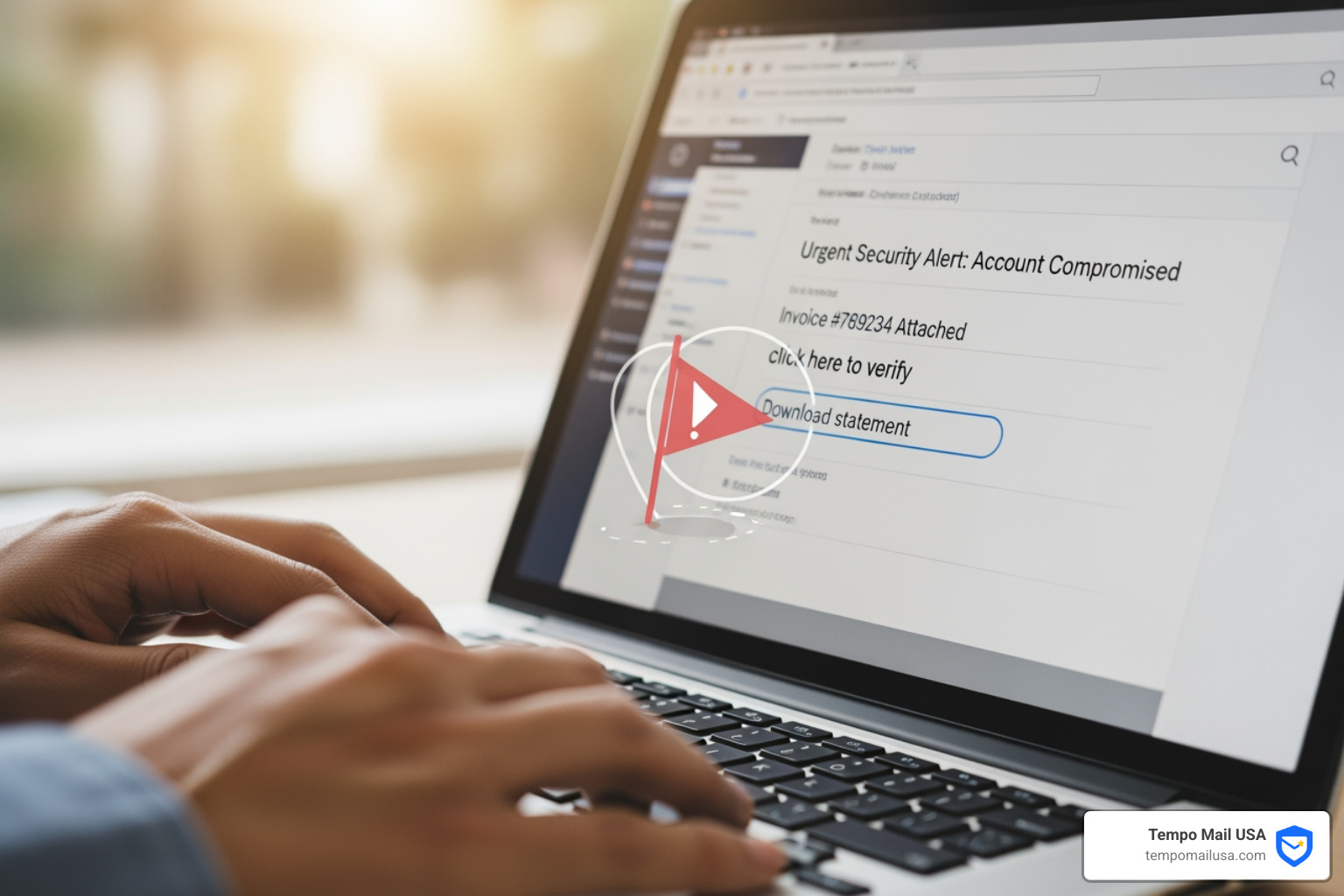

Why Reporting Phishing Emails Protects You and Others
Report phishing email to protect yourself and millions of others from cybercrime. Here's how to do it in five easy steps:
- Don't click, reply, or forward (except to report)
- Use your email client's built-in reporting tool (Gmail, Outlook, etc.)
- Report brand impersonation directly to the company being spoofed
- Forward to national authorities (CISA, NCSC, CAFC, etc.)
- Submit to global anti-phishing organizations like APWG
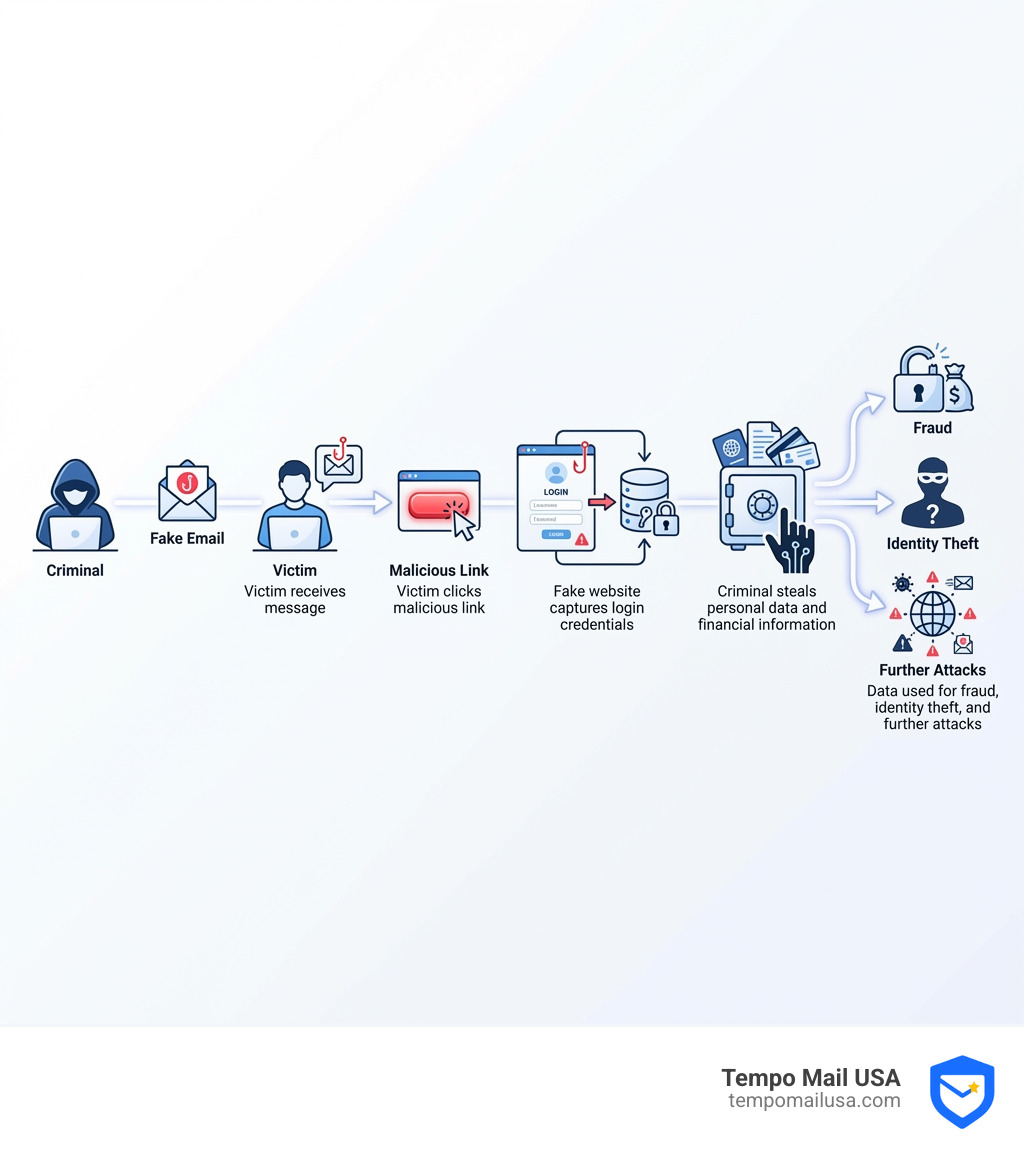
Phishing is a cybercrime where criminals send fake emails pretending to be from legitimate companies. They trick you into clicking dangerous links, downloading malware, or revealing personal information like passwords and credit card numbers.
In the fourth quarter of 2023 alone, the Anti-Phishing Working Group (APWG) observed over 1 million phishing attacks—a staggering number of attempts to steal personal data in just three months. These attacks target everyone from individual users to major corporations.
Consider Omar's story. As a busy professional, he received what looked like a routine payment failure email from an online vendor. In a rush, he clicked the link and entered his login credentials, not noticing the suspicious email address. Within hours, criminals had stolen his password and credit card information for fraudulent purchases.
Every phishing email you report helps shut down scam websites, protects other potential victims, and makes you a harder target for future attacks. This guide walks you through exactly how to report phishing emails using multiple channels—from your email provider to national authorities. Each report takes less than two minutes but contributes to a worldwide effort to stop cybercrime.
First, Spot the Phish: Common Signs of a Malicious Email
Phishing is a form of social engineering where cybercriminals manipulate you into performing an action that benefits them, like stealing your personal information, credentials, or money. They often leverage emotions like urgency or fear to make you act without thinking.
Recognizing these deceptive emails is your first line of defense. Phishing emails are designed to look legitimate, often impersonating trusted brands or government agencies. However, upon closer inspection, they usually have a few telltale signs.
Omar's experience is a common one. In a moment of haste, he overlooked crucial details in an urgent-sounding email about a payment failure. He clicked a link to a fake login page, and his credentials and credit card information were compromised. This scenario highlights how easily one can fall victim if not vigilant.
To help you become more vigilant, here are the common signs to look for. Every detail matters when trying to report phishing email effectively.
List of Telltale Phishing Signs
- The message creates a sense of urgency or fear: Scammers love to create panic. They might threaten account suspension or legal action if you don't act immediately. Legitimate organizations rarely demand immediate action without prior warning.
- The greeting is generic (e.g., "Dear Valued Customer"): If a message from your bank or a service you use doesn't address you by name, it's a red flag. Phishing emails often use generic greetings because they are sent in bulk.
- The sender's email address looks suspicious: Always check the sender's full email address, not just the display name. A genuine email from Amazon will come from an amazon.com domain, not "amazon-support@suspicious-domain.xyz". Outlook may show indicators when a sender is unverified.
- The email contains unexpected attachments or links: Be extremely wary of attachments you weren't expecting, especially .zip or .exe files. Unsolicited links are also a common phishing tactic.
- Hovering over a link reveals a different URL: Before clicking any link, hover your mouse cursor over it (on a desktop) or long-press it (on mobile) to see the actual destination URL. If the text says "amazon.com" but the link preview shows "malicious-site.xyz," do not click it.
- The message contains poor spelling and grammar: While even legitimate emails can have typos, phishing emails often contain numerous grammatical errors or awkward phrasing that a professional organization would avoid.
For more detailed guidance on recognizing these threats, we recommend checking out the CISA guide on Recognize and Report Phishing.
Why You Must Report Phishing Emails (And the Risks if You Don't)
Simply deleting a suspicious email misses a crucial opportunity to fight cybercrime. Reporting phishing isn't just about protecting yourself; it's about protecting everyone.
Why is it so important to report phishing emails?
- Protecting yourself: When you report phishing email, you help train spam filters to better identify and block threats, reducing the number of scam messages you receive.
- Protecting others: Your report can lead to the takedown of malicious websites and email addresses, preventing others from becoming victims. The UK's National Cyber Security Centre (NCSC) confirms that public reports are vital for protecting people online.
- Helping authorities: Organizations like the Canadian Anti-Fraud Centre (CAFC) use public reports to investigate cybercrimes, identify trends, and develop prevention campaigns. Your report provides valuable data for law enforcement.
- Making yourself a harder target: Reporting helps cybersecurity experts understand the latest tactics and strengthen defenses, making it harder for scams to reach your inbox.
What are the risks of not reporting phishing emails?
Ignoring phishing emails carries significant risks for you and the wider online community.
- Identity theft risk: The primary goal of phishing is to steal your Personally Identifiable Information (PII). Success can lead to identity theft, where criminals use your data to open accounts, make fraudulent purchases, or commit crimes in your name.
- Financial loss: The financial consequences can be devastating. Business Email Compromise (BEC) attacks alone cost victims in the U.S. $2.9 billion in 2023, according to the FBI. In Q4 2023, the average amount requested in a wire transfer BEC attack was $116,423. Gift cards remained the most popular payment method requested by scammers (57%).
- Malware infection: Many phishing emails contain malicious links or attachments that can install malware, ransomware, or spyware on your device, compromising your entire system.
- Business Email Compromise (BEC): This sophisticated phishing targets businesses by impersonating employees or partners to trick staff into sending money or sensitive data. In Q4 2023, social media was the most-victimized sector (28.7% of attacks), with SAAS/webmail services close behind (18.9%), highlighting the threat to business communications.
The sheer volume of attacks is staggering. In Q4 2023, the APWG observed over one million phishing attempts. By not reporting, we allow these criminal enterprises to operate unchecked. Every report contributes to our collective defense.
How to Report Phishing Emails: A 5-Step Guide
Now that you understand the importance of reporting, let's walk through the practical steps. Your action helps build a safer digital environment for everyone.

Step 1: Don't Click, Reply, or Forward (Except to Report)
This is the golden rule: as soon as you suspect an email is phishing, stop. Do not click any links, open any attachments, or reply to the sender. Interacting with the email can confirm your address is active or compromise your device. If the email claims to be from a known company, verify its legitimacy by contacting them directly through their official website, not by using contact information from the suspicious email.
The only exception is forwarding the entire email as an attachment to a designated reporting address, which preserves crucial header information for analysis.
Step 2: Use Your Email Client or Service to Report a Phishing Email
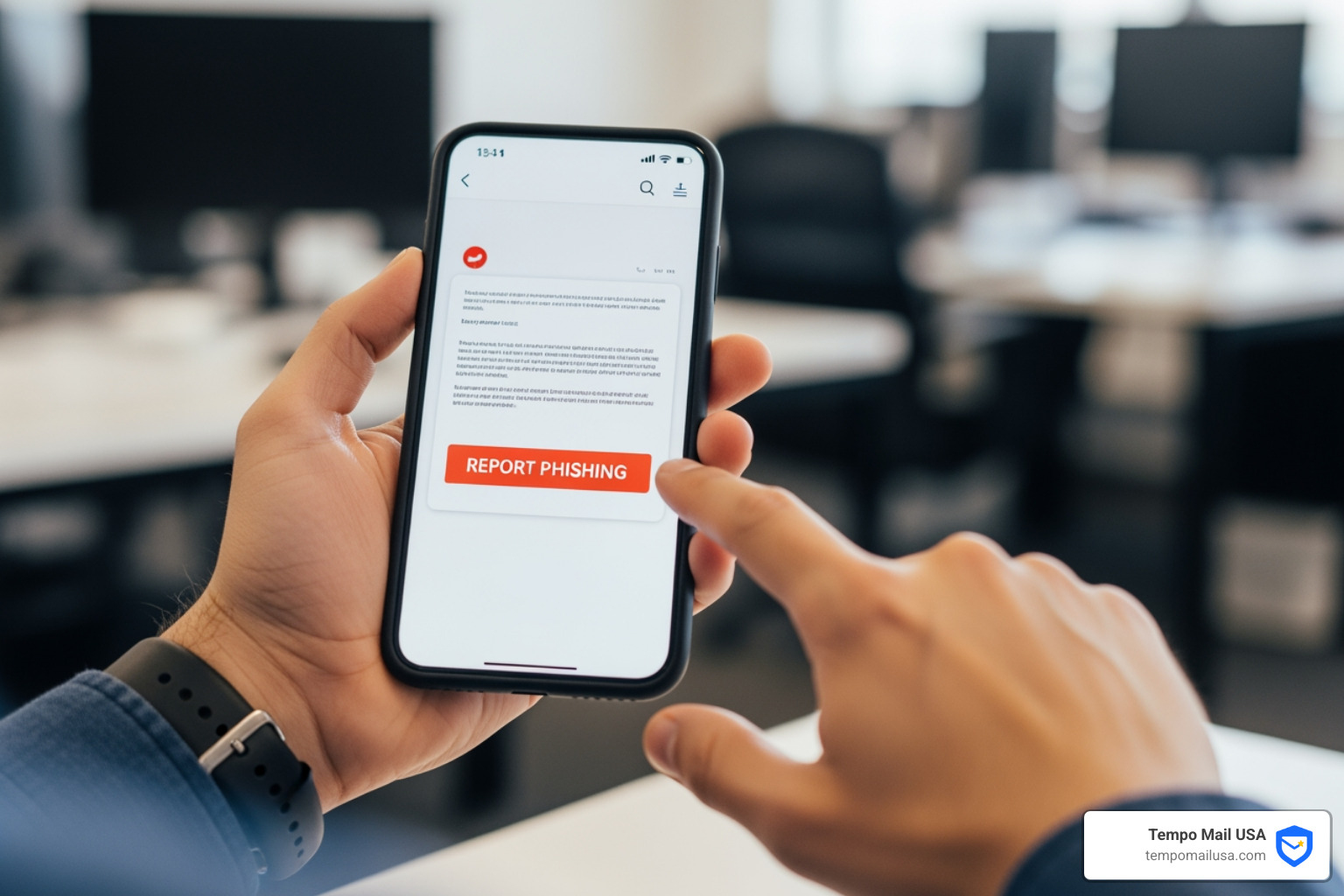
Most email services have a "Report phishing" or "Mark as spam" option. This is the quickest way to report phishing email directly from your inbox.
- Gmail: Open the suspicious message. Next to "Reply," click "More" (the three vertical dots) and then click Report phishing. Google uses these reports to improve its spam and abuse protection for all users.
- Outlook: Outlook has built-in features to identify and report suspicious emails. You can usually mark emails as "Junk" or "Phishing" through the reporting options in the toolbar.
- Other Email Providers: Most other services (Yahoo Mail, Proton Mail, etc.) have similar reporting mechanisms. Look for options like "Report Phishing" or "Mark as Scam."
Using your client's reporting tool helps improve its filters, making the internet safer for everyone.
Step 3: Report Brand Impersonation Directly to the Organization
If the phishing email impersonates a specific company, report phishing email directly to that organization. They have a vested interest in stopping impersonation to protect their customers.
- Amazon: Forward suspicious emails claiming to be from Amazon to stop-spoofing@amazon.com.
- Banks and Financial Institutions: Forward the email to your bank's dedicated fraud or security address, which you can find on their official website. Phishing against financial institutions accounted for 15.7% of all attacks in Q4 2023, so they are keen to receive these reports.
- Social Media Platforms: Social media was the most targeted sector in Q4 2023, with 28.7% of all phishing attacks. If you receive a phishing attempt impersonating Facebook, Instagram, X (Twitter), etc., report it through their in-app features or official security contacts.
Always visit the company's official website for instructions on reporting phishing—never use contact details from the suspicious email itself.
Step 4: Report the Phishing Email to National Authorities
For a broader impact, report phishing email to national cybersecurity authorities. These agencies can investigate, take down malicious websites, and pursue legal action.
- United States (CISA): The Cybersecurity and Infrastructure Security Agency (CISA) encourages reporting. Find guidance on their Recognize and Report Phishing page.
- United Kingdom (NCSC): The National Cyber Security Centre (NCSC) investigates and takes down scam sites. Forward suspicious emails to report@phishing.gov.uk.
- Canada (CAFC): The Canadian Anti-Fraud Centre (CAFC) and the National Cybercrime Coordination Centre (NC3) work together. Report cybercrime online at reportcyberandfraud.canada.ca.
Find your country's official reporting portal by searching for "report phishing [your country name]."
Step 5: Contribute to Global Anti-Phishing Efforts
Several global organizations fight phishing on an international scale. Reporting to them contributes to a worldwide database that helps dismantle phishing operations.
- Anti-Phishing Working Group (APWG): The APWG is a non-profit association that analyzes phishing data to stop cybercrime. Forward suspicious emails to reportphishing@apwg.org, preferably using the "Forward As Attachment" option in your email client. This preserves the original email headers, which contain crucial technical information. Your submission helps APWG's systems trace and monitor phishing websites, contributing to security mechanisms that protect billions of devices globally.
Forwarding suspected phishing emails to these organizations helps experts understand new attack vectors and make the internet safer.
What Happens After You Report a Phishing Email?
You've hit the "report" button. So, what happens next? While you won't get a personal reply for every report, your action triggers a chain of events designed to combat cybercrime.
When you report phishing email, the process typically involves:
- Automated Analysis: Your report contains valuable metadata (like email headers) that cybersecurity systems analyze to identify malicious URLs and sender patterns. Google, for example, analyzes reports to protect all users from spam and abuse.
- Human Review: For complex threats, human analysts may review the email to understand new phishing tactics that automated systems might miss.
- Website Takedowns: A key outcome is the takedown of malicious websites. Organizations like the NCSC work with hosting companies to remove fraudulent sites, preventing others from falling for the scam.
- Blacklisting Senders and Domains: Information from reports helps email providers update their blacklists, blocking future emails from malicious senders.
- Law Enforcement Investigation: Reports to national centers like the CAFC contribute to a central data repository. This helps law enforcement link crimes, identify trends, and apprehend cybercriminals.
- Collective Security Improvement: Every report adds to a global intelligence network. Organizations like APWG use this data to help security researchers and service providers stay ahead of evolving threats.
- No Individual Feedback (Usually): It's important to know that you likely won't receive a personal update. Organizations like the NCSC handle a massive volume of reports and cannot provide individual outcomes, but they confirm that every report is acted upon to tackle malicious activity.
Your report contributes to a vast, interconnected system that protects the digital world. You become an active participant in the collective defense against cybercrime, even if you don't see the direct results.
Beyond Reporting: Proactive Steps to Protect Your Inbox
While knowing how to report phishing email is a powerful defensive tool, proactive prevention is the best strategy. Here are additional steps to fortify your inbox against phishing attempts.
- Enable Two-Factor Authentication (2FA) / Multi-Factor Authentication (MFA): This is one of the most effective ways to protect your accounts. Even if a phisher steals your password, 2FA requires a second verification step (like a code from your phone) to log in, locking them out.
- Use Strong, Unique Passwords and a Password Manager: Reusing passwords is a major security risk. Create long, complex passwords for each account and use a reputable password manager to store them securely. You can find and change any unsafe passwords saved in your Google Account.
- Browser Security Features: Use your browser's built-in security. Google Chrome's "Safe Browsing" feature provides alerts about malware, risky extensions, and phishing sites. You can download Chrome at no charge to use these features.
- Be Skeptical by Default: Cultivate a healthy skepticism toward unsolicited emails, texts, and calls. If something sounds too good to be true or creates undue urgency, it probably is. Always verify requests through an independent channel.
- Email Aliasing for PII Protection: This is where solutions like TempoMail USA come in. We provide identity proxying services, generating secure email aliases that act as a "firewall" for your Personally Identifiable Information (PII). Instead of giving out your real email address, you use a unique alias for online sign-ups. If that alias is ever compromised or targeted by phishers, your real email address remains private and secure. This significantly reduces your exposure to phishing and protects your PII from being exposed in data breaches.
- Regularly Review and Update Security Settings: Periodically review the security and privacy settings on your email, social media, and other online accounts. Ensure all available security features are enabled and your recovery information is up-to-date.
By combining diligent reporting with these proactive security measures, you can create a much more resilient defense against the ever-present threat of phishing.
Conclusion
Phishing remains a persistent and evolving threat, with over a million attacks observed in Q4 2023 alone. Cybercriminals constantly adapt their tactics, from sophisticated Business Email Compromise scams to simple, urgent-sounding messages, to exploit our trust and steal sensitive information.
However, we are not powerless. Knowing how to report phishing email is a simple yet impactful action. By following our 5-step guide—recognizing the signs, using your email client's reporting tools, informing the impersonated brand, notifying national authorities, and contributing to global efforts like APWG—you become an active participant in the fight against cybercrime. Each report helps shut down malicious sites, improve security filters, and provide crucial intelligence to law enforcement.
Beyond reporting, proactive measures like strong passwords, two-factor authentication, and the innovative protection of email aliasing create a robust defense. At TempoMail USA, we're dedicated to empowering you with tools that build a powerful "firewall" around your Personally Identifiable Information, ensuring your email privacy and cybersecurity.
Your vigilance and willingness to report phishing email are vital. Together, through informed action and collective defense, we can make the internet a safer place for everyone.
Learn more about enhancing your email privacy and cybersecurity with Tempo Mail USA