



Phishing Scams: Unmasking the Deception and Fortifying Your Defenses
Phishing isn't just a buzzword; it's one of the most pervasive online threats we face today, constantly evolving to trick even the savviest internet users. Scammers are masters of disguise, using convincing tricks—from deceptive emails and texts to sophisticated fake websites—all designed to steal your passwords, credit card numbers, and other private data. This comprehensive guide will break down exactly what phishing looks like, explore the many forms it takes, and equip you with practical, actionable steps to stay safe online. Read on to learn how to spot these cunning scams and discover how tools like TempoMailUSA can significantly reduce your exposure to phishing and unwanted spam.
What Exactly Is a Phishing Scam?
At its core, phishing is a digital con game. It's a scam that tries to fool you into willingly giving up sensitive information by pretending to be someone you trust. These attackers are masters of deception, often impersonating trusted entities like your bank, a familiar service, or even a colleague. They leverage urgent or emotionally charged language to pressure you into clicking malicious links or divulging sensitive credentials. What makes these attacks particularly insidious is that they rely less on complex technical hacks and more on manipulating human reactions like fear, curiosity, or a sense of urgency. Understanding this psychological angle is your first line of defense.
How Do Phishers Use Deceptive Messages to Steal Your Data?
Phishers meticulously craft messages that look incredibly legitimate. They'll mimic official logos, use familiar phrasing, and even spoof email addresses to appear authentic. Their goal is to lead you to fake login pages or trick you into downloading malicious files. A classic tactic is a notice claiming your account is “locked” or “at risk,” complete with a link urging you to “verify” your details immediately. The moment you enter your information on their fake page, attackers capture it, gaining access to your accounts or using it to commit fraud. Recognizing these patterns is crucial to avoiding their traps.
Who Do Phishing Attacks Target and Why?
No one is truly immune to phishing. These attacks can hit anyone: individuals managing their finances, online shoppers, employees, or even high-level executives. The attackers' goals vary widely—from identity theft and direct financial theft to gaining unauthorized access to a company network. They often pick targets based on opportunity: widely used services, individuals who frequently make online payments, or organizations where a single breached account can unlock much larger access. If you're online, you're a potential target.
What Types of Phishing Are There?
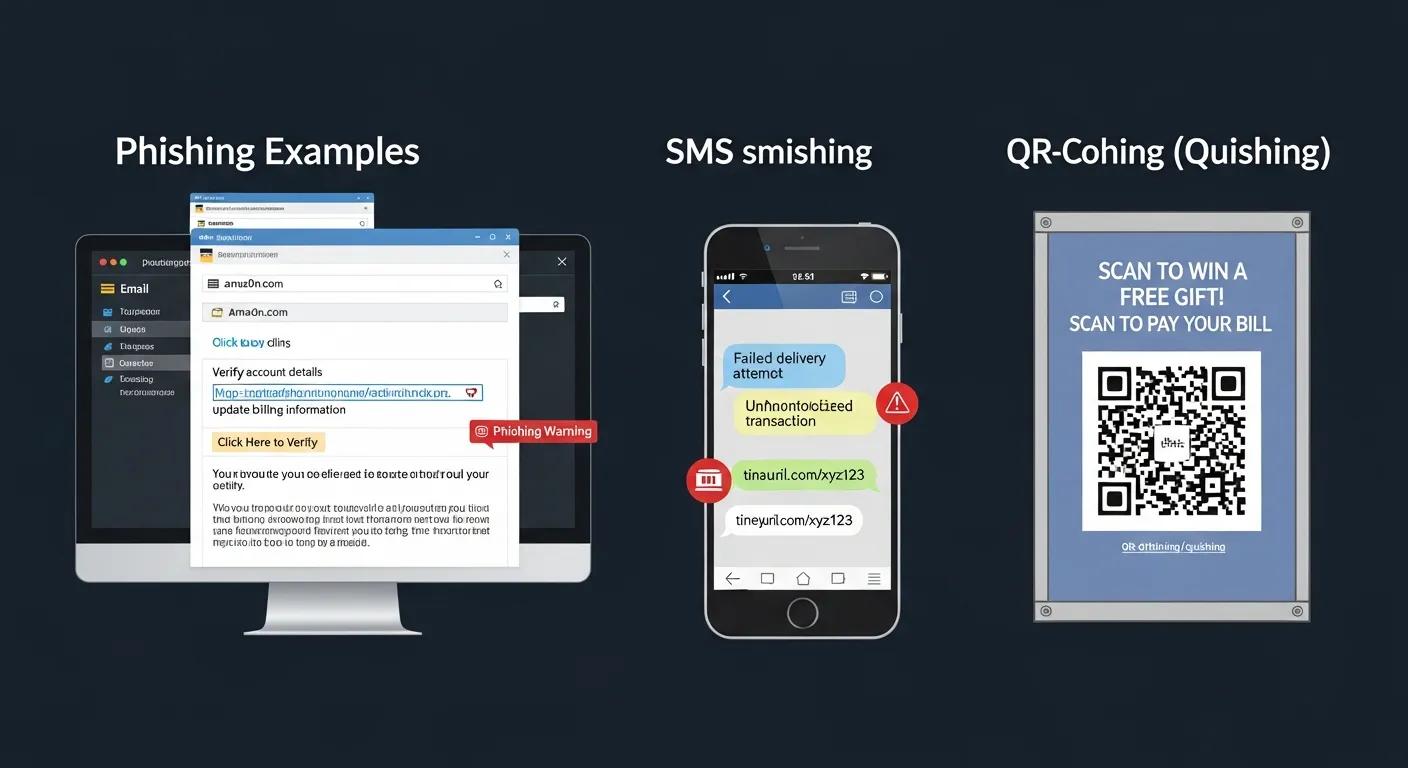
Phishing isn't a one-trick pony; it comes in many different forms. Each type uses a unique channel or degree of personalization, so understanding the common variations is key to protecting yourself.
Email Phishing, Spear Phishing, and Whaling — What’s the Difference?
- Email Phishing: This is the most common type. Think of it as a wide net cast into the ocean. Attackers send mass emails to countless people with a generic message and a malicious link or attachment. They rely on sheer volume—knowing that a certain percentage of recipients will inevitably click.
- Spear Phishing: This is far more targeted and personalized. Instead of a wide net, imagine a harpoon aimed at a specific individual. Attackers meticulously research a person or company to craft highly believable messages that are much more likely to succeed because they feel relevant and legitimate.
- Whaling: A specialized form of spear phishing, whaling targets the "big fish"—high-value individuals like executives, CEOs, or decision-makers within an organization. The messages are exquisitely tailored to look official, urgent, and often involve sensitive company matters, aiming for maximum impact.
Smishing, Vishing, Pharming, and Quishing Explained
- Smishing: This is phishing via SMS, or text message. You might receive a text asking you to click a link or call a number to "solve a problem" with your bank, a delivery, or a service.
- Vishing: Short for "voice phishing," vishing involves scammers calling you directly, pretending to be banks, tech support, or government agents. Their goal is to extract sensitive information over the phone.
- Pharming: This is a more sophisticated attack where you try to visit a legitimate website but are secretly redirected to a fake one. This can happen through malware on your computer or by manipulating DNS settings.
- Quishing: A newer tactic, quishing uses malicious QR codes. When you scan one of these codes, it can take you to a dangerous website or trigger a download of malware onto your device.
How Can You Spot a Phishing Scam? Practical Signs to Watch For
The good news? You can learn to spot phishing attempts. Knowing the red flags makes it much easier to avoid falling victim. Before you click, respond, or enter any information, always look for these consistent warning signs.
Common Red Flags in Emails and Messages
- Generic Greetings: If an email from a service that usually addresses you by name starts with "Dear Customer" or "Valued User," that's a significant clue. Real companies often personalize their communications.
- Urgent or Threatening Language: Scare tactics are a hallmark of phishing. Phrases like “account suspended,” “immediate action required,” or “act now to avoid penalties” are designed to make you panic and rush your decision.
- Suspicious Links: This is critical. Before clicking any link, hover your mouse over it (or long-press on mobile) to reveal the actual URL. If it doesn’t match the sender’s domain, looks garbled, or points to an unfamiliar address, do not click it.
How to Verify If a Message Is Legitimate
When in doubt, always take a pause and verify. Your caution is your best defense.
- Contact the Organization Directly: Never use contact details provided in a suspicious message. Instead, go to the official website (by typing the URL yourself or using a trusted bookmark) or call the official customer service number to confirm the message's legitimacy.
- Look for Spelling and Grammar Errors: While not foolproof, many scams contain small mistakes, awkward phrasing, or grammatical errors that legitimate companies typically proofread and avoid.
- Use Security Tools: Keep your antivirus software and email filters up-to-date. These tools are designed to catch many known threats before they even reach your inbox.
Practical Steps to Reduce Your Phishing Risk
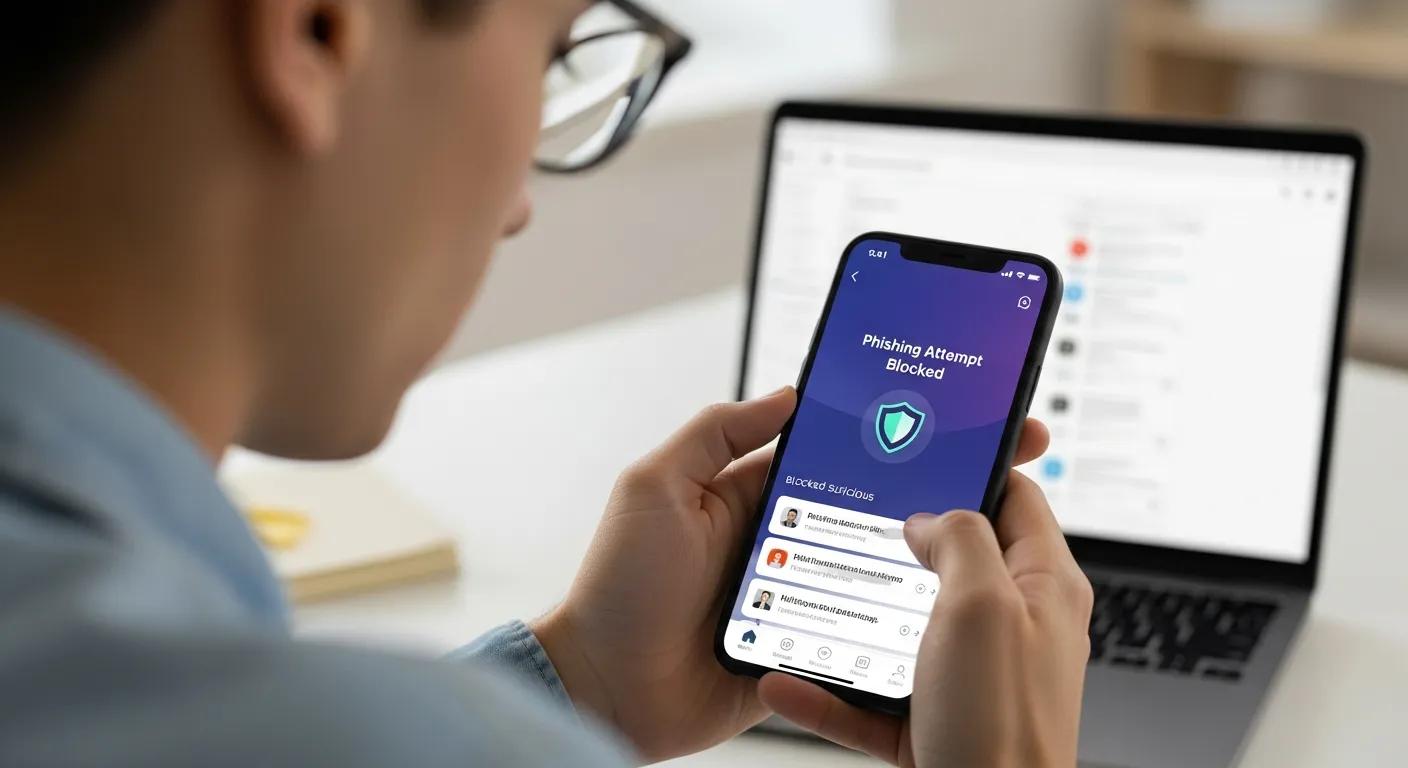
Protecting yourself from phishing isn't about being a tech wizard; it's mostly about cultivating smart habits and implementing simple, yet powerful, safeguards. Below are effective, easy-to-adopt practices you can start using today to significantly reduce your risk.
Security experts universally agree: a layered defense strategy combined with ongoing vigilance is the most effective way to mitigate the threat of phishing.
Phishing Email Mitigation & Cybersecurity Practices
This research reviews common mitigation steps organizations use to reduce phishing risks, from employee training to technical controls. It highlights how coordinated practices can lower incidents and limit damage when attacks occur.
Prevention and mitigation measures against phishing emails: a sequential schema model, SAS Monroy, 2021
- Be Cautious with Emails: Always treat unsolicited requests for sensitive data with extreme suspicion. Double-check sender details and, as a golden rule, avoid clicking links or opening attachments from unknown or unexpected sources.
- Enable Multi-Factor Authentication (MFA): This is one of your strongest defenses. Adding a second verification step—like a text code, an authenticator app, or a hardware key—makes stolen passwords far less useful to attackers. Even if they get your password, they can't get in without that second factor.
- Share What You Know: Cybersecurity is a shared responsibility. Teach your colleagues, friends, and family simple checks—how to spot suspicious links, what to do if something looks off, and why these habits are so important.
Can Temporary Email Services Lower Phishing Risk?
Absolutely, yes. Disposable email addresses act as a crucial shield for your main inbox. By using a temporary address for sign-ups, one-time interactions, or any service you don't fully trust, your primary account stays cleaner and significantly less likely to receive phishing attempts or unwanted spam. TempoMailUSA, for instance, offers disposable addresses alongside privacy-focused features that limit what attackers can see about you.
How Do MFA and Email Filters Help?
Multi-Factor Authentication (MFA) makes it exponentially harder for attackers to use stolen credentials, even if they manage to get hold of your password. Email filters, on the other hand, act as your digital bouncer, automatically blocking many known phishing attempts and malicious emails before they even reach your inbox. Together, these tools create a formidable defense, drastically reducing both the chance of a successful attack and the potential damage if credentials are ever exposed.
Research consistently demonstrates that MFA is a highly effective layer in reducing phishing-related breaches, proving its value as a practical and powerful defense.
Multi-Factor Authentication for Phishing Prevention
This study evaluates how different MFA approaches reduce phishing success rates. The findings reinforce MFA’s value as a practical defense that significantly raises the effort needed for attackers to succeed.
Reviewing the Effectiveness of Multi-factor Authentication (MFA)
Methods in Preventing Phishing Attacks, A Girma, 2024
Real-World Phishing Cases and What They Teach Us
Examining real-world incidents offers invaluable lessons, revealing just how costly and cleverly executed phishing attacks can be—and why our vigilance truly matters.
Notable Recent Phishing Incidents
High-profile breaches and devastating scams frequently involve targeted spear phishing and credential theft. When attackers successfully impersonate trusted contacts or services, they can gain a foothold, move laterally within networks, or drain accounts—often with massive financial and reputational consequences for individuals and organizations alike. These cases powerfully underscore the critical need for both individual caution and robust organizational security controls.
How AI Is Changing Phishing Tactics
The landscape of phishing is constantly evolving, and artificial intelligence (AI) tools are now making it easier for attackers to craft incredibly convincing messages and even clone writing styles. This raises the bar for detection, meaning users must be even more careful and discerning about unexpected requests. However, it's not all bad news: defenders are simultaneously developing AI-based tools to spot subtle signs of fraud and respond faster, creating an ongoing arms race in cybersecurity.
New defense frameworks are emerging, aiming to combine AI, machine learning, and other advanced technologies for faster detection and more agile responses to modern phishing campaigns.
AI-Powered Multi-Layered Phishing Defense Framework
This work describes an AI-driven, multi-layered approach to detect and respond to sophisticated phishing attacks in real time. It suggests combining machine learning with other security measures to improve detection accuracy and speed of response.
AI-Powered Multi-layered Phishing Defense Framework (AIPDF), J Pasalkar, 2025
How TempoMailUSA Helps Protect You from Phishing
TempoMailUSA is designed to be a powerful ally in your fight against phishing. By offering quick, disposable email addresses, it significantly reduces the chances that your main inbox will be targeted. These temporary accounts are incredibly handy for one-off sign-ups, testing new services, or any situation where you don’t want to share your permanent email address, keeping your primary digital identity safer. temporary email
Key Features That Improve Your Security
- Disposable Email Addresses: Create short-lived email addresses on the fly for sites you don’t fully trust. Use them, and then simply discard them when you’re done, preventing unwanted emails from ever reaching your main inbox.
- No IP Logging: We prioritize your privacy. TempoMailUSA limits tracking by not logging user IP addresses, helping to preserve your anonymity and reduce traceable links back to you.
- Encrypted Mail: All messages handled by TempoMailUSA are processed with encryption, ensuring that your content remains protected from unauthorized access and maintaining your confidentiality.
How to Use TempoMailUSA to Lower Your Exposure
It's incredibly simple to integrate TempoMailUSA into your daily online habits. Just create a temporary address on our site, use it for sign-ups, online offers, or any interaction where you'd rather not use your main email, and then delete it when you're finished. This simple habit keeps your primary inbox significantly cleaner and drastically cuts the odds of receiving phishing attempts tied to your main email address. Combined with essential practices like MFA and good email filtering, disposable addresses give you a practical and powerful boost in privacy and security.
Ready to Boost Your Phishing Defense?
Take control of your inbox and protect your privacy with TempoMailUSA. Get instant, disposable email addresses to shield your main account from spam and phishing attempts.
Frequently Asked Questions
What should I do if I suspect I've been phished?
Act quickly! Immediately change passwords on any affected accounts, enable MFA if you haven’t already, and contact your bank or credit card issuer if financial details were exposed. It's also crucial to report the scam to your email provider and relevant authorities—such as the FTC in the U.S.—to help warn others.
How can businesses defend against phishing?
Businesses need a multi-layered approach: comprehensive employee training to spot scams, robust email filtering systems, mandatory MFA for all critical accounts, and diligent system patching. Running regular phishing simulations and maintaining a clear incident response plan are also vital to act fast if someone falls for a scam.
Which tools help detect phishing attempts?
For individuals, browser-based anti-phishing extensions and up-to-date antivirus software are essential. Organizations benefit from enterprise email gateways (like Mimecast or Proofpoint) and advanced endpoint security software, which offer sophisticated detection capabilities.
What legal consequences do phishers face?
Phishing is a serious crime with severe legal consequences. Attackers can face criminal charges such as fraud, identity theft, and computer misuse, leading to heavy fines and significant jail time. Victims may also pursue civil actions. Law enforcement agencies worldwide actively investigate these cases and collaborate across borders to track down and prosecute attackers.
How do I teach my family about phishing?
Start with clear, relatable examples: show them what a phishing email looks like and point out the red flags. Encourage good habits like verifying unexpected requests, never clicking links in unknown messages, and using strong, unique passwords along with MFA. Regular reminders and updates are key, as scams constantly evolve.
What if I’m unsure whether an email is phishing?
When in doubt, don't click any links or open attachments. The safest approach is to verify the sender by contacting the organization directly through a trusted channel (e.g., their official website or a known phone number). Also, check for grammar errors or domain mismatches, and consider forwarding suspected phishing emails to your email provider for review.
Conclusion
Phishing attacks can be incredibly convincing, but with practical habits and the right tools, it becomes significantly harder for attackers to succeed. Your best defense lies in learning the common signs, consistently using powerful safeguards like Multi-Factor Authentication and robust email filters, and considering disposable email addresses for any risky sign-ups. TempoMailUSA is specifically designed to help you keep your main inbox private and dramatically reduce your unwanted exposure to scams. Stay alert, keep your security tools updated, and share what you know with others—because good cybersecurity habits protect not just you, but also the people around you.