

Temp Email for Lyft Signup: The Phone Number Opens the Door — and the Inbox Holds Your Receipts, Your Refunds, and Your Lyft Pink
A temp email signs you up for Lyft. That sentence is true in the narrowest possible sense, and it is also the least useful true sentence you can say about a Lyft account — because the email field is the one part of Lyft signup where nothing is checked, nothing is verified, and nothing is at stake. Lyft asks for your phone number first, texts it a code, and only then asks for an email address, a name, and a selfie. A disposable address sails through the field that does not matter and then has to survive everything that does: the receipt after every ride, the refund when a driver cancels, the renewal notice for a membership that bills every month, and the recovery link that is the only way back into the account when the password fails.
The order of those fields is the whole story. Most temp-email guides treat the email address as the identity and the phone number as optional backup. Lyft inverts that. The phone is the identity. The email is the mailbox. You can put any address you like in the email field, including one that expires in ten minutes, and Lyft will accept the format and move on — the friction lives entirely in the text-message step, and the consequences live in the inbox you just abandoned.
Lyft does not have a signup form. It has a phone check with an email attached
Lyft publishes the signup flow on its own help pages, and it reads like a list of things a temp email cannot help with. Download the app. Type in your phone number. Lyft texts a verification code to that number. Type in your name, your email address, and take a selfie so your driver knows who to pick up. Add a payment method — a card or PayPal — before your first ride. You must be at least 18. That is the whole signup, and the email is step four of five.
Notice what is not in that list: no email verification code, no confirmation link to click, no waiting for the inbox. Lyft never tests whether the address you typed can receive mail, because it does not need to. The phone number already proved you are a real person with a real device, and the selfie proves you are the person holding it. The email exists so Lyft has somewhere to send the paperwork, and Lyft trusts you to have typed an address you control. A disposable address exploits exactly that trust. It passes the only test Lyft runs on the field, which is whether the format looks like an email address.
That is why the usual temp-email advice misfires here. The question is not whether the address works at signup — it does — but whether an account that lives on your phone, charges your card, and emails you after every ride can survive on an inbox with a ten-minute timer. The signup takes about three minutes. The account is meant to last years. If the SMS code does not arrive, the fix is on the phone side, not the email side, and no disposable inbox in the world can resend a text message.
One number, one account — and the VoIP line Lyft draws
The phone rule has two edges, and both of them catch people who think a temp email buys them a second Lyft account. First, one number, one account. Lyft does not let the same phone number create multiple accounts, and it does not let you reuse a number that is already attached to an account. The number is the account key in a way the email never is: you log in with it, Lyft texts you with it, and your driver calls you on it. Change the number and you are, as far as Lyft is concerned, a different person who needs to prove it all over again.
Second, Lyft draws a hard line on virtual numbers. Its help pages say the app works with select VoIP carriers such as Google Voice, and that other services may not be supported — which is Lyft politely telling you that most virtual and burner numbers fail the check. The temp-phone workaround is far narrower than the temp-email workaround, and that gap is deliberate. A phone number costs money, ties to a carrier, and can be traced to a billing identity. An email address costs nothing and can be minted by the thousand. Lyft lets you hide the cheap identifier and guards the expensive one, and there is no setting that reverses that.
Tinder runs the same playbook: the phone number is the gate, the email is an afterthought, and the account belongs to whoever holds the number. The difference is what the account is for. A dating profile you lose is an embarrassment. A rideshare account you lose is a payment method, a ride history, and a membership, all locked behind a number you no longer control.
What actually lives in that inbox once you are riding
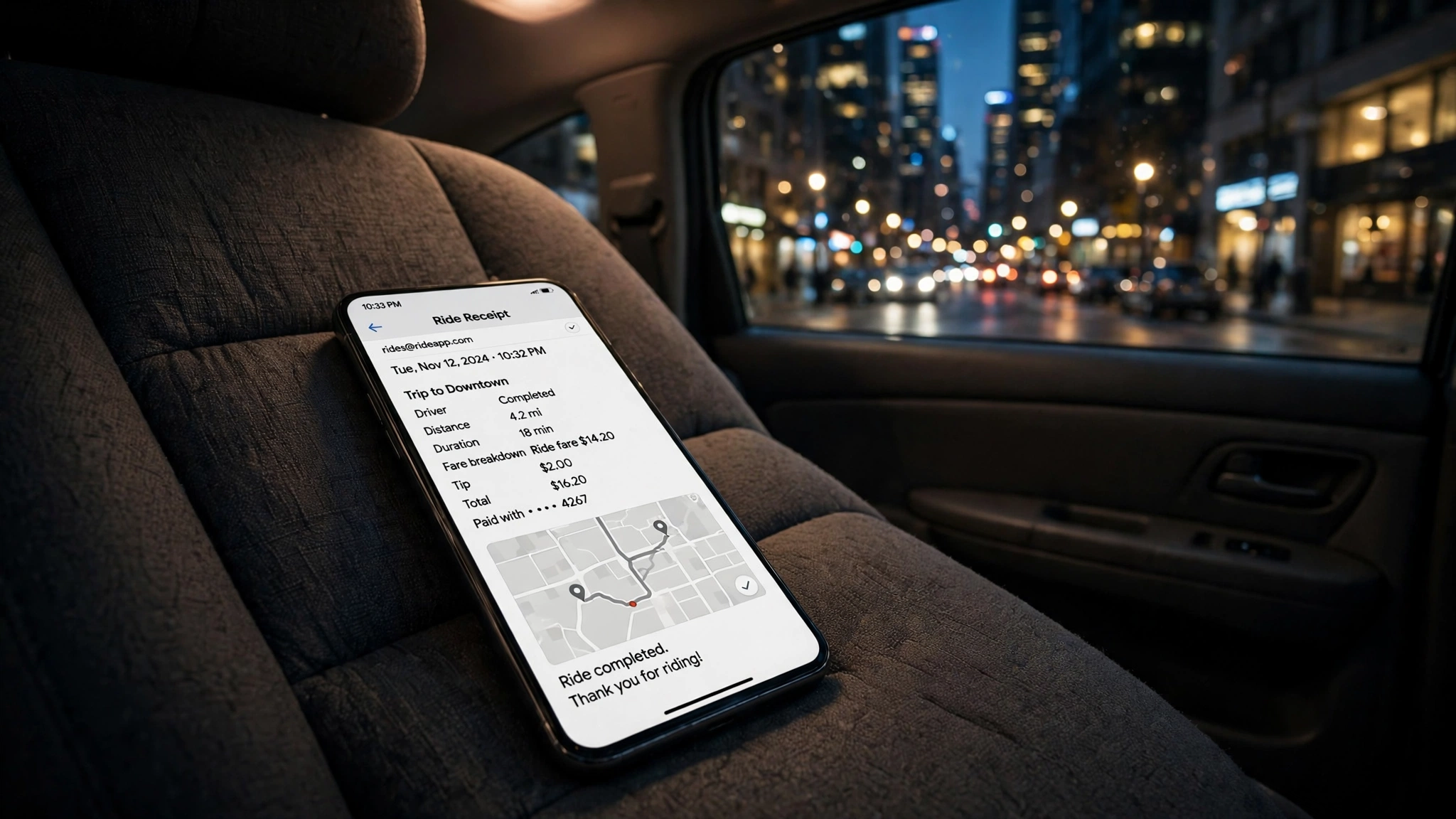
Open a real Lyft account's inbox after a month of ordinary use and the temp-email case falls apart on its own. Lyft emails a receipt after every ride, with the fare breakdown, the tip, and the route. It emails promo codes and ride-pass offers, some of which are worth real money on an airport run. It emails the renewal notice for Lyft Pink and the confirmation when you cancel it. It emails the thread when you dispute a charge, report a lost item, or rate a ride that went wrong. None of those messages is urgent in the moment, and every one of them is the message you need six weeks later, when the charge posts, the item is still missing, or the membership renews.
The scale of that paper trail is easy to miss because each message is small. A rider who takes Lyft twice a week generates more than a hundred receipts a year, plus the promos, the support threads, and the membership notices. A disposable inbox receives the first of those messages beautifully and then stops existing, right when the other hundred are due. The account keeps working — you can still request rides as long as you remember the password — but the moment anything goes wrong, the evidence is in an inbox that expired months ago, and Lyft support has no other copy addressed to you.
DoorDash runs the same pattern on the food side: the order confirmations, the refund notices, and the delivery problems all live in the registered inbox, and the account outlives the address by years. The rideshare version is worse, because a ride is a transaction with a stranger in a moving car, and the receipt is the only record of who drove you, where you went, and what you paid.
Lyft Pink renews through the email you signed up with
Lyft Pink is where the disposable inbox turns from a privacy choice into a billing surprise. The membership was relaunched in 2026 at roughly half its old price: $9.99 a month or $99 a year, with an All Access tier at $199 a year, down from the $19.99 a month Pink used to cost. For that you get 5% off Standard, Extra Comfort, and XL rides, free Priority Pickup upgrades when available, three free cancellations a month, and twelve free bike or scooter unlocks a year. The free pickup upgrade cannot be combined with the 5% discount, and the 5% alone only covers the $9.99 monthly fee once you spend $199.80 a month on eligible rides — so Pink pays for itself only if you ride a lot, and Lyft knows it. There is usually a one-month intro offer, and it renews on its own when the month ends.
Every step of that membership runs through email. The trial confirmation, the renewal reminder, the cancellation confirmation, and the notice when a benefit changes all go to the registered address. The perk list itself has changed before — the price was cut in half, the benefit mix has shifted — and the email is how Lyft tells you. Sign up for Pink with a disposable address and the trial converts silently, the renewal bills silently, and the cancellation you thought you completed has no confirmation you can find. The $99 annual charge is the one email you most needed to see, and it is the one a ten-minute inbox guarantees you will miss.
Uber's version of the same membership, Uber One, costs the same $9.99 a month and pays back 6% in credits instead of Lyft's 5% off — but the mechanics are identical, and so is the trap. A subscription that renews itself needs an inbox that still exists on renewal day. Note also that Lyft's Price Lock pass, $2.99 a month, is a separate product on both apps, not a Pink perk — another small charge that bills through the same registered email, whether or not you remember buying it.
The driver side is where a disposable inbox stops being a joke
Everything above is about riding. Driving is where a temp email on a Lyft account goes from unwise to genuinely costly, because a driver account is not a login — it is an income source tied to your real name, your Social Security number, and your car.
Lyft's driver requirements for 2026 are specific: at least 21 years old in most markets, a valid US driver's license with at least one year of driving history (three years if you are under 23), a four-door car from 2009 or newer in most markets, personal auto insurance that meets your state's minimums, and a background check run through Checkr that reviews your criminal history and driving record, typically going back seven years. Your Social Security number is required for that check. You upload photos of your license, your registration, and your proof of insurance, and the check typically takes three to seven business days, with most applicants approved and ready to drive within seven to fourteen days.
That whole application runs by email. Checkr emails you when the background check starts. Lyft emails you when a document is rejected, when the check clears, and when you are approved to drive. The same inbox then carries the driver notices, the pay summaries, and the tax documents that follow. Put a disposable address on a driver application and you have attached a ten-minute inbox to a process that takes two weeks, involves your Social Security number, and ends with you earning money through the account. The background check alone outlives the inbox by days. Miss the document-rejection email and your approval stalls. Miss the tax documents and you are reconstructing a year's earnings from memory.
Lose the inbox, lose the account
Lyft's account recovery is built on the same assumption as its signup: the phone gets you in, the email gets you back in. If you are locked out, Lyft's recovery flow sends a link to the email address on the account. Lose access to that email and there is no self-serve way back — you are filing a support ticket and proving who you are with documents, on Lyft's timetable, while the account sits untouched. The same applies when you change phone numbers: the verification for the new number routes through the account you already have, and the email is the fallback when the phone side fails.
Walmart follows the same pattern, and its version is stricter: password-reset codes go to email only and expire after thirty minutes, and the published remedy for losing access to the registered email is to create a new account. Lyft does not publish a remedy that blunt, but the mechanics point the same way. An account whose recovery address is gone is an account you keep only as long as nothing goes wrong with the password, the phone, or the payment method — three things that, across years of riding, will each go wrong at least once.
Why Lyft guards the phone: 31.6 million riders and a billion rides
None of this is hostility toward privacy. It is arithmetic. Lyft reported its third-quarter 2026 results on November 5, 2026: a record 31.6 million active riders, up 10% year over year, the eighth straight quarter of double-digit rider growth; 273.5 million rides, also up 10%; gross bookings of $5.6 billion, up 17%; revenue of $1.8 billion, up 8%; and the company on track to pass one billion rides in calendar 2026. The fourth-quarter outlook puts gross bookings between $5.74 billion and $5.94 billion. The headline loss of $9.7 million came from $117.9 million in legal, tax, and regulatory reserve charges, not from the rides business, which generated $294.7 million in free cash flow in the quarter.
At that scale, a phone number is the cheapest reliable identity anchor available. Email addresses are free by the thousand, and every fraud ring, promo abuser, and fake-account farm on the internet mints them by the batch. A phone number costs money, ties to a carrier, and can be re-verified by text at any moment. Lyft's choice to guard the phone and trust the email is not a design flaw for temp-mail users to exploit — it is the correct call for a company moving 273.5 million strangers around in cars every quarter, and it is the reason the temp-email play works exactly once, at signup, and never again.
That is the honest frame for this post. Lyft is not blocking your disposable address. It is letting you use it, and then building the entire rest of the relationship on the assumption that the address is yours. The signup form is the only place in the whole system where a temp email is free. Everywhere else — the receipts, the refunds, the membership, the recovery, the driver application — the email is load-bearing, and a load-bearing thing needs to last longer than ten minutes.
What a temp email can and cannot do at Lyft
| What you are doing | With a temp email | What actually happens |
|---|---|---|
| Entering an email at signup | Works | Lyft accepts any valid-format address; the phone check is the real gate |
| Receiving a verification code | Nothing to receive | The code goes to your phone by SMS, never to email |
| Getting ride receipts | Works once, then stops | Receipts keep coming to an inbox that expired after your first rides |
| Recovering a lost password | Fails | The recovery link goes to the email on file; no inbox, no self-serve recovery |
| Running Lyft Pink | Bills silently | Trial converts and renews with notices sent to an inbox that no longer exists |
| Driving for Lyft | Fails within days | Checkr emails, document requests, and approval notices outlive a ten-minute inbox |
| Disputing a charge | Fails | The dispute thread and the refund notice both live in the registered inbox |
The setup that keeps the privacy without the loss is boring, and that is why it works. Use a permanent email alias for the account — a Gmail address with a plus tag, or a forwarding alias from a service like Apple's Hide My Email or SimpleLogin — so Lyft gets an address that is unique to it but forwards into an inbox you control. Keep the phone number real and stable, because it is the anchor for the account and the only thing that verifies you at signup. You get a different address per service, a kill switch per service, and an inbox that is still there when the charge posts, the membership renews, or the password fails in two years.
Frequently asked questions
Can I sign up for Lyft with a temp email?
Yes, for the email field. Lyft's signup accepts any valid-format email address, and the address is never verified by code or link. But signup also requires a real phone number, verified by SMS before the account is created, plus your name, a selfie, and a payment method. A temp email gets you past the email field; it does not get you past the signup, and it does not survive the receipts, refunds, and recovery messages that follow.
Does Lyft block disposable email addresses?
Lyft publishes no disposable-domain blocklist for the email field, and the email is not where the friction lives — the SMS verification is. That does not make a disposable address safe. The risk is not rejection at signup, it is losing the account later: receipts, promo codes, Lyft Pink notices, dispute threads, and the password-recovery link all go to the registered email, and a disposable inbox expires long before any of them matter.
Do I need a phone number to create a Lyft account?
Yes. Lyft requires a valid phone number for every new account and texts a verification code to it before the account exists. One number can be linked to only one account at a time, and only select VoIP carriers such as Google Voice work — most virtual numbers fail. You must be at least 18. There is no way to complete signup with email alone.
What happens to my Lyft receipts if my temp email expires?
You lose the paper trail. Every ride receipt, promo offer, membership notice, and support thread went to that address, and the refund notice for a disputed charge goes there too. You can still request rides if you remember the password, but the moment you need a receipt for an expense report, a refund status, or a lost-item follow-up, the record is in an inbox that no longer exists.
Can I use a temp email for Lyft Pink?
The form will accept it, but it is a bad idea. Pink costs $9.99 a month or $99 a year, with a one-month intro offer that renews on its own, and the trial confirmation, renewal reminders, and cancellation confirmation all go to the registered email. If that inbox expires, the trial converts and the membership bills without a single notice reaching you — and at 5% off, the membership only pays for itself once you spend $199.80 a month on eligible rides.
Can I drive for Lyft with a temp email?
Technically the form takes it, and practically it fails within days. The driver application requires your Social Security number for a Checkr background check, uploads of your license, registration, and insurance, and a process that takes seven to fourteen days — all of it coordinated by email. A ten-minute inbox cannot receive the background-check notice, the document requests, or the approval, and a driver account is an income source, not a throwaway login.
Need a disposable temporary email?
Protect your real inbox from spam and promotional clutter instantly and free.
Received a suspicious email, text, or charge alert?
Verify whether the sender domain is disposable, spoofed, or unverified before clicking links.