
Temp Email for Tinder Signup: The Phone Number Is the Gate — and an Email Address Cannot Open It
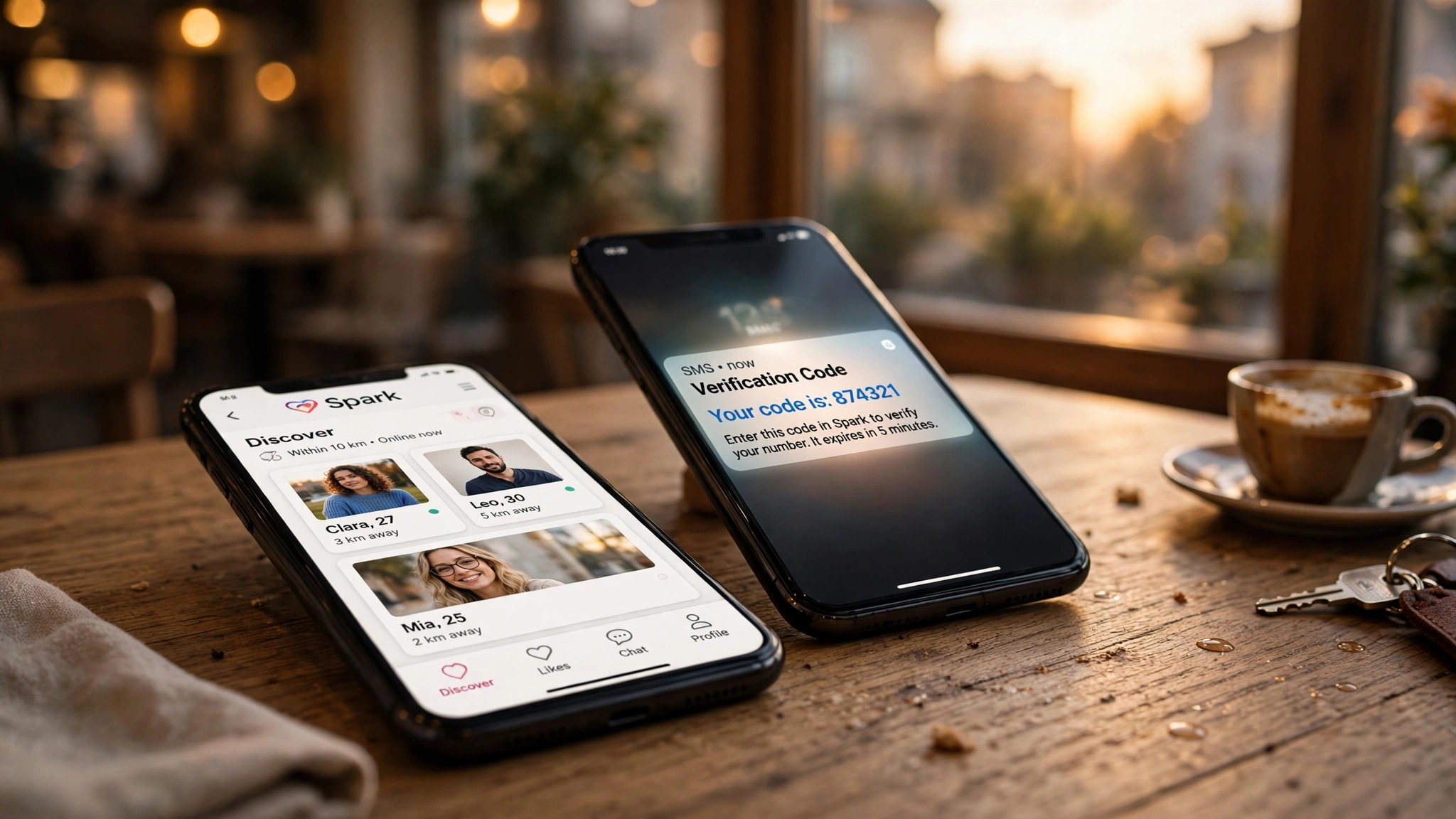
Every other post in this series starts with an email form. Tinder does not. Open the app, tap create account, and the first thing Tinder wants is your phone number — not an email address, not a username, a phone number that can receive a text message. A temp email is a tool for receiving email. Tinder's gate is a text message. The tool and the gate do not meet, and no choice of disposable domain fixes that, because the problem was never which email you use. The problem is that email is not the thing being verified.
That is the honest answer, and it is a different kind of answer from the rest of the series. On Netflix, the temp email fails because the domain is blocked. On Robinhood, it works for the code and fails at the identity check. On Tinder, it fails earlier and more completely: the signup flow does not ask for an email at all in the step that matters. People keep searching for a temp email for Tinder because the question feels like it should have an answer — every other signup takes an email, so this one must too. It does not, and understanding why tells you more about how dating apps think about identity than any single trick ever will.
The verdict in one line: Tinder verifies by phone, not by email
Let me put the whole post in one sentence, then spend the rest of it proving the sentence. A temp email alone cannot create a Tinder account, because Tinder requires a phone number confirmed by a six-digit SMS code for every new account, and there is no email-only registration path for new users. An email address — temporary or permanent — cannot receive a text message, so it cannot complete the step Tinder actually checks.
The rest of the post is the detail: what the signup asks for, why the phone number is the identity system, why the obvious workaround of a temp phone number usually fails too, the three narrow places where a temp email does have a role, and what happens to the account when the number or the email behind it dies. If you came here for a yes-or-no, you have it: no, not on its own. If you came here because you want to keep your real number and your real inbox off a dating app, the useful part starts below, because there are honest ways to do that — they just do not start with a temp email.
What Tinder actually asks for, step by step
The signup is short, and its order is the argument. Every step exists for a reason, and the email is not in the list of reasons.
| Signup step | What Tinder asks for | What a temp email does there |
|---|---|---|
| Phone number | A mobile number that can receive SMS | Nothing — an email address cannot receive a text message |
| SMS code | The six-digit code Tinder texts to that number | Nothing — the code goes to the phone, not the inbox |
| Name and date of birth | Your first name and a birthdate proving you are 18 or older | Nothing |
| Photos | At least two photos of yourself | Nothing |
| Photo verification | A live selfie matched against your photos for the blue checkmark | Nothing |
| Email (optional, later) | An address for notifications and recovery, added after the account exists | This is the only step a temp email can touch — and the worst one to use it for |
The table is the whole story. Five of the six steps have nothing to do with email, and the sixth is the step where a disposable address does the most damage. Tinder does not ask for an email to prove you are real. It asks for a phone number to prove you are one person, a birthdate to prove you are an adult, and a selfie to prove the photos are yours. The email arrives last, as an accessory to an account that already exists — and an accessory that expires is an accessory that breaks the account later.
Two details in that table deserve emphasis. First, the age gate is real: Tinder requires users to be 18 or older, and the birthdate you enter is part of the account record, not a throwaway field. Second, photo verification is not optional decoration. The blue checkmark tells other people the person in the photos is the person behind the account, and Tinder pushes verification because a dating app full of unverified photos is a dating app nobody trusts. None of those checks can be satisfied by an inbox, which is the point: Tinder built its trust system out of things an email address cannot fake.
Why the phone number is the whole identity system
Tinder ties one phone number to one profile, and that rule is the load-bearing wall of the entire platform. A dating app lives or dies on whether its profiles are real people, and the cheapest way to enforce one person, one profile is to anchor each profile to something scarce. Phone numbers are scarce in a way email addresses are not. Anyone can create fifty email addresses in an afternoon. Creating fifty phone numbers takes money, effort, and usually a carrier relationship. So Tinder uses the number as the anchor, and everything else — the photos, the birthdate, the verification selfie — hangs off it.
That is why the SMS code matters so much, and why it is sent at signup and again whenever you log in from a new device. The code is not a formality. It is the moment Tinder confirms that the person creating the account controls the number the account is tied to. Lose control of the number and you lose control of the account, because the number is the account in a way the email never is. The password, the photos, the matches — all of it is reachable through the number, and none of it is reachable without it.
Compare that with WhatsApp, which works the same way: the phone number is the identity, the SMS code is the proof, and the email is an afterthought. The pattern repeats across every app where the cost of a fake account is high and the cost of a real phone number is the filter. Dating apps and messaging apps both learned the same lesson — an email address is too cheap to be an identity — and they both built their gates around the one thing that is not cheap.
This also explains why Tinder does not care whose number receives the code, only that the code is entered correctly within a few minutes. The system is not checking your name against the number. It is checking that exactly one number stands behind exactly one profile, and that the number can receive a message right now. That narrow check is what makes the phone gate both strong and brittle: strong against bots creating thousands of profiles, brittle for any real person who loses access to their number later.
The temp-number trap: why the obvious workaround usually fails too
If a temp email cannot open the gate, the next idea is obvious: use a temp phone number instead. And this is where I have to be blunt, because the internet is full of guides selling this workaround, and most of them are selling a method that stopped working reliably a long time ago.
Free public SMS-receive websites — the pages that list shared numbers and show incoming texts to anyone — are blocked by Tinder within minutes. The number ranges are known, the numbers are shared by hundreds of strangers, and Tinder flags them before the code ever arrives. Google Voice numbers are flagged as VoIP and rejected at signup. Most disposable number providers are blacklisted or flagged by Tinder's backend, and when you try to verify with one, Tinder either rejects the code or refuses to create the account. The occasional success stories you read are exceptions, and they are exceptions with a short shelf life: a number that works today can be blocked tomorrow, and the account it created is still tied to a number you do not control.
Paid rental numbers do better, because they are non-VoIP, carrier-backed numbers that Tinder has not seen before. You pay per verification, the code arrives, the account is created. But the rental has a limit that matters more than the price: the number receives the code once and is not kept for recovery. You verified the account with a number you rented for fifteen minutes, and now the account's recovery path runs through a number that no longer belongs to you. The next time Tinder asks for a code — a new device, a suspicious login, a password reset — there is no number to receive it. The guides that sell rental numbers rarely mention this part, because it is the part where the trick stops being a trick and starts being a lockout you scheduled in advance.
There is also the ban risk, which is real and under-discussed. Tinder actively detects disposable and virtual numbers, and relying on one can lead to suspension or a permanent ban, because the system reads a flagged number as a signal of abuse. A banned account is not a recoverable account. The matches, the conversations, the subscription if you bought one — all of it goes with the number that triggered the flag. The honest summary is that temp numbers are a gamble with the account as the stake, and the house has gotten very good at spotting the gamble.
Where a temp email actually fits: the three places Tinder uses email
Saying a temp email cannot create a Tinder account is not the same as saying it has no role at all. Tinder does use email, in three narrow places, and the temp email works in exactly the places where the stakes are low.
The first is the Google or Apple sign-in path. You can start Tinder with a Google account, and you can create that Google account with a temp email first. But the shortcut ends where the phone gate begins: Tinder still asks you to verify a phone number to reach full account access, no matter which button you tapped first. The temp email got you to the gate. It did not open it. That is a useful distinction, because it tells you the email was never the blocker — it was never even the lock.
The second is the optional email on the account itself. After signup, Tinder lets you add an email address for notifications and recovery. A temp email will receive the confirmation for that step, because the step is an email step. But this is the worst place in the whole flow to use a disposable address, and the reason is the recovery path. Tinder's own guidance for rented numbers makes the point: rely on your email and password to get back into the account later. If the email you relied on is a temp inbox that expired, the recovery path is dead, and the account is reachable only through the phone number — which, if that was rented too, is also dead. Two disposable channels do not add up to one durable account. They add up to an account with no way back in.
The third is the marketing and notification mail — the "you have new matches" emails, the promotions for paid tiers, the reminders. A temp email keeps those out of your real inbox, and that is a legitimate use, because losing those emails costs nothing. But it is a strange trade: you would be protecting your real inbox from emails you could turn off in the settings, while risking the recovery channel that actually matters. Tinder lets you control which emails you receive. Use that toggle, and keep the address itself permanent.
The subscription trap: Plus, Gold, and Platinum bill through the app store
Tinder's paid tiers — Plus, Gold, and Platinum — are where the money enters the picture, and the money enters through a channel that has nothing to do with your email. Subscriptions are billed through the Apple App Store or Google Play, not through an inbox, and the price varies by age and region, which is why you will not find one honest price in this post. The subscription buys unlimited likes, rewinds, Passport to swipe in other cities, and, on the higher tiers, the ability to see who liked you and to message before matching.
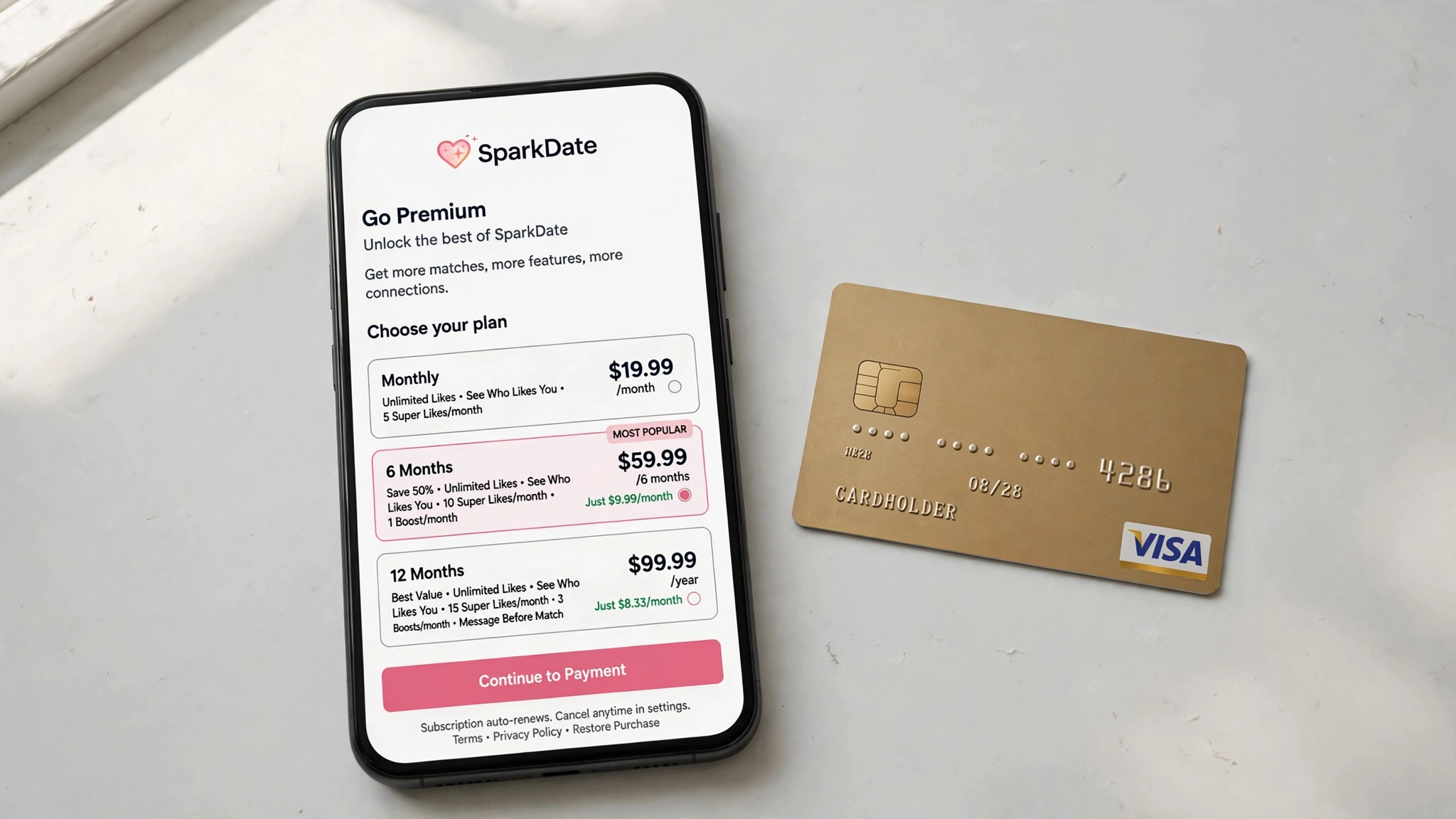
The email matters here in the background, not the foreground. The receipts, the renewal notices, the price-change alerts, and the cancellation confirmations all go to the address on the account — or, more precisely, to the address on the app-store account, with Tinder's own notices going to the email on the Tinder account. A temp inbox deletes those notices along with everything else, and a subscription you cannot see renewing is a subscription you cannot cancel on time. The amounts are small enough to ignore for a month and large enough to notice after six, which is exactly how a forgotten subscription becomes an argument with a bank statement.
There is a second, quieter subscription risk. Tinder's paid features are tied to the account, and the account is tied to the phone number. If the account is suspended because the number behind it was flagged as disposable, the subscription does not pause politely while you sort it out. You are paying for premium features on an account you cannot open, and the refund conversation runs through support, which runs through the email on the account — the temp inbox that expired weeks ago. The subscription is the part of this story where a disposable identity stops being a privacy choice and starts being a billing problem.
Losing the account: what happens when the number or the email dies
Lockout on Tinder has a shape that is different from the other apps in this series, and it is worth describing precisely, because people imagine it as one failure and it is actually two.
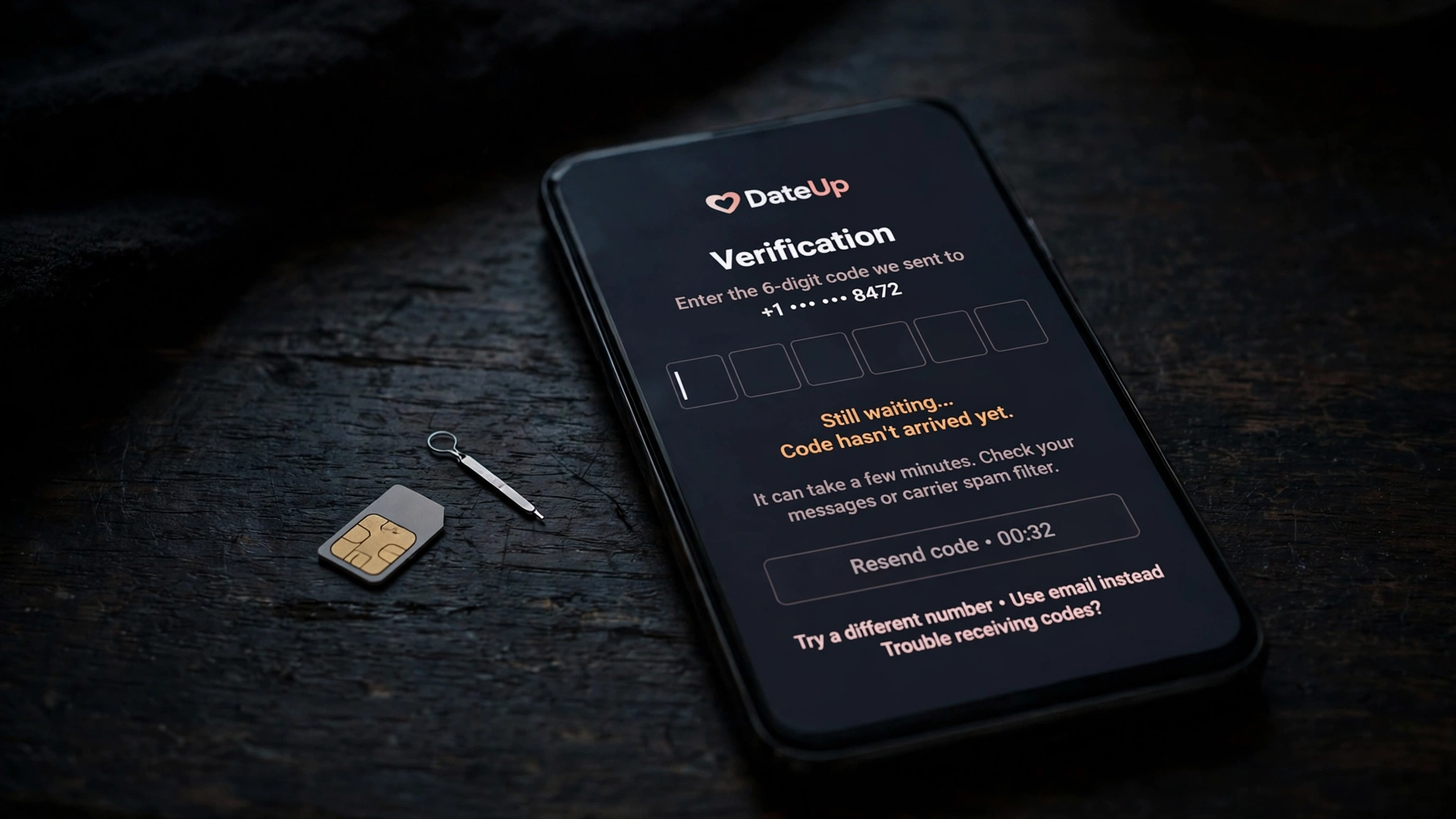
The first lockout is the number. You change SIMs, you lose the phone, the rental number expires — and the next time Tinder asks for a code, there is no number to receive it. Tinder sends the code to the number on the account, and only to that number. There is no alternate route that skips the SMS step, because the SMS step is the identity system. Support can sometimes help, but the help is slow and document-heavy, and it starts with proving you are the person behind a number you no longer control.
The second lockout is the email, and it is the one this post exists to warn about. You created the account with a rented number and attached a temp email for recovery, and now both channels are dead. The password reset goes nowhere. The "new sign-in" alert goes nowhere. The notification that your account needs attention goes nowhere. You know the password, you remember the matches, and you cannot get in — not because Tinder is being difficult, but because you built the account on two addresses that were designed to disappear.
And then there is the part nobody thinks about until it happens: the matches. A dating account is not a list of files. It is conversations with real people, some of which matter, and all of which live inside the account. Lose the account and you lose the conversations, with no export, no backup, and no way to tell the people on the other side what happened. The photos can be retaken. The bio can be rewritten. The conversation with the person you were actually talking to cannot be recovered, because it was never yours to keep — it was Tinder's, attached to a number you rented for fifteen minutes.
The honest setup: a number you control and an alias you control
The goal most people have when they search for a temp email for Tinder is a reasonable one: keep the dating life separate from the real identity. That is a good instinct, and it is achievable — it just needs durable tools instead of disposable ones.
For the number, the honest options are a second SIM, an eSIM line, or a virtual number from a provider you keep paying for — a number that stays yours month after month, so the recovery path stays alive. It costs a little, and it is worth it, because the number is the account. A number you control is not a workaround. It is the account's foundation, and foundations are supposed to last.
For the email, the honest option is a permanent alias: one address just for Tinder, forwarding to an inbox you control, with the marketing turned off in the settings. An alias gives you the separation a temp email promises without the expiry that breaks the account, and for an account that holds conversations with real people, that separation is the whole point. Tinder never sees your primary address. The recovery mail still arrives. The receipts still arrive. Nothing about the setup depends on an inbox that is counting down to deletion.
The same rule covers dating apps in general: if the app will ever need to reach you again — to verify you, to bill you, to recover you — the channels behind the account have to outlive the signup. A temp email is for signups you can afford to lose. A dating account full of conversations you care about is not one of them, and the phone number Tinder demands is the app telling you that, in its own way, before you type a single word of your bio.
Frequently asked questions
Can I sign up for Tinder with a temp email?
No, not on its own. Tinder verifies every new account by SMS, not email — you enter a phone number, Tinder texts a six-digit code, and you enter the code to proceed. There is no email-only registration path for new users, and an email address cannot receive a text message. You can start with a Google or Apple account, but Tinder still asks you to verify a phone number before you get full access.
Can I use a temp phone number for Tinder instead?
Usually not reliably. Tinder actively detects and blocks disposable and virtual numbers. Free public SMS-receive sites are blocked within minutes, Google Voice numbers are flagged as VoIP and rejected, and most disposable number providers are blacklisted. Paid rental numbers sometimes work for the one-time code, but the number is not kept for recovery — the next time Tinder asks for a code, there is no number to receive it — and a flagged number can get the account suspended or banned.
Does Tinder accept an email address at all?
Yes, but only as a secondary channel. After the account exists, you can add an email for notifications and recovery, and Tinder will send a confirmation to it. That is the one step a temp email can complete — and the worst one to use it for, because the email is the recovery path the account depends on when the phone number is unavailable. Use a permanent address or an alias you control.
Why does Tinder require a phone number?
To enforce one person, one profile. Phone numbers are scarce in a way email addresses are not — anyone can create fifty email addresses in an afternoon, but fifty phone numbers take money and effort. Tinder uses the number as the anchor for the account, which limits bots, duplicate profiles, and banned users coming back under a new name. The SMS code is the moment Tinder confirms the person creating the account controls the number behind it.
What happens if I lose access to the phone number on my Tinder account?
Tinder sends verification codes only to the number on the account, so a lost number means the next code has nowhere to go. Logins from new devices, suspicious-activity checks, and password resets all run through that number. Recovery through support is possible but slow, and it starts with proving you are the person behind a number you no longer control. If the email on the account is also a dead temp inbox, there may be no working recovery channel left at all.
What should I use instead of a temp email for Tinder?
A number you control and an alias you control. Keep a second SIM, an eSIM line, or a paid virtual number that stays yours, so the SMS recovery path stays alive. Attach a permanent email alias just for Tinder, with marketing turned off in the settings, so the recovery and billing mail still arrives without exposing your primary inbox. The same rule applies to any account that holds conversations, money, or an identity you care about — disposable channels are for signups you can walk away from, and a dating account is not one of them.
The bottom line
Tinder is the post in this series where the temp email is not the wrong email — it is the wrong tool entirely. The signup does not ask for an email in the step that matters. It asks for a phone number, texts a six-digit code to that number, and builds the whole account on the fact that exactly one number stands behind exactly one profile. An inbox cannot receive a text message, so it cannot open the gate, and the workarounds for the gate — free SMS sites, VoIP numbers, rented numbers — are either blocked on arrival or broken at the first recovery. The email does have a role, and it is the recovery channel, which is exactly why it should be permanent: an alias you control, attached to a number you control, on an account that holds conversations with real people. Use a temp email for the signups you can afford to lose. For the one where the phone number is the identity, build the identity to last.
Need a disposable temporary email?
Protect your real inbox from spam and promotional clutter instantly and free.
Received a suspicious email, text, or charge alert?
Verify whether the sender domain is disposable, spoofed, or unverified before clicking links.