

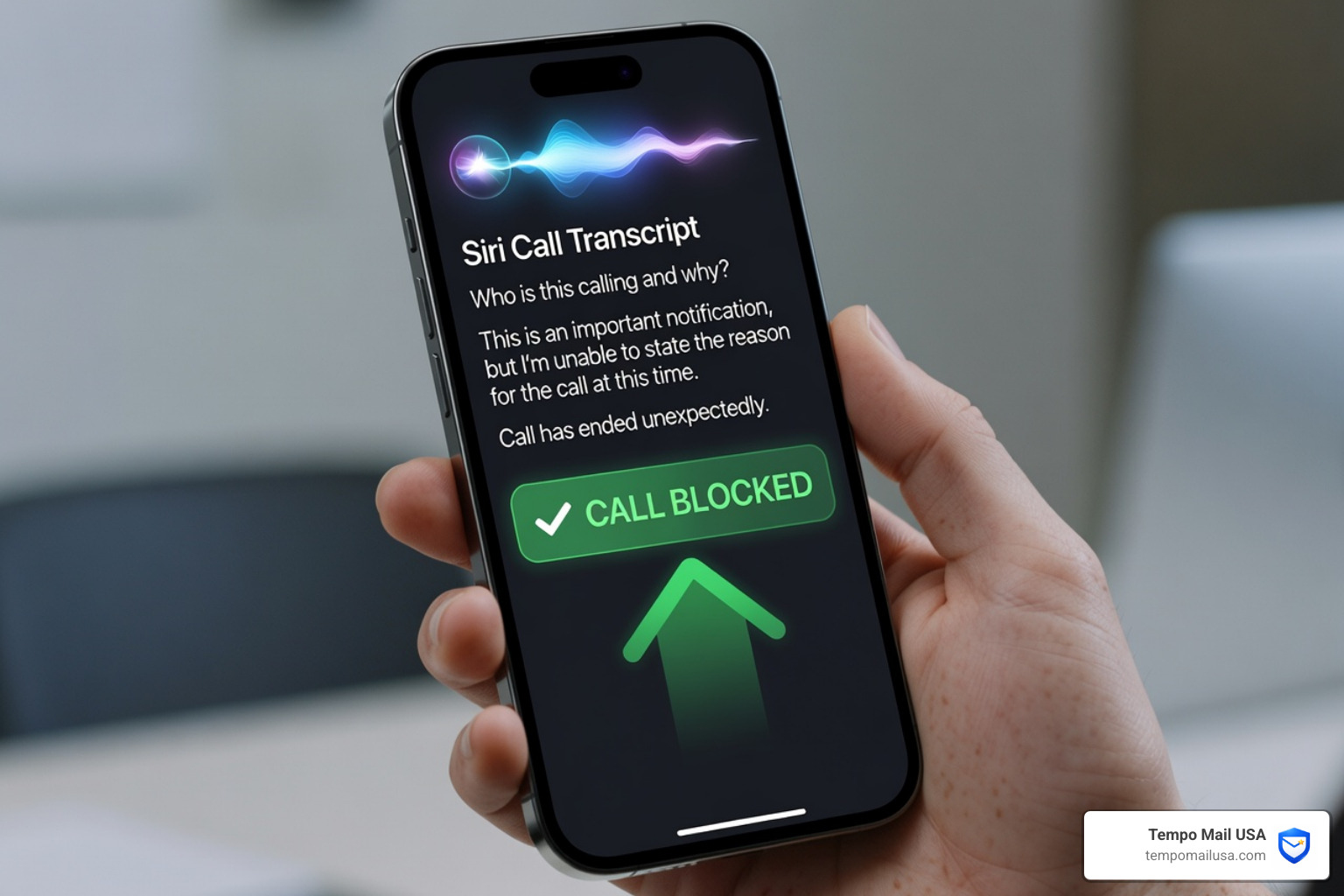

Spam Calls on iPhone Are Getting Worse — Here's What Actually Works
How to stop spam calls on iPhone 2026 is something millions of iPhone users are searching for right now — and for good reason. If you just want the quick answer, here it is:
Quick steps to stop spam calls on iPhone in 2026:
- Go to Settings > Apps > Phone > Screen Unknown Callers and select "Ask Reason for Calling" (iOS 26)
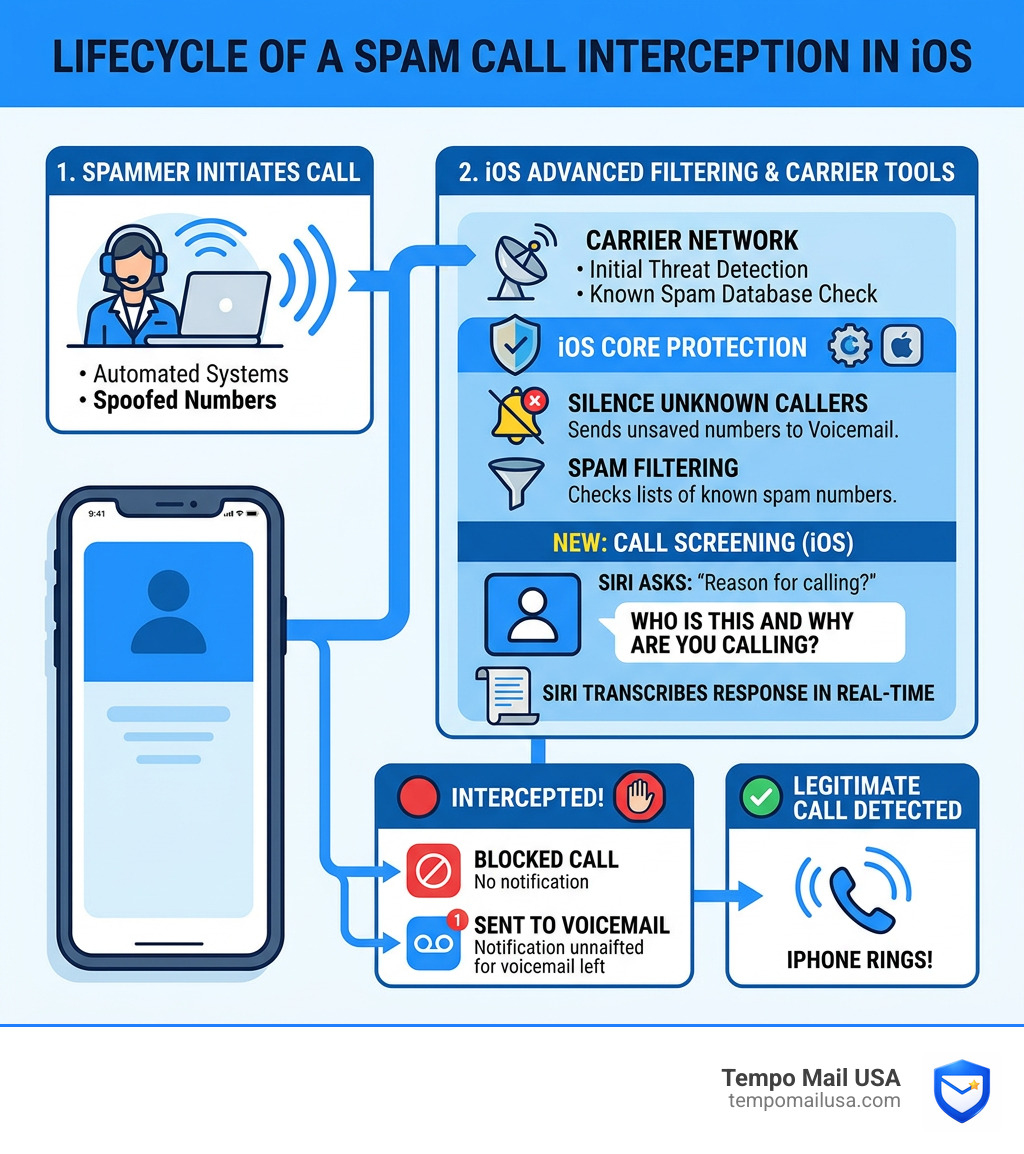
- Enable Silence Unknown Callers to send all unsaved numbers straight to voicemail
- Turn on Spam filtering at Settings > Apps > Phone > Call Filtering
- Enable your carrier's spam detection (free on most major plans)
- Install a third-party blocker like Robokiller or Truecaller for extra coverage
Spam calls have become one of the most stressful parts of owning a smartphone. Before iOS 26, many iPhone users were fielding two to four spam calls every single day. That's not just annoying — it's a real problem when you're waiting on an important call from a doctor's office, a delivery driver, or a new employer, and you can't tell what's real anymore.
The good news? iOS 26 changed the game. Apple's new call screening tools, combined with a few smart settings, can cut spam interruptions by 60–90% within a week or two. You don't need to spend money or install a dozen apps to get there.
This guide walks you through every layer of protection — from native iPhone settings to carrier tools to third-party apps — so you can build a defense that fits how you actually use your phone.
How to Stop Spam Calls on iPhone 2026 with Call Screening
If you’ve ever felt like your phone was under siege, you aren’t alone. We’ve all been there: staring at a "Potential Spam" notification while waiting for a call from the pharmacy. In the past, our only real choice was to ignore it and hope for a voicemail. But with the release of iOS 26, Apple introduced a feature that users are describing as a "Hoover Dam" for robocalls.
The centerpiece of How to Stop Spam Calls on iPhone 2026 is the advanced Call Screening interface. This feature is a massive leap forward because it doesn't just block calls; it interacts with them. When an unknown number rings your iPhone 14 Pro or later, Siri can act as your personal receptionist.
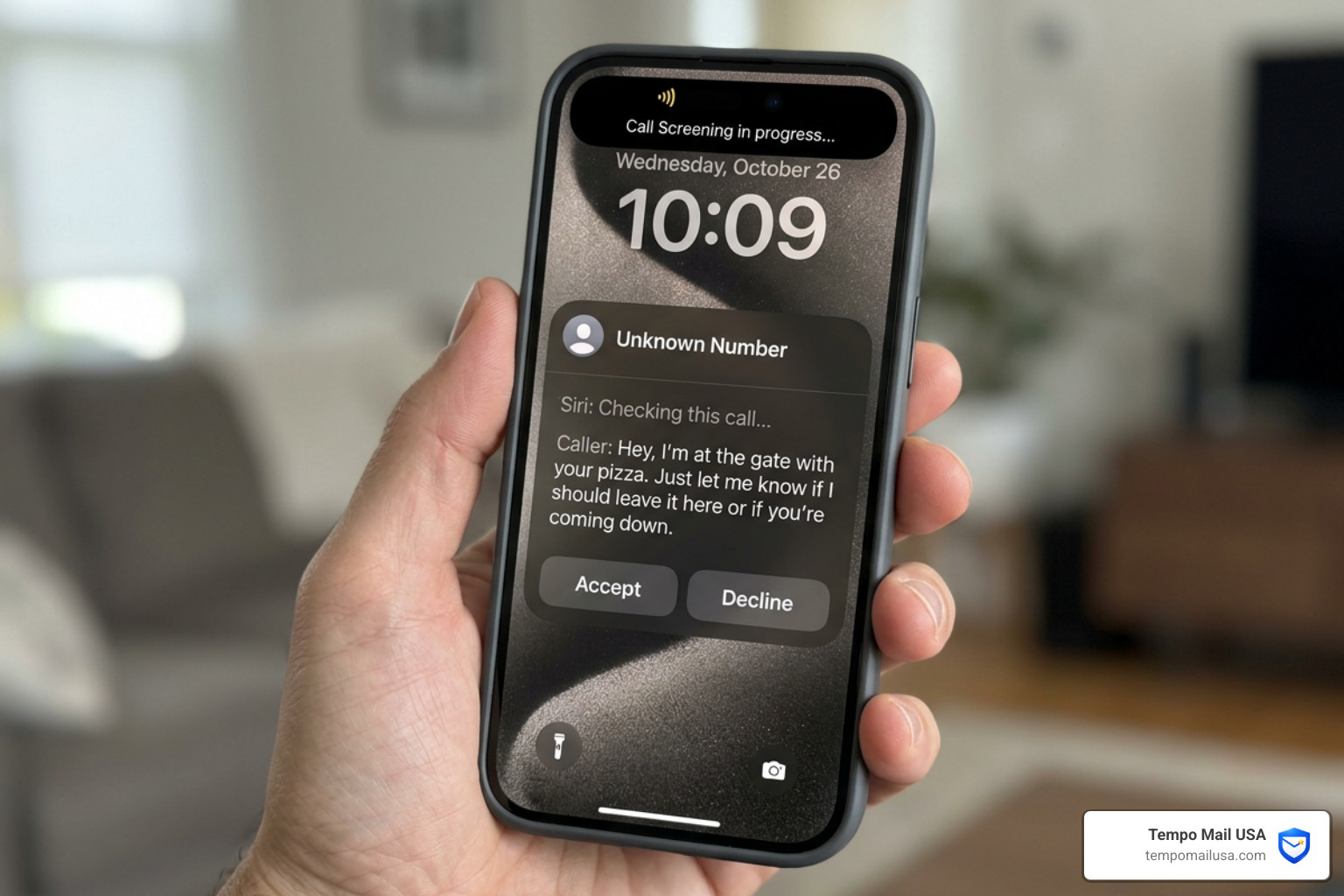
Instead of your phone vibrating and interrupting your dinner, Siri answers the call and asks the person on the other end to state their name and the reason for their call. The best part? You get a live, real-time transcript of what they’re saying right on your lock screen. If it’s a delivery driver saying, "I'm at the gate with your pizza," you can pick up instantly. If it’s a silent robocall or a scammer, they usually hang up the second they hear Siri’s voice.
For those looking for a comprehensive strategy, you can explore More info about the best ways to stop spam to see how this fits into a larger privacy plan.
Setting Up How to Stop Spam Calls on iPhone 2026
Setting this up is surprisingly simple. You don't need to be a tech genius to reclaim your peace of mind. Here is the step-by-step workflow to get it running:
- Open the Settings app on your iPhone.
- Scroll down and tap on Apps, then find Phone.
- Look for the section labeled Screen Unknown Callers.
- You will see three main options: Never, Silence, and Ask Reason for Calling.
- Select Ask Reason for Calling.
By choosing "Ask Reason for Calling," you’re opting for the most balanced protection. While "Silence" is a great "nuclear option" that sends everyone not in your contacts to voicemail, it can lead to missed opportunities. "Ask Reason for Calling" ensures that the 80-year-old jeweler or the local doctor’s office can still reach you by simply stating who they are.
If you’re still on an older version of iOS or want to see the original announcement of these features, you can learn about iOS 26 features from early reports.
Why Call Screening is the Best Way to Stop Spam Calls on iPhone 2026
Why do we love this feature so much? Because it solves the "unknown number anxiety." We’ve all experienced that moment of panic where we ignore a call, only to realize later it was the school nurse or a contractor we hired.
With the iOS 26 Call Screening, the real-time text transcript allows you to make an informed decision without ever speaking to a scammer. Statistics show that most automated spammers disconnect immediately when prompted for a reason. They are looking for "live" voices to verify that a number is active. By letting Siri handle the initial contact, you remain invisible to their databases.
Furthermore, this feature isn't just for the latest iPhone 17. It works on any iOS 26-compatible device, including the iPhone 14 Pro and later models. It’s not even tied to Apple Intelligence, meaning you don't need the most expensive AI-capable chip to benefit from it. To understand the root of the problem, you might want to discover why you are getting so many spam calls recently to see how your data might have ended up in the wrong hands.
Native iOS Features for Immediate Silence
While Call Screening is the flashy new toy, the "Old Reliable" of iPhone spam protection is Silence Unknown Callers. We like to call this the "Introvert’s Best Friend."
When you enable Silence Unknown Callers, your phone will not ring if the number is not in your Contacts, your Recent outgoing calls, or Siri Suggestions (based on numbers found in your emails or texts). Instead, the call goes straight to voicemail and appears in your Recents list.
This is incredibly effective at stopping the "ring-and-hang-up" spam style. However, there is a built-in safety net: if you place an emergency call, this feature is automatically disabled for 24 hours to ensure that emergency responders can call you back from any number.
For a deeper dive into these settings, check out the Official Apple Support on blocking and avoiding unwanted calls.
Filtering Spam and FaceTime Junk
Spam isn’t just limited to traditional phone calls anymore. FaceTime "junk" calls have become a major nuisance, often involving group calls with dozens of random numbers. To combat this, Apple has integrated a Filter button within the Phone and FaceTime apps.
In the Phone app, you can tap the Filter button at the top to view specific lists: All Calls, Unknown Callers, and Spam. This allows you to quickly scan through silenced calls to make sure you didn't miss anything important.
If you receive a FaceTime call from a scammer, you can:
- Tap the "i" icon next to the number in your history.
- Scroll down and tap Block this Caller.
- You can also tap Report Spam to send the caller's information to Apple.
In Group FaceTime calls, you can even choose to "Block All Participants" if the entire group is clearly a marketing scam. This is particularly helpful when dealing with targeted campaigns. To see how these scams often impersonate big brands, read about how to identify common scam calls like Spectrum.
Carrier Integration and Third-Party AI Blockers
Your iPhone is powerful, but it's even stronger when it works with your cellular carrier. Major U.S. carriers like AT&T, Verizon, and T-Mobile have spent millions on network-level filtering. They use a protocol called STIR/SHAKEN to verify that the number calling you is actually coming from where it claims to be.
When a carrier identifies a call as a high risk, they will label it as "Scam Likely" or "Potential Spam." You can actually go into your iPhone settings and tell the phone to automatically silence these carrier-identified calls.
But what if you want even more protection? That’s where third-party AI blockers come in. Apps like Robokiller and Truecaller maintain massive, global databases of known scam numbers. Robokiller even uses "Answer Bots" to waste scammers' time, which is a bit of poetic justice we can all appreciate.
If you’ve ever wondered, "What does a potential spam call mean?", it’s usually the result of these carrier and app databases flagging a number that has been reported by thousands of other users.
Enabling Carrier Identification and External Apps
To get these external layers working on your iPhone, follow these steps:
- Download a reputable app like Truecaller or Robokiller from the App Store.
- Go to Settings > Apps > Phone.
- Tap on Call Blocking & Identification.
- Toggle the switch for your downloaded app to On.
This grants the app permission to "layer" its database over your incoming calls. When a call comes in, your iPhone checks your Contacts first, then the app's database, then the carrier's list. It’s a triple-check system that is incredibly hard for spammers to bypass.
If you've noticed a sudden uptick in calls, it might be due to a recent data breach or your number being sold. You can find out more about why spam calls increase suddenly to help prevent it from happening again.
Manual Management and Focus Mode Strategies
Sometimes, the best defense is a manual one. If a specific telemarketer keeps calling from the same area code or number, you should manually block them. To do this, go to your Recents list, tap the blue "i" icon, and select Block this Caller.
However, if you want to go "Total Dark Mode" during a meeting or while sleeping, Focus Modes are your best bet. Unlike Silence Unknown Callers, Focus Modes allow you to create an "Allowed People" list. You can set it so that only your family and favorites can reach you, while every other caller — even if they are in your contacts — is silenced.
| Feature | Silence Unknown Callers | Focus Mode (Do Not Disturb) |
|---|---|---|
| Who can call? | Anyone in your Contacts | Only people you specifically allow |
| Where do calls go? | Voicemail | Voicemail (unless allowed) |
| Best for... | General daily protection | Sleeping, working, or driving |
| Emergency bypass? | Yes (automatic) | Yes (if enabled for "Repeated Calls") |
For more official guidance on these regulations, the Federal Communications Commission guide on stopping robocalls is an excellent resource.
Reporting and Regulatory Steps
We always recommend taking the extra thirty seconds to report spam. It might feel like screaming into a void, but reporting helps regulators like the FCC and FTC track down the "server farms" that originate these calls.
- National Do Not Call Registry: Register your number at donotcall.gov. While it won't stop illegal scammers, it stops legitimate telemarketers, which thins out the noise.
- FCC Reporting: If you are being harassed by a specific scam, file a report.
- Gatekeeper Numbers: Some users find success using a secondary "gatekeeper" number for online signups. This keeps your primary iPhone number off of marketing lists.
Reporting is especially important if you are being targeted by specific financial scams. You can learn how to stop personal loan review spam calls specifically if you've been hounded by debt-related offers.
Frequently Asked Questions about iPhone Spam
Will these features block legitimate calls from my doctor or deliveries?
If you use Silence Unknown Callers, yes, they might be silenced. However, if you use the iOS 26 Call Screening (Ask Reason for Calling), they will not be blocked. They will simply be asked to state their name, and you can pick up once you see their response on your screen.
How do I access the list of filtered or silenced unknown callers?
In the Phone app, tap the Recents tab. At the top, you can tap All or Missed. If you have filtering enabled, you can also tap the Filter icon (three lines) to view only "Unknown Callers" or "Spam."
Why am I still getting spam calls after blocking specific numbers?
Scammers use a technique called "spoofing." They use software to make it look like they are calling from a local number or a different number every time. Blocking one number doesn't stop them from calling you from a slightly different one five minutes later. This is why How to Stop Spam Calls on iPhone 2026 requires a layered approach rather than just manual blocking.
Conclusion
Stopping spam calls on your iPhone in 2026 isn't about finding one "magic switch." It’s about building a layered defense system. By combining the Call Screening in iOS 26 with carrier-level filtering and smart manual habits, you can finally make your phone a tool for communication again, rather than a source of stress.
At Tempo Mail USA, we believe that your privacy is your most valuable asset. Just as you protect your phone number from spammers, you should protect your primary email address from the data brokers and "sign-up" forms that often lead to these very spam calls. We provide secure, temporary email aliases that act as a PII (Personally Identifiable Information) firewall. By using an identity proxy for online services, you keep your real data off the lists that scammers use.
Protecting your identity starts with small steps. Once you've silenced the calls, take the next step and learn how to stop spam emails for good to achieve total digital peace.