

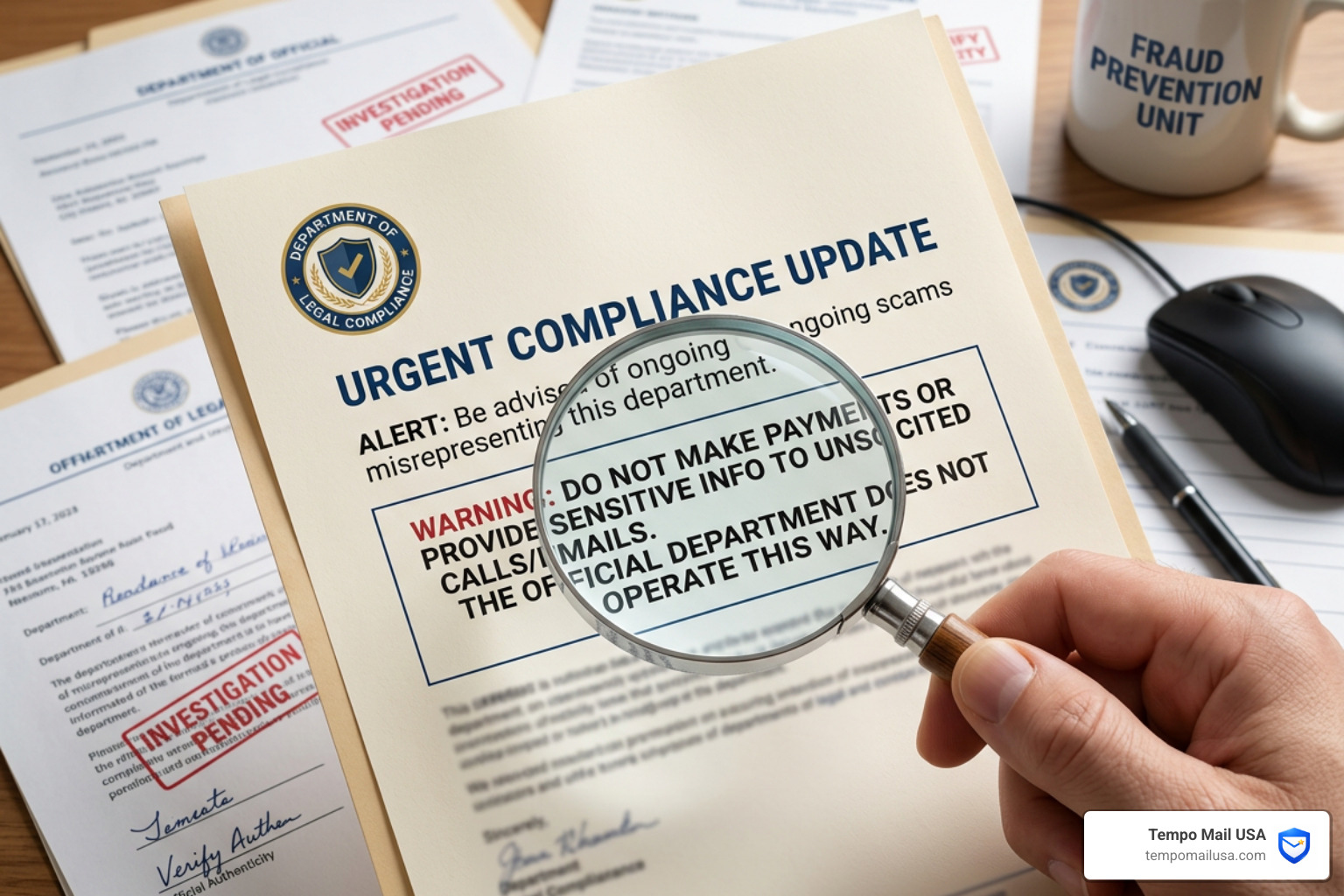

The Department of Legal Compliance Scam Is Targeting Businesses Right Now
The Department of Legal Compliance Scam update is something every business owner and privacy-conscious individual needs to know about in 2025 and beyond. Fraudsters are sending fake government letters, emails, and texts — impersonating real agencies — to steal money and personal information.
Here's a quick summary of what's happening:
- Scammers pose as fake agencies like the "Department of Legal Compliance," "United States Business Regulations Department," or "Department of Records Management"
- They send official-looking letters or emails threatening fines, asset seizure, or legal action
- They pressure victims to click malicious links, scan QR codes, or submit sensitive business information
- Real government agencies like the Texas Comptroller, FMCSA, and Department of Labor do not send unsolicited payment demands via text or unverified email
- If you receive one of these notices, do not click any links — verify directly through official
.govwebsites
These scams are not new, but they are getting more sophisticated. Fraudsters now reference real laws — like the Corporate Transparency Act — to make their threats sound legitimate. One BBB Scam Tracker report from September 2025 describes a business owner receiving a letter threatening daily fines of up to $591 with a link to corporateassistance.org, a non-government site.
Anyone can be targeted. These scams have even reached retired individuals who never owned a business.
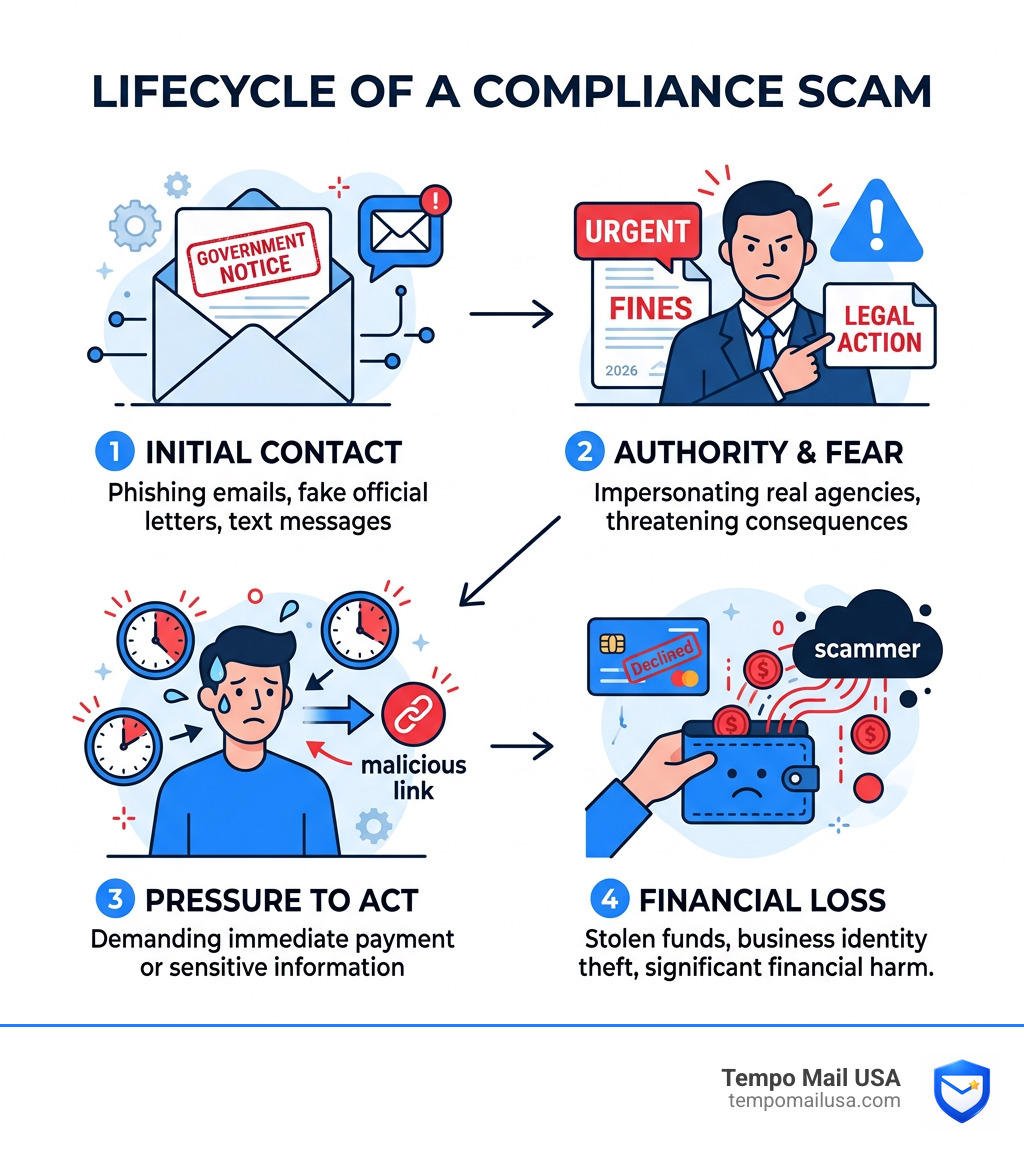
Anatomy of the Department of Legal Compliance Scam Update
To protect ourselves, we first need to understand how these predators operate. The Department of Legal Compliance Scam update isn't just one static trick; it’s an evolving ecosystem of deception. At its core, the scam relies on "authority bias"—the natural human tendency to obey someone who looks like an official.
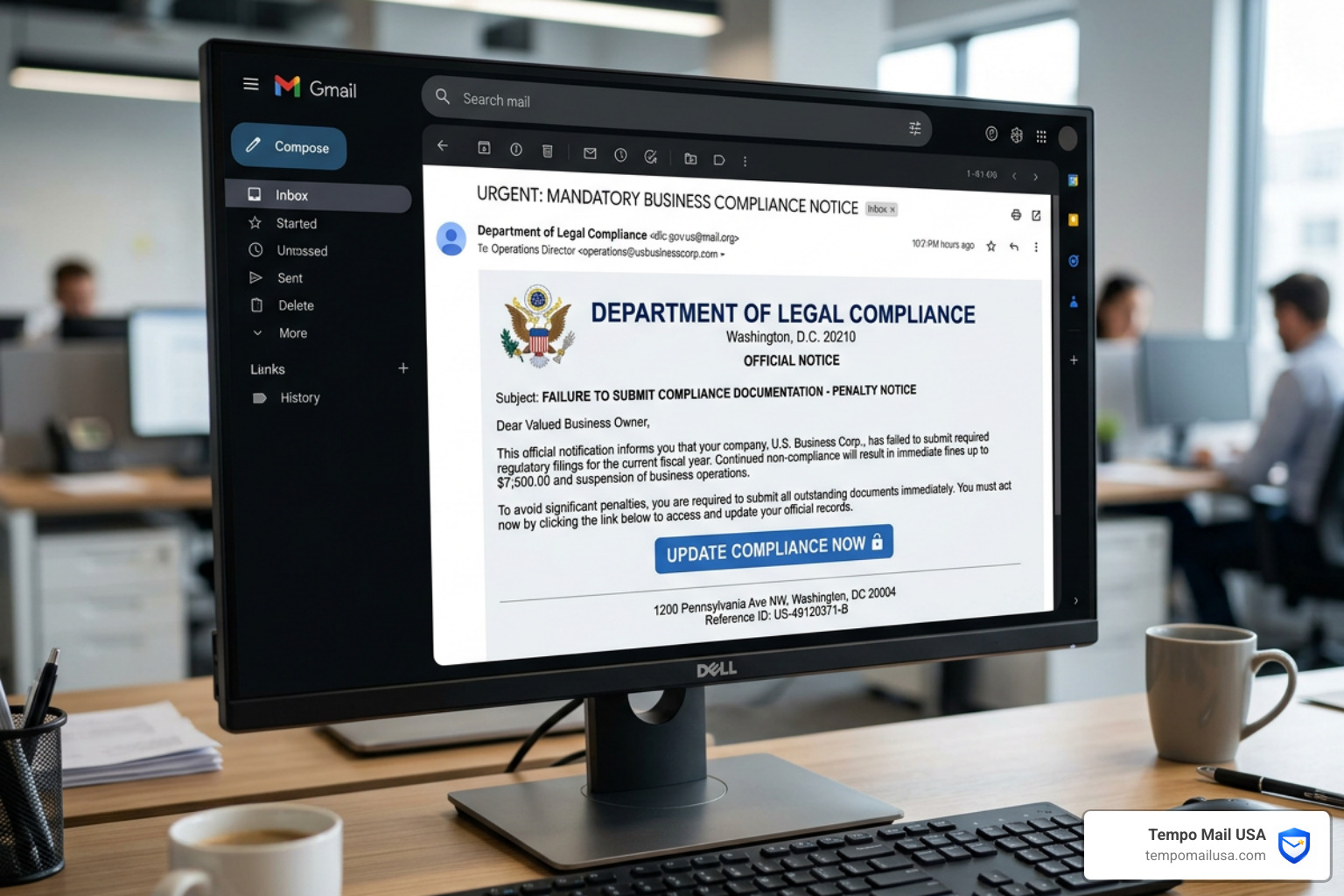
Phishing Emails and Malicious Links
Most of these attacks begin in the inbox. You might receive an email that looks like it’s from a state comptroller or a federal agency. These messages often contain "urgent" calls to action, such as "Update your registration immediately to avoid suspension."
The danger lies in the links provided. These URLs often lead to spoofed websites that look identical to official portals. Once you enter your login credentials or business details, the scammers have everything they need for identity theft or to sell your data on the dark web. It’s vital to understand What is a Phishing Scam? Protect Yourself to recognize these digital traps.
Fake Letters and Urgent Threats
Physical mail is still a powerful tool for scammers. Because we tend to trust a letter with a seal more than a random email, fraudsters send high-pressure mailers. These letters often use aggressive language, mentioning "Asset Seizure," "Immediate Fines," or "Legal Non-Compliance." They might reference specific statutes like the Corporate Transparency Act to sound authoritative.
In many cases, these are actually sophisticated Business Email Compromise (BEC) setups moved to the physical world. Understanding Why BEC Attacks Stand Apart from Regular Phishing Emails can help you see why these targeted, high-stakes threats are so effective at bypassing our usual skepticism.
Identifying Red Flags in a Department of Legal Compliance Scam Update
How do you tell a real government notice from a "Department of Legal Compliance" fraud? Look for these telltale signs:
- Suspicious Domains: Real U.S. government websites almost always end in
.gov. If you see.com,.org,.info, or.bizin a compliance-related URL, it’s a massive red flag. - Grammar and Spelling Errors: While scammers are getting better, many fraudulent communications still contain awkward phrasing or typos that a professional government agency would not let slide.
- Demands for Immediate Payment: Governments rarely demand immediate payment via a link or QR code without prior mailed notices and established due process.
- QR Codes in Texts or Letters: Be extremely wary of QR codes. Scammers use them because they hide the actual destination URL from the naked eye.
For more technical guidance on spotting these tactics, we recommend checking resources from the Cybersecurity and Infrastructure Security Agency (CISA).
Common Tactics Used by Impostors
Scammers have a diverse toolkit. Some of the most common methods include:
- Transfer XL & DocuSign Spoofing: Using legitimate file-sharing or signing services to deliver malware.
- Fake HUB Certifications: Targeting minority-owned businesses with "incomplete" Historically Underutilized Business (HUB) applications. You can check your real status at the Texas Statewide HUB System.
- UCC Filings: Charging $90 or more for Uniform Commercial Code (UCC) forms that are available for a few dollars directly from the Secretary of State.
- Beneficial Ownership Information (BOI): Exploiting the new Corporate Transparency Act requirements to demand "filing fees" that don't exist.
Frequently Impersonated Agencies and Recent Alerts
Fraudsters love to hide behind the names of agencies that have the power to shut down a business or levy heavy fines. By staying updated on which agencies are currently being "spoofed," we can stay one step ahead.
FMCSA Portal and Clearinghouse Fraud
The Federal Motor Carrier Safety Administration (FMCSA) is a frequent target. Scammers often target commercial drivers and trucking companies. They might pose as Substance Abuse Professionals (SAPs) and threaten to enter false drug or alcohol violations into the FMCSA Clearinghouse unless a "fee" is paid.
Another common tactic is the "Safety Audit" scam. You might get an email demanding you upload sensitive documents like your Social Security Number (SSN) or Driver’s License to a non-government site. Always verify your company’s status using the official SAFER Web - Company Snapshot and only log in through the official FMCSA Portal. For the latest updates on trucking-related fraud, visit the Clearinghouse News page.
Texas Comptroller and State-Level Scams
In Texas, scammers have been caught sending fraudulent emails asking vendors to download files via Transfer XL. These files often contain malware designed to steal banking credentials. The Comptroller's office has stated clearly that they never request sensitive information via text message or unsolicited email.
Labor Law Poster and Business Filing Scams
This is one of the oldest tricks in the book, yet it still works. Businesses receive threatening mailers claiming they are out of compliance with labor law posting requirements. These "notices" often claim you face fines of up to $17,000.
While businesses are required to post certain notices, the government provides these posters for free. Scammers, often calling themselves the "United States Business Regulations Department," try to sell them for $100 or more. If you suspect a scam, use the Department of Labor's online reporting option.
The High Cost of Compliance Failures and Fraud
Falling for a Department of Legal Compliance Scam update can cost far more than just the initial "fee" you paid. The consequences ripple through your entire business.
Financial and Legal Repercussions
The most immediate impact is financial loss. Businesses have reported losing anywhere from $400 for fake posters to thousands in diverted wire transfers. However, the legal risks are even more daunting. If a scammer gains access to your systems, they might use your credentials to commit further fraud, potentially leading to False Claims Act (FCA) violations if you are a federal contractor.
Real-World Settlements and Enforcement
The Department of Justice (DOJ) is increasingly using the False Claims Act to penalize companies that fail to maintain cybersecurity standards. Recent settlements highlight the stakes:
- Illumina Inc.: Paid a $9.8 million settlement to resolve allegations that they sold genomic sequencing systems with known cybersecurity vulnerabilities to federal agencies. You can read the full press release for details.
- Aero Turbine Inc.: Agreed to a $1.75 million settlement for failing to comply with cybersecurity requirements in federal contracts.
These cases prove that "faking" compliance—or falling for a scam that compromises your security—can lead to massive government fines. To avoid these pitfalls, it is essential to have a deep Understanding Business Email Compromise and how it leads to these larger legal disasters.
How to Respond to a Department of Legal Compliance Scam Update
If you realize you’ve been targeted, or worse, that you’ve already clicked a link, don’t panic. Taking swift, organized action can mitigate the damage.
Immediate Actions for Victims
- Disconnect and Scan: If you clicked a link, immediately disconnect the device from the internet. Run a full diagnostic using updated antivirus software to check for malware or keyloggers.
- Update Passwords: Change passwords for all sensitive accounts—especially banking, email, and government portals like the Texas HUB or FMCSA.
- Contact Your Bank: If you provided any financial information or made a payment, call your bank’s fraud department immediately. They may be able to freeze the transaction or your account.
- Report the Incident: Reporting is crucial for stopping these scammers. You should learn How to Report Fraud to FTC - The Right Way and follow up with the FBI’s IC3.
For a step-by-step guide on handling the digital aftermath, see our article on How to Report Phishing Emails in 5 Easy Steps.
Official Resources for Verifying Communications
When in doubt, always go to the source. Use this table to distinguish between official channels and common scam tactics:
| Feature | Official Government Communication | Scam / Fraudulent Communication |
|---|---|---|
| URL Extension | Ends in .gov (e.g., fmcsa.dot.gov) | Ends in .com, .org, .info, .pro |
| Email Address | Ends in @agency.gov or @dot.gov | Uses Gmail, Yahoo, or "look-alike" domains |
| Payment Method | Standard bank transfer, official portal | Cryptocurrency, Gift Cards, QR codes |
| Tone | Formal, provides clear contact info | Threatening, urgent, "Final Notice" |
| Initial Contact | Usually via U.S. Mail | Unsolicited text or "urgent" email |
If you need to verify a specific notice, contact your state attorney general's office or the ReportFraud.ftc.gov portal.
Frequently Asked Questions about Department of Legal Compliance Scam Update
Does the government send text messages for payment?
Absolutely not. Official agencies like the Texas Comptroller, the FMCSA, and the Maryland MVA have all issued warnings stating they will never send unsolicited text messages regarding outstanding debts, toll violations, or personal information. If you get a text about a "Civil Infraction Hearing" or an "Unpaid Toll," it is a smishing (SMS phishing) attempt. Delete it and block the sender.
How can I verify if a labor law poster notice is legitimate?
First, you can get these posters for free directly from the Department of Labor (DOL) or your state's labor office. If you receive a mailer, check for a disclaimer. Many of these "notices" have tiny print at the bottom stating they are not a government agency. While reputable private providers exist and often offer warranties up to $41,000 to cover potential fines, scammers rely on threats of $17,000 fines to pressure you into an immediate, overpriced sale. Always check the DOL website first.
What should I do if I clicked a link in a suspicious compliance email?
Time is of the essence. First, disconnect your device from Wi-Fi or cellular data to prevent the malware from communicating with the scammer's server. Run a full anti-malware scan using a trusted security suite. Next, use a different, clean device to change your passwords for all sensitive accounts. Finally, report the incident to the FTC and the FBI's Internet Crime Complaint Center (IC3).
Conclusion: Building a Firewall Around Your Identity
The Department of Legal Compliance Scam update serves as a stark reminder that our business and personal information are constantly under fire. Scammers are relentless, but by adopting a "Zero Trust" model—verifying every request and questioning every "urgent" threat—we can protect what we've built.
At Tempo Mail USA, we believe the best way to stop a scam is to prevent the scammer from ever getting your real information in the first place. By using temporary email aliases, you create a "PII firewall" that shields your primary accounts from the data breaches and "list vendors" that scammers use to find their targets.
Whether it's verifying through official .gov sites, using robust antivirus software, or practicing voluntary self-disclosure when errors occur, staying informed is your best defense. Stay vigilant, stay secure, and keep your business safe from the "Department of Legal Compliance" and the many impostors following in its wake.
For more tools on protecting your digital identity, visit us at https://tempomailusa.com.