
Best Buy Phishing Email: The Fake Order, the Real Panic, and the Number You Must Never Call — 2026
Best Buy Phishing Email: The Fake Order, the Real Panic, and the Number You Must Never Call — 2026
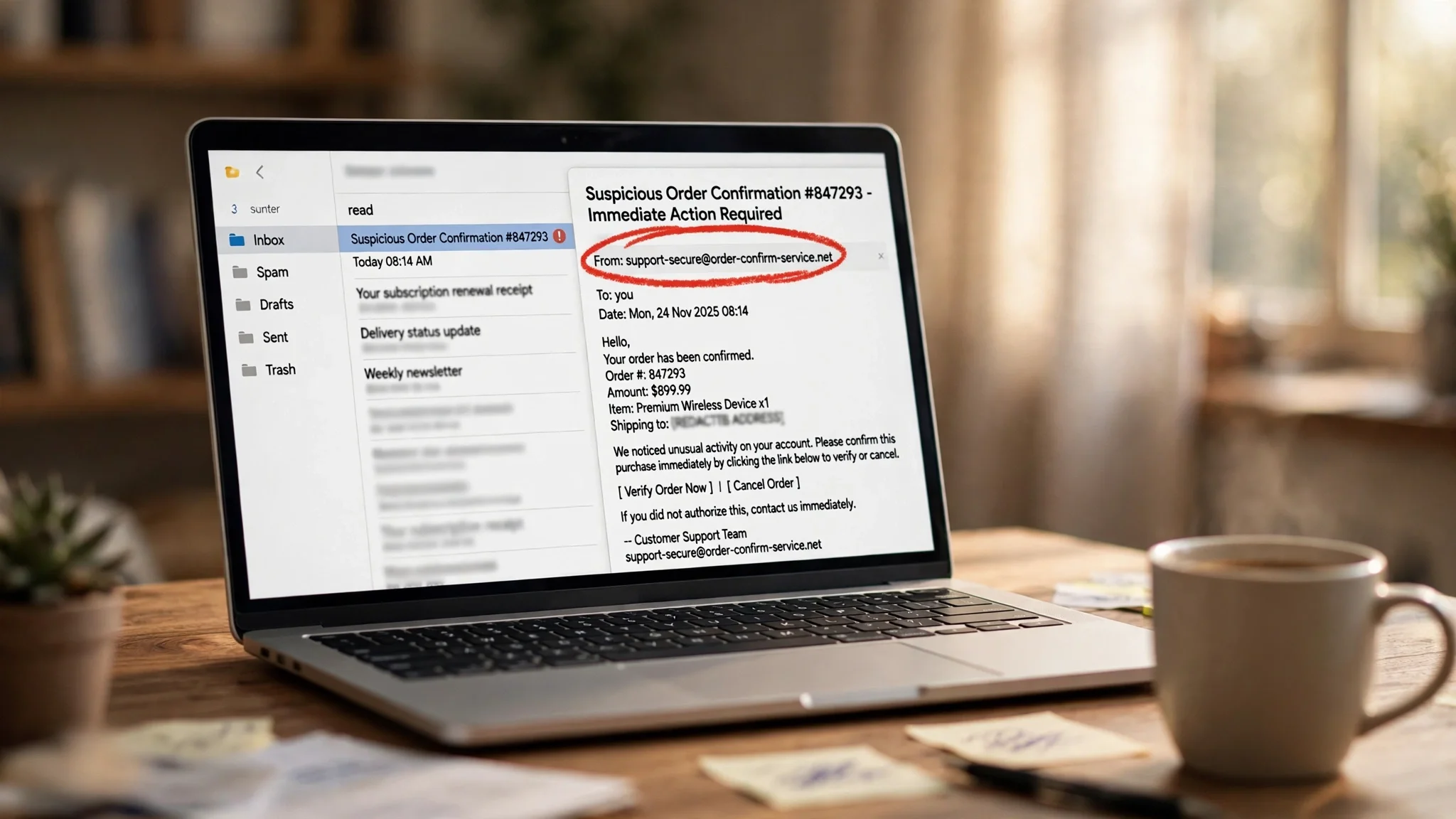
You didn't buy a laptop. You know you didn't buy a laptop. And yet there it is in your inbox at 7:40 on a Tuesday morning: "Order Confirmation #BBY-8841207 — Your MacBook Pro 14" has shipped. Total: $1,899.00." There's an order number, a tracking link, a tidy little invoice, and one line at the bottom that does all the damage: "Didn't place this order? Call us immediately at 1-800-XXX-XXXX to cancel."
That phone number is the scam. Not the link. Not the attachment. The number.
I've spent the last few years pulling apart phishing emails for a living, and the Best Buy version is one of the most effective ones in circulation right now — not because it's clever, but because it understands exactly how your morning works. You scan your inbox half-awake, you see a four-figure charge you don't recognise, and your brain skips straight past "is this real?" to "how do I stop this?" The scammer's whole business model is that five-second gap between panic and thinking. This post is about closing it.
Anatomy of a fake Best Buy order email
Let's start with what one of these actually looks like, because the details are where the scam lives. The example below is a reconstruction — I've built it from the patterns the FTC, the FBI's Internet Crime Complaint Center, and Best Buy's own scam guidance describe, so you can recognise the shape without me forwarding you a live scam. No real message is quoted here.
From: Best Buy Order Support <orders@bestbuy-confirmation.net>
Subject: Order Confirmation #BBY-8841207: Your MacBook Pro 14" Has Shipped
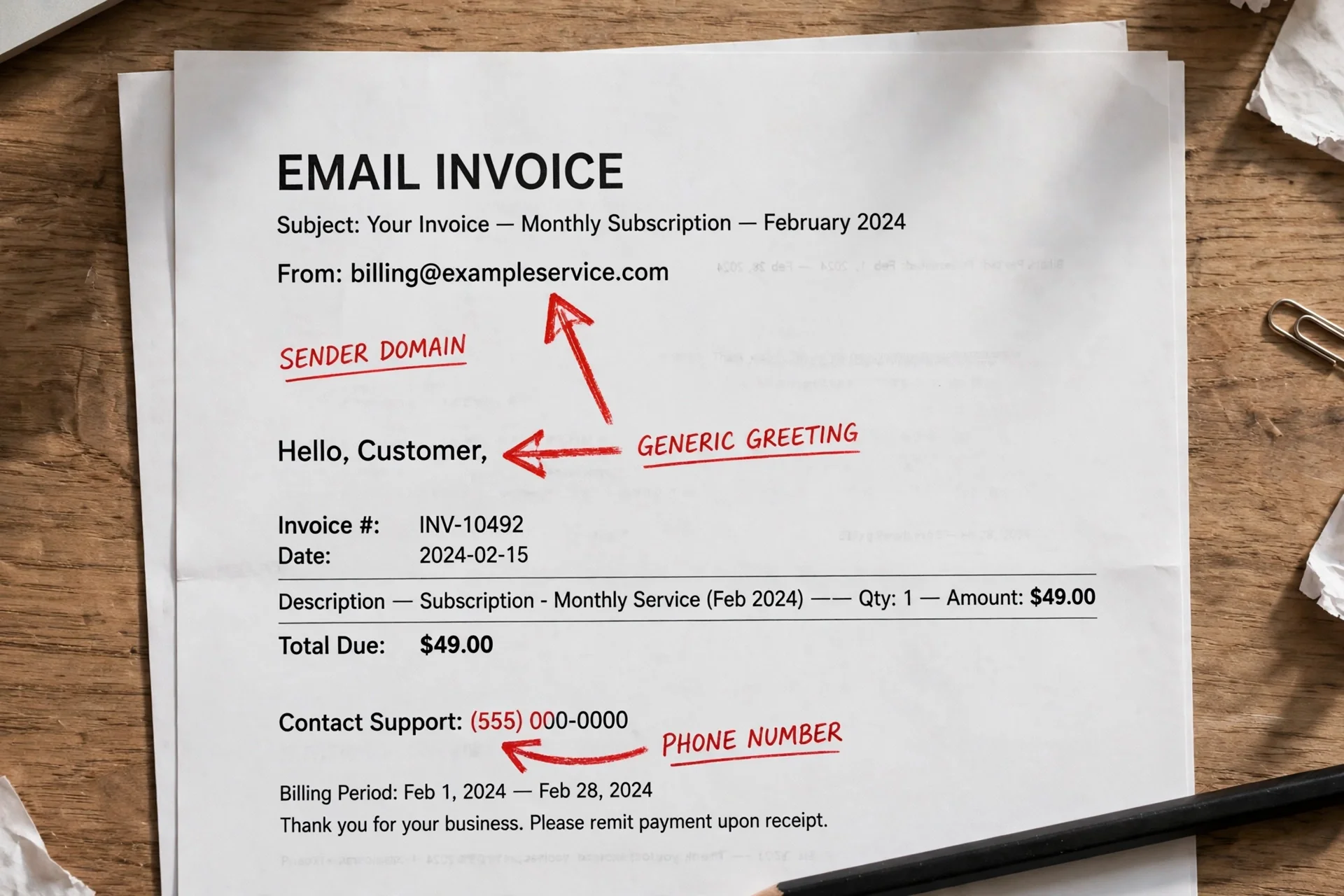
Body: Dear Customer, Thank you for your recent purchase. Your order has been confirmed and payment of $1,899.00 has been processed. Item: MacBook Pro 14" M4 — Qty 1. If you did not authorise this transaction, please contact our Billing Department within 24 hours to cancel and receive a full refund: 1-800-XXX-XXXX. After 24 hours this charge is non-refundable.
Four things in that short block give the whole game away, and they're the same four things in nearly every Best Buy phishing email doing the rounds in 2026:
The sender domain is wrong. The display name says "Best Buy Order Support," but the address behind it is bestbuy-confirmation.net — not bestbuy.com. Tap the sender's name in your mail app and the real address shows up. Legitimate Best Buy mail comes from bestbuy.com. Everything else is a costume.
The greeting is generic. "Dear Customer." Best Buy knows your name — it's on your account, on every real receipt, on every shipping notification you've ever actually received from them. A retailer that has your purchase history doesn't address you like a stranger.
The only way out is a phone call. A real retailer sends you to your account. A scammer sends you to a phone number, because a phone call is the one channel where there's no link to inspect, no domain to check, and a calm, professional voice can talk you into things a webpage never could.
The clock is fake. "Within 24 hours" and "non-refundable after 24 hours" are pressure, not policy. Real charges don't become irreversible on a stranger's deadline.
Why Best Buy, and why right now
Scammers impersonate Best Buy for the same reason bank robbers used to rob banks: that's where the money is, and that's where the trust is. Best Buy is one of the few retailers almost every American household has bought from at least once, which means a fake order email lands in an inbox where a real Best Buy receipt already exists. The scam doesn't need you to believe Best Buy emailed you — it needs you to believe this email is the one Best Buy sent.
November and December are the peak season, and the reason is embarrassingly simple. The FTC and the FBI both list fake order confirmations among the most common holiday shopping scams, and they spike exactly when everyone is expecting a pile of real receipts. In the middle of Black Friday week, one more order confirmation doesn't look strange. It looks like Tuesday.
The money involved is not small. Tech support scams — the family this scam belongs to, since the call-centre version is a tech support scam wearing a retailer's logo — cost people aged 60 and over $1.04 billion in 2025, according to the FBI's IC3 2025 annual report. That's one age group, one scam family, one year. The Geek Squad renewal invoice is the best-known member of that family; we pulled one apart line by line in our Geek Squad scam email breakdown, and the Best Buy order confirmation is its twin — same phone-call payload, different letterhead. If the renewal invoice is the version that targets your subscription, the order confirmation is the version that targets your shopping.
The check I ran on bestbuy.com itself
Here's the part most guides skip, because it requires actually looking something up instead of repeating the same five tips. I checked Best Buy's own published email authentication records — the DNS entries that tell the world's mail servers which senders are allowed to speak for bestbuy.com. This is public information, and it took about ten seconds.
Best Buy publishes a DMARC policy of p=reject. In plain English: Best Buy has told every mail server on the internet to reject — not quarantine, not flag, reject — any email claiming to come from bestbuy.com that fails authentication. It also publishes an SPF record listing the specific mail servers allowed to send as bestbuy.com.
That matters for you in a very practical way. If an email arrives in your inbox claiming to be from bestbuy.com, and your mail provider shows it failing authentication — Gmail, for instance, will show this if you open the message details — then it is not from Best Buy. Best Buy's own policy says so. A genuine Best Buy email passes these checks; a spoofed one can't, because the scammer doesn't control Best Buy's DNS.
The catch, and it's worth being honest about: most people will never open message headers. So the DMARC record is a backstop, not a tool you'll use every morning. The tool you'll actually use is simpler — tap the sender's name, read the domain, and ask one question: is this bestbuy.com? If the answer is anything else — bestbuy-support.net, bestbuy-confirmation.com, a Gmail address, a random string — the email is fake, whatever the logo says. Logos are free. Domains are not.
Five Best Buy phishing plays, and the tell in each
The order confirmation is the most common version, but it's not the only one. These are the five plays in circulation now, each with the detail that exposes it.
1. The fake order confirmation. You "bought" a laptop, a TV, a PlayStation. The amount is always large — $749, $1,299, $1,899 — because a large amount creates the panic that makes you call. The tell: the only way to cancel is a phone number in the email, and the order number leads nowhere when you check your real Best Buy account.
2. The delivery exception. "Your package could not be delivered. Click here to reschedule." This one usually carries a link instead of a phone number, and the link goes to a fake Best Buy login page built to harvest your password. The tell: Best Buy delivery updates come from the carrier too, and the carrier's own tracking page — reached by typing the address yourself — will show no such exception.
3. The gift card balance alert. "Your $50 Best Buy gift card balance is about to expire" or "Your gift card has been flagged." Sometimes it asks you to "verify" the card by entering its number and PIN. The tell: nobody legitimate ever asks you to type a gift card number and PIN into a web form. A gift card number plus its PIN is the money — handing both over is handing over cash.
4. The account locked warning. "Suspicious activity detected on your account. Verify your identity now." This one preys on a different fear — not money lost, but access lost. The tell: the link goes to a lookalike domain, and the page asks for your password plus, often, a payment method "for verification." Best Buy will never ask for payment details to unlock an account.
5. The rewards points expiring. "Your 4,200 My Best Buy points expire tonight — redeem them now." This is the quietest of the five and, in my opinion, the most insidious, because it doesn't threaten you. It offers you something. The tell: it creates the same artificial deadline as the others, and the redemption link is the trap. Real points balances live inside your account, which you can check by typing bestbuy.com yourself.
Notice what all five have in common: urgency, a deadline, and a single action that bypasses your account. Real Best Buy communications do the opposite — they point you toward your account, not away from it.
The phone-call version is the one that empties accounts
I want to spend a moment on the phone-call version specifically, because it's the one people underestimate. An email with a malicious link at least leaves evidence — a URL you can inspect, a domain you can check. A phone number leaves nothing until you're already talking.
Here's what happens when you call. A calm, professional person answers — often with hold music, often with a case number. They say they'll cancel the order, but first they need to "verify" you. Then the script branches. Sometimes they say your account was hacked and ask you to install a remote-access program so they can "secure" your computer — that program gives them control of your machine. Sometimes they say a refund was sent but too much money went through by mistake, and you need to send the difference back, usually by wire, gift card, or Zelle. Sometimes they just need your card number "to process the cancellation."
Every branch ends the same way: money or access moving from you to them, delivered by your own hands, because a polite voice told you it was the way to fix a problem that never existed. The FTC's guidance on the Geek Squad version of this scam is blunt about it — don't call the number, check your card statement, and if there's no charge, delete the email. The same applies here, word for word. If you already called, hang up, and if you installed anything, disconnect that device from the internet and uninstall the program before you do anything else.
The five-minute verification routine
You don't need to become a phishing expert. You need a routine short enough that you'll actually use it at 7:40 in the morning. This one takes five minutes, and the first step takes ten seconds.
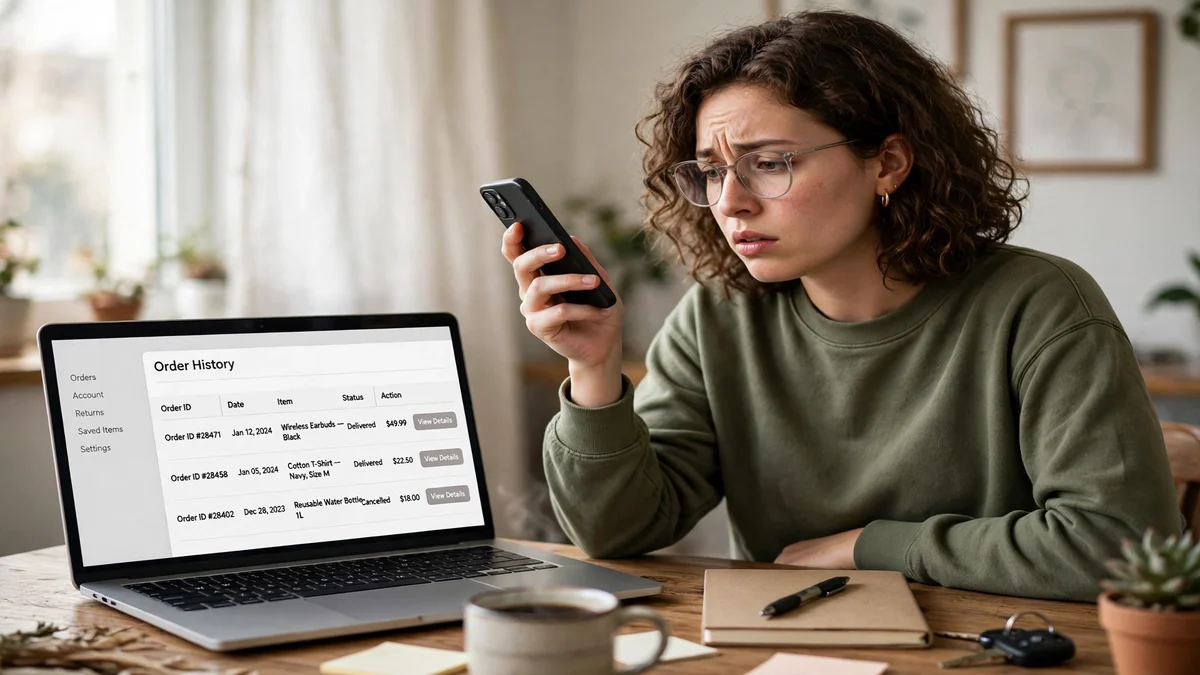
Minute one: check your real account, not the email. Open your browser, type bestbuy.com yourself, sign in, and look at your order history. If the order in the email isn't there, it didn't happen. This is the single most decisive check there is — it settles the question completely, and it's the check the scammer is counting on you skipping.
Minute two: check your bank. Open your bank or card app and look for the charge. A $1,899 laptop leaves a mark. If nothing was charged, there is nothing to cancel, and the email is a ghost story. Our guide to what actually happens in the first 60 seconds after you open a spam email covers the rest of this — opening the email alone doesn't charge your card, and panic is the only thing the scammer can bill you for.
Minute three: check the sender. Tap the sender's name in your mail app and read the full address. Best Buy mails from bestbuy.com. If the domain is anything else, you're done — it's fake, whatever the logo, the invoice number, or the professional layout says.
Minute four: if you need Best Buy, use a number you found yourself. The real Best Buy customer service number is 1-888-237-8289 (1-888-BEST-BUY) — find it on bestbuy.com or on a past legitimate receipt, never in a suspicious email. If you're unsure whether something you received is genuine, that's the number to call, and the website to check is the one you typed yourself.
Minute five: report it. Forward the suspicious email to Best Buy at abuse@bestbuy.com — Best Buy's own help pages ask customers to do exactly this, and they use the forwards to identify and block fraudulent activity. Then report it to the FTC at ReportFraud.ftc.gov. If you want to go further, the Anti-Phishing Working Group takes forwards at reportphishing@apwg.org, the FTC takes spam with headers at spam@uce.gov, and the FBI's Internet Crime Complaint Center takes complaints at ic3.gov. You don't have to do all five. Best Buy plus the FTC is enough, and it takes less time than the phone call the scammer wanted you to make.
The habit that starves the whole scam
Here's the part nobody wants to hear, because it's boring: the reason these emails reach you at all is that your real email address is on lists — store mailing lists, data broker lists, breach lists — and every retailer signup adds one more copy. The scammer doesn't need to know you shop at Best Buy. They need a list of a million addresses and a brand that a decent share of them recognise. Your address being on that list is the whole attack surface.
The fix is unglamorous and it works: stop giving your real inbox to retailers. When a store asks for an email at checkout, give it a disposable address instead — a temporary inbox from TempMailUSA takes seconds to create, receives the order confirmation and the shipping updates, and then you throw it away. If that address ends up on a list, the list points at an inbox that no longer exists. A burner email is the same idea with a longer fuse, and it's the right call for the accounts you actually keep.
This is also why the spam that keeps finding you keeps finding you — it's not one leak, it's the accumulation of every signup. And if you want the full routine rather than just the one habit, our guide on how to actually stop phishing emails lays out the rest of it: the lookalike-domain checks that still matter, the ones that stopped mattering, and the settings change in Gmail that does more than any blacklist.
You don't have to do all of this. You have to do one thing the next time a four-figure order you never placed shows up in your inbox: nothing, for ten seconds, while you open your real account and look. The scam runs on the gap between panic and thinking. Ten seconds closes it.
FAQ
Is this Best Buy email a scam? If it claims you bought something you didn't buy, asks you to call a phone number to cancel, or comes from any domain other than bestbuy.com, yes. Check your order history at bestbuy.com — typed by you, not linked from the email — and check your bank statement. If neither shows the order or the charge, the email is fake.
What should I do if I got a Best Buy phishing email? Don't call the number, don't click the links, and don't open any attachment. Check your Best Buy order history and your bank statement. If there's no charge, delete the email, report it as phishing in your mail app, and forward it to abuse@bestbuy.com and to the FTC at ReportFraud.ftc.gov.
Does Best Buy send emails about Geek Squad renewals? Real Geek Squad renewal notices exist, but the fake ones are far more common — they're the single most impersonated Best Buy message in circulation. A renewal email that demands a phone call within 24 hours is fake. We dissected the renewal invoice version separately in our Geek Squad scam email guide.
Can opening a Best Buy phishing email infect my computer? Opening the email alone almost never does anything — the damage comes from clicking the link, opening the attachment, or calling the number. If you only opened it, you're fine. Delete it and move on. If you clicked through to a fake login page and entered your password, change that password now, from the real site, and turn on two-factor authentication.
How do I report a Best Buy phishing email? Forward it to abuse@bestbuy.com, report it at ReportFraud.ftc.gov, and use your mail app's Report Phishing option. You can also forward it to the Anti-Phishing Working Group at reportphishing@apwg.org and file a complaint with the FBI's IC3 at ic3.gov if you lost money.
Why do I keep getting Best Buy phishing emails? Because your email address is on lists that scammers buy, rent, or steal — usually from retail signups, data breaches, or data brokers. Best Buy is impersonated so often because almost everyone has shopped there, so the emails feel plausible. Using a disposable address for retail signups keeps your real inbox off those lists in the first place.
Need a disposable temporary email?
Protect your real inbox from spam and promotional clutter instantly and free.
Received a suspicious email, text, or charge alert?
Verify whether the sender domain is disposable, spoofed, or unverified before clicking links.