
How to Verify Your Email on Roblox: The 90-Second Job That Decides Whether You Get Your Account Back

Most Roblox guides treat email verification as a chore — one more button to click before you can play. That framing is wrong, and it costs people accounts. Verifying your email is not a badge hunt. It is the single setting that decides whether Roblox can hand your account back to you the day you forget your password, lose your phone, or find someone else logged in as you. Everything else in this guide follows from that one fact.
I checked every step below against Roblox's own Help Center on November 24, 2026 — the article "Verifying Your Email Address or Phone Number" and its companion piece on 2-Step Verification — because Roblox quietly changes its settings pages and third-party guides go stale fast. The steps here are the current ones, web and mobile, plus the three situations where people actually get stuck: the email that never arrives, the under-13 account, and the throwaway address that seemed clever at the time.
Verification is a recovery key, not a badge
Start by clearing up what you are actually getting. A verified email on Roblox does three concrete things. First, it gives you a way back in: Roblox's own help pages open with the line that adding your email or phone number "can help you recover your account if you forget your password." That is the whole point. Second, a verified email can be used to log in instead of your username. Third, it is the gate to 2-Step Verification — Roblox states plainly that you must have a verified email address to enable it, and the email method for 2SV codes only exists once that address is verified.
What it does not do matters just as much. It does not prove who you are, it does not verify your age, and it no longer earns you anything visible. Years ago, verifying your email gave you a small "Verified" badge on your profile. That is gone. The old verified sign was retired, and the hat that replaced it is a cosmetic item, not a status. If a guide promises you a badge for verifying, it is describing a Roblox that no longer exists. The reward now is invisible and much more valuable: a recovery path that works when you need it.
That is also why the address you verify with deserves thirty seconds of thought before you type it. A verified email is only as permanent as the inbox behind it. Verify with an address you will still control in two years, and the recovery key works. Verify with an inbox that disappears next week, and you have locked the door and thrown the key into a river. Keep that image in mind; the whole second half of this post is about the ways people do exactly that by accident.
If the mechanics of verification itself feel fuzzy — what a verification email actually proves, and what it cannot prove — the general explainer on what email verification is is worth five minutes. Roblox's version is one specific implementation of the same idea: the platform checks that you control an inbox, nothing more, nothing less.
The steps, on the web and on your phone
The process is short, and it is the same on both platforms except for one tap. Roblox's Help Center lists it as six moves, and having walked through the current article, I can confirm the path is still Settings, then Account Info, then Add Email.
- Log in to your Roblox account. If you cannot log in at all, stop here — recover the password first, because verification is done from inside the account, not from the login screen.
- Open Settings. On the web, click the gear icon in the upper-right corner of the site, then choose Settings. In the mobile app, tap the three dots for More, then Settings. This is the only step that differs between platforms.
- Select the Account Info tab.
- Select Add Email and type the address you want to verify. Use one you actually check — not the address you used once for a newsletter in 2019.
- Roblox sends a message to that address. Open your inbox and find it.
- Follow the instructions inside the email. That is the verification itself: clicking the link or button in the message confirms you control the inbox.
When it works, it works in under two minutes, and Account Info stops showing the address as waiting for verification. Refresh the page if the status does not change immediately; the setting sometimes lags the click by a few seconds.
Two small notes that save people real time. First, if you already have an email on the account and you are changing it rather than adding your first one, the button is Update Email, not Add Email — it sits behind a small pencil-and-paper icon, and Roblox asks for your current password before it sends anything to the new address. Second, one email address can only be attached to one Roblox account. If you get an error saying the address is already in use, it is attached to another account — possibly an old one you forgot you made — and you will need a different address or to recover that old account first.
The email never arrives: fix it in this order
This is where most people actually land, and where most guides wave their hands. Roblox's own troubleshooting section is short — two sentences — so here is the order that works, from the most common cause to the least.
Wait a few minutes first. Verification mail is automated, but it is not instant, and Roblox's own page says to give it a few minutes before assuming anything is wrong. Two minutes of patience fixes more of these than any other step.
Then check Spam or Junk. This is the single most common hiding place, and it is the first thing Roblox tells you to check. Automated verification mail gets filtered aggressively, especially by Gmail and Outlook, and especially the first time a sender writes to you. If it is there, mark it as not spam before clicking anything — that teaches your provider the sender is wanted, which helps the next time Roblox writes to you.
If it is still missing, allowlist the sender and try again. Roblox's published advice is to add email_validate@roblox.com to your address book or contacts, then request the verification email again from Account Info. The allowlist matters because it tells your provider to deliver the next attempt to the inbox rather than filtering it again. Resending without allowlisting is the loop people get stuck in: the same filter catches the same message, again and again.
If that still fails, check the address itself for a typo. One wrong letter and the verification email went to a stranger's inbox or into the void, and no amount of resending will fix it. Go back to Account Info, use Update Email to correct it, and watch the corrected inbox. This is also the moment to check whether the inbox you typed is one you can still open. A surprising number of "the email never arrives" cases turn out to be an old school or work address the player no longer has access to.
If you have worked through all four — waited, checked spam, allowlisted the sender, confirmed the address — and nothing has arrived, the problem is usually on the provider's side: an aggressive filter, a full inbox, or a provider that silently drops automated mail. Try a different, permanent address from a major provider. And if the verification email arrived but the link inside it does nothing, open it in the browser rather than inside an in-app viewer; some in-app browsers strip the redirect that completes the verification.
One honest limitation: Roblox's current help article does not state a resend button, a time limit, or a code expiry for the email verification message itself. Do not trust a guide that quotes one. If a code is involved at all, it is in the separate 2-Step Verification login flow, not in this email. For the wider question of verification codes that never show up — the pattern is the same across every service, and the guide to verification codes you did not request covers the provider-side causes in more depth.
Under 13? The email that goes here is your parent's
Roblox handles younger players differently, and this is the section parents actually need. If the player is under 13, the email verified on the account should be a parent's email, added as a parental recovery email in Settings, then Account Info, on the child's account. The parent completes the verification. That gives the parent the ability to help recover the account if the child forgets the password, and Roblox notes the parent can also be notified of important account activity by linking a Roblox account with parent privileges.
Note what Roblox does not say: its current article does not describe the parental email as a second-class address, and it does not frame it as a restriction. It is the recovery mechanism for the account, and it belongs to the adult. If you are a parent setting up a child's account, verify with your own address — not with a spare address you made for the occasion and will forget, and not with the child's own address if they are under 13. The entire point is that the recovery email belongs to the person who can act on it.
If you are the under-13 player reading this yourself: ask a parent to do this step with you. It takes them two minutes, it does not give them access to your games or your friends list, and it is the difference between getting your account back after a forgotten password and losing everything you built in it.
The temp-mail trap: the one address you should never verify with
Here is the part this site exists to warn you about, and I will be blunt: a disposable address is the worst possible address to verify a Roblox account with. It feels like the privacy-smart move. It is the opposite.
Roblox lets you create an account without any email at all — that is the trap our earlier test of temp email for Roblox signup documented: the email door is optional at signup, so people walk through it without thinking, and only discover the cost later. Verification is the moment the optional email becomes load-bearing. The day you forget your password, Roblox sends the reset link to the verified address. If that address was a temporary inbox that expired after an hour or a day, the reset link goes nowhere, and there is no other way back in. Your avatar, your items, your friends, your progress — all of it sits behind a recovery email that no longer exists.
The same logic applies to any address you do not control long-term: an old school address that gets deactivated after graduation, a work address you lose when you change jobs, a free address you made for one purpose and abandoned. The rule is simple and worth memorizing: the recovery address for an account you care about must be an address you will still own in two years.
That does not mean throwaway addresses are useless — far from it. They are exactly right for the signups you do not want to keep: testing a service, grabbing a download, getting past a form that demands an email before showing you anything. The four ways to create a throwaway email cover that job properly, from thirty seconds to permanent. The mistake is using the throwaway for the one job that needs permanence. Two accounts, two inboxes: a disposable one for the trial, a permanent one for the account you keep. Roblox is the second kind.
There is a second, practical wrinkle. Roblox does not publish a list of blocked disposable domains, and I will not invent one, but disposable domains are routinely rejected or filtered at verification time across major platforms, and Roblox is no exception in practice. If the verification email never arrives and you used a disposable address, the address itself is a likely suspect — check the previous section's steps, then switch to a permanent address rather than fighting the filter.
The one thing to do right after verifying: turn on 2-Step Verification
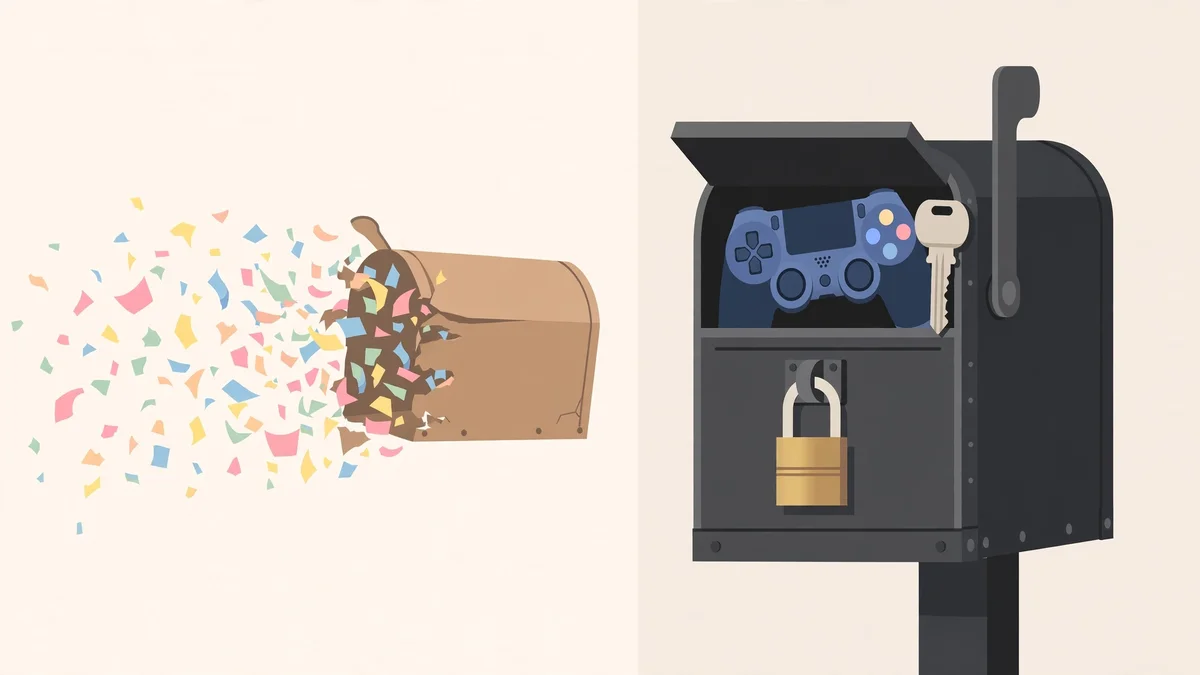
Verifying your email unlocks the next step, and you should take it in the same session, while you are already in Settings. Roblox requires a verified email address to enable 2-Step Verification, and its help article says so in a bolded note — this is not a recommendation, it is a precondition.
Go to Settings, then the Security tab, and under 2-Step Verification choose a method and turn it on. You can only enable one method at a time. The options are an authenticator app, email codes, or a security key. Roblox recommends the authenticator app, and so do I: with the authenticator set up, login codes come through the app rather than email or text, which means a compromised inbox alone cannot get someone into your account. The email method only exists if you do not have the authenticator set up, and its codes can take a few minutes to arrive. Security keys are the strongest option if you have one.
Once 2SV is on, every login from a new device asks for a code from your chosen method. That is the point — a stolen password alone stops being enough. It is also why the verified email matters twice over: it is both the recovery path and the fallback for the email-code method. Keep the recovery email current, and keep your authenticator's backup codes somewhere safe, because the same logic that makes 2SV strong makes losing both factors a real lockout. The recovery risk of two-factor authentication is worth reading before you need it, not after.
Changing the email later
Accounts change, and so do inboxes. If you need to change the verified address, do it from inside the account, never from a link in an email: open Roblox yourself, go to Settings, then Account Info, and select Update Email — the pencil-and-paper icon. Enter the new address and your current Roblox password, then follow the instructions in the message Roblox sends to the new address. Until you complete that last step, the old address stays on the account.
Do this the moment you lose access to an old inbox, not the day you need a password reset. An unverified or inaccessible recovery email is a quiet problem until it is suddenly an emergency, and by then the fix is a support ticket instead of a thirty-second settings change. If you are changing addresses because the old one belonged to a school or a job, change the recovery email on your other important accounts in the same sitting. It is the same ten minutes, and it prevents the same lockout everywhere at once.
FAQ
Do I need to verify my email to play Roblox? No. You can create and play on a Roblox account without verifying any email. Verification is for recovery, logging in with your email, and enabling 2-Step Verification. But an unverified account with a forgotten password is very hard to recover, which is why skipping it is a bad trade.
How long does the Roblox verification email take to arrive? Usually a minute or two. Roblox's own advice is to wait a few minutes, then check Spam or Junk. If it has not arrived after that, add email_validate@roblox.com to your contacts and request it again from Account Info.
Can I verify my Roblox email with a temp or disposable email? You should not. If the inbox expires, password resets and recovery messages go nowhere, and the account becomes unrecoverable. Disposable addresses are also frequently filtered at verification time. Use a permanent address you will control for years, and save the disposable inbox for signups you do not need to keep.
Can I change the email on my Roblox account later? Yes. Go to Settings, then Account Info, select Update Email, enter the new address and your current password, and follow the instructions sent to the new address. The old address stays on the account until the new one is verified.
I am under 13. Whose email do I use? Your parent's. They verify their email as a parental recovery email in Settings, then Account Info, on your account. That lets them help you recover the account if you forget your password.
Does verifying my email give me a badge? Not anymore. The old email-verification badge was retired. Verification now gives you account recovery, email login, and access to 2-Step Verification — no visible badge.
I verified my email but I still cannot turn on 2-Step Verification. Why? Check that the address shows as verified in Account Info, and that you are looking in the Security tab, not Account Info. 2SV also requires only one method at a time — if an authenticator app is already set up, the email-code option will not be offered. Refresh the page after verifying; the status sometimes lags.
What if the verification email never arrives at all? Work through the order in this guide: wait a few minutes, check Spam or Junk, add email_validate@roblox.com to your contacts and resend, confirm the address has no typo, then try a different permanent address from a major provider. If the address was disposable, switch to a permanent one first.
The bottom line
Verifying your email on Roblox takes about ninety seconds: Settings, Account Info, Add Email, click the link. The steps are the easy part. The decision that matters is which address you type into that field. Make it an address you will own in two years, turn on 2-Step Verification while you are there, and the account you have spent years building has a way back to you. Verify with an inbox that disappears, and you have built the account on a foundation that is already gone.
If you need a fresh disposable address for the signups that do not deserve your real one, TempMailUSA generates one in a click — just keep it away from the accounts you actually care about.
Need a disposable temporary email?
Protect your real inbox from spam and promotional clutter instantly and free.
Received a suspicious email, text, or charge alert?
Verify whether the sender domain is disposable, spoofed, or unverified before clicking links.