
Geek Squad Scam Email: The Fake $499 Renewal, the Refund Trap, and the Inbox Rule That Stops the Next One
Geek Squad Scam Email: The Fake $499 Renewal, the Refund Trap, and the Inbox Rule That Stops the Next One
It usually arrives in the evening, when you're not thinking about tech support at all. The subject line is an order number. The body says your Geek Squad protection plan renewed, and $499 has been charged to your account. You have 24 hours to call a number to cancel, or the charge becomes final.
Here is the whole scam in one sentence: the email cannot charge you anything, and the phone call it pushes you toward is where the money actually moves.
Everything else in this guide is proof of that sentence, the 60-second check that settles any suspicious renewal email, and the inbox setup that keeps the next one from ever reaching your real address. I verified every official claim in it against the FTC's alert and Best Buy's own fraud page, and I tested the inbox setup live on this site before writing a word about it.
The email is bait. The phone call is the scam.
Most guides about this scam start with a list of red flags. That misses the structure, and the structure is what protects you. The scam is a two-act play, and the email is only Act One.
Act One is the invoice. It looks official because it borrows everything official: the Geek Squad name, a plausible order number, a charge in the $299 to $599 range — $349, $399, $399.99, $489.99, $499 and $598.96 are all amounts that have shown up in real reports — and a deadline. Twenty-four hours is the standard; a newer variant gives you 48. The sender address is the tell most people never look at: a Gmail address, a lookalike domain like gs-support-desk.top, anything that is not @bestbuy.com or @geeksquad.com. A real Best Buy service does not bill you from a personal Gmail account.
Act Two is the call, and it is the entire point. The FTC's alert on this exact scam, published in October 2022 and still the clearest description of it, says what happens when you dial the number in the message: the person who answers may ask for remote access to your computer, install spyware, steal your online banking logins, and drain your account. Or they run the refund version, which is crueller because it feels like good news. They ask for your bank details "to refund your money," then fake a transaction that makes it look like they refunded too much — $3,900 instead of $390, say — and tell you to send the difference back by gift card, wire, or cryptocurrency. The money that appeared on your screen was moved from one of your own accounts. What you "return" is your money.
That is why every piece of advice in this guide comes back to one rule: never call the number in the message. Not to check, not to argue, not to cancel. The number is the scam.
What the numbers say in 2026
This is not a small-time email nuisance. It is the most impersonated brand in American tech support fraud, and the losses behind it are large enough that two federal agencies count them separately.
The FBI's Internet Crime Complaint Center counted $2.13 billion lost to tech support scams in 2025 across 47,794 complaints, in its 2025 annual report. Tech support and government impersonation together — what the FBI calls call-center fraud — drew more than 80,000 complaints and over $2.9 billion in losses that year.
The FTC's newest report, Protecting Older Consumers 2025-2026, submitted to Congress on October 19, 2026, adds the age dimension. Adults 60 and older reported about $3 billion lost to fraud in 2025, five times the $600 million reported in 2020. Tech support scams cost that group $126 million across 5,334 reports, and older adults were more than four times as likely as younger adults to report losing money this way. The FTC also warns that reported losses are only a fraction of the real cost — it estimates the true 2025 cost to older adults at anywhere from $13.3 billion to $119.5 billion, a model-based range with wide uncertainty, not a confirmed total.
Geek Squad sits at the center of this because Best Buy is a brand people trust with their devices. The FTC's data for 2023 put Best Buy and Geek Squad first among impersonated companies, with about 52,000 reports, and CBS News reported about $15 million in losses tied to them. The scam has not faded since: in a case reported on October 29, 2026, a Northbrook, Illinois, resident sent $92,240 after calling about a supposed subscription and letting the caller install an app on her phone.
And the lure keeps evolving. A fake invoice reported in May 2026 arrived through a Razorpay payment link, asked for $489.99, and gave the recipient 48 hours to act. The payment link is the new wrinkle — it looks more legitimate than a phone number because it looks like checkout. It is the same scam with a different door.
The 60-second check that settles it
You do not need a security tool to settle a Geek Squad renewal email. You need three checks, in this order, and none of them involves anything inside the message itself.
1. Check your statement, not the email. Open your bank or card app yourself — not through any link — and look for the amount the email claims you paid. If there is no matching charge, the renewal notice is fake. The FTC says exactly this: no charge means the message was a scam. If there is a charge, look at how it is labeled. Best Buy's statement-charges page shows real Geek Squad charges appearing as GEEKSQUAD RENEW, GEEKSQUAD PLAN, or BESTBUY RENEWAL. A charge with a different label, or for a different amount, deserves a call to your bank first.
2. Check your Best Buy account by typing the address yourself. Type bestbuy.com into your browser, sign in, and look at your orders and memberships. A real Geek Squad plan lives there. If you have never bought a Geek Squad plan, or your plan shows a different renewal date, the email is fake. This check also answers the question the email is designed to stop you asking: do I even have an account with this company?
3. Check the sender, then use only the number Best Buy publishes. Real Best Buy mail comes from its own domains. And the only number to call is the one Best Buy puts on its own fraud page: 1-888-BEST BUY (1-888-237-8289). Best Buy's Protect Yourself page states it plainly — the company generally does not make unsolicited calls, and if you receive a call unexpectedly from someone claiming to be from Best Buy or Geek Squad, you should treat it with suspicion. Do not search for a "Geek Squad phone number" to verify the one in the email. The FBI has warned that numbers in sponsored search results are often boosted by advertising, and scammers buy those placements.
If all three checks come back clean — no charge, no plan, wrong sender — delete the email. It cost you a minute, and it cost the scammer the call. It is the same discipline as the check for a suspicious Apple ID text: the message is never the evidence; your own account is.
I tested the shield: a throwaway address that never meets the scammer
Here is the part the other guides skip: the email had to reach you somehow. Scammers buy, scrape, and breach address lists, and the address they reached is usually the one you typed into a retail signup, a warranty form, or a free-trial page years ago. You cannot recall every place your real address lives. You can stop giving it out.
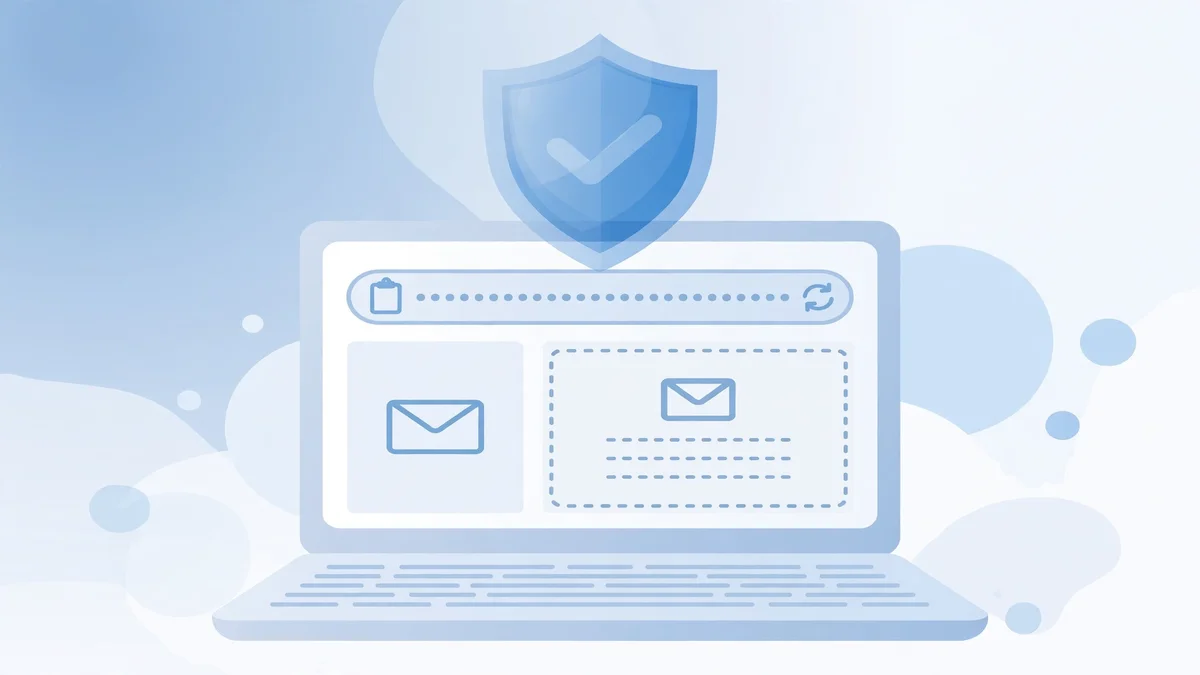
That is what a disposable address is for, and it is the one piece of this guide I tested first-hand instead of taking on trust. On November 19, 2026, I opened TempoMailUSA's homepage and watched what happened. The page generated a working address on the tempomailusa.com domain within a second of loading — no account, no signup, no personal email entered, nothing paid. The live inbox rendered below it with an auto-refresh indicator and a zero message count, waiting for mail. A countdown on the page read "Expires in 29d 15h" and ticking down, with the note that free inboxes last 30 days and Pro inboxes last 365 days. Copy, Refresh, Delete, Change, History, QR Code, Restore, and New Inbox controls sit beside the address. The live counters on the page read 484,612 emails created and 609,973 messages received.
The workflow that follows from that test is simple, and it is the whole point of this section: retail signups, warranty registrations, free trials, and one-off downloads get the disposable address. Your real inbox keeps only the accounts that hold your money and your identity — your bank, your Best Buy account, your password resets.
Two honest limits, because a shield that oversells itself is worse than no shield. First, a disposable address cannot protect a purchase you already made or an account you already hold: if you bought a real Geek Squad plan with your real email, that address is on file with Best Buy, and a scammer who gets it from a breach can still send you a convincing fake. The disposable address stops the next signup from becoming the next leak; it does not undo the last ten years of signups. Second, never use a disposable address for the account that holds your purchases, your billing, or your recovery options. A Geek Squad plan, a bank account, and a password reset all need an inbox you will still own in a year. That is the line between a throwaway address and a real one, and the scam works by blurring it — the fake renewal only scares you because some inbox, somewhere, is supposed to hold your purchases.
Used that way, the disposable inbox does something no checklist can: it removes the moment of panic entirely. The renewal bait arrives at an address you check on your terms, or it never arrives at all.
If you already called
If you are reading this section, skip the guilt. The people running this scam are professionals, and the Northbrook case above — $92,240 — is proof that careful people lose real money to it. Do the cleanup in this order:
Hang up and disconnect. If you are still on the call, hang up. If they have remote access to your computer, disconnect it from the internet immediately, then uninstall whatever remote-access app they had you install — AnyDesk, TeamViewer, or anything you do not recognize.
Scan from a clean device. Run a full malware scan, and change your passwords from a different device, not the one they accessed. Start with your email and your bank, then anything that shares those passwords.
Call your bank from the number on your card. Not the number the caller gave you. Tell the bank exactly what happened and ask them to reverse any transfer and watch for new ones. If you sent money by wire, gift card, or crypto, tell them that too — some transfers can still be stopped in the first hours, and gift card companies sometimes freeze unredeemed cards.
Report it in three places. Forward the email to Best Buy at abuse@BestBuy.com before you mark it as junk. Forward it to the Anti-Phishing Working Group at reportphishing@apwg.org. File a report with the FTC at ReportFraud.ftc.gov, and with the FBI's Internet Crime Complaint Center at ic3.gov if you lost money. Reports are how the FTC built the case counts quoted above — and they are how the next person gets warned in time.
If you gave the caller your Social Security number or full banking details, also place a fraud alert or freeze with the credit bureaus. That is a separate step, and it matters more than the email report.
The variants to expect next
The renewal invoice is the classic, but the same crew runs four other versions. Knowing them means none of them gets a second look.
The text message. Same claim, shorter fuse: a text says your Geek Squad membership renewed and gives you a number to call. The FTC's alert covers texts alongside emails, and the rule is identical — never call the number in the message. It is one of the patterns behind the email scams riding Fraud Awareness Week, where the same urgency trick shows up under a different brand name.
The pop-up. A browser pop-up claims your computer is infected and shows a Geek Squad or Best Buy number to call. The FTC's older-adults report notes this is the version that costs seniors the most: a frightening pop-up, then a call, then remote access. Close the browser. The pop-up cannot scan your computer, because a web page cannot see your files.
The combo invoice. McAfee plus Geek Squad on one invoice, usually for a multi-year "total protection" bundle. The two-brand invoice exists because it doubles the chance you recognize one of the names. Neither company bills this way.
The payment link. The May 2026 Razorpay variant: instead of a phone number, the email carries a payment link for $489.99 with a 48-hour deadline. A link that takes you to a checkout page is not safer than a phone number — it is the same demand with better graphic design. Check your statement first, as above, and the link becomes irrelevant.
FAQ
Is any Geek Squad email real? Yes — if you actually bought a plan. Real Best Buy mail comes from Best Buy's own domains, references an order you can find in your BestBuy.com account, and never pressures you to call a number within 24 hours. The test is always the same: check your statement and your account yourself. If the email is the only evidence the charge exists, the email is the scam.
Can the email charge my card by itself? No. Receiving an email cannot move money. A charge needs your card details and a merchant transaction, neither of which an email can create. That is why the scam needs the phone call: the call is where they get your details, your remote access, or your gift card numbers.
I called the number. What do I do first? Hang up, disconnect the affected computer from the internet, and uninstall any remote-access software they had you install. Then call your bank from the number on your card, change your email and bank passwords from a different device, run a malware scan, and report the message to abuse@BestBuy.com and ReportFraud.ftc.gov. Speed matters more than completeness — do the bank call before the reports.
Does Best Buy ever call me about my Geek Squad plan? Best Buy says it generally does not make unsolicited calls. An unexpected call from someone claiming to be from Best Buy or Geek Squad should be treated with suspicion. If you are worried about a plan, you call 1-888-BEST BUY (1-888-237-8289) yourself.
Will a disposable email stop these messages? It stops the next one from reaching your real inbox, if you give the disposable address to retail signups, trials, and warranty forms instead of your real one. It does not stop messages sent to an address you already gave out, and it should never be used for accounts that hold your money, your purchases, or your password recovery. Use it as a shield for signups, not as a replacement for your real inbox.
The bottom line
The Geek Squad scam email works because it borrows trust — a real brand, a real-sounding charge, a real deadline — and aims it at the one moment you are least careful, the second you think you have been charged for something you did not buy. The defense is boring, and that is why it works: check the charge yourself, check the account yourself, and never call the number in the message.
The numbers behind it are not boring. $2.13 billion lost to tech support scams in 2025. About 52,000 reports naming Best Buy and Geek Squad in a single year. One Illinois resident, $92,240, one phone call. The email is free to send and free to ignore. The call is the only part that costs anything — so don't make it.
Need a disposable temporary email?
Protect your real inbox from spam and promotional clutter instantly and free.
Received a suspicious email, text, or charge alert?
Verify whether the sender domain is disposable, spoofed, or unverified before clicking links.