

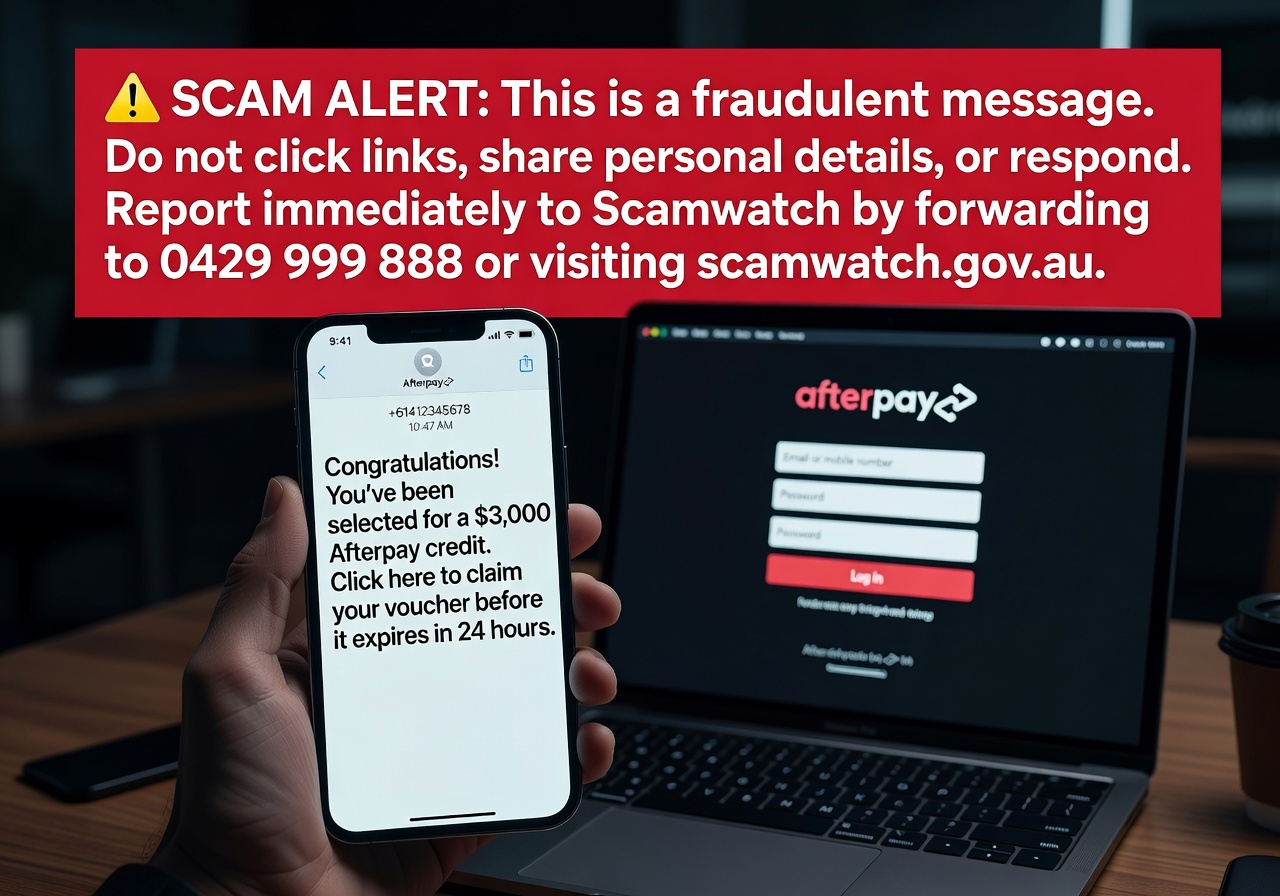

The Afterpay Text Scam Is Targeting Australians — Here's What You Need to Know
The Afterpay text scam is a form of SMS phishing (called "smishing") where fraudsters impersonate the popular buy-now-pay-later service to steal your personal information, banking credentials, or both.
If you just received a suspicious text claiming to be from Afterpay, here's the short answer:
- Do not click any links in the message
- Do not share any verification codes, passwords, or banking details
- Ignore and delete the message — Afterpay will never ask for sensitive information via text
- If you clicked a link, visit Scamwatch immediately for next steps
- Report the message to Afterpay at reportphishing@afterpay.com
These scam texts come in a few common forms:
| Scam Type | What It Claims | What It's After |
|---|---|---|
| Store credit offer | "Your $3,000 AUD Afterpay credit is unclaimed" | Banking login credentials |
| Verification code | "Your Afterpay verification code is: XXXXXX" | Account access or confusion |
| Account restriction | "Your account has been limited due to a failed payment" | Personal and payment details |
Both Afterpay users and complete non-users have received these messages. There was no data breach on Afterpay's end — scammers simply blast random mobile numbers.
Scamwatch recorded over 32,700 text message scams in a single year, resulting in more than $9 million in losses. Phishing scams alone accounted for nearly $4.7 million of that. These aren't rare events — they're an epidemic.
And with buy-now-pay-later services growing in popularity, Afterpay has become one of the most impersonated brands in Australia.
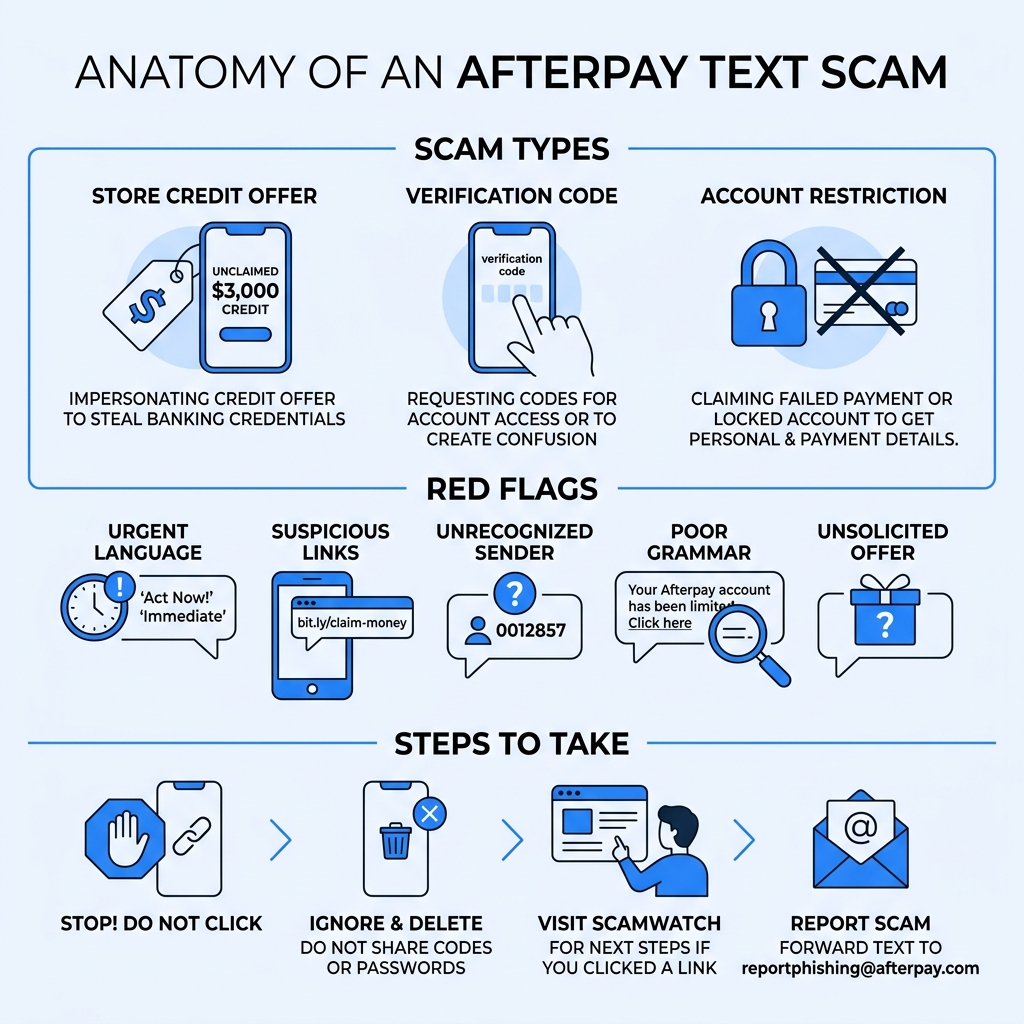
Anatomy of an Afterpay Text Scam
To beat a scammer, we first need to understand their playbook. The Afterpay text scam relies on "smishing"—a mashup of "SMS" and "phishing." Unlike traditional email phishing, which might get caught by a spam filter, a text message lands directly in your pocket, often bypassing digital gatekeepers.
The mechanics are deceptively simple. Scammers use automated software to send thousands of messages simultaneously. These messages are designed to trigger an emotional response—usually excitement (a $3,000 credit!) or fear (your account is locked!). According to Scamwatch statistics, text message scams are now the most common way Australians are targeted, with financial losses climbing every year.
We've seen similar patterns in other industries, such as when criminals send fake delivery alerts. You can learn more about these tactics in our guide on how to identify Amazon refund text scams. In the case of Afterpay, the goal is usually to get you to click a link that leads to a "cloned" website. This fake site looks exactly like the real Afterpay login page or a bank’s portal, but every piece of information you type is sent directly to the attacker.
Common Types of Afterpay Text Scams
Scammers are creative, but they usually stick to three main "hooks" when sending an Afterpay text scam:
- The "Free Money" Hook: This is the most common. You receive a text stating you have an unclaimed store credit, often as high as $3,000 AUD. It sounds too good to be true because it is. No financial service hands out thousands of dollars via an unsolicited text message.
- The "Problem" Hook: This message claims your last payment failed or your account has been restricted. It urges you to "Update your details" or "Retry payment" by clicking a link. This creates a sense of urgency that makes people act before they think.
- The "Verification" Hook: You might receive a text that simply says, "Your Afterpay verification code is: 123456." This is often used to see if a number is active or to trick you into calling a fake support number to "cancel" the request.
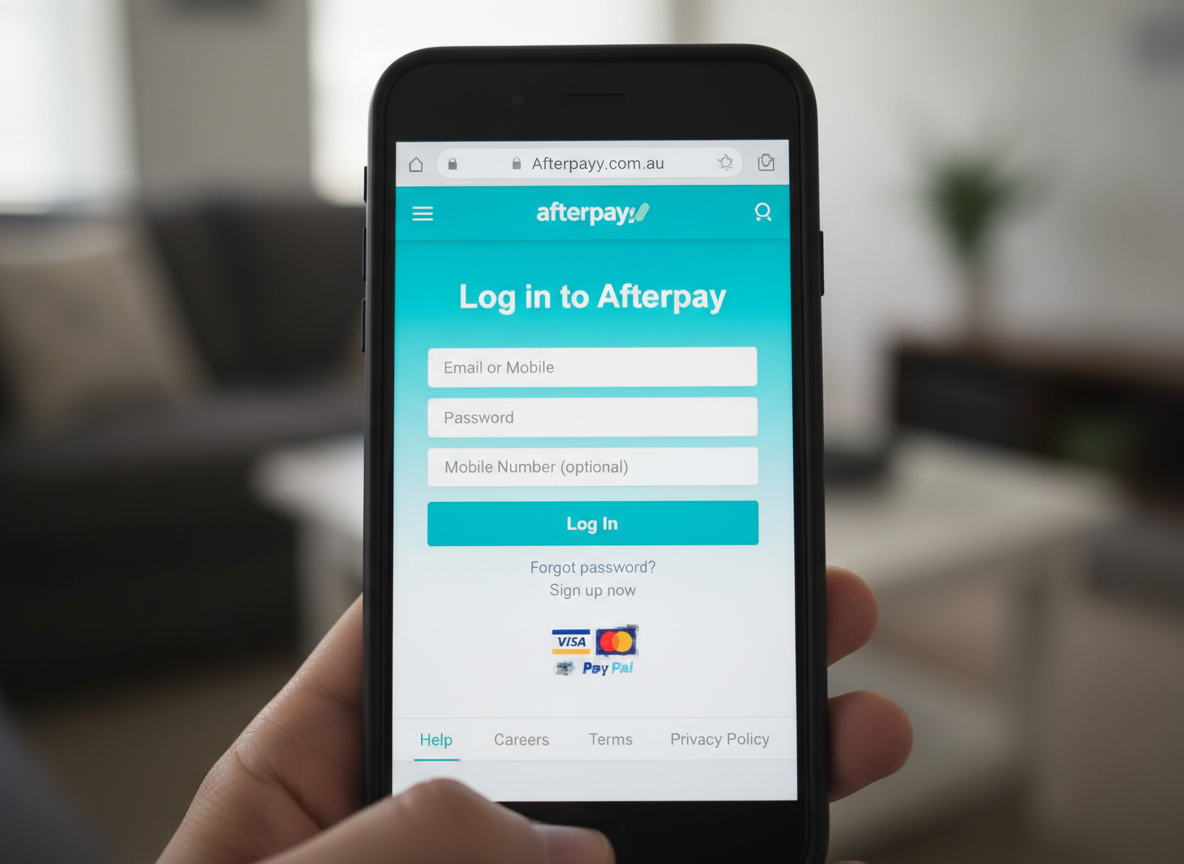
If you're unsure about the legitimacy of a message, master how to spot phishing emails and texts by looking for subtle inconsistencies in the branding or URL.
Why Non-Users Receive Afterpay Text Scam Messages
One of the most confusing aspects of the Afterpay text scam is that people who have never even signed up for the service are getting these texts. This leads many to worry that their identity has been stolen or that there has been a data breach.
In reality, scammers often don't know who you are. They use "number harvesting" or "war dialing" to send messages to every possible mobile number in a specific range. If you've ever wondered why am I getting so many spam calls recently, it’s likely because your number was part of a leaked database from a completely unrelated site, or simply generated by a computer.
By impersonating a massive brand like Afterpay, scammers know that a large percentage of the people they message will be customers. For those who aren't, the scammer is simply hoping curiosity or fear will drive them to click anyway.
Identifying Red Flags and Warning Signs
The key to surviving the Afterpay text scam is training your eyes to see past the professional-looking logos. Scammers are good, but they almost always leave "digital fingerprints."
The biggest red flag is the URL (the web link). A legitimate Afterpay link will always lead to afterpay.com. Scammers use lookalike domains such as afterpay-team.com, afterpay-support.online, or afterpay.payment-retry.cc. They rely on the fact that on a small mobile screen, you might not notice the extra words or the weird ending.
Another major sign is emotional manipulation. If a text uses words like "Immediate action required," "Final notice," or "Account suspended," take a deep breath. Legitimate companies rarely use threatening language in a first-contact text message.
To verify a suspicious link, we recommend using a WHOIS domain lookup. If the website was registered only a few days ago, it is almost certainly a scam.
| Feature | Official Afterpay Communication | Afterpay Text Scam |
|---|---|---|
| Sender | Usually a short code or "Afterpay" | Random mobile number or "Alert" |
| Greeting | Often uses your actual name | Generic ("Dear Customer") or none |
| Links | afterpay.com | afterpay-support.com, bit.ly, etc. |
| Grammar | Professional and polished | Typos, odd phrasing, or weird spacing |
| Request | View status in the app | Enter bank details on a website |
The Danger of Clicking Links in an Afterpay Text Scam
You might think, "What's the harm in just looking?" Unfortunately, clicking the link is where the real trouble begins. Modern phishing sites are incredibly sophisticated. When you click, the site may attempt to:
- Harvest Credentials: You’ll be asked to "Log in to verify your identity." Once you enter your email and password, the scammer has full access to your Afterpay account.
- Phish for Banking Info: Many Afterpay text scams lead to a page asking you to select your bank (ANZ, Commonwealth, NAB, etc.). It then shows a fake version of your bank's login page to steal your actual bank account access.
- Install Malware: In some cases, the site may trigger a "silent download" of malicious software that can track your keystrokes or steal your contacts.
Security researchers often use tools like the Any.Run sandbox analysis to safely "detonate" these links in a virtual environment. This reveals that these sites are designed to bypass two-factor authentication by asking for your SMS code in real-time as they attempt to log in to your real account. It’s a high-tech game of cat and mouse, which is why you must protect yourself and learn how to avoid phishing at all costs.
How to Protect Yourself from Smishing Attacks
The best defense against the Afterpay text scam is a proactive one. We always recommend a "Zero Trust" policy for unsolicited texts. If you didn't expect it, don't trust it.
- Use the Official App: If you get a text about a failed payment or a credit, close your messaging app and open the official Afterpay app directly. If there is a real issue with your account, it will be listed in the "Activity" or "Notifications" tab within the app.
- Enable Multi-Factor Authentication (MFA): This is your strongest shield. Even if a scammer steals your password, they can't get in without the secondary code sent to your phone. According to Microsoft research, MFA can prevent 99.9% of account compromise attacks.
- Shield Your Identity: One reason we get targeted is that our real phone numbers and emails are floating around the web. Using a service like Tempo Mail USA allows you to use email aliases for shopping and newsletters, keeping your primary "real" identity hidden from data harvesters.
For mobile users, you can also block spam calls easily using built-in filters on your iPhone or Android device, which can also help filter out known scam SMS senders.
Reporting and Blocking Fraudulent Senders
When you receive an Afterpay text scam, don't just delete it—report it. Reporting helps telecommunications companies block the numbers and helps authorities track the scale of the attack.
- On iPhone: Tap the number at the top of the thread, tap "info," and select "Block this Caller." You can also tap "Report Junk" under the message.
- On Android: Long-press the conversation, select "Block," and check the "Report spam" box.
Beyond your phone, you should report the incident to the official Scamwatch website. If you want to go the extra mile, you can follow our guide on how to report phishing attacks to ensure the fraudulent website gets taken down as quickly as possible.
What to Do if You Fall Victim
First, don't panic. Scammers rely on your fear to make you freeze up. If you've realized you entered your details into a fake site, you need to move fast:
- Change Your Passwords: Immediately change your Afterpay password. If you use the same password for your email or bank, change those too (and stop reusing passwords!).
- Contact Your Bank: If you entered banking details or credit card info, call your bank's fraud department immediately. They can freeze your cards and monitor for unauthorized transactions.
- Alert Afterpay: Use the Afterpay Help Centre to report that your account has been compromised. They have specialized teams to help recover accounts and reverse fraudulent purchases.
- Place a Credit Freeze: If you're worried about identity theft, contact credit reporting agencies (like Equifax or Experian) to place a temporary freeze on your credit file. This prevents scammers from opening new loans in your name.
Frequently Asked Questions about Afterpay Scams
Has there been an Afterpay data breach?
No. Afterpay has officially stated that these scam texts are the result of "randomized targeting" and not a breach of their internal systems. Scammers are simply using lists of mobile numbers stolen from other websites. However, it is always a good idea to stay updated via Cyber.gov.au for any official security alerts regarding financial services.
Why did I get an Afterpay text scam verification code?
If you received a code you didn't request, it usually means one of two things:
- A scammer is trying to create an account using your phone number.
- A scammer has your password and is trying to log in, but is being blocked by your MFA. In either case, do not share the code with anyone. If someone calls you claiming to be "Afterpay Support" asking for that code to "stop the fraud," hang up. That is the scam.
Is the $3,000 store credit text real?
Absolutely not. Afterpay does not give away large sums of "store credit" via text message. Any offer of free money that requires you to "log in" to claim it is a classic phishing lure. For more tips on identifying these "too-good-to-be-true" messages, check out our quick guide on how to spot phishing emails.
Conclusion
The Afterpay text scam is a reminder that in the digital age, our attention is the most valuable thing we own—and scammers are constantly trying to steal it. By staying vigilant, looking for red flags, and maintaining good "digital hygiene," you can enjoy the convenience of buy-now-pay-later services without the risk.
At Tempo Mail USA, we believe the best way to stop a scam is to prevent your information from getting into the wrong hands in the first place. By using temporary email aliases and shielding your PII (Personally Identifiable Information), you create a "firewall" between you and the fraudsters.
Stay safe, stay skeptical, and remember: if Afterpay really needs to talk to you, they'll do it through their app, not a random text message from a mobile phone in the middle of the night. Visit Tempo Mail USA today to learn more about how to protect your digital identity.