

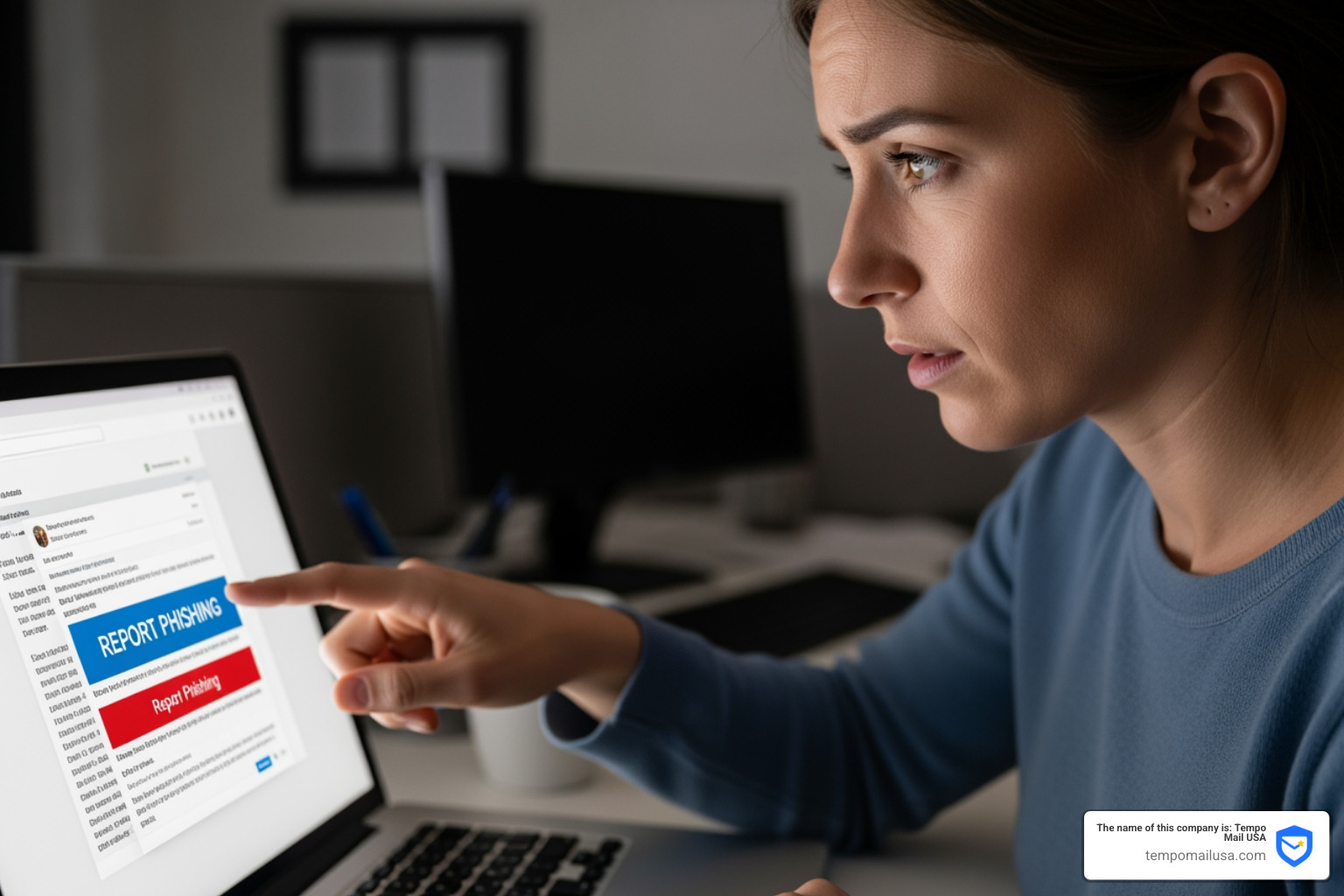

Why Every Phishing Attempt You Report Matters
Report phishing attack attempts quickly and effectively by following these essential steps:
- Do not click any links or download attachments in the suspicious message
- Forward phishing emails to reportphishing@apwg.org and the FTC at ReportFraud.ftc.gov
- Forward phishing texts to 7726 (SPAM) and include sender details
- Report to the impersonated organization using known contact information, never links from the suspicious message
- Delete the message after reporting to prevent accidental clicks
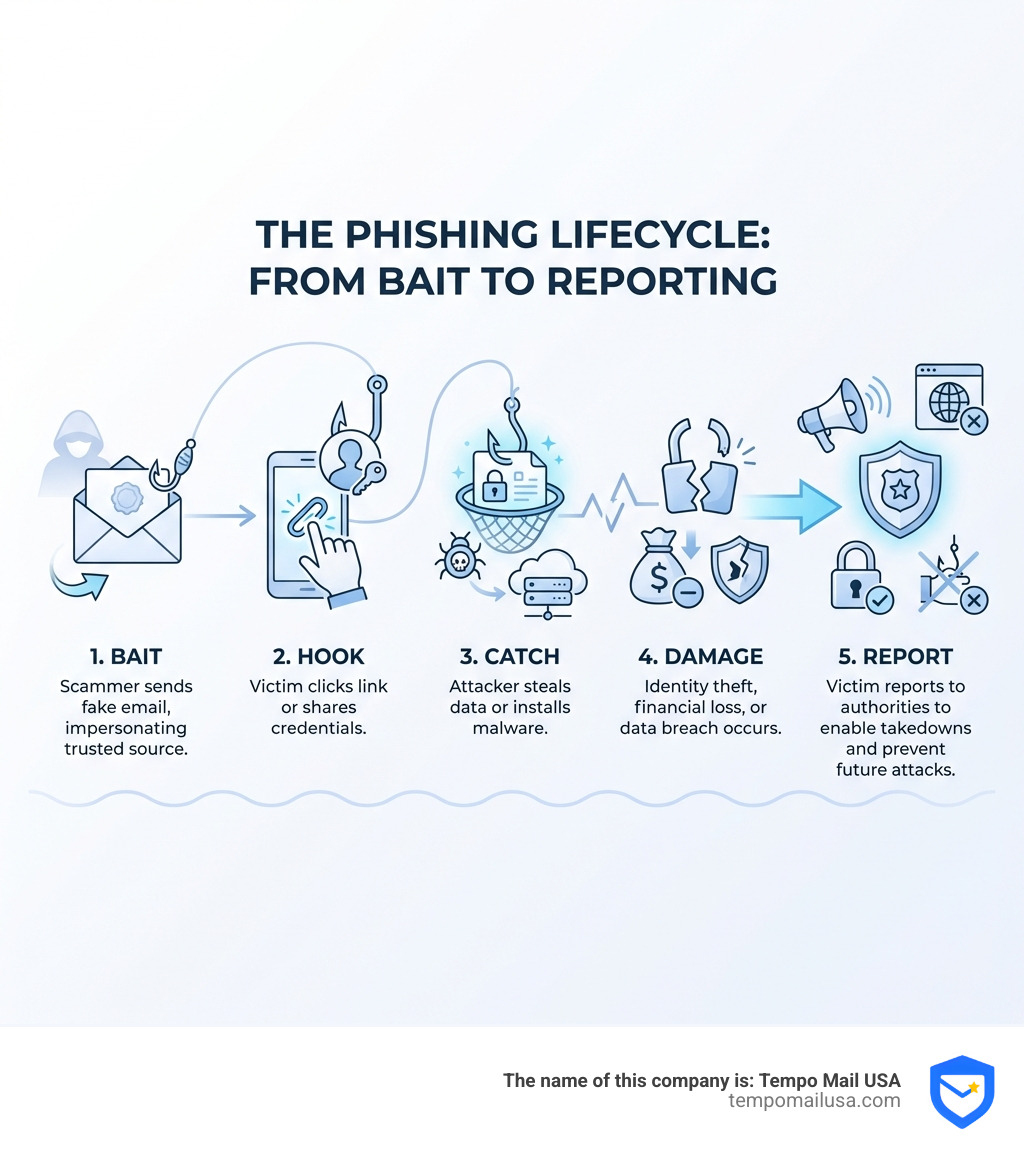
Phishing attacks account for over 36% of all data breaches, and cybercriminals launch thousands of these attacks every day. Like Omar, a busy professional who clicked a fake payment approval email and lost money to stolen credentials, many of us face these threats daily.
Phishing is social engineering—it's when scammers use emails, texts, calls, or even QR codes to trick you into visiting malicious websites or sharing personal information like passwords and bank details. They impersonate trusted sources like your bank, the IRS, or even your boss to create urgency and bypass your natural skepticism.
The financial impact is staggering. In the United States alone, phishing and email scams caused over $1.4 billion in losses, with 83% of organizations experiencing at least one phishing attack last year.
But here's the good news: reporting phishing attempts actually works. Your reports are shared with more than 2,800 law enforcement agencies who use them to investigate fraud, take down scam websites, and protect others. When you report phishing, you become a harder target for scammers and help build the database that stops future attacks.
This guide walks you through exactly how to recognize phishing red flags, where to report different types of attacks, and what to do if you've already clicked a malicious link. Whether you're protecting your personal inbox or your organization's email system, you'll learn the practical steps to report phishing attacks effectively.
How to Recognize and Report Phishing Attack Red Flags
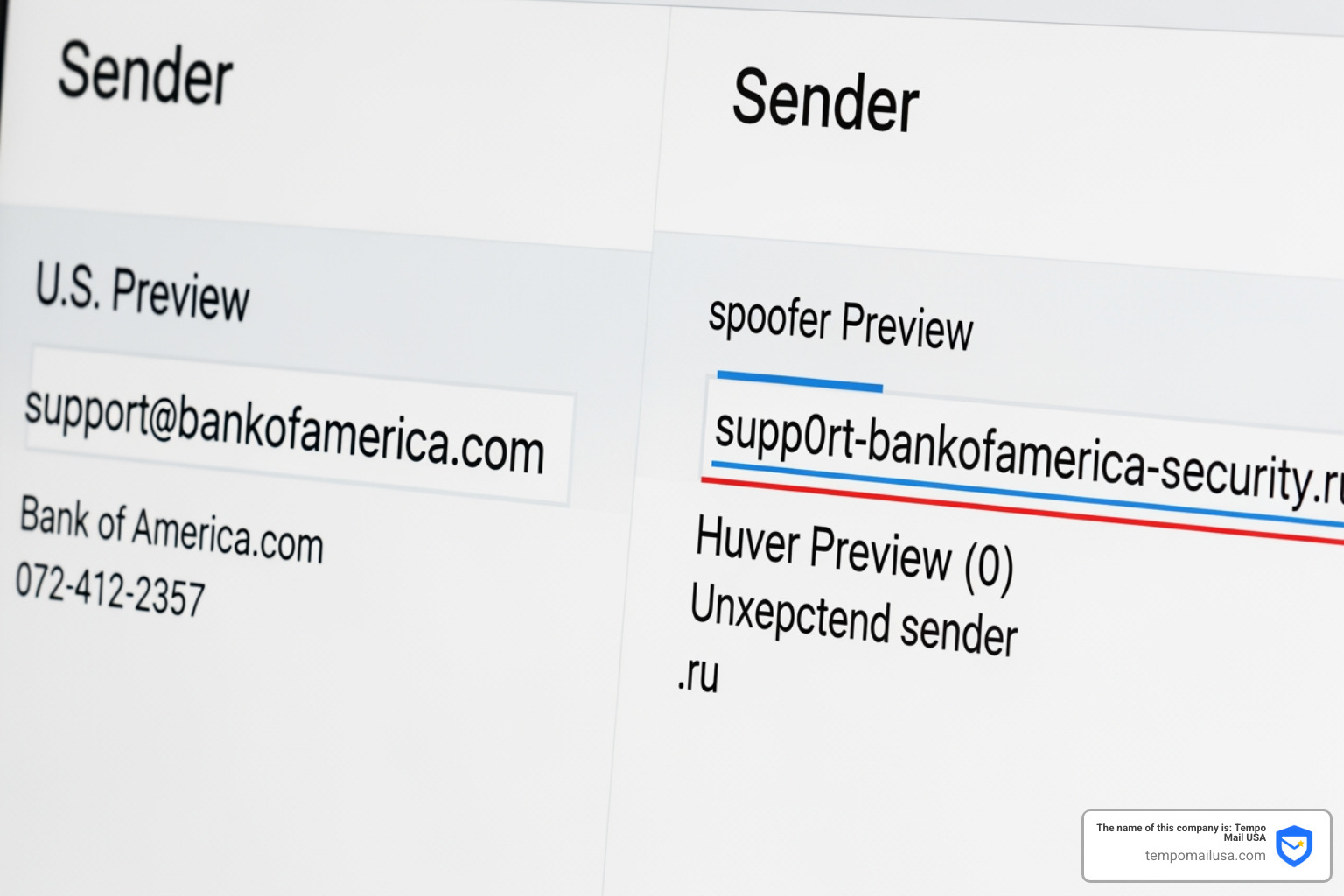
Before you can report phishing attack attempts, you have to know how to spot them. Scammers are clever, but they often leave a trail of digital "tells." Think of these as the cracks in their mask.
The most common red flag is urgent or threatening language. Scammers want you to panic. They’ll say your account is about to be suspended, there’s a problem with your tax return, or a suspicious purchase was made in your name. This "act now or else" tactic is designed to make you skip the logical step of verifying the sender.
Another major sign is mismatched URLs. A link might look like it’s going to "paypal.com," but if you hover your mouse over it (without clicking!), the real destination might be something like "paypall-support-security.ru" or a string of random numbers. On a mobile device, you can usually see the real URL by long-pressing the link.
To stay ahead of these scammers, you should Master How to Spot Phishing Emails by looking for these additional indicators:
- Spelling and Grammar Errors: While some phishers are getting better, many still use awkward phrasing or obvious typos. Professional organizations usually have editors to catch these.
- Generic Greetings: Instead of "Dear [Your Name]," they use "Dear Customer" or "Valued Member."
- Suspicious Attachments: If you weren't expecting a "PDF Invoice" or a "Shipping Label," don't open it. These are often malware in disguise.
For a quick reference you can keep on your desktop, check out our Quick Guide: How to Spot Phishing Emails.
Technical Verification: Using Headers to Report Phishing Attack
If you want to move from "suspicious" to "certain," you need to look under the hood. Every email contains a "header"—a block of metadata that tracks exactly where the email came from. This is vital information when you report phishing attack attempts to IT admins or authorities.
In Microsoft Outlook, you can View internet message headers in Outlook to find the originating IP address and authentication status. When you Get the email header, look for three key technical standards:
- SPF (Sender Policy Framework): This checks if the IP address sending the email is authorized to send mail for that domain.
- DKIM (DomainKeys Identified Mail): This provides a digital signature to ensure the email wasn't tampered with during transit.
- DMARC (Domain-based Message Authentication, Reporting, and Conformance): This tells the receiving server what to do if SPF or DKIM fails (e.g., send it to spam or reject it entirely).
If you see an authentication banner in Outlook or Gmail saying "We could not verify the sender," take it seriously. It means the email failed these basic security checks.
Official Channels to Report Phishing Attacks by Category
Knowing where to send your report is just as important as identifying the scam. Different types of attacks go to different "digital police stations."
The Federal Trade Commission (FTC) is the primary agency for consumer fraud in the U.S. When you learn How to Report Fraud to FTC the Right Way, you contribute to a massive database shared with over 2,800 law enforcers. You can submit your report directly at ReportFraud.ftc.gov.
For more serious cybercrimes, including those involving financial loss or business compromise, you should contact the FBI’s Internet Crime Complaint Center (IC3) at ic3.gov. The IC3 handles everything from real estate scams to advanced spear-phishing campaigns.
Reporting to Government Agencies (FTC, FBI, and IRS)
Tax-related phishing is a massive industry for scammers. If you receive a suspicious email claiming to be from the IRS or the Treasury, do not click anything. Instead, forward the email to phishing@irs.gov.
Here are some specific reporting tips for tax scams:
- Subject Line: Use "IRS" for IRS-related scams or "Treasury" for Treasury-related ones.
- W-2 Data Loss: If your business accidentally sent employee W-2 data to a scammer, email dataloss@irs.gov immediately with the subject "W-2 Data Loss."
- TIGTA: Report IRS impersonation phone calls to the Treasury Inspector General (TIGTA).
If the scam has an international component, you can use econsumer.gov to report it. In the UK, the National Cyber Security Centre (NCSC) is the go-to authority. You can find their resources at Phishing: Spot and report scam emails, texts, websites and... - NCSC.GOV.UK and forward scam emails to report@phishing.gov.uk.
Reporting Phishing Attack Attempts to Service Providers
Your email and phone providers have built-in tools to help you report phishing attack attempts instantly.
- Gmail: Click the "More" icon (three vertical dots) next to the Reply button and select "Report phishing."
- Outlook: Use the "Report Message" add-in to flag scams directly to Microsoft.
- SMS (Smishing): If you get a scam text, 7726 Forward the text to the number 7726. This is a global standard that alerts wireless providers to block the sender's number.
- USPS Scams: Fake delivery notifications are common. Make sure to Report USPS Scam Emails to protect yourself and others from postal fraud.
Most social media platforms also have "Report Post" or "Report Message" functions specifically for "Spam or Scam" content. Using these helps the platform's AI learn to block similar attacks before they reach other users.
What to Do if You’ve Already Clicked or Shared Information
We’ve all been there—a moment of distraction, a convincing email, and suddenly you’ve clicked. If you realize you’ve been "hooked," don't panic. Take these steps immediately:
- Disconnect: If you downloaded a file, disconnect your device from the internet to stop any malware from communicating with the attacker.
- Scan Your System: Run a full antivirus scan. Modern tools can often detect and quarantine phishing-related malware before it does damage.
- Change Your Passwords: If you entered a password on a fake site, change it immediately. If you use that same password elsewhere (which we hope you don't!), change it on those accounts too.
- Notify Your Bank: If you shared financial info, call your bank or credit card company. They can freeze your cards and monitor for unauthorized charges.
- Visit IdentityTheft.gov: If you shared your Social Security number or other deep PII, go to IdentityTheft.gov for a customized recovery plan.
For a more detailed breakdown, read our guide on How to Report Phishing Emails in 5 Easy Steps. Taking quick action can be the difference between a minor annoyance and a total identity takeover.
Proactive Defense: Preventing Future Phishing Incidents
While knowing how to report phishing attack attempts is vital, preventing them from reaching your inbox is even better. We believe in a "layered" defense strategy.
The most effective tool in your arsenal is Multi-Factor Authentication (MFA). According to Microsoft, MFA can prevent over 99% of account compromise attacks. Even if a scammer gets your password, they can't get into your account without that second code.
| Feature | Single Factor Security | Multi-Factor Authentication (MFA) |
|---|---|---|
| Primary Defense | Password only | Password + Code/Biometric |
| Phishing Resistance | Low (Password is easily stolen) | High (Attacker needs the physical device) |
| Ease of Use | High | Moderate (requires an extra step) |
| Effectiveness | ~10% against targeted attacks | >99% against automated attacks |
Beyond MFA, you should Stop Phishing: Effective Strategies to Prevent Attacks by using these tools:
- Chrome Safe Browsing: You can download Chrome at no charge and enable "Enhanced Protection" to get real-time warnings about malicious sites.
- Email Aliases: This is where we come in. By using an identity proxy like Tempo Mail USA, you can create unique email addresses for every service you sign up for. If one service gets breached or starts sending phishing mail, you can simply delete that alias without ever exposing your real, primary email address.
- Password Managers: These tools not only store complex passwords but also won't "auto-fill" your credentials on a phishing site because they recognize the URL doesn't match the official one.
To learn more about these layers, check out our guide to Protect Yourself: How to Avoid Phishing.
Frequently Asked Questions about Reporting Phishing
Does reporting a phishing email actually do anything?
Yes! While you might not get a personal "case closed" email, Your report is shared with a vast network of law enforcement. These reports are used to identify patterns, track down the infrastructure phishers use (like malicious servers), and build legal cases. Every report makes the "net" smaller for the scammers.
Can I be hacked just by opening a phishing email?
In most cases, simply opening an email is safe. However, modern phishing can use tracking pixels to tell the scammer your email is "active," which leads to more spam. In rare cases, "zero-day" browser exploits could allow malware to install just by viewing a message. The real danger, though, is in the attachments and links.
How do I report a phishing text message (smishing)?
As mentioned, 7726 Forward the text to 7726. You should also block the sender on your phone and report the message as "Junk" or "Spam" within your messaging app. Never reply to the text, even to say "Stop," as this confirms your number is active.
Conclusion
Phishing is a constant threat, but it's one we can fight together. By learning to recognize the red flags—the urgency, the mismatched links, and the generic greetings—you take the power back from the scammers. When you report phishing attack attempts to the FTC, FBI, and your service providers, you aren't just protecting yourself; you're protecting your entire community.
At Tempo Mail USA, we believe the best way to handle a "hook" is to never let it reach your boat. Our temporary email aliases and identity proxy services act as a secure firewall, shielding your real personal information from the services you use. If a scammer targets one of our aliases, your primary identity remains safe and sound.
Ready to take the next step in your digital security? Learn How to Report Phishing Emails in 5 Easy Steps and start using aliases to keep your inbox—and your life—secure. Stay vigilant, stay skeptical, and keep reporting!