



Why Amazon Refund Text Scams Are a Growing Threat
Amazon refund text scams are phishing attacks where criminals impersonate Amazon through text messages, claiming there's a problem with your order and offering a full refund if you click a link. These texts are designed to steal your login credentials, financial information, or personal data—there is no actual refund.
How to quickly identify an Amazon refund text scam:
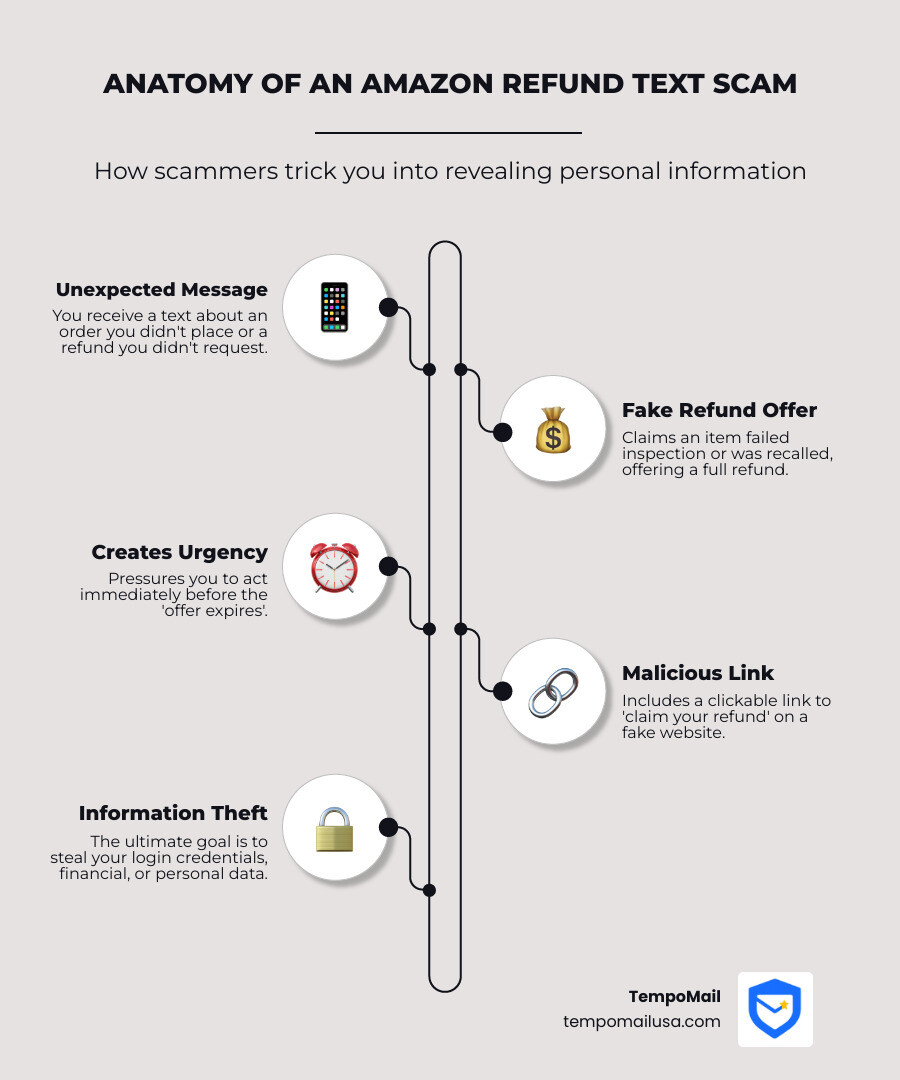
- Unexpected message - You receive a text about an order you didn't place or a refund you didn't request
- Suspicious link - The message includes a clickable link to "claim your refund"
- No return required - Claims you can keep the item and still get a full refund
- Quality inspection excuse - States your item "failed routine quality inspection" or was recalled
- Creates urgency - Pressures you to act immediately before the "offer expires"
If you receive a suspected scam:
- Don't click any links in the text
- Don't respond to the message
- Log into your Amazon account directly through the official app or website to verify
- Report the text to 7726 (SPAM) and delete it
- Report the scam at ReportFraud.ftc.gov
According to the Federal Trade Commission, scammers are increasingly using text messages to impersonate Amazon, targeting customers with fake refund offers. The text typically claims an item you bought "doesn't meet Amazon's standards" or has been recalled, offering a full refund without requiring you to return the product—as long as you click their malicious link.
The real goal? To trick you into entering your Amazon login, credit card numbers, or other sensitive information on a fake website that looks legitimate.
In this guide, we break down exactly how the amazon refund text scam works, how to recognize the warning signs, and what steps to take if you've been targeted. Staying informed is the best way to protect your personal data from these increasingly sophisticated phishing attacks.
What is the Amazon Refund Text Scam?
Imagine getting a text message that seems like a stroke of luck: "Your recent Amazon order failed our routine quality inspection. We are offering a full refund. Click here to claim your money back!" Sweet, right? You get your money back, and you don't even have to return the item! Unfortunately, this is the classic setup for an Amazon Refund Text Scam.
At its core, this scam is a form of "smishing" – a clever portmanteau of SMS (text message) and phishing. It's a cunning tactic where cybercriminals impersonate a trustworthy entity, in this case, Amazon, to trick us into revealing our personal and financial information. These sneaky messages create a sense of urgency or an irresistible offer, prompting us to click on a malicious link or call a fake customer service number.
The Federal Trade Commission (FTC) has recently alerted the public about a resurgence of these scams in the U.S., highlighting just how prevalent and persistent they are. Scammers are always adapting, and using a globally recognized brand like Amazon makes their ploys even more convincing. After all, who among us hasn't recently ordered something from Amazon?
The common narratives in these fake refund texts often revolve around:
- Fake Refunds: The text promises a refund for a purchase you made, or sometimes even one you didn't, claiming an issue with the product or order.
- Quality Inspection Failures: A popular storyline is that an item you purchased "failed a routine quality inspection" and therefore, you're entitled to a full refund. This sounds plausible and taps into our desire for fair treatment as consumers.
- Product Recalls: Another variation involves claiming a product you bought has been recalled, and a refund is waiting for you. Again, this plays on legitimate concerns about product safety.
The crucial element that makes these scams so dangerous is the link. While the text offers you a full refund and even states you don't need to return the item, there is no actual refund. Instead, clicking that link leads you down a rabbit hole designed to steal your money or personal information. It's a classic phishing maneuver, and our goal is to help you spot it from a mile away.
How to Spot an Amazon Refund Text Scam
Spotting an Amazon Refund Text Scam often comes down to recognizing subtle (and sometimes not-so-subtle) red flags. Scammers rely on our busy lives and our trust in familiar brands to bypass our critical thinking. But with a keen eye, we can learn to identify these fraudulent messages before they cause any harm.
One of the most common giveaways is urgency. Scammers love to create a sense of immediate need, pushing you to act without thinking. Phrases like "Act now before this offer expires!" or "Immediate action required to claim your refund" are classic pressure tactics. Legitimate companies, especially one as large as Amazon, rarely demand immediate action via an unsolicited text message, especially for refunds.
Another tell-tale sign is the presence of grammatical errors or awkward phrasing. While even legitimate messages can have typos, scam texts often contain numerous mistakes that a professional company like Amazon would catch. Look for odd capitalization, strange punctuation, or sentences that just don't sound quite right. These errors can be a strong indicator that you're dealing with a scammer, not a customer service representative.
Finally, pay close attention to the suspicious sender information. Sometimes the sender's number might be a strange, non-standard format, or it might just be an unknown number. While Amazon does send legitimate texts, they typically come from a short code or a clearly identifiable sender. If the message seems to come from a random mobile number, be extremely cautious.

Amazon itself provides guidance on how to identify a fake text message. They emphasize that legitimate communications will not ask for sensitive information via text. Our vigilance in checking for these red flags is our first line of defense.
Identifying the amazon refund text scam link
The most dangerous part of an Amazon Refund Text Scam is the link it contains. This is where the harm happens. Scammers use techniques like URL spoofing to make malicious links look legitimate at a quick glance. They want you to believe you're clicking an official Amazon page, but in reality you're being redirected to a fake website designed to steal your information.
A real Amazon link will use the official Amazon domain, such as https://www.amazon.com, or other verified Amazon-owned domains/subdomains that Amazon uses for specific services. If you see a misspelling, extra words in the domain, unusual top-level domains, or anything that feels "almost right," treat it as a major red flag.
The best way to perform domain verification is the "hover technique." Before clicking any link in a text message or email, hover your mouse cursor over it (if you're on a computer). A small pop-up or status bar at the bottom of your browser will reveal the actual URL. On a smartphone, you can often long-press the link to preview the URL without opening it. If the displayed URL doesn't match an official Amazon-owned domain, do not click it.
Clicking on these links can lead you to a convincing but fake Amazon login page, where any credentials you enter will go directly to the scammers. Or, it could even initiate a download of malware onto your device. When in doubt, go directly to https://www.amazon.com by typing it into your browser or by using the official Amazon app.
Common tactics used in an amazon refund text scam
Scammers are master manipulators, and they employ several psychological tactics to make their Amazon Refund Text Scams more effective. Understanding these tactics can help us recognize and resist their lures.
One of the most enticing tactics is the "no return" offer. The text will often explicitly state that you don't need to return the item to get your full refund. This is designed to make the offer seem incredibly generous and hard to pass up. The FTC has specifically highlighted this tactic, noting that the text offers a full refund and says you don't need to return the item as long as you click a link. But there is no refund. Instead, it's a phishing scam to steal your money or personal information.
Another common narrative is the "routine quality inspection" or product recall. These sound official and legitimate. A message about an item failing inspection or being recalled can immediately grab attention and concern, so scammers use it as a believable reason for an unexpected refund.
Finally, pressure tactics are almost always at play. These scams thrive on urgency, making you feel like you must act immediately to secure your refund or resolve an issue. That urgency is meant to stop you from verifying the message.
These tactics are all designed to lead you to a fake website that looks like Amazon's official site. Once on this spoofed page, they'll prompt you to enter your Amazon login credentials, credit card details, or other personal information, all of which then falls into the scammers' hands. Be wary of any text that seems too good to be true, demands immediate action, or offers a refund that bypasses Amazon's standard processes.
What to Do if You Receive a Suspicious Message
Receiving a suspicious text message, especially one claiming to be from a trusted brand like Amazon, can be unsettling. But knowing what to do immediately can prevent a minor annoyance from escalating into a major headache. Our primary rule of thumb is simple: do not click on any links or respond to the message. Engaging with these messages, even just by replying "STOP," can confirm to scammers that your number is active, potentially leading to more unwanted texts.
If you get a text that raises your suspicions, here are the steps we recommend taking:
- Do Not Engage: As tempting as it might be to click the link or reply, resist the urge. This is the single most important step.
- Verify Directly: If you're genuinely concerned there might be an issue with an Amazon order, do not use any contact information provided in the suspicious text. Instead, open your Amazon app or go to the official Amazon website by typing
www.amazon.comdirectly into your browser. Log into your account and check your order history or messages there. Any legitimate issues or refunds will be clearly visible within your official account. - Report to Your Carrier: Most mobile carriers allow you to report spam texts by forwarding them to a special short code: 7726 (SPAM). This helps your carrier identify and block malicious numbers. On many smartphones, you can also use a "report junk" or "report spam" option directly within the messaging app.
- Report to the FTC: The Federal Trade Commission (FTC) encourages everyone to report scams. You can easily do this online at ReportFraud.ftc.gov. Reporting helps law enforcement track scam trends and warn others.
- Delete the Message: Once you've reported the message, delete it from your phone. This prevents accidental clicks later and keeps your message inbox tidy.
Taking these proactive steps not only protects you but also contributes to a safer online environment for everyone. For more ways to improve your digital privacy and security, we encourage you to explore More info about privacy tools.
Recovery Steps if Your Information is Compromised
Even the most vigilant among us can sometimes fall victim to a clever scam. If you've accidentally clicked on a suspicious link or, worse, shared personal or financial information in response to an Amazon Refund Text Scam, it's crucial to act quickly. Time is of the essence to minimize potential damage.
The FTC recommends a series of immediate steps if you believe your personal information has been compromised:
Immediate Actions:
- Change Passwords Immediately: The very first thing to do is change the passwords for your Amazon account and any other online accounts that use the same password or are linked to the information you might have shared. This includes email, banking, and social media accounts. Opt for strong, unique passwords for each account.
- Alert Financial Institutions: If you entered credit card details or bank account information, contact your bank and credit card companies immediately. Explain the situation, and they can help you freeze or cancel cards, dispute fraudulent charges, and monitor your accounts for suspicious activity.
- Enable Two-Factor Authentication (2FA): If you haven't already, enable 2FA on all your important accounts, especially Amazon, email, and banking. This adds an extra layer of security, requiring a second verification method (like a code sent to your phone) even if someone has your password.
Long-Term Recovery & Monitoring:
- Monitor Your Accounts: Keep a close eye on your bank statements, credit card bills, and online account activity for several months. Look for any unauthorized transactions, even small ones, as scammers often test with small charges before attempting larger ones.
- Check Your Credit Report: Regularly review your credit reports from the three major credit bureaus (Equifax, Experian, TransUnion) for any unfamiliar accounts or inquiries. You can get free annual reports at AnnualCreditReport.com.
- Report to IdentityTheft.gov: If you suspect your Social Security number or other highly sensitive personal information was compromised, visit IdentityTheft.gov. This government website offers a personalized recovery plan, helps you report the theft, and guides you through steps like placing a fraud alert on your credit.
- Report to the FTC: Continue to report the incident to the FTC at ReportFraud.ftc.gov. This helps them gather data and prosecute scammers.
Here's a quick comparison of immediate versus long-term recovery actions:
| Action Category | Immediate Response | Long-Term Monitoring |
|---|---|---|
| Account Security | Change passwords for Amazon and linked accounts; enable 2FA. | Regularly review account activity for unauthorized changes. |
| Financial Protection | Contact banks to freeze or cancel cards; dispute charges. | Monitor bank statements and credit reports for suspicious activity. |
| Official Reporting | Report the scam to the FTC and Amazon. | Use IdentityTheft.gov for a personalized recovery plan if PII was stolen. |
What information are scammers trying to steal?
The primary goal of the Amazon refund text scam is to extract valuable personal and financial information from you. This is known as credential theft. Scammers are after a range of data that can be used for identity theft, financial fraud, or to gain access to your other online accounts. This includes:
- Login Credentials: Your Amazon username and password are often the first targets. With these, scammers can access your shopping history, saved payment methods, and shipping addresses. They might also attempt to use these credentials to log into other accounts where you've reused passwords.
- Credit Card Numbers and Bank Details: If you click on the fake link, you'll likely be prompted to "verify" your payment information to receive the refund. This is where they steal your credit card numbers, expiration dates, CVV codes, or even bank account numbers and routing details.
- Personal Identifiable Information (PII): Beyond payment details, they may ask for your full name, address, phone number, date of birth, and even your Social Security number (SSN). This information is gold for identity thieves, who can use it to open new accounts in your name, apply for loans, or commit other forms of fraud.
- Remote Access: In some more advanced versions of this scam, clicking the link might lead to a prompt to download software, which could give scammers remote access to your device. This allows them to install malware, steal files, or monitor your activity.
How can I protect myself from falling victim?
Protecting ourselves from the Amazon Refund Text Scam requires a combination of awareness and proactive steps. It's about building good digital habits that keep your information secure.
- Verify Through Official Channels: This is perhaps the most crucial defense. Never click on links in unsolicited texts or emails. If you receive a message about an Amazon order or refund, always go directly to the official Amazon website or open the Amazon app on your device. Log in to your account there to check for any notifications, order updates, or pending refunds. If you need to contact Amazon, use the customer service numbers or chat options found on their official site, not those provided in a suspicious text.
- Enable Two-Factor Authentication (2FA): For your Amazon account, banking apps, email, and any other critical online service, enable 2FA. This adds a vital layer of security, requiring a second form of verification (like a code sent to your phone or generated by an authenticator app) in addition to your password. Even if scammers manage to steal your password, they won't be able to access your account without that second factor.
- Be Skeptical of Unsolicited Offers: If a text message about a refund or a deal seems too good to be true, it almost certainly is. Legitimate companies, especially Amazon, typically don't offer full refunds without returns or demand immediate action via text for sensitive financial matters.
- Regularly Monitor Accounts: Make it a habit to check your bank and credit card statements frequently for any unauthorized transactions. Setting up transaction alerts with your bank can also notify you immediately of any activity, allowing you to catch fraudulent charges early.
- Understand Amazon's Communication: Amazon rarely sends texts about refunds. When they do communicate about orders, it's usually through the app, email (to your registered email address), or within your account on their website. Legitimate texts from Amazon will never ask for sensitive personal information, login credentials, or payment details.
Where can I report suspicious Amazon-related messages?
Reporting suspicious messages is vital not only for your protection but also for helping authorities combat these scams. The more reports they receive, the better equipped they are to track down scammers and warn the public.
- Report to the FTC: The Federal Trade Commission is a key agency in fighting consumer fraud. You can report any scam, including the Amazon Refund Text Scam, at ReportFraud.ftc.gov. This helps them collect information and take action against fraudsters.
- Report to Amazon: Amazon has dedicated channels for reporting suspicious communications. You can forward suspicious emails or texts to
stop-spoofing@amazon.com. If you don't have an Amazon account but received a suspicious message, you can send it toreportascam@amazon.com. Amazon also provides information on its website about how to identify a fake text message. - Report to Your Mobile Carrier: As mentioned earlier, you can forward unwanted text messages to 7726 (SPAM). This short code is recognized by most major mobile carriers and helps them identify and block scam numbers. You can also use your phone's built-in "report junk" or "report spam" feature in your messaging app.
Conclusion
The rise of the Amazon Refund Text Scam is a stark reminder that in our increasingly connected world, vigilance is our most powerful tool against cybercriminals. These sophisticated phishing attacks prey on our trust in familiar brands and our desire for convenience, making it all too easy to click on a malicious link.
We've explored how these scams work, from their deceptive promises of "no return" refunds to the subtle grammatical errors and urgent tones that serve as their red flags. We've learned the critical importance of verifying links, never clicking on unsolicited messages, and always going directly to official websites or apps to manage our accounts.
Should you ever fall victim, we've outlined the crucial recovery steps, emphasizing immediate password changes, contacting financial institutions, and leveraging resources like IdentityTheft.gov. And for prevention, the golden rules remain: enable two-factor authentication, monitor your accounts, and report any suspicious activity to the FTC, Amazon, and your mobile carrier.
At TempoMail USA, we understand the constant threat of scams like the Amazon Refund Text Scam and how they target your Personally Identifiable Information (PII). Our mission is to empower you with robust cybersecurity and privacy tools. We offer identity proxying services that generate secure aliases, creating a vital firewall between your real PII and the online services you use. This means even if a scammer manages to breach a third-party service, your actual personal information remains protected, acting as a buffer against data theft and identity fraud.
In an era where scammers are always evolving, protecting your digital identity is not just an option—it's a necessity. By staying informed, practicing caution, and utilizing smart privacy tools, we can collectively build a more secure online experience.
Don't let scammers compromise your privacy. Take control of your digital footprint today.