

Trash Mail: What It Really Means, What Happened to TrashMail, and When to Use It in 2026
"Trash mail" sounds like something you already understand. An email address you use once and throw away. And that is one of the two things it means. The other is a specific service called TrashMail, running since 2002, and the two are not the same thing at all. Confusing them is how people end up signing up for an account when they wanted a one-click inbox, or trusting a forwarding address with an account they needed to keep.
I tested both sides live on November 12, 2026, and the results were not what the search results suggested. The generic kind works exactly as advertised. The named service does not even open under its own name any more. This post explains both, honestly, including the catches I found on the very page that recommends itself.
"Trash mail" is two different things
The phrase does double duty, and almost every page ranking for it picks one meaning and pretends the other does not exist.
The first meaning is generic. Trash mail is any email address created for one short job and then abandoned: a newsletter signup, a download form, a free trial, a forum account. Temp mail, disposable email, throwaway email, burner email — these are the same idea under different names. Nothing is installed, nothing is registered, and when the job is done the address is gone. That is the meaning most people have in mind when they type the words.
The second meaning is a proper noun. TrashMail is a named service, launched in 2002, and it works on a different principle from the instant inboxes most people picture. Instead of giving you a mailbox to check, it gives you a forwarding address. Mail sent to it is passed on to your real inbox until the address expires or runs out of forwards. It is disposable, but it is not anonymous in the same way, because the service has to know where to forward the mail.
Both are legitimate answers to the search. But they solve different problems, and the rest of this post keeps them separate on purpose.
What I found when I opened trashmail.com today
Here is the part no ranking page I checked mentions, because I doubt any of them checked recently. On November 12, 2026, trashmail.com does not load a TrashMail homepage. It redirects — twice checked, same result — to mail.aionda.com, presented as "Aionda Mail — Quantum-Secure Email & Groupware from Germany."
What loads there is not the TrashMail of the old descriptions. It is an account-based encrypted email service that offers disposable alias addresses as one feature among several: mail, calendar, contacts, and drive. The page says "Since 2002" and "90,000+ users," and it is GDPR-compliant and made in Stuttgart. But you do not get an address in one click. The page defaults to a login form with a username and password, and creating an account starts with choosing a username. I did not proceed past that first step, and no real email address was asked for at that point.
The free tier offers up to 25 disposable addresses, an encrypted mailbox, calendar, and contacts, for 0 euros. The paid Plus tier is 1.99 euros a month — up to 10,000 disposable addresses, unlimited forwarding, calendar invitations, a 5 GB encrypted drive, and email support — and the page also showed 18.49 euros a year for Plus. No expiry period for the disposable addresses was stated anywhere on the page I viewed, and no forwarding limit was stated for the free tier.
So if you came looking for the classic TrashMail, here is the honest current answer: its domain now leads to Aionda Mail, which sells disposable addresses as part of an account you register for. That is a real product. It is just not the instant, no-signup thing the name still suggests to most searchers.
How the classic TrashMail worked
The older model is well documented, and it is worth understanding, because it explains why the service behaved so differently from a temp inbox.
When you created a TrashMail address, you set two limits up front: a number of total forwards, and an expiry date. Every email forwarded to your real inbox decreased the counter by one. When the counter hit zero, or the date passed, the address was deleted — and from that point, incoming mail was rejected with an SMTP 550 error. The service also offered a challenge-response system, which asked unknown senders to confirm they were human before their mail was forwarded. A free Firefox add-on existed for creating addresses from the browser.
That design had a clear logic to it. Your real address stayed hidden, because the outside world only ever saw the disposable one. And you did not have to check a second inbox, because everything arrived where you already read mail. The price of that convenience was the setup: the service needed your real address to forward to, which meant it was never as anonymous as an inbox that asks for nothing. The forwarding limit also meant a busy address could die mid-conversation, not because you chose to kill it but because the counter ran out.
I am describing this in the past tense deliberately. I could verify the redirect live, and I could verify the current Aionda offer live. The classic forwarding flow is documented history, not something I could click through today, and I would rather say that plainly than pretend I tested a page that no longer exists.
The instant-inbox kind: what I tested on tempomailusa.com
The other kind is the one most people actually want, and it is the one I could test end to end. I opened tempomailusa.com and an address appeared on its own. The field showed "Loading" for a moment, then a generated address was sitting there — a short random string of letters and digits, seven characters, followed by a domain. No registration, no account, no card, no phone number. The page says exactly that: "without registration," "no account, no card," "100% Anonymous • Zero Logs • Instant Email." I searched the page for the word "phone" and found nothing at all — the footer offers WhatsApp, Telegram, and Reddit links instead.
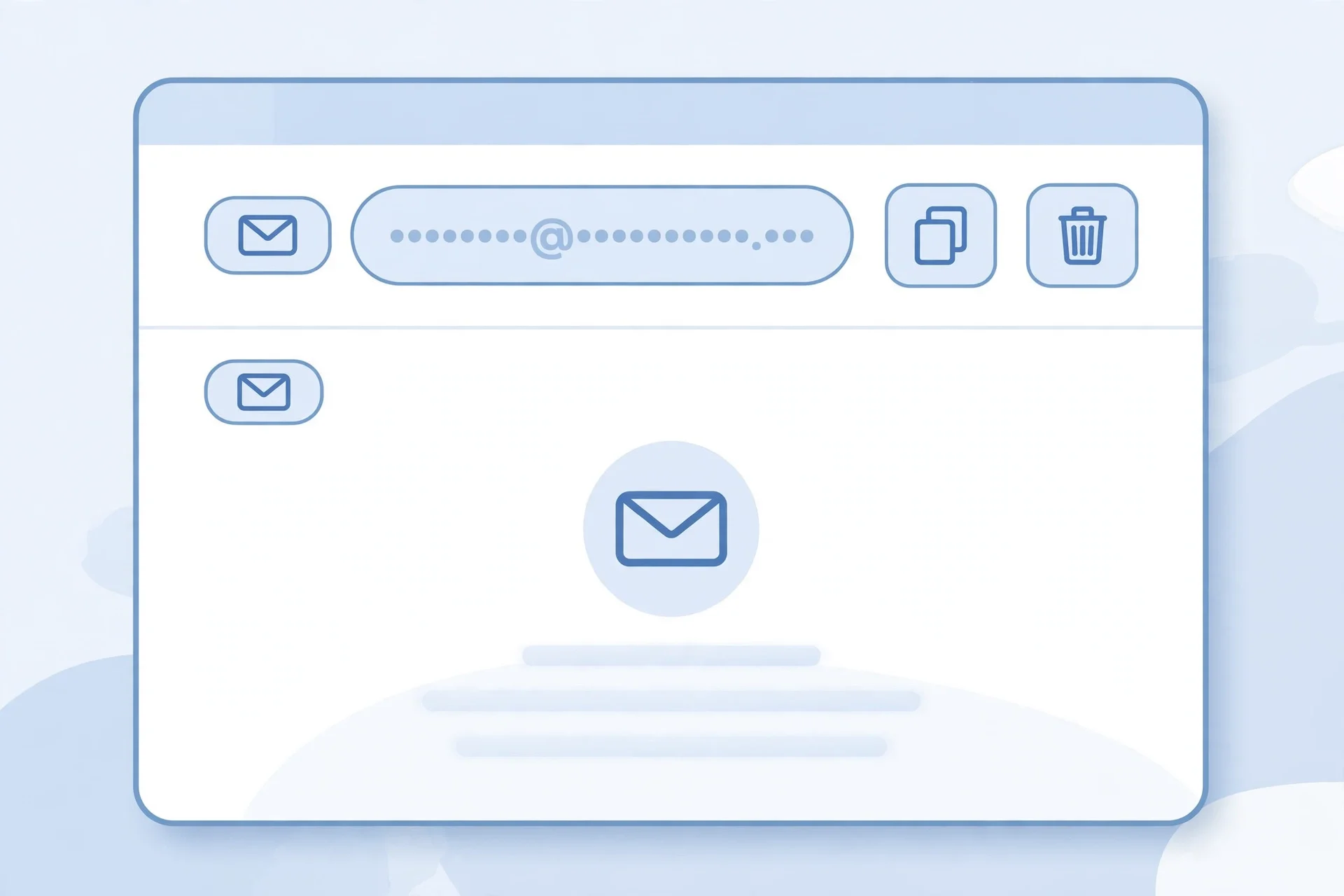
The domains on offer included hta.2bd.net, grr.la, guerrillamail.net, and rover.info, and the site claims more than 427 domains, with a custom-address creator that defaults to rover.info. The inbox controls on the page were Copy, Refresh, Delete, Change, History, QR Code, and Restore, plus New Inbox, All Inboxes, and Create Custom. The inbox showed empty, auto-refreshing, zero messages. A countdown in the inbox section read roughly 361 days left at the moment I looked, with the note that Pro inboxes last 365 days and free inboxes last 30 days.
That is the genuine article: an address in seconds, nothing asked of you, and a delete button for when you are done. But I also found a caveat that matters, and it was printed right on the page. The free tier is $0, and it says "your first message is free to read. Go Pro to read every message." The free tier also lists 5 history items, 5 favorite messages, and 1 free domain. Pro Monthly was listed at $4.19 a month.
Read that carefully before you use it for anything with a code in it. If the thing you signed up for sends its confirmation first and then a second message you need — a receipt, a password reset, a follow-up — the free tier may show you the first and ask you to pay for the rest. That is not a scam; it is a freemium limit, stated in plain text. It is just the kind of limit that bites exactly when you are in a hurry, so you should know it before you depend on the inbox, not after.
Forwarding vs instant inbox: the trade-off that decides everything
These two designs are not two brands of the same thing. They are opposite answers to one question: where does the mail live?

With a forwarding service, mail lives in your real inbox. You never check a second place, your real address stays hidden from the sender, and the disposable address can die on a schedule you set. The cost is that the service knows your real address, you have to register, and a forward limit can cut an address off while you still need it.
With an instant inbox, mail lives in a throwaway mailbox you check on the site. Nobody knows who you are, because you never gave anything away — not even a name. The cost is that you have to remember to check it, the address is usually public in the sense that anyone who guesses it could read it, and the inbox has a short life: 30 days free on the service I tested, with messages rolling off long before that in most cases.
Which one wins depends on the job, not on the brand. If you need to receive mail at an address that is not yours and never check a second inbox, forwarding is the better shape. If you need an address right now, with no account and no trail back to you, the instant inbox is the better shape — and it is the only one of the two that matches what most people mean when they say "trash mail."
There is one more difference that rarely gets stated. A forwarding address hides your real address from the sender. An instant inbox hides your identity from everyone, including the service. Those sound similar. They are not. The first is privacy from the sender. The second is privacy from the whole chain. Decide which one you actually need before you pick.
When trash mail is the right tool
Trash mail earns its keep in a narrow set of jobs, and it is worth naming them precisely, because the failures all come from using it one step outside this list.
It is right for a newsletter or content download that demands an address before showing you the thing. It is right for a free trial you are genuinely unsure about, where the worst case is losing access to a trial you did not want. It is right for a forum or comment account where you want to participate without your real inbox becoming the target of every reply notification. It is right for a one-off form — a whitepaper, a quote, a waitlist — where the company gets your address and you get their marketing forever. It is right for testing your own signup flow as a developer, because you need an address that receives mail and can be thrown away without touching a real inbox.
It is also right for a verification code, with a condition: the code has to arrive as the first message, or you have to be on a tier that lets you read the rest. On the free tier I tested, the first message is free to read, so a single code is usually fine. If the service sends a welcome email first and the code second, you have a problem, and the honest move is to use a different inbox or pay for the month.
If your job is on that list, trash mail is not a hack. It is the correct tool, and using your real address instead is the mistake.
When it will burn you
The failures are predictable, and they are all the same failure: the address you threw away turns out to be the only key to something you still need.
Never use a trash address for banking, payment accounts, or anything holding your money. Never use it for password recovery on an account you care about, because recovery goes to an inbox that will be gone. Never use it for a government service, a tax account, a medical portal, or your employer's systems. Never use it for an account you expect to keep for years — a store where your orders live, a subscription you will renew, a game where your progress lives. When the inbox dies, your access dies with it, and support will ask you to verify ownership through the very address you threw away.
There is a second, quieter failure. Some services detect disposable domains and reject them at signup, or accept the signup and then silently never deliver the code. If you paste a trash address into a form and nothing arrives, do not assume the service is broken. Try the inbox's refresh button first, then check whether the sender blocks disposable domains at all. And if a site offers to sell you a "temp Gmail address," walk away — there is no such product, and what they are selling is usually a hacked or rented account that will be taken back. I covered that in detail in my post on Gmail temp mail, and the short version is that Google does not make temporary Gmail addresses, so anyone selling you one is selling you someone else's problem.
Finally, do not confuse "the mail is gone" with "nobody saw it." A trash inbox is disposable, not encrypted, and on many services the address is guessable. Treat anything that arrives there as public. Never let a password reset, a login link, or a document with personal details sit in one.
How to use a trash address without losing the thing you signed up for
The method is short, and the discipline is the whole point.
First, decide before you generate the address whether this is a throwaway job or a keeper. If there is any chance you will need the account in a month, stop: use an alias on your real email instead. A trash address is for things you are willing to lose.
Second, generate the address and copy it, then paste it into the form. Keep the inbox tab open. Most codes arrive within a minute, and most inboxes auto-refresh, so you will see it land without doing anything.
Third, read the message you need immediately, and save anything that matters — the code, the download link, the confirmation — somewhere outside the inbox. Do not leave the only copy of something important in a mailbox that deletes itself.
Fourth, when the job is done, delete the address. Do not just close the tab. The delete button exists so the address stops receiving mail and stops being associated with you, and using it is the difference between throwing something away and leaving it on the street.
Fifth, if the code does not arrive, check three things in order: the inbox refresh, whether the sender sent a welcome message first that used up your one free read, and whether the service blocks disposable domains. Those three cover nearly every "it never arrived" report, and they are all faster than opening a support ticket.
One more habit worth building: if you find yourself reaching for trash mail for the same service every week, that service is not a throwaway job. Give it an alias on your real address and stop gambling with the inbox.
Trash mailbox, trashmail, mail trash — the variants, one answer
The queue for this post listed three variants — trash mailbox, trashmail, and mail trash — and they all point at the same question, so they get one answer, not three posts.
"Trash mailbox" is just a longer way of saying a trash mail inbox. "Trashmail" with no space is the same phrase, and it is also the name of the service discussed above — which is exactly why it is confusing, and why this post separates the two meanings at the top. "Mail trash" is the same words in the other order, the way people type when they are thinking faster than they are spelling.
Search engines treat these as the same intent, and you should too. There is no separate "trash mailbox" technique to learn and no separate "mail trash" service to compare. If a page tries to sell you three different answers to the three spellings, it is padding, not information.
FAQ
Is trash mail the same as temp mail?
Yes, in the generic sense. Trash mail, temp mail, disposable email, throwaway email, and burner email all describe an address you use briefly and abandon. "TrashMail" with a capital T and no space is different: it is the name of a specific service, now redirecting to Aionda Mail.
Is trash mail legal?
Using a disposable address for a signup is legal in most places. What is not legal is using one to deceive, defraud, or evade a service's rules — creating fake accounts to abuse a free trial, for example, or impersonating someone. The tool is neutral; the job decides whether it is fine. And some services ban disposable addresses in their terms, so a signup can be refused even when nothing illegal happened.
Is trash mail safe?
It is safe for low-stakes signups and unsafe for anything you need to recover later. The address itself does not expose your identity, which is the point. But the inbox is short-lived and often readable by anyone who guesses the address, so treat its contents as public and never let a password reset or a sensitive document live there.
Does TrashMail still exist?
TrashMail as a standalone service does not load under its own name any more. Its domain, trashmail.com, redirects to Aionda Mail, an account-based encrypted email service that offers disposable alias addresses — up to 25 on the free tier. The classic forwarding model with expiry dates and forward limits is documented history; the live product today is the Aionda offer.
Can I use trash mail for a verification code?
Usually, yes — if the code is the first message. On the free tier I tested on tempomailusa.com, the first message is free to read and later messages need Pro, so a code that arrives second, after a welcome email, can be stuck behind the paywall. If you need a code, check the inbox immediately and keep the tab open until it lands. I wrote a longer guide on how verification codes behave with temporary inboxes.
How long does a trash mail address last?
It depends on the kind. A forwarding address lasts until its expiry date or its forward limit, whichever comes first. An instant inbox on tempomailusa.com lasts 30 days free, or 365 days on Pro, with messages rolling off well before that. A 10 minute mail address lasts — as the name says — about ten minutes. The honest answer is always to check the specific service, because "temporary" means anything from minutes to a year.
Can a website tell I am using trash mail?
Often, yes. Disposable domains are published in blocklists, and many large services check signups against them. Some reject the address outright; others accept it and never deliver the code. If a signup silently fails with a trash address, that is usually what happened. A fake mail generator creates the address, but it cannot make a site accept it.
Do I need a phone number for trash mail?
No. That is one of the main reasons people use it. The instant inbox I tested asks for nothing — no name, no phone, no account. If a "trash mail" service asks for your phone number to create a disposable address, it is not a trash mail service in the sense this post means; it is a regular signup wearing the label. My guide to getting an email without a phone number covers the services that genuinely ask for nothing.
The bottom line
Trash mail is a good tool used narrowly and a bad habit used broadly. The generic kind — an instant inbox, no signup, deleted when you are done — does exactly what it promises, and I watched it do it in seconds. The named service, TrashMail, is now a redirect to an account-based product that offers disposable addresses as a feature, not as the instant thing its name still promises. Know which one you are dealing with before you type the address into a form.
Use a trash address for the newsletter, the download, the trial you might abandon, and the code that arrives first. Never use it for money, recovery, or anything you will need in a year. Delete it when the job is done. And if the same service keeps pulling you back to the trash inbox every week, stop — that one is a keeper, and it deserves a real alias, not a mailbox with a countdown on it.
Need a disposable temporary email?
Protect your real inbox from spam and promotional clutter instantly and free.
Received a suspicious email, text, or charge alert?
Verify whether the sender domain is disposable, spoofed, or unverified before clicking links.