
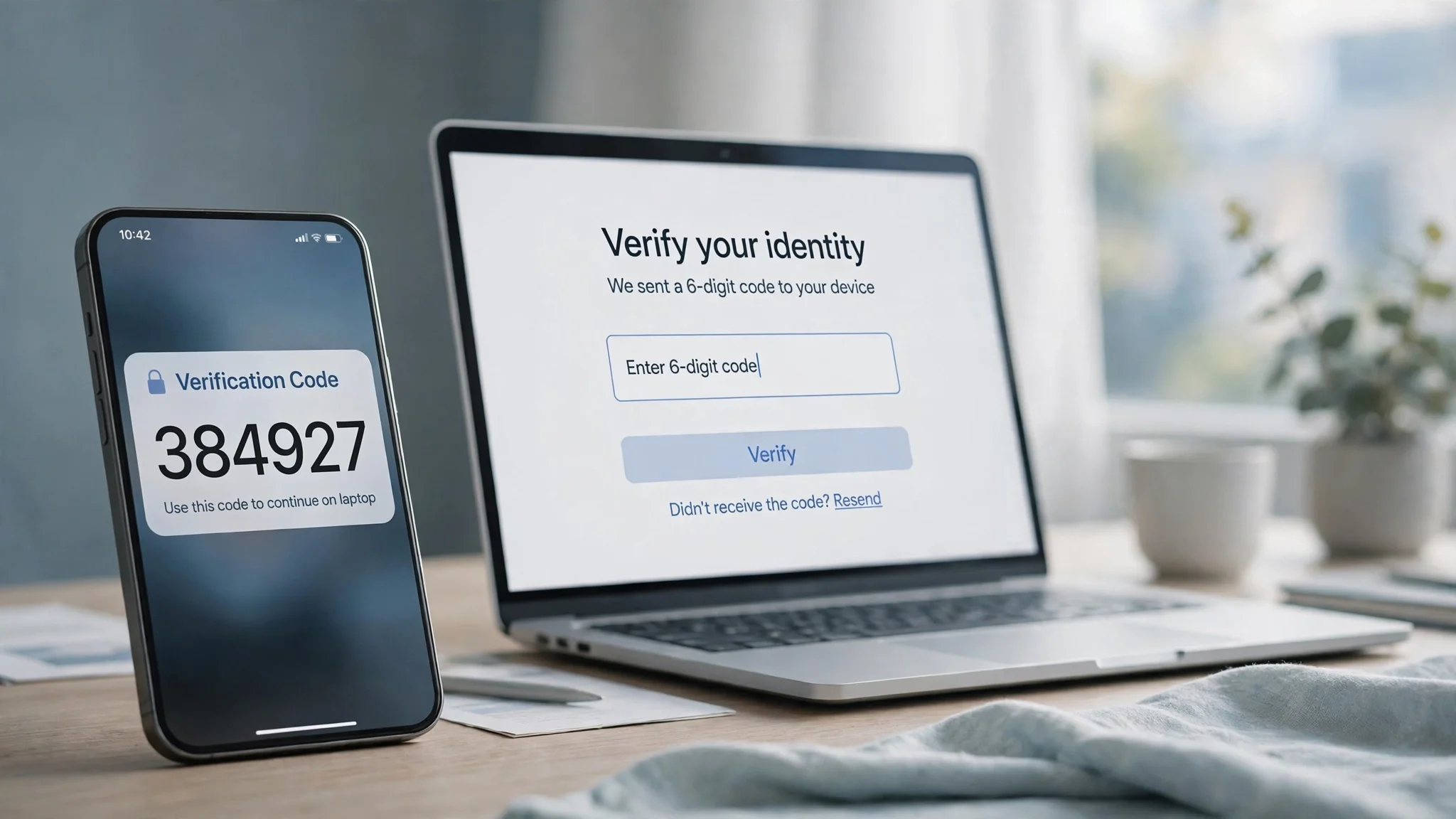
What Is a Verification Code? How It Works, Why It Expires, and What to Do When It Never Arrives
You type your password, hit enter, and instead of your account you get a box asking for six digits. Somewhere — your phone, your email — a code is waiting, and you have about five minutes to find it. That little interruption is the verification code, and it is doing more work than most people give it credit for.
This guide follows one code from the moment it is created to the moment it expires, explains the four ways it can reach you, and covers the two situations people actually search for: the code that never arrives, and the code you never asked for.
What a verification code actually is
A verification code is a short, one-time password — usually four to eight digits — that a service sends you to confirm you are the person trying to sign in, change a setting, or complete a payment. It is also called an OTP, a one-time passcode, or a 2FA code. The names describe the same thing: a secret that exists for minutes, works exactly once, and then dies.
What it is not matters just as much. It is not a password — you never choose it, you never memorize it, and you never reuse it. It is not a PIN you set when you created the account. And it is not a recovery code: those long backup strings you are told to print and store are a different thing entirely, meant for the day you lose your phone.
The point of the code is to split trust in two. Your password proves you know something. The code proves you also control something — your phone number, your email inbox, or your authenticator app. An attacker who steals your password from a breach still hits a wall, because the code goes somewhere they do not control. That is the whole idea, and when it works, it works well: account-takeover attempts that rely on stolen passwords alone mostly fail at this step.
The variants people search for — "what is a verification code," "what is meant by verification code," "what verification code means" — all land on the same answer. The code is the service's way of asking, in real time, "prove it is really you, right now, on a device only you hold."
The four ways a code reaches you
Not all codes travel the same road, and the road decides how safe the code is and how likely it is to go missing.
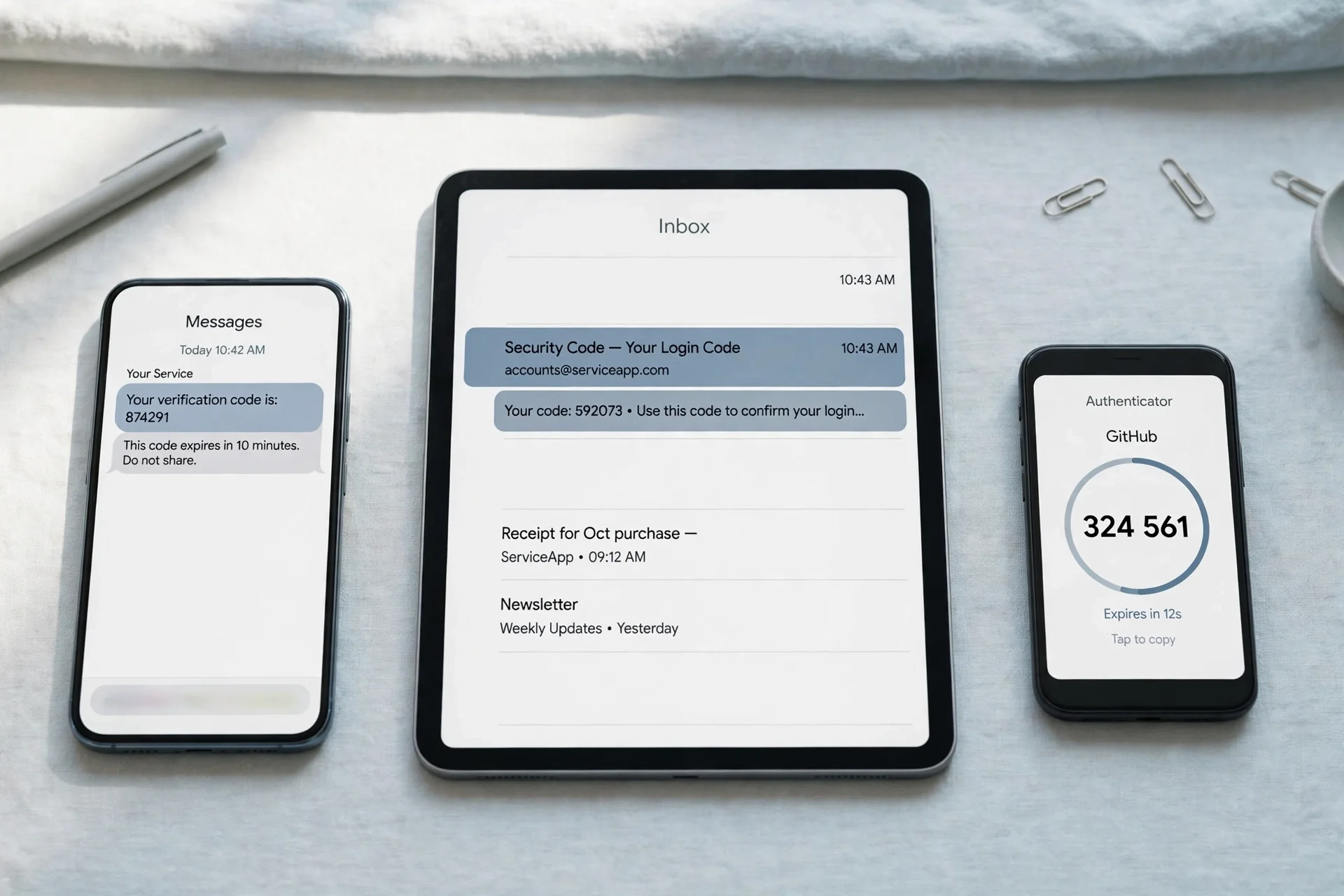
Text message (SMS). The most common route, and the weakest. The service sends the code to your phone number. It is convenient — nothing to install — but SMS was never built for secrets. Messages can be intercepted, and a SIM-swap attack can move your number to an attacker's phone. SMS codes are fine for a forum signup; I would not rely on them as the only protection on a bank account or a primary email account.
Email. The service sends the code to your inbox — this is the mail verification code most people meet during signup, password resets, and new-device checks. Email codes are only as secure as the inbox they land in, which is why your email account itself deserves the strongest protection you have. The upside: email codes are easy to find, easy to search, and they work on any device where you can open your mail.
Authenticator app. Apps like Google Authenticator, Authy, or Microsoft Authenticator generate a fresh six-digit code every 30 seconds, with no message sent at all. Nothing travels over a network, so there is nothing to intercept in transit and nothing to delay. This is the strongest of the four for everyday use, and the one I recommend for anything that holds money or your identity. The tradeoff is real, though: lose the phone without backup codes and you are locked out until support helps you.
Voice call. Some services will read the code aloud to you over a phone call. It exists mostly as a fallback for people who cannot receive texts — poor signal, a landline-only number, a phone that cannot display SMS. It is slow and awkward, and you should only ever use it when the other three are unavailable.
A fifth route is appearing more often: passkeys and push approvals, where you tap "yes, it's me" on your phone instead of typing digits. They solve the same problem without a code at all, and they are gradually replacing codes on the biggest platforms. Until they finish taking over, the code is what you will keep meeting.
Why your code expires so fast
A six-digit code has exactly one million possible combinations, from 000000 to 999999. That sounds like a lot until you do the arithmetic an attacker does. Without any limits, a computer could try all one million in seconds. The short expiry window and the attempt limit are what make the code safe, not the number of digits.
Here is how the math actually protects you. A typical service gives the code five to ten minutes of life and locks the entry box after three to ten wrong guesses. Guessing blindly, an attacker's chance of landing the right code inside ten tries is ten in a million — 0.001%. Stretch the expiry to an hour and remove the attempt limit, and the same code becomes a sitting target. The annoyance of a code expiring while you hunt for it is the security working as designed.
That is also why a service that lets you request a new code invalidates the old one. Two live codes for the same account would double the attack surface for no benefit. If you request a second code, use the second one — the first is already dead, and typing it in will only burn one of your attempts.
One more detail worth knowing: time-based authenticator codes change every 30 seconds because they are derived from the current time and a secret shared between your app and the service. That is why your phone's clock matters — if it drifts by more than a minute, your codes stop matching and every login fails until you fix the time setting.
We tested it: a verification code's inbox, live on TempoMailUSA
Guides about codes usually describe the theory. We wanted to see the receiving side for real, so we opened TempoMailUSA and generated a fresh temporary address to watch a code land in.
The address came up instantly — `xgtfa64@hta.2bd.net` — with no signup, no form, no wait. The inbox opened empty, as expected, showing "Your inbox is empty" and "Waiting for incoming emails. Any message sent to your temporary address will appear here automatically," with auto-refresh running so new mail appears without reloading. The toolbar also showed the Restore option, and the site's own FAQ confirms a unique recovery key is generated with each address, so the inbox can be restored after closing the tab or clearing the cache.
What this test proves is the receiving side: a temp inbox on this service is ready to accept a code email the moment the address exists, with nothing to configure. What it does not prove is delivery timing, and I will not invent a number for it — we had no connected mailbox in our test environment to send a code from, so the send leg of the test could not run in this session. The honest summary: the inbox works as advertised, and whether a specific service's code arrives depends on that service's sending and on whether it accepts disposable domains, which is the next section's real question.
The code never arrived — the fix ladder, in order
A missing code is the most common verification-code problem there is. Work through these in order; most people find the code by step three.
1. Wait out the resend timer. Nearly every service makes you wait 30 to 60 seconds before you can request another code. Requesting early does nothing, and hammering the resend button can trigger a temporary lockout. Watch the countdown, then request once.
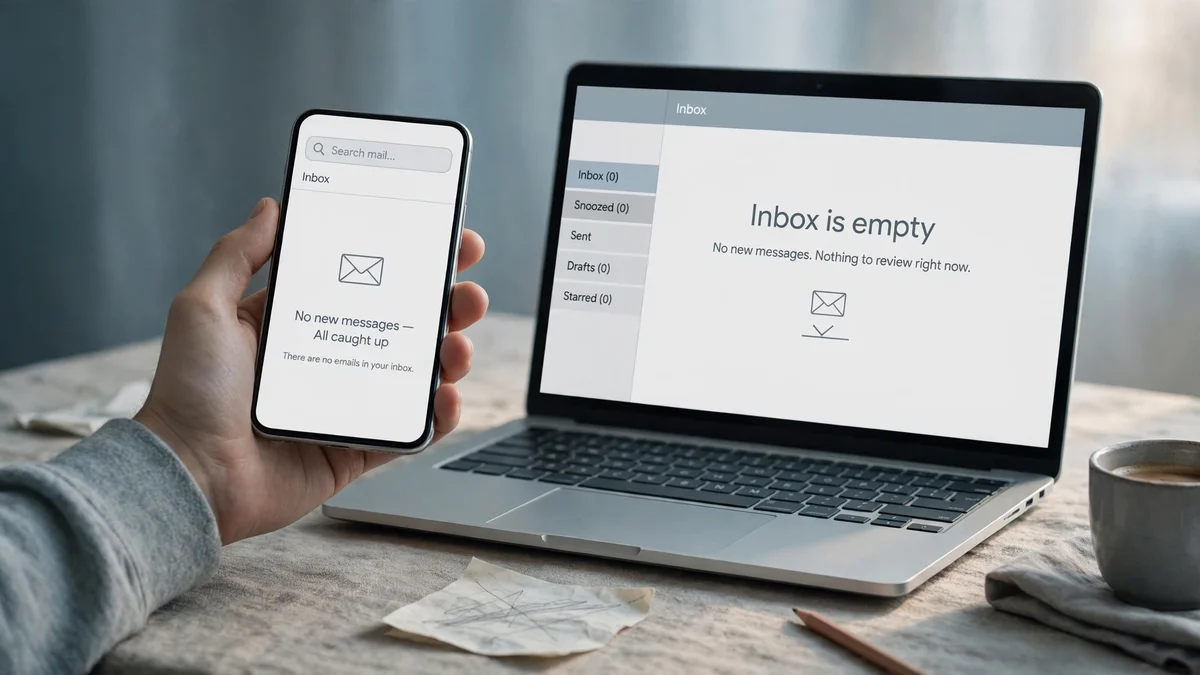
2. Check spam, junk, and "all mail." For an email code, this is where the code usually is. Verification emails look exactly like the bulk mail spam filters love: automated, sent from a no-reply address, full of numbers. Search your inbox for the service's name plus "verification code" or "verify email code" rather than scrolling. On Gmail, check the Spam folder and the Promotions tab; on Outlook, check Junk Email.
3. Confirm the address the code went to. A surprising number of missing codes were delivered perfectly — to a different address. A typo in one letter of your email, an old phone number still on file, a work address when you expected your personal one. The service usually shows a masked hint ("sent to j•••@gmail.com" or "ending in ••47"). If the hint does not match the inbox you are staring at, you are staring at the wrong inbox.
4. Check the right device. SMS codes go to the phone number on the account, not the phone in your hand if you have two numbers or a new SIM. If you recently changed numbers, the code may be sitting on a device you no longer carry. Authenticator codes, meanwhile, live only in the app — they never arrive as a message, so check the app before blaming the service.
5. Rule out carrier and filter problems. For SMS: a full inbox, a spam filter on your phone, a carrier outage, or being abroad without roaming can all silently eat a text. Switching between Wi-Fi and mobile data sometimes helps, because some services fall back to different routes. For email: a full inbox or an aggressive blocklist rule can bounce the message before it reaches you.
6. Try another channel. If the service offers it, switch from SMS to email, or from email to a voice call. The channels fail independently — an SMS outage does not affect email delivery, and a spam filter does not affect a phone call.
7. Ask whether the service blocks your address type. This is the one people miss. Some services reject disposable and temporary email domains outright, and they often fail silently — no error, no code, just nothing in the inbox. If you used a temporary address, that is the first thing to suspect. Try a permanent address and see if the code arrives instantly; if it does, the domain was the problem, not your inbox.
8. Contact support with specifics. If you reach this step, tell support the exact time you requested the code, the channel, and the masked address hint. "My code never arrived" gets you a generic reply; "I requested an email code at 14:32 to j•••@gmail.com, checked spam, and nothing arrived in 15 minutes" gets you an actual investigation.
"I got a code I never asked for" — what it means and what to do
An unexpected verification code is a message, and the message is: somebody just tried to get into your account. Sometimes that somebody is you — you requested a code on another device and forgot, or an app on your phone re-authenticated in the background. But if you genuinely did not trigger it, treat it as an attempted break-in that failed at the code step, and do three things now.
First, do not enter the code anywhere, and do not share it with anyone. The code is useless to you and valuable to the person who triggered it. Anyone who contacts you asking for "the code you just received" is running a scam, full stop — including someone claiming to be support. Real support never asks for your code.
Second, change the password on that account, from a device you trust. Use a fresh, unique password. If you reuse that password anywhere else, change it there too — the attempt may have started from a password found in an old breach.
Third, check the account's security page. Look for unfamiliar active sessions and sign them out, confirm the recovery email and phone number on file are still yours, and switch the account to an authenticator app if it is still on SMS codes. Then check your email account the same way — if the attacker can read your inbox, they can request codes for everything else.
One special case: a code you did not request, for an account you do not have, usually means someone typed your number or email by mistake during their own signup. If it happens once, ignore it. If it keeps happening for the same service, it may be someone testing whether your number is live, and the same three steps still apply to any account of yours that shares that contact detail.
Can a temporary email receive a verification code?
Yes — often, but not always, and the distinction matters enough to plan around.
A temporary email address is a real inbox. When a service sends a code to it, the message arrives like any other email, and you can read the digits and type them in. For low-stakes signups — a newsletter, a free trial, a forum, a download gate — this works fine, and it keeps the verification spam out of your real inbox. Our own guide to 10 minute mail covers the shortest-lived version of this idea, where the address self-destructs minutes after the code arrives.
The failures come from the service's side, not the inbox's. Banks, payment apps, government portals, and many big platforms maintain lists of disposable domains and refuse to send codes to them — sometimes with a clear error, often with silence. A code that never arrives to a temp address is usually this block, not a broken inbox. And a few services go further: they accept the temp address for signup, then block account recovery to it later, which is a nasty surprise if the account ever matters to you.
So the rule I use is simple. Temp mail for verification codes is right when the account is disposable: trials, one-off downloads, accounts you will abandon. It is wrong when the account holds money, identity documents, or anything you would need to recover — for those, use a permanent address, ideally one with a strong password and an authenticator app of its own. The guide to verifying an email address walks through the five methods services use to check an address, which helps explain why some of them reject temp mail and others do not.
One more practical note: if you use a temp address for a signup, save the recovery key before you close the tab. A verification code is a one-time event, but the account it unlocks may send you something important later, and a temp inbox you cannot reopen is a dead end. The 30-day inbox life on a free TempoMailUSA address is generous for a disposable signup; it is not a plan for anything permanent.
The scams that want your code
Verification codes are valuable precisely because they defeat stolen passwords — so scammers skip the password entirely and come straight for the code. Every version of this scam follows the same script: create urgency, impersonate trust, ask for the digits.
The most common one is the "support" call or message: your bank, your email provider, or a delivery company has found a problem, and they need the code you just received to fix it. No legitimate company does this. The code proves you control the account; handing it to a stranger gives them that control.
The marketplace version targets sellers: a "buyer" asks for your phone number to "verify you are real," then a code arrives and they ask you to read it back. That code is the key to an account of yours — often your messaging or payment account — and reading it aloud hands it over.
The quietest version is the SIM swap, where the attacker convinces your carrier to move your number to their SIM, then requests codes for your accounts. The defense is unglamorous: a carrier account PIN, authenticator apps instead of SMS codes wherever possible, and a separate email address for account recovery that you never publish anywhere.
If someone already has your code, act as if they are already inside the account: change the password immediately, end all other sessions, and check for changes to the recovery email, phone number, and payment methods. Speed matters more than anything else here — most of the damage from a shared code happens in the first minutes.
FAQ
What is a verification code?
A verification code is a short, one-time password — usually 4 to 8 digits — sent to your phone or email to prove you are the person trying to sign in or complete an action. It expires within minutes and works only once.
What is the meaning of a verification code?
It means the service is checking that you control the contact detail on file. Entering the code correctly proves you have access to that phone number, inbox, or authenticator app right now — not just that you know the password.
What are verification codes used for?
Sign-ins from new devices, password resets, two-factor authentication, payments, and account changes like a new email or phone number. Any moment where the service wants fresh proof it is really you.
How long is a verification code valid?
Usually 5 to 10 minutes for SMS and email codes, and 30 seconds for authenticator app codes. Requesting a new code invalidates the previous one, so always use the newest code you received.
Can I reuse a verification code?
No. A code works once and then dies, even if it has not expired yet. If you need to verify again, request a fresh code.
Why did I get a verification code I didn't request?
Either someone mistyped your number or email during their own signup, or someone is trying to access your account and hit the code step. Do not share the code. Change the account password, check active sessions, and make sure your recovery details are still yours.
Can I use a temporary email to receive a verification code?
Often yes for low-stakes signups, but many banks and major platforms block disposable domains, and a code to a blocked domain simply never arrives. Never use a temp address for an account you would need to recover later — and if you do use one, save the recovery key first.
What should I do if my verification code expired?
Request a new one and enter it promptly. Do not keep trying the old code — each wrong attempt counts toward the lockout limit, and the old code is dead the moment the new one is issued.
The bottom line
A verification code is a small thing doing a large job: it is the second lock on the door, and it only works because it dies quickly and works once. Most of the frustration around codes — the expired digits, the missing message, the unexpected text — comes from that design, not from a bug.
Keep three habits and the rest mostly takes care of itself. Use an authenticator app for anything important, because a code that never travels cannot be intercepted or delayed. Never share a code with anyone, for any reason, no matter who they claim to be. And match the address to the account: a temporary email for throwaway signups, a permanent, well-guarded inbox for everything you would miss. The code itself is simple. Choosing where it goes is the decision that matters.
Need a disposable temporary email?
Protect your real inbox from spam and promotional clutter instantly and free.
Received a suspicious email, text, or charge alert?
Verify whether the sender domain is disposable, spoofed, or unverified before clicking links.