
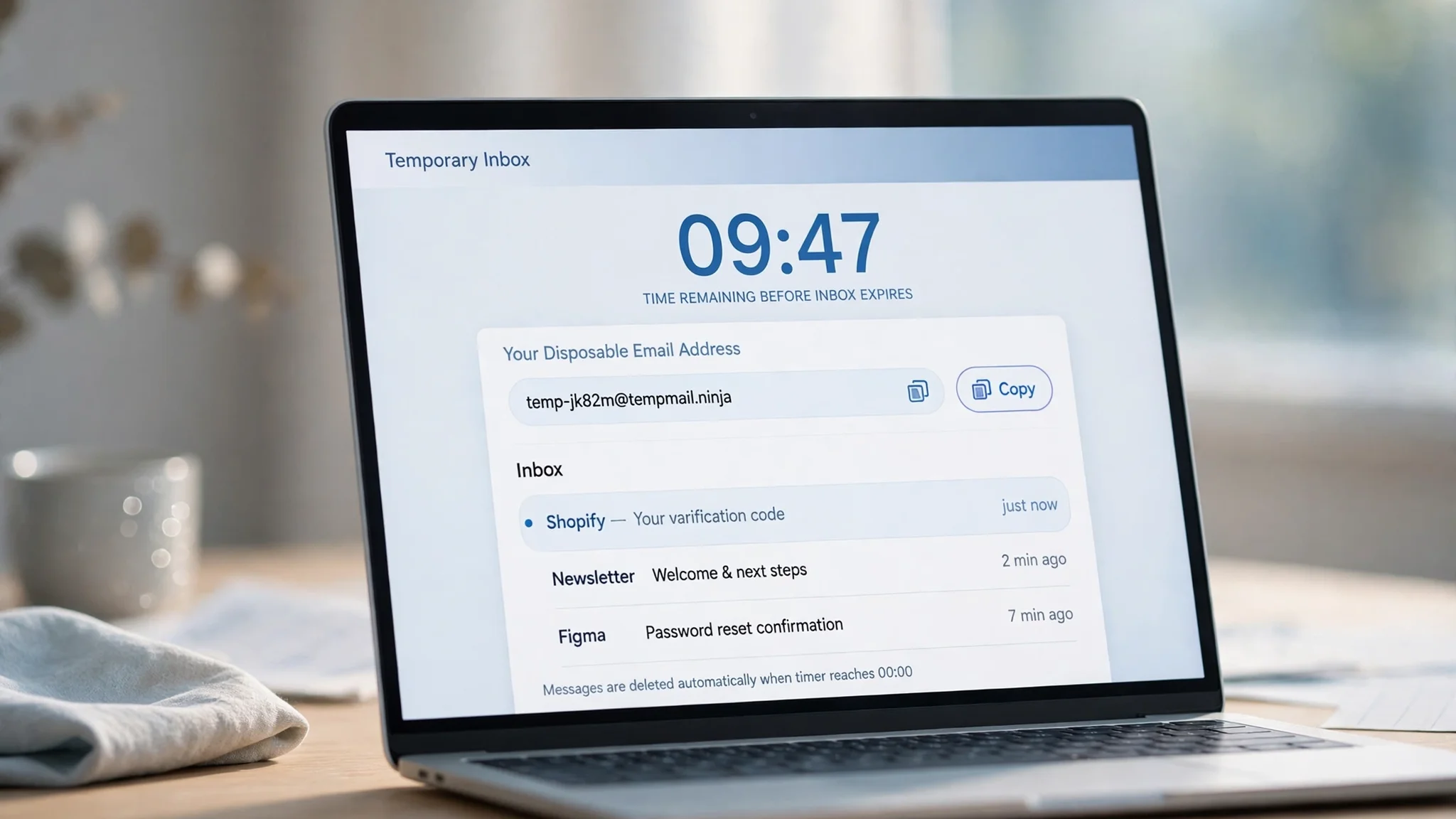
10 Minute Mail: How a 10-Minute Inbox Works, When It Helps, and When It Strands You
Ten minutes. That is the whole pitch, right there in the name: an email address that exists just long enough to catch one message, then deletes itself. No signup, no password, no inbox to maintain, no spam following you home. It sounds like the perfect tool for the modern internet, where every download button and free trial demands an email address first and asks questions never.
It mostly is. But the name hides a question nobody asks until it bites them: ten minutes from when, and what happens to the message that arrives in minute eleven? I opened a live disposable inbox while writing this guide, and the timer did not say what I expected. That surprise is why this guide exists: the difference between a 10-minute inbox and a 30-day one decides whether you get your verification code or lose an account.
The name is a timer, not a brand
"10 minute mail" started as a product — 10minutemail.com, which has been handing out ten-minute addresses since the late 2000s — and became a generic term for the whole idea. The mechanics are deliberately simple, and every honest description agrees on them.
You open the site and it mints a random address on one of its domains. No account, no password, no form. You paste that address into whatever is demanding an email — a signup, a download gate, a trial — and the message appears in a web inbox in your browser. A countdown runs from ten minutes. When it hits zero, the address dies and the messages go with it. Reload the page and you get a fresh session. That is the whole product, and its simplicity is the point: it is faster than the signup form it is trying to get past.
Two limits come with the design, and the better guides state them plainly. First, most of these inboxes are receive-only. You can read the verification code; you cannot reply, forward, or send from the address. Second, the address is not private in any strong sense. It lives on a shared domain and exists in your browser session rather than behind a login, and anyone who guesses the address can usually read the same inbox. That is fine for a download link. It is not fine for anything tied to money, identity, or an account you need to keep.
I opened a live inbox at 00:34 IST. The timer did not say 10 minutes.
I wanted this guide to say something the ranking pages do not: what actually happens when you use a disposable inbox today, on this site, right now. So at 00:34 IST on November 12, 2026, I opened the TempoMailUSA homepage and did exactly what a first-time visitor does — nothing. The page generated an address by itself: xgtfa64@hta.2bd.net, appearing automatically after a brief "Loading…" state, no signup and no click required. The inbox sat empty, auto-refreshing, with the message "Waiting for incoming emails. Any message sent to your temporary address will appear here automatically."
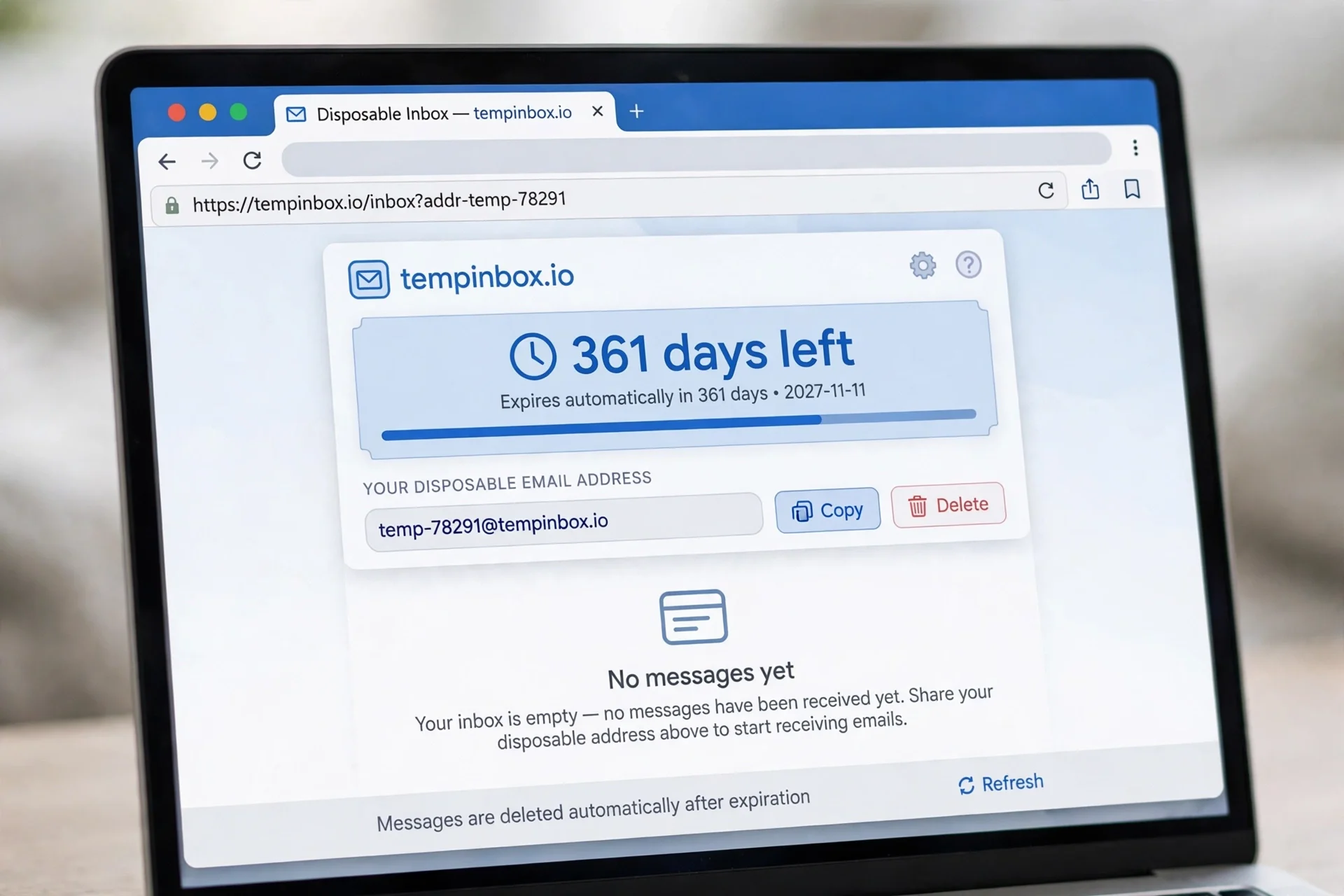
Then I looked at the timer, and it did not say ten minutes. It read "Pro · 361d 22h 52m 37s left" — and it was ticking down, second by second, which meant it was live, not a static label. The description under it was explicit: "When this inbox expires. Pro inboxes last 365 days — free inboxes last 30 days." Neither figure is ten minutes. The free tier gives you thirty days; the paid tier gives you a year.
The controls told the same story. The page offered Copy, Refresh, Delete, Change, History, QR Code, Restore, New Inbox, and All Inboxes, plus a custom-address builder with a domain dropdown — 427 domains to choose from, according to the banner, with the first message free to read. There was no "Extend" button, because there is nothing to extend: the inbox does not need ten more minutes when it already has thirty days.
Here is the honest reading of that result. The search term "10 minute mail" describes a category, and TempoMailUSA is in that category the way a hatchback is in the category of cars — same idea, different spec sheet. The classic product sells the countdown. This one sells persistence with a delete button. If you came here expecting an address that self-destructs in ten minutes, you will not get one — know that before you build a plan around the address vanishing. If you came here because you want a disposable address that stays alive long enough for a slow sender, the thirty-day free window is the better tool, and the right move is to delete it yourself when you are done rather than trusting a timer to do it for you.
One more observation, because it matters: the site's own FAQ still says a temporary address "remains active for a limited period of time, such as several minutes or a few hours." That is the generic industry wording, and it contradicts the timer sitting directly above it, which says 30 days free and 365 days Pro. When the marketing copy and the live product disagree, trust the live product. I am flagging the mismatch here because it is exactly the kind of thing that confuses people — and because a guide that only repeats the FAQ would have told you the wrong lifetime.
Why the timer length decides whether the trick works
A disposable inbox is a bet on the sender's speed. You are betting that the service you signed up for will deliver its message before your address expires. Most of the time that bet pays off: verification codes usually arrive in seconds, and download links are instant. But "usually" is doing a lot of work, and the failure mode is silent. Nothing tells you the code arrived one minute after your inbox died. You just sit there refreshing an inbox that no longer exists, wondering whether the service is broken.
The delay is not always the sender's fault. Some services queue their mail. Some throttle new signups. Some send the confirmation from a different system than the one that accepted your registration, and the handoff takes minutes. A few send a second message — a welcome email, a "confirm this is you" follow-up — after the first one, and that second message is the one that matters. A ten-minute window covers the first message and misses the second.
This is why the extend button exists on the classic services, and why it matters more than it looks. On 10 Minute Mail's model, you add ten minutes at a time and keep the same address, which is the difference between a code that arrives late and a signup you have to start over. On a service with a longer default lifetime, you do not need the button at all — but you do need to know the lifetime, because "longer" is only useful if you know how long. A timer you cannot see is barely better than a timer that is too short.
Five jobs a 10-minute inbox is genuinely good at
1. The one signup code. This is the job the product was built for. A service wants an email, you give it a disposable address, the six-digit code lands in seconds, you type it in, and the address dies behind you. If the code is slow, extend once. If it never comes, the likely cause is not the timer — it is the service blocking disposable domains, which is covered below. Our guide to how to verify an email address walks through why the code is the only proof that counts, and why it is worth testing an unfamiliar service with a disposable address first.
2. The download gate. Whitepapers, templates, free tools, "enter your email to download" — the classic trade of an address for a file. Ten minutes is generous here, because the file link usually arrives instantly. Use the disposable address, grab the file, and never think about that inbox again.
3. The trial you plan to abandon. You want to look inside a tool before deciding whether it is worth your real inbox. A disposable address gets you through the door, and if the trial turns into a daily marketing email, it goes to an address that no longer exists. If you decide you love the tool, change the account email to a permanent one before the disposable address dies, or the account dies with it.
4. The forum or comment account. A community that requires an email to post, where you have no intention of building a long-term identity. The address verifies the account, and the inbox absorbs whatever the forum sends. This is also the job where the shared-domain risk matters least, because nothing valuable is attached to the account.
5. Testing your own app's emails. Developers use disposable inboxes to test signup flows, password-reset emails, and notification templates without polluting a real mailbox. A fresh address per test keeps results clean, and the short lifetime is a feature: yesterday's test mail cannot confuse today's test.
Where 10 minutes breaks
The same brevity that makes the tool elegant is what breaks it, and the breakage always happens after you have stopped thinking about the address. The most common case is the password reset six months later. You signed up with a disposable address, forgot about it, and now the "forgot password" link is going to an inbox that expired in March. There is no recovery from that. The account is gone unless the service offers another way in — and many do not. Never use a disposable address for anything you might need to recover. That sentence belongs in every guide on this topic, and most of them bury it. I am putting it here, in the open, because it is the one mistake that costs people real accounts.
The second case is the slow second email. Order confirmations, shipping notifications, support replies — anything where the service emails you hours or days after the signup. A ten-minute inbox is dead before the first of those arrives. If the flow involves more than one message, or any message after today, you need a longer-lived disposable address. That is the practical difference between the classic 10-minute services and TempoMailUSA, where the free inbox lasts 30 days: the longer window covers the whole conversation, not just the opening code. Our guide to how long temp mail lasts goes deeper on lifetimes and what to do when an address dies mid-conversation.
The third case is the one nobody warns you about until it happens: the service blocks the domain. Some registration systems reject disposable email domains outright, and a correct address still gets no code. The better explainers say this plainly, and they are right — entering the address correctly does not guarantee delivery. If the code never arrives, try a different domain from the same service before assuming the service is broken. TempoMailUSA offers 427 of them, and a blocked domain is often a per-domain block, not a per-service one. You can also check whether a domain can receive mail at all with our free domain checker tool, which runs live MX lookups and tells you in seconds whether the domain behind the @ is real.
The fourth case is the account that re-verifies. Some services ask you to confirm your email again when you change a setting, add a payment method, or log in from a new device. If the disposable address is dead, you are locked out of your own account at the worst possible moment. Student discounts are a good example of the pattern: they often need an address that survives the whole semester, not ten minutes. Our temp mail edu guide covers what an .edu-style address can and cannot do, and why persistence matters more than disposability for anything tied to a discount or an enrolment check.
10-minute mail vs longer-lived temp mail
There is no single best disposable inbox. There is a best one for the job in front of you, and the honest comparison is about lifetimes, not brands.
The classic 10-minute services give you ten minutes and an extend button — ten more minutes at a time, for as long as you keep clicking. That is the right shape when the job is one code, right now, and you want the address to destroy itself the moment you are done. Comparison roundups from the last few weeks agree on this shape: 10 Minute Mail leads on ultra-short use, with addresses that expire in ten minutes unless extended.
Guerrilla Mail sits in the middle, with sessions that last about an hour and can be extended. That covers the slow code and the quick support exchange, but not the conversation that resumes tomorrow.
Temp Mail and TempoMailUSA sit at the long end. Temp Mail addresses last until you delete them, according to the same roundups. TempoMailUSA's free inboxes last 30 days and Pro inboxes 365 days, according to the live timer I watched ticking on the homepage — not a marketing page, but the product itself. That is the right shape when the job might email you again, and the price you pay is discipline: you have to delete the address yourself, because the timer will not do it for you.
Mailinator is the outlier worth naming because people confuse it with the rest: its inboxes are public by design, and anyone can read them. It is fine for testing. It is not a privacy tool.
So the decision is simple once you stop asking which service is best and start asking how long the sender needs. One code, right now: ten minutes. A trial or a conversation: thirty days or until-deleted. Anything you might need to recover: your real inbox, full stop.
The checklist before you paste a disposable address anywhere
Run through this before you hand a disposable address to a service, and most of the failure modes on this page disappear.
Never use it for banking, medical, government, or tax accounts. Never use it for password recovery on a real account, or for any service that might email you a recovery link in six months. If losing the inbox means losing the account, use an address you control permanently.
Assume the inbox is not private. On shared-domain services, anyone who knows or guesses the address can often read the same inbox. Never put personal, financial, or medical details into a form tied to a disposable address, and never use one to receive anything sensitive.
Copy the address before you close the tab. On most services the inbox lives in your browser session. Close the tab and the address is gone — along with any code that was still on its way. If you need the address again, you need a new one, and the code sent to the old one is lost.
Check that the domain is not blocked. If the code does not arrive in two minutes, do not keep refreshing for ten. Generate a fresh address on a different domain and try that. A blocked domain looks exactly like a broken service until you switch domains.
Use one address per service. Reusing the same disposable address across five signups ties those five accounts together in a way that defeats the purpose. A fresh address per service costs nothing and keeps the blast radius at one.
Delete it when you are done. If the service gives you a delete button, use it. If the service gives you thirty days and you needed ten minutes, delete it on day one. A disposable address you forgot about is a small, permanent leak of whatever that service knows about you.
FAQ
Is 10 minute mail safe?
Safe for what it is built for, and unsafe for what it is not. A ten-minute inbox is safe for a one-off signup, a download, or a trial you plan to abandon — nothing valuable is attached to the address, and it dies on its own. It is not safe for banking, password recovery, or any account you need to keep, because losing the inbox means losing the account. It is also not anonymous: the service can see the address and the messages. Use it for low-stakes signups, never for anything that holds your money or your identity.
Can I extend a 10-minute inbox?
On the classic services, yes — usually in ten-minute steps, by clicking an extend button before the timer hits zero. On services with longer default lifetimes there is usually no extend button, because there is nothing to extend. Check the timer on the page you are using: it tells you the real policy, which beats anything a guide says, including this one.
Can I send email from a 10 minute mail address?
Usually not. Most temporary inboxes are receive-only by design: you can read the verification code, but you cannot reply or send from the address. If a service lets you send from a disposable address, treat that as a red flag rather than a feature — it is the behaviour spammers want, and services that allow it get their domains blocked faster.
Do I need an account to use 10 minute mail?
No. That is the point. You open the site, it gives you an address, you use it, it expires. No signup, no password, no second inbox to protect. If a "temporary email" service asks you to create an account first, it has missed the point, and you should use a different one.
What happens when the timer hits zero?
The address stops accepting mail, and the messages are deleted — usually immediately, sometimes on a cleanup schedule a few minutes later. A new visit gives you a fresh address. There is no way to recover messages from an expired inbox, which is why the checklist above says to never use one for anything you might need later.
Why did my verification code never arrive?
Three causes cover nearly every case. The service blocks disposable domains, and the code was never sent. The code was sent to a different spelling than the one you entered — check for typos. Or the code arrived after the inbox expired, which means the timer was the problem and a longer-lived address or an extend click would have fixed it. Try a fresh address on a different domain first; that resolves the first cause in seconds.
Is a 10-minute inbox the same as a burner email?
Roughly, yes. "Disposable email," "temporary email," and "burner email" all describe the same idea: an address built for one job and then thrown away. The differences are in the lifetime and the features, not the concept. A ten-minute inbox is a burner email with a ten-minute fuse.
The bottom line
Ten minutes is a good default for a code and a bad default for an account. The honest guides ranking for this term all converge on the same warning: providers set their own timers, some sites block disposable domains, and an address that dies before its message arrives strands you silently.
My opinion, after testing one live: do not pick a disposable inbox by its name. Pick it by its timer, and pick the timer by the job. One code, right now — take the ten minutes. Anything that might email you again — take the thirty days, and delete the address yourself when you are done. And anything you might need to recover in six months — use your real inbox, because no timer, however generous, is a substitute for an address you actually own.
Need a disposable temporary email?
Protect your real inbox from spam and promotional clutter instantly and free.
Received a suspicious email, text, or charge alert?
Verify whether the sender domain is disposable, spoofed, or unverified before clicking links.