

Temp Email for Starbucks Signup: The Birthday Drink Lands Free — Then Your Stars, Stored Balance, and Password Reset All Live in an Inbox You Cannot Open
Most temp-email tests end the same way: the code arrives, the account opens, and the real question starts later. Starbucks is the sharpest version of that pattern I have written about in this series, because the account you create in ninety seconds quietly turns into a wallet. It holds Stars that took real money to earn, a stored balance you loaded yourself, a birthday reward with a deadline, and a payment card. Every one of those things is recovered, confirmed, or redeemed through the email address on file. So the honest test of a temp email for Starbucks is not whether signup works. It does. The test is whether the account is still yours in six months, and that answer is worse than the signup minute suggests.
Starbucks Rewards is not a small program. In its first fiscal quarter of 2026 the company reported a record 35.5 million 90-day active members in the United States, and by the third quarter that figure was 35.8 million, with members driving 59 percent of tender at US company-operated stores. On March 10, 2026, Starbucks rebuilt the program around three tiers — Green, Gold, and Reserve — with different earn rates, different Star expiry rules, and different birthday windows. All of that matters for this test, because a temp inbox does not just receive a confirmation email. It becomes the recovery address for an account that is designed to accumulate value over years. This post walks through what actually happens, in the order it happens to a real member.
The signup minute: what Starbucks actually asks for
Creating a Starbucks Rewards account takes about ninety seconds and asks for very little. The form wants a first and last name, an email address, and a password. A birthday is optional, a phone number is optional, and joining automatically gives you a digital Starbucks Card with a zero-dollar balance. Starbucks sends a confirmation email to the address you entered, and the account is usable right away.
That is the whole gate, and a temp email clears it. Nothing in the published Rewards terms says disposable addresses are rejected, and I found no Starbucks-specific temp-email guide anywhere in search — only generic temp-mail service pages that list loyalty programs as a use case. Compare that with the delivery apps in this series: DoorDash and Uber Eats both lean on phone verification and SMS codes, and Walmart wants a phone number before the inbox matters. Starbucks is the opposite. Email is the key field, which is exactly why the temp-email trick feels so clean here. There is no phone wall, no ID check, no app-only step. Paste the address, click the confirmation link, and you are a Green member with a card balance of zero.
The catch is that the confirmation email is not the last email that matters. It is the first of dozens. Receipts, Star balance updates, reward expirations, birthday reminders, order confirmations, and password resets all go to the same address. A temp inbox that lives for an hour or a day receives the first one and misses the rest. That is fine if you never come back. It is a problem the moment the account holds anything worth keeping, which, for a regular coffee drinker, takes about three weeks.
The birthday drink is the real reason people try this
Ask why anyone signs up for Starbucks Rewards with an address they do not own, and the answer is almost always the birthday reward. One free handcrafted drink, food item, or ready-to-drink bottled beverage, every year, for joining a free program. It is the most generous birthday freebie in American fast food, and it is the bait that makes the temp-email plan look clever: create the account, collect the free drink, walk away.
The terms quietly ruin that plan for most people. To qualify, you must join Rewards at least seven days before your birthday, put your birthday in your account, and make at least one Star-earning purchase before your birthday each year. The reward is then added to your account on your birthday itself. Green members — which is what every new account is — can redeem it only on their birthday. Gold members get seven days, Reserve members get thirty.
Read that as a timeline and the temp inbox fails twice. First, the seven-day rule plus the one-purchase rule means the account has to exist and be used for at least a week before the birthday, and the purchase has to be paid for — with a card or a loaded Starbucks Card. Second, the reward lands in the app on the birthday, but the reminder, and any problem with the reward, arrives by email. A disposable inbox created for the signup is usually dead by then. The free drink itself still works — it lives in the app, not the inbox — but only if you remembered the exact birthday you entered, made the qualifying purchase, and still have the app logged in on the right day. People who sign up with a temp email for a birthday drink tend to do it the week of their birthday, which is precisely when the seven-day rule disqualifies them. The program rewards planning, and a throwaway address is the opposite of a plan.
There is a second, smaller trap. The birthday you enter cannot be changed casually, and the reward is tied to it for every year after. Enter a fake birthday to grab a free drink in March and you have locked the account to a March birthday forever — or at least until you go through customer care, which will want to verify you through the email on file. The inbox you cannot open is the inbox that has to confirm who you are.
Stars are money now, and the math is not generous
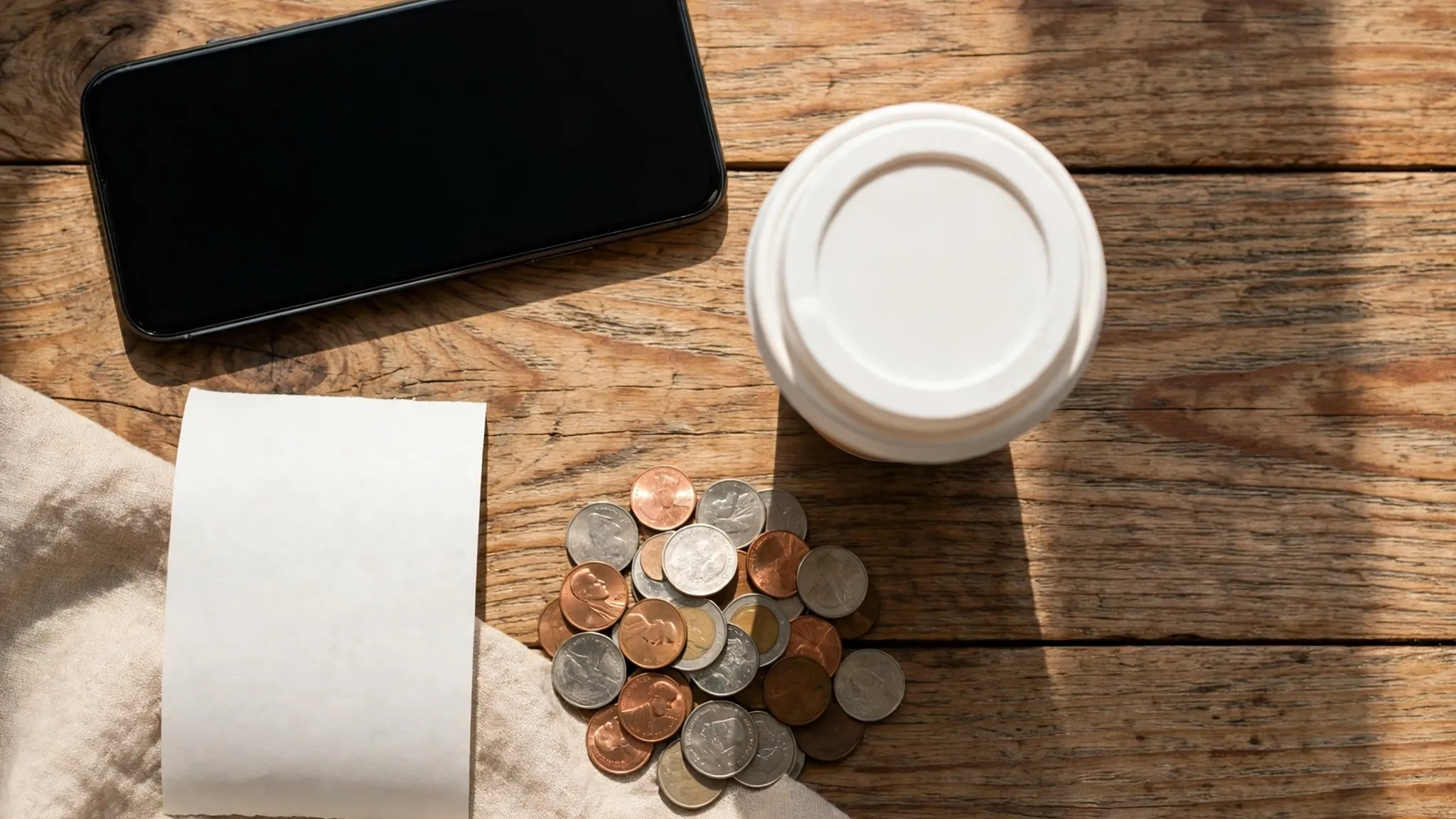
Stars used to be a side perk. Since the March 2026 relaunch they are the whole program, and the earn rates are tiered: Green members earn 1 Star per dollar, Gold members earn 1.2 Stars per dollar after earning 500 Stars in twelve months, and Reserve members earn 1.7 Stars per dollar after 2,500. Gold and Reserve Stars never expire. Green Stars expire six months after the month they were earned, with a one-month extension if you stay active.
The redemption ladder is where the money shows up:
| Stars | What you get | Maximum value |
|---|---|---|
| 25 | A drink customization, like an extra shot or cold foam | $1 |
| 60 | $2 off a qualifying item | $2 |
| 100 | Brewed coffee or tea, a bakery item, or a packaged snack | $6 |
| 200 | A handcrafted drink or a hot breakfast item | $10 |
| 300 | A sandwich, protein box, or packaged coffee | $16 |
| 400 | Select merchandise | $20 |
Do the arithmetic at Green, where every new account starts. A free handcrafted drink costs 200 Stars, which costs about $200 of spending. A brewed coffee costs 100 Stars, about $100 of spending, for up to $6 of value — the best return in the program at roughly six cents per Star. That is slow, honest loyalty math, and it is exactly why the account matters more than the signup. Nobody loses sleep over a zero-balance account. But a member who buys coffee four times a week is sitting on 60 to 80 Stars a month, and after a few months that is a free drink, then two, then a free lunch. All of it is stored in an account whose recovery address is the temp inbox that expired in week one.
The expiry rule makes it worse in a specific way. Green Stars die after six months, and the warning that they are about to expire goes to your email. Members who use a real address get the nudge and redeem. Members on a temp address get nothing, and the Stars quietly vanish. The program even gives you a one-month extension for staying active, but activity means buying coffee while logged in — which means the app, which means the account, which means the password you set six months ago and the email you would need to reset it. The whole retention design assumes a living inbox. A temp inbox breaks the assumption at every step.
The stored-value problem: real money in a throwaway account
Here is the number that changed my mind about this whole test. At the end of fiscal 2025, Starbucks held about $1.75 billion in stored value and loyalty balances — money customers had already paid for coffee they had not drunk yet. The company reported $15.2 billion in deferred revenue that year. Starbucks is, among other things, one of the largest holders of prepaid customer money in American retail. Your slice of that is whatever sits on your Starbucks Card, and the card lives inside the account.
Loading the card is the moment a temp-email account stops being a joke. The app makes it easy: link a credit or debit card, or set up auto-reload, and the balance tops itself up. Every reload confirmation goes to the email on file. Every receipt goes to the email on file. And the balance itself is only spendable while you are logged in to the account. Forget the password — or lose the phone and need to sign in on a new one — and the recovery path is the email address. There is no phone-number fallback for a password reset, no in-store reset with ID. The reset link goes to the address on the account, and if that inbox is gone, the balance is stranded until customer care sorts it out, which they do by verifying you through the email you cannot access.
Compare this with the fintech posts in this series. Venmo at least forces an ID check before money moves, so the temp-email failure shows up early. Starbucks lets you load money first and discover the lockout later, which is worse. The signup is frictionless and the exit is not. That asymmetry is the whole story of this post: easy in, expensive out.
A fair counterpoint is that you can use Starbucks Rewards without ever loading a balance — just scan the barcode, pay with a card at the register, and earn Stars. That is true, and it is the only version of the temp-email plan that stays safe. But it is also the version that earns Stars at the slowest rate, skips the reload bonuses, and still leaves the birthday reward and the Star expiry warnings tied to a dead inbox. The safe version is safe because it barely uses the program.
Order ahead, delivery, and the second inbox
Starbucks is not just a counter anymore. Order ahead through the app, and the confirmation, the pickup notification, and the receipt all go to your email. In the US, Starbucks delivery runs through Uber Eats and DoorDash, which means a delivery order creates a second account relationship with its own inbox expectations. We tested both of those signups in this series — Uber Eats sends its codes fast and then ties refunds and the Uber One trial to the same inbox, and DoorDash leans on the phone number before the email even matters — and the pattern repeats: the delivery apps are forgiving at signup and strict afterward. Starbucks delivery inherits both sets of problems at once.
The practical version of this is mundane and annoying rather than dramatic. You order ahead on your way to work, the store is out of oat milk, and the refund or the substitution notice goes to an inbox that no longer exists. You dispute a double charge and the only receipt is in the same dead inbox. You move to a new phone, install the app, and the sign-in asks for a password reset that goes — you guessed it — to the temp address. None of these is a catastrophe on its own. Together they are the slow leak that makes people abandon the account and start over, which forfeits the Stars, the balance, and the tier progress in one move.
Delivery adds one more wrinkle worth naming. When Starbucks hands your order to a courier, the courier app and the Starbucks app both need to reach you, and the handoff messages go to the contact details on the Starbucks account. A temp email does not receive texts, obviously, and if the phone number on the account is also a throwaway, there is no way for anyone to reach you about your order. The free trials post in this series makes the same point in general — a trial is only free if you can cancel it — and the Starbucks version is that an order is only yours if the store can reach you about it.
The lockout: password reset is email-only
Every account eventually needs a password reset. Phones get replaced, apps get logged out, passwords get forgotten. Starbucks handles it the way most retailers do: tap "Forgot password," enter the email address on the account, and a reset link arrives from Starbucks, usually within a minute or two. The link is time-sensitive and one-time use. If you no longer have access to the email address on the account, you cannot complete the reset — the help pages say so plainly — and the only remaining path is contacting customer care.
That is the lockout, and it is total. There is no backup code, no security question, no phone-number reset, no in-store identity check that hands you a new password. The account, the Stars, the stored balance, the birthday reward, the order history, and the payment methods all sit behind a reset link that goes to an address you threw away. Customer care can help, but they verify you through the contact details on file, which is the same dead inbox. People do get locked out of Starbucks accounts this way — the complaint threads are easy to find — and the common thread is always the same: the email on the account was one the member no longer controls.
If your verification code never arrives in the first place, the fixes are the ones we documented for every platform: check spam, try another domain, and make sure the inbox is still alive when the code is sent. Starbucks codes are not the hard part. The hard part is that the same inbox has to be alive six months later, when the reset link matters more than the signup code ever did.
The tier trap: Green, Gold, and Reserve change the stakes
The March 2026 tier relaunch changed the temp-email math in a way most people miss. Under the old flat program, a dead inbox cost you Stars that expired after six months anyway. Under the new tiers, Gold and Reserve Stars never expire, which means the account can accumulate value indefinitely — and the tiers themselves are earned with Stars, not bought. A Gold member who earned 500 Stars in a year keeps a 1.2-Star earn rate and a seven-day birthday window. A Reserve member at 2,500 Stars keeps 1.7 Stars per dollar and a thirty-day birthday window. Those are real, compounding benefits, and they are all attached to the account, not the person.
Here is the trap: the longer you use the account, the more it is worth, and the more it is worth, the worse the lockout gets. A temp-email account that you actually use becomes a Gold account with a stored balance and a birthday window, and then one forgotten password strands all of it. The rational move is the opposite of what the signup minute suggests. If you plan to use the account at all, use a real email. If you insist on a temp email, do not climb the tiers — because every Star you earn is a dollar of future value locked behind an inbox with an expiry date.
There is also a quieter detail in the terms. Starbucks Rewards is not intended for anyone under 13, and the program can close accounts that break its rules. That is not a temp-email ban — nothing in the terms bans disposable addresses — but it is a reminder that the account is a privilege the company administers, not a right. An account that looks abandoned, with no reachable email and no activity, is an account the company has no reason to protect.
What the verification email does and does not prove
It is worth being precise about what the confirmation email actually does, because a lot of temp-email advice treats it as the whole test. The confirmation email proves that the address you entered can receive mail right now. It does not prove that the address belongs to you, that it will exist next week, or that you can receive the birthday reminder, the Star expiry warning, the reload receipt, or the password reset. Starbucks does not check any of that. It checks the one thing, once, and then trusts the address forever.
That is a design choice, not a bug. Email is cheap to verify and expensive to police, so most retailers verify once and move on. The result is that the signup test and the ownership test are different tests, and a temp email passes the first and fails the second. The same gap shows up everywhere in this series — Walmart lets you in with an email and then wants the phone for everything that matters, and Grubhub lets the code arrive in seconds and then starts a trial that bills an inbox you cannot open. Starbucks is the same shape with higher stakes, because the account holds money, not just a trial.
The practical takeaway is simple: treat the confirmation email as a receipt, not a guarantee. If the account will hold Stars, a balance, or a payment method, the inbox has to outlive the account. A temp inbox does not. Use an email alias instead — a forwarding address you control, which keeps your real inbox private without breaking the recovery chain — and the whole problem disappears. We have written about aliases separately because they are the honest middle ground: privacy without the lockout.
Scorecard: where a temp email wins and where it loses
| Moment | Temp email works? | Why |
|---|---|---|
| Signup and confirmation | Yes | Email is the only gate, and the confirmation lands in seconds |
| Birthday reward | Mostly no | Needs a 7-day-old account, one purchase, and the right birthday on file |
| Earning Stars | Yes, at first | Stars accrue in the app regardless of the inbox |
| Star expiry warnings | No | Green Stars expire after 6 months and the warning goes to the dead inbox |
| Stored balance and reloads | Dangerous | Money loads fine, but recovery is email-only |
| Password reset | No | The reset link goes to the address on file and nowhere else |
| Order ahead and delivery | Partly | The app works, but receipts, refunds, and substitutions go to the dead inbox |
| Tier progress (Gold/Reserve) | Works until it does not | Tiers compound value, which makes the eventual lockout worse |
The scorecard is the post in one table. A temp email wins the first five minutes and loses the next six months. That is not a reason to never use one — it is a reason to match the tool to the job. A throwaway inbox is for throwaway accounts. Starbucks Rewards, once you actually use it, is not a throwaway account. It is a wallet with a coffee habit.
The verdict: a throwaway account or a wallet?
So, can you sign up for Starbucks with a temp email? Yes. The form asks for a name, an email, and a password, the confirmation lands in seconds, and nothing in the published terms stops you. If all you want is to look at the menu, check prices, or see what the app looks like, a temp email does the job and costs you nothing.
But that is not what most people want from Starbucks Rewards, and it is not what the program is built for. The program is built for regulars: 35.8 million active members, most of them earning Stars every week, many of them with money loaded on a card, all of them one forgotten password away from an email-only reset. The birthday drink needs a week-old account and a purchase. The Stars need six months of attention at Green and never expire at Gold and Reserve. The stored balance is real money. Every one of those features assumes the inbox is alive, and a temp inbox is designed to die.
My rule after this test is the same one I would give for any account that holds money: if you will put value into it, put a real email on it. Use an alias if you want privacy — a forwarding address you control gives you the spam protection without the lockout. Save the temp email for the signups that truly are throwaway: the one-time download, the newsletter you will never read, the free trial you will cancel today. Starbucks is not that signup. It is the account you will still be using in a year, and the inbox you choose today is the inbox that has to rescue it then.
One last note for anyone who already signed up with a temp email and now has Stars or a balance in the account: change the email address now, while you are still logged in. Account settings let you update the email on file without a reset link, as long as you can still get in. Do it before the phone gets replaced, before the password is forgotten, and before the Stars start expiring. The fix takes two minutes. The lockout it prevents takes weeks to undo, if it can be undone at all.
FAQ
Can I sign up for Starbucks Rewards with a temp email?
Yes. The signup form asks for a first and last name, an email address, and a password, and the confirmation email lands in a temp inbox in seconds. Nothing in the published Rewards terms bans disposable addresses, and there is no phone verification wall. The signup works — the problems start later, when Stars, stored balance, and password resets all depend on that inbox.
Will I still get the free birthday drink with a temp email?
Only if you plan ahead. You must join at least seven days before your birthday, enter your birthday in the account, and make one Star-earning purchase before your birthday. Green members can redeem the free drink or food item only on their birthday. Most temp-email signups happen too close to the birthday to qualify, and the reminder goes to an inbox that is usually dead by then.
How many Stars do I need for a free drink?
A handcrafted drink or hot breakfast item costs 200 Stars, which takes about $200 of spending at the Green rate of 1 Star per dollar. A brewed coffee, tea, or bakery item costs 100 Stars, about $100 of spending, for up to $6 of value — the best return per Star in the program. Gold members earn 1.2 Stars per dollar and Reserve members earn 1.7.
Do Starbucks Stars expire?
Green members Stars expire six months after the month they were earned, with a one-month extension if you stay active. Gold and Reserve Stars do not expire while you hold that status. The expiry warning goes to the email on file, so a temp-email account usually loses Stars silently.
What happens if I forget my Starbucks password and used a temp email?
The reset link goes only to the email address on the account. If that inbox is gone, you cannot complete the reset, and the only remaining path is contacting customer care — which verifies you through the contact details on file. Change the email on the account now, while you are still logged in, if you have Stars or a balance in it.
Can Starbucks block my temp email address?
Starbucks publishes no disposable-domain blocklist in its Rewards terms, and the signup form accepts temp addresses. That can change — retailers update their filters without notice — but the bigger risk is not a block. It is the lockout: an account with Stars, a stored balance, and a payment method, behind a password reset that only a dead inbox can receive.
Need a disposable temporary email?
Protect your real inbox from spam and promotional clutter instantly and free.
Received a suspicious email, text, or charge alert?
Verify whether the sender domain is disposable, spoofed, or unverified before clicking links.