

Temp Email for Hinge Signup: the Phone Number Is the Gate, and the Email Is Just the Receipt
The short answer: the email is the second lock, not the first
Yes, a temporary email address works for Hinge signup. The confirmation code arrives, you type it in, the account opens. That is the entire contribution the inbox makes, and it is also the reason this post is different from every other signup guide in this series. On most apps we have covered, the email is the gate: no verified inbox, no account. On Hinge, the email is the second gate, and it is the weaker one. The first gate is your phone number, and Hinge says so in its own help center, in plain language: to keep your account secure, Hinge requires all users to verify their accounts with a mobile phone number. The email step comes after that, and everything Hinge actually cares about — your identity, your photos, your payment — is tied to the number and the face, not the inbox.
That reorders the whole question. People ask whether a temp email works on Hinge because they want to know whether they can sign up privately. The honest answer is that the email was never the private part of a Hinge account. A Hinge profile demands six photos, three written prompts, your date of birth, your location, your height, your job, your education, your politics, your vices. It is, by design, the least anonymous signup in mainstream dating. A disposable inbox hides one line in a file full of lines that identify you. It still has a use — it keeps Hinge's marketing, match notifications, and the occasional breach-notification email out of your real inbox — but anyone treating it as a cloak is buying the wrong garment. The rest of this post walks the signup in the order Hinge actually runs it, names the places a throwaway inbox helps, and names the places it quietly strands you.
Hinge signup, in the order it actually happens
Hinge is app-only. There is no web signup, no desktop workaround, no browser flow to slip a temp inbox through more conveniently. You download the app for iOS or Android, and the order of operations, taken from Hinge's own help pages as updated in October 2026, is this:
- Tap Create Account.
- Enter your phone number.
- Type in the SMS confirmation code that arrives on that number.
- Link an email address to the account.
- Open the confirmation email, enter the code, and the email is verified.
- Build the profile: first name, date of birth, location, gender, sexuality, dating intention, height, education, work, and the rest.
- Upload six photos and answer three prompts.
- Optionally verify with a video selfie, and optionally connect a Google account or Apple ID for easier sign-in later.
Two things in that list deserve a second look. First, the email step is step four, not step one, and it is the only step a temp inbox touches. Second, the whole flow takes a while: reviewers who timed it put it at roughly twelve to fifteen minutes, and most of that time is not verification — it is the profile itself. Six photos and three prompts is a lot of disclosure before you have seen a single match, and Hinge will not show you anyone until the profile is complete. That is the shape of the product. Hinge is owned by Match Group and markets itself as the app "designed to be deleted," which is a promise about relationships, not about data collection. The signup collects more personal detail than any other major dating app asks for, and it collects it before you get anything back.
What the temp inbox actually does here
Strip away the framing and the temp email has exactly one job on Hinge: receive the confirmation code at step five and die. The code arrives the same way it arrives anywhere else — Hinge sends it within seconds of you submitting the address, and it stays valid long enough to type in. There is no special Hinge twist to this step. The address does not need to survive the profile build, because Hinge does not re-check it while you are uploading photos. It does not need a long lifetime, because the code is a one-time event. A ten-minute inbox is enough for the signup itself, and that is the full extent of the good news.
The mistake is treating that one successful code as proof that the disposable address is a safe long-term home for the account. It is not. The code is the only email Hinge sends you during signup. Everything after signup — the password resets, the new-device login codes, the payment receipts, the "we noticed a login from a new device" warnings, the account-deletion confirmations, the ban appeals — goes to the same address, on Hinge's schedule, not yours. The signup code is the least important email Hinge will ever send you, and it is the only one people plan for. That asymmetry is the whole story of this post.
The phone number is the part you cannot throw away
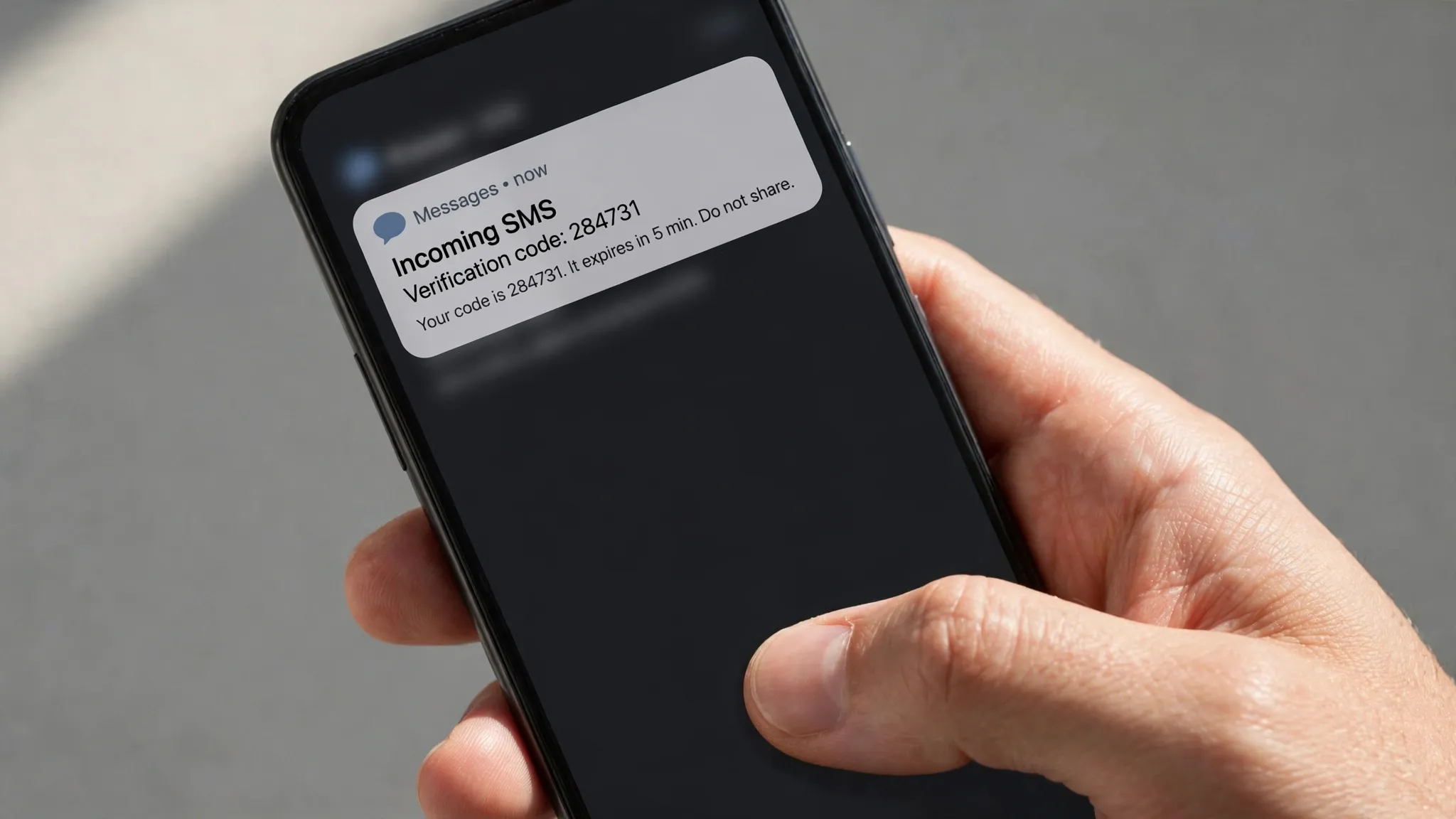
If the email is the receipt, the phone number is the account. Hinge ties each account to one mobile number, and that number follows you through the entire life of the profile. Change phones and Hinge asks for the number again. Sign in from a new device and the number is how it knows you are you. Get banned and the number is part of what stays banned — a new email address does not buy a clean slate, because the ban was never attached to the email in the first place.
This is also where the privacy plan most often falls apart in practice. A temporary email is free and takes seconds to generate. A second phone number is not. Hinge's help center is explicit that a mobile number is required, and the wider dating-app landscape is blunt about what that means: virtual and VoIP numbers are routinely rejected at SMS verification, and the apps give no guarantee that any given virtual number will work. Our own walkthrough of signing up for Uber with a temp email ran into the same shape of problem — the email sailed through and the phone stopped everything. Hinge is stricter than Uber, not looser, because a dating app has more reason to tie one human to one account than a ride app does.
So the practical question is not whether a temp email works on Hinge. It is whether you have a phone number you are comfortable attaching to a Hinge account, because that number is the durable identifier and the email is a replaceable label. If the answer is your real number, then the temp email is doing useful work — it keeps one channel of contact disposable while the number does the identifying. If the plan was to stay anonymous, the plan failed at step two, before the email was ever typed in.
The selfie check does not care about your inbox

After the phone and the email, Hinge offers a third check, and it is the one that makes the temp-email conversation feel small. Selfie verification asks you to record a short video selfie to prove you are the person in your photos. Pass it and your profile gets a verification badge. The detail that stays with you is in the fine print of Hinge's own popup: the app keeps three screenshots from that video for the life of your account, to audit the feature. Three still images of your face, held for as long as the account exists, on top of the six photos you already uploaded.
I am not arguing against the feature. Catfishing is the oldest scam in dating apps, and a selfie check is a real answer to it. But it puts the privacy maths in perspective. A person who worries about Hinge having their email address while handing the same app their face, their voice prompt, their location, and their daily routine has the threat model backwards. The email is the most replaceable piece of data in the signup. The face is the least. If you are going to be careful about one thing on Hinge, be careful about the photos and the selfie video — those are the records that follow you. The inbox is a footnote.
Where the disposable address breaks after day one
The signup code is the easy part. The failures come later, on Hinge's timetable, and they all look the same: Hinge sends something important to an inbox that no longer exists, and you find out weeks after the moment to act has passed. The list is worth reading in full, because each item is a separate way to lose an account you were still using:
- Password resets go to the linked email. Lose the inbox and a forgotten password is a locked account, not an inconvenience.
- New-device sign-ins trigger verification codes by email. A new phone after a breakup is the classic moment this bites, and it bites hardest for exactly the people who used a temp inbox to keep the account private.
- Hinge+ and HingeX receipts, renewal notices, and failed-payment warnings all go to the email on file. A lapsed payment on a dead inbox means the subscription dies silently and the premium features vanish without a warning you ever saw.
- Account deletion confirmations and ban appeals run through email. If Hinge ever flags the account, the appeal process starts in an inbox you cannot open.
- Hinge can also re-verify the email address when you change account details. Editing the profile is normal use, not an edge case, and it can surface the dead inbox months after signup.
None of this is a Hinge-specific cruelty. It is the standard cost of a disposable address on any account you keep, and we have written the same warning for other services — our guide to the recovery risk of two-factor authentication on a temp email is the general version of this section. Hinge sharpens it because the account holds something you cannot recreate by signing up again: your matches, your conversations, your likes, your paid subscription. A fresh account is not a recovery. It is a restart with zero history, and if the phone number is still attached to the old account, you cannot even make the fresh one cleanly.
Hinge, Tinder, and Bumble: three gates, three weak points
The dating apps look interchangeable from the outside, but their signup gates are built differently, and the difference decides what a temp email can do on each one. We have now walked all three in this series, and the comparison is the fastest way to see where Hinge sits.
| App | First gate | Email step | Where a temp inbox breaks |
|---|---|---|---|
| Hinge | Mobile phone number, mandatory | Confirmation code after the SMS code | Password resets, new-device codes, Hinge+ billing, ban appeals |
| Tinder | Mobile phone number, mandatory in the app | Email verification follows the phone step | Login codes and purchase receipts tied to the same dead inbox |
| Bumble | Email or phone, your choice at signup | Verification code, with disposable-domain checks reported | Seat licences and team invites are not the issue here — it is the recovery email on a dating profile you paid for |
The pattern is consistent: the email is never the hard part, and it is never the part that saves you. Tinder's app is phone-first just like Hinge's, and Bumble at least lets you choose the email path first — but Bumble also runs checks against known disposable domains, so the temp address can be refused at the door. Our full walkthroughs of Tinder signup with a temp email and Bumble signup with a temp email cover the details. Hinge is the most honest of the three about its priorities: it puts the phone number first in the documented flow, it says the number is required for every user, and it never pretends the email is the identity check. That honesty makes the temp-email decision simpler, not harder. The inbox works. It just does not do what people wish it did.
There is one more difference worth noting. Hinge's paid tiers, Hinge+ and HingeX, gate the features people actually pay for — unlimited likes and advanced filters — and the subscription bills to the account, which bills to the email. A temp inbox on a paying account is a subscription with no receipt, no renewal warning, and no way to cancel from the email side if the app itself becomes unreachable. If you are paying, the inbox should be permanent. That is not a suggestion. It is the only arrangement in which the money is traceable.
The privacy case for using one anyway
None of the above means a temp email is useless on Hinge. It means the use is narrower than the marketing implies, and naming the narrow use is more useful than pretending it is broad. Dating apps collect more personal data than almost any other category of app, and that data is a target. Your email address is the key that links your dating profile to every other account that shares the address — the shopping, the newsletters, the services that got breached last year. Keeping Hinge on a separate address breaks that link. It also keeps Hinge's own marketing out of your real inbox: the "someone liked you" nudges, the re-engagement emails, the prompts to come back after a quiet week. Those are not security threats. They are attention taxes, and a disposable address refuses to pay them.
The case gets stronger if you treat the temp inbox as a first step rather than a final address. Sign up with the disposable address, confirm the code, and then — before the inbox expires — decide whether the account is worth keeping. If it is, swap the email in Hinge's settings to a permanent address you control, ideally an alias dedicated to dating apps rather than your primary inbox. Hinge lets you change the email from Settings, and the change itself is verified against the new address. That two-step move gets you both things: the signup never touches your real inbox, and the account never depends on an inbox that expires. Our overview of temp email for dating app signups makes the same argument for the category as a whole, and it holds up best on Hinge, where the phone number already anchors the account.
One caution belongs here, because it is the failure mode we see most often. Some disposable domains are blocked outright, and Hinge is not obliged to tell you why. Our explainer on why websites reject temp email addresses covers the blocklist mechanics: if the address is refused, generate a fresh one on a different domain rather than retrying the same address and tripping a rate limit. A refused domain is a policy decision, not a bug, and arguing with the signup form wastes the one thing Hinge charges you at signup — time.
How to use a temp email on Hinge without losing the account
If you are going to do this, do it in an order that protects the account instead of gambling it. The sequence below is the version we would recommend to a friend, and it treats the phone number — not the email — as the thing to get right first.
- Decide on the phone number before you open the app. It should be a number you will still control in six months, because it is the recovery path for everything.
- Generate a fresh temp inbox on TempMailUSA and keep the tab open. The code arrives in seconds, but you want the inbox live and visible when it does.
- Create the account with the phone number first, enter the SMS code, then paste the temp address when Hinge asks for an email.
- Enter the email confirmation code immediately. Do not start the profile first — the code has a short life and the profile build takes twelve minutes or more.
- Finish the profile, complete selfie verification while you are still in the signup mood, and let the badge attach to the account from day one.
- Within the first day, decide whether the account is a keeper. If it is, change the email in Settings to a permanent alias you control, and confirm the change from that alias. If it is not, let the temp inbox expire and walk away clean.
- Keep the phone number stable. A new number means a new verification cycle, and a new number on an old account is the moment people discover which identifier Hinge actually trusted.
Step six is the whole trick. A temp inbox is a good front door and a terrible foundation. Use it as the front door, then pour the foundation before the door disappears.
When a temp email is the wrong tool
There are cases where the disposable address is not merely risky but simply wrong, and they are worth stating plainly. If you are paying for Hinge+ or HingeX, use a permanent email — the subscription, the receipts, and the cancellation path all run through it, and a dead inbox turns a billing dispute into a shrug. If you have been banned before and are hoping a new email means a new account, it does not — the phone number and the device are the identifiers that matter, and a fresh inbox on a flagged number is a faster route to a second ban, not a clean start. If you need the account for anything time-sensitive — a trip, an event, a move to a new city where Hinge is how you meet people — do not build it on an address that expires, because the week you need it most is the week a password reset will fail. And if you are under eighteen, none of this applies at all: Hinge is an adults-only service, its age checks are part of the signup for a reason, and no email trick changes that.
The broader rule is the one this series keeps returning to: a temp email is for accounts you can afford to lose. Hinge, for most people who stay past the first week, becomes an account they cannot afford to lose — not because of the money, but because of the conversations and the history. That is a judgment call, not a technical limit, and it is yours to make. Just make it before the inbox expires, not after.
The bottom line
A temp email clears Hinge's email step without drama: the code arrives, you type it in, the account opens. What it does not do is make a Hinge account private, anonymous, or disposable in any meaningful sense, because Hinge never built its identity checks around email. The phone number comes first, the selfie video comes third, and the six photos and three prompts make the profile itself a dossier. The inbox is the thinnest layer of the signup, and treating it as the privacy strategy is a category error.
Use the temp inbox for what it is good at: keeping Hinge out of your real email, breaking the link between your dating life and your other accounts, and giving you a clean front door. Then, if the account is worth keeping, swap the email for a permanent alias within the first day and keep the phone number stable. That is the honest version of "temp email for Hinge signup" — not a trick to beat the system, but a small, deliberate piece of hygiene on a signup that asks for far more than an email address.
Frequently asked questions
Can I sign up for Hinge with a temp email?
Yes. Hinge sends a confirmation code to whatever email address you link, and a temporary inbox receives it the same way a permanent one does. The email step comes after phone verification, so the temp inbox only needs to stay alive for the few minutes the code takes to arrive and be entered.
Does Hinge require a phone number?
Yes, for every user. Hinge's help center states it directly: all users must verify their accounts with a mobile phone number. The flow is phone number first, SMS code second, email third. There is no email-only signup path and no web signup — the app is iOS and Android only.
Can I use a VoIP or virtual number for Hinge?
Hinge requires a mobile number, and dating apps broadly reject virtual and VoIP numbers at SMS verification. Hinge does not guarantee that any given virtual number will work, and a rejected number usually fails silently at the code step. A stable mobile number you control is the only reliable option, and it is also the number the account stays tied to.
What happens if my temp email expires?
The account keeps working until Hinge needs to email you — a password reset, a new-device login code, a Hinge+ billing notice, or a ban appeal. At that point the email goes nowhere, and recovery becomes difficult or impossible. The fix is to change the email in Hinge's Settings to a permanent address you control before the temp inbox expires.
Can I change the email on my Hinge account later?
Yes. Hinge's help pages describe changing the email from Settings, under your photo icon and the gear icon. The new address has to be verified, so make the change while you still have access to the new inbox — and do it before the old temp inbox expires, not after.
Is using a temp email against Hinge's rules?
Hinge's rules require a real, verifiable phone number and a real person behind the profile, including selfie verification. Nothing in the signup flow forbids a disposable email address for the email step itself, but the account is still tied to your number, your photos, and your face. A temp inbox does not exempt you from any of Hinge's identity checks, and it does not protect an account that breaks the rules.
Need a disposable temporary email?
Protect your real inbox from spam and promotional clutter instantly and free.
Received a suspicious email, text, or charge alert?
Verify whether the sender domain is disposable, spoofed, or unverified before clicking links.