
Temp Email for Dating App Signups: The Email Is the Easy Part
Every dating app signup starts the same way: a friendly screen, a few cheerful prompts, and an email field that looks like the whole price of admission. Type an address, wait for a code, and you are in. That is the story the screen tells. It is also, for most of the big apps, the least important part of what just happened.
The real gatekeeper on a dating app is almost never the email address. It is the phone number, the device, and the face attached to the profile. A disposable inbox is still worth having here, but for a narrower and more honest reason than most guides admit: it separates your dating life from your real identity in the one place where separation is cheap and easy. It does not make you anonymous, it does not dodge a ban, and it will not rescue an account you locked yourself out of. Once you understand which door each app actually locks, the temp email finds its proper job.
The phone number is the actual gate, not the email
Hinge says it plainly in its own help documentation: every user must verify an account with a mobile phone number, and only after that step does it ask you to link an email address. The order matters. The phone number is the identity anchor; the email is a secondary contact. If you sign up for Hinge with a disposable inbox and your real number, the app still knows exactly which phone account you are, and a second account on the same number is not a fresh start.
Tinder and Bumble are looser at the front door. Both have historically let people sign up through a social login or an email route, which is why so many guides claim you can join without a phone number at all. The catch arrives later. Either app can re-trigger phone verification when you log in from a new device, after a long gap, or when something about the account trips a safety check. An account built entirely on a disposable email, with no phone attached, is an account that can be asked for a number at the worst possible moment and have no good answer.
That distinction is the whole story of temp email on dating apps. The email field is where you have freedom. The phone field is where the app keeps control. Any guide that treats the two as interchangeable is selling you a shortcut that ends at the second screen.
Three apps, three different doors
Hinge is the strictest of the three, and it is honest about it. Phone verification first, email second, and then a profile that is not usable until it is substantially complete: six photos and three written prompts before you can send a like. There is no web signup workaround and no email-only path. A disposable inbox fits neatly into the email step, and it changes nothing about the phone step. If your goal is keeping dating mail out of your main inbox, Hinge is a clean use case. If your goal is creating an account nobody can trace to you, Hinge was never going to allow that, temp email or not.
Tinder is the opposite shape: fast to enter, strict about what happens next. Signup through a social account or email can get you in quickly, but Tinder ties accounts to phone numbers and devices for safety enforcement, and recycled or virtual numbers are frequently rejected. People who create an account on a borrowed number often discover the problem months later, when recovery asks for a number they no longer control. The temp email did its job perfectly in that story. The phone number is what failed.
Bumble sits between the two. It has offered email and social signup routes, and its photo verification is optional rather than mandatory, which makes the front door feel friendlier than Hinge. But Bumble still uses phone verification for new profiles in practice, and like the others it can ask again. The pattern repeats: the email is the easy part, and the easy part is the only part a disposable inbox can cover.

Smaller apps split the same way. OkCupid has long allowed email-based registration, which makes it one of the more temp-email-friendly mainstream options, while apps built around phone-first identity behave like Hinge. The practical rule before you sign up anywhere: find out whether the app treats the phone number as optional or as the account itself. That one fact decides whether a disposable inbox is a convenience or a trap.
What a disposable inbox genuinely buys you
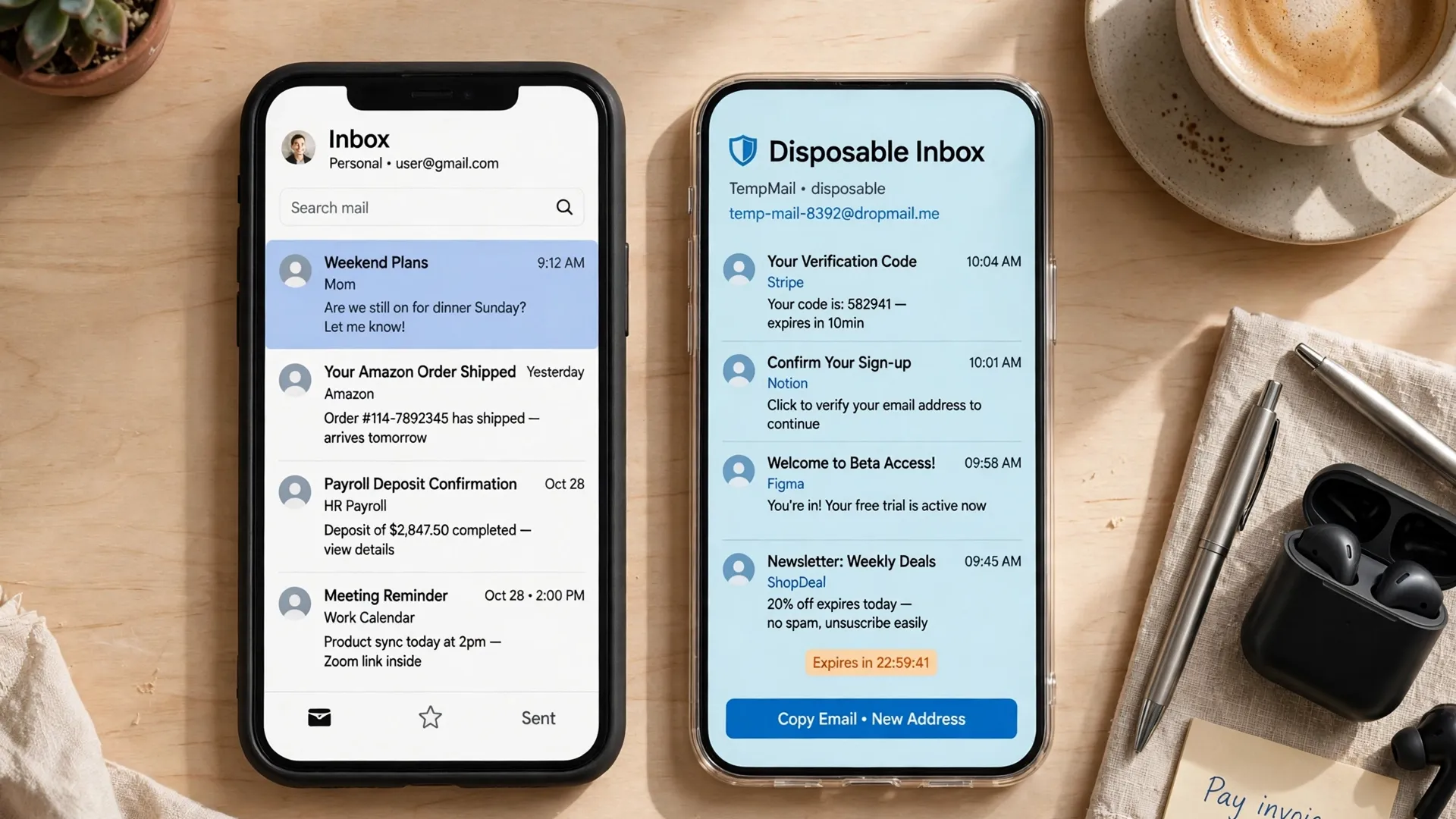
The honest benefits are unglamorous, which is exactly why they are real. First, separation. Dating apps send a remarkable volume of mail: match notifications, weekly digests, promotional pushes for premium tiers, re-engagement nudges after a quiet week, and partner offers you never asked for. Routing all of that to a disposable inbox keeps your main inbox clean and keeps your real address out of one more marketing database. When you delete the dating account, the mail stream dies with the inbox instead of following you for years.
Second, breach containment. Dating services hold unusually sensitive data about their users, and they have a worse breach record than most categories of app. The 2015 Ashley Madison breach exposed data on roughly 32 million accounts and became a byword for how damaging a dating-site leak can be, precisely because the exposed data was not just passwords but evidence of membership itself. More recently, location and usage data from dating and social apps has repeatedly surfaced in data-broker reporting. A disposable address does not protect your photos or messages, but it does mean a leaked user table does not hand a stranger your primary email, the same address your bank and your workplace already know.
Third, a clean test. If you are unsure about an app, a disposable inbox lets you try the full signup flow, see what the app actually sends, and walk away without unsubscribing from anything or handing over an address you care about. That is the same logic that makes a temp inbox sensible for any signup you have not committed to yet, and it applies here with unusual force because dating apps are among the most aggressive senders in the consumer internet.
What it will never buy you
Now the limits, stated without softening. A disposable inbox will not get a banned account back. Bans on dating apps are enforced against phone numbers, devices, and photos, not email addresses. Creating a new account with a fresh temp email but the same number or the same photos is how people get banned twice. If you have read about someone returning to an app after a removal, the hard part of their story was always the new number and the new device footprint, never the email.
It will not protect account recovery either, and this is the most expensive misunderstanding in the whole category. A temp inbox that expires takes your password-reset path with it. If the app later asks you to re-verify by email, or if you forget your password, there is no inbox left to receive the code. We covered this failure mode in detail in our piece on temp email and two-factor authentication, and dating apps are where the lesson bites hardest, because re-verification tends to arrive exactly when you are trying to get back into an account full of conversations you care about.
It will not hide your face or your location either. Dating apps are built on photos and proximity. Photo verification, device signals, and GPS do the identifying work that an email address never did. Anyone who believes a fresh inbox makes them untraceable on a photo-first app has confused one small piece of privacy hygiene with anonymity, and the gap between those two things is where bad decisions happen.
There is a parallel here with social apps that look disposable but are not. Snapchat accounts, for instance, vanish from view far more slowly than their messages do, and the account behind them is anchored to a phone number and device history in much the same way. Our look at temp email for Snapchat signup reaches the same conclusion from a different direction: the inbox is replaceable, the identity anchor is not.
The breach ledger: why separation matters more than secrecy
It is tempting to frame all of this as secrecy, but separation is the better frame, and it is the one that survives contact with reality. You are not hiding from the dating app. The app sees your number, your photos, your location, and your behavior, and no email trick changes that. What separation buys is distance between that app and everything else in your life: your work inbox, your banking alerts, your family group threads, and the address you have used for a decade.
That distance has real value in a breach. When a user table leaks, the damage scales with how connected the leaked address is. An address used for one dating app and nothing else is a dead end. An address used for everything is a map. The same logic applies to the marketing afterlife of your data: brokers buy and trade email lists, and an address that appears in one breached dataset gets matched against others. A disposable address breaks that chain at the cheapest possible point.
There is also a quieter benefit that rarely makes it into guides: dignity in the exit. People leave dating apps constantly, often at emotional moments, and the last thing anyone needs is a year of "we miss you" emails arriving in the inbox they use for job applications. A disposable inbox lets the exit be clean. Delete the account, let the inbox lapse, and the app has nowhere left to reach you. That is not a technical achievement. It is a humane one.
A setup that holds up in real life
So here is the setup I would actually recommend, stated as plainly as I can. Use a disposable inbox from TempMailUSA for the email step of the signup, and use it for the app's marketing mail from that day forward. Keep your real phone number on the account if the app requires one, because fighting that requirement with a borrowed number creates a recovery problem that will cost you the account later. If you genuinely need a number you do not want tied to your identity, that is a separate decision with its own costs, and it should be made deliberately, not as an afterthought to an email trick.
Do not put password recovery on the disposable inbox. If the app lets you add a recovery email, add an address you control long-term, even if it is a secondary account rather than your primary one. The right split is: disposable address for signup and marketing, durable address for recovery. That split gives you the separation without the lockout risk, and it is the single most useful sentence in this entire article.
Set a calendar reminder, not just for the date, but for the decision. When you stop using the app, delete the account first and let the inbox go second. Deleting the account while the inbox still works is what lets confirmation emails arrive and lets you verify the deletion actually happened. Letting the inbox lapse first leaves you with an account you cannot confirm is gone. Order matters here in the same way it mattered at signup.
And if you are trying a new app purely out of curiosity, treat the disposable inbox as the trial mechanism it is. Sign up, look around, and decide within a few days whether the app earns a real address. This is the same test-drive logic that works for any new service, and it is worth applying consciously rather than drifting into a permanent account on a temporary address. Our piece on temp email for Bluesky signup makes a related point about portable identity: the address you build a presence on is the address that owns it, and that is fine only when you chose it deliberately.
When a dating app asks for too much
A final check before you hand anything over. Be wary of any dating app that demands access to your full contact list as a condition of signup rather than an option. Contact-syncing features exist to help you avoid people you know, but they also hand the app your entire social graph, and that trade is rarely worth it on a first install. Hinge at least lets you block specific numbers without uploading the whole address book, which is the more respectful design, and it is worth noticing which apps offer that granularity and which do not.
Be wary, too, of apps that ask for an email and then immediately demand a phone number, a selfie, and a government ID in sequence. Each step may be defensible alone, but the sequence tells you what the app considers you: a verified identity product, not a guest. That is not necessarily a reason to leave, but it is a reason to stop and decide whether the app has earned that much of you before you have had a single conversation on it.
And be skeptical of any guide, including this one, that promises anonymity on a dating app. The honest promise of a disposable inbox is smaller and better: a cleaner inbox, a shorter breach shadow, and a clean exit. On a service built around your face and your location, that is about as much privacy as an email address was ever going to buy, and it is worth having precisely because it does not pretend to be more.
Frequently asked questions
Can I sign up for Tinder with only a temp email and no phone number?
Usually not for long. Tinder has offered email and social signup routes, but phone verification is commonly required or re-triggered later, especially on a new device or after inactivity. A temp email can cover the email step, but you should expect a phone step at some point, and an account with no recoverable phone attached is fragile.
Does Hinge accept a temp email?
Hinge asks for a phone number first and an email address second, so a disposable inbox works for the email step. It does not change the phone requirement, and Hinge will not let you send likes until your profile is substantially complete, including six photos and three prompts. The temp email is a convenience here, not a workaround.
Will a temp email help me get unbanned from a dating app?
No. Bans are enforced against phone numbers, devices, and photos. A fresh inbox with the same number or photos will typically be flagged again. If you were removed, the email was never the thing the app was holding against you.
What happens if my temp inbox expires while my dating account is still active?
You lose the email verification and password-reset path for that account. If the app later asks you to re-verify, or you forget your password, there may be no way back in. That is why recovery should sit on a durable address you control, even if signup and marketing mail live on a disposable one.
Is it safer to use a temp email or my real email on a dating app?
For marketing mail and breach containment, a disposable address is safer: it limits what a leaked user table reveals and keeps dating mail out of your main inbox. For recovery, your real or secondary durable address is safer. The best setup uses both, each for the job it is actually good at.
The bottom line
The email field on a dating app signup is the easiest part of the process, and that is exactly why it is the right place to use a disposable inbox. It costs nothing, it keeps your real address out of one more database, and it gives you a clean exit when you leave. Just do not mistake it for the whole privacy story. The phone number, the photos, and the device are doing the real identifying, and any plan that ignores them will fail at the second screen. Use the temp email for what it is good at, keep recovery on an address you control, and let the app earn the rest of you one conversation at a time.
If you are sorting out which of your accounts deserve a disposable address and which deserve a durable one, the same separation logic applies far beyond dating. Our guide to temp email for Pinterest signup walks through a case where the inbox outlives the account in the other direction, and it is a useful companion to the setup described here.
Need a disposable temporary email?
Protect your real inbox from spam and promotional clutter instantly and free.
Received a suspicious email, text, or charge alert?
Verify whether the sender domain is disposable, spoofed, or unverified before clicking links.