

Spam Email Sign Up: Why You're Getting Signups You Never Made — and How to Sign Up Without the Spam
"Spam email sign up" is one search phrase with two people behind it, and they want opposite things. The first person opens their inbox to forty confirmation emails from services they never joined and wants it to stop. The second is about to join a service and wants an address that keeps the spam away from their real inbox in the first place. Same words, opposite problems — and most pages ranking for this phrase only answer one of them.
This article answers both, because the two problems share one root cause: most signup forms never check that the person typing an address actually owns it. That single gap explains the flood in your inbox and the reason a disposable address sometimes fails. I also tested the second problem live — I took a fresh temporary address and tried to sign up for two of the biggest newsletters on the internet with it. Both blocked it. The exact error messages, and what they mean for your strategy, are below.
The two people searching this phrase
Before anything else, know which one you are, because the fix is completely different.
The victim. You did not sign up for anything. Your inbox filled up anyway — newsletters, free trials, competitions, welcome emails from brands you have never heard of. The messages are real, from real services, which is exactly why your spam filter let them through. You want to know why it happened, whether you have been hacked, and how to make it stop.
The avoider. You are about to sign up for something — a download, a trial, a newsletter, a one-off purchase — and you do not want your real address on yet another list. You are looking for a junk email or a temporary inbox to use instead, and you want to know whether that actually works.
If you are the victim, skip to the section on the first 30 minutes. If you are the avoider, the live test below is the part that matters. Everyone else should read the next two sections first, because they explain why both problems exist.
What a spam signup flood actually is
The flood has a name in security writing: subscription bombing, also called list bombing or email bombing. An automated tool takes one email address and submits it to hundreds or thousands of genuine signup forms. Each form responds the way it was built to respond — with a confirmation or welcome email. The inbox fills with real mail from real senders, which is why the flood is so hard to filter: almost every message in it is genuine, sent by a real marketing platform, correctly authenticated, with no forged sender and nothing for a spam filter to catch.
The scale is not theoretical. MITRE's ATT&CK framework describes the mechanism directly as technique T1667: an automated bot registers a targeted address for email lists that do not validate new signups, and the result is a wave of thousands of messages that overloads the inbox. Proofpoint reports that a subscription bombing attack can deliver over 1,500 emails per hour. A 2026 peer-reviewed study cited by security writers analysed 24 real campaigns containing 46,970 unwanted emails, many sent by legitimate third-party services. These are other people's measurements, not mine — but they match what the flood looks like from the receiving end, and they explain why "just mark it as spam" is bad advice. You cannot filter your way out of mail that is technically legitimate.
There is a second, nastier reason the flood happens, and it is the part most guides bury. The flood is often not the attack — it is the cover for one. Buried somewhere in hundreds of welcome emails can be a genuine alert: a password reset you did not request, a purchase confirmation, a bank warning about a fraudulent transaction. In one case reported in September, a woman in Virginia had her inbox swamped with hundreds of signup messages over 24 hours, and the flood was hiding a real email from her bank warning about a fraudulent laptop purchase on her account. That is why the first thing you do in a flood is not delete anything.
Why most signup forms let this happen
A signup form performs two distinct operations that people constantly confuse: collecting an address, and confirming that the address belongs to the person who typed it. Most forms do the first and skip the second.
A form with no confirmation step treats any typed address as valid and sends a welcome message immediately. A form with double opt-in sends a confirmation link first and only adds the address to the list after the link is clicked — which stops an unconfirmed address from becoming a subscriber, though the confirmation message itself is still sent once. The same gap admits every cause of unwanted signups: a typo, a harvested address fed to a bot, a deliberate flood, and a prank all pass through forms that do not validate ownership before sending mail. One message carries almost no diagnostic value on its own. The pattern of arrival — how many senders, how fast, whether they keep coming — is what tells you which cause you are dealing with.
That is also why the flood is not proof you have been hacked. Being email bombed does not automatically mean your account was breached. Often it just means your address exists somewhere it should not — in a breach list, a marketing database, a public leak — and someone fed it to a signup bot. The bombing itself is usually not the damage. It is a distraction technique, and the damage, if there is any, is whatever the flood is hiding.
I tried signing up with a temp address — here's what actually happened
The avoider's question is simple: does a disposable address actually work for signups? Guides usually answer it in theory. I tested it instead. On 13 November 2026, between 03:30 and 03:35 IST, I generated a temporary address on TempMailUSA's homepage — xgtfa64@hta.2bd.net — and tried to use it to subscribe to two of the largest newsletter platforms on the internet. The homepage generated the address instantly, the inbox loaded empty with auto-refresh on, and no registration, personal data, or password was involved. The same address had been generated in an earlier test the same day, which tells you something useful on its own: the homepage serves a persistent address to the same browser, not a new random one on every visit.
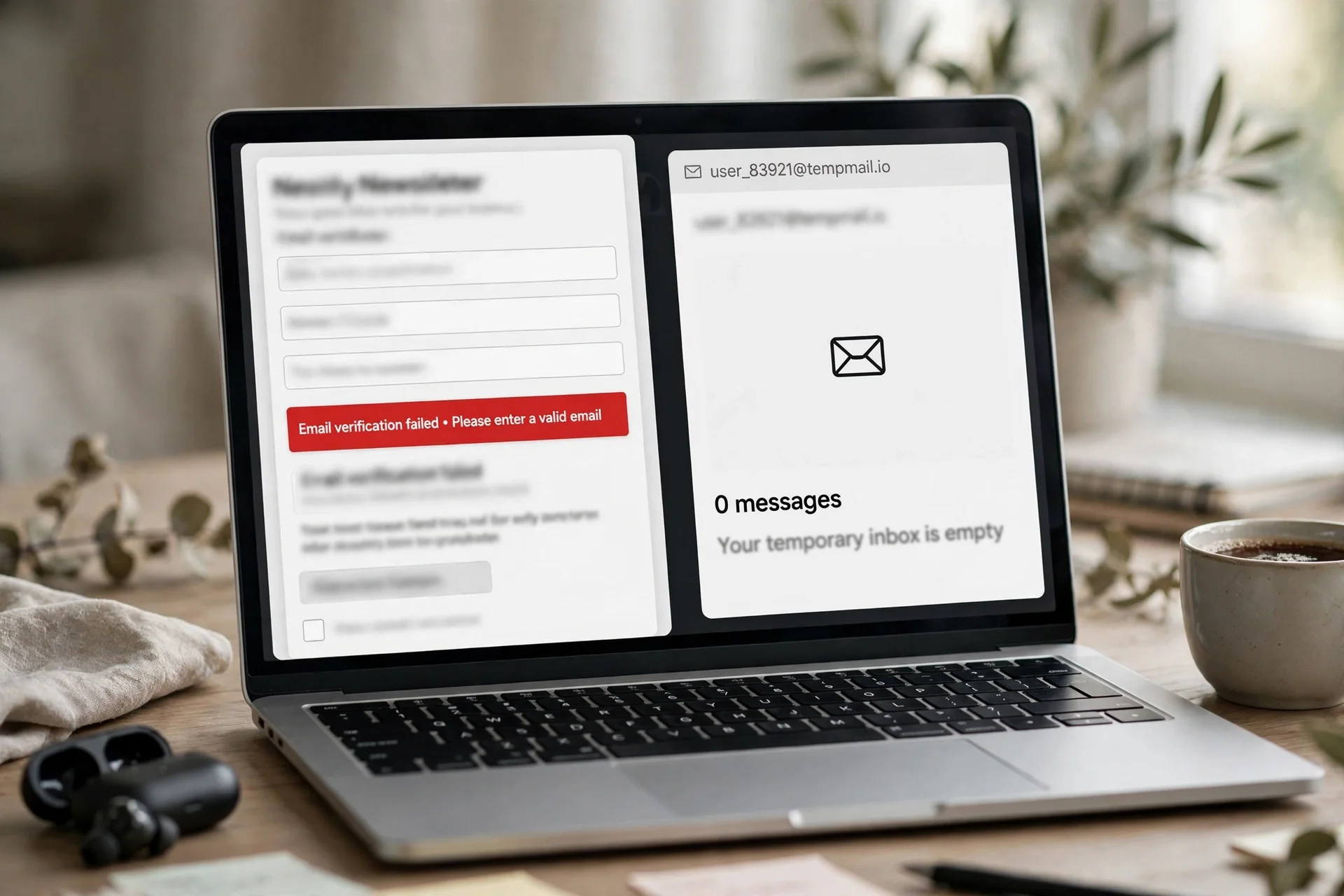
TLDR newsletter: rejected. At tldr.tech/newsletter, I entered the temp address and clicked Subscribe. The form first showed, verbatim: "Potential email error detected, if the email above is correct click here to be subscribed." Clicking through produced, verbatim: "There was an error verifying your email, please try again later." No subscription confirmation was shown.
Substack, first publication: failed. At Heather Cox Richardson's Letters from an American on Substack, I entered the same address and clicked Subscribe. It showed, verbatim, in red: "Something went wrong." No subscription confirmation was shown.
Substack, second publication: inconclusive. At Lenny's Newsletter, the same address produced no error, but redirected to a blank Substack sign-in form. I did not proceed — creating an account with a password was outside the scope of the test, and a newsletter subscription should not require one.
The inbox: nothing arrived. I returned to the temp inbox at 03:33 IST and again after a further two minutes. Still zero messages, still "Your inbox is empty", address unchanged, auto-refresh still on. No confirmation or welcome email arrived from any of the three attempts within the window.
The honest read of that result is narrower than either side of the temp-mail debate would like. It does not prove that temporary addresses never work for signups — plenty of smaller forms accept them, and the fake mail generator guide explains the difference between an address string and an address with a working inbox. What it does prove is that the big newsletter platforms run email verification on the address before they accept it, and this disposable domain failed that verification. TLDR flagged the domain, Substack errored on it, and no confirmation was ever sent — so there was nothing for the inbox to receive. If your plan is "sign up for everything with a temp address", expect the mainstream platforms to push back. The 10 minute mail approach works best on smaller forms, one-off downloads, and trial signups that do not run a domain reputation check — and worst exactly where you would most like it to work.
If you're the victim: the first 30 minutes
Do not mass-delete the messages. That is the single most important instruction in this article, and it is the opposite of what your instincts say. First, search the flood for the mail that matters: password resets, purchase confirmations, account-change alerts, bank warnings. Check your financial, shopping, cloud, and administrator accounts directly through their official apps or websites — never through links in the flood. Only after you have ruled out a hidden account or payment incident should you start clearing the signup mail.

Then work through the rest in order. Secure the mailbox: change the password, turn on two-factor authentication, and check recent sign-in activity and forwarding rules. A flood does not prove a breach, but it is a good moment to close the door properly. Quarantine the signup mail into a folder with a server-side rule rather than deleting it, because broad rules can hide a genuine security alert that arrives late. Unsubscribe from the ones you recognise — in Gmail, use the unsubscribe control on a legitimate message, and note that Google says it may take a few days for messages to stop. Unsubscribing and blocking are different actions: blocking a sender does not remove your address from their list. Report the rest as spam, which moves them to Spam and helps the filter learn the pattern. Finally, check whether your address is in a known breach: if the same address keeps getting used, assume it is circulating in breach data and start retiring it from anything important.
One more thing a flood should change: stop using your primary address for signups you do not care about. That is the avoider's lesson, and it is the only durable fix. The flood is a symptom of an address that has been over-shared; the cure is to stop sharing it.
If you're the avoider: signing up without handing over your real inbox
The avoider's toolkit has four layers, and they work best stacked rather than alone.
A temporary inbox for one-off signups. Generate an address, use it for the download or trial, read the confirmation code, walk away. This is the right tool for things you will never need again. Its limits are real and I measured one of them above: verification-heavy platforms reject disposable domains, and anything that needs a password reset next month is lost when the inbox expires. Use it for throwaway access, never for an account you need to recover.
An alias for accounts you might keep. Apple's Hide My Email and Gmail's plus addressing (you+service@gmail.com) both give you a distinct address per service that still lands in your real inbox. The tag tells you who sold your address when the spam starts, and you can kill one alias without touching the others. The catch is that some forms reject the + character outright, and neither option hides your real address from the service itself.
A second permanent address for the grey zone. Newsletters you actually read, loyalty programmes, shopping accounts — things you want to keep but do not want in your primary inbox. The cleanest free route is often a second Gmail or Outlook account, though the phone verification step is the real gate there, not the address itself. We found exactly that when researching email without a phone number: the providers that skip the phone step are the exception, and the check happens at signup, not at the inbox.
A different address per risk level, as a habit. The rule that makes all of the above work is boring and total: your primary address goes to banks, government, and recovery only. Everything else gets an alias, a second account, or a disposable inbox, in that order of importance. The flood in the victim section happens to addresses that were used everywhere. Compartmentalisation is not paranoia; it is the only defence that survives a signup form that never checks ownership.
Prefer services that use double opt-in, because that single design choice stops someone else from subscribing your address. When a form offers to "keep me updated" with the box pre-ticked, untick it — the pre-ticked box is the most common way a real address ends up on a list its owner never wanted. And verify the address actually receives before you rely on it for anything important: a surprising number of clever addresses fail because of a typo in the domain or a provider quirk, and you want to find that out with a test message, not a missing password reset.
The through-line of this whole article is one sentence: a signup form that never checks ownership will eventually be used against you, by someone else or by your own past self. The victim's fix is triage and compartmentalisation. The avoider's fix is to stop feeding the machine your real address. Neither fix is complicated. Both beat hoping the filter catches it.
FAQ
What does "spam email sign up" mean?
It means two things, and the search results mix them. It can mean being signed up for spam — someone entering your address into mailing lists without your consent, sometimes at bot scale, in what security writers call subscription bombing. Or it can mean signing up with a spam or junk email — using a disposable or throwaway address so the marketing mail goes somewhere you do not care about. The first is something done to you; the second is something you do to protect yourself.
Why am I suddenly getting signup emails I never asked for?
The most likely causes are a typo, a deliberate subscription bomb, or your address circulating in breach or marketing data. Most signup forms accept any typed address without checking that the typer owns it, so a mistyped address, a harvested address fed to a bot, and a deliberate flood all produce the same visible result. The pattern tells you which: a trickle from one or two services points to a typo; hundreds of senders in hours points to a bot or a deliberate flood.
Can I find out who signed me up for spam email?
Usually not from the incoming messages alone. The messages identify the services that sent them, but they rarely reveal the person or automated system that submitted your address to each form. What you can find is the scale and the timing, which tells you whether it was a mistake, a bot, or a deliberate flood — and whether something important is being hidden in the noise.
Is signing someone up for spam emails illegal?
It depends on where you are. In Australia, the Spam Act 2003 restricts unsolicited commercial electronic messages and covers people who cause messages to be sent, and section 477.3 of the Criminal Code Act 1995 addresses knowingly causing unauthorised impairment of electronic communication. In the United States, the CAN-SPAM Act regulates the commercial senders rather than the person who submitted the address, but signing someone up without consent can still be harassment or unauthorised use depending on the circumstances. If you are targeted, your local cybercrime reporting channel is the right place to report it.
Can I sign up for things with a junk or temp email?
Yes, for many smaller forms, downloads, and trials — but not everywhere. In a live test for this article, a temporary address was rejected by the TLDR newsletter's email verification and failed on a Substack publication, and no confirmation email ever arrived. Verification-heavy platforms check the domain before they accept the address. Disposable inboxes work best where the form does not run a reputation check, and worst on the mainstream platforms.
Why did a newsletter reject my temp email address?
Because the platform verifies the address before accepting it, and disposable domains are flagged by that verification. TLDR's form said, verbatim, "Potential email error detected", then "There was an error verifying your email, please try again later." The platform is not rejecting you personally; it is rejecting a domain class that is heavily used for fake signups. Use a permanent alias or a second account for newsletters you actually want to keep.
How do I stop signup spam for good?
You don't — not completely, because you cannot fix other people's signup forms. What you can do is make your primary address a much smaller target: stop using it for casual signups, use an alias or a disposable inbox for everything non-essential, prefer double-opt-in services, and retire an address that keeps getting bombed. The flood stops being a crisis once the address in it is not the one your bank uses.
Need a disposable temporary email?
Protect your real inbox from spam and promotional clutter instantly and free.
Received a suspicious email, text, or charge alert?
Verify whether the sender domain is disposable, spoofed, or unverified before clicking links.