

Your Clinic's First Week on Online Booking: Setting Up DocBook Pro From an Empty Workspace to the First Token

Monday, 9 a.m. The phone rings before the kettle boils. A patient wants Thursday at 4:30, but Thursday at 4:30 is already promised to two people, because the paper diary has a crossed-out name sitting on top of a pencilled-in one, and nobody remembers who called first. The receptionist puts the caller on hold, flips back a page, flips forward again, and guesses. This is the moment a small clinic decides to buy booking software — not in a strategy meeting, but on hold, with a patient listening to hold music.
DocBook Pro is the script that decision often lands on: a Laravel 13 doctor-booking SaaS on Codester for $29, with a live demo at docbook-demo.tempomailusa.com. The listing promises multi-clinic workspaces, four panels, WhatsApp reminders, 26 payment options and a five-step web installer with no licence key and no command line. The demo promises something bolder, in plain text: "Set up in an afternoon." I wanted to know what that afternoon — and the week around it — actually asks of the person doing the setup. Not the feature list. The work. So this post follows a faithful setup week for a small three-doctor clinic, built entirely from what the listing and the demo show, day by day, in the order the work arrives. Where I could not see inside a panel, I say so: no admin or clinic panel was logged into for this piece, so panel behaviour is the listing's own description and the demo's own labels, and the gaps are labelled as gaps.
Day 1: the empty workspace stares back
Every SaaS starts the same way: an empty room with good lighting. The installer is the first test, and on paper DocBook passes it kindly — five steps, upload, extract, open your site, done, no licence key. That matters more than it sounds. A clinic owner is not a sysadmin, and a script that needs a console is a script that never gets past Sunday night. If the no-terminal claim holds on a real host, day one is ten minutes of uploading and an afternoon of decisions instead of an afternoon of debugging.
Then the decisions start, and the first one is the least exciting and the most permanent: the currency. The Super Admin panel, per the listing, has "full site settings with ONE admin-set currency for the whole platform". One currency. Not per clinic, not per doctor — one, for everyone. For a single-city clinic that is a non-decision; you pick rupees and move on. For anyone imagining a directory that spans countries, it is the first thing to notice, because it is trivial on day one and expensive on day ninety. The demo runs in rupees — Starter ₹19 a month, Growth ₹49, Scale ₹99 — consistent with demo clinics in Mumbai, Delhi and Bengaluru.
Branding comes next: the clinic's name, logo, colours, its own workspace. This is the part the listing sells hardest — "each clinic gets an isolated workspace with its own doctors, schedules, branding and subscription plan" — and it is also what separates a booking script from a booking form. A form takes appointments. A workspace takes a clinic. The difference shows up on day five, when the first patient sees a page that looks like your clinic instead of a generic form with your name pasted on it.
And then, before a single doctor is added, the plan question. The demo's three clinic plans are plain about what they gate: Starter gets online booking, email notifications, patient records and basic reports; Growth adds SMS and WhatsApp reminders, video consultations, prescription PDFs and doctor earnings; Scale adds multi-location support, broadcast campaigns, advanced analytics, API access and priority support. Fourteen days free, zero commission, keep 100 percent of consultation revenue — the demo's own claims. Note the "zero commission" line is doing real work, because the listing's monetisation section separately describes a platform-fee model for people who run DocBook as a SaaS and charge per booking. Same product, two different businesses: if you are one clinic, you are buying the subscription; if you are running the directory, you are selling it. Know which one you are before you pick a plan.
My honest read on day one: the empty workspace is not the hard part. The hard part is that every choice you make on day one — currency, branding, plan — is a choice you will live with while patients are already booking. The demo says "set up in an afternoon", and the installer probably is an afternoon. The decisions are a week, and that is fine, as long as nobody tells you otherwise.
Day 2: the doctors go in first, and the directory shows its seams
Nothing happens until the doctors exist, so day two belongs to them. The clinic panel's job list starts with "doctors", and each doctor needs a profile: name, specialities, experience, fee, photo, and a schedule. The demo's directory is the best evidence of what a finished profile looks like, because it is the only finished directory we can actually read. Eighteen verified doctors, it says, with 221-plus appointments booked and a 4.2-out-of-5 average patient rating.
Read the six featured doctors closely and the directory starts talking back. Dr. Aarav Sharma: 4.6 from 9 reviews, five years in, Neurology and Dentistry, CityCare Multi-Speciality Clinic, Mumbai. Dr. Rohan Mehta: 4.1 from 7, seven years, Cardiology and Pediatrics, Lakeside Medical Associates, Delhi. Dr. Priya Nair: 4.0 from 11, six years, Dermatology and Neurology, Greenview Health Centre, Bengaluru. Then three more — Sneha Kulkarni, Vikram Reddy, Ananya Iyer — all Verified, all with 0.0 from zero reviews, and all carrying two specialities that sit oddly together: Cardiology with Psychiatry, Cardiology with General Medicine, Dentistry with Psychiatry.
Two things are true at once. First, this is demo data, and demo data is allowed to be lumpy; nobody should judge a product by its seed rows. Second, the lumpiness is exactly what a clinic owner will reproduce on day two if they rush: a doctor with two specialities because the form lets you pick two, a profile with no reviews because reviews take months, a "Verified" badge on a doctor nobody has rated yet. The demo is showing you, accidentally, what your own directory looks like on day two — mostly empty, partly odd — and the honest question is whether the product helps you fix that or just displays it. The listing says the public website shows "real fees and patient reviews" and doctor profiles with live slot calendars, which is the right promise. But a fee is only real if somebody typed the real fee, and a review count of zero is honest in a way a 4.2 average is not. My advice to the day-two clinic owner is blunt: put in fewer doctors, done properly, rather than eighteen done quickly. Three complete profiles with correct fees and real specialities will book more appointments than eighteen half-filled ones, because patients can tell the difference between a directory and a list.

There is a second day-two job the listing mentions and the demo never shows: the schedule. Each doctor needs a weekly schedule and a leave calendar, and the listing's doctor panel includes "weekly schedule + leaves" while the clinic panel approves leaves. That approval step is a small thing that tells you something big about who this product thinks the clinic is. A solo practice does not need leave approvals; a three-doctor clinic with a receptionist does. The product is built for the second clinic. If you are the first, you will find furniture you do not need, which is a better problem than the reverse.
Day 3: schedules, and the token that runs the waiting room
Day three is when the booking stops being a directory and starts being a queue. The clinic panel's appointments view is, per the listing, a "day queue (token view)", and the token is the product's central idea. A patient books and gets a number — the demo's example is token #14 for a 4:30 slot — and the waiting room runs on that number instead of on names shouted across a room.
This is worth pausing on, because the token is where the demo's promises are most concrete and most checkable. "Book a confirmed appointment with a token number in under a minute, as guests (with OTP) or logged-in users" — that is the listing's own sentence, and the demo's three-step flow repeats it: search, lock your slot, walk in on time. I have read the other side of this promise before — I once read a single booking backwards, from the waiting-room token back to the search box, and the token held up as the one thing every screen agreed on. A token is a small, boring, excellent idea: it survives a phone call, a WhatsApp message, and a receptionist's handwriting in a way a time slot does not.
What day three actually asks of the clinic is discipline about slots. Somebody has to decide how long a consultation is, how many patients fit in an hour, what happens when a doctor runs twenty minutes late, and whether a video visit takes the same slot as an in-clinic one. The software can hold those answers; it cannot invent them. The demo's example slots — 10:00, 4:30, 6:15 — look tidy because somebody chose them. Your clinic's slots will look tidy only if somebody chooses yours with the same care, and that somebody is you, on day three, with a doctor telling you that fifteen minutes is never fifteen minutes.
The other day-three job is the one nobody schedules: the leave calendar. A doctor goes on leave, and every slot in that week has to go away cleanly instead of taking bookings that will need cancelling one by one. The listing gives the clinic a leave-approvals step, which is the right shape — a request, an approval, and then the slots disappear. Whether it actually disappears them without a manual sweep is one of the questions this run could not answer from the public pages, and it is the first question I would ask in a trial: book a slot, put the doctor on leave, and see what happens to the booking. A setup week that ends without that test is a setup week that trusts a brochure.
Day 4: the money — services, twenty-six ways to pay, and the plan you actually need
Money day is the day the demo's numbers get loudest, so it is the day to read them slowest. Three figures matter, and they are three different kinds of money. First, the script itself: $29 once, on Codester. Second, the clinic's subscription: ₹19, ₹49 or ₹99 a month on the demo, with a 14-day free trial. Third, the patient's consultation fee, which is whatever the doctor charges and which the directory shows as a "real fee" next to each profile. Confusing any two of these is the easiest way to misjudge the product, and the demo does not help by putting the subscription prices front and centre while the consultation fees live quietly on the doctor cards.
The payments list is genuinely long: 26 options, 24 online gateways from Stripe and Razorpay through PayPal, Paystack, Flutterwave, Mollie, Square, Checkout.com, 2Checkout, Paddle, Lemon Squeezy, Authorize.net, Braintree, Cashfree, PayU, Mercado Pago, dLocal, Xendit, Midtrans, PayTabs, SSLCommerz, ToyyibPay, Khalti and NOWPayments, plus bank transfer and pay-at-clinic. The listing adds that webhooks are verified and fail closed on forged callbacks, which is the sentence a buyer should care about more than the count. Twenty-six gateways is a catalogue; fail-closed webhooks is a control. A clinic that takes payment online needs the control more than the catalogue, because one forged callback that marks an unpaid appointment as paid costs more than any gateway ever saves.
Services are the quieter half of money day: the clinic defines what it sells — consultation, follow-up, video visit, a procedure — each with its own fee and duration, so a booking is not just a doctor and a time but a thing with a price. The listing puts "services" in the clinic panel alongside billing and earnings, and that placement is correct. A clinic that cannot name its services cannot price them, and a booking system that cannot price them is a calendar with a payments page bolted on.
Then the plan decision comes back, and this time it is a real choice instead of a day-one guess. Starter is honest about what it is: booking, email, records, basic reports. If your clinic takes bookings by phone today and wants them online tomorrow, Starter is enough, and the money you save is real. Growth is where the product's best feature lives — WhatsApp reminders — and the pricing logic is today's: you are not paying ₹49 for video consultations, you are paying it for the reminders that keep the schedule full. Scale is for multi-location groups and adds broadcast campaigns, advanced analytics and API access, which a three-doctor clinic does not need and should not pay for. My opinion, stated plainly: most small clinics should start on Starter, move to Growth the week they feel the first no-shows, and never touch Scale until a second location exists. The 14-day trial exists for exactly this — use it to feel the no-show rate, not to admire the dashboard.
Day 5: reminders, and the first real booking
Day five is the day the whole week is for, and it starts with a switch: reminders on. The demo's WhatsApp section is specific in a way marketing copy rarely is — automatic reminders 24 hours and 2 hours before the visit, plus live token updates on the day — and the listing backs it with mechanism: Meta Cloud API with a Twilio fallback, per-clinic templates, delivery logs, plus SMS through Twilio, Vonage or Msg91, and email, all queued with retries. The delivery log is the detail I like most. A reminder system without a log is a promise; a reminder system with a log is a record you can argue with. When a patient says "I never got the message", the log is the difference between an apology and an answer.
The example messages on the demo are worth quoting because they are the whole product in two sentences: "Reminder: your appointment is tomorrow at 4:30 PM. Token #14" and "Your token is now #12 — you're up in ~20 min." The first one prevents the no-show. The second one prevents the waiting room. Together they are the reason a clinic buys this instead of a shared Google Calendar, and they are also the reason the Growth plan is the honest default for any clinic that has ever lost a morning to empty chairs. I have written before about what the doctor sees on the other side of a booking — a full working day inside the doctor's panel — and the reminders are the thread that runs through that day: they are what makes the today list a list of people who actually arrive.
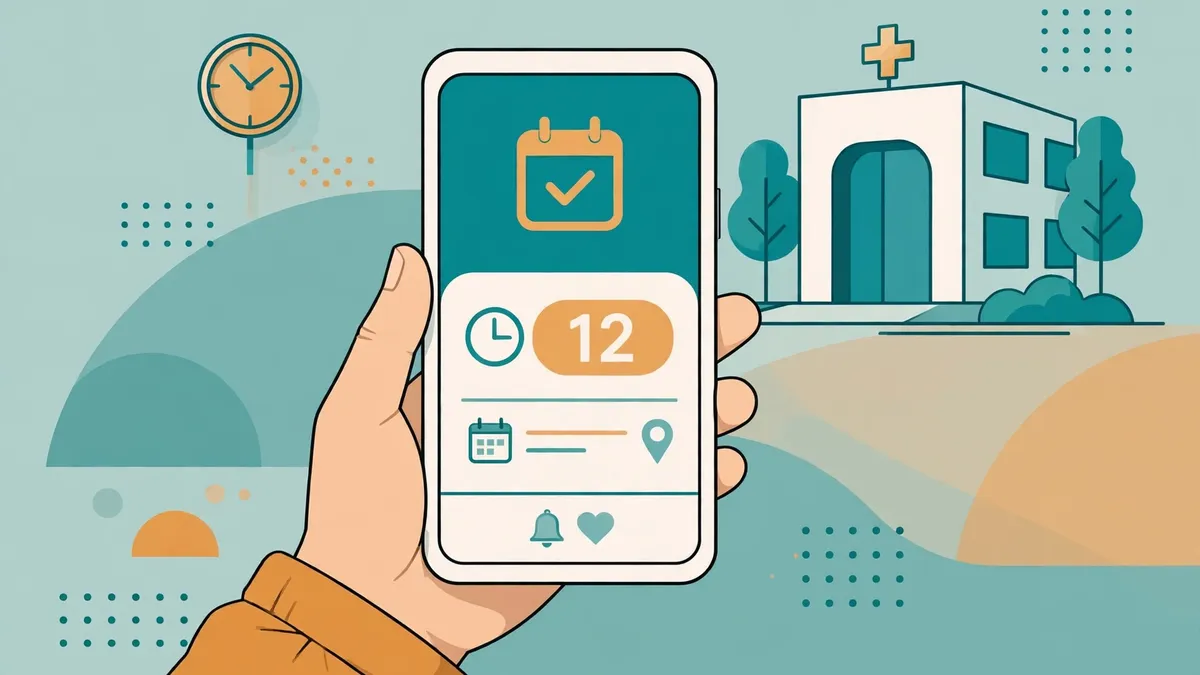
Then, at some point on day five, the first real booking lands. Somebody — maybe the clinic owner's own mother, maybe a genuine patient who found the directory — searches by speciality and city, compares fees and reviews, picks a slot, gets a token, and the day queue gains its first row. The listing says it takes under a minute, as a guest with OTP or logged in. The demo's counters say 221-plus appointments have been booked there, which is the demo's own figure and should be read as such. Your clinic's first booking will feel slower than a minute and more important than 221, because it is the first time the week of setup turns into a patient walking through the door with a number in their hand.
Watch what happens next, because it is the test the brochure cannot run for you. Does the patient get the confirmation? Does the reminder arrive at 24 hours and at 2 hours? Does the token update on the day? Does the doctor's today list show the visit? Does the invoice exist afterwards? Five checks, one booking, an afternoon of watching. If all five pass, the setup week worked. If one fails, you have found it while the queue is one patient long instead of forty.
What the first week does not fix
A setup diary that ends in triumph is a brochure, so here is the honest remainder. First, no-shows. Reminders cut them; the demo says so, the listing says so, and common sense says so — but nothing in this product stops a patient from ignoring two WhatsApp messages and simply not coming. The reminder is a nudge, not a deposit, and a clinic that wants real protection needs the payment step — pay-at-booking, not pay-at-clinic — which the product supports but the clinic has to choose. Second, the empty directory. Day two's seams are still there on day five: three doctors with 0.0 from zero reviews, specialities that read like two different clinics, a 4.2 average built on a handful of ratings. Reviews take months, and no installer fills them in. Third, the things I could not verify from the public pages: whether leave actually cancels slots cleanly, whether a rescheduled booking keeps its token or gets a new one, and what the refund flow looks like when a paid booking is cancelled. I stress-tested the reschedule path in this series before — one booking moved, then cancelled, and what each step revealed — and the honest position is that the setup week's answers are the listing's answers until you run your own trial booking through them.
And one more, because it is the one that would bite in month two: the single currency. A clinic that stays in one city will never notice it. A directory that grows into a second country will notice it on the day it matters. Choose the currency as if you will never change it, because the listing gives no reason to think you can.
The verdict, for the clinic owner who is still on hold
Should a small clinic buy DocBook Pro? On the evidence of the listing and the live demo, the honest answer is yes, with two conditions. Buy it if you are a real clinic with real doctors and you will spend the week — not the afternoon — doing the setup properly: three complete doctor profiles instead of eighteen rushed ones, chosen slot lengths, a plan picked for your no-show rate rather than your ambitions, and one trial booking watched end to end. And buy it on the demo's terms first: fourteen days free is enough time to run the five checks from day five and to find out whether leave cancels slots and whether rescheduling keeps the token. The $29 is the cheapest part of this decision. The week is the price, and the week is worth paying only if you actually spend it.
The clinic on hold at 9 a.m. on Monday does not need software. It needs Thursday at 4:30 to belong to exactly one person. A token number does that, a reminder keeps it done, and a directory full of real fees and real doctors is what gets the patient to the booking page in the first place. DocBook Pro, on the evidence I could check, is a credible way to get all three — provided you treat the setup week as work, not as an afternoon.
Frequently asked questions
How long does it really take to set up DocBook Pro for a small clinic?
The demo says "set up in an afternoon" and the listing describes a five-step web installer with no licence key and no command line, so the technical install is plausibly an afternoon. The real setup — doctors, schedules, fees, services, plan, reminders, and one watched trial booking — is a week of part-time work, and anyone who tells you otherwise is selling the installer, not the clinic.
What does DocBook Pro cost?
The script is $29 once on Codester (listing 73277, verified live 2026-11-08). Clinics then pay a subscription on the demo's pricing: Starter ₹19 a month, Growth ₹49, Scale ₹99, with a 14-day free trial. Patient consultation fees are separate — they are whatever each doctor charges and are shown on the doctor's profile.
Can patients book without creating an account?
Yes, per the listing's own claim: patients book a confirmed appointment with a token number in under a minute, as guests with OTP or as logged-in users. The patient panel also offers reschedule and cancel, add-to-calendar, invoices, prescriptions and family members for logged-in users.
Do the WhatsApp reminders actually reduce no-shows?
The demo claims automatic WhatsApp reminders 24 hours and 2 hours before the visit, plus live token updates on the day, sent via Meta Cloud API with a Twilio fallback and backed by delivery logs; SMS and email are also supported. Reminders cut no-shows — they do not eliminate them. A clinic that wants stronger protection should take payment at booking rather than pay-at-clinic.
What should I check in the 14-day free trial before paying?
Run one real booking end to end and watch five things: the confirmation arrives, the 24-hour and 2-hour reminders arrive, the token updates on the day, the visit appears on the doctor's today list, and an invoice exists afterwards. Then test two edge cases: put a doctor on leave and see what happens to their booked slots, and reschedule a booking to see whether the token survives. Those seven checks tell you more than any feature list.
Is DocBook Pro only for single clinics, or can it run a directory of many clinics?
Both, by design. One installation serves unlimited clinics, each with an isolated workspace, its own doctors, schedules, branding and subscription plan, and a Super Admin panel oversees the whole platform. The listing also describes running it as a SaaS with clinic subscriptions, per-booking platform fees, invoices, refunds and doctor payouts.
Need a disposable temporary email?
Protect your real inbox from spam and promotional clutter instantly and free.
Received a suspicious email, text, or charge alert?
Verify whether the sender domain is disposable, spoofed, or unverified before clicking links.