

Plans Changed? What Moving a Doctor Appointment Really Tests About a Booking Site

Every booking system looks perfect on the day you book. The test that matters comes later, on the day your plans fall apart. A meeting moves, a child gets sick, a train is cancelled, and suddenly the appointment you booked with such confidence has to move — or go away entirely. That is when you discover what the system actually is. A good booking system treats a change of plans as a normal event, handled in a minute, with everything downstream updating itself. A bad one treats it as an exception, and makes you pay for it in phone calls, lost money, or a no-show mark you did not deserve.
This post runs that test on paper against DocBook Pro, a doctor directory and appointment booking script listed on Codester at $29, built on Laravel 13, with a live demo anyone can browse. I did not complete a booking in this run, so I am not going to pretend I clicked through a reschedule and watched what happened. What I can do, honestly, is take the system's own documented promises — the listing's patient panel, its reminder machinery, its refund wording — and ask what each one has to survive when a booking moves. Five checks, in the order a patient hits them. If you run a clinic, there is a short coda for you at the end. But first, the patient's side, on the worst day of the booking's life.
Check one: the move itself
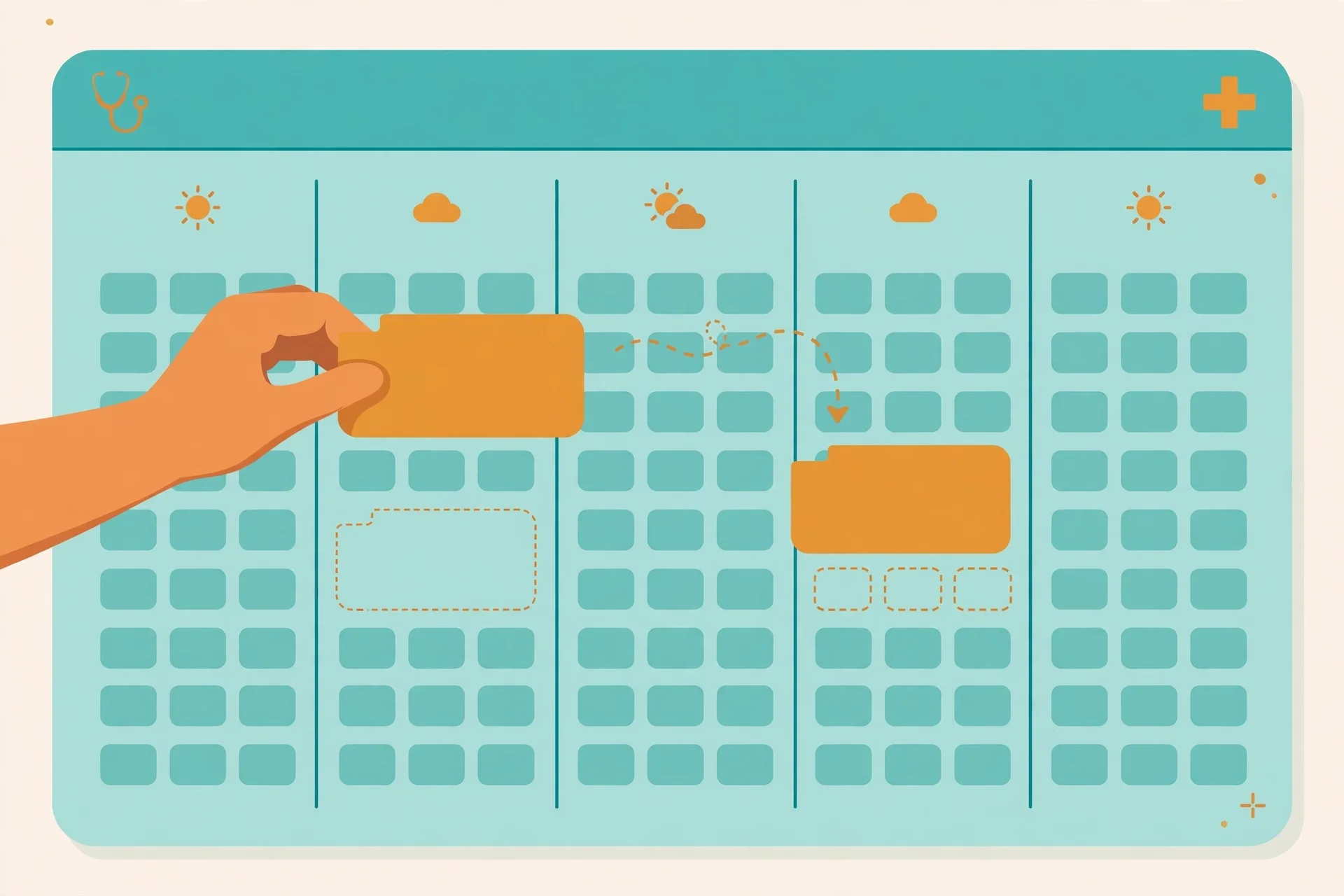
The first question is the simplest, and the one most booking pages hope you never ask before you need it: can you move this appointment yourself, or do you have to ask someone? The Codester listing puts "reschedule/cancel" in the patient panel, alongside upcoming and past appointments, add-to-calendar, invoices, prescriptions, favorites, family members, and notification preferences. That placement matters. A reschedule button inside the patient's own account is a different product from a phone number on a confirmation page. The first says the system expects plans to change. The second says the system expects you to be grateful it took your booking at all.
There is a second, quieter question hiding inside the first: does moving mean re-choosing, or re-booking? Re-choosing is picking a new slot from the same doctor's live calendar and keeping the rest of the booking intact. Re-booking is cancelling and starting again — new form, new details, new chance to mistype something. The listing does not say which one DocBook's reschedule is, and the demo homepage does not show it, so I will not guess. But the distinction is the whole test. A patient who has to re-book from scratch will often not bother, and will simply not show up instead. A patient who can pick a new slot in two taps will move the appointment, and the clinic keeps the visit. If you ever evaluate a clinic site built this way, do one thing before you trust it: find the reschedule control and see whether it keeps your details or throws them away. That single answer tells you whether the system was designed for real life or for the demo video.
And there is a third question, the one nobody asks until it is too late: how late can you move it? An hour before? The night before? The listing is silent on a cutoff, and silence here is not neutral. A cutoff that is too tight turns every late change into a no-show, and a cutoff that does not exist lets patients shuffle slots until the doctor's day is confetti. The honest position is that a cutoff should exist, should be visible before you book, and should be the same rule the clinic actually enforces. A patient who discovers the cutoff only when they try to move an appointment has been misled, even if nobody lied. The listing gives clinics the machinery — schedules, a day queue, leave approvals — but the cutoff policy is a clinic decision, and it belongs on the booking page, not in a receptionist's head.
Check two: the token after the move
Suppose the move works. Your appointment was tomorrow at 4:30 PM, token number 14, and now it is Thursday at 10:00 AM. What happens to the token? This is the question I most wanted an answer to, and it is the one the public pages answer least. The demo's whole identity is the token: a guaranteed number, live updates on the day, a message when your token is near. Tokens belong to a day's queue. Move the day, and the old token cannot simply travel with you, because Thursday's queue already has its own numbers, its own order, its own patients who booked Thursday first.
So the system has to do one of two honest things: issue a new token for the new day, or hold a place that converts into a token when the new day's queue opens. Either is fine, provided the patient is told which one happened. What is not fine is silence — a moved booking that still shows token 14 for a day on which 14 means someone else, or a confirmation that says "moved" without saying what your new number is. That is how two patients end up in the same waiting room holding the same number, and how a system that looked precise starts looking careless.
My rule, as a patient, would be blunt: after any move, do not trust any token you saw before the move. Wait for a fresh confirmation that names the new date, the new time, and the new token, and if that confirmation does not arrive, treat the move as unconfirmed and call. The system may well send exactly that — the listing's reminder machinery, with delivery logs and queued retries, is built to send confirmations patients actually read — but until you have the new token in hand, you have a hope, not a booking. A token is a queue position, not a souvenir, and a moved queue position is a new position.
Check three: the reminders after the move
If the token is the visible part of a moved booking, the reminders are the invisible part, and they fail more quietly. The demo promises WhatsApp reminders 24 hours and 2 hours before the visit, plus live token updates on the day, and the listing adds email and SMS with delivery logs, queued with retries, WhatsApp via the Meta Cloud API with a Twilio fallback. That is a strong stack. The change-of-plans question is whether the stack re-arms itself when the appointment moves.
Think about what has to happen. The old 24-hour and 2-hour reminders for Tuesday must be cancelled, or the patient gets reminded about an appointment they no longer have — and a patient who gets a reminder for the wrong day will either panic or, worse, turn up on the wrong day. The new reminders for Thursday must be scheduled, at the new distances, on the channel the patient actually reads. And the live token updates must switch to Thursday's queue, not Tuesday's. None of this is exotic engineering. It is the ordinary consequence of treating a booking as one record that changes, rather than one record that is deleted and another that is created without telling the reminder system.
Here again I am stating a test, not a finding: I did not move a booking, so I did not watch reminders re-arm. But the test is cheap for any patient to run on a real clinic site, and it is the test I would run first. Book something unimportant, move it, and watch what arrives. If a reminder for the old day still shows up, the system has a seam, and you now know to double-check every future move by phone. If only the new reminders arrive, the system passed the hardest invisible test a booking system has. And if you are the clinic, the delivery log the listing boasts about is exactly where this gets caught: a log that shows a reminder sent for a cancelled slot is not a success metric. It is a bug report, and it is the difference between "patients do not show up" and "our system reminded them about the wrong day".
There is one more reminder subtlety worth naming, because it affects the patient directly: notification preferences. The listing puts notification preferences in the patient panel, which is the right place for them. A patient who moved an appointment once should be able to say, without calling anyone, "remind me on WhatsApp only, and send the token update, but not the 24-hour one". Preferences that survive a move are part of the booking. Preferences that reset when the booking moves are a small betrayal that compounds: the patient who silenced email reminders gets them back, ignores them, and then misses the one channel they actually read.
Check four: the money

Now the part everyone actually worries about, and the part where the listing's wording deserves a slow read. DocBook's monetization, per the listing, includes a platform fee on appointment payments, "with invoices, refunds (capped, audited) and doctor payout tracking". Two words in that parenthesis do a lot of work: capped, and audited. Capped means there is a limit on refunds — sensible, since a clinic that refunds everything on demand has no schedule left — but the listing does not say what the cap is, whether it is a percentage, a time window, or a per-clinic setting. Audited means refunds are tracked, which protects both sides, but tracking is not the same as generosity.
The change-of-plans test splits neatly by how you paid, and the listing itself gives us the split: 24 online gateways plus bank transfer and pay-at-clinic. If you chose pay-at-clinic, moving or cancelling costs you nothing but the slot, and the clinic loses a slot it may or may not refill. The stakes are low, the argument is short, and the system barely matters. If you prepaid online, everything matters: does a move carry the payment to the new slot automatically, or does it refund and re-charge? Does a cancellation refund at all, and if so, how much, and how fast, and to the same payment method? A system that refunds and re-charges on every move is not just slow; it creates a window in which the patient has paid twice, or the clinic has been paid zero times, and both sides are anxiously refreshing.
I am not going to invent a refund policy the listing does not state. What I will say, as an opinion, is that the refund rule is the single most important sentence a clinic site built on this system can show a patient before they pay, and it should sit next to the price, not in a terms page. "Free cancellation up to 24 hours before, 50% after that, refunds within 5 working days" is a sentence a patient can plan around. "Refunds capped" is a sentence a patient can only worry about. The machinery — invoices, audited refunds, payout tracking — suggests the system can support a clear rule. Whether a given clinic writes one is, again, a clinic decision, and it is the first thing I would check before prepaying for any appointment on a site like this. If the rule is not visible, pay at the clinic.
Check five: the other person
The last check is the one the listing handles most quietly, and it may be the most human. The patient panel includes family members. That means the booking you move might not be yours. It might be your mother's cardiology follow-up, or your child's paediatric check — the demo's own patient stories include a parent timing arrival around a toddler, which is exactly this situation. Moving someone else's appointment raises questions a solo booking never does. Does the reminder go to you, the booker, or to the patient? Does the moved confirmation reach the person who actually has to turn up? If you cancel, does the family member get told, or do they turn up to a cancelled slot?
None of these are edge cases. Family booking is one of the main reasons a patient panel exists at all, and a system that treats every booking as one person booking for themselves will fail the parent, the adult child, and the carer in exactly the same way: silently. The listing does not spell out how family bookings handle reminders or cancellations, so I will not claim it does. But the presence of family members in the panel is a promise that the system knows bookings have two roles — the person who manages them and the person who attends them — and any clinic using it should be able to answer, in one sentence, who gets told when a family booking moves. If the answer is "the account holder only", then the family member needs their own confirmation, by whatever channel they actually read, and the booker should send it themselves rather than assuming the system did.
The clinic's side of the same afternoon
Everything above was the patient's side. The operator's side is shorter, and it starts with the price that is actually verified: DocBook Pro is listed on Codester at $29, built on Laravel 13, with four panels, 24 online payment gateways plus bank transfer and pay-at-clinic, reminders on email, SMS and WhatsApp with delivery logs, and a five-step installer. Those are the listing's own claims, and they describe a complete booking SaaS rather than a simple form. The demo's clinic plans — ₹19, ₹49 and ₹99 a month with a 14-day trial — are the demo's own subscription tiers, not the script's purchase price, and confusing the two would be exactly the fee confusion patients should watch for.
What the listing shows, as a product, is a shape that takes change-of-plans seriously at the machinery level: a patient panel with reschedule and cancel, a clinic panel with a day queue token view, schedules, leave approvals, broadcast messages, and reminder delivery logs. Leave approvals matter here more than they look: a doctor who takes leave after patients have booked is a change of plans imposed by the clinic, and the system needs to handle that direction too, ideally with a broadcast message to every affected patient rather than a silent gap in the schedule. Broadcast messages are in the clinic panel, per the listing, and that is the right tool for the job. A clinic that moves a whole day's appointments by broadcast, with new tokens, beats a clinic that moves them one phone call at a time, and it beats, by a mile, a clinic that simply does not tell anyone.
What the listing does not show is the policy layer that sits on top of the machinery: the reschedule cutoff, the refund rule, the token behaviour after a move, the family-notification rule. A booking system buys you the shape. It does not buy you the policies, and on a medical directory the policies are the product, because a moved booking with a stale token and a wrong-day reminder is a broken promise at exactly the moment a patient is already stressed. If you run a clinic on this system, write those four sentences down, put them on the booking page, and then check that the system actually enforces them. The machinery is there. The sentences are yours to write.
Who should not rely on rescheduling
If you need urgent care, do not rely on rescheduling at all. A directory, however good, is for planned visits: a dermatologist next week, a cardiology follow-up, a paediatric check. Chest pain, a serious injury, or a rapidly worsening symptom is not a booking problem. It is an emergency problem, and no reschedule button solves it. Go to urgent care or call emergency services instead of moving an appointment.
If you only need one trusted family doctor you already know, do not shop around on a directory either. Book directly with that doctor's clinic, by whatever route they prefer, and keep the directory for the day you move cities or need a specialist you have never seen. And if you are booking for someone else — a parent, a child — do not assume the system told them about the change. Tell them yourself, with the new date, the new time, and the new token, and ask them to confirm they got it. That one message, from you, is worth more than every automated reminder in the stack, because it is the only one guaranteed to reach the person who has to turn up.
If you use this site's own temporary inbox — for checking a service before trusting it with your real address — you already understand the habit this post is describing. It is the same habit behind the earlier posts in this series on reading a doctor booking backwards before trusting it, on checking an APK against your phone before downloading it, and on searching versus browsing a movie catalogue before downloading anything: check the page before you commit to what it offers. You would not hand a strange service your main email before you know what it does with it. A doctor booking deserves the same caution in reverse: check what happens when the booking has to move, before the day it has to. The booking takes 60 seconds. The change-of-plans check takes five minutes. That is a good trade, and it is the only part of the visit you fully control. More posts in this series, each reading one page the way a careful user should, live on the blog index.
Frequently asked questions
What exactly is DocBook Pro?
A doctor directory and appointment booking script, listed on Codester at $29 and built on Laravel 13, with four panels for super admin, clinic, doctor and patient, appointment tokens, reminders, prescriptions, telemedicine, patient records and billing, and 24 online payment gateways plus bank transfer and pay-at-clinic, according to the listing's own description. Its live demo is at docbook-demo.tempomailusa.com.
Can patients reschedule or cancel their own appointments?
According to the Codester listing, yes: the patient panel includes reschedule/cancel alongside upcoming and past appointments, add-to-calendar, invoices, prescriptions, favorites, family members, and notification preferences. The booking flow itself was not completed in this run, so the exact reschedule screen, any cutoff time, and whether a move keeps your details or starts a fresh booking were not observed and are not claimed here.
Does a moved booking keep its token number?
Not stated on the public pages checked. Tokens belong to a day's queue — the demo's example is token 14 for 4:30 PM — so a move to a different day should produce a fresh token for the new day's queue. Until a fresh confirmation names the new date, time, and token, treat the move as unconfirmed.
Do reminders update when an appointment moves?
The system is built to send WhatsApp reminders 24 hours and 2 hours before a visit, plus live token updates on the day, with delivery logs and queued retries. Whether old reminders are cancelled and new ones scheduled after a move was not observed in this run. The cheap test on a real clinic site: move an unimportant booking and watch whether any reminder for the old day still arrives.
What happens to my money if I cancel a prepaid appointment?
The listing says refunds are "capped, audited" with invoices and doctor payout tracking, but it does not state the cap, the time window, or the refund speed. If you prepaid online, check the clinic's refund rule before you pay — and if no rule is visible, choose pay-at-clinic where it is offered.
Are the ₹19, ₹49 and ₹99 prices what patients pay?
No. Those are the demo's clinic subscription plans — Starter, Growth and Scale — with a 14-day free trial and a zero-commission claim for clinics. A patient's consultation fee is a separate, per-doctor figure, and no fee figure was visible on the featured doctor cards in the homepage view inspected. If you cannot see the fee before confirming, ask the clinic before you book.
Need a disposable temporary email?
Protect your real inbox from spam and promotional clutter instantly and free.
Received a suspicious email, text, or charge alert?
Verify whether the sender domain is disposable, spoofed, or unverified before clicking links.