

What Your Doctor Sees When You Book Online: One Doctor's Day Inside DocBook Pro

You book a doctor's appointment online and the whole thing feels weightless. Search, pick a slot, get a token number, done in under a minute — that is the promise on the DocBook Pro demo's homepage, and it is a good promise. But a booking has two sides, and the side you never see is the one doing the actual work. Your token #14 is a line on somebody's screen at 10 in the morning, between a patient who is running late and a patient who never shows up at all.
DocBook Pro is the script behind that demo: a doctor directory and appointment booking system listed on Codester at $29, built on Laravel 13, with four panels — super admin, clinic, doctor and patient. The patient panel is the one the demo shows off, and this site has already read it twice from the patient's side — once backwards, from the waiting-room token to the search box, and once as a change-of-plans stress test of moving and cancelling a booking. This post reads the product from the other chair. I went through the listing's published description of the doctor panel and the live demo's public pages, and I followed one doctor through a working day in the order they would actually meet it: the today list first, then the visit screen, then the schedule, then the reminders, then the money, then the video visits and the reviews that follow them home.
One honesty note before we start. I did not log into the doctor panel and I did not complete a booking in this run, so nothing below is a claim that I clicked through a visit screen myself. Panel behaviours are quoted as the listing's own claims and the demo's own labels, and where those leave a question open, I say so instead of guessing. That is the only honest way to write about a panel you can read about but have not sat inside.
The today list is the doctor's real homepage
Open the doctor panel in the morning and the first thing you meet is not a dashboard full of charts. It is the today list: the patients booked for this day, in order, with their tokens. That ordering matters more than it sounds. A doctor's day is not a calendar with neat boxes; it is a queue, and the queue is the truth about the day. The demo's example patient walks in with token #14, and the listing says the clinic panel carries a "day queue (token view)" while the doctor panel carries the today list. Same day, two views of the same queue — the clinic sees the waiting room, the doctor sees the work.
Think about what that list has to carry to be useful. A name and a time are not enough. The doctor needs to know who is a first visit and who is a follow-up, who paid online and who is paying at the clinic, whose token is already in the building and whose is still twenty minutes away. The demo's reminder copy gives a glimpse of the live end of this: "Your token is now #12 — you're up in ~20 min." That message goes to the patient, but it only exists because the queue is moving on the doctor's side. Somebody — the doctor, or the clinic staff — is advancing the tokens as each visit ends. If nobody advances them, the live updates are fiction and the waiting room fills up with people staring at a number that never changes.
That is the first real test of any doctor appointment booking system for a clinic, and it is not a feature you can judge from the patient's side at all. The booking page can be beautiful and the queue can still be dead, because the queue is only as live as the person updating it. A system earns its keep here by making the update a one-tap act at the end of each visit, not a separate administrative chore the doctor does at lunch. The listing describes the visit screen as the place where the visit happens, which suggests the token advances as part of finishing a visit rather than as a separate job. That is the right shape. Whether it feels that easy in practice is a question only a doctor using it daily could answer, and it is the question I would ask first before buying.
The visit screen is where the booking becomes medicine
A booking is admin. A visit is medicine. The visit screen is where one turns into the other, and the listing's description of it is the most specific paragraph DocBook Pro publishes about the doctor's job: "full visit screen (vitals, observations, prescription builder with templates, print)".
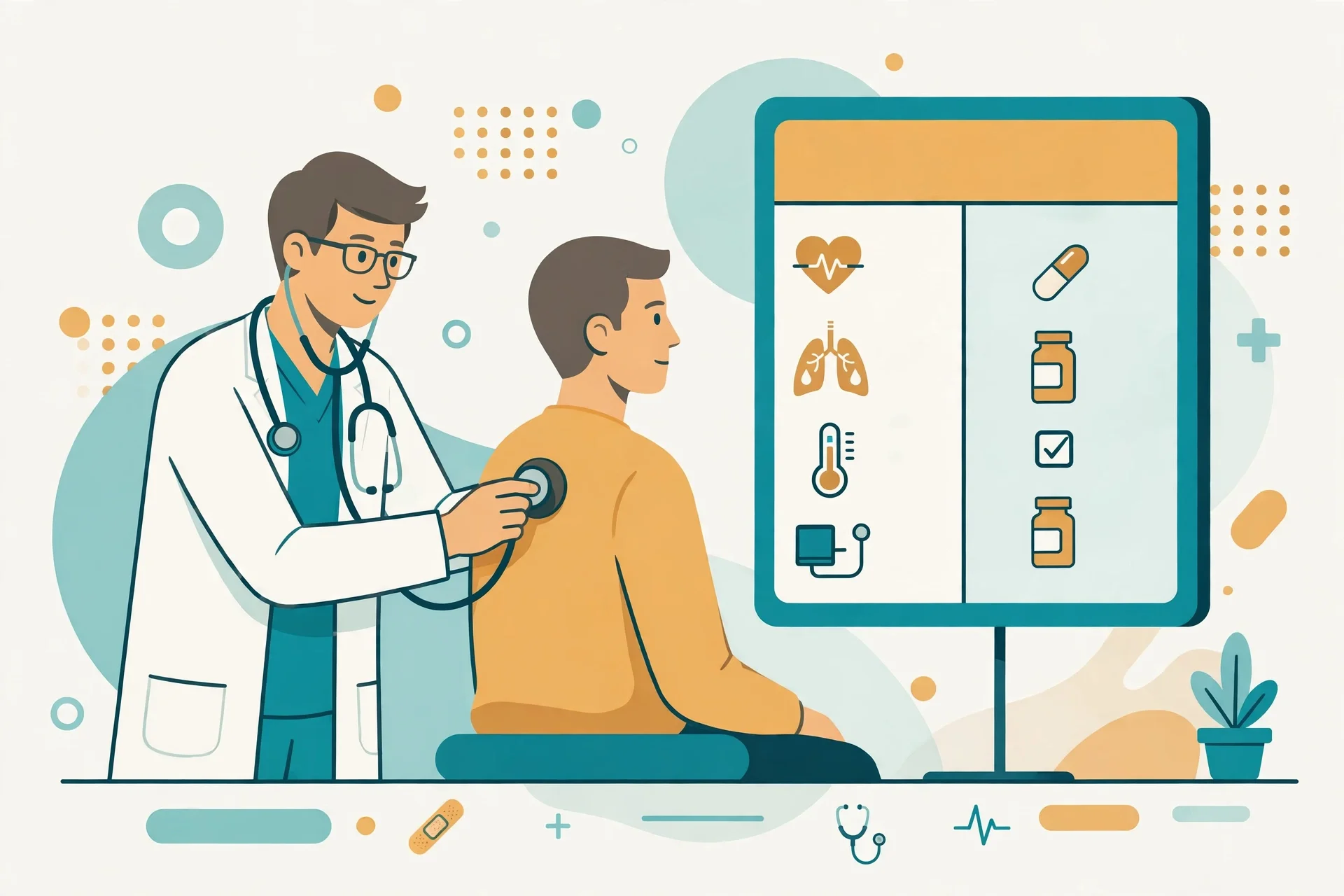
Read that list slowly, because each item is a different kind of work. Vitals are numbers — blood pressure, temperature, pulse — and they need fields that accept numbers fast, not a free-text box where "120/80" and "120 by 80" and "bp ok" all end up meaning different things to the next person who reads the record. Observations are the doctor's own words, the part that cannot be templated, and they need room. The prescription builder with templates is the speed tool: a doctor who writes the same antibiotic course forty times a week should not type it forty times, and templates are what make that possible. Print is the unglamorous one, and it matters more than it looks — the patient leaves with a piece of paper, and in many clinics that paper is still the prescription.
What I like about this list is that it is built around a single visit rather than around the clinic's reporting needs. The temptation in clinic software is to design the visit screen for the admin who reads it later. The listing describes a screen designed for the doctor in the room, with the patient in front of them. The templates and the print button both point the same way: get the medicine written, get the patient out the door with something in their hand, keep the queue moving.
What I cannot verify from outside is the part that decides whether doctors actually use it: how many clicks a complete visit takes. A visit screen that needs twelve fields filled before it saves is a visit screen doctors work around with paper. A visit screen that saves with vitals, a one-line observation and a templated prescription in under a minute is a visit screen that gets used. The listing does not publish a click count or a timing claim for the visit screen, and the demo's public pages do not show one either. That is a gap worth naming, because the whole product's promise is speed — "booked in 60 seconds" on the patient side — and a slow visit screen would quietly cancel it on the doctor's side.
The schedule is a negotiation, not a calendar
After the visits come the schedule, and here the doctor panel's job is different from what patients imagine. Patients see slots: 10:00, 4:30, 6:15 on the demo's three-step flow. Doctors see a week they have to live inside, and the listing gives them two tools for it: a weekly schedule and leaves.
Leaves are the honest part. A doctor gets sick, attends a conference, takes a holiday — and every booking system has to decide what happens to the patients already booked on those days. The listing says the clinic panel handles "leave approvals", which tells you the shape of the answer: the doctor requests leave, the clinic approves it, and the system knows about it. What it does not spell out is the part patients care about most — whether the booked patients are automatically told, offered another slot, or left to discover the cancellation when they arrive. That is a real question, and it is the kind of thing that separates a booking system from a booking page. A page takes bookings. A system looks after the bookings it already took when reality changes.
The weekly schedule is the quieter tool, and it is where a doctor's real preferences live. Morning clinic here, evening clinic there, no Sunday OPD, a half-day on Wednesday. The demo's featured doctors list specialities and cities — Neurology and Dentistry for Dr. Aarav Sharma in Mumbai, Cardiology and Pediatrics for Dr. Rohan Mehta in Delhi, Dermatology and Neurology for Dr. Priya Nair in Bengaluru — and each of those doctors has their own hours behind their own listing. The schedule is what turns a directory entry into an actual human being with actual availability. Get it wrong and patients book slots the doctor never intended to offer, and the first the doctor hears about it is a stranger in the waiting room.
There is a small detail in the listing worth pausing on: the doctor panel includes "patients" as its own section, separate from the today list. That is the longitudinal view — the same patient across visits, their records, their prescriptions, their history. A today list is a day. A patients list is a practice. The difference matters because follow-up care is where a doctor's memory lives, and software that only remembers today is software that makes every visit a first visit.
The reminders are the doctor's no-show insurance
Every clinic has a number it does not like to say out loud: the share of booked patients who never arrive. An empty slot is a doctor sitting idle, a room unused, and a patient on a waiting list who could have had it. The demo makes its answer to this problem the headline feature — "WhatsApp reminders that cut no-shows" — and the specifics are unusually concrete: automatic WhatsApp reminders 24 hours and 2 hours before the visit, plus live token updates on the day. The listing adds the plumbing: Meta Cloud API with a Twilio fallback, per-clinic templates, delivery logs, plus SMS and email, all queued with retries.

Two timings, and the pair is doing two different jobs. The 24-hour reminder is the planning message — it arrives while the patient can still rearrange their day, and it is the one that catches the "I forgot I booked this" cases. The 2-hour reminder is the departure message — it arrives when the patient should be leaving the house, and it is the one that catches the "I meant to go" cases. The live token update, "you're up in ~20 min", is the third beat, and it is really a waiting-room management tool: it lets the patient time their arrival instead of camping in a chair for an hour.
The delivery logs are the part a clinic operator should care about most and a patient never sees. A reminder system without logs is a system that lets you believe patients were reminded when they were not. The listing says the reminders come with delivery logs, which means the clinic can check whether a message actually went out — and, when a patient says "I never got a reminder", can answer with evidence instead of an apology. That is the difference between a feature and an accountable feature, and it is exactly the kind of detail that gets skipped in a feature tour but decides whether a clinic trusts the system after the first month.
But here is the honest limit: the demo quotes no no-show rate, before or after. "Reminders that cut no-shows" is a claim about direction, not a number, and no number on the demo's public pages backs it. The counters on the homepage — 18+ verified doctors, 221+ appointments booked, 3 partner clinics, 4.2/5 average rating — are demo labels, not measurements of reminder performance. A clinic buying on the strength of this feature is buying the mechanism (two reminders plus live updates plus logs) and the plausibility of it, not a measured result. That is a fair trade as long as it is named as one. It is not fair if the buyer walks away believing a 40% reduction was promised, because nothing on the page promises one.
The money the patient never sees
The patient pays a consultation fee and walks out. Behind that, the doctor's panel has an earnings section and payout requests, and the demo has a pricing page for clinics that is easy to misread — so let me be careful with it, because the last DocBook post on this site warned about exactly this confusion.
The demo's clinic plans are Starter ₹19 a month, Growth ₹49 a month and Scale ₹99 a month, with a 14-day free trial. Those are what a clinic pays to run on the platform, not what a patient pays to see a doctor. Growth adds SMS and WhatsApp reminders, video consultations, prescription PDFs and doctor earnings and payouts; Scale adds multi-location support, broadcast campaigns, advanced analytics and priority support. The headline across all of it is "zero commission" and "Keep 100% of your consultation revenue". The listing adds the other side of the money story: the platform owner can charge clinics a subscription, and can also charge a platform fee on appointment payments, with invoices, refunds and doctor payout tracking.
Read from the doctor's chair, the earnings section is the ledger of their working life: what they earned, what has been paid out, what is still owed. Payout requests are the mechanism — the doctor asks, the clinic or platform pays. That sounds administrative, and it is, but it is also a trust mechanism. A doctor who cannot see their own earnings in the system will keep their own paper ledger, and the moment they keep a paper ledger the system has failed at its job. The listing's mention of payout tracking alongside earnings suggests the panel is meant to be the single source of truth, not a second copy of it. Whether the numbers reconcile — bookings against payments against payouts — is the kind of money-math consistency that only shows up in real use, and it is the first thing I would test with real transactions before trusting it.
For the clinic owner reading this post instead of the patient, the honest framing is this: ₹19 a month is the demo's Starter price, which is a demonstration figure on a demo site, and the script itself costs $29 once on Codester. Confusing the demo's subscription tiers with the script's purchase price is the exact mistake the fee section of a booking page invites, and it is worth stating plainly. What you are buying for $29 is the software and the four panels. What the demo's pricing page shows is how the software lets you charge your clinics — if you run it as a SaaS.
Video visits, reviews, and the rating that says nothing
The doctor panel's last two sections are the ones that follow the doctor home: telemedicine and reviews with replies. The demo's three-step flow mentions video visits as an option alongside in-clinic ones — "in-clinic or video visit" — and Growth-tier clinics get video consultations in the demo's plan table. A video visit is a different kind of appointment from a room visit: no token queue, no waiting room, a link instead of a chair. The panel has to carry both without confusing them, and the listing puts telemedicine inside the doctor panel rather than as a separate product, which is the right call. A doctor's day mixes both now, and software that treats video as an afterthought forces the doctor to keep two systems in their head.
Then the reviews. The demo's featured doctors carry ratings, and one of them is worth looking at closely: Dr. Aarav Sharma, 4.6 from 9 reviews; Dr. Rohan Mehta, 4.1 from 7; Dr. Priya Nair, 4.0 from 11. And then three doctors — Dr. Sneha Kulkarni, Dr. Vikram Reddy, Dr. Ananya Iyer — each showing 0.0 from 0 reviews, with 8, 9 and 10 years of experience respectively.
That 0.0 is the most honest number on the demo. It is what a rating looks like before anyone has rated you, and it sits next to a "Verified" badge and a decade of experience. The panel gives doctors replies to reviews, which is the other half of the story: a doctor who can answer a review can correct a misunderstanding, thank a patient, or explain a delay. But replies only help if the doctor actually writes them, and a review system with no reviews is a directory with a blank column. The demo's overall 4.2/5 average patient rating is a demo label across a small set of doctors; with three of six featured doctors at zero reviews, the average is really describing the three who have any. A patient reading those numbers should know that. A doctor setting up their profile should know it too — the first reviews are the hardest to get, and they matter more than the tenth.
What I would check before trusting this with a real clinic day
A booking system is infrastructure, and infrastructure is judged by its worst day, not its demo. So here is the short list I would work through before letting a system like this run a real clinic's day, drawn from the gaps this reading turned up.
First, the visit-screen click count. Sit with a doctor, run five real visits through it, and count the taps. If a complete visit — vitals, observation, templated prescription, print, token advanced — takes more than a minute of the doctor's attention, the queue will back up and the paper will come back.
Second, the leave test. Book a patient, then put the doctor on leave for that day, and watch what the patient receives, when they receive it, and what they are offered. If the answer is "nothing, until they arrive", the system has a hole exactly where patients get hurt.
Third, the reminder proof. Send the 24-hour and 2-hour reminders to a test number, then check the delivery log to confirm both actually went out. A reminder feature without a verifiable log is a promise, not a system.
Fourth, the money reconciliation. Run a paid booking end to end — payment, invoice, doctor earnings, payout request — and check that the same amount appears in all four places. The listing claims invoices, refunds and payout tracking; a single test transaction proves whether they agree with each other.
Fifth, the double-booking guard. Try to book the same slot twice, and try to book a slot in the past. The listing's feature set implies the calendar blocks clashes; the demo's public pages do not show it happening. A booking system that allows a double-booking is not a booking system.
None of those checks requires trusting me. All of them can be run on the live demo at docbook-demo.tempomailusa.com, and the Codester listing is there to check the claims against. That is the point of reading a product this way: the demo is public, the listing is public, and the gap between the two is where the real questions live. It is the same check-before-you-trust-it instinct this site applied to who can actually read a disposable inbox while it exists — the question is always who holds the keys on the other side of the screen.
The other side of the screen
The patient books in 60 seconds and gets a token. The doctor gets a today list, a visit screen, a schedule to negotiate, reminders to keep the day full, earnings to reconcile, video visits to run, and reviews to answer. The booking is the easy part. The day is the hard part, and the day is what the doctor panel is for.
If you have only ever seen this product as a patient, the doctor panel is the part worth understanding, because it is the part that decides whether your next booking works as well as your last one did. The demo's promise — "Search / Lock your slot / Walk in, on time" — only holds if the doctor's side holds: the queue advances, the visit screen keeps up, the reminders go out, and the leave that cancels your appointment reaches you before you leave the house. When those hold, the 60-second booking is real. When they do not, it is a fast way to book a disappointment.
And if you run a clinic, the question is not whether the booking page looks good. It is whether the doctor — the person whose day this system actually runs — would choose to work inside it for a year. Everything in this post is a way of asking that question without taking the listing's word for it. The listing is $29 on Codester, the demo is open, and the five checks above are the fastest honest answer available.
Frequently asked questions
What exactly is DocBook Pro?
A doctor directory and appointment booking script, listed on Codester at $29 and built on Laravel 13, with four panels for super admin, clinic, doctor and patient, appointment tokens, reminders, prescriptions, telemedicine, patient records and billing, and 24 online payment gateways plus bank transfer and pay-at-clinic, according to the listing's own description. Its live demo is at docbook-demo.tempomailusa.com.
What does the doctor see that the patient never sees?
The doctor panel, as described in the listing, has a today list of the day's patients, a full visit screen with vitals, observations and a prescription builder with templates, a weekly schedule plus leaves, a patients list, earnings and payout requests, reviews with replies, and telemedicine. The patient sees a slot and a token; the doctor sees the whole working day.
How do the WhatsApp reminders work?
According to the demo, every booking triggers automatic WhatsApp reminders 24 hours and 2 hours before the visit, plus live token updates on the day, such as "Your token is now #12 — you're up in ~20 min." The listing says reminders go via the Meta Cloud API with a Twilio fallback, with per-clinic templates and delivery logs, plus SMS and email.
What do the demo's ₹19, ₹49 and ₹99 plans actually cost?
Those are the demo's clinic subscription tiers — Starter ₹19 a month, Growth ₹49 a month, Scale ₹99 a month, with a 14-day free trial — not patient consultation fees and not the script's purchase price. The script itself is listed on Codester at $29 once. The demo's "zero commission" claim means clinics keep 100% of consultation revenue on those tiers, as the demo states it.
Can patients book as guests, or do they need an account?
The listing says patients can book as guests with OTP verification or as logged-in users, and receive a confirmed appointment with a token number in under a minute. Guest booking with OTP is the listing's own claim.
What should a clinic test before relying on DocBook Pro for a real day?
Five checks: the visit-screen click count across five real visits; the leave test, booking a patient then putting the doctor on leave; the reminder proof, confirming both reminders in the delivery log; the money reconciliation, one paid booking traced through invoice, earnings and payout; and the double-booking guard, trying to book the same slot twice and a slot in the past.
Need a disposable temporary email?
Protect your real inbox from spam and promotional clutter instantly and free.
Received a suspicious email, text, or charge alert?
Verify whether the sender domain is disposable, spoofed, or unverified before clicking links.