
Secure Email Relay: I Tested What 'Secure' Actually Means — and the 7 Checks That Catch a Fake One
Every guide about secure email relays says roughly the same thing: use TLS, require authentication, set up SPF, DKIM, and DMARC. It is all correct, and none of it tells you whether the relay you are about to trust actually does any of it. "Secure" has become a label providers stick on the box, and the only way to tell the label from the reality is to test the thing.
So I did. This morning I connected to a live relay, checked what encryption it actually negotiates, tried to send mail through it without logging in, and pulled the real DNS records of a live domain to see what its authentication posture looks like from the outside. Everything in this guide that can be tested was tested — and the results are specific enough that you can repeat every one of them against any relay you are evaluating.
The 30-second answer
A secure email relay is a mail server that accepts your outgoing mail and delivers it for you — but only after proving three things: the connection is encrypted, the sender is authenticated, and the domain's identity is verifiable in DNS. If any one of those three is missing, you do not have a secure relay. You have a server that forwards mail, and the difference between those two things is the difference between reaching the inbox and getting your domain blocklisted.
The quick version of the whole guide: use port 587 with STARTTLS or port 465 with implicit TLS, require SMTP authentication on every submission, publish SPF, DKIM, and DMARC, and never — under any circumstances — run or use a relay that forwards mail for unauthenticated strangers. That last point is the one that used to destroy entire domains in the 1990s, and it still does, just faster now.
The relay in one picture: three hops, three jobs
Before the checklist, it helps to see what a relay actually does, because the word gets used for three different things and the security requirements are different for each. A relay is the middle server in a chain: your app or mail client hands a message to the relay, the relay checks it, and the relay delivers it to the recipient's mail server. That is the whole job. The confusion comes from the fact that "relay" also gets used for inbound forwarding (mail arriving at your domain and being passed to another inbox) and for the server-to-server hops that happen after the relay has done its work.
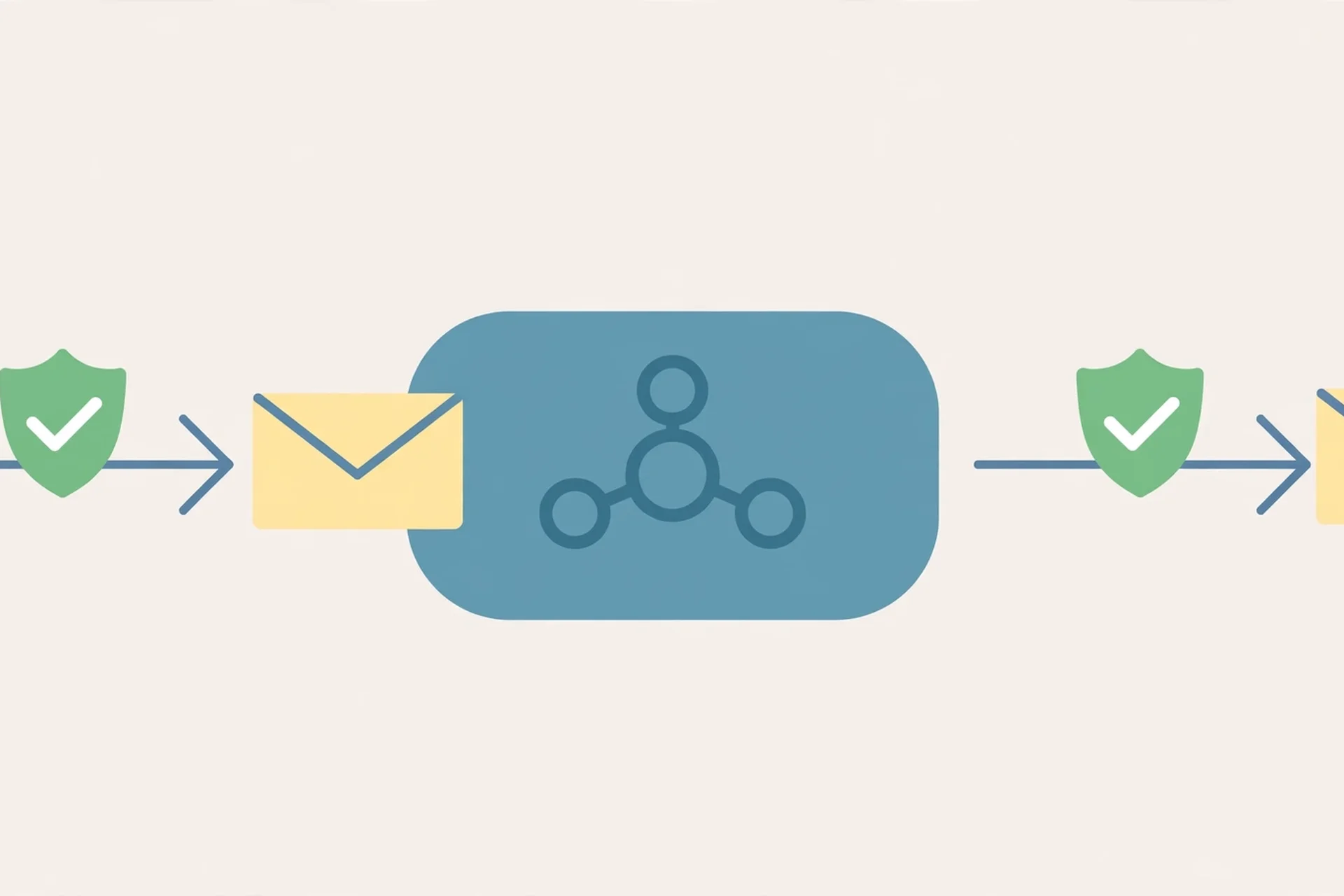
The three hops matter because each one has its own threat. The submission hop — your app talking to the relay — is where credentials and message content can be intercepted if the connection is not encrypted. The check hop — the relay deciding whether to accept the message — is where an open relay lets a spammer in. And the delivery hop — the relay talking to the recipient's server — is where your domain's reputation is spent, for better or worse. A relay that is strong on one hop and weak on another is not a secure relay. It is a secure-looking one.
One more distinction worth making early, because it saves people from buying the wrong product: a relay is not end-to-end encryption. A relay encrypts the connection between servers. It does not encrypt the message itself, and the relay operator can read what passes through it. If you need the content hidden from every server in the middle, you need message-level encryption on top of the relay, not instead of it. I wrote separately about how to send an encrypted email if that is the problem you are actually solving — the two tools answer different questions, and confusing them is how people end up trusting a relay with mail it was never meant to protect.
What I actually tested this morning
I ran three tests against live infrastructure, and I am going to give you the exact results, because "trust me, it works" is the kind of claim this guide is arguing against.
Test 1: does a real relay negotiate modern encryption? I connected to smtp.gmail.com on port 587 and started a TLS session. The server negotiated TLS 1.3 with the cipher TLS_AES_256_GCM_SHA384, presented a certificate issued by Google Trust Services, and the certificate chain verified cleanly — verify return code 0. That is what a healthy relay looks like in 2026: TLS 1.3, a strong AEAD cipher, a valid chain. If a relay you are evaluating negotiates TLS 1.0 or 1.1, or presents a self-signed certificate, that is not a minor blemish. It is a relay that has not been maintained, and unmaintained mail infrastructure is where the rest of the problems live too.
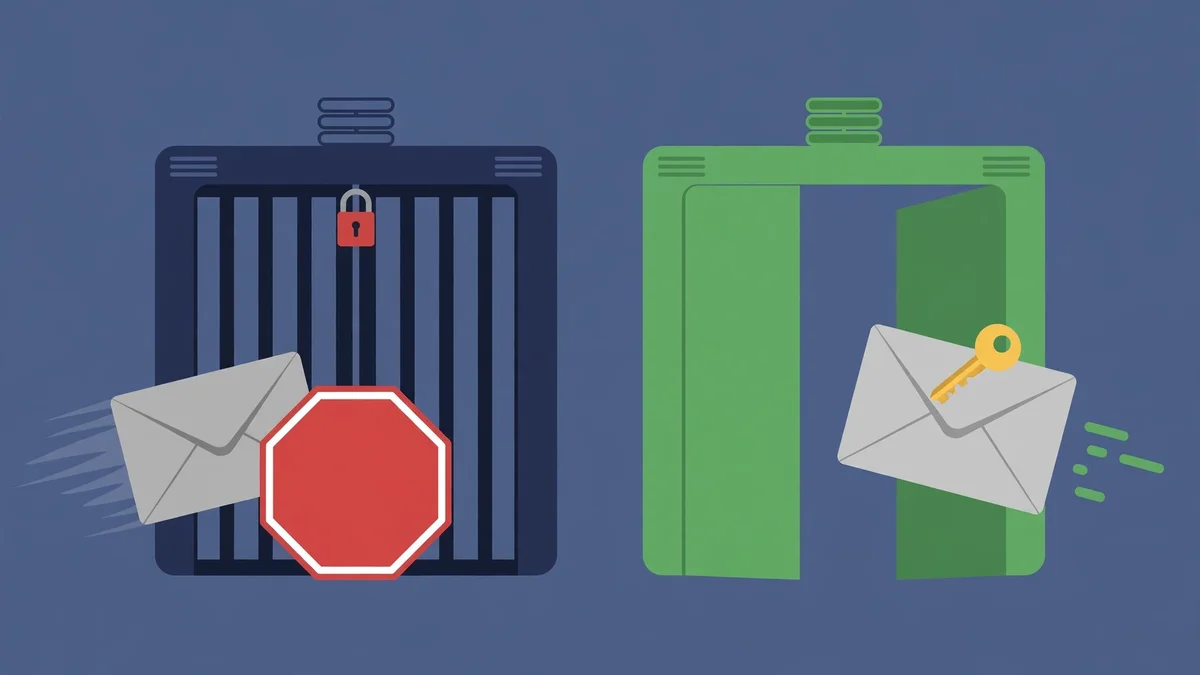
Test 2: does a real relay refuse unauthenticated mail? On the same connection, after the TLS handshake, I tried to send a message without logging in. The server answered 530 5.7.0 Authentication Required and then closed the connection. That single response is the most important line in this whole article. A relay that accepts mail from anyone who connects is an open relay, and an open relay is a spam cannon with your name on it. The test takes about ten seconds, and I will show you how to run it yourself in the section below.
Test 3: what does a real domain's authentication posture look like from the outside? I pulled the public DNS records for tempomailusa.com. The SPF record reads v=spf1 ip4:95.217.58.48 +a +mx ~all — one sending IP, plus the domain's own A and MX records, with a soft-fail for everything else. The DMARC record reads v=DMARC1; p=none; — monitoring mode, which means the domain publishes a policy but is not yet telling receivers to reject unauthenticated mail. And the MX record points at the domain itself. That is an honest, mid-journey posture: SPF is tight, DMARC is watching but not enforcing. The point of showing you real records is that you can read any domain the same way in about thirty seconds, and the records either exist or they do not. There is no marketing version of a DNS lookup.
The seven checks that make a relay secure
Here is the checklist, in the order I would run it when evaluating a relay. Each check is a yes-or-no question, and a relay that fails any of the first four is not worth evaluating further.
| # | Check | How to verify | Fail means |
|---|---|---|---|
| 1 | TLS on submission | Connect on 587 or 465; confirm TLS 1.2 or 1.3 negotiates | Credentials and content travel in cleartext |
| 2 | Authentication required | Try MAIL FROM without logging in; expect a 530 rejection | Open relay — spammers can send as you |
| 3 | SPF published | dig TXT yourdomain.com shows a v=spf1 record listing the relay | Receivers cannot verify your relay is authorized |
| 4 | DKIM signing | The relay signs outbound mail; public key in DNS verifies | Messages can be forged or altered undetected |
| 5 | DMARC policy | dig TXT _dmarc.yourdomain.com returns a policy, ideally p=quarantine or p=reject | No instruction to receivers on what to do with failures |
| 6 | Rate limits and abuse controls | The relay documents per-account sending limits and blocks sudden spikes | One compromised credential can burn the whole IP |
| 7 | Logs and delivery feedback | Bounces, deferrals, and complaints are visible per message | You find out about delivery failures from your users, not your relay |
Checks 1 and 2 are the ones you can test in under a minute with no account and no DNS access, which is why they come first. Checks 3, 4, and 5 are the DNS trio, and they work together: SPF says which servers may send for your domain, DKIM proves a message was not altered after signing, and DMARC tells receivers what to do when either check fails. A domain with SPF but no DMARC is like a building with a lock on the front door and a sign on the back saying "do whatever you like." That is exactly what the tempomailusa.com records showed — SPF tight, DMARC still in monitoring mode — and it is a common, fixable state, not a scandal. The fix is to move DMARC from p=none to p=quarantine, watch the reports for a week, then move to p=reject.
Check 6 is the one vendors least like talking about, because it is where cheap relays cut corners. A relay without rate limits is a relay where one stolen API key can send a million messages before anyone notices. Ask the provider what happens when a single account suddenly sends fifty times its normal volume. If the answer is a shrug, the relay's IP reputation — and yours, since you share it — is one compromised credential away from a blocklist.
Check 7 is the difference between a relay and a black box. When a message bounces, you need to know why: the recipient address does not exist, the recipient server is temporarily down, your IP is on a blocklist, or the content tripped a filter. A relay that swallows bounces and shows you a green "sent" tick is lying to you in the politest possible way.
Ports 25, 587, 465, and 2525: the table that ends the confusion
Ask five people which SMTP port to use and you will get six answers, because the ports have overlapping histories. Here is the current, practical state of each one.
| Port | Name | What it is for | Use it? |
|---|---|---|---|
| 25 | SMTP | Server-to-server delivery | No for submission — most ISPs and cloud providers block outbound 25 |
| 587 | Submission | Your app/client submitting mail to a relay, STARTTLS | Yes — the standard choice |
| 465 | SMTPS | Submission with implicit TLS (encryption from the first byte) | Yes — equally good; pick whichever your relay documents |
| 2525 | Alternate submission | Same as 587, for networks that block 587 | Only if 587 is blocked on your network |
The only wrong choice that matters is port 25 for submission. Port 25 is the port mail servers use to talk to each other, and because it was the open relay's front door, ISPs and cloud hosts started blocking outbound port 25 years ago. If your application cannot reach a relay, the first thing to check is whether you are accidentally using port 25 — and the second is whether your host blocks it. Between 587 and 465, the practical difference is small: 587 starts unencrypted and upgrades with STARTTLS, while 465 is encrypted from the first byte. Both are fine. What is not fine is submitting mail on either port without TLS, which some older tutorials still show. If a relay accepts your credentials over a plaintext connection, walk away.
For the client side of this — the actual server names, ports, and encryption settings you type into a mail app — the same numbers apply, and I covered the full setup, including the six errors that actually break it, in my guide to private email IMAP settings.
The open-relay test you can run in 60 seconds
This is the single most useful test in the article, and it needs no account, no payment, and no special software. It answers the question "will this server forward mail for a stranger?" — and any server that answers yes is a server you should never use and never trust.
On any machine with Python installed, run this against the relay's hostname and port:
import smtplib
s = smtplib.SMTP('relay.example.com', 587, timeout=15)
s.ehlo()
s.starttls()
s.ehlo()
code, msg = s.mail('test@example.com')
print(code, msg.decode())
Replace relay.example.com with the relay you are testing. The result you want is 530 5.7.0 Authentication Required — exactly what Gmail returned in my test this morning. That is the relay telling you it will not forward mail for someone it has not authenticated. The result you never want is 250 OK, which means the server accepted your unauthenticated sender address and is willing to deliver the message. If you see that, stop: you have found an open relay, and using it puts your domain's reputation in the hands of everyone on the internet.
Two notes on running this test responsibly. First, only test relays you operate or are evaluating as a customer — probing random mail servers is not your job. Second, the test only checks the submission hop. A relay can pass this test and still fail on encryption or DNS, which is why the seven checks above exist as a set.
SPF, DKIM, and DMARC: set them up in this order
The DNS trio is where most relay setups stall, because the records look cryptic and the failure mode is silent: mail still sends, it just lands in spam, and nobody tells you why. Set them up in this order, and test after each step.
SPF first. One TXT record on your domain, starting with v=spf1, listing every server allowed to send for you — your relay's hosts or IPs, plus your own mail server if you have one — and ending in ~all (soft-fail) while you test, then -all (hard fail) once you are sure the list is complete. The most common SPF mistake is having two SPF records, which is invalid: receivers read one and ignore the rest, or reject both. If you already have an SPF record, add the relay to it. Do not create a second one.
DKIM second. The relay generates a key pair, signs every outgoing message with the private key, and you publish the public key as a TXT record under a selector — something like default._domainkey.yourdomain.com. When a receiver gets your mail, it fetches that public key and verifies the signature. If the message was altered in transit, the signature breaks, and the receiver knows. The most common DKIM mistake is publishing the key under the wrong selector name, which fails silently — the record exists, but nobody looks for it where it actually is. Copy the selector exactly as the relay gives it to you.
DMARC last. One TXT record at _dmarc.yourdomain.com, starting with v=DMARC1;, with a policy of p=none while you watch the reports, then p=quarantine, then p=reject. DMARC is the record that turns SPF and DKIM from suggestions into instructions. Without it, a receiver that sees a failed SPF check has no idea whether you want the message quarantined, rejected, or delivered anyway — so it usually delivers it, and the forgery works. DMARC is also the record that generates the aggregate reports telling you who is sending mail as your domain, including the senders you did not authorize. Read the first report before you move past p=none. It is often a surprise.
When a relay is the wrong tool
A secure relay is the right answer to a specific problem: you have mail to send — transactional emails, notifications, newsletters from your own domain — and you want it delivered reliably. It is the wrong answer to several adjacent problems, and picking it for those wastes money and creates risk.
If you want to receive mail without revealing your real address, you do not need a relay. You need a disposable inbox. A relay sends; a temporary inbox receives. I use temp mail for signups and one-off verifications, and I explained the difference — and the point where a throwaway address quietly becomes a liability — in my guide to what a burner email is.
If you want to send mail without anyone knowing it came from you, a relay is the opposite of what you need. Relays exist to prove who sent a message; they authenticate you, sign your mail, and leave an audit trail. Anonymity is a different design with different trade-offs, and I covered the honest version of it in my guide to how to send an anonymous email. Do not confuse "the relay hides my IP from the recipient" with "the relay hides my identity." It hides your IP. It does not hide you.
If you want the message content hidden from every server it passes through, you need end-to-end encryption on top of the relay. The relay will still see the routing information — sender, recipient, subject, timing — because that is its job. It just will not be able to read the body.
The three mistakes that get relays blocklisted
Most relay problems are not configuration errors. They are behaviour errors, and they share a pattern: the relay did everything right, and the sender did something that looked exactly like spam.
The first mistake is sending to a list you did not build. Purchased lists, scraped addresses, and "opt-in" lists where the opt-in happened on a different site all produce the same result: high bounce rates, spam complaints, and a relay IP that receivers start distrusting. A bounce rate above roughly 2% and a complaint rate above roughly 0.1% are the numbers receivers watch, and they are not generous thresholds. If you do not know where an address came from, do not send to it.
The second mistake is the sudden volume spike. A domain that sends fifty messages a day and then sends fifty thousand in an hour looks compromised, because that is exactly what a compromised account looks like. Warm up new sending domains gradually, and if you have a legitimate spike — a product launch, a big announcement — tell your relay provider in advance. The good ones have a process for it. The bad ones find out from the blocklists.
The third mistake is ignoring the feedback loop. Every major mailbox provider offers complaint feedback, and every relay surfaces bounces. If you keep sending to addresses that bounce or complain, receivers conclude you are not listening, and they stop delivering your mail to everyone — including the people who want it. Suppression lists are not optional hygiene. They are the mechanism by which a relay keeps its reputation, and your reputation with it.
Frequently asked questions
What is a secure email relay?
A secure email relay is a mail server that accepts your outgoing email and delivers it on your behalf, requiring encrypted connections, SMTP authentication, and verifiable domain identity through SPF, DKIM, and DMARC. The "secure" part is the combination of those controls, not any single one of them.
Is port 587 or 465 more secure?
Neither, in practice. Port 587 uses STARTTLS to upgrade a plain connection to encrypted; port 465 uses implicit TLS, encrypted from the first byte. Both are secure when configured correctly. Use whichever your relay provider documents, and never submit mail without TLS on either port.
What is an open relay, and why is it dangerous?
An open relay is a mail server that forwards mail for anyone who connects, without requiring authentication. Spammers use open relays to send mail that appears to come from the relay's domain, which destroys the domain's reputation and gets its IP blocklisted. You can test for one in a minute: connect, and try to send without logging in. A 530 rejection means it is closed. A 250 acceptance means it is open.
Do I need a relay if I use Gmail or Outlook?
For personal mail, no — Gmail and Outlook are themselves relays, and they handle all of this for you. You need a dedicated relay when an application, website, or system sends mail on your behalf: order confirmations, password resets, notifications. Those messages need your domain's authentication behind them, and a relay is how you attach it.
Can a secure relay read my emails?
Yes. A relay encrypts the connection, not the message, and the relay operator can read what passes through it. If the content must be hidden from every server in the middle, add message-level encryption on top of the relay.
How do I check if my domain has SPF, DKIM, and DMARC?
Run dig TXT yourdomain.com for SPF, dig TXT <selector>._domainkey.yourdomain.com for DKIM (using the selector your relay gave you), and dig TXT _dmarc.yourdomain.com for DMARC. The records either exist or they do not — there is no ambiguous result.
The bottom line
A secure email relay is not a product you buy. It is a set of seven controls you verify, and the verification is the product. The encryption test takes ten seconds. The authentication test takes ten seconds. The DNS lookups take thirty. The whole checklist takes less time than reading the marketing page of any relay provider, and it tells you more than the marketing page ever will.
The relay I tested this morning passed the two tests I could run without an account: TLS 1.3 with a valid chain, and a firm 530 rejection for unauthenticated mail. The domain I checked had tight SPF and a DMARC policy still in monitoring mode — honest, mid-journey, fixable. That is what a real answer looks like: specific, checkable, and a little imperfect. If the relay you are evaluating cannot produce the same kind of specific, checkable answers, that is your answer too.
---
Need a disposable temporary email?
Protect your real inbox from spam and promotional clutter instantly and free.
Received a suspicious email, text, or charge alert?
Verify whether the sender domain is disposable, spoofed, or unverified before clicking links.