
Secure Email for the Legal Sector: What 'Reasonable Efforts' Actually Looks Like
Secure Email for the Legal Sector: What 'Reasonable Efforts' Actually Looks Like
Your clients have spent this autumn reading about settlements. GoodRx agreed to pay $32 million over health data shared with advertisers. CVS and Criteo settled for up to $20.5 million over tracking technology on CVS websites and its app. Neither company admitted wrongdoing, and neither story is about a law firm — but both landed in the same place: clients who now ask, before they send you anything sensitive, how their email is protected.
That question is the whole subject of this guide. Not the vendor pitch — every secure-email vendor will happily tell you its product is the answer — but the standard your firm is actually held to, what it requires in practice, and where the cheap shortcuts fail. I am not a lawyer and this is not legal advice; your state bar's rules decide what applies to you. What follows is the plain-English version of the ethics rule, the technology it points at, and the setup order that covers the basics without turning your inbox into a second job.
The question a client questionnaire asks first
If your firm does work for a larger company, you have seen the questionnaire. A client's security team sends a spreadsheet — sometimes fifty rows — asking how you store their documents, who can access them, whether you encrypt email, and who holds the keys. A solo practitioner with a Gmail account and good intentions fails most of those rows without ever doing anything wrong. The questionnaire is not accusing you. It is applying the same test your client's own vendors face, and your answers become part of their compliance file.
Smaller clients ask the same question more casually: "Is email safe to send you the contract?" The honest answer is that ordinary email was never designed to be private, and the gap between "we use email" and "we protect email" is where firms get into trouble. The gap is closable. It is also the reason this post exists — because the firms that close it deliberately, and can explain how in one paragraph, win work from the firms that cannot.
The rule that decides everything: ABA Model Rule 1.6(c)
The ethics baseline for American lawyers is short enough to quote in full. ABA Model Rule 1.6(c) says a lawyer "shall make reasonable efforts to prevent the inadvertent or unauthorized disclosure of, or unauthorized access to, information relating to the representation of a client." That is the whole rule. Everything else — the products, the settings, the checklists — is an argument about what "reasonable efforts" means for a given firm in 2026.
ABA Formal Opinion 477R, issued in 2017 and still the guiding word, fills in the picture. Its most-quoted sentence is reassuring: "the use of unencrypted routine email generally remains an acceptable method of lawyer-client communication" when basic security measures are in place. Read the sentence after it, though, because that is where the work lives. When the information is sensitive, or the client requires it, or the circumstances demand it, the opinion says lawyers should consider stronger measures — encryption among them. Routine email about scheduling is one thing. A settlement demand, a medical record, a trade secret attached to a "quick question" is another, and the opinion expects you to know the difference.
Comment 18 to Rule 1.6 lists the factors for judging whether your efforts were reasonable: how sensitive the information is, how likely disclosure is without extra safeguards, what the safeguards cost, how hard they are to implement, and how much they get in the way of representing the client. That last factor is the one vendors forget and lawyers live with. A security setup your staff bypasses because it takes six clicks is not a reasonable effort. It is a policy nobody follows, which is worse than no policy, because it creates a paper trail of good intentions and a practice of ignoring them.
Two more rules reach firms from the client side. If your work touches protected health information, you need a business associate agreement (BAA) with any vendor handling it — the requirement sits at 45 CFR 164.502(e). If your client is a financial services company regulated by the New York Department of Financial Services, its vendor rules expect multi-factor authentication and encryption from firms like yours (23 NYCRR 500.11(b)). You do not need to memorize the citations. You need to know that when a client asks for a BAA or an MFA attestation, the answer is a document you already have, not a project you start that week.
Two kinds of encryption, and the one firms keep buying by mistake
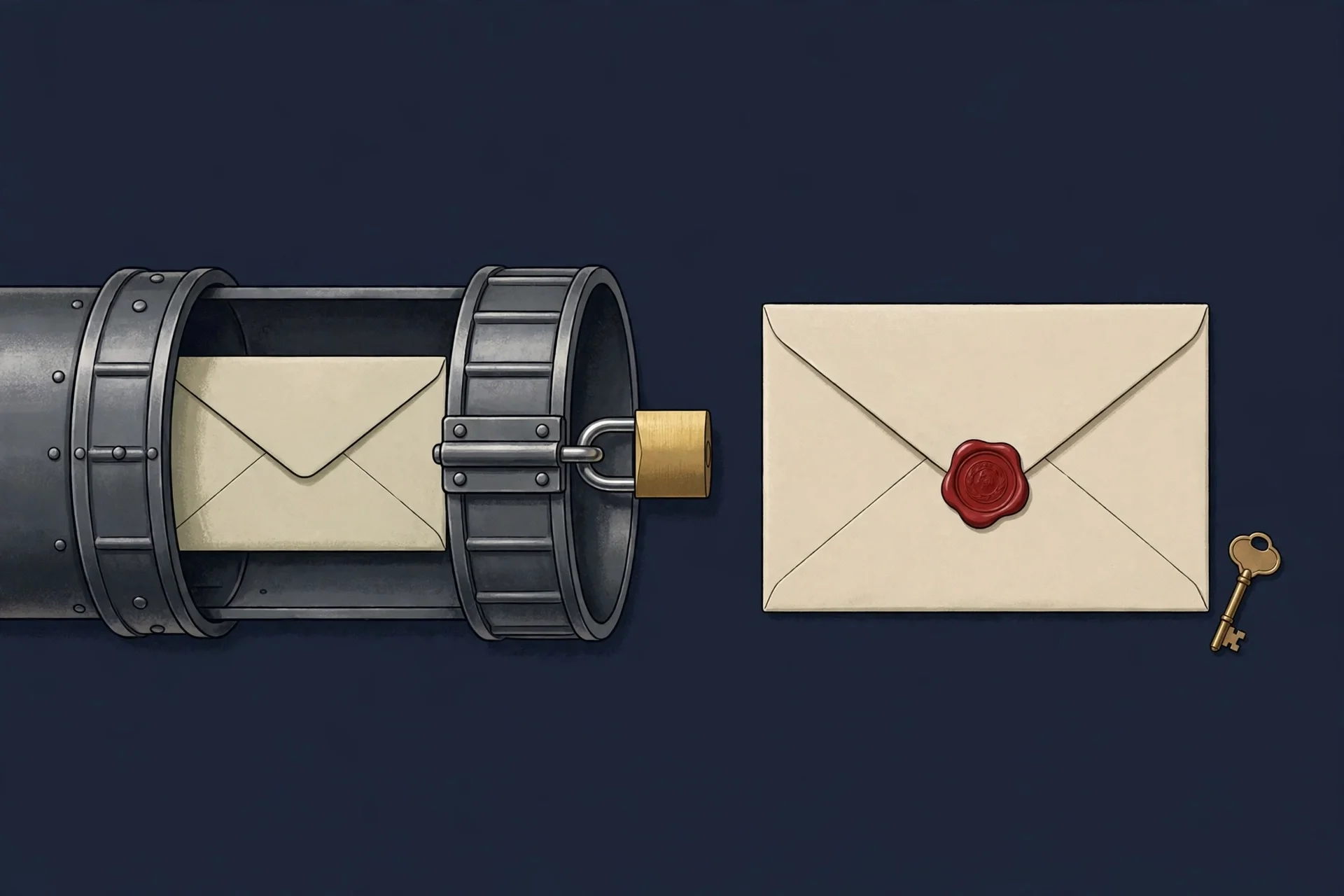
Most confusion in this market comes from one word doing two jobs. "Encrypted email" can mean the connection between mail servers is encrypted, or it can mean the message itself is encrypted. Firms buy the first, believe they bought the second, and answer client questionnaires wrong for years.
Transport encryption is TLS — the same technology that puts the padlock on a website. It encrypts the pipe between your mail server and the recipient's mail server. Microsoft 365 and Google Workspace do this by default now, and it stops someone snooping on the wire. It does nothing about the message sitting readable on either server, in either inbox, or in any backup. The provider can read it. A compromised account can read it. A subpoena to the provider gets it.
Message encryption encrypts the email itself, on your device, before it leaves. The recipient needs a key or a verified identity to open it. Done properly, the message stays encrypted in transit, at rest, and in the recipient's inbox — even if it gets forwarded. This is the layer that answers the client questionnaire's real question, which is not "is the pipe encrypted" but "who can read this besides the intended recipient."
My opinion, stated plainly: if your firm handles anything a client would be embarrassed or harmed to see published, you need the second kind for that mail, and you need to be able to say so in one sentence. The first kind is table stakes — every serious provider has it — and treating it as the whole answer is the single most common mistake I see in this space. Our guide to how to send an encrypted email walks through the message-level options in detail; the relay guide to secure email relay covers the transport layer and how to test it, including the live TLS and open-relay checks I ran there.
The five questions that separate a secure setup from a secure-looking one
Forget the feature list for a minute. When I evaluate a secure-email option for a firm, I ask five questions, in this order. They are the same questions a client's security team will ask you, and they are the reason vendor pages read so differently from each other — each vendor answers the ones it likes and hurries past the rest.
1. Does it work inside the email your firm already uses? A tool that demands a separate portal, a separate login, and a separate habit will be used for the first matter and abandoned by the third. The options that survive in real firms live inside Outlook or Gmail, as a button or a toggle. PreVeil, for example, encrypts inside Outlook, Gmail, and Apple Mail; Virtru adds a toggle inside Outlook and Gmail with no recipient software to install. If the answer is "your clients log into our portal," ask how many of your clients will do that twice.
2. Does the message stay encrypted in the recipient's inbox? This is the question that kills most "secure email" claims. A message that is encrypted in transit and decrypted on arrival at the recipient's server is readable by the recipient's provider, by anyone who compromises the recipient's account, and by anyone the recipient forwards it to. A message encrypted on your device stays encrypted wherever it lands. Ask the vendor this exact question and watch whether the answer is a sentence or a paragraph.
3. Who holds the keys — and can the provider decrypt your mail? This is the sharpest single test in the market. Most providers hold the keys and can decrypt your content when asked, or when breached. A few do not: PreVeil generates and holds keys on user devices, so the company states it cannot decrypt customer content, and its cryptographic module carries a FIPS 140-3 validation (CMVP certificate #5145). Virtru offers a Private Keystore option that lets the firm host its own keys. The right answer for your firm depends on your clients — but "we don't know who holds the keys" is never an acceptable answer on a questionnaire, and it is the answer most firms actually have today.
4. Can you prove who did what, after the fact? Activity logs, audit trails, and per-message records are not a luxury feature. They are how you answer a client who asks whether a document was opened, forwarded, or downloaded — and how you investigate when something goes wrong. If the tool cannot show you, per message, what happened to it, you are buying a lock with no record of who used the key.
5. Will the vendor sign a BAA, and does it fit your regulated clients? If any of your matters involve health information, the BAA is not optional. PreVeil signs one with law firms when the work involves protected health information; Virtru offers a standard BAA. Get it in writing before the first matter, not after a client asks. The same applies to any client-specific security addendum: negotiate it once, file it, and stop re-negotiating it per matter.
None of these questions has a single right product as the answer, and that is the point. A solo practitioner doing family law needs a different setup from a fifty-lawyer firm doing healthcare transactions. The questions are the same; the answers scale. What does not scale is buying a product first and discovering the answers later.
Where disposable email fits — and the one place it never does
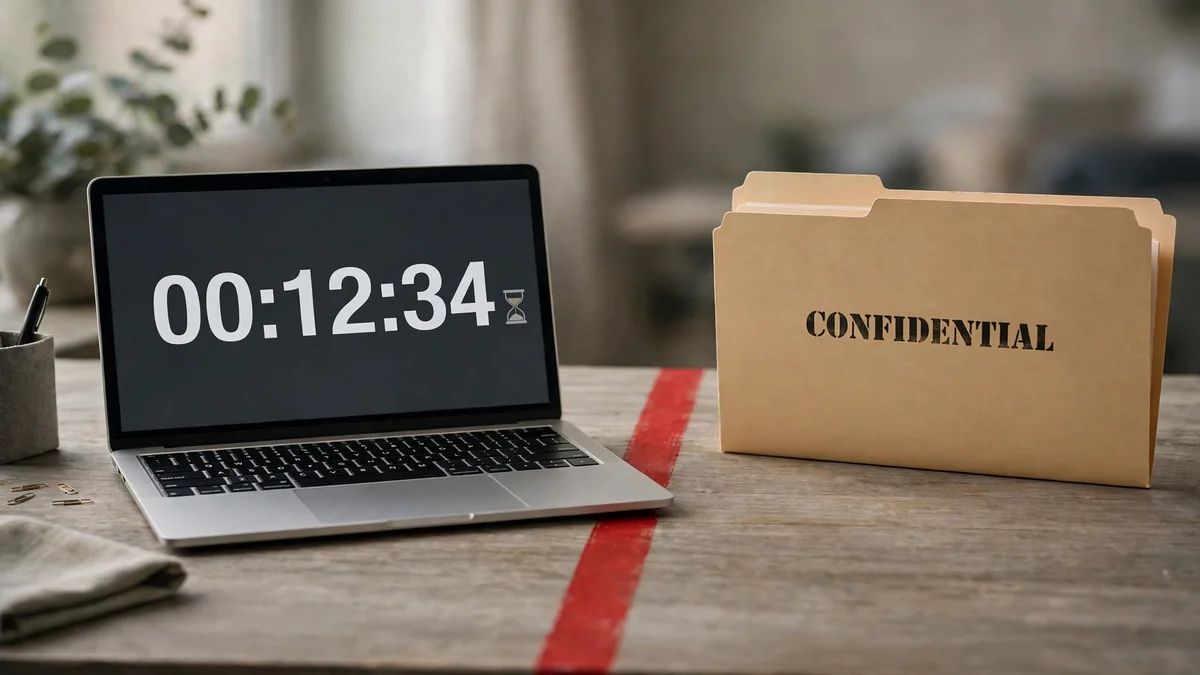
This site is a temp mail service, so here is the honest part, with the testing to back it. I loaded our own homepage this morning: an address was issued the moment the page loaded, with no form, no account, no password, and no encryption promise anywhere on the page. That is exactly what a disposable inbox is for — and exactly why it fails every test in the section above. A disposable address has no authentication, no key, no audit log, and no retention you control. Anyone who knows the address can usually open the same inbox. Our own guide to what is disposable email tested one live and reached the same conclusion: the address is a tool for ending a relationship with a sender, not for starting an account you plan to keep.
For a law firm, disposable email has three legitimate jobs, and they are all outside client communications:
- Auditioning legal tech. Signing up for a trial of a practice-management tool, a research database, or a document-automation product with a disposable address keeps the vendor's marketing out of your real inbox while you decide. If the tool earns a place in the firm, move it to a real address before the trial converts.
- Vendor demos and webinars. The form that demands an email before showing a price is not entitled to the address your clients use. A throwaway keeps the follow-up calls away from your casework.
- Court alerts and docket notifications for matters you are watching, not running. A disposable address receiving a public docket alert is fine. The same address receiving a filing in your own case is not.
And the one place it never belongs: anything privileged, anything a client sent you in confidence, anything you would have to produce or explain later. The law agrees with the practical rule here — as our guide to is temp mail legal puts it, the address is never the crime, the behavior is, and the behavior that matters in a firm is putting client confidences somewhere nobody can account for. If losing the inbox would cost you the matter, the address was never disposable. Your judgment about the signup was.
The mistakes that actually get firms in trouble
The breach stories that reach the news are rarely about a hacker defeating encryption. They are about ordinary habits, repeated daily, in firms that thought they were careful.
The attachment habit. A solicitor emails a contract, an ID document, and a completion statement as PDF attachments over ordinary email. Every attachment is a copy that now lives in two inboxes, two sent folders, and however many backups each provider keeps. The fix is unglamorous: share documents as expiring links from a system you control, where you can revoke access and see who opened what, instead of attaching files that cannot be recalled. For long-running matters, a client portal beats encrypted email entirely — the client logs in, views the file, uploads ID, signs. The email becomes a notification, not the vault.
The Friday-afternoon fraud. In UK conveyancing it has a name — Friday afternoon fraud — and the American version is business email compromise. A criminal watches a transaction, learns the timing, and sends a near-perfect email changing the wire instructions for a closing. The money moves before anyone checks. The defence is not encryption; it is a rule no email can override: bank details are never accepted or changed on the strength of an email alone. Verify out of band, by a phone number you already have, every single time. The FBI's Internet Crime Complaint Center logged $16.6 billion in reported losses for 2024 — and the largest share of it was fraud, not hacking.
"Routine" mail carrying non-routine attachments. Opinion 477R's trap is right there in the wording: routine email is fine unencrypted. The email about the hearing date is routine. The same email with a privileged memo attached is not routine anymore, and nobody reclassifies it in the moment. The practical fix is a rule your staff can apply without thinking: if the attachment would hurt if published, the message gets encrypted or goes through the portal. No judgment call per email. A bright line beats a careful person having a busy day.
Personal email for client work. A lawyer answering client mail from a personal Gmail account creates a copy of privileged material outside the firm's control, outside its retention policy, and outside its ability to respond to a discovery request. It also puts client confidences on an account the firm cannot secure or wipe. The rule is simple and worth enforcing: firm business travels on firm systems, full stop.
No DMARC, no story. Your domain's email authentication — SPF, DKIM, DMARC — is what stops criminals sending mail that looks like it came from your firm. A domain with SPF but no DMARC is a building with a lock on the front door and an open window at the back. We tested a real domain's records in our relay guide and found exactly that state: SPF tight, DMARC still in monitoring mode. It is the most common posture in the world, and it is fixable in an afternoon: publish DMARC at `p=none`, read the reports for a week, move to `p=quarantine`, then `p=reject`.
A 30-minute setup order that covers the basics
If your firm has done none of this, here is the order I would do it in — not because it is the complete answer, but because it is the sequence that stops the most common failures first.
- Turn on multi-factor authentication for every firm email account, including the ones nobody uses. This one change defeats more real attacks than any encryption product.
- Publish SPF, DKIM, and DMARC for your domain, in that order, and move DMARC to enforcement once the reports are clean.
- Pick a message-encryption option that lives inside Outlook or Gmail, and set the rule for when it is used: sensitive attachments, health information, anything a client marked confidential. Make the default easy and the exception the unencrypted message, not the other way around.
- Get the BAA signed if any matter touches health information, and file it where the next person to need it can find it.
- Write the one-paragraph answer to the client questionnaire: which tool, who holds the keys, whether messages stay encrypted at the recipient, and what your logs show. If you cannot write it, you do not have a setup yet — you have a purchase.
- Ban the three habits above in writing: no attachments for sensitive documents, no wire-instruction changes by email alone, no client work on personal accounts. A rule nobody has read is not a rule; put it in the onboarding document and repeat it once a year.
None of this requires a six-figure security budget. Most of it requires an afternoon, a decision, and the willingness to treat email as what it is for a law firm: not an office utility, but the place where the duty of confidentiality is kept or broken, dozens of times a day.
FAQ
Is unencrypted email illegal for lawyers? No. ABA Formal Opinion 477R says unencrypted routine email generally remains acceptable when basic security measures are in place. The obligation is "reasonable efforts" under Model Rule 1.6(c), and the measures scale with the sensitivity of the information. Routine scheduling mail and a privileged memo are judged differently.
Does my firm need end-to-end encryption, or is TLS enough? TLS is enough for the connection. It is not enough for the message. If the email carries anything sensitive, you need message-level encryption so the content stays encrypted at rest and in the recipient's inbox — or a client portal instead of email for the document itself.
What is a BAA and when does a law firm need one? A business associate agreement is the contract HIPAA requires when a vendor handles protected health information on your behalf (45 CFR 164.502(e)). If any matter involves health records, get one signed with your email provider before the work starts.
Can a law firm use temp mail or disposable email? For trials, demos, and webinar signups, yes — that is what disposable addresses are for. For client communications, privileged material, or anything you may need to recover later, no. A disposable inbox has no authentication, no encryption, and no retention you control.
What is the single most effective step a small firm can take? Multi-factor authentication on every email account. It costs nothing, takes minutes, and defeats the credential-theft attacks that cause most law-firm breaches. Encryption matters; MFA matters first.
How do I answer a client's security questionnaire about email? In one paragraph: name the tool, say whether messages stay encrypted at the recipient, say who holds the keys and whether the provider can decrypt, and say what your logs record. If any of those answers is "we don't know," that is the work to do before the next questionnaire arrives.
Need a disposable temporary email?
Protect your real inbox from spam and promotional clutter instantly and free.
Received a suspicious email, text, or charge alert?
Verify whether the sender domain is disposable, spoofed, or unverified before clicking links.