

What Is Disposable Email? The Short Answer, Tested Live on a Real Inbox
Most people who search "what is disposable email" are not asking for a dictionary definition. They are asking a sharper question underneath it: is this thing safe to use, is it legal, and will it blow up in my face later? The honest answer is that it depends on which of three different tools you mean — because "disposable email" is one name for three mechanisms that behave nothing alike — and on whether the account you are protecting matters enough to survive the inbox expiring.
I am going to answer the definition first, then show you what one actually looks like when you open it, because I did that twenty minutes before writing this sentence.
The 30-second answer
A disposable email address is an email address you use instead of your real one, for one job, and then abandon. If it starts attracting spam, you stop using it and your real inbox never hears about it. That is the whole idea, and it is a good one.
The confusion starts because the term covers three different mechanisms. A temporary inbox is an address that exists for minutes or hours and then self-destructs — the classic "10-minute mail." An email alias is a permanent forwarding address you can switch off per alias, like Apple's Hide My Email or SimpleLogin. Plus-addressing is a tag on your real address, like yourname+shop@gmail.com, which still delivers to your real inbox. They all hide your real address from the sender. They differ in everything else: how long they live, who can read the mail, and whether you can ever get back in.
If you remember one sentence from this post, make it this one: a disposable address is a tool for ending a relationship with a sender, not for starting an account you plan to keep.
I opened one at 00:36 IST. This is what actually happened
Theory is cheap in this niche, so I opened a real one on tempomailusa.com — the service this site runs — at 00:36 IST on November 19, 2026, and wrote down exactly what happened.
The homepage issued an address the moment it loaded, with no form, no account, and no card: artextest42@rover.info. It showed "Expires in 29d 10h 12m" and ticked down live while I scrolled. The page states the terms plainly: free inboxes last 30 days, Pro inboxes last 365 days. The inbox rendered immediately as "Live Disposable Inbox," auto-refreshing, with zero messages and the empty state: "Your inbox is empty — Waiting for incoming emails." The controls on the page were Copy, Refresh, Delete, Change, History, QR Code, and Restore, plus a "Create your own" section with a custom-name field and a domain chooser set to rover.info. The page also says all 468+ domains are free to try and your first message on any domain is free to read.
Two numbers on the page are worth reading carefully. The counters showed 483,899 emails created and 609,973 messages received. Three days earlier, on November 16, the same counters read 480,931 emails created and 609,972 messages received. Emails created rose by about 3,000 in three days; messages received rose by one. A counter is a marketing number, not an audited statistic, and the near-frozen messages figure is odd — but the part that matters is verifiable from my own session: the address was issued in seconds, the inbox rendered, the expiry was stated before I did anything, and nothing asked me for personal information.
That is the entire product. An address, an inbox, a countdown. Everything else in this post is about choosing the right version of that product and not letting it cost you an account.
Three different tools share the name "disposable"

This is where most guides go wrong, including several of the ones currently ranking for this keyword. They define disposable email as a temporary inbox and stop there. But when someone says "disposable email," they might mean any of these three, and picking the wrong one is how accounts get lost.
A temporary inbox is what most people picture: you open a site, it generates a random address, mail arrives in a browser inbox, and the whole thing vanishes after a set time. The best-known version is 10 Minute Mail, which gives you exactly ten minutes, extendable. Others last an hour, a day, or — like the one I just opened — thirty days. There is no account and no password, which is the point and also the risk: anyone who knows the address can usually open the same inbox, and when the timer ends, the address and its messages are gone. Our temporary email generator guide walks through the mechanics in detail, including the two different clocks hiding inside the word "temporary": how long the address accepts mail, and how long each message stays readable. They are not the same number, and confusing them is the most common way people lose a verification code.
An email alias is the version I recommend to most people, and it is the one the ranking guides mention least. An alias is a permanent, unique forwarding address that delivers to your real inbox and can be switched off per alias. Apple Hide My Email, Firefox Relay, SimpleLogin, and DuckDuckGo Email Protection all work this way. The address does not expire, you can reply from it, and you can kill one alias without touching the others. If the signup turns into spam, you switch that alias off and the noise stops. If the account turns out to matter, the alias still works next month, because it forwards to an inbox you control. The trade-off is that it is tied to your real inbox by design: it is a mask, not a separate identity, and the provider forwarding your mail can see it.
Plus-addressing is the free, instant version that most people already have and never use: yourname+shop@gmail.com still delivers to yourname@gmail.com. It costs nothing and takes no setup. It also hides nothing from anyone who knows the trick — strip the +tag and you have the real address — and some signup forms reject the + character outright. Treat it as a sorting label, not privacy.
A fourth term gets mixed in constantly: burner email. A burner is closer to a temporary inbox than to an alias, but the word usually implies a longer-lived throwaway kept for a specific purpose, like a classified ad. The distinction matters less than the expiry date does, and lifespan is what bites you.
What it actually protects — and the three things it doesn't
A disposable address protects exactly one thing: your real address from being stored, sold, or leaked by the service you hand it to. Data brokers buy and resell email addresses at industrial scale — the US Federal Trade Commission spent much of 2025 and 2026 proposing tighter limits on how brokers package and sell personal data — and every address you hand to a forgettable signup is another copy of your identity in a database you do not control. A disposable address breaks that chain at the first link. If the signup's database leaks, the leaked address is one you have already abandoned.
That is real protection, and it is also the limit of it. Three things a disposable address does not do, and every guide that implies otherwise is selling something:
It does not hide your IP address, your browser fingerprint, your device, or your location. The service you sign up for still sees all of that. It does not encrypt anything, and it does not make you anonymous to the disposable service itself, which necessarily sees every message that lands in your inbox. If you would not want the operator of the service reading that email, do not let that email arrive there.
And it does not protect the account after signup. Password resets, security alerts, and "was this you?" warnings all go to the address on file. If that address is gone, you cannot reset the password, cannot confirm the alert, and cannot prove ownership. That is not a bug. It is the design — and reusing the same disposable address across many signups rebuilds exactly the profile you were trying to avoid: one address, many accounts, all linkable by anyone holding the address. Generate a fresh address per signup. It costs seconds.
The four numbers that decide whether it works
Before you paste a disposable address into any form, check four properties. If a service will not state them plainly, assume the worst value for each and plan accordingly.
Lifetime. How long does the address keep accepting mail? Ten minutes is enough for a code that arrives in seconds and not enough for a code that arrives in twelve minutes, a support reply, or a second verification step. Wikipedia's definition of disposable addresses notes the typical lifespan is measured in minutes, often 10 to 60. The one I opened today lasts 30 days, which changes the math completely: a 30-day inbox survives a slow signup flow that a 10-minute inbox would lose. Ask the number before you commit, not after the code fails to arrive.
Retention. How long does each message stay readable once it arrives? A service can accept mail for a week while deleting each message after an hour. YOPmail keeps messages for eight days, which is an eternity in this niche; Guerrilla Mail wipes inbox contents after about an hour. If you need the message tomorrow, retention matters more than lifetime. Copy codes out immediately either way, because "later" is exactly what a temporary inbox is designed not to provide.
Privacy. Who else can read the inbox? On many free services the answer is anyone who guesses the address. YOPmail and Mailinator inboxes are readable by anyone who finds the address, by design. A random-looking address is reasonably private; john-smith-1988@yopmail.com is not. The service I tested today issues a private, session-based inbox with a recovery key, which is the safer shape — but "private" still means the operator can see the mail. Never let anything tied to money or identity land in an inbox someone else can open.
Acceptance. Will the site you are signing up for take the address at all? Some forms reject disposable domains outright. Some accept the address, claim to have sent a code, and never deliver one. Some accept it at signup and block the account later, when you try to change a password or enable two-factor authentication. All three failures share one cause: the service checks the address's domain against a list of known disposable domains. The fraud-prevention firm Castle has estimated that on platforms without disposable-email blocking, roughly 10 to 15 percent of new signups use temporary addresses — which is why the blocklists exist and why they keep growing. A service with hundreds of domains gives you somewhere to go when one is blocked; a service with one famous domain gives you a dead end. If two domains fail, take the hint. The service does not want disposable signups, and fighting it with a third domain only builds an account on a foundation the service is actively trying to remove.
Our roundup of seven free disposable addresses scores real services on exactly these four properties, with the catch hiding behind each free tier stated upfront. Read it before you pick a service, not after a signup fails.
Use it here. Never use it here.
The decision is simpler than the guides make it sound. Use a disposable address when the job ends the moment the code arrives: a one-off download, a newsletter you want to sample, a forum post, a beta signup, a free trial you are auditioning, a form that demands an email before showing you a price. The account has no future, so the inbox needs no future either.
Never use one when any of these is true: you have paid or will pay anything; other people depend on the account; the account holds work you cannot recreate; you have enabled anything security-sensitive on it, like two-factor authentication tied to that email; or you catch yourself thinking "I will move it later." Later is the moment the inbox expires. Move it now, while you can still receive the confirmation at the old address.
| Situation | Use disposable? | Why |
|---|---|---|
| One verification code, right now | Yes | Instant address, no signup, job ends in minutes |
| Sampling a newsletter | Yes | Kill the address if it turns into spam |
| Testing a free tool before committing | Yes — then move to a real address if you stay | Audition on a throwaway, keep on a real inbox |
| A code that might arrive late | Only a long-lived one | Ten minutes loses to a twelve-minute code |
| Anything with a payment attached | No | Money on an unrecoverable inbox is money you cannot defend |
| Password resets or account recovery | No | The reset goes to an address that no longer exists |
| Banking, government, school, employer | No | These services block or punish disposable addresses |
| An account other people depend on | No | A shared list or team workspace outlives any throwaway |
If the signup turns out to matter more than you expected, the fix is not to mourn the throwaway. It is to change the account's email to a real address while you still control the old inbox, in one sitting, with both inboxes open, verifying the new address receives mail before you close the old tab. Our guide to swapping a temp mail address covers that move step by step, including the services that require confirmation from the old address — which is exactly the address you no longer control if you wait too long.
Where it breaks in real life
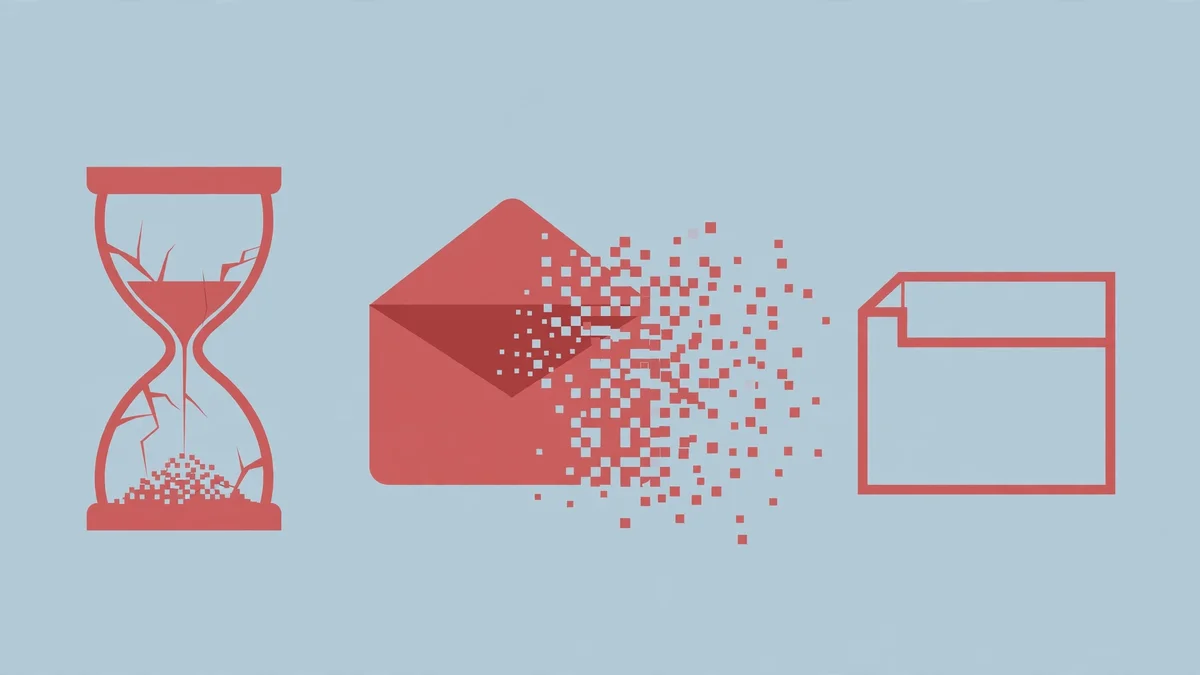
Every disappointment I have seen with disposable email fits one of three patterns, and naming them in advance is cheaper than learning them mid-signup.
The first is the expiry that arrives before the code does. Ten minutes sounds generous until the signup sends its code in twelve, or sends a welcome email first and a code second, or asks you to confirm twice. The fix is arithmetic, not optimism: check the lifetime before you paste, and if the job might take longer than the inbox, use a longer-lived address or an alias.
The second is the inbox that was never private. You used a guessable address, or a public-inbox service, for something that mattered, and someone else read the code first. The fix is also simple: use an unguessable address, and never let a code for a bank, a payment app, or a password reset land in one.
The third is the domain that was blocked all along. The address was free, private, and long-lived — and the signup form rejected it, or silently swallowed the code. This is the failure no free tier can fix, and it is why domain choice matters more than most lists admit. Try a different domain once. If that fails too, the service has made its policy clear, and the honest move is a spare real address, not a third disposable domain.
And the fourth failure is not the service's fault at all: you kept using the account. You generated an address for a quick test, the test went well, and because it went well you kept using the account as if the throwaway foundation had quietly become permanent. It had not. A clean test looks like this: try it on a throwaway, judge it on its merits, and move to a real address the moment you decide to stay.
FAQ
Is disposable email legal?
Yes. Using a disposable, temporary, or alias email address is legal in every major jurisdiction. The address itself is a privacy tool. What can be illegal is what you do with it — fraud, impersonation, evading a ban, or breaking a service's terms in a way that causes harm. The address is not the crime; the act is. Businesses are equally within their rights to block disposable domains at signup, and many do.
Is disposable email safe?
It is safe for the job it is built for: receiving one low-stakes message without exposing your real address. It is unsafe for anything you need to recover, anything tied to money or identity, and anything you would not want a stranger to read. The safety question is not about the address. It is about matching the tool to the stakes, and the stakes are decided by what the account will hold next month, not what it holds today.
What is the difference between disposable email and temp mail?
None, in practice. Disposable email, temp mail, temporary email, and throwaway email are the same category of tool, used interchangeably. "Burner email" is the near-synonym that usually implies a longer-lived throwaway kept for a specific purpose. "Email alias" is the different tool that often gets lumped in with them: an alias forwards to your real inbox and does not expire, which makes it the right choice the moment an account has a future.
Can I send email from a disposable address?
Almost never. Most disposable services are receive-only by design, because sending from throwaway addresses is how spam gets sent. Guerrilla Mail is the long-standing exception: it has shipped a compose window since 2006 and still lets you send — but there is no sent folder, no proof you sent anything, and the inbox contents vanish after about an hour. If you need to send, you need a real address or an alias, not a disposable inbox.
Do disposable email addresses really expire?
Yes, and that is the point. A temporary inbox expires on a timer — ten minutes, an hour, a day, or thirty days, depending on the service. An alias does not expire until you switch it off. Before you use any disposable address, find out which kind you have and what its number is, because the expiry is the whole trade: you are buying privacy with impermanence, and the bill comes due the day you need the inbox back.
Will a disposable email address work for every signup?
No. Some services block disposable domains outright, some accept the address and silently never send the code, and some accept it at signup and block the account later. Banks, payment services, government portals, schools, and employers are the most likely to care. Free tools, newsletters, forums, and one-off downloads usually do not. If a signup rejects your address, try one different domain, and if that fails too, use a spare real address. The service has told you its policy. Believe it.
The bottom line
A disposable email address is a real privacy tool with a narrow job: let a stranger send you one message without learning where you actually live online. It does that job well, it costs nothing, and it takes seconds to use — I watched one appear on my screen in less time than it takes to read this sentence. Its limits are just as real: it expires, it may not be private, it may be blocked, and it cannot protect an account that outgrows it.
So use it the way it was designed to be used. One address per signup, for a job that ends. The moment the job grows a future — money, other people, work you cannot recreate — move to a real address while you still can. The disposable inbox did its job. Let it go.
Need a disposable temporary email?
Protect your real inbox from spam and promotional clutter instantly and free.
Received a suspicious email, text, or charge alert?
Verify whether the sender domain is disposable, spoofed, or unverified before clicking links.