

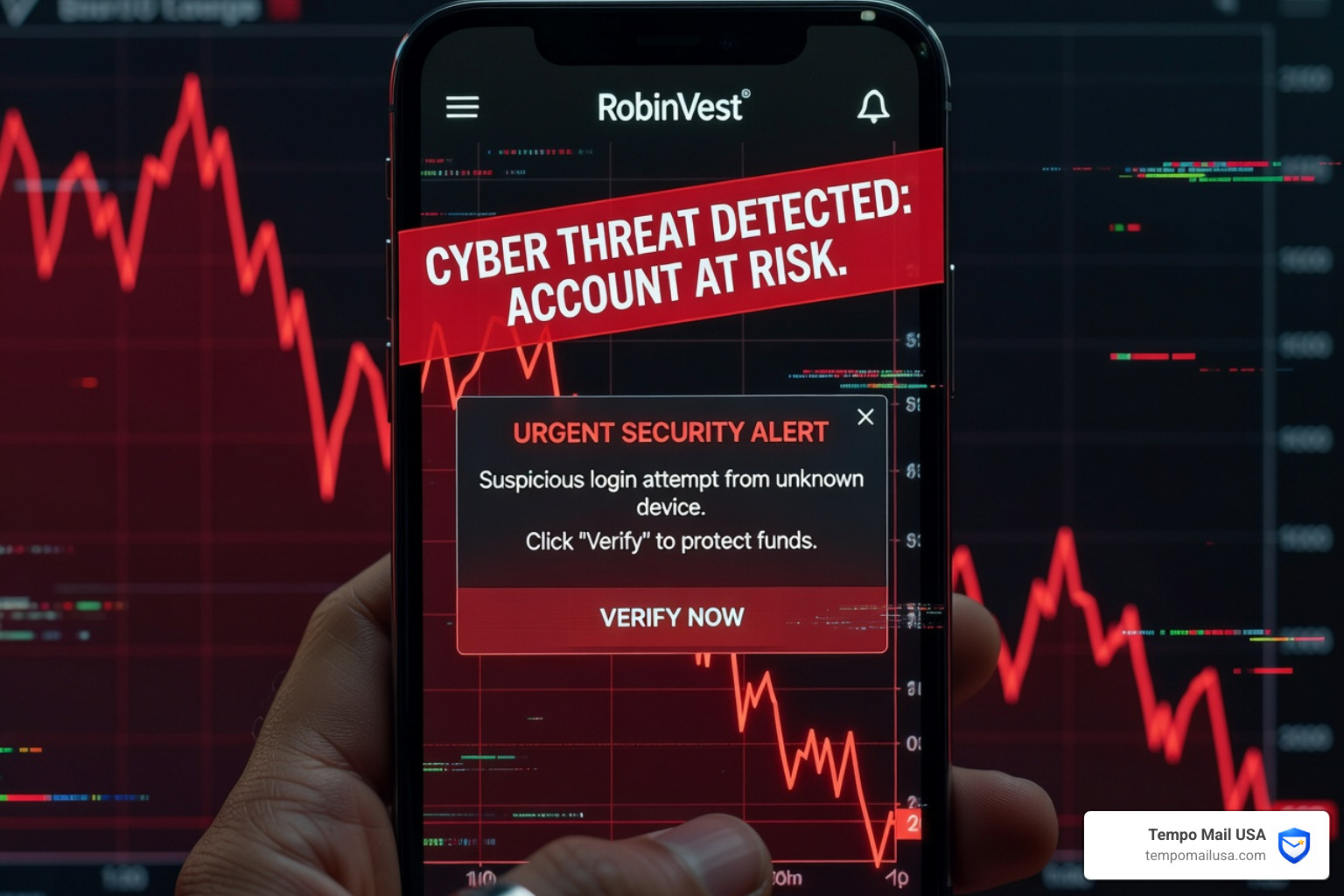

The Robinhood Text Message Scam Is Targeting Investors Right Now
The Robinhood text message scam is a phishing attack where criminals send fake SMS alerts pretending to be Robinhood, tricking you into handing over your login credentials, personal data, or even direct access to your account.
Here's what you need to know at a glance:
- What it is: A fake text claiming your Robinhood account has suspicious activity or an "urgent risk"
- What scammers want: Your password, 2FA code, or a phone call to a fake support line
- What to do: Do not click any links or call any number in the text — go directly to the official Robinhood app
- Who is at risk: Anyone with a Robinhood account, and even people who don't have one at all
- Where to report it: Forward to 7726 (SPAM) and email reportphishing@robinhood.com
These scams have surged dramatically. Financial services phishing has grown by over 45% year over year, and phishing campaigns impersonating Robinhood have spiked significantly since 2023. Thousands of users have reported receiving fake Robinhood alerts — and local police departments across the US have issued public warnings about them.
What makes this scam especially dangerous is how convincing it looks. One real example that circulated widely read something like:
"[Robinhood] Urgent Risk Warning: Your account has experienced an unknown anomaly and is at risk of theft. Please log in to verify your details."
It uses official-sounding language. It creates immediate fear. And it pushes you to act fast — before you stop to think.
Even people who consider themselves scam-savvy have been caught off guard. That's because these messages are designed by professionals who study exactly how to trigger panic.
This guide breaks down everything you need to know — how the scam works, how to spot it, what to do if you already clicked, and how to lock down your account so you stay protected.
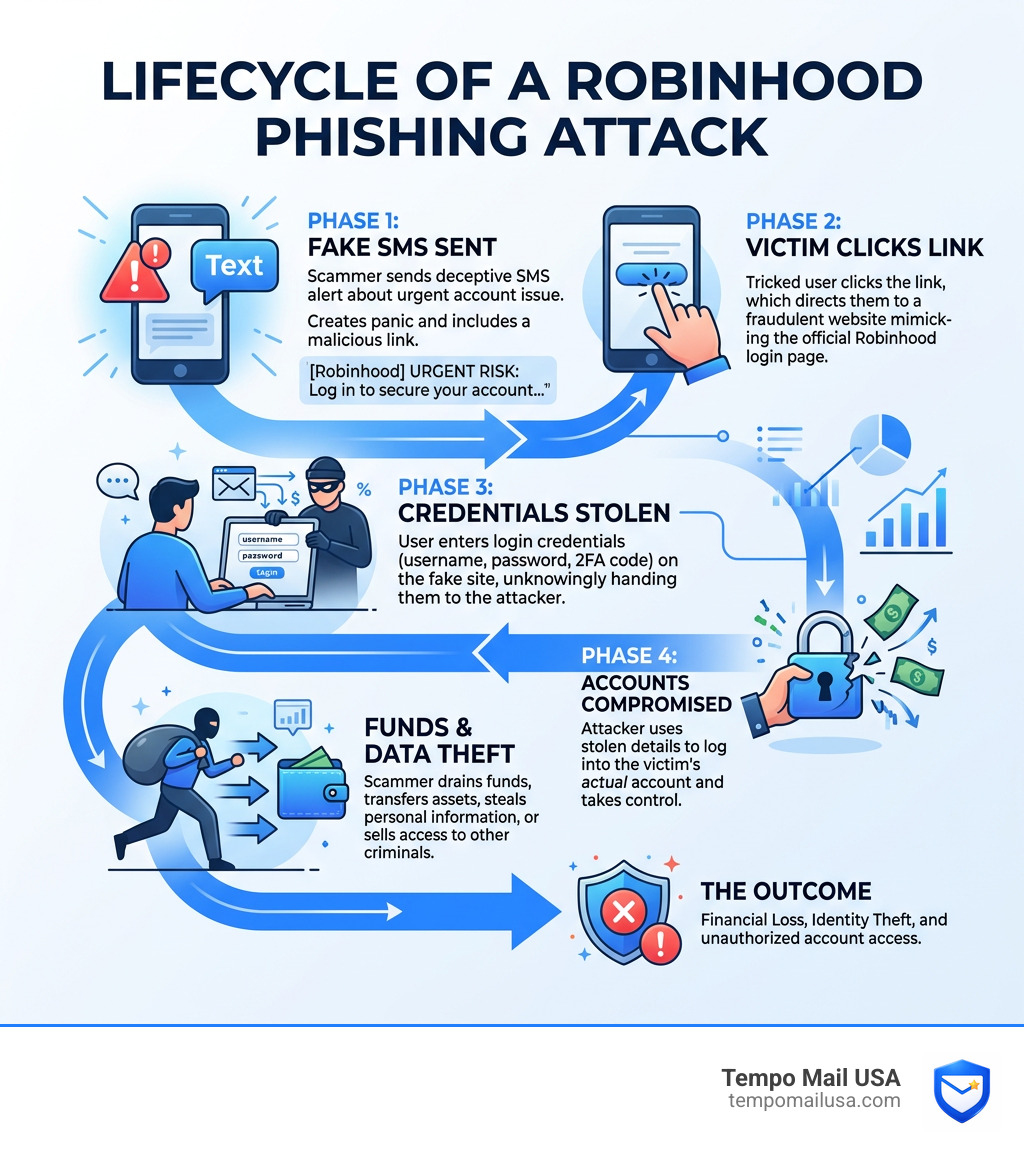
Anatomy of a Robinhood text message scam
To the untrained eye, a Robinhood text message scam looks like a helpful security alert. In reality, it is a carefully constructed trap. Scammers use "smishing" (SMS phishing) to bypass the email filters we’ve all grown used to. By landing directly in your text inbox, the message feels more personal and more immediate.
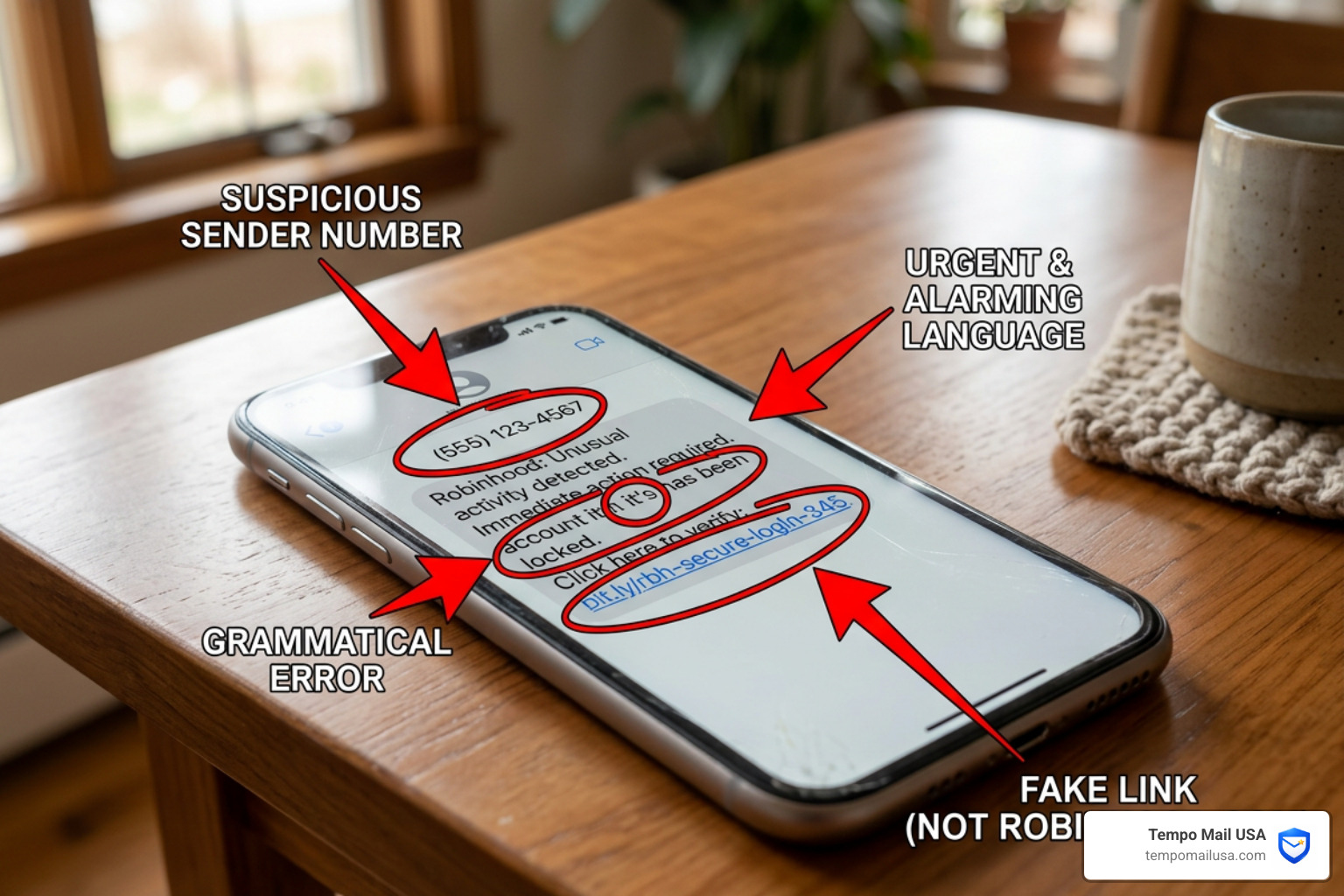
The core of the Robinhood text message scam relies on three psychological pillars: curiosity, authority, and fear. By claiming there is an "Urgent Risk Warning" or a "Security Alert," they bypass your logical brain and go straight for your "fight or flight" response.
According to Fake or Real? Robinhood Urgent Risk Warning Text Scam Explained, these messages often use technical jargon like "API key linked to external wallet" or "unauthorized IP address" to sound professional.
Common Fake Domains and Numbers: Criminals use "typosquatting" to make their URLs look almost identical to the real thing. Here are some examples of fake domains used in recent campaigns:
- robinhood-verify.com
- www-robinhood.fflroyalty.com
- robinhood.secure-login-help.com
- @robinh00d.com (fake email/sender domain)
They also use foreign numbers, such as those starting with +243 (Democratic Republic of the Congo) or +44 (UK), which should be an immediate red flag for a US-based financial service.
Common Red Flags in a Robinhood text message scam
If you receive a text that claims to be from Robinhood, look for these specific indicators that it’s a fraud:
- Foreign or Unknown Numbers: Robinhood typically uses short codes or verified business numbers. If the text comes from a random 10-digit number or a foreign country code, it’s a scam.
- The "Reply Y" Tactic: Many scammers ask you to "Reply Y" if the link isn't clickable. This is a trick to get your phone to recognize the sender as a contact so the malicious link becomes active.
- Generic Greetings: Instead of using your name, they might use "Dear User" or "Customer."
- Urgency and Threats: Phrases like "Immediate Action Required," "Account Termination," or "Risk of Theft" are designed to make you panic.
- Typosquatting: Look closely at the URL. Is it
robinhood.comorrobin-hood-security.net? If it isn't the exact official domain, stay away.
For more on how to spot these types of alerts across different platforms, you can check our guide on how to verify Microsoft account security alerts.
How the Robinhood text message scam works step-by-step
Understanding the "workflow" of a scammer can help you spot the trap before it snaps shut.
- Initial Contact: You receive a text message claiming there is an issue with your account. It might mention a "withdrawal code" you didn't request or a "new device login."
- The Hook: You are prompted to click a link to "cancel the transaction" or "secure your account." Alternatively, some newer versions of the Robinhood text message scam ask you to call a phone number.
- Phony Websites: If you click the link, you are taken to a pixel-perfect replica of the Robinhood login page. It looks exactly like the real thing, complete with branding and legal footers.
- Credential Theft: You enter your username and password. The scammer now has your login info.
- Bypassing 2FA: The fake site will then ask for your Two-Factor Authentication (2FA) code. When you enter it, the scammer uses it in real-time to log into your actual account.
- PII Harvesting: Once inside, scammers don't just take your money. They download your tax documents, Social Security Number (SSN), and bank details for future identity theft.
- Account Takeover: The scammer changes your password, email address, and phone number, locking you out of your own investments.
| Feature | Legitimate Robinhood Communication | Robinhood Text Message Scam |
|---|---|---|
| Sender | Verified Short Code or Official App | Random 10-digit or Foreign Number |
| Link URL | Always starts with https://robinhood.com/ | Uses subdomains (e.g., robinhood.security-check.com) |
| Tone | Informative and Professional | Urgent, Threatening, or Panicked |
| Request | View alerts inside the secure app | Click link or Call a random number |
Immediate Response: What to Do if You Are Targeted
If you receive one of these texts, the most important thing is to do nothing. Don't click the link, don't reply with "STOP," and certainly don't call any number provided in the message.
- Block the Sender: Use your phone's built-in features to block the number immediately.
- Verify the Safe Way: If you are genuinely worried about your account, close your messaging app. Open the official Robinhood app directly on your phone or type
robinhood.cominto your browser manually. If there is a real issue, you will see a notification inside the app. - Use Official Channels: Only communicate through official Robinhood support channels. Robinhood will never reach out to you via an unsolicited text to ask for sensitive information.
Protecting your data starts with being proactive. We recommend learning more about how to protect personal information online to stay ahead of these threats.
Actions to Take if You Clicked a Link or Shared Info
Don't beat yourself up if you fell for it; these scams are designed to be deceptive. If you’ve already interacted with a Robinhood text message scam, you need to act within seconds to minimize the damage.
- Change Your Password Immediately: If you still have access, change your password to something long, complex, and unique.
- Enable 2FA: If you haven't already, enable two-factor authentication (2FA). Use an authenticator app (like Google Authenticator or Authy) rather than SMS, as scammers can sometimes intercept text codes.
- Contact Support: Reach out to Robinhood immediately to report the compromise. They can freeze your account to prevent unauthorized withdrawals.
- Scan for Malware: Some phishing links can install "keyloggers" or other malicious software. Following a Malwaretips guide on Robinhood scams can help you clean your device.
- Monitor Your Bank: If your bank account is linked to Robinhood, notify your bank that your credentials may have been stolen.
Reporting the Scam to Authorities
Reporting the scam helps law enforcement track the "IOCs" (Indicators of Compromise) and shut down the fake websites.
- Forward to 7726: This is a universal "Spam" reporting number for most major carriers. Forward the scam text here.
- FTC Reporting: File a report at
reportfraud.ftc.gov. - Robinhood Security: Send a screenshot of the text to Report the scam to Robinhood via their official email:
reportphishing@robinhood.com.
Strengthening Your Account Security and Identifying Fraud
Securing your financial life is not a "one and done" task. It requires ongoing vigilance and the right tools.
What Robinhood Will Never Ask You For
Knowing what a company won't do is just as important as knowing what they will. Robinhood has explicitly stated they will never ask for:
- Your password or PIN.
- Your 2FA code via a phone call or text.
- Direct money transfers to "verify" an account.
- Remote access to your computer or phone (using apps like AnyDesk or TeamViewer).
If a "support agent" asks for any of these, hang up. They are a scammer. For more details on legitimate costs and how the platform operates, you can review the Robinhood Fee Schedule.
Verifying Legitimate Communications
How can you tell if a message is real?
- In-App Notifications: Legitimate security alerts will almost always appear in the "Notifications" tab within the Robinhood app itself.
- Verified Emails: Official emails will come from
@robinhood.com. Be careful, as email addresses can be spoofed. Always check the "Return-Path" in the email header if you are on a desktop. - Domain Verification: Every link from Robinhood will lead to
https://robinhood.com/. If there is any extra text between "robinhood" and ".com" (likerobinhood-support.com), it is fake.
This is similar to other financial scams; for instance, you can learn from our guide on PayPal scam emails: how to spot them.
Why Financial App Users are Prime Targets
Why is the Robinhood text message scam so prevalent? It’s simple: that’s where the money is.
- High-Value Assets: Robinhood accounts often contain thousands of dollars in stocks, options, and crypto. Unlike a credit card, where you can dispute a charge, a crypto transfer is often permanent and irreversible.
- Mobile-First Users: Robinhood users are used to managing their money on their phones. We are conditioned to react quickly to push notifications and texts.
- Data Breaches: Scammers don't guess your number. They buy lists of phone numbers from unrelated data breaches (like those from social media sites or marketing firms). They blast thousands of texts at once, knowing that statistically, a certain percentage of recipients will have a Robinhood account.
- The "SIPC" Safety Net Misconception: While SIPC brokerage protections protect you if a brokerage firm fails, they do not cover you if you are scammed into giving away your own password.
The rise in financial phishing is a global trend. We see similar tactics in other sectors, such as the beware of job scams on Indeed campaigns, which also target personal data and financial access.
Frequently Asked Questions about Robinhood Scams
Is the "Urgent Risk Warning" text real?
No. Robinhood does not send "Urgent Risk" warnings via text message with links to log in. Any text that creates a sense of panic and asks you to click a link or call a number is a scam.
How can I tell if a Robinhood link is legitimate?
A legitimate link will always be https://robinhood.com/. Scammers use variations like robinhood-login.com, verify-robinhood.com, or robinhood.fflroyalty.com. If you are unsure, do not click. Type the address into your browser yourself.
What should I do if I lost money to a scammer?
- Immediately contact Robinhood support to freeze your account.
- Contact your bank if funds were pulled from your checking account.
- File a police report.
- Report the incident to the FBI’s Internet Crime Complaint Center (IC3.gov).
- Change all passwords for your email and other financial accounts, as scammers often try to "daisy chain" their way through your digital life.
Conclusion
The Robinhood text message scam is a sophisticated threat, but it relies entirely on your cooperation. By staying calm, refusing to click suspicious links, and verifying every alert through the official app, you can keep your investments safe.
At Tempo Mail USA, we believe that the best way to stop a scam is to prevent your personal data from reaching the scammers in the first place. One of the primary ways scammers get your phone number and email is through data leaks from smaller, less secure websites where you might have signed up for a newsletter or a one-time discount.
By using a temporary email alias as your "identity firewall," you can shield your real contact information from the web. This reduces your exposure to the data breaches that fuel these phishing campaigns. To learn more about how to lock down your privacy, read why you need a secure temp mail service for privacy.
Stay vigilant, trade safely, and remember: if a text message makes your heart race, it’s probably a scam. Visit https://tempomailusa.com to start protecting your PII today.