



Why Protecting Your Personal Information Online Matters More Than Ever
To protect personal information online, you need to implement multiple layers of security: use strong, unique passwords with multi-factor authentication for all accounts, keep your software and devices updated, secure your home network, avoid clicking suspicious links in emails or texts, regularly review privacy settings, and act quickly if you suspect a breach by reporting to IdentityTheft.gov.
Your personal information is valuable. That's exactly why hackers and scammers work so hard to steal it.
More than a million people reported identity theft to the FTC last year. Identity thieves can drain your bank account, ruin your credit, and even block access to your health benefits and tax refund. The threats are real and growing—from AI-powered phishing scams to massive data breaches that expose millions of records at once.
Personal information includes anything that identifies you uniquely. Your Social Insurance Number, date of birth, medical records, login credentials, phone number, and financial data all fall into this category. This information is called Personally Identifiable Information (PII), and it's a high-value target for criminals who sell it or use it for fraud.
Threat actors steal PII using both simple techniques (like mail theft) and sophisticated methods (like phishing attacks and database breaches). Once they have enough of your identity attributes, they can create fraudulent credentials or take over your existing accounts.
The good news? You have more control than you think. This guide will walk you through practical, actionable steps to build a strong digital defense—from securing your accounts and devices to knowing what to do if something goes wrong.

Fortify Your Digital Gates: Mastering Account Security
Our online accounts are the entry points to our digital lives, holding everything from our social connections to our financial assets. Keeping these gates secure is paramount if we want to protect personal information online. This means going beyond simple passwords and embracing a multi-layered approach to account security.
Create Unbreakable Passwords and Passphrases
Think of your password as the primary lock on your digital door. A flimsy lock is an open invitation for trouble. We need strong, unique passwords for every online account. The general rule of thumb is to aim for at least 15 characters, combining uppercase and lowercase letters, numbers, and symbols. The longer and more complex your password, the harder it is for cybercriminals to guess or crack.
Instead of trying to remember a complex string of characters, consider using a passphrase. A passphrase is a sequence of random, unrelated words, like "correct horse battery staple" (though this specific example is now widely known, so pick your own unique combination!). This makes it both strong and easier for us to remember. Avoid using common phrases, song lyrics, or famous quotes, as these are often included in lists that hackers use.
One of the biggest mistakes we can make is reusing passwords across different accounts. If one account is compromised, all others using the same password instantly become vulnerable. We recommend using a reputable password manager. These tools can generate incredibly strong, unique passwords for each of your accounts and store them securely, requiring you to only remember one master password. Many browsers and devices also offer built-in password generators to help us create secure credentials, such as Google Chrome, Mac, Microsoft Edge, Firefox, iPhone iOS, and Android.
| Password Type | Example | Strength | Ease of Remembering | Risk |
|---|---|---|---|---|
| Weak | password123 | Low | High | Very High |
| Complex | P@$$w0rd! | Medium | Medium | High (still guessable) |
| Strong Passphrase | PurplePantsElephantMoon | High | Medium | Low |
Enable Multi-Factor Authentication (MFA)
Even the strongest password can sometimes be compromised. That's where Multi-Factor Authentication (MFA), often referred to as Two-Factor Authentication (2FA), comes in. It's an essential second layer of security that acts as a bouncer for your digital gates. Using two-factor authentication adds an extra layer of security to your account. This means that even if a hacker manages to steal your password, they can't log in to your account without that second authentication factor.
MFA typically involves something you know (your password) combined with something you have (like your phone or a physical security key) or something you are (a biometric like a fingerprint or face scan).
Here are common types of MFA, ranked by general security:
- Authenticator Apps: These generate time-sensitive codes on your smartphone (e.g., Google Authenticator, Authy). They are generally more secure than SMS codes as they don't rely on your phone number being secure.
- Security Keys: These are small physical devices that plug into your computer or connect wirelessly. They offer the strongest protection against phishing because they verify the website's authenticity before providing access.
- SMS Codes: A code sent via text message to your phone. While convenient, these can be vulnerable to SIM-swapping attacks.
- Biometric Verification: Fingerprint or facial recognition, commonly used on smartphones and some laptops.
We should enable MFA on every account that offers it, especially for email, banking, social media, and any other sensitive services. This simple step significantly improves our ability to protect personal information online.
Rethink Your Security Questions
Security questions, like "What was your mother's maiden name?" or "What was the name of your first pet?", are often the weakest link in our account security. Why? Because the answers to many of these questions can often be found through a quick search on social media or public records. Hackers could try to guess your answers to get into your account, making them a significant vulnerability.
When faced with security questions:
- Pick questions only you can answer. Avoid those with limited responses or answers easily found online.
- Treat the answers like passwords. If you must answer a question with a potentially public answer, consider entering a random, long, and unique response that only you know is associated with that question. For example, if asked "What is your favorite color?", your answer could be "BlueGiraffeMoonbeam". Just be sure to remember it!
- Avoid using publicly available information. Your first car's color, your high school mascot, or your pet's name might be innocent details you've shared on Facebook. Don't let them be the key to your accounts.
By making smart choices about our security questions, we can plug another potential hole in our digital fortress.
Secure Your Command Center: Device and Network Protection
Our devices—computers, phones, tablets—are the command centers of our digital lives. Just like a physical command center, they need robust protection. This also extends to the networks we connect them to.
Keep Your Software and Devices Updated
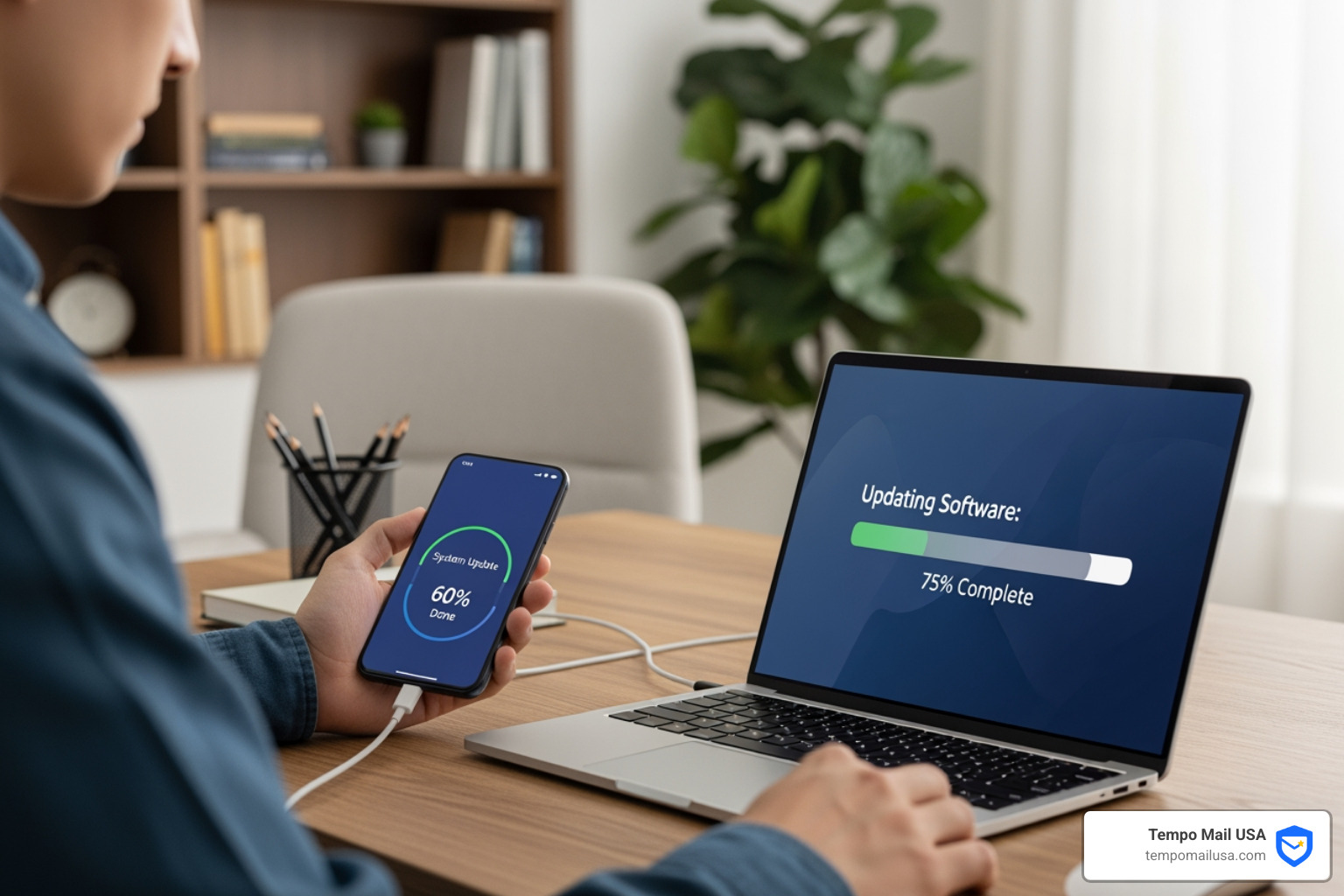
Software updates are not just about new features; they are critical for our security. Software updates often contain critical patches and protections against security threats. Cybercriminals constantly look for weak points, or "vulnerabilities," in operating systems, web browsers, and apps. They exploit these weaknesses to gain unauthorized access, install malware, or steal our data.
When software companies find these vulnerabilities, they release updates to fix them. If we don't install these updates, we leave ourselves exposed. It's like leaving our front door open uped after the locksmith has installed a new deadbolt.
Our best practice is to:
- Turn on automatic updates for our operating systems (Windows, macOS, iOS, Android), web browsers (Chrome, Firefox, Edge), security software, and mobile apps. This ensures we receive critical security patches as soon as they're available.
- Update as soon as possible when automatic updates aren't an option. Don't hit "remind me later" indefinitely!
Google, for instance, emphasizes that AI safety is woven into every stage of their development, with AI-powered protections proactively detecting and preventing online threats in real-time. By keeping our software updated, we benefit from these continuous advancements in security.
Steer Public Wi-Fi Safely
Public Wi-Fi networks in cafes, airports, or hotels are incredibly convenient, but they come with significant risks. Think of them as busy public squares—everyone can see what's happening. Data is vulnerable when passing through public spaces with open wireless networks. Unsecured public Wi-Fi networks make it easy for cybercriminals to intercept your data, a technique known as a "man-in-the-middle" attack. They can snoop on your browsing, steal login credentials, or even inject malware onto your device.
To mitigate these risks:
- Use a Virtual Private Network (VPN). A VPN encrypts your internet connection, creating a secure tunnel between your device and the internet. This makes your data unreadable to anyone trying to intercept it on a public network.
- Avoid sensitive transactions. Don't do online banking, shopping with credit cards, or access highly confidential work documents when connected to public Wi-Fi, even with a VPN, if you can help it.
- Disable auto-connect. Ensure your devices aren't set to automatically connect to unknown Wi-Fi networks.
- Disable Wi-Fi and Bluetooth when not in use. This prevents your device from passively connecting to potentially malicious networks or being findable to attackers.
For our home Wi-Fi, it's equally important to secure it. Change the default name and password of your router, use a strong password, and enable WPA2 or WPA3 encryption. Malware on one device connected to a home network can spread to other devices on the same network, so securing your home router is a crucial step to protect personal information online.
How to protect personal information online when disposing of devices
When we upgrade our phones, recycle old laptops, or simply throw away a USB drive, we often forget about the data left behind. Simply deleting files or performing a quick format isn't enough. Deleted files can often be recovered with specialized software. This means our personal photos, financial documents, and login information could fall into the wrong hands.
To ensure our personal information is truly gone:
- Perform a factory reset: For smartphones and tablets, a factory reset will wipe most user data. However, for sensitive information, it's often recommended to encrypt the device before the factory reset, as this makes any leftover data unreadable.
- Data wiping software: For computers, use specialized data wiping software that overwrites the entire hard drive multiple times with random data. This makes data recovery virtually impossible.
- Physical destruction: For extremely sensitive data or very old drives, physical destruction (shredding, drilling, degaussing) is the most secure method.
- Remove SIM and SD cards: Always remove these from phones before disposal.
The Canadian Centre for Cyber Security provides excellent guidance on how to sanitize and dispose of electronic devices for more detailed steps. Proper disposal is a vital step in our ongoing effort to protect personal information online.
Stay Ahead of Threats: How to protect personal information online
The digital landscape is a dynamic place, constantly evolving with new threats. To truly protect personal information online, we must not only defend against known dangers but also anticipate and adapt to emerging ones.

Best practices to protect personal information online from phishing
Phishing is one of the most common and effective ways cybercriminals try to steal our information. These are deceptive messages, usually emails or text messages, designed to trick us into revealing sensitive data or downloading malware. Scammers send phishing emails or text messages to trick you into clicking on a link or opening an attachment that downloads malware. They often impersonate trusted entities like banks, government agencies, or popular online services.
Here's how we can protect ourselves:
- Be skeptical of unexpected communications. If an email or text message seems too good to be true, or creates a sense of urgency or fear, it's probably a phishing attempt.
- Don't click on suspicious links. Hover over links to see the actual URL before clicking. If it looks fishy or doesn't match the sender, don't click.
- Verify the sender. Check the sender's email address carefully. A spoofed address might look similar but have subtle differences (e.g., "Amaz0n" instead of "Amazon").
- Never provide personal information. Legitimate organizations will rarely ask for sensitive information like passwords, credit card numbers, or your Social Insurance Number via email or text.
- Contact the organization directly. If you receive a suspicious message and are unsure, contact the company or person using a known, real phone number or website (not the one provided in the suspicious message).
- Report phishing attempts. By reporting these scams, we help others avoid falling victim. We can Report Fraud to the FTC or forward suspicious emails to your email provider. Google's AI-powered spam filtering, for example, blocks nearly 1 crore spam emails in Gmail every minute, and Chrome’s Improved Safe Browsing keeps us twice as safe when browsing the web from phishing, malware, and scams. Even Pixel phones offer Scam Detection to help identify suspicious calls and texts.
Master Your Privacy Settings
When we sign up for new apps, social media platforms, or even smart home devices, they often come with default privacy settings that might be more permissive than we realize. These settings dictate who can see our posts, what data the app can access, and how our information is shared.
We should never rely on default privacy settings. Instead, we need to be proactive:
- Regularly review and adjust privacy settings on all our devices, browsers, and apps. This includes social media platforms, messaging apps, and even our operating system settings.
- Understand app permissions. Does that flashlight app really need access to your contacts or location? Grant only the necessary permissions.
- Manage location tracking. Limit which apps and services can access your location, and consider turning off location services when not needed.
- Control browser cookies and ad personalization. Most browsers allow us to manage cookies, which track our online activity. We can also opt out of personalized advertising on many platforms.
- Think before you share. What personal information can others see on social media? The internet never forgets. Once something is posted, it can be very difficult to remove entirely.
Taking control of our privacy settings is a powerful way to protect personal information online and ensure our digital footprint is exactly what we want it to be.
Know Your Rights and Limit Data Sharing
In an age where data is often called "the new oil," understanding our rights regarding our personal information is crucial. We are constantly being asked for our personal data, whether online or in person. It's important to ask why the information is needed, who will use it, and how. If a company cannot clearly explain how your information will be used and protected, that's a red flag.
Here's how we can exercise our rights and limit data sharing:
- Read privacy policies: We know, they're long and often full of legal jargon. But understanding a company's privacy policy helps us make informed decisions about sharing our data. If we're unsure about anything, we should ask the company to explain it.
- Withdraw consent: If we're not satisfied with how our information is being handled, we have the right to withdraw consent for its use and even request to delete our profile or account.
- Access and correct information: We generally have the right to access the personal information an organization holds about us and request corrections if it's inaccurate.
- Limit unnecessary sharing: Be selective about what you share. For instance, your Social Insurance Number (SIN) is confidential, and organizations should only collect and use it for income reporting purposes. Just because someone asks for your SIN does not mean you have to provide it for other services.
- Opt-out of unwanted communications: We can subscribe to the National Do Not Call List to avoid telemarketers and get our names removed from many mailing lists by subscribing to services like the Canadian Marketing Association’s Do Not Mail Service. When filling out forms, check the "no thanks" box or leave a brief note refusing to be contacted or to provide certain personal information.
By being informed and proactive about our data rights, we can significantly reduce our exposure and better protect personal information online.
The Aftermath: What to Do When Your Information is Compromised
Even with the best precautions, digital threats can sometimes slip through. If we suspect our personal information has been compromised or our identity stolen, acting quickly and decisively is key to limiting the damage.
Immediate Steps to Take After a Breach
If your digital identity has been compromised, take immediate action. Every moment counts.
- Change passwords: Immediately change passwords for the compromised account and any other accounts where you used the same (or similar) password. This is why unique passwords for every account are so vital!
- Notify banks and financial institutions: If financial information was involved, contact your bank, credit card companies, and other financial service providers immediately. They can monitor for fraudulent activity, cancel cards, and help reverse unauthorized transactions.
- Freeze your credit: Placing a credit freeze with major credit bureaus (like Equifax and TransUnion) restricts access to your credit report, making it difficult for identity thieves to open new accounts in your name.
- Determine affected information: Figure out exactly what kind of personal information might have been exposed (e.g., name, address, Social Insurance Number, medical information). This will guide your next steps.
- Monitor accounts: Keep a close eye on all your financial statements, credit reports, and online accounts for any unusual activity. Order free annual credit reports to monitor for suspicious activity.
Reporting Identity Theft and Getting Help
Reporting the incident is crucial for recovery and for helping authorities track down cybercriminals. If you think someone is using your personal information, go to IdentityTheft.gov to report it and get a personalized recovery plan. This resource provides step-by-step guidance based on your specific situation.
Other important reporting channels include:
- The Canadian Anti-Fraud Centre: For those in Canada, report incidents to the Canadian Anti-Fraud Centre.
- Law enforcement: Notify your local police department, especially if you have evidence of a crime or if you need a police report for insurance claims or other purposes.
- FTC: The Federal Trade Commission collects reports of fraud and identity theft, helping them track trends and pursue cases against scammers.
You don't have to face identity theft alone. Resources are available to guide us through the recovery process and help us reclaim our digital lives.
Frequently Asked Questions about Protecting Personal Information
We often hear similar questions from individuals trying to steer the complexities of online security. Let's tackle some of the most common ones.
What is the single most important step to protect my information online?
While there isn't one "magic bullet," if we had to pick the absolute most critical step, it would be a combination: using strong, unique passwords for every account AND enabling multi-factor authentication (MFA) everywhere it's available. These two measures together create a formidable barrier. A strong password is your first line of defense, and MFA ensures that even if that first line is breached, a hacker can't get in without a second verification. Vigilance, of course, is the ongoing mindset that underpins all these actions.
How often should I review my privacy settings and passwords?
We recommend reviewing your privacy settings on social media, apps, and browsers at least once every six months, or whenever there's a major platform update or a new device. Default settings are rarely the most private. For passwords, while a strong, unique password combined with MFA is robust, it's good practice to change highly sensitive account passwords (like email or banking) annually, or immediately if you suspect a breach. Password managers can make this much less of a chore!
Can I ever fully remove my personal information from the internet?
In short, no, it's practically impossible to fully remove all your personal information from the internet. The "internet never forgets" is a harsh truth. Once information is online, especially if it's been widely shared or indexed by search engines, it's incredibly difficult to erase every trace. However, we can significantly reduce our digital footprint and control what's publicly accessible. This involves deleting old accounts, exercising your right to deletion with companies, being mindful of what you post, and regularly checking your online presence. Limiting the data we share and actively managing our privacy settings are the best ways to keep our personal information private, even if we can't achieve total digital anonymity.
Conclusion: Building Your Lifelong Digital Defense
As we've explored, protecting personal information online is not a one-time task but an ongoing commitment to digital hygiene and proactive defense. Our personal information is a valuable asset, and in the interconnected world, it requires a robust, layered approach to security. From fortifying our digital gates with unbreakable passwords and multi-factor authentication, to securing our devices and networks, and staying ahead of evolving threats like phishing, every step we take builds a stronger digital fortress.
Vigilance, education, and quick action in the face of compromise are our most powerful tools. By adopting these best practices, we not only protect ourselves but also contribute to a safer online environment for everyone.
For an added layer of protection, particularly when it comes to safeguarding your Personally Identifiable Information (PII) in online interactions, consider leveraging identity proxying services. Tempo Mail USA, for instance, provides secure email aliases that act as a "firewall" for your PII, helping you protect personal information online without revealing your real identity. To learn more about how you can improve your email privacy and cybersecurity, visit Tempo Mail USA. Let's commit to lifelong digital defense, one secure step at a time!