

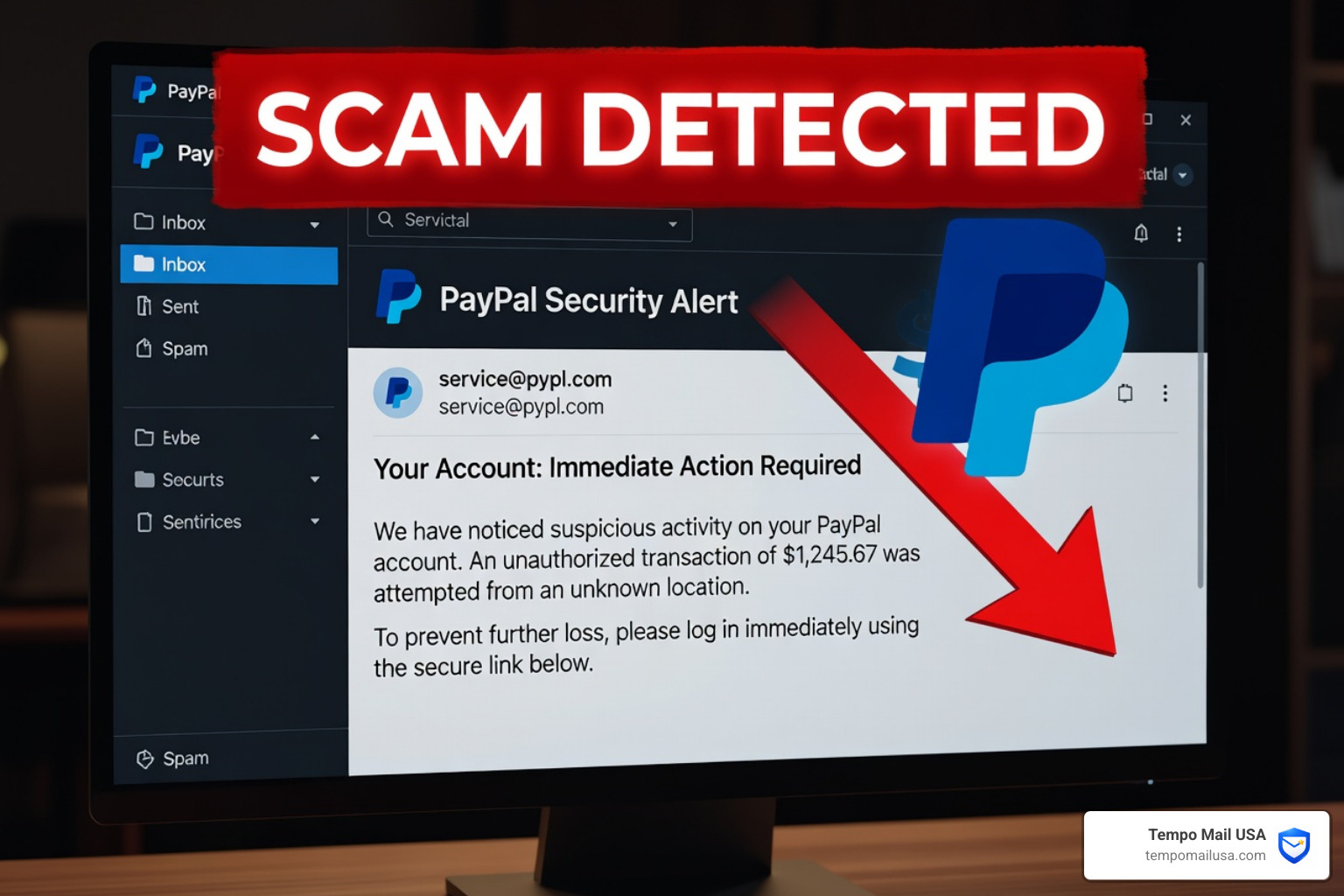

PayPal Scam Emails Are Costing People Billions — Here's What You Need to Know
A PayPal scam email is a fake message designed to trick you into giving up your password, sending money, or handing over personal information. These emails often look exactly like real PayPal messages.
Quick answer — the most common signs of a PayPal scam email:
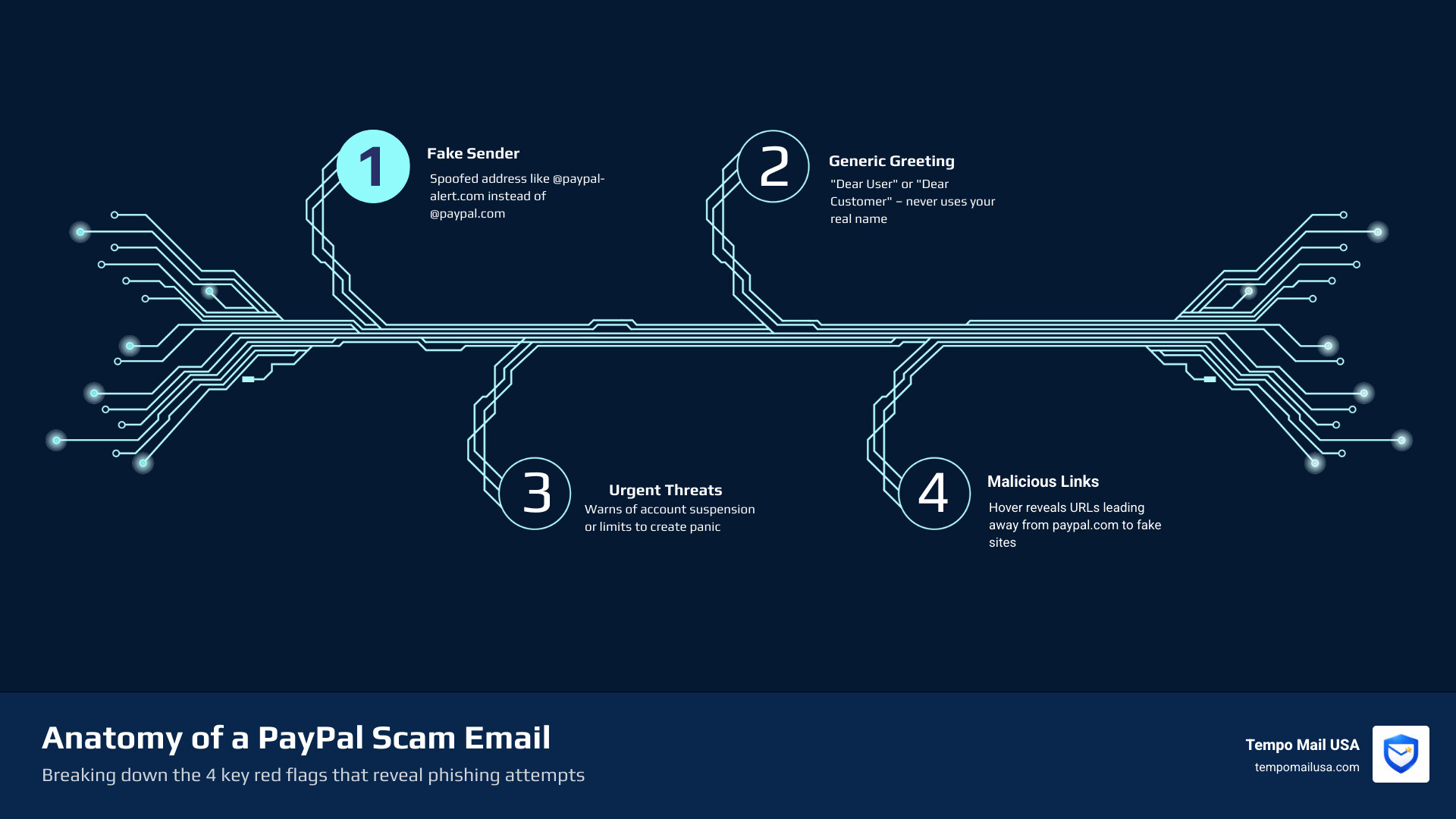
- A generic greeting like "Dear User" or "Dear Customer" instead of your real name
- Urgent language threatening to close or limit your account
- A sender address that isn't from
@paypal.com(e.g.@paypal-alert.com) - Links that go somewhere other than
paypal.comwhen you hover over them - Requests for your password, financial details, or a tracking number
- Invoices for products or subscriptions you never ordered
PayPal is one of the most impersonated brands on the internet — and for good reason. With over 434 million active users, scammers know that blasting out a fake PayPal email will land in millions of real inboxes.
The scale of the problem is hard to ignore. The FBI's Internet Crime Complaint Center recorded over $1.4 billion in losses from phishing and email scams in the United States in a single year. Phishing attacks now account for more than 36% of all data breaches, and ESET's security telemetry detected over 4,000 attempts to target PayPal users in just the first half of 2026 alone.
These aren't random, clumsy emails anymore. Advances in AI mean scammers can now produce polished, convincing messages at scale — and some are even sent from legitimate PayPal email addresses by exploiting real platform features.
If your email address is linked to a PayPal account, you are already a target.
Common Types of PayPal Scam Emails in 2026
Scammers are creative, but they usually stick to a few "greatest hits" that have proven effective over the years. In 2026, we are seeing these tactics become even more sophisticated thanks to AI-generated text that removes the classic "broken English" red flags we used to rely on.
The Fake Invoice and Money Request Scam
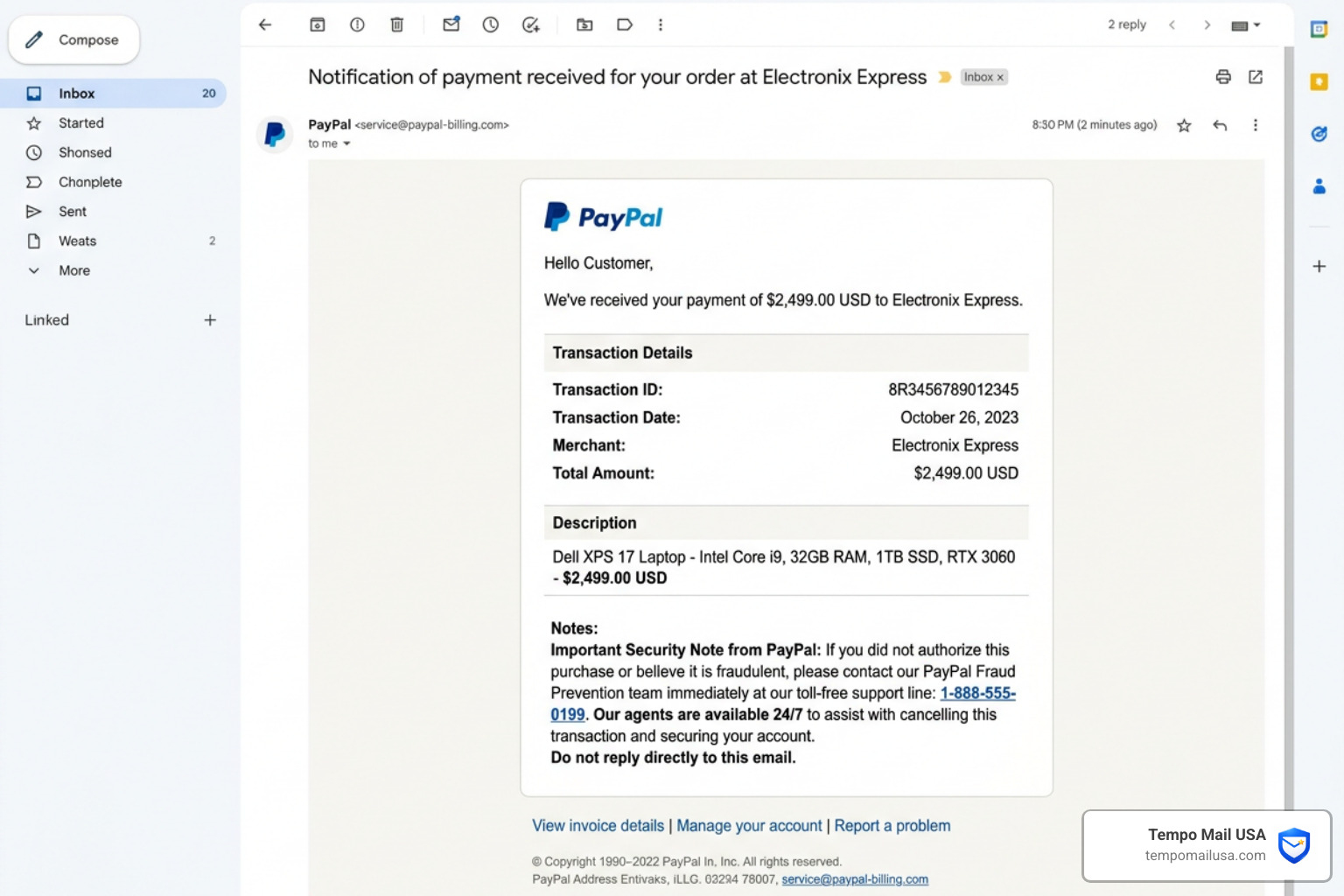
This is one of the most common variants. You receive an email stating you have an outstanding invoice for a product you don't remember buying—often something like a high-end laptop or a "Ghost Gun" (unserialized firearm) to add a layer of fear or legal panic.
The goal is to get you to call a fake "customer service" number included in the invoice notes. Once you call, the fraudster will try to trick you into giving them remote access to your computer or your login credentials to "cancel" the order. Official PayPal guide on common scams notes that legitimate invoices never include alarmist phone numbers in the notes section.
The Overpayment Refund Scam
If you sell items online, watch out for this one. A "buyer" sends you more money than the item costs. They then contact you, claiming it was a mistake, and ask you to refund the difference.
The catch? The original payment was made with a stolen credit card or a hacked account. Once PayPal realizes the initial transaction was fraudulent, they reverse the full amount. You lose the "refunded" money you sent to the scammer, the item you shipped, and the original payment.
Friends & Family Abuse
Scammers often insist on being paid via the "Friends & Family" option. They might say it’s to avoid fees. However, what they aren't telling you is that "Friends & Family" payments are not covered by PayPal Purchase Protection. If the item never arrives, you have no way to get your money back. Always use "Goods and Services" when buying from someone you don't personally know.
Subscription Renewal Fraud
You might get a PayPal scam email claiming your subscription for a service like Netflix, Norton, or even a crypto wallet like Kraken is about to renew for a high amount (often over $900 to grab your attention). These emails often use legitimate-looking formatting to lure you into clicking a "Cancel Subscription" link that actually leads to a phishing site. For more on how these mechanics work, check out our guide on what is a phishing scam and how to protect yourself.
Charity Impersonation
During times of crisis or natural disasters, scammers impersonate charitable causes. They send emotional emails asking for donations via PayPal. Always verify a charity's legitimacy through third-party sites like Charity Navigator or the BBB Wise Giving Alliance before hitting "send."
How to Spot a Fake PayPal Scam Email
Spotting a fake isn't rocket science, but it does require you to slow down. Scammers rely on "social engineering"—the psychological trick of making you feel rushed or scared so you don't notice the obvious errors.
1. Check the Sender Address
Don't just look at the "Display Name" (which can say "PayPal Support"). Look at the actual email address. A real PayPal scam email often comes from a generic service like Gmail or a misspelled domain like @paypall-support.com. However, be warned: some sophisticated scams now abuse PayPal’s own system to send emails from service@paypal.com. In these cases, you must look at other red flags.
2. Generic Greetings
PayPal knows your name. If an email starts with "Dear User," "Dear Customer," or "Hello [Your Email Address]," it is almost certainly a scam. Legitimate PayPal communications will address you by your first and last name or your business name.
3. False Urgency
"Your account will be suspended in 24 hours!" or "Unauthorized access detected—click here now!" are classic tactics. Scammers want you to panic. If there is a real problem with your account, you will see a notification in the "Resolution Center" when you log in directly at paypal.com.
4. Hover Before You Click
Before clicking any link, hover your mouse over it (or long-press on mobile). A box will pop up showing the true destination. If the link doesn't start with https://www.paypal.com/, do not click it. Learning how to spot domain name scams is a vital skill for anyone with an inbox.
5. Look for the Checkmark
Many modern email providers now show a verified checkmark next to the logo for authentic brands. If you don't see that checkmark on a message claiming to be from a major financial institution, treat it with extreme suspicion. You can find more details on this at the Official PayPal Security Center.
6. Unicode Characters and Mismatched Fields
BleepingComputer has noted that scammers use Unicode characters (letters from other alphabets that look like English letters) to bypass spam filters. Also, check the "To:" field. If it's addressed to a dozen other random people or a mailing list, it’s a mass phishing attempt.
Why Scammers Target Your Account Features
Why is PayPal such a playground for fraudsters? It’s not just because of the 434 million users; it’s because the platform has powerful features that scammers have learned to exploit.
The Secondary User Exploit
PayPal allows business accounts to add a secondary user to their PayPal account. This is meant for employees to help manage finances. However, scammers send phishing emails that, when clicked, actually initiate the process of adding the scammer as a secondary user. If successful, the scammer can issue payments and effectively clean out your balance.
Subscription Billing Abuse
This is a particularly "clever" (and evil) tactic. Scammers set up a merchant account on PayPal and create a subscription service. They then "pause" the subscription for a list of email addresses they’ve stolen or bought. This triggers an automatic, legitimate email from service@paypal.com to the victim, informing them their "Automatic Payment Status" has changed. Because the email is technically "real," it bypasses spam filters.
AI-Powered Phishing
The days of "I am a Nigerian Prince" are over. Scammers now use large language models (AI) to write perfect, professional prose. This makes understanding business email compromise harder than ever, as the tone and formatting are now indistinguishable from reality.
Data Breaches and Credential Stuffing
When a random website you signed up for five years ago gets hacked, scammers take those email/password combinations and try them on PayPal. This is why using the same password for everything is like having one master key for your house, car, and safe.
Proactive Prevention and Reporting Strategies
We believe that the best defense is a proactive one. You shouldn't just wait to get scammed; you should build a "PII Firewall" around your digital life.
Enable Multi-Factor Authentication (MFA)
If you do nothing else, do this. Microsoft has stated that MFA can prevent over 99% of account compromise attacks. Even if a scammer steals your password via a PayPal scam email, they won't be able to log in without the code from your phone or authenticator app.
Use a Password Manager
Create a unique, 20-character password for PayPal that you don't use anywhere else. If a different site is breached, your PayPal account remains safe.
The Power of Email Aliases
One of the most effective ways to stop phishing is to never give out your real email address. By using a service like Tempo Mail USA, you can create a dedicated email alias just for PayPal.
- Isolation: If you receive a "PayPal" email at your primary address, you know instantly it's a scam because that address isn't linked to your account.
- Deactivation: If your PayPal alias starts receiving spam, you can simply delete it and create a new one.
How to Report Scams
If you receive a suspicious message, do not just delete it. Report it so PayPal can take down the scammer's infrastructure:
- Emails: Forward the entire email to
spoof@paypal.comorphishing@paypal.com. - Texts (Smishing): Follow the steps for forwarding unusual texts to PayPal. On iOS or Android, you can usually long-press the message to forward it.
- Invoices: Log in to your account and click "Report this invoice" directly on the transaction.
Check out our full guide on how to report phishing emails in 5 steps for more details.
What to Do If You Have Been Scammed
If you’ve already clicked a link or sent money, don't panic—but you must act fast. Every minute counts when trying to claw back funds or secure an identity.
Immediate Steps vs. Long-Term Recovery
| Action Level | Step to Take | Why It Matters |
|---|---|---|
| Immediate | Change your PayPal password | Cuts off the scammer's current access. |
| Immediate | Contact the PayPal Resolution Center | Starts the formal dispute process for the transaction. |
| Immediate | Notify your bank/card issuer | They can freeze your cards and watch for unauthorized charges. |
| Secondary | Scan for Malware | Phishing links often install "keyloggers" that record what you type. |
| Secondary | Report to the FBI (IC3) | Helps law enforcement track global scam networks. |
| Long-Term | Audit other accounts | If you reused that password, change it everywhere immediately. |
Verify Security Alerts
If you receive an alert saying your password was changed, don't click the link in that email to "fix" it. Go directly to the PayPal website. We have a detailed guide on how to verify account security alerts to help you distinguish between a real warning and a fake one.
Frequently Asked Questions about PayPal Scams
How can I tell if a PayPal Scam Email is real?
The most reliable way is to ignore the email entirely. If PayPal needs you to do something, there will be a message waiting for you in your account's secure "Activity" or "Resolution Center" tabs. Real emails will always use your full name and won't contain weird attachments like .zip or .html files.
Where do I report a PayPal Scam Email?
Forward all suspicious emails to phishing@paypal.com. For suspicious text messages, forward them to the same address and then block the sender on your device. Reporting these helps PayPal's security team identify and shut down the fake websites the scammers are using.
Does PayPal ever ask for my password in an email?
Never. PayPal will never ask for your password, your full credit card number, or your one-time login codes via email or over the phone. They also won't ask you to download software or "updates" to access your account. If an email asks for a tracking number before you've seen the payment in your account, it's a fake email for PayPal verification.
Conclusion
The threat of a PayPal scam email isn't going away. As long as there are 434 million targets, scammers will continue to refine their AI-powered tactics and exploit platform features. However, you aren't helpless. By staying calm, verifying every request, and enabling MFA, you can protect your hard-earned money.
At Tempo Mail USA, we believe the best way to stay safe is to hide in plain sight. By using a temporary email for PayPal, you create an identity proxy that shields your real information from data breaches and keeps phishing attempts out of your primary inbox.
Don't let your main email address be a "master key" for hackers. Use an alias, stay vigilant, and secure your account with a temporary email for PayPal today.