

You Missed Your Doctor Appointment. Now What? Testing the No-Show Aftermath in DocBook Pro

It was 4:30, token number fourteen, Dr. Priya Nair, dermatology, Greenview Health Centre, Bengaluru. That was the plan on Tuesday morning. By 4:10 the auto-rickshaw was stuck behind a bus that had decided to become a permanent part of the road, my phone was at 8 percent, and the honest maths said I would arrive at 5:05 for a 4:30 token. I missed it. Not cancelled, not rescheduled — missed, in the ordinary way people miss appointments, because life got in the way of a number on a screen.
Every booking system is built for the patient who shows up. The demo pages, the feature lists, the three-step flows all describe a person who searches, books, and walks in on time. The missed appointment is the case nobody puts on the landing page, and it is the case that decides whether a clinic's software is actually worth running. A missed token is a gap in the doctor's day that nobody gets paid for, a slot somebody else could have used, and a patient who now needs to get back into the system without starting from scratch.
So this is a test of the miss itself, run against DocBook Pro, the $29 Laravel doctor-booking script whose demo lives at docbook-demo.tempomailusa.com. I followed one missed 4:30 token through everything the public demo and the Codester listing actually show — the reminders that were supposed to prevent it, the token that never got called, the clinic's side of the queue, and the way back in.
The promise on the tin: reminders that cut no-shows
DocBook's demo does something unusual for a booking script: it names the no-show problem out loud. Most booking pages sell the happy path and leave the miss to the small print. This one has a whole section headed "WhatsApp reminders that cut no-shows", and its claim is blunt: "Every booking triggers automatic WhatsApp reminders — 24 hours and 2 hours before the visit, plus live token updates on the day. Patients show up. Your schedule stays full."
That is the right claim to make, because the no-show is the most expensive ordinary event in a small clinic's week. A doctor who sees twenty patients a day and loses two of them has lost a tenth of the day's income, while the room, the nurse and the equipment still cost the same with an empty chair in front of them. The demo's own patient stories lean on the same point from the other side: Priya Nair, the dermatology patient from Bengaluru, says the WhatsApp reminder "meant I never forgot", and the parent from Chennai says the live token updates let her arrive "exactly when our number was near".
I like that the promise is specific. "24 hours and 2 hours before the visit, plus live token updates on the day" is a schedule you can check, not a vibe. A reminder the day before is the planning reminder — it tells you the appointment exists while you can still rearrange your day. A reminder two hours before is the action reminder — it tells you to leave now. The live token update replaces the waiting room — it tells you where you stand in the queue without making you sit in a plastic chair for an hour. Three different messages, three different jobs, and a better design than a single reminder.
But a promise with a schedule attached invites a harder question, which is the question this whole post is built on: the reminders are designed to stop the miss before it happens. What happens when they don't? A reminder can tell you to leave at 2:30, and you can still be stuck behind a bus at 4:10. The system did its job and the patient still missed. That is not a failure of the reminder. It is the moment the software has to do a second job — handling the miss gracefully — and that second job is where most booking scripts go quiet.
The three messages that were supposed to save you
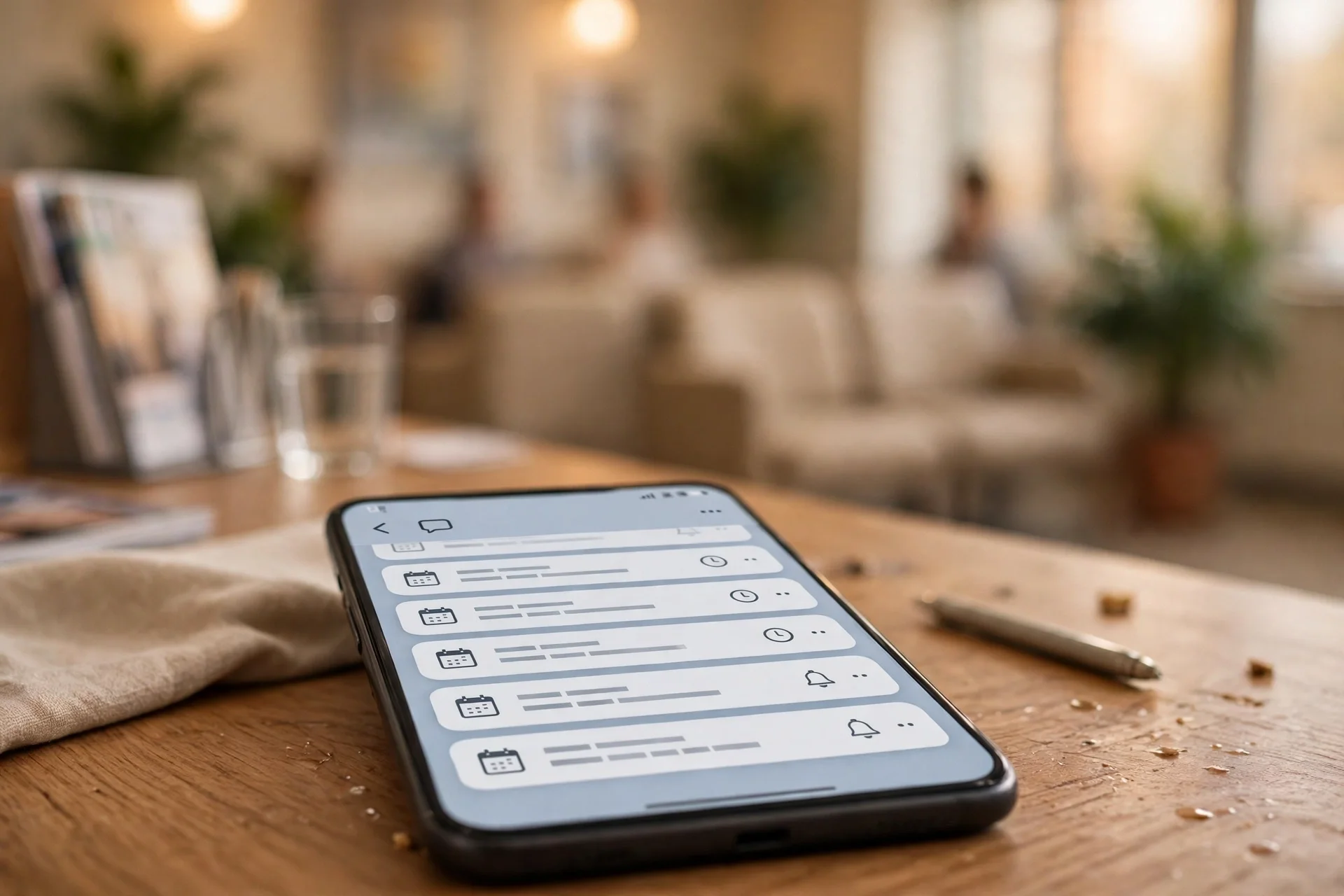
Here is the anatomy of the save attempt, message by message, as the demo shows it. The booking confirmation is the first one: you lock a slot — the demo's example uses 4:30, token number fourteen — and the number is reserved instantly. That matters more than it looks, because a token number is a commitment device. A vague "come on Tuesday afternoon" is easy to let slide. "Token #14, tomorrow at 4:30 PM" is a specific fact you can put in your calendar, and the demo's reminder copy quotes it back to you word for word: "Reminder: your appointment is tomorrow at 4:30 PM. Token #14."
The 24-hour reminder does the real work, in my judgement. It arrives while there is still time to fix things — to move a meeting, to arrange a lift, to cancel properly if you cannot come. The 2-hour reminder is the nudge: leave now, bring your reports. And the live token updates on the day — the demo's example is "Your token is now #12 — you're up in ~20 min." — turn the waiting room into something you can manage from wherever you are. With a toddler in tow, the difference between sitting in a clinic for ninety minutes and arriving twenty minutes before your number is the difference between going and not going.
There is a detail in the listing worth pulling out, because it decides whether those messages actually arrive. The reminders are "automatic WhatsApp appointment reminders via Meta Cloud API (Twilio fallback), per-clinic templates and delivery logs — plus SMS (Twilio/Vonage/Msg91) and email, all queued with retries." Two things in that sentence matter. First, the fallback: WhatsApp through Meta's Cloud API with Twilio as backup means a message that fails on one route has another route to try, and a reminder that fails silently is worse than no reminder — the clinic thinks the patient was warned and the patient was not. Second, the delivery logs: the clinic can see whether the message actually went out. If you are buying this script to run a clinic, that log is the difference between "we reminded them" as a hope and "we reminded them" as a checkable fact.
My honest read on the reminders is that they are the strongest part of the no-show story DocBook tells. Three messages, timed for three different decisions, with a fallback route and a delivery log behind them. But every one of those messages is aimed at the patient who can still be saved. None of them says what happens to the patient who could not be.
The token that never got called
Token number fourteen, 4:30, Dr. Priya Nair. On the demo's day, the tokens run in order and the queue moves. Token twelve gets called, and the demo's example message goes out: "Your token is now #12 — you're up in ~20 min." Then thirteen. Then the chair for fourteen stays empty.
Here is where I have to be careful, because this is the exact point where the public evidence runs out. The demo's homepage shows the queue moving and the tokens being called. The listing says the clinic panel has "appointments with day queue (token view)". Neither the demo's public pages nor the listing says, in any words I could find, what happens to a token when its patient does not arrive. There is no "mark as no-show" button visible on the public demo, no no-show status in the listing's panel descriptions, and no sentence anywhere that says whether the token is skipped, held, released, or left sitting in the queue while the doctor waits.
That silence matters, because the possible answers are very different. If the token is skipped after a grace period, the doctor keeps moving and the loss is one slot. If the token is held while the clinic tries to reach the patient, the doctor waits and the queue behind it stalls. If the token simply stays in the queue, the token numbers after it stop meaning what the patients were told they mean — "you're up in ~20 min" becomes a lie the moment an uncalled token jams the line. I am not claiming DocBook does any of these three things. I am saying the demo does not show which one it does, and a clinic owner buying a booking system is entitled to know, because the answer decides whether a no-show costs one slot or the whole afternoon's timing.
The doctor's panel, per the listing, has a "today list", and the clinic panel has the day queue with the token view. So the people running the day can see the gap. What they can see and what they can do about it are different things, and the public evidence shows the seeing, not the doing. If you are the clinic owner, that is the first question to put to the demo: open the day queue, book a test token, don't show up for it, and watch what the queue does. It takes ten minutes and it tells you more about the software than the feature list does.
What the clinic sees on its side of the queue
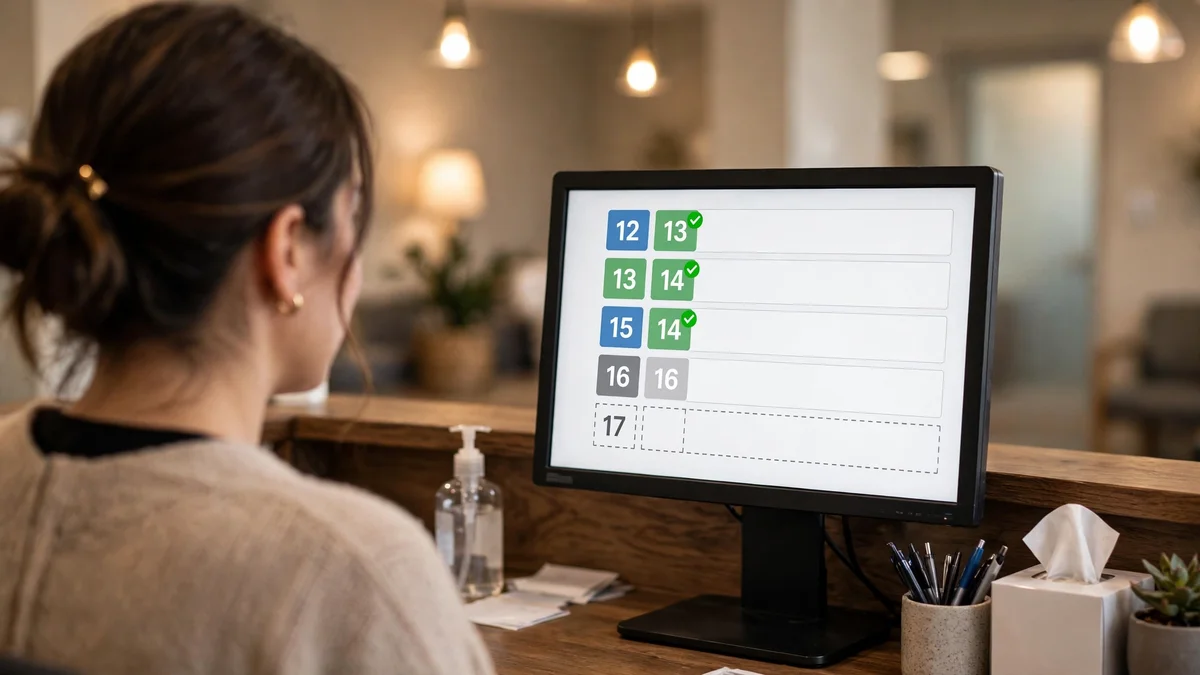
Flip the chair around and the miss looks different. From the clinic's side, a no-show is a hole in the day, and the clinic has three jobs once the hole appears: notice it quickly, fill it if possible, and stop it happening again with the same patient.
The noticing part is the one DocBook handles best, at least on paper. The clinic panel's day queue with the token view means the receptionist is looking at the same numbered list the patients are watching on their phones. When fourteen does not walk in, the gap is visible in the same place the queue lives — not in a separate report to be read at closing time. That matters, because a no-show discovered at 4:35 can still be salvaged — a phone call, a message, a walk-in — while a no-show discovered at 6:00 is just a lost slot with a story attached. The doctor's today list gives the same visibility from the consulting room.
The filling part is where the listing gives me less to work with. The clinic panel has "broadcast messages", which is the tool a clinic would use to tell its patients that a slot has opened up. But a broadcast is a blunt tool for a sharp problem: messaging everyone to fill one slot is the kind of thing that trains patients to ignore your messages. What a clinic really wants is a waitlist — the next person in line for that doctor, offered the slot first, automatically. The listing does not mention a waitlist anywhere I could find, and the demo's public pages do not show one. That does not mean it does not exist; it means it is not part of the story the product tells about itself, and a feature that is not in the story is a feature you should verify before you pay for it.
My view, after reading the clinic's side: the visibility is real and the tools around the gap are plausible, but the gap-filling is the weak link. A day queue that shows the hole, a broadcast tool that can shout about it, and no visible waitlist to fill it quietly — that is a system that helps you watch a no-show happen and helps you warn the next patient, but leaves the empty slot itself to the receptionist's phone and memory. For a solo clinic with twenty patients a day, that may be fine. For a three-clinic setup like the demo's "3 partner clinics", the receptionist's memory does not scale, and the waitlist question becomes the question.
Getting back in: the patient panel's second chance
The miss is not the end of the story for the patient either. I missed my 4:30, and now I need to see a dermatologist, and the question is what getting back in costs me — in time, in money, and in patience.
The listing's patient panel gives the patient what matters here: "upcoming/past appointments, reschedule/cancel, add-to-calendar, invoices, prescriptions (print/PDF), favorites, family members, notification preferences". The two that matter to a patient who just missed are the first two. "Upcoming/past appointments" means the missed visit should be visible as a past appointment, with its history intact — the doctor, the fee, the token number. And "reschedule/cancel" means the patient can move the visit themselves, without phoning the clinic and joining the queue of people phoning the clinic.
That self-service rebooking is the most important part of the no-show story. A patient who missed an appointment and has to phone to rebook will often simply not rebook. The phone call is a small friction, placed exactly at the moment the patient is already embarrassed about missing and already busy with whatever made them miss. A rebook button in the patient panel, sitting next to the missed appointment, turns the miss into a two-minute fix. The listing says the panel has it. The demo's public pages do not show the panel itself, so I cannot tell you what the rebooking flow looks like — whether it offers the next available slot with the same doctor, whether it shows the fee again, whether it warns you that you are booking a second time. Those are details only a run through the demo's patient panel can answer.
There is also a money question, and it is the one the listing answers least. The demo's clinic plans are ₹19, ₹49 and ₹99 a month with a 14-day free trial and "zero commission" — but those are the clinic's subscription plans, not the patient's fee. The listing says the platform can charge "a platform fee on every appointment payment, with invoices, refunds (capped, audited) and doctor payout tracking", and it lists 26 payment options including pay-at-clinic. What none of that says is whether a missed appointment costs the patient anything: a no-show fee, a forfeited advance, a rebooking charge. The demo's featured doctors show real fees on their profiles, but the public pages do not show a no-show policy. That is not a criticism of the product so much as a statement about the evidence: the no-show policy is a clinic's own decision, and a booking script can only give the clinic the tools to enforce it.
One more detail from the patient panel that deserves a mention: "notification preferences". A patient who missed once can, in principle, turn up the reminders for the next visit — WhatsApp and SMS and email all at once. That is a small control, but it is the patient taking responsibility for the next visit in the system's own terms, and I would rather have that than another lecture about punctuality.
The gaps nobody lists
Every honest review has a section like this one, and this is mine. After reading the listing twice and the demo's homepage carefully, here is what DocBook Pro does not show me about missed appointments — stated as gaps, not accusations, because a gap in the public evidence is not proof of a gap in the product.
First, there is no visible no-show status. The appointment lifecycle the listing describes is book, remind, visit. The patient panel lists upcoming and past appointments, plus reschedule and cancel. "Missed" or "no-show" does not appear as a status anywhere in the listing's panel descriptions, and the demo's public pages do not show one. A clinic that wants to track its no-show rate needs that status to exist as a real, reportable thing, not as a mental note the receptionist keeps. The Super Admin panel has "reports", and the clinic panel has "billing and earnings", so the reporting surface exists; whether no-shows appear in it is unproven from the public evidence.
Second, there is no visible waitlist. It is the single most valuable feature a no-show creates a need for. A waitlist turns a missed slot from a loss into a transfer: one patient misses, the next patient in line gets the slot, the doctor's day stays full. Without it, the clinic is relying on the receptionist noticing the gap and phoning around, which works until the day it doesn't.
Third, there is no stated no-show policy tooling. No mention of a no-show fee, a forfeited advance, a strike system, or an automatic rebooking offer. Those are business decisions, and a script should not make them for the clinic — but a script that wants to serve clinics should give them the switches. The listing's monetisation section talks about platform fees and refunds; it does not talk about no-shows as a revenue event at all.
Fourth, the demo's own numbers are small. "221+ appointments booked" across three clinics and eighteen doctors is not a lot of history to learn no-show patterns from, and the featured doctors include three with zero reviews — Dr. Sneha Kulkarni, Dr. Vikram Reddy and Dr. Ananya Iyer all sit at 0.0 with no reviews — which tells me the demo's data is a starting set, not a lived-in clinic. That is fine for a demo. It means the no-show story I am testing is a story about the design, not about observed behaviour, and I have said so throughout.
None of these gaps is a reason not to buy the script. A $29 one-time script that gives you four panels, 26 payment options, WhatsApp reminders with delivery logs and a five-step installer is, on the evidence, a lot of software for the money — and I have tested enough booking products in this series to know that most of them do not even name the no-show problem. DocBook names it, builds its best feature around it, and leaves the rest to be verified. That is a better position than most. But "verify the rest" is doing real work in that sentence, and the next section is the work.
The test to run before you buy
If you are a clinic owner reading this with the Codester tab open, here is the test I would run on the demo before paying $29. It takes an afternoon, it costs nothing, and it answers every question this post had to leave open.
Book a test appointment for the earliest slot you can get, with the doctor you would actually use — Dr. Aarav Sharma, 4.6 from nine reviews, neurology and dentistry at CityCare in Mumbai, is the demo's most-reviewed doctor and the safest test subject. Note the token number and the reminders as they arrive: the confirmation, the 24-hour message, the 2-hour message. Then do not show up. Deliberately miss it. Watch the day queue in the clinic panel and write down what happens to your token: is it skipped, held, or left sitting? Does the next token get called on time, or does the queue stall behind your empty chair? Does anything message you — a "we missed you" note, a rebooking offer, a prompt to reschedule?
Then open the patient panel and rebook. Time it. See whether the missed appointment shows as a past appointment, whether the rebook offers the same doctor's next slot, whether the fee is shown again, and whether there is any mention of a no-show charge. Then, as the clinic, look for the no-show in the reports: can you find it, count it, and see it in the earnings? And finally, look for the waitlist — try to join one for a fully booked doctor, and see whether the system offers your freed slot to anyone.
If the demo answers those questions cleanly, you have a booking system that handles the bad days as well as the good ones, and $29 is a small price for it. If it answers them badly — the queue stalls, the token jams the line, the rebook is a phone call, the no-show is invisible in the reports — then you know the price of the gap, and you can decide whether to live with it, work around it, or look elsewhere. Either way, you will have bought with your eyes open, which is the only way to buy software that runs a clinic's day.
Frequently asked questions
What happens if I miss my doctor appointment booked through DocBook Pro?
On the evidence of the demo and the listing, the system does not state a single no-show outcome. Your reminders — 24 hours and 2 hours before, plus live token updates — are designed to stop the miss. After the miss, the patient panel's reschedule option is the way back in, and the clinic's day queue shows the gap. Whether the token is skipped, held or released, and whether any fee applies, is not shown on the public demo — test it on the demo before you rely on it.
Does DocBook Pro send reminders before my appointment?
Yes, according to the demo and the listing. Every booking triggers automatic WhatsApp reminders 24 hours and 2 hours before the visit, plus live token updates on the day, with SMS and email as well. The listing says reminders go through Meta's Cloud API with a Twilio fallback, plus SMS through Twilio, Vonage or Msg91, all queued with retries, and the clinic gets delivery logs.
Can I reschedule after missing an appointment?
The listing says the patient panel includes reschedule and cancel for upcoming and past appointments, so the control exists. The public demo does not show the rebooking flow itself, so whether it offers the same doctor's next slot or shows the fee again is something to check in the demo's patient panel.
Does the clinic get told when a patient doesn't show up?
The clinic panel has a day queue with a token view, and the doctor's panel has a today list, so the gap is visible to the people running the day as it happens. There is no stated automatic no-show alert or no-show status in the listing's panel descriptions, so the clinic sees the empty slot rather than receiving a labelled no-show event.
Is there a waitlist if I miss and want the next free slot?
Not that the listing or the demo's public pages show. The clinic panel has broadcast messages, which can announce an open slot, but no waitlist feature is named. If a waitlist matters to your clinic, verify it in the demo before buying.
How much does DocBook Pro cost, and what does the clinic pay monthly?
The script itself is $29 one-time on Codester. The demo's clinic subscription plans — Starter ₹19, Growth ₹49 and Scale ₹99 a month, with a 14-day free trial — are the demo's own example plans for clinics running the software as a service, not patient consultation fees. The listing says clinics keep 100% of appointment revenue on a flat subscription with no commission.
The miss is the test
A booking system earns its keep on the days that go wrong. The smooth days — the patient who searches, books, and walks in at 4:30 with token fourteen in hand — take care of themselves, and any competent script can run them. The missed appointment is where the design shows: the reminders that tried to prevent it, the queue that absorbed it or stalled behind it, the rebooking that took two minutes or a phone call, the report that counted it or forgot it.
DocBook Pro's answer, on the public evidence, is half a very good one. The prevention is genuinely strong — three timed WhatsApp messages with a fallback route and a delivery log is more thought than most booking scripts give the problem, and the demo is right to put "reminders that cut no-shows" in its headline. The aftermath is where the evidence thins: the token's fate, the waitlist, the no-show status and the policy tools are all questions the listing and demo leave open, and open questions are not features.
That is not a verdict against the script. It is a verdict against buying it blind. Run the miss test on the demo — book it, miss it, watch the queue, rebook it, find it in the reports. Ten minutes of deliberate absence will tell you more about whether this $29 script can run your clinic than any feature list can, including this post. And if it passes, you will have bought the rare thing in this market: a booking system that is honest about the worst day in the clinic's week, and built for it.
Product facts in this post were verified from the live Codester listing and the live demo at docbook-demo.tempomailusa.com on 2026-11-10. Panel behaviours are quoted as the listing's own claims and the demo's own public labels; no booking was completed and no panel was logged into for this run. Internal links: the clinic setup diary, the doctor's working day, the change-of-plans stress test, and the backwards reading of a booking from earlier in this series.
Need a disposable temporary email?
Protect your real inbox from spam and promotional clutter instantly and free.
Received a suspicious email, text, or charge alert?
Verify whether the sender domain is disposable, spoofed, or unverified before clicking links.