
Encrypted Email Service for Small Business: What a 5-Person Team Actually Pays — and the 20-Minute Test That Picks the Winner

Encrypted Email Service for Small Business: What a 5-Person Team Actually Pays — and the 20-Minute Test That Picks the Winner
Most small businesses buy encrypted email backwards. They pick a vendor first — usually whichever one topped a comparison list — and then discover, three months and several hundred dollars later, that their clients hate opening the messages, or that the encryption they bought was already included in the Microsoft or Google plan they were paying for all along. The order of operations is the whole game here: check what you already own, pick the shape of the solution, run one twenty-minute test, and only then look at prices. Done in that order, the decision takes an afternoon. Done the other way round, it takes a quarter and a renewal you regret.
This guide is written for a business with roughly five people sending email — a law firm with two partners and a paralegal, a clinic, an accounting practice, a small agency. The prices below are for five seats, because that is the number where the maths stops being abstract. Every price is one I checked on vendor pages or in Mailbird's October 2026 comparison of seven tools, and every one of them can change — treat them as the range to budget against, not a quote.
First, the bill you already pay
Before you spend a dollar, open your Microsoft 365 or Google Workspace admin panel and check whether you already own message encryption. This is the single most valuable five minutes in this guide, and it is the step most comparison articles bury in a footnote.
If your business runs Microsoft 365, the feature is called Purview Message Encryption, and it is included in some plans and absent from others — the exact entitlement depends on your licence, and Microsoft has moved it between plans more than once. In the admin centre, look under the Purview compliance portal for message encryption, or ask your IT person which licences your five seats actually hold. If it is there, your encrypted email service costs you nothing extra, and the rest of this guide becomes a question of whether Purview's recipient experience — a portal, usually with a one-time passcode — is good enough for your clients. Our guide to the encrypted email portal walks through exactly what your recipients will see, including the two-email dance and the 15-minute code expiry, so you can judge that experience before you commit to it.
Google Workspace businesses are in a similar position. In April 2026 Google announced end-to-end encrypted messaging in Gmail's Android and iOS apps for eligible Workspace customers — but the availability was tied to Enterprise Plus with an Assured Controls add-on, which is enterprise pricing, not small-business pricing. If you are on Workspace Business Starter or Standard, assume you do not have it, and verify rather than assuming the other way. The pattern is the same on both platforms: the encryption you already pay for is either free or enterprise-priced, and the only way to know which is to look at your own licences.
My opinion, stated plainly: if Purview is already in your plan, use it for a month before buying anything else. It is not the slickest tool on the market, and the portal step will cost you a few confused phone calls from clients. But it is free, it is already configured, and it tells you within weeks whether your clients will tolerate portal-based encryption at all. If they will not, you have learned that with zero spend — and that lesson is worth more than any comparison table, because it tells you to buy the kind of tool that delivers straight to the inbox, not the one with the best feature list.
Pick the shape before the brand
There are three shapes of encrypted email service, and they solve different problems. Nearly every bad purchase I have seen came from choosing a brand in the wrong shape.
Shape one: an add-on to the Gmail or Outlook you already use. Virtru and Paubox live here. You keep your addresses, your inbox, and your habits; the tool encrypts selected messages as they leave. This is the right shape when your team will not change tools — and be honest about that, because most teams will not — and when your clients are the kind of people who will click one verification step but not create an account. Virtru encrypts the message and attachments and lets you revoke access after sending; Paubox usually delivers straight to the recipient's normal inbox, with a secure link only when the receiving server cannot do the required TLS connection.
Shape two: a separate secure inbox that runs alongside your ordinary mail. PreVeil is the clearest example. Your team keeps its existing addresses and adds an encrypted inbox next to them. This is the right shape when the encrypted mail is a defined slice of the business — patient records, client files, deal documents — rather than everything you send. The cost is a second place to check. I have watched small teams buy this shape for "everything" and then quietly stop checking the second inbox within a month, which is worse than not encrypting at all, because now the sensitive mail sits unread in a place nobody monitors.
Shape three: switch to a private email provider. Proton Mail and Tuta Mail live here. You move your business mail to a provider whose whole product is privacy, with your own domain. This is the right shape when privacy is the business's identity — a consultancy that sells discretion, a practice whose clients choose it partly for this — and when you are willing to pay the migration cost: moving mail, retraining the team, and accepting that some tools you liked will not integrate. Tuta does not support Outlook or other third-party mail clients at all; Proton supports them through its Bridge for paid users, with limits on what can be sent through it.
The shape decision is a one-line test. Ask: will my team change where they read email? If the answer is no, you are choosing between shapes one and two. If the answer is yes and the whole business is moving, shape three is on the table. Everything after this is brand comparison inside a shape you have already picked — which is a much smaller, much easier decision.
What five seats actually cost in 2026
Here is the part the comparison sites make hard to find: the annual bill for a five-person team, in one place, with the numbers as listed in late 2026. Prices are per the vendors' own pages and Mailbird's October 2026 comparison; verify at checkout, because small-business pricing changes without announcement.
| Service | Shape | Listed price | Five seats, one year |
|---|---|---|---|
| Microsoft Purview Message Encryption | Built into M365 | Included in eligible plans | $0 if already entitled |
| SecureMyEmail | Add-on | $2.50/user/month, annual billing | $150 |
| Paubox | Add-on | $32/month minimum, up to five addresses, annual billing | $384 |
| Proton Mail Business | Switch provider | ~$6.99–$12.99/user/month | ~$419–$779 |
| Virtru | Add-on | $119/month for five users, annual billing | $1,428 |
| PreVeil Business | Separate inbox | $30/user/month | $1,800 |
| OpenText Core Email Encryption | Add-on / policy | Quote only | Ask — no public figure |
Read that table twice, because the spread is the story: $150 to $1,800 a year for the same five people, and the most expensive option is not obviously the best one. Virtru at $1,428 buys you end-to-end encryption inside Gmail and Outlook, with revocation and expiry controls — real features, and worth the money if you send contracts and need to pull one back. Paubox at $384 buys you the smoothest recipient experience on the list, because the message usually lands in the ordinary inbox, but its inbox delivery is secured with TLS, not end-to-end encryption — the recipient's mail service can read the message. That is a genuine trade-off, not a flaw: Paubox chose deliverability over maximum secrecy, and for a clinic sending appointment details to patients, that is arguably the correct choice. For a law firm sending settlement terms, it is not.
Two traps hide in the cheap end of the table. The first is the minimum-seat rule: Virtru's $119 is for five users, and PreVeil's per-user price has minimums that matter if you ever drop to three people. The second is the price that is not a price: OpenText, the former Zix, is quote-only, and a quote-only tool for a five-person business usually means a sales call, a minimum commitment, and a number that arrives after you have already invested an afternoon. If a vendor will not publish a price, assume the price is not built for you.
And the free row deserves a second look. "Included in eligible plans" is doing a lot of work: Microsoft 365 Business Basic does not include the same Purview features as Business Premium or E3, and the difference between those plans is itself $10–$30 per user per month. If you are choosing a Microsoft plan anyway, the encryption question is part of that larger decision. If you are already on a plan that includes it, the $0 row is real money saved.
The 20-minute trial that decides it
Here is the test I would run before signing anything, and the part of this guide the ranking comparison does not give you, because Mailbird's own comparison is explicit that it is a comparison of vendor-published information, not a hands-on test. Their advice, which is correct, is to test an external recipient, an attachment, and a reply before committing. Do all three, in one sitting, with a real outsider.
Message one: to an outside address you do not control. Send an encrypted message to a personal Gmail address, or better, to a disposable address from tempomailusa.com — a throwaway inbox is the honest stand-in for a client, because it has no prior relationship with your system and nothing installed. Open the message as the recipient. Count the steps: how many clicks, how many codes, how many new pages before the words appear. If it takes more than two steps, expect phone calls from clients. Write down the exact experience, because "the portal was fine" is not a memory you will trust in a month.
Message two: with an attachment. Send the same kind of file you actually send — a PDF invoice, a scanned form, a contract draft. Open it as the recipient and check three things: does the attachment arrive at all, does it open without a second login, and does the filename survive. Attachment handling is where add-on tools quietly differ, and it is the feature your team will discover is broken on the worst possible day if you do not test it now.
Message three: the reply. Reply to the encrypted message as the recipient and confirm the reply comes back encrypted, not as a plain email that defeats the whole exercise. Then reply to the reply as the sender. If either direction drops to plain text, you have found the tool's real boundary, and you need to know it before a client does.
Twenty minutes, three messages, one outsider. If a vendor will not give you a trial that lets you do this, that is itself the answer — cross them off. A tool that cannot survive a twenty-minute test with a disposable inbox will not survive a year of clients.
Six questions to ask before you sign
The sales page will tell you the product is "military-grade" and "bank-level." Neither phrase means anything. These six questions do, and a vendor that answers them cleanly is usually worth the price.
1. What exactly is encrypted — and what is not? Transport encryption (TLS) protects a message while it travels between mail systems. End-to-end encryption is designed to keep the message unreadable to those systems. The subject line is often unencrypted even in otherwise serious products — Tuta encrypts subjects; most others do not. Ask specifically about subjects, metadata, and attachments, because the sales page will not volunteer the gaps. If you want the definitions without the marketing fog, our guide to what an encrypted email actually is lays out S/MIME, PGP, and TLS side by side.
2. Who holds the keys? If the vendor can read your mail — because it holds the keys, or because it decrypts on its own server, as portal systems do — that is not a scandal, but it is a fact your risk assessment needs. Zero-knowledge means the vendor cannot read it even if it wants to. Ask, and get the answer in writing.
3. Will you sign a BAA? If your business touches health information, a Business Associate Agreement is not optional. Proton, Paubox, and several others will sign one; some will not, or will only sign on higher tiers. Our guide to HIPAA secure email providers lists the eight that actually sign — check your vendor against it before you assume.
4. Where does the data live? A European provider with servers in Germany is a different compliance story from a US-only host, and it matters for clients with data-residency requirements. This is a two-minute question that saves a painful migration later.
5. How do we leave? Ask how you export your mail, your contacts, and your encryption keys if you cancel. A vendor that cannot answer the exit question clearly is telling you the exit is painful. This matters most in shape three, where the provider holds your mail, and least in shape one, where it does not.
6. What happens when someone leaves the team? Offboarding is the unglamorous test of every small-business tool. Can you revoke one person's access without touching anyone else's? Can you read their sent encrypted mail after they go? If the answer involves a support ticket, budget that time.
When an encrypted email service is the wrong purchase
Not every small business needs one, and the honest guides say so. Three cases, and I would argue all three are common.
Your sensitive mail never leaves the building. If the confidential information moves between your own five people and never goes to an outside address, the encryption that matters is access control on your own systems, not a service that encrypts outbound mail. Buy a password manager and turn on two-factor authentication first.
You only need it for one client or one matter. A single client who demands encrypted mail is a per-message problem, not a per-seat subscription. Gmail's Confidential Mode, or a password-protected Proton message sent from a free account, covers it. Our guide to how to send an encrypted email walks through the no-subscription routes. Do not buy a $1,428 annual plan for a problem that occurs four times a year.
Your clients will not do the portal dance. Some client bases — older clients, clients who read mail on shared computers, clients who treat every unexpected login screen as a scam — will simply not open a portal message, and no amount of training will fix that. If your twenty-minute trial ends with you thinking "my clients will call me about this," believe that thought. The encryption that clients refuse to open protects nothing, because the business will route around it within a week. In that case the right purchase is the tool with the least recipient friction, even if its encryption is weaker — Paubox's inbox delivery, or Purview if you already own it — because a weaker encryption your clients actually use beats a stronger one they bypass. And if you want the fuller argument about what encryption does and does not guarantee, our guide on is encrypted email secure gives the two answers nobody puts on a sales page.
The 30-day rollout for a five-person team
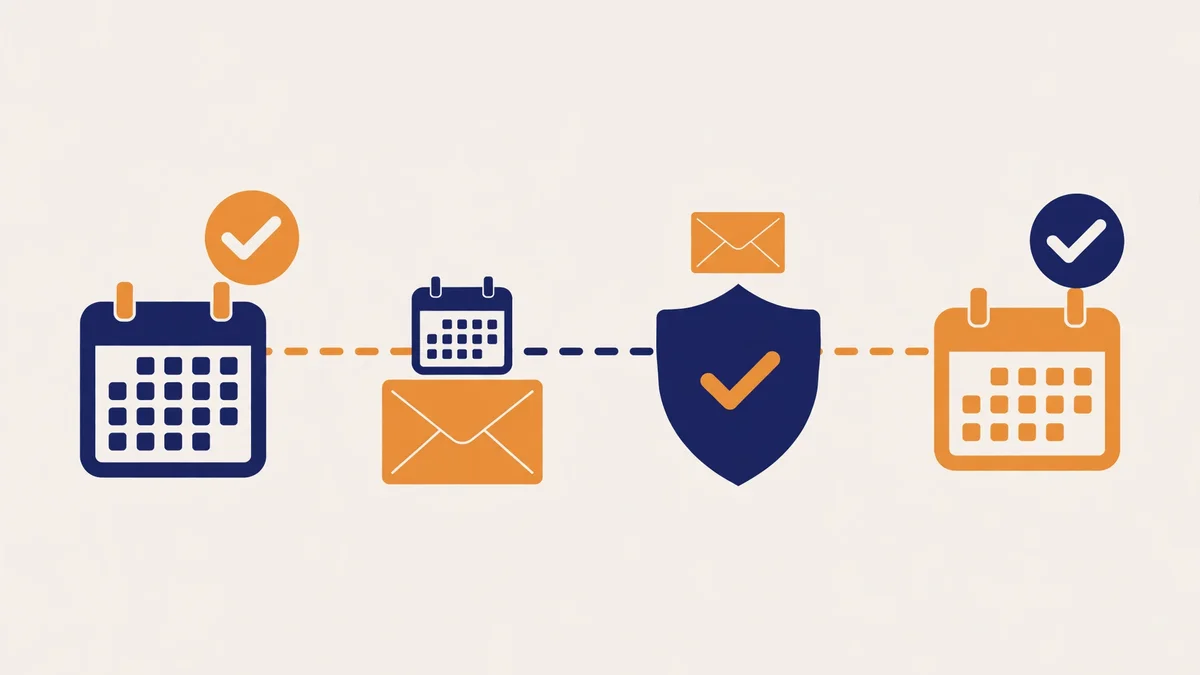
If you buy, roll it out in four weeks, not one afternoon. The failure mode of every small-business encryption purchase is the same: the owner configures it alone, announces it on Monday, and discovers on Friday that two people never set it up and one has been sending the sensitive mail unencrypted because the button was confusing.
Week one: one person, one client. Pick your most patient client and your most technical team member. Send real mail through the new service and fix whatever breaks. This is the week you discover the attachment problem or the reply problem, while only one client is affected.
Week two: the whole team, internal only. Everyone sends encrypted mail to each other for a week. This surfaces the setup gaps — the person whose Outlook add-in never installed, the phone that needs the app — before any client sees them.
Week three: the client letter. Send every regular client a short note: what is changing, what they will see, and a phone number to call if the message will not open. The note should be one paragraph, in plain language, with no jargon. Clients who get a warning open the message; clients who get a surprise call you.
Week four: the rule. Write down which mail must be encrypted — client files, financial documents, anything with a signature or a medical detail — and which mail need not be. Put the rule where the team can see it. Then check, once, that everyone is actually following it. The rule is the product; the software is only the tool that enforces it.
FAQ
Do I need an encrypted email service if I already use Gmail or Outlook? For mail in transit, no — Gmail and Outlook already use TLS, so the message is protected while it travels. You need an encrypted email service when the message must stay unreadable to the mail providers themselves, when a client or a regulation requires it, or when you need controls like revocation and expiry. The test is simple: if the requirement is "nobody but the recipient can read this," TLS alone does not meet it.
What is the cheapest encrypted email service for a small business? On published prices in late 2026, SecureMyEmail at $2.50 per user per month on annual billing — $150 a year for five seats — is the cheapest add-on with a public price, and Microsoft Purview is $0 extra if your existing Microsoft 365 plan already includes it. Cheapest is not the same as best: the $150 option and the $1,800 option are different shapes with different recipient experiences, so run the twenty-minute trial before letting price decide.
Can I keep my Gmail or Outlook address with an encrypted email service? Yes, with an add-on service such as Virtru or Paubox, or with a separate-inbox service such as PreVeil. You only change addresses if you switch to a private provider such as Proton Mail or Tuta Mail. Keeping your address is the single biggest predictor of whether your team will actually use the tool, so treat it as a requirement, not a preference, unless you have a specific reason to move.
Will my clients need to install anything to read my encrypted email? It depends on the service. Paubox usually delivers straight to the recipient's normal inbox with nothing to install. Virtru asks the recipient to verify their identity but not to install software. PreVeil offers browser access for outsiders, and Proton and Tuta ask outside recipients to open a password-protected message in a browser. This is the question the twenty-minute trial answers for your actual clients — do not take the vendor's word for it.
Is an encrypted email service enough for HIPAA compliance? No — encryption is one requirement among many. You also need a signed BAA with the vendor, access controls, audit logging, and staff training. A vendor that signs a BAA and a vendor that merely says "HIPAA-compliant" on its homepage are not the same thing; the BAA is the document that matters.
What happens to my encrypted email if I stop paying? With an add-on service, your mail stays in Gmail or Outlook and you lose the encryption layer — old encrypted messages may become unreadable if the vendor holds the keys. With a provider switch, you must export your mail before the account closes. Ask the vendor how export works before you sign, not after you cancel.
The bottom line
A five-person business choosing an encrypted email service should spend its money in this order: nothing, if Microsoft Purview or Google's enterprise encryption is already in a plan it pays for; $150 to $384 a year, if an add-on with easy recipient delivery fits the client base; $1,428 and up, only if the business sends contracts it may need to revoke and its clients will tolerate the verification step. The $1,800 separate-inbox option earns its price only when the encrypted mail is a defined, monitored slice of the business — and it fails the moment the second inbox goes unchecked.
The decision is not which vendor has the longest feature list. It is which shape your team will actually live in, which price your business will actually keep paying, and which recipient experience your clients will actually complete. Answer those three, run the twenty-minute test with a disposable inbox, and the right service picks itself.
---
Need a disposable temporary email?
Protect your real inbox from spam and promotional clutter instantly and free.
Received a suspicious email, text, or charge alert?
Verify whether the sender domain is disposable, spoofed, or unverified before clicking links.