

Who Can Read Your Throwaway Mail? The Operator's Side of a Disposable Inbox
Try this the next time you open a disposable inbox, and pay attention to what does not happen. No login screen appears. No password is asked for. No account is created in your name. An address is simply there, and the inbox behind it is simply open. That absence is the whole product: a temporary address is useful precisely because getting one costs nothing, not even a signup. But an absence that convenient deserves a second look, because the same absence answers the question most users never ask out loud: if nobody had to prove who they are to open this inbox, what exactly is stopping anyone else from reading it?
This post is about that question, and it is written for the people who use this site, not for developers shopping for code. The script behind this site is TempoMail v4.0, and its landing page says this very site runs on it. So the privacy question is not abstract. It is about the inbox you used this morning, and about the one you are about to generate for the next signup form that asks for an email address you would rather not give.
The address is the only key
A normal email account has two things guarding it: an address and a password. Lose the password and you lose the account, which is annoying, but it also means that knowing someone's address alone gets you nothing. A disposable inbox on the free tier of a site like this one has only the first of those two things. The pricing page says it plainly: a full working inbox with no account and no card. There is no second gate, because a second gate would destroy the point. A temporary address that demanded a signup would be a contradiction, and nobody would use it.
So treat the address itself as the password. That is the honest mental model, and it changes how you should think about sharing it. When you paste a disposable address into a signup form, you are handing the key to that inbox to the service you are signing up for, which is fine, and also to anyone who can see that form submission, that page, or that address written down anywhere afterwards. A disposable address is not a secret you keep. It is a string you paste into places, and pasted strings travel. If a stranger learns the address, there is no password step standing between them and the inbox. That does not mean a stranger is watching every address — for a random address on a busy service, the odds that anyone cares about your particular inbox at the particular minute your code arrives are low. But low odds are not a lock. A lock is a mechanism. This inbox has no lock, only obscurity, and obscurity fails the moment the address stops being obscure.
Here is my first opinion, stated without softening: most people use disposable inboxes backwards. They treat the address as private because it feels private — it arrived instantly, it belongs to no account, it carries no name — while treating the contents as unimportant because they are temporary. The truth is the other way round. The address is the least private part of the arrangement, and the contents are the only part that can hurt you. A code or a reset link sitting in an inbox with no password is not a private message that happens to be temporary. It is a public note with an expiry date.
Anonymous is not the same as private
This is the distinction the whole post turns on, so it is worth getting exact. A disposable inbox is anonymous in one direction and exposed in another, and confusing those two directions is how people get hurt.
It is anonymous towards the service you sign up for. When you register with a disposable address, that service learns nothing about your real identity from the address itself. It cannot follow the address back to your name, your main inbox, or your other accounts, because the address was generated for one purpose and carries no history. That is a genuine privacy gain, and it is the reason disposable inboxes exist. If your worry is "I do not want this newsletter, forum, or app to have my real email and sell it on," a disposable address solves that worry completely. The signup site gets an address that dies, and your real inbox stays clean.
It is not private towards everyone else. Anonymity hides who you are. Privacy hides what you received. A disposable inbox gives you the first and withholds the second. Anyone who knows the address can, in principle, open the same inbox and read the same messages, because there is no account boundary to stop them. The operator can certainly read them: the messages sit in the operator's database until they are purged. The sending service can read them, because it wrote them. So the correct sentence is not "my throwaway mail is private." It is "my throwaway mail is anonymous to the site I gave it to, and readable by the site that runs it and by anyone who learns the address."
The operator's chair: what the admin panel can see

To understand the operator's side, sit in the operator's chair for a minute. The script's landing page describes a Laravel admin panel for managing domains, ads, email lifespans, blacklists, users, and system stats. Behind that panel sits a database — MySQL 8, on the stack the landing page lists — holding every message that has arrived and not yet been purged, plus its attachments. The operator does not need your password, because there is none. The operator owns the building the inbox lives in.
That should adjust your behaviour, but it should not surprise you. Every mail system works this way: its operator can technically read the mail it stores. The difference with a disposable service is that there is no account relationship, no contract, and no support obligation softening that fact. You are a visitor using a free tool run by a stranger. A reputable operator will not go reading strangers' verification codes for fun. But "probably not snooped on" is not a privacy guarantee, and you should never put a message in a disposable inbox that would harm you if the operator, or anyone with access to the operator's server, did read it.
There is a second, less obvious reader in the operator's chair: the software itself. The script's OTP extractor parses every incoming email body to pull out 4, 6, or 8-digit codes and highlight them, with a one-tap copy button. That is a genuinely useful feature when you are racing a code's expiry, and it is also automated reading of your mail by design: the code is extracted so you can see it faster, which means the system has already seen it first. Your disposable mail is read by the service that sent it, stored by the service that runs the inbox, parsed by the script's extractor, and open to anyone who learns the address.
The purge timer is the only eraser, and what it cannot erase
If the operator's chair is the problem, the purge timer is the partial answer, and it is worth understanding exactly what it does. The landing page says a scheduled background cron flushes expired emails and attachments after a configured lifespan — 10 minutes, 1 hour, or 24 hours, set by the operator. When that timer runs, the stored copies are deleted from the operator's database, which is a real and meaningful protection. A message that no longer exists cannot be read by a future intruder, a future owner of the server, or a future anyone. Short lifespans are the single best privacy feature a disposable service has, and a service that purges after 10 minutes is meaningfully more private, over time, than one that keeps messages for a month.
But a purge timer erases stored copies. It does not erase copies that have already left the building. If someone opened the inbox before the purge and copied a code or forwarded an attachment, the purge changes nothing for them. If the operator's database was backed up before the purge ran, the message may live on in a backup the timer never touches. And the timer does not erase the sending service's copy. So the honest description is: a purge timer limits future exposure, it does not undo past exposure. A 10-minute lifespan means "nobody can read this after 10 minutes, from this inbox." It does not mean "nobody ever read this."
That limit matters most for the messages people most want to protect. A password-reset link that arrives in a disposable inbox and is purged after an hour is still a live link for that hour, in an inbox with no password. The purge protects you next week. It does not protect you this hour. If the message matters for an hour, the purge is irrelevant, and the only protection is never putting the message there in the first place.
The stranger problem, stated honestly
So how worried should you be about strangers, really? Here is the honest version, without either panic or reassurance. For a random disposable address used for a low-value signup — a forum, a newsletter, a download gate — the practical risk from strangers is small. Nobody is likely to be watching your address, and even if they were, the prize is a throwaway account you do not care about. The risk is not zero, because addresses can be guessed, enumerated by scripts, or leaked through the very signup forms you paste them into, and a stranger who is running a script that watches public inboxes does not need to care about you personally. They only need to care about codes in general. But for low-value signups, this is a risk you can rationally accept, the same way you accept that a postcard can be read by anyone who handles it.
The risk changes completely with the value of the account. A code for an account tied to your money, your identity documents, your work, or your primary email is not a postcard. It is a key, and a key sitting in an unlocked box is a bad place for it no matter how briefly it sits there. A reset link is worse than a code in one way: a code expires in minutes, while a reset link may stay valid for hours. If losing the account would cost you money, time, or access to something you cannot replace, the disposable inbox fails the test regardless of how fast it delivers. Our guide to getting OTP codes with a temporary address reaches the same conclusion from the delivery side: speed and privacy are different tests, and a service can pass one while failing the other.
There is one more stranger worth naming: your future self. A disposable address you used for a signup you later care about becomes a stranger to you the moment the inbox is purged or the address is forgotten, and the reset link for it goes to an inbox that no longer exists. The shop blog's Tomorrow Test asks what you would lose if the inbox vanished tomorrow. This post asks the complementary question: while the inbox still exists, who else can read it? Answer both before you sign up, not after.
The messages that must never live here
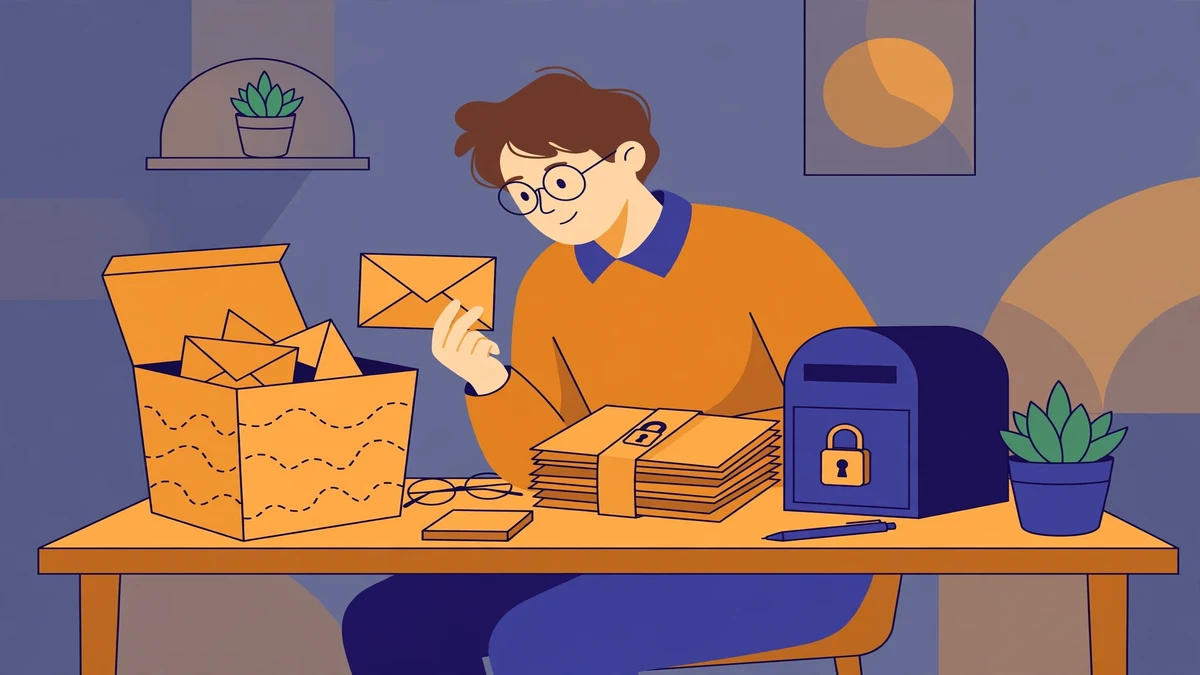
With all of that said, here is the practical line I draw, and I draw it conservatively because the downside of being wrong is an account, not an embarrassment. Never put these in a disposable inbox: anything tied to money, government or identity documents, your primary email account's own recovery messages, work accounts, and any password-reset link for an account you would struggle to recover another way. Also never put anything you would not want published: personal photos, identity documents, or anything sent to you in confidence. A disposable inbox is a postcard, not a sealed letter.
What belongs here, happily: newsletter signups, forum accounts, download gates, free-trial forms, app signups you are evaluating, and any verification code for an account you will never need again and could afford to lose. The test is not "is this message secret?" but "what happens if a stranger reads it, and what happens if I can never read it again?" If both answers are "nothing much," the disposable inbox is the right tool. If either answer is "that would be bad," use an address you own and control.
One habit makes this line easier to hold. Before you paste a disposable address, think in a full sentence about the most sensitive message that address could ever receive — not the one you expect. Signup forms escalate: a newsletter signup asks for a password reset a month later, a forum account becomes a recovery address for something else. If the worst-case message is something you would not put on a postcard, do not give the address to that service at all.
A three-question check before you paste a disposable address
You do not need a policy document for this. Three questions, asked in order, cover nearly every case:
First, if a stranger read everything this address ever receives, what is the worst thing they could do with it? If the answer involves money, identity, or access to another account, stop. Use a real address.
Second, if this inbox vanished tomorrow and I needed a message from it next week, what would I lose? If the answer is an account, a purchase, or a recovery path, stop. The address is not a safe home for that account, even if it is private today.
Third, who runs this inbox, and how long does it keep messages? A service that purges after 10 minutes or an hour is a better bet than one that keeps messages indefinitely, and a service that states its lifespan is a better bet than one that hides it. On this site, the free tier gives you one public domain and the VIP plans add 426+ domains, but the privacy question is not how many domains you have. It is how long messages live and who can open the inbox while they do.
If all three answers are comfortable, paste away. The disposable inbox is a good tool, and used inside those answers it does exactly what it promises: it keeps your real address out of a signup you do not care about, at no cost to you.
What owning TempoMail changes, and what it does not
This is a script post, so the ownership question deserves a straight answer. Buying the TempoMail script — $39 one-time for a single production domain on the Regular License, $199 for the Extended License that removes the domain limit and adds commercial rights, according to the landing page — makes you the operator. You choose the domains, you set the purge lifespan from the 10-minute, 1-hour, and 24-hour options, you manage the blacklist and the rate limits and the IP blocks, and you decide whether Turnstile or reCAPTCHA v3 guards the signup. Your users' messages live in your database, under your control, and your purge timer is the eraser. That is real control, and for someone running a service, it is the whole point.
What it does not change is the model. Your site's free inbox will still have no password, because that is what makes it a disposable inbox. Your users will still be anonymous to the sites they sign up for and readable to you, the operator, and to anyone who learns their address. Owning the script moves the operator's chair from a stranger to you. It does not put a lock on the inbox. If you run a TempoMail site, the honest thing to tell your users is exactly what this post tells you: the address is the key, the purge timer is the eraser, and the messages that matter belong somewhere else.
The earlier post in this series on this site took the tour: it walked through the site you are standing on and showed that the product being sold is the very website you are using. If you want that tour, with the full feature list and the five-step setup, it is still there. This post is the companion to it, and it answers the question the tour leaves open: now that you know what the site is, who can read what you put in it? The answer is: the sender, the operator, anyone who learns the address, and nobody else — unless you put something in it that makes "nobody else" matter. The TempoMail script page has the full details and the checkout, and the blog index has the rest of this series.
More from this series
This privacy audit follows the same habit this site's earlier script posts use: test the thing the way a user would before trusting it. The OTP guide judges disposable inboxes on delivery rather than marketing, and the earlier TempoMail tour shows that the site you are standing on is itself the product being sold. Both, like this one, are published on the tempomailusa.com blog, alongside the temporary inbox tool itself and the TempoMail script page.
Frequently asked questions
Are temporary email inboxes private?
Not in the way most people mean by private. A disposable inbox is anonymous towards the service you sign up for — it reveals nothing about your real identity — but it is not confidential: the operator stores the messages until they are purged, the script parses them for codes, and anyone who learns the address faces no password gate. Treat the address as the password, and never put a message in it that would harm you if a stranger read it.
Can the operator of a temp mail site read my messages?
Yes, technically. Messages sit in the operator's database until the purge timer deletes them, and the operator's admin panel manages those messages, domains, and lifespans. Most operators have no interest in reading strangers' throwaway mail, but "probably not read" is not a guarantee. Do not put anything in a disposable inbox that you would not want the operator to see.
How long do messages stay in a TempoMail inbox?
The operator configures the lifespan, and the landing page lists 10 minutes, 1 hour, or 24 hours as the options, with a scheduled cron flushing expired emails and attachments after that lifespan. The purge deletes stored copies from that inbox. It does not undo copies already seen, copied, or forwarded before the purge ran, and it does not delete the sender's copy.
Is a disposable inbox safe for verification codes?
For low-value accounts you will never need again, usually yes, with the address-as-password caveat in mind. For accounts tied to money, identity, work, or your primary email, no. A code in an inbox with no password is a key in an unlocked box, and a password-reset link is worse, because it may stay valid for hours rather than minutes.
Does owning the TempoMail script make its inboxes private?
No. Owning the script makes you the operator: you set the domains, the purge lifespan, the blacklist, and the abuse controls. But the free inbox model still has no password, by design. Ownership moves control from a stranger to you. It does not add a lock to the inbox, and a site that claims otherwise is overselling.
What should I never send to a disposable address?
Anything tied to money, government or identity documents, your primary email's recovery messages, work accounts, and password resets for accounts you cannot afford to lose. If the worst message that address could ever receive would hurt you in a stranger's hands, use an address you own and control instead.
A disposable inbox is a good tool, and like every good tool it is good for specific jobs and bad for others. Its job is to keep your real address out of signups you do not care about. It was never designed to keep secrets, and judging it for failing at secrecy misses the point — just as trusting it with secrets misses the danger. Use it for the postcard messages, keep the sealed letters somewhere with a lock, and check the purge timer before you decide which is which. That is the whole privacy policy a disposable inbox needs, and it fits in one sentence: the address is the key, the timer is the eraser, and everything else is up to you.
Need a disposable temporary email?
Protect your real inbox from spam and promotional clutter instantly and free.
Received a suspicious email, text, or charge alert?
Verify whether the sender domain is disposable, spoofed, or unverified before clicking links.