

Create a Fake Email: How to Get a Working Address in 30 Seconds — and When Sites Reject It
Create a Fake Email: How to Get a Working Address in 30 Seconds — and When Sites Reject It
You need an email address for a form you do not trust. A download gate, a newsletter, a free trial, a site you will visit once and never again. Handing over your real address means the marketing emails start the same afternoon and never quite stop. So you want a fake one — an address that works, receives the confirmation, and then disappears.
That is a reasonable want, and it takes about thirty seconds. The part nobody selling you a generator mentions is the second half of the transaction: the site on the other end has to accept the address. I generated a fake email on TempMailUSA tonight and tried to use it for a real signup. The address itself worked instantly. The signup did not. This guide covers both halves — how to create one, and what to do when a site says no — because the first half without the second is how people end up locked out of accounts they just made.
The 30-second version: create one right now
Open TempMailUSA and an address is already waiting for you. There is no account to create, no password, no phone number, no download. When I did this at 23:00 IST on November 21, the page handed me svhuj35@rover.info — a random address on a real domain — and showed it expiring in 28 days and 23 hours. Free inboxes on the service last 30 days. Copy it, paste it into the form, keep the TempMailUSA tab open, and the confirmation lands in the disposable inbox on the same page.
One oddity worth knowing about: on the very first load, the copy button briefly showed a different address (odepp35@rover.info) while the address field still said "Loading". A second later it settled on svhuj35@rover.info and stayed on it through every check I made over the next ten minutes. So if you copy in the first second, double-check what you actually pasted. After that first second, the address is stable.
That is the whole procedure, and it is genuinely that fast. The generator pages ranking for this keyword — TempMailHub's fake email generator, updated November 10, and generator.email — describe the same six steps and stop there. They are not wrong. They are incomplete, because the address is only half the job. The other half is whether the site you paste it into takes it, and that is where my test got interesting.
Not all fake emails are the same: the three kinds
People say "fake email" and mean three different things, and picking the wrong one is the most common reason a signup fails. Here they are, in the order you should reach for them.

The timed disposable. This is what TempMailUSA hands you: a random address on a shared domain, with an inbox that lives for a set period — 30 days on the free tier here, 10 minutes on services like 10 Minute Mail. It is the right tool for a one-off signup, because you never type anything and there is nothing to remember. The trade-off is that the address is visibly disposable. The domain is on blocklists, and any site that checks will know.
The random generator address. Same idea, different flavour: a generator lets you re-roll the name, or pick a name yourself, on one of its domains. The address still dies with the inbox. The only real difference from the timed kind is control over the name, which matters exactly once — when a form rejects an address that looks machine-generated, a plausible-looking name sometimes gets through. Sometimes. Do not count on it.
The custom alias. This is the quiet third option, and for anything you might need again it is the best one. An alias is a second address that forwards to your real inbox — Gmail's plus addressing (you+shopping@gmail.com), Apple's Hide My Email, or a proper alias you set up yourself. The address is real, it belongs to a real provider, and almost no site blocks it, because blocking it would mean blocking Gmail. The cost is that it is tied to your real inbox, so it is not anonymous, and the spam you were avoiding can still find you through it. If you want the full version of this route, the alias guide on this site walks through how to create an email alias step by step.
Which one you want depends on one question: will you ever need this address again? If the honest answer is no, take the timed disposable. If the answer is maybe, take the alias. The rest of this guide assumes the disposable, because that is what most people mean when they search for a fake email for signup.
I tried to sign up with one. The first site never loaded, the second said no
I generated the address above and tried to use it the way a reader would: sign up for a free newsletter. My first target was Morning Brew, a free daily newsletter with no card and no phone number required. I never got to its form. Its homepage sat behind a Cloudflare security check — "Just a moment... / Performing security verification" — that failed twice, first with Ray ID a5e16bf228e976b6, then kept resetting with a new Ray ID on every load. The site never rendered. That is not a fake-email problem; it is a bot-check problem, and it is worth naming because it is the first thing that can go wrong with any test like this. A disposable address cannot help you if the site will not load at all.
So I tried a second free newsletter, 1440 (join1440.com), also free, no card, no phone number. At 23:05 IST I entered svhuj35@rover.info and clicked Subscribe. The form rejected it: "Our system was unable to subscribe you at this time. Please contact us for help." No confirmation email arrived — I checked the TempMailUSA inbox immediately and again after four minutes, and nothing from 1440 appeared.
I want to be precise about what that rejection does and does not prove. The message does not say disposable addresses are banned. The cause could be a blocklist hit on the rover.info domain, a reCAPTCHA judgement, or a plain system error on their end — the form gives you no way to tell. What it proves is narrower and more useful: a freshly generated, working fake email can be refused by an ordinary signup form, with a message that tells you nothing. If that happens to you, do not keep hammering the same address into the same form. Generate a new one, and if the second one fails too, the site is blocking the domain family, not your address — switch to an alias or your real address for that signup.
Why sites reject a fake email (and how to tell which reason it is)
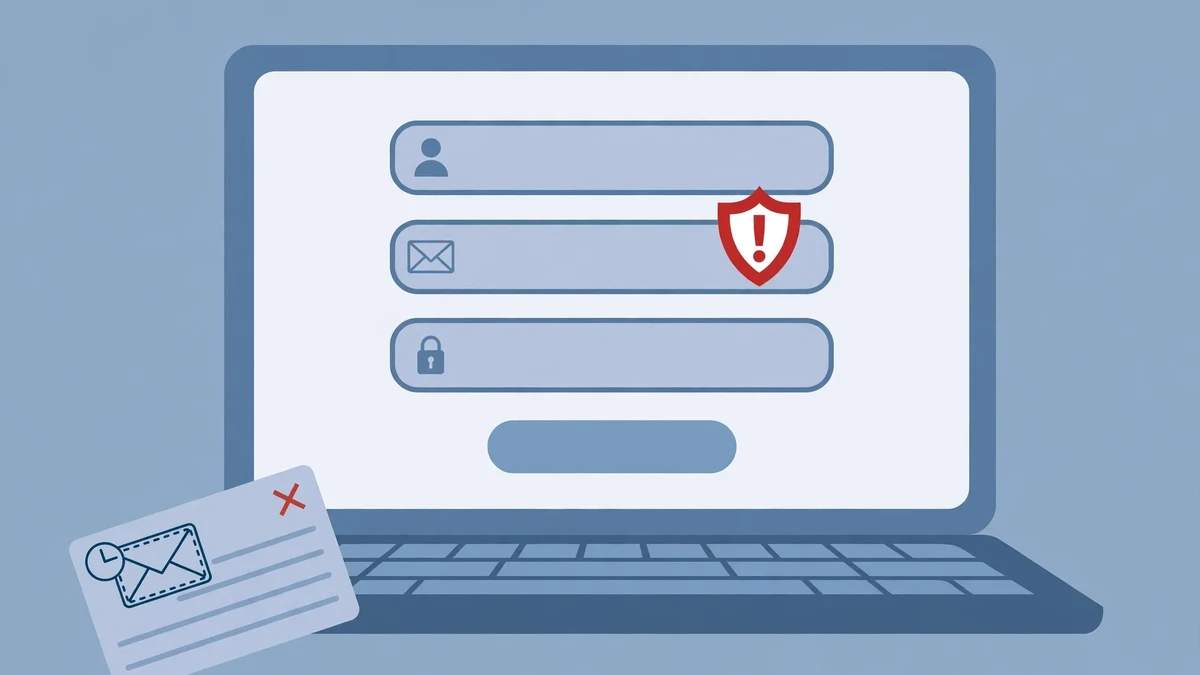
A rejection usually comes from one of four checks, and each one leaves a different fingerprint.
The disposable-domain blocklist. The commonest reason. Services keep lists of domains that only issue throwaway addresses — rover.info and its siblings among them — and reject any address on them. The fingerprint: the form refuses the address instantly, before any email is sent, often with a vague message like the one 1440 showed. There is no fix on your side except a different kind of address. This is the check that separates a "fake email" from a real one in the site's eyes.
The MX and deliverability check. Some forms verify that the domain actually receives mail before accepting the address. A disposable domain passes this — it does receive mail — so this check rarely stops a fake email. When it does bite, it is usually because the domain is new or misconfigured, not because it is disposable.
The bot and abuse score. reCAPTCHA and its cousins score the browser, the IP, and the behaviour around the form. A fresh browser, a VPN exit node, and an address pasted in under a second can add up to a refusal that has nothing to do with the address at all. The fingerprint: the same address works from a different browser or network, or fails everywhere including sites that normally accept disposables. My Morning Brew failure was this family of problem, one step earlier — the whole page refused to load.
The "this address was used before" check. Disposable domains are shared. Thousands of people have used addresses on rover.info before you, and some sites remember that an address — or the whole domain — already has an account, or a history of abuse. The fingerprint: a message about the email already being registered, or a demand to log in instead of signing up.
Here is the practical rule that falls out of all four: one rejection means nothing; two rejections with two different addresses means the site blocks the domain; a rejection everywhere means your browser or network is the problem, not the address.
Where a fake email works, where it backfires
The honest version of the usual advice is a split, not a slogan.
| Use a fake email for | Do not use one for |
|---|---|
| A newsletter or download gate you will read once | A bank, a government service, healthcare, anything with your money or identity |
| A free trial with no card attached | A trial that turns into a paid plan — the billing emails go to an inbox that dies in 30 days |
| Testing your own signup form or product | Any account you will need to recover with "forgot password" |
| A forum, a comment, a one-off download | Anything where losing the inbox means losing the account, the purchase, or the tickets |
| Signing up to see what a service sends | Work email, or any account tied to your job |
The backfire column is the one that costs people real money. I have seen the shape of it in earlier posts on this site: a trial converts, the receipt and the cancellation link go to an address that expired, and the charge keeps coming. A disposable inbox is a door you walk through once. If there is any chance you will need to walk back through it, use an alias or your real address. What a disposable email actually is — and what it is not — is worth ten minutes if you have never used one before.
Fake email for signup vs the alternatives
If the disposable gets rejected, you have three moves, in this order. First, generate a new address on a different domain — some generators let you pick the domain, and a less-abused one sometimes passes. Second, use an alias on your real provider, which almost never gets blocked because it is a real address. Third, use a second real account — a spare Gmail or Outlook you keep for signups. That last one is the most durable option and the most work: it needs a phone number at creation and a password you will remember, and Google in particular has tightened free account creation. For most people the honest ranking is alias first, disposable second, spare account third — which is the opposite of the order the search results suggest, because the search results are written by the disposable services.
One more variant to clear up, because it drives a share of the searches on this keyword: the "fake Gmail creator". There is no legitimate way to create a real Gmail address without Google, and any tool claiming to hand you one is either giving you a lookalike on another domain or selling you something you should not buy. What people actually want when they search that phrase is usually one of two things — an address that looks like a Gmail address, which a plus-addressed Gmail (you+anything@gmail.com) already gives you, or a disposable that receives Gmail-style verification codes, which any working temp inbox does. The fake Gmail maker post on this site goes into that distinction properly.
The inbox was not empty: check before you trust the address
The strangest thing my test turned up had nothing to do with the signup. When svhuj35@rover.info was issued to me, its inbox already contained three messages, all from earlier that afternoon: a "Thanks for joining Punchbowl" welcome, a Descript welcome, and a Descript login email, all dated November 21. I did not open them — the service lets you read the first message free and charges Pro for the rest, and I did not want to spend the free read before a confirmation arrived — so I could not verify they were addressed to my exact address. But their presence says something useful about how shared disposable domains work: addresses get recycled, inboxes get reused, and the mail you see on arrival may be somebody else's leftover. Before you trust a fresh disposable inbox with anything that matters, glance at what is already in it. If it is full of other people's mail, generate a new address.
Two more small truths from the same test. The service's own counters showed 486,463 emails created and 609,973 messages received — the scale is real, and so is the abuse that makes sites block these domains. And the page kept throwing ad and search-result overlays across the inbox while I worked, one of them opening over the refresh button. Free tools are paid for somehow; on this one, the price is attention and clutter. That is a fair trade for a thirty-second address, and it is worth knowing before you go in.
FAQ
Can I create a fake email for free? Yes. Open TempMailUSA, copy the address it shows you, and paste it into the form. No account, no card, no phone number. The address I tested, svhuj35@rover.info, was issued in seconds and shown expiring in just under 29 days.
Can I use a fake email for signup? Usually, but not always. It works for newsletters, downloads, and free trials without a card. Some sites block disposable domains outright — 1440 rejected my test address with a generic error — and some never load their form because of bot checks. If a site rejects two different disposable addresses, use an alias or your real address for that signup.
Is a fake email the same as a temp email? Nearly. "Fake email" is the name people search for; "temp email" is the name the services use. Both mean an address that receives mail for a limited time and is not tied to your identity. An alias is different — it is a real address that forwards to your real inbox.
Can I create a fake Gmail address? Not a real one. Only Google issues Gmail addresses, and creating one needs a phone number. What you can do is use Gmail's plus addressing (you+anything@gmail.com) for a disposable-looking real address, or use a temp inbox that receives the same verification codes. Any tool claiming to mint Gmail addresses for you is not doing what it says.
How long does a fake email last? It depends on the service. TempMailUSA's free inboxes last 30 days — mine showed 28 days and 23 hours left when I checked it, because the clock had already been running. Ten-minute services last ten minutes. The messages die with the inbox, so save anything you need before the clock runs out.
Will a fake email receive a verification code? If the site accepts the address, yes — the code arrives in the disposable inbox like any other message, usually within seconds. If nothing arrives after a few minutes, check the inbox's existing mail first, then assume the site blocked or never sent it, and try a different address or an alias.
Is creating a fake email legal? Creating one for a newsletter, a download, or testing your own product is fine. Using one to impersonate someone, evade a ban, commit fraud, or break a site's terms is not — the address is a tool, and the use decides the legality. Banks, employers, and government services should always get your real address.
Need a disposable temporary email?
Protect your real inbox from spam and promotional clutter instantly and free.
Received a suspicious email, text, or charge alert?
Verify whether the sender domain is disposable, spoofed, or unverified before clicking links.