
Anti Phishing Email Software: What It Actually Does, What It Misses, and How to Pick One in 2026
Anti Phishing Email Software: What It Actually Does, What It Misses, and How to Pick One in 2026
Type "anti phishing email software" into a search box and you get a list of vendors. What you do not get is the one piece of information that decides whether any of them will help you: the phrase describes four different products, and they stop phishing at four different places. Buy the wrong kind and you have spent money on a lock for a door the attacker never uses.
I read the current top-ranking guides before writing this — Surfshark's AI detection roundup, BreachSense's 12-tool list, eSecurityPlanet's six-way comparison, Guardio's and GBHackers' top-10s. They are competent vendor lists. None starts with the question that matters: whose inbox are we protecting, and where does the attack actually reach it? This one does, and it includes two things I checked live instead of repeating from a datasheet: what a disposable inbox does and does not filter, and what Google's own phishing test page actually does in a real browser.
The four kinds, and which one you actually need
Strip away the branding and every anti-phishing email product is one of these four. Most buyers compare tools across categories, which is how a freelancer ends up pricing an enterprise gateway and a 50-person company ends up with a browser extension and a false sense of security.
1. The email gateway. Mail passes through the vendor's servers before it reaches your inbox. Proofpoint, Mimecast, Barracuda and Fortinet FortiMail live here, as does Microsoft Defender for Office 365 in gateway mode. This is the only kind that can quarantine a message before any human sees it, rewrite links, detonate attachments in a sandbox, and strip a malicious QR code before delivery. It is also the only kind that costs real money and needs someone to administer it. BreachSense puts the enterprise end of this market at $50,000+ a year; eSecurityPlanet lists Sophos Email starting at $63.61 a year for a 1–9 user tier, which shows how wide the range is. If your mail runs on Microsoft 365 or Google Workspace and more than a handful of people share the domain, this is the category that does the heavy lifting.
2. The built-in provider filter. Gmail and Outlook already run phishing detection on every message, free, with no installation. They check sender authentication (SPF, DKIM, DMARC), reputation, link destinations, and attachment behaviour. For a single person on Gmail or Outlook, they are often the whole answer. The honest question is not "should I buy software?" but "have I actually switched on what I already have?"
3. The browser and endpoint layer. Guardio, Norton, Malwarebytes and the browser's own Safe Browsing warnings belong here. They do not protect your inbox; they protect the click. A phishing email that slips past the gateway still has to survive the browser when you open its link, and this layer is what catches the fake login page at that moment. It is the right buy for a family member who clicks links without thinking, or a team on unmanaged devices. It is the wrong buy if you think it replaces the gateway — it never sees the email at all.
4. Training and simulation. KnowBe4, Cofense and Proofpoint's simulation tools send your own people fake phishing emails and score who clicks. This is the only category that addresses the attack with no link, no attachment, and no malware: the plain-text email from a "supplier" asking for a bank detail change, or the "CEO" asking for gift cards. No filter can reliably catch a well-written business email compromise, because there is nothing technically wrong with the message. Someone has to notice.
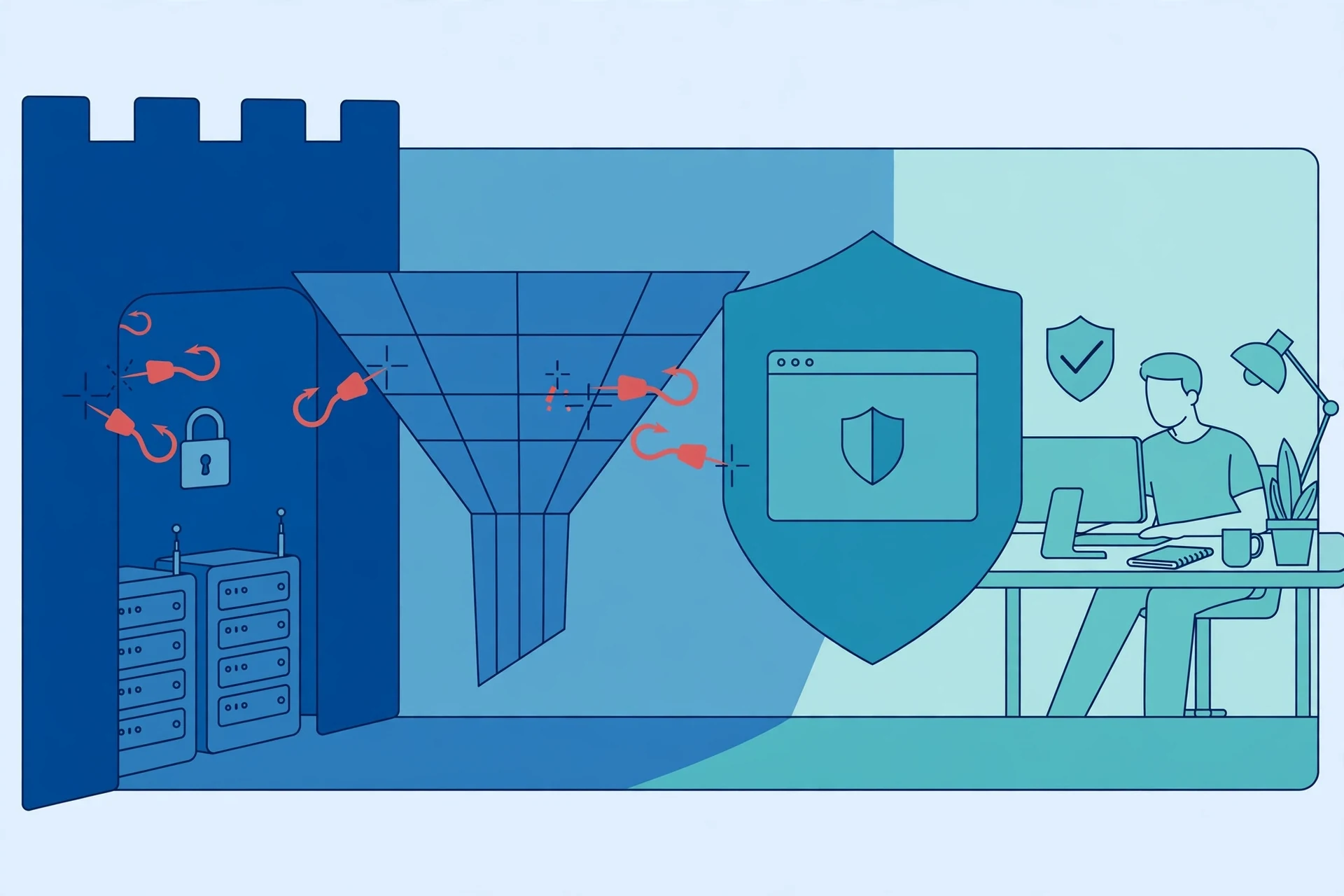
What the software checks before an email reaches you
Whatever the category, the inspection is the same checklist, done in milliseconds. Knowing it tells you exactly where the blind spots are.
Sender authentication. SPF, DKIM and DMARC answer one question: is this message really from the domain it claims? A gateway enforcing DMARC rejects the crude spoof before it exists in your inbox. But authentication only proves the domain is real. A phishing email from a real, newly registered lookalike domain passes every check, because the domain is genuinely theirs.
Links and attachments. The gateway follows links without you, checks where they land after redirects, and rewrites them so the click goes through the vendor first. Its weakness is time: a link clean at delivery can be switched to a malicious page an hour later, which is why the better gateways re-check at click time. Suspicious files are opened in a disposable virtual machine and watched for malicious behaviour. That stops weaponised documents — and is useless against the PDF with a QR code, or the HTML file that is itself a fake login page.
Behaviour and reputation. The newer tools — Abnormal, Darktrace, Defender's impersonation protection — model how your organisation normally writes email, then flag the message that breaks the pattern: a finance request from someone who never sends them, a first-time sender using the CEO's display name. This is the strongest answer to business email compromise, and the weakest for a personal inbox, where there is no organisation to model. Reputation feeds, meanwhile, catch yesterday's attack: a domain registered this morning has no reputation at all, and the average phishing site lives for hours, not weeks.
The five questions that pick your software
Forget the feature matrix. Answer these five, in order, and the category picks itself.
1. Whose inbox is it? One person on Gmail: turn on the free protections and stop. A family: add a browser layer for the clickers. A business on Microsoft 365 or Google Workspace: a gateway or an API-based tool like Abnormal or Check Point Harmony.
2. What mail system runs underneath? Defender only protects Microsoft 365. Abnormal only covers Microsoft 365 and Google Workspace. A gateway works with anything, but it needs DNS changes and someone who understands them. Buying a tool that does not support your mail system is the most common expensive mistake in this market.
3. What is the actual attack you keep seeing? Credential phishing with fake login pages: gateway plus browser layer. Business email compromise with no link at all: behavioural analysis plus training. QR-code phishing: a gateway that inspects images, since the link is inside a picture the text filters never read.
4. Who administers it? A gateway nobody tunes becomes a spam filter with a phishing label: false positives pile up, someone turns it down, and the protection quietly evaporates. If nobody on your team will own the quarantine queue, an API-based tool or a managed service beats a gateway you will abandon in a month.
5. What do you already have, switched on? This is the question that saves the most money, and the one nobody asks. Before pricing anything, audit the free layer. It takes thirty minutes, and for many readers it is the whole purchase decision.
What you already have for free — turn it on first
If you use Gmail, the phishing and spam protections are on by default — but enhanced safe browsing in your Google account is a setting you have to choose, and it is worth choosing. In Microsoft 365, Defender's Safe Links and Safe Attachments are plan-dependent, and on the basic business plans they are simply off. Check your plan before assuming they are running. On iPhone, Mail Privacy Protection hides your IP and blocks remote tracking pixels, and Hide My Email gives signups an address that is not your real one.
Then there is the browser. Chrome, Edge, Firefox and Safari all ship with Safe Browsing warnings for known phishing pages, and I tested one live while writing this: I opened Google's own phishing test page, testsafebrowsing.appspot.com/s/phishing.html, in a real browser — and it loaded plain, no red "Deceptive site ahead" interstitial at all. That does not mean Safe Browsing is broken; the page is a documented example that may be allowlisted, and the warning triggers on listed malicious URLs, not on every page shaped like a phish. But it is a useful reality check: browser warnings are a last net, not a guarantee. A phishing page that is hours old and not yet listed sails straight through.
The same logic applies to the inbox itself. Our guide on how to stop phishing emails walks through the one habit no software can replace — asking "did I expect this message?" before clicking. A password reset you requested is expected. A password reset you did not request, for an account you barely use, is not. No gateway scores that. You do.
Where every tool fails
An honest buying guide names the failures, because that is where the next attack comes from.
QR-code phishing. The link is a picture. Text-based filters see an image, not a URL, and most gateways did not inspect QR destinations until very recently — Surfshark's 2026 roundup lists QR protection as a feature that varies by vendor, not a given. If your gateway cannot decode QR codes in attachments, a printed code in a PDF walks past it.
Business email compromise with no payload. A plain-text email, correct grammar, no link, no attachment, asking accounts payable to update a vendor's bank details. There is nothing for a filter to flag except behaviour, and behaviour analysis needs an organisation to model. For a small business, the defence is a procedure — "bank changes are confirmed by phone, always" — not a product.
AI-written phishing. The old tells are dead: spelling errors, awkward phrasing, wrong logos. Modern phishing is written fluently, often better than the legitimate mail it imitates. Detection has moved from "does this look wrong" to "does this behave wrong", which is why behavioural tools are the fastest-growing category and why the tools in our look at real-time AI phishing detection matter more than signature lists now.
Lookalike domains that pass authentication. A lookalike domain with its own SPF, DKIM and DMARC records is, technically, a legitimate domain. Authentication proves the mail came from the domain it claims. It says nothing about whether the domain is a scam. Domain monitoring tools exist precisely because this gap is unfixable at the inbox layer.
Voice and messaging. The email gateway does not hear the phone call. Vishing — a voice call, increasingly AI-cloned — and phishing over SMS, WhatsApp and Teams are outside every email product's reach. If your anti-phishing budget only covers email, the attacker simply moves to the channel you did not buy.
The layer nobody sells you: give sketchy signups a different address
There is one more layer, and no anti-phishing vendor will sell it to you: reduce the number of places your real address appears at all. Every signup form, free trial, download gate and newsletter is a future phishing target list. When one of those services gets breached — and they do, constantly — your address goes into a database that phishing campaigns buy by the million.
I tested the mechanics live while writing this. Opening tempomailusa.com generated a disposable inbox instantly, no registration: 6yszqy026j@rover.info, expiring in about 29 days and 10 hours, with the page noting free inboxes last 30 days and Pro inboxes 365. Two observations worth reporting honestly. First, the inbox held zero messages and showed no spam folder, no filter label, and no phishing warning anywhere — a disposable inbox does not filter phishing. It receives everything. Its protection is different: the address that gets breached, spammed and phished is not your real one. Second, the page's own counters read 491,233 emails created and 609,973 messages received at the time I checked — a reminder of how many disposable addresses are sitting in breached databases instead of their owners' real inboxes.
That is the correct way to think about it: a temporary address is exposure reduction, not detection. Use it for the signup you do not trust, the trial you will cancel, the download that demands an email before showing you the file. Our throwaway email guide covers the four ways to do it, from 30 seconds to permanent — and the disposable email guide is blunt about the trade-off: an address you do not control will eventually cost you an account you care about, so swap it for a real address the moment the account matters.
A 30-minute setup that beats most purchases
If you do nothing else after reading this, do these five things, in order. They cost nothing and cover more ground than most paid tools.
- Turn on two-step verification on your email account, with an authenticator app rather than SMS where possible. A stolen password is useless without the second factor.
- Check your mail provider's phishing protections are actually on. In Microsoft 365, confirm whether Safe Links and Safe Attachments are included in your plan and enabled. In Gmail, confirm enhanced safe browsing is on. Do not assume.
- Add the browser layer. Make sure Safe Browsing is enabled, and if anyone in your household clicks links without thinking, add a browser-level tool like Guardio.
- Set the DMARC policy on your own domain to reject, if you own one. It stops attackers spoofing your domain to your customers, and it is the single most effective thing a small business can do for other people's inboxes.
- Stop handing out your real address. Use a disposable address for signups you do not trust. The phishing email that never knows your address cannot reach you.
If you still get phishing after that — and you will, because no stack is airtight — our spam blocker test found that most free "blockers" are not blockers at all, and our guide on what happens when you open a spam email covers the first 60 seconds and the next 30 days, because opening the message is rarely the disaster; replying, clicking, or entering credentials is.
Frequently asked questions
Do I need anti phishing email software if I use Gmail? For most personal users, no. Gmail's built-in filtering, plus two-step verification and a browser with Safe Browsing on, covers the realistic threat. Buy software when you have a business domain, a team, or a specific attack — like business email compromise — that the free layer cannot see.
Is free anti phishing software any good? The free layer is not a product, it is your mail provider and your browser, and it is genuinely good at the bulk attacks. Free standalone tools like CheckPhish (URL scanning) and dnstwist (domain monitoring) are useful for one-off checks. What free tools do not give you is gateway quarantine, sandboxing, and behavioural analysis — those are the paid features, and they matter most to businesses.
Does anti phishing software stop all phishing? No, and any vendor that implies otherwise is selling you a feeling. QR-code phishing, plain-text business email compromise, lookalike domains with valid authentication, and voice phishing all bypass the standard checks. The realistic claim is "most phishing, most of the time" — and the remainder is caught by habits and procedures, not by another purchase.
What is the difference between anti phishing software and antivirus? Antivirus checks files and programs on your device for malware. Anti-phishing email software checks messages before they reach you — sender, links, attachments, behaviour. A phishing email with no attachment and no malware is invisible to antivirus and is exactly what the email tools exist for.
Which anti phishing email software is best for a small business? Start with what your mail system already includes — Defender for Microsoft 365, or Google Workspace's built-in protections plus an API tool like Abnormal if you see business email compromise. Add training if your team handles money. The right answer is the one someone on your team will actually administer; a gateway nobody tunes is worse than a simpler tool that stays switched on.
Can anti phishing software detect AI-generated phishing emails? Partially. AI-written phishing has no spelling errors to catch, so the old signature checks are blind to it. The tools that work against it are behavioural — flagging the unusual sender, the unusual request, the unusual hour — and link-level: checking where the link actually goes rather than how the email reads. If a vendor's pitch is "our AI reads the email better", ask what it does when the email reads perfectly.
The verdict
Anti phishing email software is worth buying when you know which of the four kinds you need, which attack you are actually facing, and who will administer it. It is a waste of money when bought as a feeling — a list of vendor names, a dashboard, and the quiet assumption that the problem is now handled.
For one person on Gmail or Outlook, the answer is usually the free layer, switched on properly, plus the habit of asking whether you expected the message, plus a disposable address for the signups you do not trust. For a business, the answer is a gateway or an API tool on your actual mail system, plus training for the attacks no filter can see, plus a procedure for bank-detail changes that no software can replace.
The software is a layer. The habit is the last one. Buy the first, practise the second, and stop handing your real address to strangers.
Need a disposable temporary email?
Protect your real inbox from spam and promotional clutter instantly and free.
Received a suspicious email, text, or charge alert?
Verify whether the sender domain is disposable, spoofed, or unverified before clicking links.