
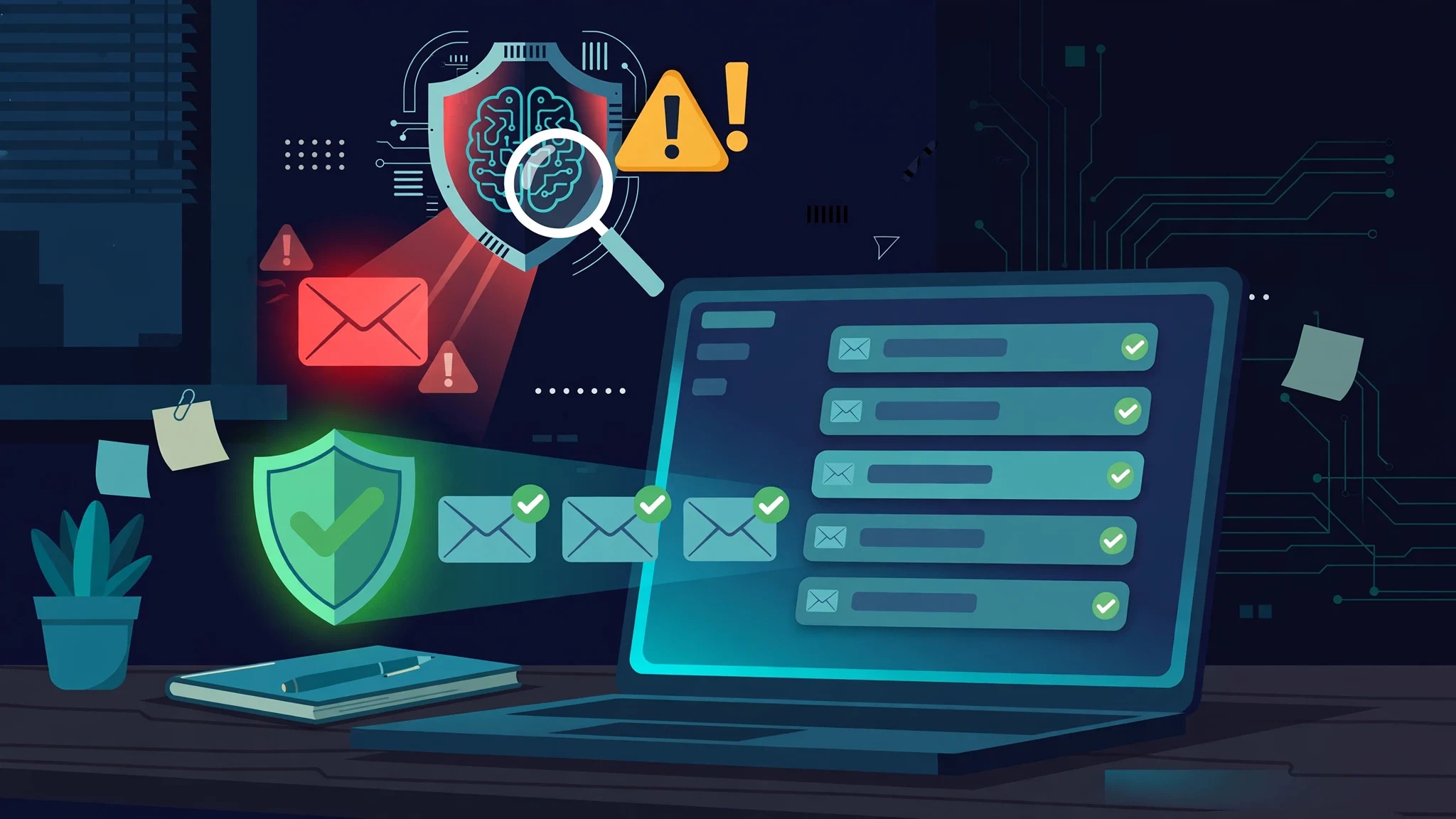
Real-Time Detection of AI Phishing Emails: What Actually Catches Them Before You Click
Real-Time Detection of AI Phishing Emails: What Actually Catches Them Before You Click
The old advice about phishing is dead, and the numbers killed it. SlashNext's State of Phishing report puts the increase in malicious phishing emails at 1,265% since ChatGPT launched in late 2022, and KnowBe4's 2025 data says 82.6% of phishing emails now contain AI-generated content. The spelling mistakes are gone. The grammar is flawless. The tone matches your boss, your bank, your vendor.
So the question that actually matters in 2026 is not "how do I spot a phishing email?" — it is "what catches one in the seconds between delivery and my click?" That is real-time detection, and it is a very different machine from the spam filter you grew up with. I spent this week reading the research, checking what Gmail and Microsoft actually ship, and running my own test against live phishing URLs to see what "real-time" looks like from the outside. The technology is real, it is fast, and it still leaves a gap wide enough to walk through. This is that gap, explained.
The test I ran: five live phishing pages, one hour old
Before the theory, the evidence. On November 24, 2026, I pulled the public verified feed from PhishTank — the community database where reported phishing URLs are checked and confirmed by volunteers. That day's feed held 42,703 verified, still-online phishing URLs. I took the five newest entries, all submitted within the previous hour and all impersonating Allegro, the Polish marketplace, and checked three things about each: whether the page was still live, whether the public scanner urlscan.io had any record of it, and how long the chain from report to verdict had taken.
The results were not comforting. About an hour after verification, two of the five pages were still returning HTTP 200 — fully live, serving whatever the attacker built. One more returned a 403, which means the host was still up but refusing my request, and one was already a 404. The fifth was also 403. In other words, verified phishing pages do not vanish the moment someone reports them. They linger.
The scanner side was more interesting. An exact-URL search on urlscan.io returned zero results for all five — the public index had no scan of those precise URLs yet. A domain-level search found three scans for the first domain, so the infrastructure had been looked at, just not at the exact address the victims were being sent. I then picked an older sample — a different Allegro impersonation submitted on November 18 — and found urlscan had scanned it four times within about fifteen hours of submission. But the public search summary returned no verdict at all: no "malicious", no "clean", just scan metadata. To get a verdict you have to open the full report and read it yourself. That is the first thing to understand about real-time detection: "real-time" describes what happens inside a provider's pipeline, not what you can see from the outside. The public tools you and I can query are slower, patchier, and often silent on the newest attacks — and the freshest phishing pages are exactly the ones with no verdict attached.
What "real-time" actually means: four checkpoints, not one filter
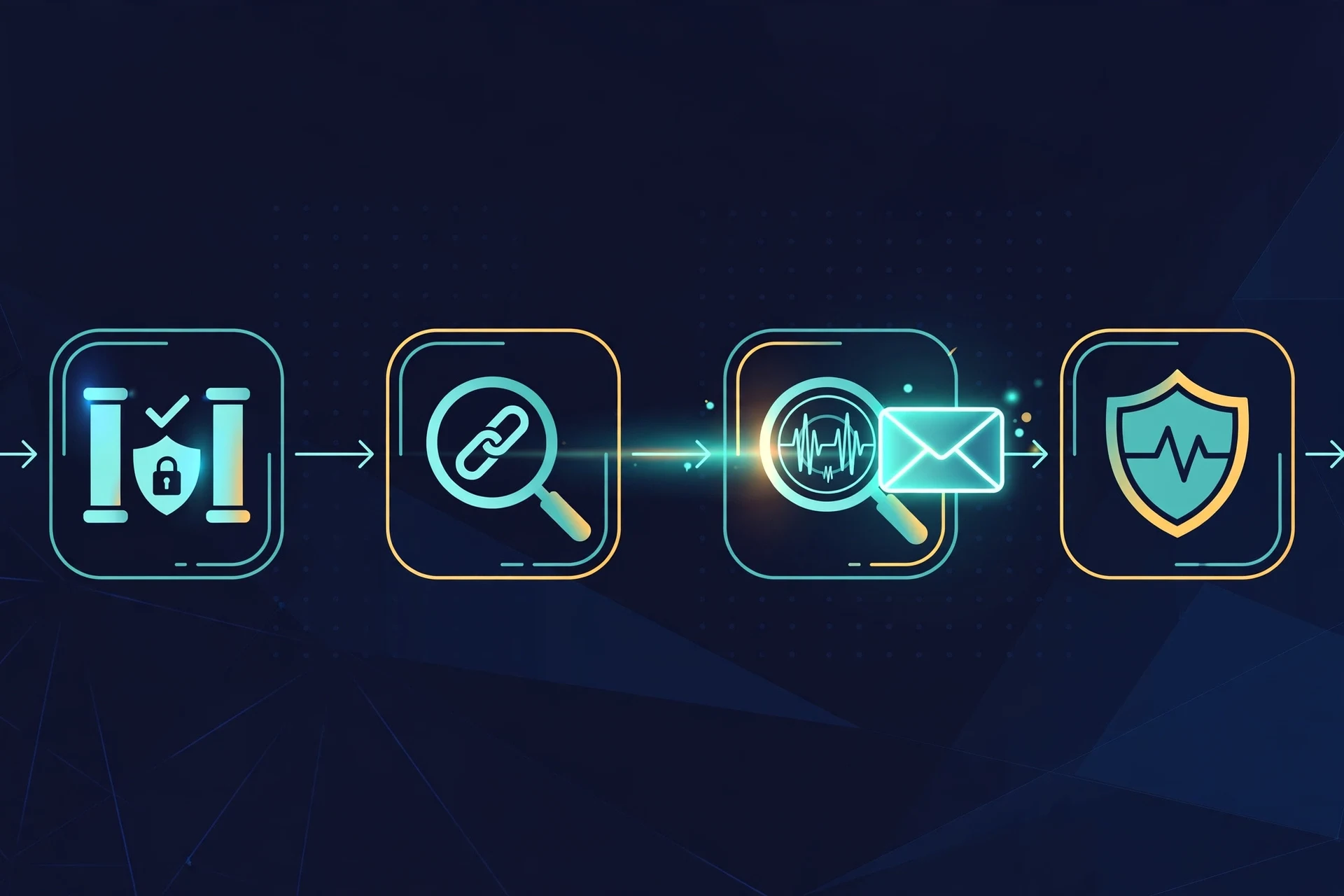
A modern email does not pass through a single filter. It passes through a pipeline of checkpoints, and each one runs in a different place and at a different moment. When vendors say "real-time detection", they usually mean some combination of these four.
The first checkpoint is the gateway, at delivery. Before the message reaches your inbox, the provider's edge checks the sending server's reputation, the SPF, DKIM and DMARC authentication results, and whether the domain was registered ten minutes ago. This is the fastest layer and the bluntest: it kills the obvious junk, the known-bad senders, the domains on a blocklist. It is also the layer AI phishing defeats most easily, because a brand-new domain with valid SPF and a clean sending IP looks, at this stage, like any other legitimate sender.
The second checkpoint is content analysis, and this is where the AI lives on the defensive side. A language model reads the message the way a human would — except it reads for intent rather than meaning. It looks for urgency patterns, credential requests, payment redirection, and the subtle mismatch between what the message claims to be and how it is written. Google's approach, shipped to Gmail before Black Friday 2024, is a good example of the architecture: a large language model acts as a supervisor over the existing defenses, evaluating hundreds of threat signals the moment a risky message is flagged. Google said that model alone blocks 20% more spam than before and reviews 1,000 times more user-reported spam every day. Gmail's long-standing claim — that it blocks more than 99.9% of spam, phishing and malware before it reaches the inbox — is the headline number, and it is real in the sense that it describes the firehose. It does not describe the one message that gets through, which is the only one that matters to you.
The third checkpoint is link analysis at the moment of the click, not the moment of delivery. This is the genuinely "real-time" part, and it is the cleverest. Providers like Microsoft rewrite links in incoming mail so that when you click, the destination is checked again, live, against the threat intelligence of that exact second. A link that was clean at 9:00 a.m. can be blocked at 9:04 a.m. because the page it leads to was only just flagged. This matters because the most common AI phishing trick is the delayed weaponisation: the email arrives linking to a harmless page, and the attacker swaps in the credential-harvesting page minutes later, after the email has already passed every delivery-time check.
The fourth checkpoint is the browser and the post-delivery sweep. Google Safe Browsing, Microsoft SmartScreen and the equivalents in Chrome and Edge check the page you are about to load against a constantly updated list of dangerous sites, and providers also run retrospective scans — re-checking messages already delivered when new intelligence arrives, and pulling a message out of an inbox hours after it landed. It was not caught in real time. It was caught late, and late is still better than never.
How the detection actually works: signals, not magic
Strip away the marketing and every real-time detector is scoring the same four families of signals. The weights differ, the models differ, but the inputs are the same, and knowing them is useful because it tells you exactly where each one can be fooled.
Sender signals are the technical layer: authentication results, domain age, whether the display name matches the actual address, whether the sending infrastructure has ever sent mail to you before, and whether the domain is a lookalike of a brand you deal with. These are strong, cheap to compute, and the reason most bulk phishing never reaches you. Their weakness is that they are all things an attacker can buy: a fresh domain costs a few dollars, SPF and DKIM can be configured correctly by anyone, and a lookalike domain that differs by one character passes every authentication check ever invented.
Content signals are the language layer. The detector reads for the tells of manipulation: manufactured urgency, authority claims, requests for credentials or payment, and the mismatch between the sender's usual writing style and this message's. This is where the newest research lives. A paper published in the International Journal of Advanced Research in Computer and Communication Engineering in May 2026 describes "PhishGuard", a hybrid system combining a random forest with a CNN-LSTM network that extracts 25 features from headers and content and reports 96.3% accuracy with detection in under 165 milliseconds. A separate review from late 2026 traces the same arc: transformer models like BERT and RoBERTa, fine-tuned on labelled phishing mail, catching the subtle cues of manipulation that rule-based filters miss.
Read those numbers the way a researcher would, not the way a vendor would. 96.3% accuracy on a labelled evaluation dataset is a real result, and 165 milliseconds is genuinely real-time. But a lab dataset is not your inbox. The dataset is balanced, clean, and frozen in time; your inbox is adversarial, drifting, and full of legitimate mail that looks exactly like the attacks — the invoice from a new vendor, the password reset you actually requested, the HR mail about a policy change. False positives are the quiet tax on every detector: the more aggressive the model, the more real mail it eats. That is why providers tune for caution, and why a small percentage of attacks will always slip past by design.
URL signals are the link layer. The detector does not just read the link text — it follows it, renders the page it leads to, and compares that page against the brand it claims to be. A page that looks like a Microsoft login but sits on a domain registered yesterday is the classic catch. The weakness is the same as the gateway's: brand-new domains with no history, and pages that only turn malicious after the first scan.
Behavioural signals are the newest layer and the hardest to fake at scale. Who does this sender normally email? At what hours? From which countries? Has this account ever asked anyone for a wire transfer before? A message that breaks the sender's own pattern scores badly even if every technical check passes. This is the layer that catches the compromised-account attack — the real vendor whose mailbox was taken over — because the behaviour changes even though the authentication does not.
What Gmail and Microsoft actually ship in 2026
For most people, "real-time detection" is not a product they buy. It is whatever Gmail or Outlook does by default, and the honest summary is that both are far better than they were two years ago and neither is a guarantee.
Gmail's stack is the LLM supervisor model described above, layered over the existing machine-learning filters. Google says the LLM supervisor evaluates hundreds of signals in the blink of an eye when a risky message is flagged, and that user-reported scams in Gmail fell 35% in the first month of that holiday season compared with the year before. That is a meaningful improvement, and it is also a vendor number about a vendor system, measured by the vendor.
Microsoft's equivalent in Defender for Office 365 is the combination of anti-phishing policies, impersonation protection, and Safe Links — the time-of-click rewriting I described — plus Safe Attachments, which detonates suspicious files in a sandbox before delivery. The distinctive part of Microsoft's approach is its emphasis on impersonation: you can explicitly protect specific senders and domains, and the system scores how closely an incoming message resembles them.
The consumer reality is simpler and less impressive than either marketing page. On a free Gmail account you get the LLM supervisor and the 99.9% blocking claim. On a free Outlook account you get Microsoft's filtering and SmartScreen, but Safe Links and the impersonation policies are paid Defender for Office 365 features — they belong to the business plans. So the "real-time" in your personal inbox is mostly the gateway and the content model; the time-of-click layer, the one built for the delayed-weaponisation trick, is the one you are least likely to have. That asymmetry is worth knowing before you trust a link just because it arrived in Gmail.
Why AI phishing still lands: the gap the detectors cannot close
If the detectors are this good, why does the volume keep rising? Because the attacker's economics changed faster than the defender's. Three structural facts explain the gap, and none of them is a bug you can patch.
First, polymorphism. An AI can generate thousands of unique versions of the same lure in seconds, each with different phrasing, different syntax, different structure. Signature-based detection — the idea that a known-bad message can be recognised by its fingerprint — collapses when no two messages share a fingerprint. The research is blunt about the result: in one study cited widely this year, AI-written phishing emails led 54% of participants to click, comparable with expert-written scams and more than three times the rate of generic phishing. Hoxhunt's research found that by March 2025, AI-generated phishing campaigns were 24% more effective than those created by elite human red teams. The machines are not just writing faster. They are writing better.
Second, the zero-hour window. My own test showed it in miniature: a verified phishing page, live an hour after submission, with no public verdict attached. Every detector depends on intelligence that has to be gathered, and gathering takes time — someone has to receive the message, report it, have it confirmed, and have the verdict pushed out to every filter in the world. The first wave of a campaign gets the message before any of that exists. The detectors are real-time. The intelligence is not.
Third, the human is the last layer and the weakest one. No detector can protect you from a message that is technically clean, behaviourally plausible, and personally targeted — the spear-phishing mail that references your actual project, your actual vendor, your actual boss's writing style, all scraped from public sources in seconds. At that point the only detector left is you, and the research says you will fail about half the time. That is the reason the routine in the next section matters more than any product.
The 60-second check you can run on any suspicious email
Forget the twelve-point checklists. Nobody runs a twelve-point checklist on a Tuesday morning. Here is the routine I actually use, and it takes about a minute — most of it spent on the one step that matters.
First, stop and read the sender address, not the display name. The display name is a costume; the address is the person. If your bank is writing to you from a domain that is not your bank's domain, you are done — delete it. This takes five seconds and it is the single highest-value habit in email security.
Second, hover over the link — never tap it on a phone, where hovering is impossible — and read the actual destination. If the visible text says "microsoft.com" and the destination is anything else, delete the message. If you are on a phone and cannot hover, long-press the link to preview it. If the preview looks odd, stop. If you want the full version of this habit, I wrote it up properly in the guide on how to stop phishing emails.
Third, ask the one question no detector can answer for you: did I expect this message, and does it ask me to do something irreversible? A password reset you requested is expected. A password reset you did not request, for an account you barely use, is not. An invoice from a vendor you pay monthly is expected. An invoice with new bank details is a red flag the size of a billboard, and the correct response is to phone the vendor on a number you already have — never one printed in the email. I tested how Gmail handles the aftermath of a click in the piece on what happens when you open a spam email, and the short version is that the first sixty seconds after a click matter more than the click itself.
Fourth, verify through a different channel. If the message claims to be from IT, message IT on Slack. If it claims to be from your bank, open the bank's app yourself — do not follow the link. This is the step everyone knows and almost nobody does, because it feels slow. It takes thirty seconds. A wire transfer takes longer to reverse than to send.
And one structural habit that quietly removes most of the risk: stop giving your real address to services you do not trust. The phishing mail that lands in your real inbox is dangerous because your real inbox is where your bank, your employer and your password resets live. The mail that lands in a disposable address is a nuisance, not a threat. That is the entire logic of using a temporary email address for signups and trials — it keeps the attack surface away from the inbox that matters. A service that only ever knew a throwaway address cannot phish the address that holds your money.
When one gets through anyway
Sooner or later one will. The statistics guarantee it, and the right response is a plan you have already made, not a panic you improvise.
Change the password of the affected account from a device you trust, and change it from the service's own site, not from any link. Turn on two-factor authentication if it was off — an attacker with your password and without your second factor is stuck. Check the account's active sessions and sign out everywhere, then look at what the attacker could have reached: sent mail, forwarding rules, connected apps. The forwarding rule is the one people miss. Attackers set up silent forwarding so they keep receiving your mail after you change the password, and it sits in the settings where nobody looks. I dissected three real scam mails line by line, including the forwarding trick, in the cloud storage scam email breakdown.
Then report it. Forward the message as an attachment to your provider's abuse address — report@phishing.gov in the US, or the report-phishing button in Gmail — and report the URL to PhishTank. This is not civic duty for its own sake. Reporting is the mechanism that closes the zero-hour window for the next person: the detector you feed today is the detector that protects someone else tomorrow.
Finally, if the message was asking for money or credentials and you entered anything, treat it as a breach, not a scare. Check your bank, freeze your credit if financial details were involved, and assume the password you typed is compromised everywhere you reused it — which is why the password should never have been reused in the first place.
The honest verdict
Real-time detection of AI phishing emails is real technology, and the people who dismiss it as marketing have not read the papers. A hybrid model scoring 25 features in 165 milliseconds, a supervisor LLM evaluating hundreds of signals per message, time-of-click link rewriting — these are serious systems, and they catch an enormous amount of mail you never see.
But "real-time" is a property of the pipeline, not a promise about your inbox. The newest phishing pages have no verdict yet. The first wave of a campaign arrives before the intelligence exists. The most dangerous messages — the personalised ones, the compromised-vendor ones, the ones with a clean domain and a perfect tone — pass every technical check by design, because there is nothing technically wrong with them. That is the gap, and it is not closing, because the same AI that powers the detectors powers the attacks, and the attacks are cheaper to run.
So use the detectors, but do not outsource your judgement to them. Read the sender address. Hover the link. Verify through a different channel. Keep your real address away from services that do not need it. The technology will keep improving — the PhishGuard paper and its cousins are genuinely promising — but for the foreseeable future, the last line of defence in real-time detection is a human who pauses for sixty seconds. Be that human.
Frequently asked questions
What is real-time detection of AI phishing emails? It is the set of systems that analyse an email in the seconds between delivery and your click: gateway checks on the sender, language models scoring the content for manipulation, link analysis that can re-check a destination at the moment you click it, and browser-level warnings. "Real-time" means the checks happen per message, live, rather than relying only on blocklists built from yesterday's attacks.
Can AI really detect AI-generated phishing? Yes, up to a point. Research systems report high accuracy on lab datasets — the PhishGuard hybrid model published in May 2026 reports 96.3% accuracy with detection in under 165 milliseconds — and Gmail's LLM supervisor model blocks 20% more spam than the system it replaced. But lab accuracy is not inbox accuracy: legitimate mail that looks like phishing, and phishing that looks like legitimate mail, both degrade real-world performance, and the most targeted attacks still get through.
Why do AI phishing emails still reach my inbox? Three reasons: new domains have no bad reputation yet, so the first wave of a campaign arrives before any blocklist knows about it; AI generates a unique version of every message, so signature matching fails; and the most dangerous mails are technically clean — valid authentication, plausible content, no malware — so there is nothing for a filter to catch. My own test found verified phishing pages still live an hour after being reported, with no public scanner verdict attached.
Does Gmail detect AI phishing in real time? Gmail runs an LLM-based supervisor over its existing defences that evaluates hundreds of threat signals when a risky message is flagged, and Google says it blocks more than 99.9% of spam, phishing and malware before it reaches the inbox. That is real-time detection at the gateway and content layers. It does not include time-of-click link rewriting, which is a paid Microsoft Defender feature, not a Gmail one.
What is the best free way to check a suspicious email? Read the sender address, hover the link to see the real destination, and search the sending domain. For links, you can paste the URL into urlscan.io or check it against PhishTank — but both are slower than the attack: a brand-new phishing page often has no verdict anywhere yet, which is itself a signal. When in doubt, verify through a different channel: open the service's app yourself or phone a number you already have.
Is a temporary email address protection against phishing? It is not a detector, but it is a useful structural defence. Using a disposable address for signups, trials and downloads keeps phishing away from the inbox that holds your bank, your employer and your password resets. The phishing still exists — it just lands somewhere it cannot hurt you. The disposable email guide explains the trade-offs, including when a throwaway address will cost you an account.
Need a disposable temporary email?
Protect your real inbox from spam and promotional clutter instantly and free.
Received a suspicious email, text, or charge alert?
Verify whether the sender domain is disposable, spoofed, or unverified before clicking links.