
Total Drive Scam Email: The Real Service, the Fake Warnings, and the £1.99 Trap
Total Drive Scam Email: The Real Service, the Fake Warnings, and the £1.99 Trap
Here is the sentence that makes this whole mess hard to explain in one breath: Total Drive is a real company, and the Total Drive scam email is also real. Both things are true at the same time, and the people sending the emails are counting on you not being able to hold both thoughts at once.
If you searched "total drive scam email", you probably got one of two things in your inbox: a storage warning that scared you into clicking, or a charge on your statement from a service you barely remember signing up for. This guide sorts out which one you have, because the fix for each is completely different — and the wrong fix wastes your time while the charge keeps renewing.
My verdict, up front: Total Drive is a legitimate cloud storage service run by Total Security. It is not a fake website selling a product that does not exist. But the emails that push people toward it are, very often, not from Total Drive at all. They are fake storage warnings that end at a Total Drive checkout page, and the checkout sells you a subscription at a price you probably did not understand. A real product sold through a scare is still a problem — just a different kind of problem than a fake login page stealing your password. The rest of this guide is the evidence for that distinction, and the checks that tell you which side of it you are on.
What Total Drive actually is — checked on its own site tonight
Before accusing anything of being a scam, I did the boring thing first: I opened totaldrive.com and read it. The site loads, the company is real, and the product is what it says it is — encrypted cloud storage and file backup, with apps for Android, Apple, Windows, Chrome, Edge, Opera and Safari, file version history, large file uploads, and sharing with access you can revoke. It sits under the Total Security umbrella alongside TotalAV and Total VPN, which matters later, because subscriptions bought under the same email address can pile up under one login while each still has to be cancelled separately.
The billing terms are on the site's own FAQ page, and they are worth quoting exactly, because they are the whole story in three sentences. Total Drive offers monthly, quarterly, biannual, and annual plans that "automatically renew unless canceled." Unless you cancel before the end of your initial term, "your plan will automatically renew at the then-regular rate." And on refunds: you must first fully terminate your subscription, and you are only eligible for a refund if you submit a request within 30 days of starting an annual or biannual plan, or within 14 days of starting a monthly or quarterly plan.
Read that again, because the gap between those sentences and what people think they bought is where every complaint lives. Nothing there says one-time payment. Nothing there says $1.99 forever. The product is a subscription that renews at the regular rate — the rate that applies after the introductory price expires. If you arrived at that checkout believing you were paying a small one-off fee to stop your photos being deleted, you misunderstood the purchase, and the misunderstanding was the point of the email that sent you there.
So no, Total Drive is not a made-up brand like CloudSync or ECloud, the invented names I wrote about in my general guide to cloud storage scam emails — those companies do not exist at all. Total Drive exists, has support pages, a refund policy, cancellation instructions, and a mobile app. The scam is not the company. The scam is the road that leads to it.
The fake-email machine: Mailgun, Google Cloud pages, and the road to secure.totaldrive.com
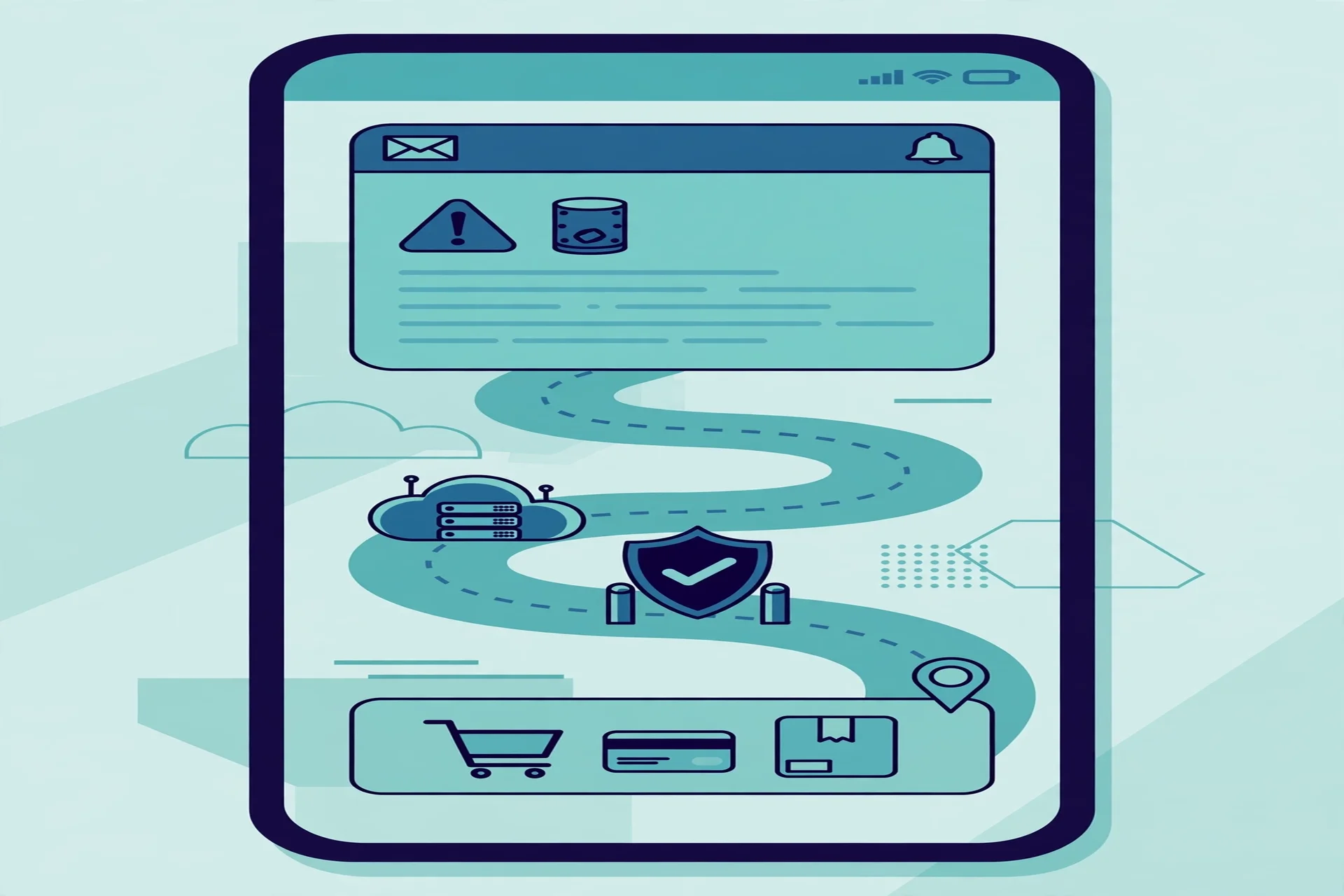
This is the part the ranking pages mostly skip, and it is the part that changes how you should think about the email in your inbox. The "Total Drive scam email" is usually not one email. It is a machine with four stages, and Total Drive's checkout is only the last one.
Stage one is the email itself, and it almost never mentions Total Drive. Security researcher Anurag, writing at malwr-analysis.com, dissected a recent specimen that claimed the recipient's cloud account had been blocked and warned that photos and videos would be removed unless immediate action was taken. No real provider is named. No account identifiers, no storage numbers you could check, no prior context. Just urgency, payment failure, account suspension, and imminent data loss — the same four levers every storage scare pulls, because they work on everyone regardless of which service they actually use.
Stage two is the delivery. That specimen arrived via Mailgun, a legitimate email service that is widely abused for large-scale phishing and affiliate scams because it lets anyone send enormous volumes cheaply. The sender domain will not be totaldrive.com and it will not be apple.com or google.com. It will be something forgettable, dead by the time you think to report it, because the next wave comes from a different one. Blocking the sender is like locking a door the burglar already left through.
Stage three is where it gets clever, and it is the reason this campaign fools people who know better. Clicking the link does not take you to a shady-looking page. It takes you to a page hosted on Google Cloud Storage, dressed up with a fake Cloudflare verification screen — the "prove you are human" box we have all been trained to trust. The page prints fabricated subscription details, a storage plan size and an expiration date, to create the illusion of a real account state. Your brain sees googleapis.com in the address bar and a familiar security check, and it relaxes. That relaxation is the product being sold at this stage.
Stage four is the payoff. The same researcher traced an earlier version of this flow, documented by @Malwarehunterr on X in December 2025: a fake "storage full" email, redirects through storage.googleapis.com to bestqualityleadss.shop, a fake "Drive Full & Upgrade Now" page, and then — the destination — secure.totaldrive.com, pushing paid storage. At no point in that chain is a password stolen. Nobody needs your password. You are walked, step by step, through trusted-looking infrastructure, and at the end you hand over your card details yourself, to a real checkout, for a real subscription, believing you just saved your photos.
That is why calling this "just a phishing email" misses the point, and why calling Total Drive itself "a scam" misses it too. The campaign abuses legitimate services at every stage — a real email platform, real cloud hosting, a real security brand's visual language, a real affiliate checkout — and the abuse is in how they are chained together, not in any single link. The people running it get paid when you subscribe. The subscription is real. The fear that sold it was manufactured.
The £1.99 offer: what the checkout really sells you
If the fake-email machine is the first way people meet Total Drive, the low introductory price is the second, and it produces the angrier complaints. The pattern, pieced together from public complaints and the reporting at MalwareTips, looks like this: a user sees a storage warning, the message feels urgent, a low-cost upgrade is offered — $1.99 or £1.99 — they enter payment details, and later they discover recurring charges, higher renewal pricing, or multiple payments they did not expect.
The most-cited example comes from an Apple Community thread, where a user said they got caught by a £1.99 offer and later noticed £9.99 charges. Other users in the same thread describe the same confusion: unwanted charges, or believing the service was connected to iCloud. That thread also carries the answer to the question half the searchers are really asking — no, Total Drive does not add storage to iCloud, and it does not work with iCloud in that way. It is a completely separate service. If you thought you were buying more iPhone storage, you bought a different company's product, and your iPhone storage is exactly what it was before.
Here is my honest opinion, and it is the part of this guide I would defend in an argument: the question is not whether the renewal price was disclosed somewhere. It almost certainly was, in the terms, on the pricing page, in the FAQ I quoted above. The question is whether a reasonable person, arriving from a warning that their photos were about to be deleted, understood what they were buying, from whom, how often they would be charged, and what renewals would cost. If the answer is no — and the volume of complaints saying exactly that suggests it very often is — then the sale was misleading even if it was technically documented. A disclosure buried under a countdown timer is not a disclosure. It is a fig leaf.
That distinction matters for what you do next. If you were tricked by a fake email into a subscription you did not want, you have a refund claim and a cancellation to make, and the steps are below. If you knowingly bought Total Drive and simply do not like the renewal price, that is a different conversation — check the terms, cancel before the next renewal, and move on.
The receipt test: four questions that settle any Total Drive email
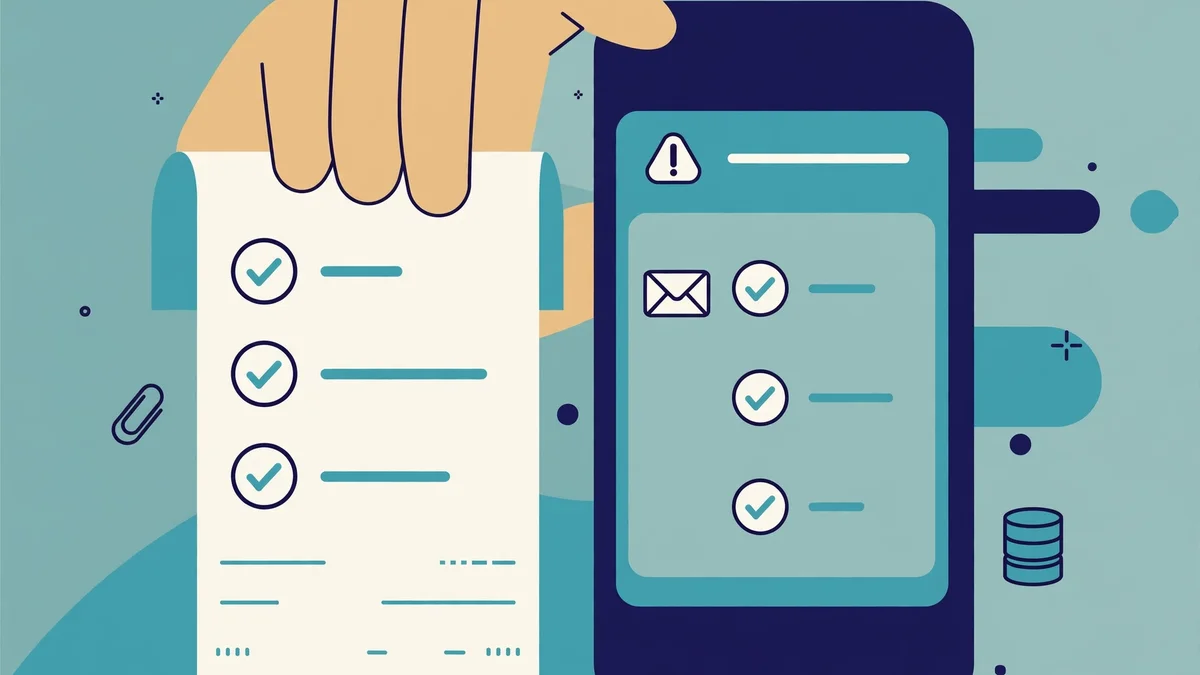
You do not need a list of red flags. You need a test you can run in two minutes on the email sitting in your inbox right now, and it works whether the email is a fake warning or a real receipt. I call it the receipt test because it starts from the one thing every real transaction produces and every fake warning avoids: a receipt you can check somewhere other than the email.
One: does the email name a provider you actually use, and does the app agree? Open the storage app yourself — type the address or open the app on your phone, never through the email's link — and check storage, billing, and security there. Total Drive does not add storage to iCloud, Google Drive, OneDrive, or Samsung Cloud, so if the warning is about your iCloud storage and the link goes anywhere near totaldrive.com, the email is lying about what it sells. If the app says you have space, the email is lying, full stop.
Two: is there a subscription to check? A real Total Drive purchase leaves a trail outside the email. If you paid through Apple, it is in Settings, then your name, then Subscriptions. Google Play purchases live in Play Store subscriptions. PayPal purchases live in PayPal's automatic payments. Card purchases live in your Total Drive account under active subscriptions. A warning email with no matching subscription anywhere is not a warning. It is an advertisement wearing a warning's clothes.
Three: what does the checkout actually say? If you are on a payment page, read the renewal line before you read the price. Is this a one-time payment or a subscription? How often will you be billed? What happens after the introductory period, and what is the renewal price? Can you cancel online? A page that shouts $1.99 and whispers "renews at the then-regular rate" has told you everything you need to know about how it wants you to decide.
Four: does the hostname match, exactly? The official site is totaldrive.com, and its checkout lives on secure.totaldrive.com. A lookalike that merely contains those words is a different site, and it must not be trusted because the name looks familiar. But note the limit of this check: in the redirect chain above, the final destination really was secure.totaldrive.com. The hostname was genuine and the journey was still a scam. A correct hostname proves the site is who it says it is. It does not prove the email that sent you there was honest.
If the email fails any one of those four, delete it. If it fails two, report it as phishing first, then delete it. Reporting trains the filter on the pattern rather than the sender, which matters because the sender changes every wave. And if you want the full version of this procedure — the same test applied to every storage provider, with the real free-tier numbers for Google, Apple, Dropbox, OneDrive and MEGA — that is in the general guide linked above. This article is the brand-specific teardown; that one is the reference table.
"But I already paid" — cancel, refund, and the second subscription you didn't know you had
If you already paid, do not panic, and do not blame yourself. The machine above is built by professionals, tested on millions of people, and designed to work on careful readers. Act quickly, in this order.
First, find where the subscription actually lives, because deleting the app does not cancel anything. Apple purchases cancel through Apple subscriptions. Google Play purchases cancel through Google Play subscriptions. PayPal purchases cancel through PayPal automatic payments. Card purchases cancel by logging into your Total Drive account and visiting My Subscriptions.
Second, request the refund in writing, in plain language: "I did not understand this was a recurring subscription. I believed I was paying a small storage-related fee. Please cancel all active subscriptions linked to my email and refund the latest charge." Total Drive's refund page states that annual or biannual subscriptions are generally eligible for a full refund within 30 days of the initial purchase or renewal date, while monthly, quarterly, or add-on services are generally eligible within 14 days. Note the catch in their own FAQ: cancelling the subscription — turning off auto-renewal — does not by itself trigger a refund. You have to ask for it separately, after cancelling. Do both, and keep the confirmation emails and reference numbers.
Third, check for a second subscription. This is the step most people miss, and it is the one that produces the "I cancelled but I am still being charged" complaints. Total Drive's own FAQ says that if you bought multiple subscription services from Total Drive or related brands under the Total Security umbrella — TotalAV, Total VPN — using the same email address, those plans may appear under a unified login, but each subscription is still managed individually and must be cancelled separately. One login, several live subscriptions. Look at your statement for every charge from the company, not just the first one, and cancel each.
Fourth, if the company will not refund you or keeps charging after cancellation, contact your bank or card issuer and dispute the charge. Use specific wording: "I did not knowingly authorize this recurring subscription. The offer appeared to be a storage warning. I believed this was a one-time payment. I have attempted to cancel. Please block future charges from this merchant." Your bank will ask for proof, so save the screenshots, the emails, the billing records, and the cancellation attempts before you call. And if money changed hands because of a fake email rather than a real checkout — if you typed card details into a page that was not totaldrive.com at all — freeze the card first, then dispute. A $1.99 charge is small enough to ignore, and that is precisely why it works: the scammers are not after the two dollars, they are after the card number, and the recurring charges come later.
Why your inbox keeps getting these — and the address that stops it
Reporting and blocking help, but they do not stop the next one. Your address is on lists — it leaked in a breach, appeared on a public page, was sold by a data broker, or was typed into a signup form years ago. Clicking, opening, or replying tells the sender the address is live; some of these emails load an invisible tracking image when your mail app loads images automatically, and that single pixel confirms somebody reads mail at your address. And blocking one sender does nothing, because the next message comes from a different address on a different domain, sent through the same bulk infrastructure.
A spam email blocker is three tools sharing one name, and only the filter is doing the work here — but the durable fix is not a better filter. It is an address the scammers never get. That is what a burner email is for: a disposable address you hand to signups you do not trust, so that when that address ends up on a spam list, the list points at an inbox you can abandon, and your real address stays clean. If you want the wider picture — how phishing emails in general work, and why the lookalike-domain lists stopped being useful — I wrote about that in How can I stop phishing emails?.
I checked TempMailUSA itself while writing this, on the live homepage, and the numbers are worth quoting because they are the whole argument in two lines. The page counters read 493,195 emails created and 609,973 messages received, with 468 domains on offer, of which exactly one — rover.info — is free and the rest are Pro. A working address takes seconds, no signup, no personal data, and nothing to clean up afterward. That is the correct tool for every signup where you would otherwise hand over the address your storage warnings are sent to.
FAQ
Is Total Drive a scam?
Total Drive is a real cloud storage service run by Total Security, with an official website, apps, support pages, refund rules, and cancellation instructions. It is not a fake website. But many people reach it through fake "storage full" emails that impersonate iCloud or Google, and through low-price offers that do not make the subscription and renewal price clear. The service is real; the way some people are sold it is the problem.
Is the Total Drive scam email really from Total Drive?
Usually, no. The fake warning emails typically do not mention Total Drive at all — they warn about your cloud account in general terms, then redirect through Google Cloud-hosted pages and a fake security check before landing on a Total Drive checkout. The email is an affiliate funnel; the checkout is the real service at the end of it.
What happens if I click a Total Drive scam email?
The documented flow does not steal your password. It walks you through trusted-looking pages — a Google Cloud-hosted landing page, a fake Cloudflare check, a fabricated subscription summary — and ends at a real Total Drive checkout where you enter your card details yourself. The harm is a subscription you did not understand, not a stolen login. Close the tab, run a malware scan for peace of mind, and check your statements.
Does Total Drive add storage to iCloud?
No. Total Drive is a completely separate third-party service and does not add storage to iCloud, Google Drive, OneDrive, or your phone's built-in storage. If you want more iCloud storage, do it through your Apple ID settings. Paying Total Drive will not change your iPhone's storage number.
How do I cancel Total Drive and get a refund?
Cancel through the platform you paid on — Apple subscriptions, Google Play subscriptions, PayPal automatic payments, or the My Subscriptions section of your Total Drive account. Then request the refund in writing: annual and biannual plans are generally eligible within 30 days, monthly and quarterly within 14 days. Cancelling alone does not trigger a refund; you must ask for it. Check for second subscriptions under the same email, including TotalAV or Total VPN, and cancel each separately.
Why do I keep getting Total Drive scam emails after I report them?
Your address is on spam lists that get resold, scammers rotate sender addresses and domains faster than filters adapt, and the emails are sent through bulk infrastructure like Mailgun that makes each wave look new. Reporting still matters — it trains the filter on the pattern — but the durable fix is to stop giving your real address to signups you do not trust, and use a disposable address instead.
Total Drive is not the villain of this story, and it is not the hero either. It is a real service at the end of a funnel built on fear — fake warnings about photos you might lose, a price that looks like a one-off, a renewal line written in the smallest available type. The defense is not complicated, and it is the same defense as for every storage email: never upgrade storage from an email link, check the app, read the renewal line before the price, and keep your real address out of the hands of the lists that feed these campaigns. The email you never receive is the one that can never fool you.
Need a disposable temporary email?
Protect your real inbox from spam and promotional clutter instantly and free.
Received a suspicious email, text, or charge alert?
Verify whether the sender domain is disposable, spoofed, or unverified before clicking links.