
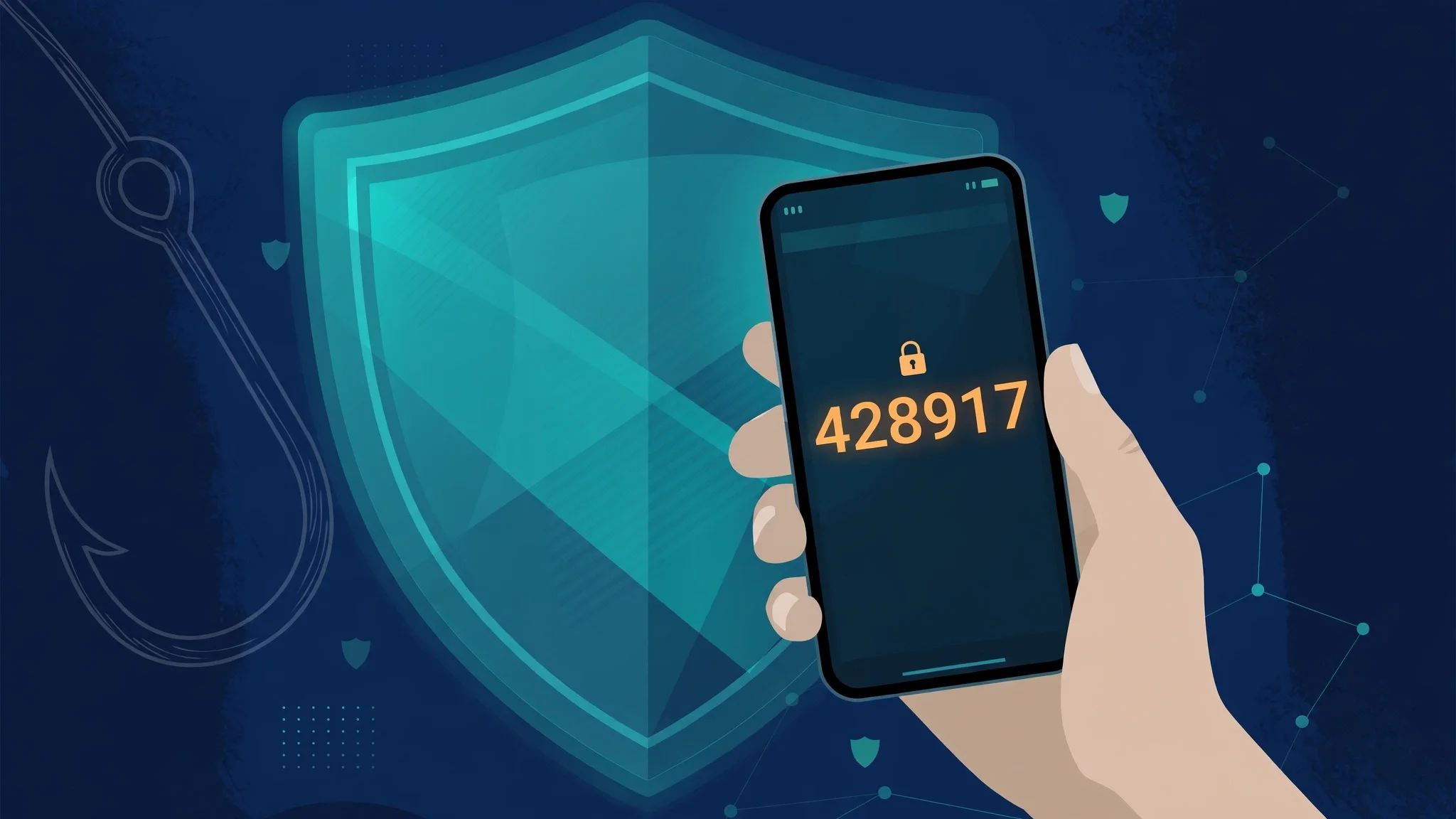
TOTP Cyber Security: What the 6-Digit Code Actually Protects — and the One Attack That Walks Straight Through It
TOTP Cyber Security: What the 6-Digit Code Actually Protects — and the One Attack That Walks Straight Through It
Every thirty seconds, your authenticator app throws away a perfectly good password and makes a new one. You type six digits, the site lets you in, and you feel like you have done security properly. Most days, you have. But the confidence that six-digit ritual gives you is doing quiet damage, because it makes you believe a code that cannot be phished — and that is exactly wrong. The code can be phished. Not in theory, not in a lab, but with off-the-shelf tooling that a bored teenager can set up in an afternoon. The honest version of TOTP cyber security is not "authenticator apps keep you safe." It is "authenticator apps keep you safe from everything except the attack that matters most right now."
That distinction is the whole article. I am going to show you what TOTP actually defeats, walk you through the one attack that walks straight through it, tell you what CISA and NIST actually say instead of what security blogs pretend they say, and then give you a migration order — which accounts get passkeys first, and where TOTP is still the right answer. If you want the full mechanics of how the code is generated, I wrote that up separately in One Time Password (OTP): what it is, the three kinds you actually meet, and which one your bank trusts. This post is about what the code is worth in a fight.
The 30-second version: what TOTP is, and what it is not
TOTP — time-based one-time password — is a six-digit code generated from a shared secret and the current time, defined in RFC 6238. When you scan the QR code during setup, the service hands your authenticator app a secret. From then on, your phone and the server independently compute the same code every 30 seconds. Nothing travels over the phone network, no SMS is involved, and the code dies on schedule.
What it is not: a second factor that knows where you are. The code carries no information about which website asked for it. A code you type into your real bank's login page and a code you type into a pixel-perfect fake of that page are the same six digits, equally valid, equally accepted. That single property — the code is not bound to the site — is the crack everything else in this article runs through.
I ran the clock myself: three windows, three codes, one dead code
I do not like writing about cryptography from memory, so I ran the algorithm myself before writing a word of this. Using the RFC 6238 test secret, my script reproduced the standard's own test vector exactly: at time step 59, the 8-digit code came out as 94287082, matching the RFC. That is the point of a test vector — if your implementation cannot reproduce it, nothing downstream is trustworthy, and mine did.
Then I ran the live clock. Three consecutive 30-second windows produced three different codes — 171162, then 972648, then 654765 — and a code generated 90 seconds earlier no longer matched the current window. That is the security story in miniature: the code is a moving target, and the movement is real. But notice the scale of what you just saw. The window is 30 seconds, servers typically accept the neighbouring window too, so a stolen code is useful for up to about 90 seconds. Ninety seconds is an eternity for an automated relay. A human attacker does not need to be fast. A script does not need to be fast. The code does not need to be slow.
The other number worth holding onto: a six-digit code has one million possible values, and NIST's current guidance caps consecutive failed attempts at 100. That makes blind guessing a non-starter — 100 attempts covers 0.01% of the space. Nobody breaks TOTP by guessing. They break it by asking you for it, nicely, on a page that looks exactly like the one you trust.
What TOTP actually defeats — and it is a real list
Before the bad news, the credit TOTP is owed. It genuinely kills four attack families, and these are not small wins.
Password leaks stop mattering. Your password is in a breach database somewhere — probably several. Credential stuffing, where attackers spray leaked passwords across hundreds of sites, fails the moment a second factor exists, because the stolen password alone is no longer enough. TOTP is the reason the 2019 breach of your old forum account does not become a 2026 takeover of your email.
SIM swapping does nothing. SMS codes die when an attacker convinces your carrier to move your number to their SIM. TOTP never touches the phone network. There is no carrier to social-engineer, no SS7 signalling system to intercept, no text message to reroute. This is the single biggest practical upgrade from SMS to an authenticator app, and it is not close.
Phishing of the password alone fails. The classic phishing page that harvests passwords and stops there gets nothing usable. The attacker has your password and a login form that immediately asks for a code they do not have. Most bulk phishing operations end right there, because their tooling was built for passwords.
Offline guessing is a dead end. As the numbers above show, a million combinations behind a 100-attempt lockout is not a guessing game, it is a wall.
That is a serious list. If you are still on SMS codes, switching to TOTP is the highest-value security change you can make this week. But — and this is where most writing about TOTP stops, conveniently — none of those four wins covers the attack that phishing has actually evolved into.
The attack that walks through it: the real-time relay
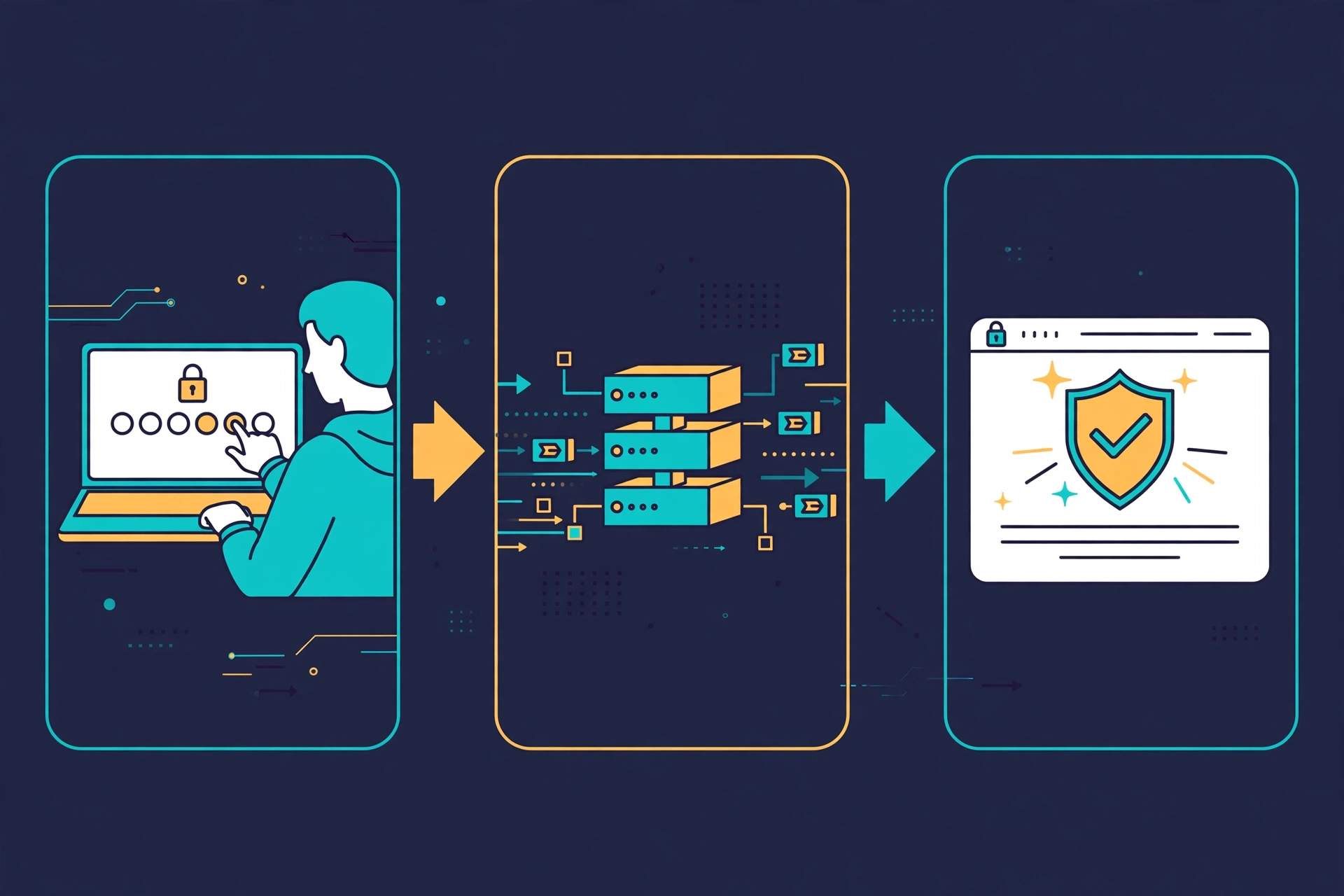
Modern phishing does not steal your password and try it later. It sits between you and the real site and relays everything in real time. The technique is called adversary-in-the-middle, and the tooling — Evilginx is the name everyone cites, created by Kuba Gretzky — is open source and well documented. Here is the sequence, exactly as it happens:
You click a link in a message that looks like it came from Microsoft, Google, or your bank. The domain is close enough that you do not notice — a lookalike, not an obvious fake. The page that loads is not a copy of the login page. It is a live proxy of the real login page, fetched from the real site in real time and served to you through the attacker's domain. You see the real page, with a valid TLS certificate, because the attacker is just passing it through.
You type your password. The proxy forwards it to the real site. The real site asks for your TOTP code. The proxy shows you that prompt. You open your authenticator app, read six digits, and type them in. The proxy forwards the code to the real site within seconds — well inside its 30-second life, and inside the server's tolerance window on top of that. The real site accepts the login and hands back a session cookie. The proxy keeps the cookie. You see your inbox, or your dashboard, exactly as you would after a normal login. Nothing looks wrong, because nothing is wrong with what you saw. You authenticated successfully. So did the attacker, with your credentials, in your session.
The code did not fail. It worked exactly as designed. The design is the problem: a code that proves "I am the user" to the real site also proves it to anyone who can relay it within the window. The 30-second expiry does not help, because the relay happens in two seconds. Making the code shorter-lived would not help either — the relay is already faster than any lifetime a human could type. This is not a bug in your authenticator app. It is the defining limitation of every code you type with your hands.
That is why CISA and NIST draw the line where they do, and why the next section matters more than anything else in this post.
What CISA and NIST actually say — read the words, not the summaries
Security blogging has a habit of paraphrasing official guidance until it means the opposite. So here is what the documents actually say.
NIST's current digital identity guidance, SP 800-63B-4, finalized in July 2025, is blunt about one-time passwords. Its exact statement on the subject: "OTP authentication is not phishing-resistant." Not "weakly resistant" or "resistant with caveats." Not phishing-resistant, full stop. The standard reserves phishing resistance for two implementations only: FIDO2/WebAuthn and PKI-based authentication using smart cards. Everything else — SMS codes, email codes, TOTP codes, basic push approvals — is a shared secret you transmit, and anything you transmit can be relayed.
CISA says the same thing in plainer language: phishing-resistant MFA is authentication where the protocol itself prevents an attacker from intercepting and replaying credentials between you and a fake login page. The key phrase is "the protocol itself." TOTP relies on you noticing the fake page. Phishing-resistant methods do not ask you to notice anything — the cryptography refuses to authenticate to the wrong domain, because the credential is bound to the real one. That is the difference between a security control and a security hope.
NIST also ties its highest authenticator assurance level, AAL3, to verifier-impersonation resistance — the formal name for phishing resistance. TOTP, by itself, cannot reach AAL3. It is not a matter of configuring it better. The ceiling is architectural.
I am not quoting these documents to make you feel bad about using an authenticator app. I am quoting them because the gap between "we have MFA" and "we have phishing-resistant MFA" is now the exact gap attackers are paid to exploit, and most organisations still report the first as if it were the second.
Three more ways TOTP fails in practice
The relay is the headline, but it is not the only failure mode. Three others show up in real incidents, and they are worth knowing because each one has a different fix.
The seed gets stolen. Your TOTP secret lives in two places: your authenticator app and the service's database. If the service is breached and its TOTP secrets leak, the attacker can generate your codes forever, without your phone, without your password, without you knowing. This has happened to real companies. The fix is not yours to apply — it is the service's job to encrypt secrets at rest — but it is a reason to prefer services that offer passkeys, where there is no shared secret to steal in the first place.
The phone gets compromised. Malware on your device can read authenticator secrets straight out of the app's storage, especially on rooted or jailbroken phones. A TOTP code generated on a compromised phone is a code the attacker already has. The defence here is boring and total: keep the phone patched, do not sideload apps, and do not root the device that holds your second factors. Your authenticator is only as clean as the phone it lives on.
The reset path walks around the front door. This is the one nobody checks. You can have perfect TOTP on your account, and then call support, answer three questions about yourself, and get the whole thing reset. Attackers know this, which is why helpdesk social engineering and SIM-swap-style account recovery are growth industries. The strongest second factor in the world is worthless if the recovery flow accepts a mother's maiden name. Check your recovery options on your most important accounts this week — if the fallback is weaker than the lock, the lock is decorative.
TOTP vs passkeys: the honest scoreboard
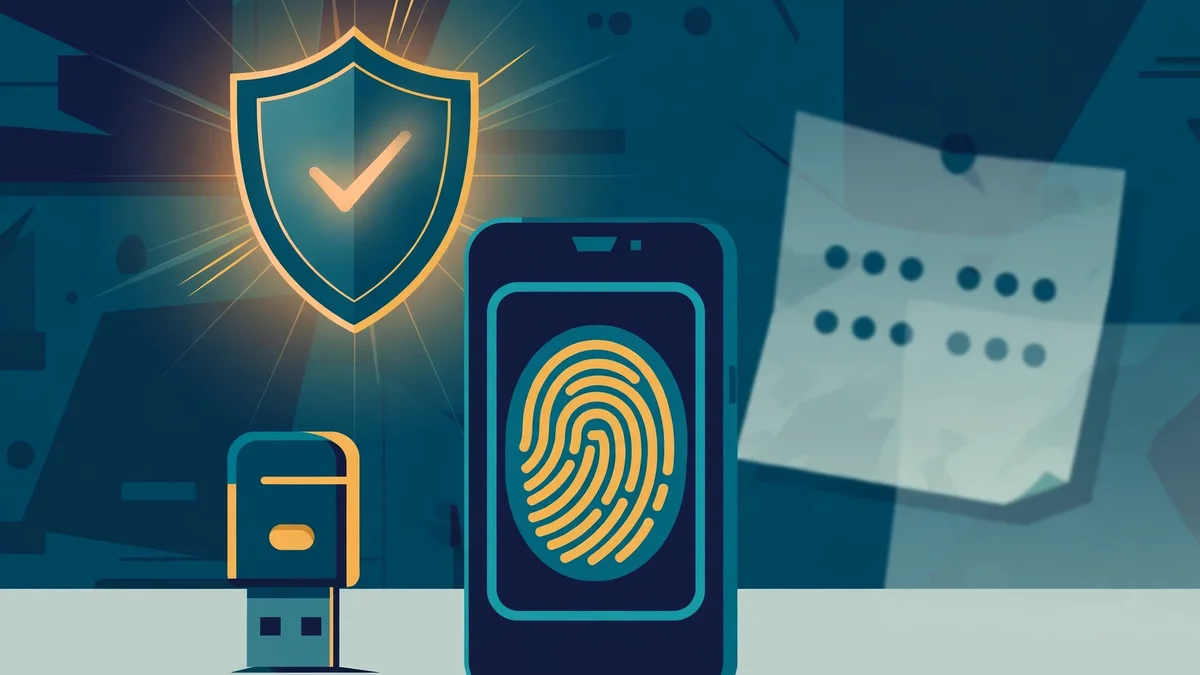
So where does that leave the comparison everyone actually wants? Here it is, without the marketing:
| TOTP code | Passkey (FIDO2/WebAuthn) | |
|---|---|---|
| SIM swap | Resistant | Resistant |
| Password leak | Resistant | Resistant — no password at all |
| Real-time phishing relay | Vulnerable | Resistant — bound to the real domain |
| Stolen server-side secret | Vulnerable — secret can be reused | Resistant — nothing reusable is stored |
| Device compromise | Partial — secrets can be exfiltrated | Stronger — keys stay in secure hardware |
| Works everywhere | Nearly every service | Growing, but not universal yet |
| Recovery if you lose the device | Backup codes or reset flow | Synced passkeys, or a second registered key |
The table is not an argument to delete your authenticator app. It is an argument about ordering. Passkeys win on every row that matters against a modern attacker, and the only row TOTP wins is availability. That tells you the migration path: adopt passkeys where they exist, keep TOTP where they do not, and never treat the two as equals.
If you want the hardware side of this story — the physical tokens that hold the same kind of origin-bound keys — I wrote about them in OTP Security Token: the little fob that makes your password almost irrelevant. A hardware key is the same idea as a passkey, in a device you can hold.
The upgrade path: which accounts get passkeys first
Migration is not a weekend project. It is a queue, and the order matters more than the speed.
First: email, then the password manager. Your email account is the recovery address for everything else, so it is the account whose compromise cascades furthest. Enable a passkey on your primary email this week. Your password manager is second — it holds the keys to everything, and it is the one place where a phishing-resistant login pays for itself immediately. If your manager supports passkeys, turn them on there before anywhere else.
Second: banking and finance. Banks are slow to adopt passkeys, which is frustrating and also informative — the institutions with the most to lose move slowest. Where your bank offers a hardware key or passkey option, take it. Where it only offers TOTP, use TOTP and turn on every alert the bank offers: new-device emails, login notifications, transaction alerts. The alerts are your compensating control for a factor that can be relayed.
Third: everything that holds your identity. Cloud storage, social accounts with your real name, the services where your photos and documents live. Work through them one a day. The goal is not perfection by Friday; it is that your five most valuable accounts are phishing-resistant by the end of the month.
Where TOTP stays: plenty of services still do not offer passkeys, and for those, TOTP remains the right answer — it is a large step up from SMS and from nothing. Keep it. Just stop believing it is the end of the journey. And if a service offers a choice between SMS and TOTP, the choice is TOTP every single time, for the SIM-swap reason alone. I keep a 1Password OTP setup for the stragglers, because storing the code next to the password it protects is a compromise — but a reasonable one for low-value accounts, and better than no second factor at all.
One habit to kill while you are at it: reading your code out loud to anyone. No legitimate support agent, bank employee, or security team will ever ask for your TOTP code. The moment someone asks, you are talking to the attack. Hang up.
The 20-minute hardening routine
Do this tonight, in this order. Twenty minutes, no new tools required.
- Open your authenticator app and count. How many accounts use TOTP? Write the number down. If it is over twenty, you have accounts you have forgotten about, and forgotten accounts are the ones that get taken over quietly.
- Check your email account for passkey support and enable it. This is the single highest-leverage change in this article.
- Move your TOTP secrets out of a plain authenticator with no backup. If your phone died tomorrow, would you lose access to your accounts? If the answer is yes, set up encrypted backup or move to an authenticator with one — and store the backup codes on paper, somewhere a burglar would not look and a fire would not reach.
- Audit recovery options on your top five accounts. If any of them let you reset with just an email link or a few personal questions, tighten it or accept the risk consciously.
- Learn to spot the lure. The relay attack starts with a message, and the message is the part you can still defeat. I wrote a practical guide to that half of the fight in How to Identify AI-Generated Phishing Emails — the tells that still work, the ones that stopped working, and a 90-second check you can run on any suspicious message.
And one habit for every signup that does not deserve your real address: use a disposable inbox. A temp mail address takes seconds to create, needs no signup and no personal data, and keeps the breach databases, the marketing lists, and the phishing lures pointed at an inbox you can abandon. Your real address should only ever go to services you actually trust — your email provider, your bank, and almost nothing else. That is not paranoia. It is the same principle as the rest of this article: do not hand a reusable credential to a party you have not vetted.
Frequently asked questions
Is TOTP secure?
TOTP is secure against password leaks, SIM swapping, and blind guessing — which covers most bulk attacks. It is not secure against real-time phishing relays, where an attacker forwards your code to the real site within its 30-second window. NIST's current guidance states plainly that OTP authentication is not phishing-resistant. Use TOTP everywhere it is the best option available, and upgrade to passkeys where they exist.
Can a TOTP code be phished?
Yes. An adversary-in-the-middle proxy shows you the real login page through a lookalike domain, you type your password and your TOTP code, and the proxy forwards both to the genuine site in real time, keeping the session cookie that comes back. The code is valid because the code does not know which site asked for it. Only origin-bound credentials — passkeys and hardware keys — refuse to authenticate to a fake domain.
Is TOTP better than SMS?
Yes, by a wide margin. TOTP never crosses the phone network, so SIM swapping and SS7 interception do not apply. SMS codes can be stolen by moving your number; TOTP codes cannot. Both remain vulnerable to real-time phishing, but TOTP removes an entire family of carrier-based attacks that SMS cannot escape.
What happens if someone steals my TOTP secret?
They can generate your codes indefinitely, without your phone and without your password, until you revoke the enrollment and set up a new secret. This is why a breach that exposes TOTP secrets is serious, and why services should encrypt them at rest. If a service tells you its TOTP secrets were exposed, re-enroll immediately — do not wait for a convenient moment.
Should I switch from TOTP to passkeys?
Where passkeys are available, yes — they are phishing-resistant by design, and they remove the shared secret entirely. Start with your email and password manager, then banking, then everything else. Keep TOTP for services that do not offer passkeys yet; it is still far better than SMS or nothing. The two are not rivals. TOTP is the bridge, and passkeys are the destination.
How long is a TOTP code valid?
Thirty seconds per code, with most servers accepting the code from the neighbouring window as well — so a captured code is typically usable for up to about 90 seconds. That sounds short until you remember the relay attack forwards it in two. Code lifetime is not the defence. Origin binding is.
The bottom line
Your authenticator app is not a lie. It is a good tool with a known ceiling, and the ceiling is the phishing relay. TOTP defeats the attacks of five years ago — leaked passwords, swapped SIMs, guessed codes — and it loses to the attack of today, which does not bother breaking your code and simply asks you for it on a convincing page. CISA and NIST have already said this out loud. The honest response is not to abandon TOTP. It is to use it where it is the best available, move your most valuable accounts to passkeys now, and stop telling yourself that six digits are a wall. They are a tripwire. The wall is a credential that refuses to work on a fake site — and that wall has a name, and a setup screen, waiting on the accounts that matter most.
---
Need a disposable temporary email?
Protect your real inbox from spam and promotional clutter instantly and free.
Received a suspicious email, text, or charge alert?
Verify whether the sender domain is disposable, spoofed, or unverified before clicking links.