
Temporary Mail Forwarding: What It Is, Which Services Do It, and What TempMailUSA Actually Does Instead
Temporary Mail Forwarding: What It Is, Which Services Do It, and What TempMailUSA Actually Does Instead
You signed up for something with a throwaway address, and now the one email you actually need is sitting in a temporary inbox you will forget to check. So you search for a way to push that mail into your real inbox automatically. That is temporary mail forwarding — and it is one of those features that sounds obviously useful until you look at what it costs you.
I tested this properly before writing. I opened TempMailUSA, generated a fresh address, clicked through every control in the inbox, searched the whole homepage and the pricing page for the word "forward", and checked every plan. The answer is blunt: TempMailUSA does not forward mail to a real inbox, free or paid. There is no forwarding button, no forwarding setting, and no forwarding row in any plan. That is not a bug or a missing feature I failed to find — the site's whole design is that mail stays in the temporary inbox and never touches your real address. Whether that is a dealbreaker or the entire point depends on what you are trying to do, and this post works through both sides honestly: what forwarding is, the three services that actually do it and what each charges, the trade you make when you turn it on, and the four things you can do on TempMailUSA instead.
The short answer
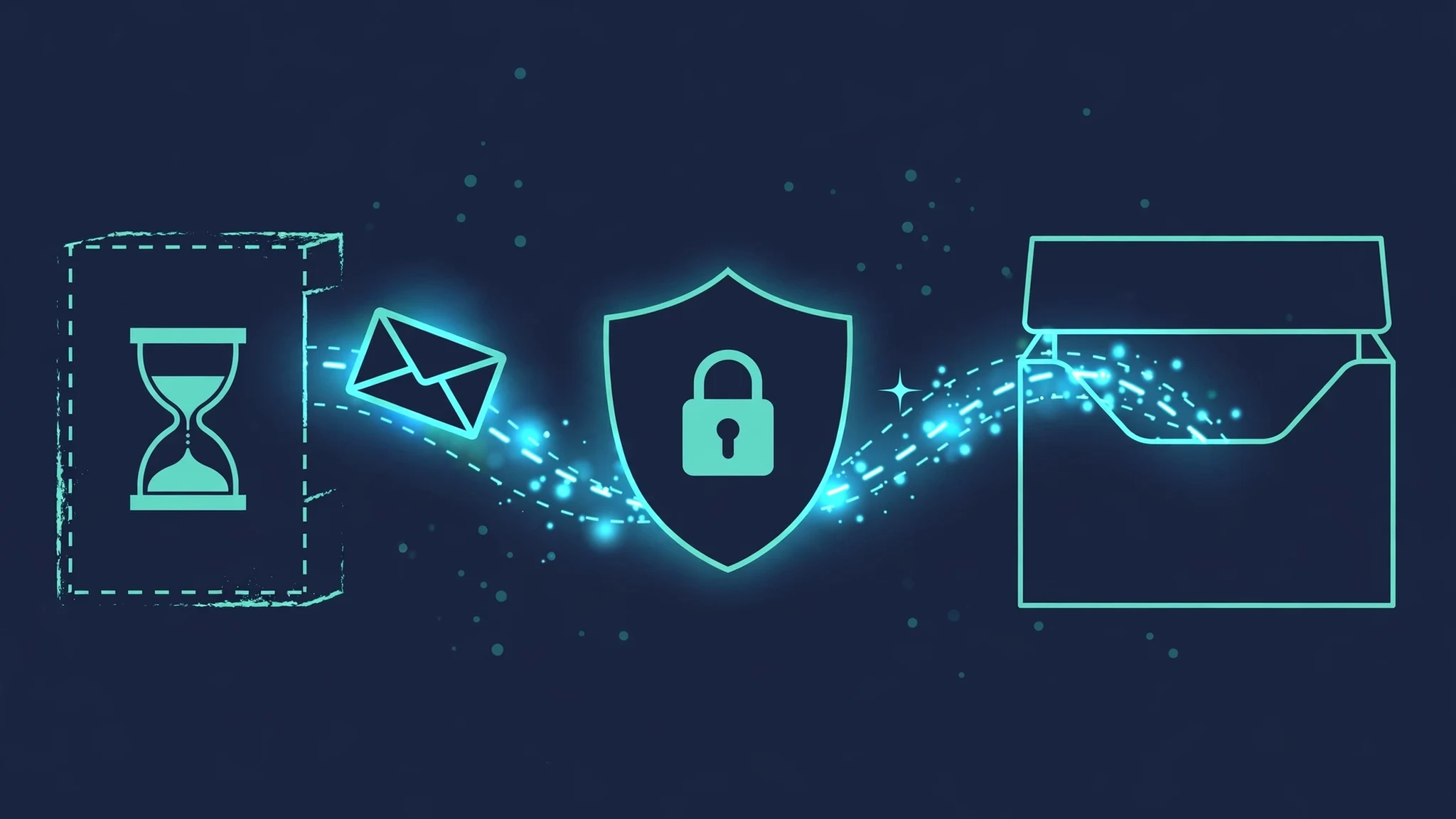
Temporary mail forwarding means mail sent to a disposable address is copied to your real inbox automatically. You hand a website a throwaway address, the service receives the mail, and a copy lands in Gmail or Outlook without you opening the temp inbox at all. The original usually stays in the temporary inbox too.
It exists because the obvious weakness of a temp inbox is that you have to remember to open it. A verification code that expires in ten minutes is useless if you check the inbox an hour later. Forwarding closes that gap. It also creates a new problem, which is the part most forwarding pages skip: the moment mail flows into your real inbox, the disposable address stops being disposable. The separation that protected you is gone, and anything that address attracts — spam, follow-ups, a data breach six months later — now arrives where you actually live. Keep that trade in mind through the rest of this post, because it decides whether forwarding is the right tool for you or a trap you set for yourself.
What temporary mail forwarding actually does
A forwarding rule has four parts, and every service that offers it implements the same four, with different limits.
First, the source address: the disposable address that receives the mail. Second, the destination: your real email address, the one you are trying to protect. Third, the trigger: usually every new message, sometimes filtered by sender. Fourth, the lifetime: how long the rule stays alive, from an hour to forever depending on the plan.
One detail matters more than the rest: every legitimate forwarding service makes you verify the destination address before a single message moves. Temp Mail PW states this directly on its forwarding page — your real address must be verified first, so nobody can forward mail to an inbox they do not own. You enter the address, you get a verification email, you click the link, and only then does forwarding start. That verification step is not bureaucracy. Without it, anyone could point a flood of mail at someone else's inbox, and forwarding would become a spam weapon. Any service that lets you forward to an address without proving you own it is a service you should not trust with your mail.
The other detail that catches people out is delay. Forwarding is not instant. Temp Mail PW runs its forwarding cycle every five minutes, so a message usually reaches your real inbox within a few minutes of arriving at the temporary address. A code that expires in sixty seconds can die in that gap. If the whole reason you want forwarding is a fast-expiring verification code, the five-minute cycle is the number that matters, not the feature existing at all.
If you are new to disposable addresses in general, start with the basics — what a disposable email actually is — because forwarding only makes sense once you understand what the temp inbox is protecting you from in the first place.
The three services that do it, and what each one charges
Three services dominate the search results for this keyword, and they take three different approaches. I am reporting what their own pages say, not what I wish they said — and where a claim comes from a service's own page, I say so.
Temp Mail PW is the most direct answer to the search. Its forwarding page describes exactly the four-part setup above: pick a source address from your temporary addresses, enter your real email and verify it, choose a duration from one hour up to ninety days, and create the rule. New messages arriving at the source address go straight to your real inbox and stay in the temporary inbox too. The limits are printed plainly: the free plan allows two active rules and up to five forwarded messages a day, while paid plans allow more rules and longer durations, with Pro allowing unlimited rules and unlimited duration. Two more limits are worth knowing before you rely on it: you cannot forward mail to another temporary address from the same site, you cannot forward to the source address itself, and attachments come through up to 20 MB per file — anything larger is listed in the forwarded message instead of attached. That is a complete, honest feature description, and it is the standard the other two should be judged against.
Email Monster takes the opposite approach: forwarding is not a feature you turn on, it is the whole product. You pick a username, and every address under it — anything@yourusername.eml.monster — forwards to your real inbox automatically. Give Amazon amazon@yourusername.eml.monster, give a newsletter newsletters@yourusername.eml.monster, and everything lands in your normal inbox on your terms. Each alias can be switched off individually, so when one sender turns noisy you kill that alias and the rest keep working. It also bundles newsletters into a single weekly or monthly digest if you want that. Pricing on its page is $6.99 a year, free to start with no credit card. The trade here is structural: your real inbox is the destination for everything, so the protection is per-alias control, not separation. That works well for newsletters and shops you trust. It works badly for the sketchy download site you will never visit again.
AdGuard Mail splits the difference, and the split is the interesting part. Its aliases are forwarding addresses — mail sent to an alias is forwarded to your primary mailbox, and you read it in your normal mail client. Its temporary inboxes, by contrast, do not forward by default: messages sent to a temporary address appear in the AdGuard Mail app, and you can manually forward individual received messages to a confirmed recipient. AdGuard's own page frames this as a choice — aliases for long-term interactions you want to keep, temporary addresses for one-time interactions like a promo code or a trial. That framing is correct, and it is the closest thing to a principled answer in this space: forwarding is for relationships you intend to keep, and a temp inbox is for ones you do not.
Notice what none of these services will tell you plainly: forwarding reconnects the throwaway address to your real identity. An alias is a forwarding address, and a forwarding address is a permanent pointer from a public-facing address to your private one. The services are not hiding this — Email Monster and AdGuard describe it openly — but if you came here wanting "temp mail, but in my Gmail", you should know you are asking for the opposite of what temp mail is for. An email alias is the middle ground, and it is worth understanding before you pick a side.

The trade you are actually making
Here is the question that decides everything, and it is not a technical question: do you want this mail, or do you want this sender to go away?
If you want the mail — a receipt, a ticket, a newsletter you actually read, a password reset for an account you will keep — then forwarding is rational. You are trading a small amount of separation for convenience, and per-alias control (Email Monster's off switch, Temp Mail PW's per-rule lifetime) lets you cap the downside. The right move is a forwarding rule with the shortest lifetime that covers the job: an hour for a code, ninety days for a trial, and never "forever" for a sender you have not vetted yet.
If you want the sender to go away — a one-time download, a free trial you will cancel, a form that demanded an email before showing you a price — then forwarding is the wrong tool, and it fails in the exact way that hurts. The spam you were avoiding now arrives in the inbox you check every day, wearing the clothes of mail you asked for. You cannot filter it cleanly, because you told the service to forward everything from that address. And the breach risk follows the same path: when that site leaks its user table six months from now, the address in the leak points at an inbox you actually use.
There is a second, quieter cost. To set up forwarding you hand a third-party service your real email address and prove you own it. That is the correct anti-abuse design, and I am not criticising it — but notice what it means. The service you chose because you did not want to give out your real address now holds your real address, tied to every disposable address you create through it. That is a fine trade with a service you trust and a bad one with a service you picked because it was the first search result. Spam is nearly half of all global email traffic, and most of it starts with an address given away once for a small reason. Forwarding does not create that risk, but it does concentrate it: one service, one real address, every alias pointing at it.
Before you commit to any forwarding setup, run the cheap test first. Sign up for one thing with a throwaway address and watch what actually arrives — the twenty-minute spam test tells you whether a sender's mail even lands where it should, before you wire that sender into your real inbox. If the sender's mail is already noisy in the temp inbox, forwarding it is not a solution. It is a relocation.
What to do instead on TempMailUSA
TempMailUSA does not forward, and after testing it I think that is a defensible choice rather than a missing feature — but it leaves you with a practical problem: how do you catch the mail that matters without living on the inbox tab? Four things on the site do most of what forwarding promises, without handing your real address to anyone.
First, keep the inbox open and let it refresh. The inbox auto-refreshes, and a fresh address is generated the moment you load the homepage — no signup, no waiting. My test address, svhuj35@rover.info, was ready before I had finished reading the page, with a countdown showing just under thirty days left. For a verification code, an open tab beats forwarding anyway: there is no five-minute forwarding cycle between the sender and your eyes.
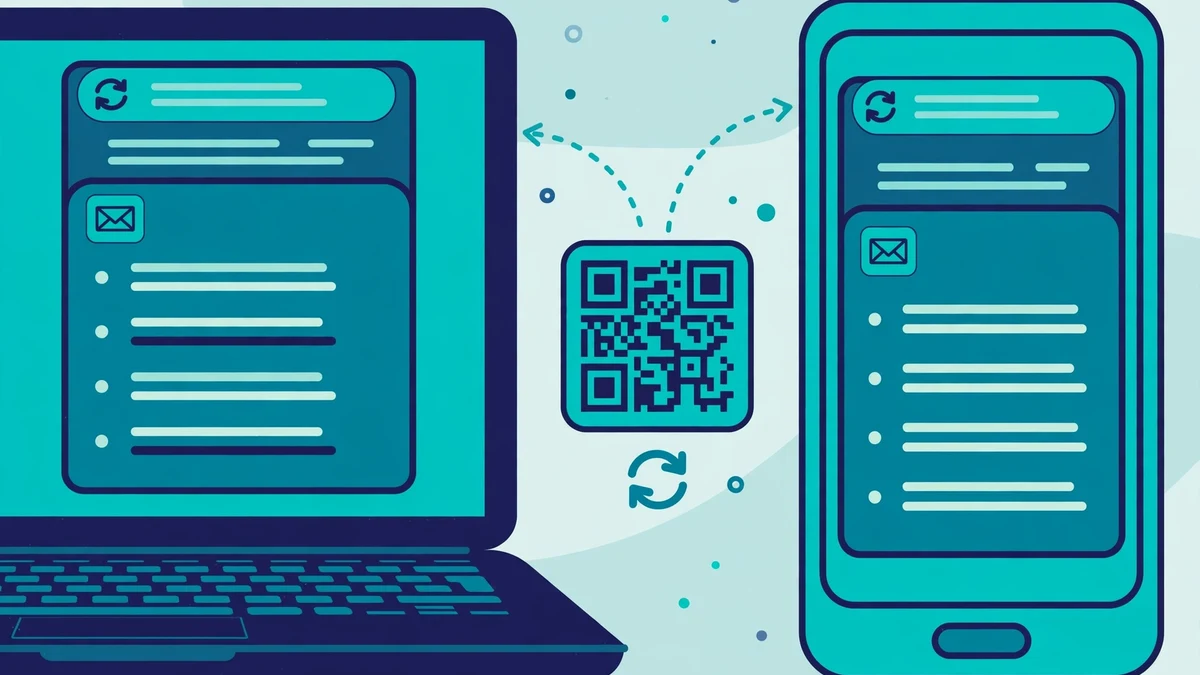
Second, take the inbox to your phone with the QR code. The inbox has a QR button labelled "Open this inbox on another device" — scan it and the same inbox opens on your phone. That is the closest thing on the site to forwarding, and in one way it is better: the mail still never touches your real inbox, but you get the alert on the device you actually carry. The Android app goes a step further with push alerts the second an OTP lands. Neither is forwarding. Both solve the problem forwarding is usually bought to solve, which is noticing the message in time.
Third, use History and the restore token to get an inbox back. The History panel lists your past addresses — my test surfaced an address from the previous day, aeuit74@rover.info, still listed — and Restore offers session recovery through a recovery token. A temporary inbox you can return to is nearly as good as one that follows you, and it costs nothing: no account, no real address on file. The catch is the same as the feature's strength. If you clear the browser data that holds that history, the way back is gone. Save the restore token somewhere you control if the inbox holds anything you will need next week.
Fourth, if an address has to live longer than a month, pay for the longer life rather than a forward. Free inboxes last thirty days; Pro inboxes last 365 days, with a favourites list that holds up to two hundred messages on the yearly plan. Pro is $4.19 a month, $34.99 a year, or $41.30 for a lifetime plan. A year-long inbox you can reopen is a different tool from a thirty-day one, and for the "I need this login to still work in March" case it is the honest answer on this site. What it is not is forwarding — nothing on any plan, free or paid, copies mail to your real inbox. I checked every plan tab on the pricing page. The word "forward" does not appear on it.
When forwarding is the right call, and when it is not
The decision is not about which service is best. It is about what the mail is for.
Forward when the sender is someone you will hear from again and want to hear from: an order confirmation for something being delivered, a newsletter you chose, a service you pay for. Use the shortest rule lifetime that covers the job, and use a per-alias off switch so one noisy sender cannot drag the rest down with it. Email Monster's per-alias switch and Temp Mail PW's one-hour-to-ninety-day durations are built for exactly this.
Do not forward when the sender is a one-time transaction: a download link, a free trial, a form that wanted an email before showing a price. The temp inbox exists for these. Open it, take the code, close the tab. Forwarding that mail into your real inbox buys you nothing and sells the separation that made the temp address worth using.
Do not forward when the mail is time-critical and the forwarding cycle is slower than the expiry. A five-minute forwarding delay against a sixty-second code is a failed delivery wearing a success message. For codes, keep the inbox open — on the site, or on your phone through the QR code — and read the message where it lands.
And do not forward when you have not verified the service. The verification step that proves you own the destination address is also the moment you hand a company your real email. That is a reasonable trade with a service whose business you understand. It is a bad trade with a page you found five minutes ago and will never visit again.
FAQ
What is temporary mail forwarding? It is a rule that copies mail arriving at a disposable address into your real inbox automatically. The original usually stays in the temporary inbox too. You set a source address, verify the real destination address, pick a lifetime for the rule, and new mail flows across until the rule expires or you switch it off.
Can I forward temp mail to Gmail? Yes, with a service that offers forwarding. Temp Mail PW lets you forward to any real address, including Gmail, after you verify it, with two free rules and five forwarded messages a day on the free plan. Email Monster forwards every alias to your Gmail or any other real inbox. What you cannot do is forward from a service that does not offer it — and TempMailUSA, tested on 2026-11-21, does not.
Does TempMailUSA forward mail to my real inbox? No. I generated an address, opened every inbox control, searched the homepage and every tab of the pricing page, and found no forwarding feature in any plan, free or paid. The site's nearest equivalents are the QR code that opens the same inbox on your phone, the History and restore token that bring an inbox back, and push alerts for OTPs in the Android app.
Is temporary mail forwarding safe? It is as safe as the service doing it. The real risks are specific: the verification step hands your real address to the forwarding service; forwarded spam lands in the inbox you actually use; and a forwarded address that later appears in a breach points at your real inbox. Mitigate all three by using short rule lifetimes, per-alias off switches, and a service you have actually vetted.
Does forwarding cost money? The basic versions are free with limits — Temp Mail PW's free plan covers two rules and five messages a day. Unlimited rules, longer durations, and features like digests sit behind paid plans, from $6.99 a year at Email Monster upward. TempMailUSA charges nothing for forwarding because it does not offer it.
Why do forwarding services ask me to verify my real email? To stop abuse. Without verification, anyone could point a stream of mail at somebody else's inbox. The verification email proves you own the destination before any forwarding starts. A service that skips this step is either careless or malicious — either way, do not use it.
Can I stop forwarding after I start it? Yes, and you should plan the exit before you start. On Temp Mail PW a rule ends when its duration runs out, and you can delete rules. On Email Monster you switch off the individual alias. On any service, deleting the rule stops new mail immediately; mail already forwarded stays in your real inbox, so delete the rule the moment the job is done rather than letting it run to expiry.
The bottom line
Temporary mail forwarding is a convenience feature that trades away the one thing a temp inbox is for: separation. That trade is worth making for mail you want — receipts, tickets, a newsletter you chose — and a mistake for mail you want to escape. The services that do it well say so plainly, print their limits, and make you verify the destination first. TempMailUSA is not one of them, and after testing it I would rather have the honest no than a forwarding feature bolted onto an inbox whose job is to keep my real address out of the conversation. If you need mail in your Gmail, use a forwarding service and use it with a short fuse. If you need a sender to never find you again, open the temp inbox, take the code, and close the tab. That is what it is for.
Need a disposable temporary email?
Protect your real inbox from spam and promotional clutter instantly and free.
Received a suspicious email, text, or charge alert?
Verify whether the sender domain is disposable, spoofed, or unverified before clicking links.