

Temp Mail for Microsoft Teams: One App, Three Different Gates — Only One of Them Opens
Ask ten people what "signing up for Teams" means and you will get ten different answers, and that is the whole problem with this topic. One person means the free app they use to video-call family. Another means the work app their employer installed on their laptop. A third means the meeting link someone emailed them yesterday, which they joined without creating anything at all. All three call it Teams. Only one of those three is a signup in any real sense, and temp mail's chances are completely different in each case.
This is the article I wish existed before I watched people waste disposable addresses on the wrong door. The generic advice — paste a temp address, grab the code, done — assumes there is a single door with a single lock. Teams has three doors, the locks are owned by different people, and the strictest lock is not Microsoft's at all. It belongs to an IT administrator you will never meet, in an organisation you do not work for, and it makes its decision before you have typed a single character.
Teams is three products wearing one name
Before anything else, name which Teams you mean, because the email rules follow the product, not the logo. Microsoft has spent years merging and renaming its chat products, and the result is genuinely confusing even for people who use Teams daily.
| Flavor | What it is | Who controls the email rules |
|---|---|---|
| Teams free (personal) | The free app anyone can sign up for with a personal Microsoft account | You, plus Microsoft's own signup checks |
| Teams for work or school | The app inside a Microsoft 365 organisation, run on Entra ID | The organisation's IT admin, through tenant policies |
| Meeting guest access | Joining a meeting from a link, with no account at all | The meeting organiser's settings |
The free version is the only one where "signing up with temp mail" is even a coherent question. You create a personal Microsoft account, that account becomes your Teams identity, and the email address on the account is the thing the temp address would stand in for. The work version is not yours to sign up for at all: your employer or school creates the account, hands you the address, and decides which outside domains — if any — are allowed in. The guest path skips the question entirely, which turns out to be the most useful door of all, and we will come back to it.
If you are unsure which one you are dealing with, there is a simple test. Did someone at an organisation give you the email address, or did you choose it yourself? If they gave it to you, you are in tenant territory and temp mail is not a tool for you here. If you chose it, you are in personal-account territory, and the rest of this article applies.
The three gates into Teams
Here is where the doors picture earns its keep. Every route into Teams passes through one of three gates, and each gate judges your email differently.

The first gate is the personal Microsoft account signup. You pick an email, Microsoft sends a verification code or link to it, and if you confirm, the account exists. A temporary address can pass this gate, in principle, because Microsoft's check at this point is mostly "can you receive mail at this address right now." It is not a check of permanence, and it is not a check of whether the domain looks respectable. That is the good news, and it is about where the good news ends.
The second gate is the tenant. When an organisation runs Teams, its admin sets policies in Entra ID: which domains can join as guests, whether external users are allowed at all, whether guests need approval, and whether sign-in requires managed devices or multi-factor authentication. A disposable domain fails here for a boring, structural reason: the tenant does not know you, it knows your domain, and disposable domains are exactly the kind of domain a security-conscious admin blocks by default. No code is ever sent, because the gate closes before the code step. Trying another disposable domain sometimes works on a loosely configured tenant, but on a properly run one the block is a policy, not a list you can outrun one domain at a time.
The third gate is the meeting link. A Teams meeting organiser can let people join as guests, typing only a display name, with no account and no email at all. This is not a workaround or a hack; it is a designed feature, and it is the route most people actually need when they ask about Teams and temp mail. If all you want is to attend one meeting without handing over your real address, the guest link already gives you that, and it gives it more cleanly than any disposable address could.
The Microsoft account underneath it all
People talk about "a Teams account" as if Teams were the account. It is not. The account is the Microsoft account, and Teams is one of many things that hangs off it: Outlook, OneDrive, Xbox, Windows sign-in, and the whole Microsoft 365 web suite. That one fact changes the risk calculation completely, because the address you burn on a Teams experiment is also the address on everything else that account touches.
Microsoft's personal account signup asks for an email and, increasingly, a phone number for verification and recovery. The email step is where a temp address enters the picture; the phone step is where it often stalls, because Microsoft uses phone verification as an abuse signal on suspicious signups, and a signup that looks automated — rapid attempts, known disposable domains, unusual device fingerprints — is more likely to be pushed toward phone verification. A temp address does not help with a phone check, and there is no honest version of this guide that pretends otherwise. If Microsoft asks for a phone number, the temp-mail path has ended, and the decision is whether the account is worth a real phone number, not whether a different disposable domain will dodge the check.
There is a second, slower consequence. A personal Microsoft account is designed to be permanent infrastructure in a way that a Slack workspace membership or a Zoom account is not. It accumulates: OneDrive files, Outlook mail, purchase history, device associations, family settings. Starting that accumulation on an address that expires is starting it on a timer, and the timer is invisible until the day you need the account for something that matters. This is the same logic as our Slack guide's handover rule — the moment a workspace becomes a stay rather than a visit, the address must become real — except on Microsoft the stakes are higher, because the account is not one workspace, it is the keyring for a dozen services.
Walking through it: a free community with a temp address
Here is the flow where temp mail genuinely works on Teams, stated plainly so you can judge it. Say a hobby community — a local photography club, an open-source project, a weekend gaming group — runs on Teams free, and you want to join without giving them your main inbox. Generate the temporary address and keep that tab open on the same device where you will complete the signup. Create the Microsoft account with the temp address, confirm the verification code the moment it arrives, and then accept the community's invite or join link while the inbox is still alive. Do the whole thing in one sitting, because the verification link and the invite both have short lives, and a temp inbox that dies between the two steps leaves you with half an account and no way to finish it.
Then, before you post anything or build any history in that community, make the decision the Slack guide also demands: visit or stay? If it is a visit — one event, one season, one project — let the address expire without regret when you are done. If it is a stay, switch the Microsoft account to a real address you control while the temp inbox is still alive. Microsoft lets you change the account email, but the confirmation goes to the new address and the process expects access to the account, so the change has to happen while you can still get into the account cleanly. The handover is a five-minute job on day one and a support conversation on day thirty, and the difference is entirely the inbox's expiry date.
One practical warning, specific to Microsoft: do not start the signup on your phone and finish it on your laptop unless your disposable service lets you reopen the same inbox on the second device. Many services tie the inbox to one browser session, and Microsoft's signup flow will happily send the code to an inbox that lives on the other device. The failure looks like "Microsoft never sent the code" when the truth is that the code arrived somewhere you are not looking. One device, one sitting, one inbox — the same discipline our OTP guide recommends, because the delivery window is part of the login, not a detail around it.
The tenant wall: why work Teams says no before you type
Now the door most people actually bounce off, explained without mystery. When you try to join a work or school Teams environment with a disposable address, one of three things happens, and none of them is "Microsoft bans temp mail." The tenant may reject the domain outright, because the admin set an allowlist of partner domains or a blocklist of disposable ones. The tenant may accept the domain but require approval, and the approval email goes to an inbox that dies before the admin reads it — the same slow-approval trap that kills temp-mail joins on gated communities everywhere. Or the tenant may require sign-in through its own identity provider, managed device compliance, or multi-factor authentication tied to a company phone or authenticator app, in which case no email address of any kind, disposable or real, gets you in without the organisation's blessing.
This is why "does Teams block temp mail" has no single answer, and why every guide that gives one is wrong. A loosely run small-business tenant with open guest access might accept a disposable domain without blinking. A bank, a university, or a government department will not, and will not care how many domains you try. The decision is per-tenant, made by an admin with a security policy, and the honest move is to read the failure rather than hammer the form. Our directory of sites that block temp mail makes the same point across platforms: the domain is judged, not you, and repeated rapid attempts convert a domain rejection into a broader block that can follow you to attempts with your real address too.
There is also a category error worth naming. Using a disposable address to get into your employer's Teams is not privacy; it is unaccountability, and it will be noticed. The admin can see the domain on the guest account, the account will not match any HR record, and the first time access needs auditing, the disposable guest is the first account removed. If your employer gave you a work identity, use it. The privacy-preserving move at work is not a fake address but a boundary between work and personal life that your employer already provides: the work account stays at work, and it never touches your personal inbox.
The recovery trap Microsoft sets quietly
This is the section that matters most, and the one most temp-mail guides skip, because it only hurts later. Microsoft's account recovery is deliberately strict. If you lose access to a Microsoft account — forgotten password, lost authenticator, expired recovery email — Microsoft asks you to prove ownership through a recovery form that weighs the information you can still provide: previous passwords, recent email subjects, contacts, purchase history. An account created on a disposable address starts that form with almost nothing in its favour. There is no recovery email to fall back on, because the recovery email was the disposable address. There is no purchase history, because you bought nothing. There are no long-lived contacts, because the account is new. The form is not designed to be cruel; it is designed to stop account theft, and a disposable-address account looks, from Microsoft's side, exactly like a stolen account being reclaimed by a stranger.
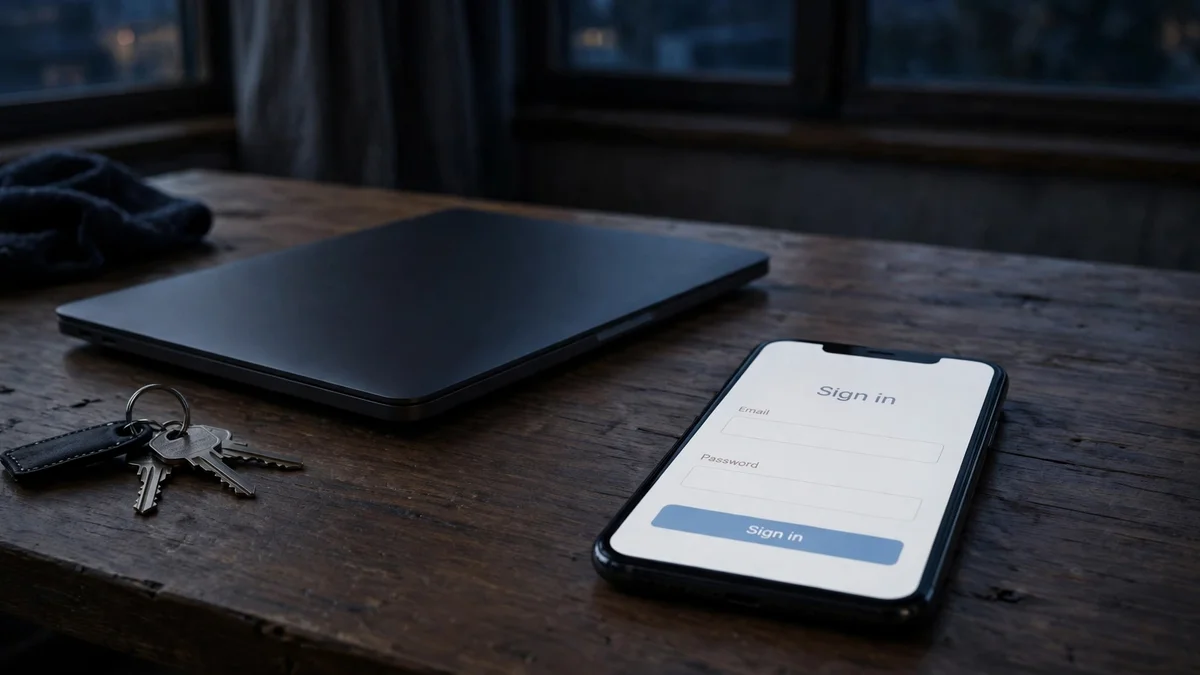
Compare that with a password-based platform where losing the email is an inconvenience, or with Slack, where losing the inbox costs you a workspace membership but nothing else. On Microsoft, losing the inbox can cost you the whole keyring: Teams chats, OneDrive files, Outlook mail, and every service that account signed into. That asymmetry is the real argument of this article, and it is stronger than any blocklist argument. Blocklists stop you at the door, and you notice immediately. Recovery failure stops you months later, when you have something to lose, and by then there is nothing to fix.
The practical conclusion is narrow but firm. A Microsoft account created on a temporary address should be treated as a single-use container: useful for exactly one short-lived purpose, with nothing stored in it that you would miss. The moment anything accumulates in it — a file in OneDrive, a chat history you reference, a community role — the account has outgrown the address, and the handover to a real address is overdue. If you would not write the account's contents on a whiteboard and erase it, do not keep it on a disposable address.
Guest access: the door that needs no email at all
Here is the genuinely good news, and it makes most of this article's problem disappear for the most common case. If someone invites you to a Teams meeting, you usually do not need an account at all. Click the meeting link, choose to join as a guest, type a display name, and you are in the meeting with audio, video, and chat. No email, no verification code, no account, nothing to expire. The organiser controls whether guest access is on — some organisations disable it — but when it is on, it is the cleanest privacy outcome available, cleaner than temp mail, because there is no address to leak, block, or expire in the first place.
This is the closest parallel to the Zoom signup flow, where the link is the whole authentication — except Teams guest access is even lighter, because Zoom at least nudges you toward an account for hosting, while a Teams guest needs nothing beyond the link and a name. So before reaching for a disposable address for a Teams meeting, check whether you even need an account. If the answer is "I just need to attend this meeting," the guest link is the answer, and the temp-mail question never arises. Temp mail only enters the picture when you need to be a member of something — a team, a community, a channel that persists between meetings — and that membership is what the rest of this article is about.
When it goes wrong: read the failure, not the panic
Most Teams temp-mail failures look identical from the outside — nothing arrives — but they have different causes and different fixes. Reading the failure correctly saves you from burning domains on a problem that was never about the domain.
| Symptom | Likely cause | What to do |
|---|---|---|
| "This domain is not allowed" or silent rejection at signup | Tenant domain policy or disposable blocklist | One different domain, once; if that fails, the tenant is closed to disposables — use a real address or guest access |
| Code never arrives | Code sent to an inbox on another device, or the inbox expired first | Keep the inbox open on the same device, complete signup in one sitting, check the inbox immediately |
| Asked for a phone number | Microsoft abuse check on the signup | Temp mail cannot pass this gate; decide whether the account is worth a real phone number |
| Invite accepted, then access lost later | Temp inbox expired between sessions | Rejoin with a new address if the team is open, or ask the owner to invite your real address |
| Asked for a company login or authenticator | Tenant requires managed sign-in or MFA | No email address passes this gate by design — use the work identity the tenant expects |
| Account recovery form rejected | Too little proof of ownership on a disposable-address account | This is usually final; treat disposable-address accounts as single-use from the start |
The pattern across all six rows is the same one this blog returns to: the domain is judged, not you, and the fix is usually one different domain, one honest admission that the tenant is closed, or one guest link that sidesteps the whole question. What never helps is hammering the form. Repeated rapid attempts from one device are the fastest way to convert a domain rejection into a broader block, and Microsoft's abuse systems remember devices longer than they remember addresses.
The one safe pattern — and the rule it reduces to
So where does temp mail genuinely earn its place on Teams? Three uses, and only three, in my judgement. First, a one-off community visit on Teams free: a weekend event, a short course, a public channel you will use for an evening, where the address lives as long as the event and nothing accumulates in the account. Second, testing your own Teams setup: if you run a community or a small team, disposable addresses are the cheapest way to walk the member journey yourself — invite, join, channel permissions, meeting access — without polluting your real inbox or creating fake members tied to your identity. Third, clean separation for a hobby identity: a community you do not want connected to your professional name, where a display name and a disposable address give you a genuine boundary rather than a leaky one.
All three share one rule, and it is the rule this whole article reduces to: the account must never hold more than you can afford to lose. The moment it does — a file, a role, a reputation, a conversation you would search for later — switch the account email to a real address you control, while the temporary inbox is still alive. Do it the same day you notice the feeling, not next week. The handover is a five-minute job on day one and a recovery form on day thirty, and the difference between those two days is entirely the inbox's expiry date.
When a real address is the only honest choice
There are Teams environments where temp mail is not a clever privacy move but a category error, and naming them plainly is part of the honesty this topic needs. Your employer's tenant: the organisation owns the domain list, expects a work identity, and will eventually require managed sign-in. Any team you administer or moderate: the role depends on continuity, and continuity depends on recovery. Any paid community or course: the payment identity and the Teams identity will eventually be reconciled, and a mismatch is a support ticket at best and a lost membership at worst. Any team holding work you cannot reproduce — a project channel, a client workspace, a volunteer rota you run.
For these, the privacy-preserving answer is not a disposable address but a dedicated real one: a secondary mailbox or an alias that you control, that will still exist in a year, and that is not your primary personal inbox. You get nearly all of the separation — your main inbox stays out of the team's member list — with none of the expiry risk, and with a recovery path that actually works when you need it. Temp mail is for accounts you can afford to lose. The moment you cannot afford to lose it, it is the wrong tool, and no amount of cleverness about domains changes that arithmetic.
Frequently asked questions
Can you sign up for Microsoft Teams with a temp email?
For Teams free, sometimes: a personal Microsoft account can be created with a disposable address if Microsoft's signup checks pass, including any phone verification it asks for. For work or school Teams, no — the organisation's tenant decides, and most tenants block disposable domains or require managed sign-in. The answer is always per-tenant, which is why a guide that says simply "yes" or "no" is lying to you.
Does Teams need a Microsoft account, or can I join without one?
Both exist. Joining a meeting as a guest needs no account and no email at all, if the organiser allows guest access. Being a member of a team or a persistent channel needs an account — a personal Microsoft account for free teams, or an organisation account for work teams.
What happens if my temp inbox expires while I am a Teams member?
You stay signed in on devices where you are already signed in, until Teams asks you to sign in again — a new device, a long absence, a security event. At that point the sign-in goes through the Microsoft account, and if that account's recovery path depended on the dead inbox, you may not get back in at all. Your messages remain in the team, but you cannot resume the membership.
Can a Teams admin see that I used temp mail?
Yes. The admin or team owner can see the domain on the account, and experienced admins recognise disposable domains on sight. Temp mail hides your address from the member list's downstream uses, not from the team itself, and in a work tenant a disposable guest account is usually removed on sight.
Can I change the email on my Microsoft account later?
Yes, and that is the handover rule in action: change it to a real address you control while the old inbox is still alive, so the change completes cleanly. Once the old inbox is dead, the change becomes a recovery conversation, not a settings page, and Microsoft's recovery form is strict by design.
Is using temp mail for Teams against the rules?
Microsoft does not publish a blanket ban on disposable addresses for personal accounts; the restriction, where it exists, comes from the individual tenant's policies or from abuse checks at signup. Joining a team that invited you, with an address you control at the time, is not rule-breaking. Using disposable addresses to evade a ban, to create duplicate members after being removed, or to slip into a work tenant that closed its doors is a different matter, and admins treat it as abuse.
Teams is the platform where the temp-mail question is most often asked about the wrong thing. People ask whether the address will work, when the question that matters is which Teams they mean, who owns the gate, and what the account will hold six months from now. For a guest meeting, you need no address at all. For a free community visit, a temporary address is exactly right, as long as it stays a visit. For anything you would miss losing, the address must be real, and the time to make it real is day one. Ask those three questions before you sign up, and let the answers choose the address. That is the whole guide, and it is enough.
Need a disposable temporary email?
Protect your real inbox from spam and promotional clutter instantly and free.
Received a suspicious email, text, or charge alert?
Verify whether the sender domain is disposable, spoofed, or unverified before clicking links.