

Temp Mail for Figma: The Account Is a Filing Cabinet, Not a Mailbox
A Figma account is a filing cabinet that pretends to be a mailbox. That sentence sounds like a metaphor stretched too far until you watch what actually happens after signup. You type an email address, you click a verification link, and then you start putting things in the drawer: a first file, a second file, a FigJam board from a brainstorm, a comment thread where a client approved a direction, a version history that remembers what the design looked like before the client changed their mind. None of those things live in your email. All of them are reached through it. The address is the key to the cabinet, and a disposable address is a key designed to dissolve.
That is the difference between Figma and the throwaway signups where temp mail is obviously fine. On a newsletter or a coupon form, the email address is the whole transaction: the site sends you something, you read it, you leave. On Figma, the email address is the beginning of a relationship with a body of work. The question is not whether a disposable address passes the signup form. It almost certainly does, because Figma's signup is light. The question is what you will have put in the drawer by the time the key dissolves, and whether you will still be able to open it.
Most guides about temp mail and design tools never get to that question, because there are hardly any guides at all. When we checked, no major temp-mail competitor publishes a Figma-dedicated guide — the search results hold a listicle that gives Figma one paragraph among a dozen services, generic tool pages that merely list Figma among supported platforms, and Figma's own help articles. That gap is this article's opportunity and its obligation: there is no received wisdom to repeat here, so what follows is built from how Figma actually works, not from what other temp-mail pages claim.
What Figma actually asks for at signup
Figma's signup is about as light as a professional tool gets. You can sign up with an email address or with a Google account, pick the free Starter plan, and start designing. For email signups, Figma sends a verification message — its own forum staff note that Figma verification and notification mail comes from addresses including no-reply@email.figma.com and support+notifications@figma.com — and clicking the link confirms you control the address. There is no phone number required at signup, no payment card for Starter, and no identity check. A temporary address passes this step for the dullest reason possible: at this point Figma is only checking that somebody can receive mail at the address right now.
Two details in that lightness deserve attention, because both of them quietly raise the stakes later. First, the onboarding asks what brings you to Figma and what your role is, and the answers shape the workspace you land in — a student who picks the school path is walking toward the education verification flow, which is a different animal entirely, as the education section below explains. Second, Figma is a browser-first tool, which means the account is not tied to a device you own. You can open it from any machine, which is wonderful until you realise it also means there is no device to fall back on: lose the email address and you have lost the only credential the account really has, unless you set up a second factor or a recovery path yourself.
The timing discipline here is the same one our OTP guide recommends for every verification: one device, one sitting, one inbox. Generate the address, keep the inbox tab open on the same device where you sign up, and finish verification before doing anything else. A verification link that arrives in an inbox on another device is a link you cannot click, and the failure looks like "Figma never sent the mail" when the truth is that the mail arrived somewhere you are not sitting.
Three Figma lives, three different email stakes
Nobody "uses Figma" in the abstract. People live one of three lives inside it, and temp mail fits each of them very differently. This is the part a generic guide cannot give you, because a generic guide assumes one kind of user. Figma has at least three, and the email stakes are different for each.
| Figma life | What the account holds | Temp mail fit |
|---|---|---|
| The solo trier | A few practice files, tutorial experiments, an evening of curiosity | Good, for one evening — nothing exists yet that you would miss |
| The invited collaborator | A seat in someone else's team, comments under your name, files you were invited to | Poor — the invite and the seat belong to the address, not to you |
| The file owner | Your own team, your own files, clients or classmates who expect you to still be there next month | Bad — the cabinet is yours, and the key is dissolving |
The solo trier is the honest temp-mail case, and it is worth describing precisely because it is so narrow. You have heard of Figma, you want to see what the canvas feels like, you open a file, you push some rectangles around, you close the tab. Nothing in that evening needs to survive until morning. A disposable address is proportionate here in exactly the way it is proportionate for a newsletter: the whole relationship fits inside the inbox's lifetime.
The invited collaborator is where people get hurt without understanding why. You were invited to a team because somebody needed your eyes on a design, or your copy in a prototype, or your feedback in a FigJam board. That invitation was sent to an address. If the address was temporary and it expires, you do not merely lose a login — you lose the seat, the comment history under your name, and the ability to be re-invited without an awkward conversation in which you explain that you joined a professional project with an address designed to die. Teams remember that sort of thing, and not fondly.
The file owner is the case where temp mail stops being a privacy tool and becomes a liability with a timer. If you run the team, if clients open files you made, if a class project lives in your folder, then the address is infrastructure. Infrastructure does not get to expire. Nobody would build a studio on a rented foundation with an eviction date, and a Figma team on a disposable address is the same decision with nicer lighting.
The Starter ceiling: three files, one folder, thirty days
Figma's free Starter plan is generous in the ways that matter to a beginner and strict in exactly the way that matters to this article. According to Figma's own Starter plan overview, a Starter team gets a single folder holding 3 Figma Design and Figma Sites files, 3 FigJam files, and 3 Figma Slides files, with 30 days of version history, no team libraries, and no Dev Mode. Drafts are unlimited, which softens the ceiling, but drafts are not team files: the moment work moves into the shared folder, the ceiling applies.
Why does a file limit matter to an email question? Because the ceiling is what turns a casual account into a kept account. Three files sounds like nothing until you have three files: a portfolio piece, a client revision, and a class project, each with comments and a version history you would rather not lose. At that point the account has crossed from "trial" to "possession" without any ceremony, and the address behind it is still the disposable one from the first evening. Nobody announces the crossing. You discover it the day you need the fourth file and realise you cannot delete the first three without losing work, and cannot recover the account without an inbox that no longer exists.
The thirty-day version history deserves its own sentence, because it is the quietest form of accumulation in Figma. Version history is how you prove what a design looked like before a change, how you undo a client's bad idea with evidence instead of argument, and how you recover from your own mistakes. Thirty days is a short memory, and it is a memory that belongs to the account, not to you personally. An address that dies inside that thirty-day window does not just lock you out of today's file; it locks you out of the record of how the file got here.
The invite is addressed to an inbox, not a person
Here is the mechanism most temp-mail advice skips, and it is the mechanism that actually costs people work on Figma. When someone invites you to a Figma team or file, the invitation goes to an email address. It does not go to you as a person. Figma has no way of knowing that the human behind a new address is the same human who held the old one, and there is no merge button that fixes it later. Change addresses mid-project and you do not transfer your presence — you abandon one collaborator and start a second one, with a blank comment history and no access to the files the first one could open.

Run that mechanism forward on a disposable address and the failure writes itself. You join a team with a temporary address, you leave thoughtful comments for a week, the project ships, and then you get a new laptop, or you clear your browser, or you simply do not open Figma for two months. The inbox is dead. The next time the team needs you — a revision, a question about a decision you made, a file only you can open — the invitation or the password reset goes to an address that no longer exists, and the team sees a collaborator who has vanished. From their side, you did not protect your privacy. You ghosted a project.
The same logic applies to the handover rule our Slack guide states for workspaces, and it applies here word for word, except the stakes are more visible: on Slack you lose chat history, on Figma you lose files with your name on them. The moment a Figma team crosses from "visit" to "stay" — the moment you would be annoyed to lose it — switch the account email to a real address you control, while the temporary inbox is still alive. Do it the same day you notice the feeling, not next week. The handover is a settings page on day one and a support conversation on day thirty, and the difference between those two days is entirely the inbox's expiry date.
One practical warning from the field: do not generate the address on your phone and try to complete the signup on your laptop, or vice versa, unless the disposable service gives you a way to reopen the same inbox on the second device. Many do not, or do it through a session that does not transfer. The verification link arrives in an inbox that lives in one browser, and the device that holds the inbox is the device that completes the signup. Keep the whole flow on one device, in one sitting, and the failure rate drops sharply.
The education trap: status tied to the address
There is one Figma case where temp mail is not merely risky but actively self-defeating, and it is the case students are most likely to try. Figma's education plan gives verified students and educators free Professional features, and Figma's own education help page is blunt about the mechanism: your education status is tied to the email address you verify with, and if you update the email address on your account after verification, your education status will be revoked.
Read that twice, because it reverses the usual advice. The handover rule — switch to a real address when the account matters — is exactly what kills an education account. If you verify education status on a temporary address, you have built a free Professional account on a key that dissolves, and the moment you try to rescue it by changing the address, Figma revokes the status you were trying to save. If you verify on a school address and then let that address lapse after graduation, the same trap waits at the other end: the status belonged to the address, not to you.
The honest answer for students is therefore the opposite of clever. Use the school-issued email address Figma asks for, from the start, and accept that this one account is not the place for email privacy theatre. The education plan is worth real money — Professional features free — and it is the single most valuable thing a student can hold in Figma. Trading it for a disposable address is trading a durable benefit for an evening of anonymity, and the trade is bad on its face. If you need a private Figma life as well, keep two accounts and keep them honestly separate: the school account for school work and education status, and a separate real-address account for personal experiments. Two real addresses, two purposes, no traps.
The one evening where temp mail is exactly right
None of this means temp mail is useless on Figma. It means its honest use is narrow, and naming the narrow use precisely is more useful than pretending the narrow use is the whole story. Here is the case where a disposable address is exactly right.
You want to evaluate Figma for an evening. You open the canvas, you try the pen tool, you duplicate a community file, you see whether the prototyping feels better than the tool you already use. Or you join a one-off FigJam brainstorm for a hackathon, where the board matters for a night and nobody will ever reopen it. Or you are testing your own team's onboarding flow — walking the invite journey yourself before real members arrive — which is the pattern our QA testing playbook lays out for test accounts generally, with the crucial condition that a test account is built to be deleted and its deletion is the plan, not the accident.
The discipline that makes all three work is the same: decide the exit before you start. If the evening turns into a week, if you make a file you want to keep, if a teammate invites you to a real team, the account has outgrown the address, and the address must be changed that same day, while the temporary inbox is still alive — unless the account holds education status, in which case the education section above already told you the rescue does not work, and you should start the real account properly instead of trying to migrate a doomed one.
What accumulates while you are not looking
It is worth listing what actually piles up behind a Figma address, because "files" undersells it. A Figma account accumulates in five directions at once, and the list is the reason a disposable address has a shorter honest life here than on most platforms.
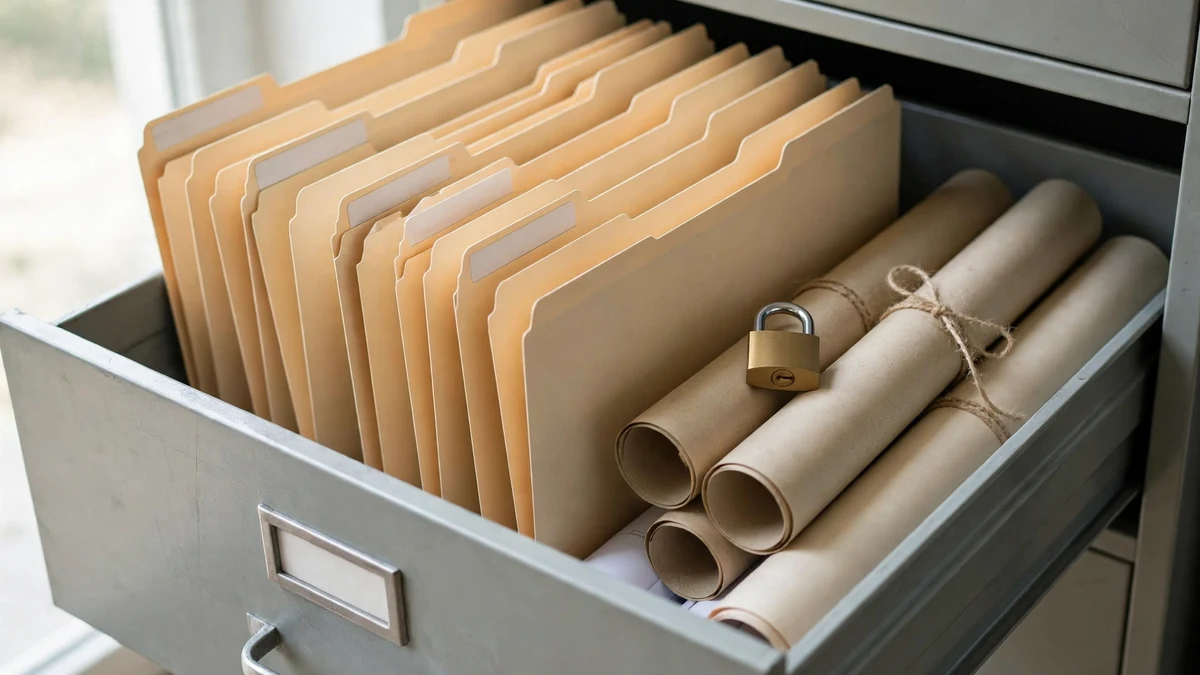
Files first, obviously — designs, prototypes, FigJam boards, Slides decks, each with a version history that remembers how they got here. Comments second: the thread where a client approved a direction, where a developer asked about a spacing value, where you defended a choice. Those threads are project memory, and they are attached to the collaborator identity that holds your address. Team memberships third: every team you were invited to, every file shared with you, every seat someone is paying for under your name. Notification history fourth: Figma mails you about comments, mentions, and invites, and if the address is dead, those mails go nowhere, which means you stop hearing about work that involves you. And account recovery fifth: the password reset, the security alert, the "someone signed in from a new device" mail — all of it goes to the address on file, and a dead address means the account's alarm system is disconnected.
When it goes wrong: read the failure, not the panic
Most Figma temp-mail failures look identical from the outside — nothing arrives, or access is refused — but they have different causes and different fixes. Reading the failure correctly saves you from burning domains on a problem that was never about the domain.
| Symptom | Likely cause | What to do |
|---|---|---|
| Verification mail never arrives | Mail sent to an inbox on another device, or the inbox expired first | Keep the inbox open on the same device, complete signup in one sitting, resend once |
| "This email address is not allowed" or silent rejection | Disposable domain blocklist | One different domain, once; if that fails, the domain family is blocked — use a real address, not a fifth domain |
| Invited, but the invite never lands | Invite sent to a different address, or to an expired inbox | Confirm the exact address with the inviter, letter for letter, and re-invite while the inbox lives |
| Signed in, then locked out later | Password reset and security mail go to the dead address | No workaround through the normal flow; recovery goes through Figma Support and is slow by design |
| Education status lost after an email change | Status is tied to the verified address by design | This is the designed behaviour, not a bug; re-verify from the school address, do not migrate |
| Team files vanish from your view | Membership belonged to the old address, not to you | Ask the team owner to re-invite your real address; the old membership cannot be merged into it |
The pattern across all six rows is the same one this blog returns to in every platform guide: the domain is judged, not you. Our directory of sites that block temp mail makes the point across platforms, and Figma is no exception — repeated rapid attempts from one device convert a domain rejection into a broader block that can follow you to attempts with your real address too. What never helps is hammering the form. One different domain, once, is a test. Five domains in ten minutes is a pattern, and abuse systems are built to recognise patterns.
The safer setup that keeps the privacy
If you want the privacy without the expiry risk, here is the setup I would actually recommend, stated as a checklist rather than a philosophy, because checklists get followed and philosophies get admired and ignored.
Create a dedicated real mailbox for design work, or an alias on a mailbox you already control. It must be an address that will exist in a year, and it must not be your primary personal inbox. Separation is the goal; disposability is not. Use that address for the Figma account, and verify it in one sitting, on the device you design on. Turn on two-factor authentication for the design mailbox itself, because the email address is Figma's recovery path, so the mailbox needs its own second factor, or the whole chain has a weak link. If you ever start an account on a temporary address, change the account email to the dedicated address the day the account gains anything worth keeping — a file, a team seat, a comment thread you would miss — while the temporary inbox is still alive, and never on an education-verified account, where the change revokes the status. And export anything that matters: a Figma file you cannot afford to lose should exist outside Figma too, because no account decision is a substitute for a backup.
That setup gives you everything temp mail promised — your main inbox stays out of Figma's member data, marketing mail goes to a mailbox you check on your terms — and it keeps the one thing temp mail cannot give you, which is a filing cabinet that still opens after the semester turns over, the laptop is replaced, and the project comes back for revisions.
What never helps
A short list, because these are the moves people actually try, and each one makes the situation worse in a specific way.
Cycling through disposable domains after a block does not work for long. Figma, like every platform with a blocklist, judges domains, and the well-known disposable families are blocked as families. One fresh domain is a test; a parade of them is abuse-shaped traffic, and the account that eventually gets created under that pattern starts life flagged.
Creating a second account to dodge a lost seat, a revoked status, or a locked file is not a workaround; it is a duplicate identity, and it splits your work across two cabinets neither of which holds the whole project. Teams notice duplicates, and they trust them less than they trusted the original.
Sharing a temporary inbox, or reusing one address across several accounts, destroys the one property that made the address useful: that only you could read it. A public or shared disposable inbox means anyone with the address can read your verification links and your invite mails, and an invite reader with your password owns the account.
And building a portfolio, a client project, or a class submission on an account whose email you cannot access is the single most expensive mistake in this article. It converts work you can show into work you cannot open, and no support ticket fixes the arithmetic: the files are in the account, the account is behind an address that no longer exists, and the proof of ownership is the thing you threw away.
Frequently asked questions
Can you sign up for Figma with a temp email?
Usually yes, for the signup step itself: Figma asks for an email address or a Google account and sends a verification message, and a disposable address can receive it if the domain is not blocked. The signup working is not the same as the account working long-term, because invites, password resets, notifications, and recovery all run through that same address afterwards.
Does Figma block disposable email domains?
Some, and the list changes. Well-known disposable families are blocked outright or flagged, while lesser-known domains pass today and fail tomorrow. A domain that works once is not a promise; it is a snapshot. If one domain is rejected, try one different domain once, then accept the answer and use a real address.
What happens if my temp inbox expires while I own Figma files?
You stay signed in on devices where you are already signed in, until Figma asks you to sign in again — a new device, a cleared browser, a password change. At that point the sign-in and any reset go through the address on file, and if that address is dead, the normal route back in is gone. Your files remain on the account, but you may not be able to resume the account.
Can I change the email on my Figma account later?
Yes, except for the education trap: changing the email on an education-verified account revokes the education status, because the status is tied to the verified address. On an ordinary account, change it to a real address you control while the old inbox is still alive, so the change completes cleanly.
Can students use temp mail for Figma's education plan?
No, not honestly. Education status requires verification tied to a school-issued email address, and changing the address afterwards revokes the status. Use the school address from the start; the free Professional features are worth more than an evening of anonymity.
Is using temp mail for Figma against the rules?
Figma does not publish a blanket ban on disposable addresses for ordinary signup; the restriction, where it exists, comes from domain blocks and abuse checks. Creating accounts to evade a ban, a restriction, or a team removal is a different matter, and platforms treat evasion as abuse. Joining for one evening with an address you control at the time is not rule-breaking. Building a portfolio on an address designed to die is not rule-breaking either — it is just a bad bet, and the cabinet always collects it.
Figma is the platform where the temp-mail question is most often asked about the wrong thing. People ask whether the address will work, when the question that matters is what the account will hold six months from now. For one evening of trying the canvas, a temporary address is exactly right, as long as it stays an evening. For anything with a file you would miss, a team that expects you back, or a status worth money, the address must be real, and the time to make it real is the day the account stops being a trial. Ask that one question before you sign up — will this account ever hold something I would miss losing? — and let the answer choose the address. That is the whole guide, and it is enough.
Need a disposable temporary email?
Protect your real inbox from spam and promotional clutter instantly and free.
Received a suspicious email, text, or charge alert?
Verify whether the sender domain is disposable, spoofed, or unverified before clicking links.