

Temp Mail for QA Testing: A Developer's Playbook (2026)
Every QA engineer has done the same thing at some point: needed twenty email addresses, had one real inbox, and reached for a disposable address generator. It works, right up until it doesn't — and the ways it fails are quiet. A test passes on a disposable inbox and fails in production. A password-reset flow "works" because the tester was already looking at the inbox when the message arrived. A signup test passes on Monday and fails on Thursday because the domain landed on a blocklist overnight, and nobody can explain why.
This guide is the playbook I wish had existed the first time I set up email testing with disposable addresses. It is written for developers and QA engineers testing their own product — not for people trying to abuse someone else's signup form. The distinction matters, because it decides which parts of this advice apply to you: if you are testing your own app, disposable inboxes are a legitimate scaffold. If you are testing someone else's rate limits, that is a different conversation, and this guide is not your cover story.
The short version: temp mail is excellent for manual, exploratory testing of inbound email flows, and a trap for anything automated, anything that needs a reply, and anything that must still work next month. The rest of this article is about drawing that line precisely, so your test suite stops lying to you.
The inbox is a test fixture, not a mailbox
The first mental shift is the one that fixes most misuse. In QA, an inbox is not a mailbox. It is a test fixture — a controlled input to your system under test, like a seeded database or a mocked API. And like any fixture, it has properties you must know before you trust a result from it: how long it lives, who else can see it, whether it can send, and how fast mail lands in it.
Most teams never ask those questions. They pick whichever disposable service is at the top of a search result, run the signup flow once, see the code arrive, and declare email testing done. That single green checkmark then anchors every later decision, including the decision to ship. The problem is that a disposable inbox's properties change without notice: domains get blocked, inboxes expire, public inboxes get read by strangers, and delivery slows under load. A fixture that changes silently is worse than no fixture, because it produces confident wrong answers.
So before any technique in this guide, adopt this rule: record the fixture. For every test run that touches email, note which service you used, which domain, whether the inbox was public or private, and when the address was created. When a test flakes, that record is the first thing you check, and it will save you more debugging hours than any other habit in this article.
What QA actually needs from an inbox
Forget feature lists. A QA inbox needs exactly five properties, and you should score any service against these five before you build a test around it:
1. Fresh addresses on demand. A test that reuses one address across fifty runs is not fifty tests; it is one test run fifty times, with all the state contamination that implies. You need a new address per test case, or at minimum per test run, without creating accounts or solving captchas.
2. Fast, observable delivery. You need to know when a message arrived, not just that it eventually did. For verification codes, the delivery window is the test: many codes expire in 30 seconds to 10 minutes, and the countdown starts when your app generates the code, not when the tester opens the inbox. Our guide to OTP delivery with temp mail works through this in detail, because it is the failure mode teams misunderstand most.
3. A lifetime longer than the test. An inbox that dies mid-run turns a passing test into a mystery. If your suite covers a signup plus a password reset an hour later, the inbox must survive both, plus the debugging time after a failure.
4. Privacy appropriate to the data. Test accounts still receive real codes, real reset links, and sometimes real user data from staging databases that were seeded a little too faithfully. A public inbox — one anyone can open by typing the address — is fine for a throwaway newsletter test and disqualifying for anything carrying a credential.
5. No sending required, or sending honestly handled. Most disposable services are receive-only, by design. That is fine for testing inbound flows, and fatal for testing anything two-way. Our guide to whether you can send email from temp mail explains why receive-only is the rule and what the one famous exception actually costs. In QA terms: if your test needs a reply, a forward, or a confirmation click from the inbox side, a receive-only fixture cannot run it, and faking the result by hand is not a test.
Score your current service against those five right now. Most teams will find they pass one, two, and five, and quietly fail three and four — which is exactly where the flaky tests come from.
The six-flow test matrix
If you only test signup, you have tested one sixth of your email surface. Here is the matrix I run for any product that sends email, with what each flow actually proves and where disposable inboxes help or hurt:
| Flow | What it proves | Temp mail fit |
|---|---|---|
| Signup verification | The code arrives, the link works, the account activates | Good — the classic case |
| Password reset | The reset link arrives, works once, expires properly | Good, if the inbox outlives the test |
| Email rendering | The message looks right in real clients | Poor — disposable inboxes are not real clients |
| Multi-user flows | Invites, sharing, and team emails reach the right person | Mixed — public inboxes contaminate this |
| Resend and rate limits | Resend works, abuse limits trigger, errors are sane | Poor — disposable domains distort blocking |
| Second-message flows | Welcome series, receipts, and notifications after signup | Poor — inboxes often die before message two |
Run the matrix in that order, and be honest about which rows are green because the product works and which are green because the fixture is forgiving. The rendering row deserves emphasis: a message that renders beautifully in a disposable web inbox tells you almost nothing about how it renders in Gmail, Outlook, or Apple Mail, where most of your users will read it. Disposable inboxes are a delivery check, not a rendering check. For rendering, you need real clients or a dedicated rendering tool, and no amount of disposable testing substitutes for it.
The resend row is the other one teams skip. Resend is where products break in production: the first code expires, the user asks again, and the system either sends a fresh code, re-sends the stale one, or silently rate-limits the user into a dead end. Testing resend with a disposable inbox works mechanically, but watch for a trap — if your own system blocks disposable domains at any point in the flow, the resend test will fail for a reason that has nothing to do with resend logic. That is a real finding, but it is a finding about your blocklist, not your resend code, and your bug report should say so.
A real QA session, in order
Theory is cheap, so here is a session exactly as I would run it for a product with email signup, using disposable inboxes for the manual pass. The point of the sequence is the discipline, not the tool.
Step 1: Generate fresh addresses, one per case. Signup case gets one address, reset case gets another, invite case gets a third. Never share an address between cases. If two cases share an inbox, a message from one case becomes noise in the other, and you will spend twenty minutes wondering why the reset test "received" a signup code.
Step 2: Record the fixture. Service, domain, address, creation time, public or private. One line per address in the test notes. This takes ninety seconds and pays for itself the first time a test flakes.
Step 3: Run signup end to end, with the clock running. Request the code, note the time, and watch the inbox without refreshing compulsively. If the code takes more than a couple of minutes, that is a finding, not an inconvenience — your users will experience the same delay, and on a short code window it becomes a failure.
Step 4: Run the reset flow against the same account, from a second address where the flow allows it. The reset link must arrive, work once, and fail on second use. Test the expiry too: if your reset links claim a one-hour life, check that a link really dies after it, rather than trusting the claim.
Step 5: Deliberately break things. Enter a wrong code. Request three codes in a row and try the first one. Let a code expire and then try it. These negative cases are where disposable inboxes earn their keep, because the cost of each attempt is zero — no real inbox polluted, no real account burned.
Step 6: Decide, before the inbox expires, what the test proved. Write the verdict while the evidence is in front of you. An inbox that dies overnight takes its evidence with it, and "I think it worked yesterday" is not a test result.
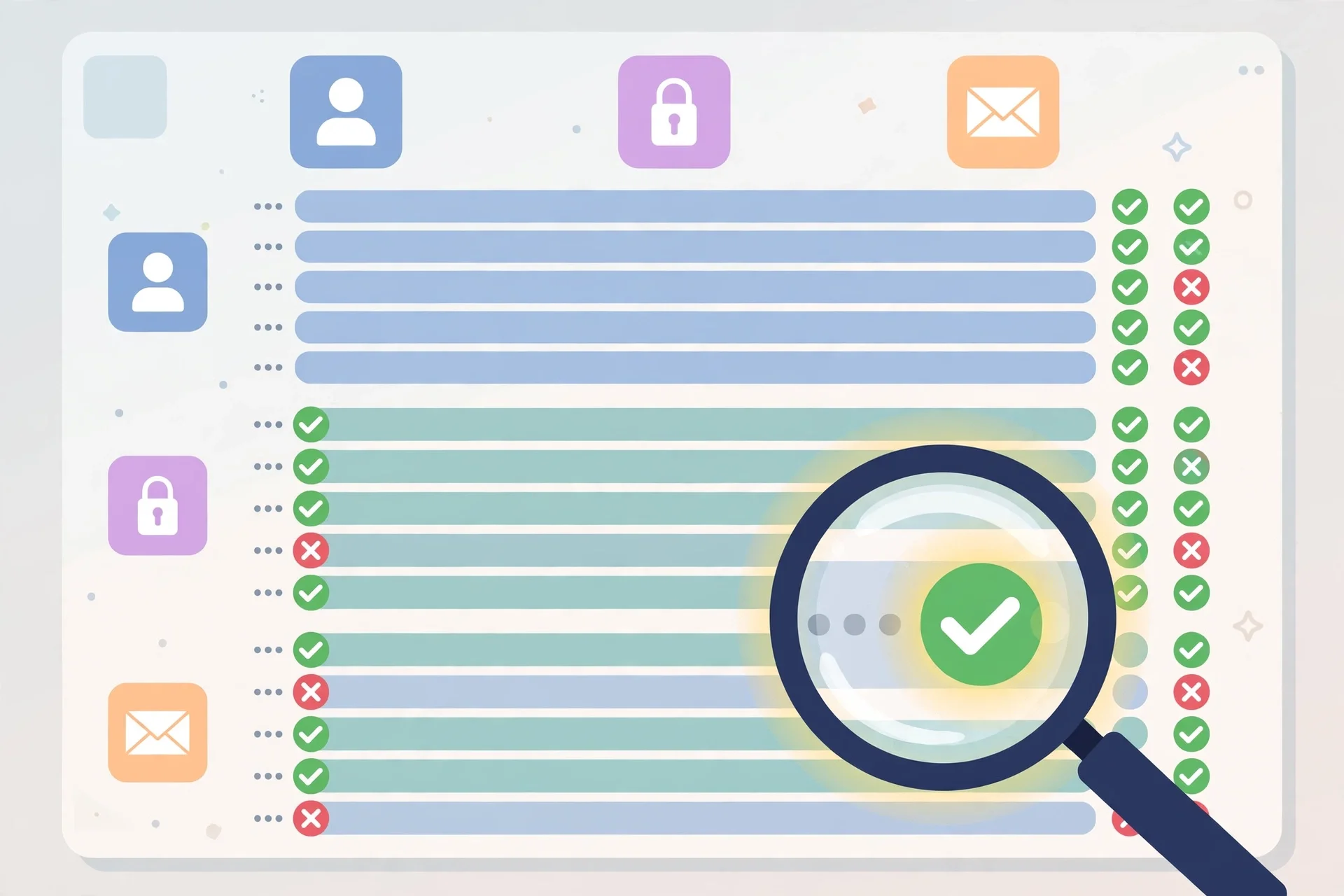
Public inbox vs private inbox: the one decision that changes everything
If this guide has one decision that matters more than all the others, it is this: public or private.
A public disposable inbox is one that anyone can open. Type the address into the service's site, and you see the same messages as the person who created it. For testing a newsletter signup, that is harmless. For testing anything that issues a credential — a verification code, a reset link, an invite token — it is a hole in your test. A stranger, or another tester on your own team, can open the same inbox, click the same link, and consume the token before your test does. Your test then fails for a reason that looks like a product bug, and the team burns a debugging cycle chasing a ghost.
Worse, public inboxes contaminate multi-user tests. If two testers use the same well-known public service, their inboxes are distinguishable only by address, and addresses on popular services are guessable or enumerable. I have watched a team lose an afternoon to "flaky invite tests" that were actually two testers' messages landing in inboxes the other tester had also opened.
A private inbox — one only you can open, usually through a session cookie or an account — removes that entire class of failure. It costs slightly more setup, and it is worth it for every test that touches credentials. My rule is blunt: if the message contains anything that would let a stranger into an account, the inbox must be private. If it does not, public is fine. There is no middle ground worth defending, because the cost of being wrong is a false failure that erodes trust in the whole suite.

Five ways temp mail lies to your test suite
Disposable inboxes do not just fail loudly. They fail in ways that look like passes, and those are the dangerous ones. Watch for all five:
1. The forgiving delivery pass. Your staging mail server delivers instantly to the disposable service but queues for minutes to real providers. The test passes, production users wait, and codes expire. Test delivery timing against a real provider at least once per release, not just against the disposable service.
2. The blocklist blind spot. Your product may block disposable domains — many do, deliberately. If your QA inboxes are disposable, your own signup test may be testing the blocklist instead of the signup flow, or worse, your staging environment may have blocking disabled while production has it on. Either way, the test result does not transfer. Check that staging matches production on disposable-domain policy before you trust a single signup result.
3. The expiry mid-run pass. A test suite that runs signup on Monday and a follow-up flow on Tuesday against the same disposable address will find the address gone, and the failure will be filed against the product. Separate your fixtures by lifetime: short-lived addresses for single-session tests, longer-lived private addresses for multi-day flows.
4. The shared-inbox false failure. Covered above, but worth repeating as a failure mode: a test fails because someone else consumed the token, not because the product broke. If your failures cluster on public inboxes and vanish on private ones, you have found this, not a product bug.
5. The reply-shaped hole. Your test plan includes "user replies to the welcome email" or "user confirms from the inbox," and the tester quietly simulates it by hand because the disposable service cannot send. That step is then untested, and everyone forgets it was simulated. Mark simulated steps as simulated in the test report, or replace the fixture for that step with one that can genuinely send.
The checks worth automating
Disposable inboxes shine in manual, exploratory testing and fade in automation — but a few checks are worth automating, with the right tooling. The honest options for automated email testing are API-driven disposable services built for developers, such as Mail.tm and Inceptmail, which give you a real API to create addresses and poll inboxes, rather than a web page you have to scrape. Scraping a disposable web inbox in a test suite is how you get a suite that breaks every time the service redesigns its page.
What to automate, once you have an API-driven inbox: delivery assertions (a message with this subject arrived within N seconds), code extraction (parse the code from the message body and complete the flow), and link extraction (follow the reset link and assert the landing state). What not to automate with disposable inboxes: rendering assertions, spam-score assertions, and anything that depends on the sending reputation of a specific domain. Those need dedicated tools or real providers.
One more automation caution: never let an automated suite create accounts on someone else's production service using disposable addresses. That is not QA, that is abuse testing without consent, and it will get your domains blocked and your accounts banned. Automated disposable testing belongs on your own staging environment, where you control both ends of the flow.
When to graduate: the temp-mail exit criteria
Temp mail is a scaffold, and scaffolds are meant to come down. Graduate to a real test sandbox — an API-driven disposable service, a dedicated test-mail tool, or a staging mail server you control — when any of these become true:
- Your suite runs more than a few times a week, and flaky email tests are a regular stand-up topic.
- You need to test replies, forwarding, or two-way flows, which receive-only services cannot do.
- You need messages to survive longer than a day, or to be searchable across runs.
- More than one tester runs email tests, and shared-inbox collisions have happened even once.
- You need delivery assertions in CI, where a human watching a web inbox is not an option.
The graduation does not have to be dramatic. Many teams keep disposable inboxes for quick manual checks and move only the automated suite to an API-driven service. That split is healthy: use the cheap tool where its weaknesses do not matter, and the serious tool where they do. The mistake is using the cheap tool everywhere because it worked once.
A related graduation, for developer signups generally rather than QA specifically: the same fragility that makes disposable inboxes a weak test fixture makes them a weak account foundation. Our guide to temp mail for Cursor AI signup shows the same pattern from the other side — signup works, and everything that happens after signup slowly breaks. A test account and a real account have the same enemy: an inbox that will not exist next month.
Rules that keep a temp-mail suite honest
Pin this list to the test plan. It is short on purpose.
1. One fresh address per test case, never shared between cases.
2. Record the fixture: service, domain, address, creation time, public or private.
3. Private inboxes for anything carrying a code, link, or token. No exceptions.
4. Test on your own staging environment, never on someone else's production service.
5. Mark simulated steps as simulated. A hand-completed reply is not a passed test.
6. Re-run delivery timing against a real provider once per release.
7. Confirm staging matches production on disposable-domain blocking before trusting signup results.
8. Decide the verdict before the inbox expires, and write it down.
9. Graduate the automated suite to an API-driven inbox the first time flakes become routine.
Follow those nine, and disposable inboxes will do what they are good at — fast, cheap, manual coverage of inbound flows — without quietly corrupting the results you ship on.
Frequently asked questions
Is temp mail good for QA testing?
For manual testing of inbound flows on your own product, yes — it is fast, free, and disposable, which is exactly what exploratory testing needs. For automated suites, rendering checks, two-way flows, or anything that must be reproducible next month, no. Use an API-driven test inbox or a staging mail server for those.
Can I automate tests with a free temp mail website?
Only if it offers an API. Scraping a web inbox in a test suite breaks whenever the service changes its page, and it gives you no reliable delivery timing. Services built for developers, such as Mail.tm, expose an API for creating addresses and reading messages, which is the minimum for automation.
Why do my email tests pass on temp mail but fail in production?
The usual suspects, in order: delivery timing differs between providers, your production environment blocks disposable domains while staging does not, or the test used a public inbox and someone else consumed the token. Check the fixture record first — service, domain, and public versus private — before debugging the product.
Should QA use public or private temp inboxes?
Private, whenever the message contains a code, reset link, or invite token. Public inboxes are fine only for messages with no credential value, like newsletter confirmations. If a test fails only on public inboxes, suspect contamination, not a product bug.
Can temp mail test email replies?
Almost never. Most disposable services are receive-only, so a reply step cannot genuinely run against them. Either use a fixture that can send, or mark the step as simulated in the test report — never silently hand-complete it and call the test passed.
When should a team stop using temp mail for testing?
When flakes become routine, when tests need to run in CI, when flows become two-way, or when messages must survive across days. Any one of those is the exit signal. Keep disposable inboxes for quick manual checks; move the suite to an API-driven service.
The verdict: use it like a scaffold
Temp mail is not a testing strategy. It is a scaffold: quick to erect, useful while the real structure goes up, and dangerous if you mistake it for the building. Use it for fast manual checks of inbound flows on your own product, with fresh addresses, private inboxes, and a written fixture record. Automate against an API-driven inbox, render-test against real clients, and graduate the suite the moment flakes become routine.
Teams that do this get the speed of disposable testing without the quiet lies. Teams that don't get a green suite and a red production inbox — and they usually discover the difference from a user, not from a test.
Need a disposable temporary email?
Protect your real inbox from spam and promotional clutter instantly and free.
Received a suspicious email, text, or charge alert?
Verify whether the sender domain is disposable, spoofed, or unverified before clicking links.