
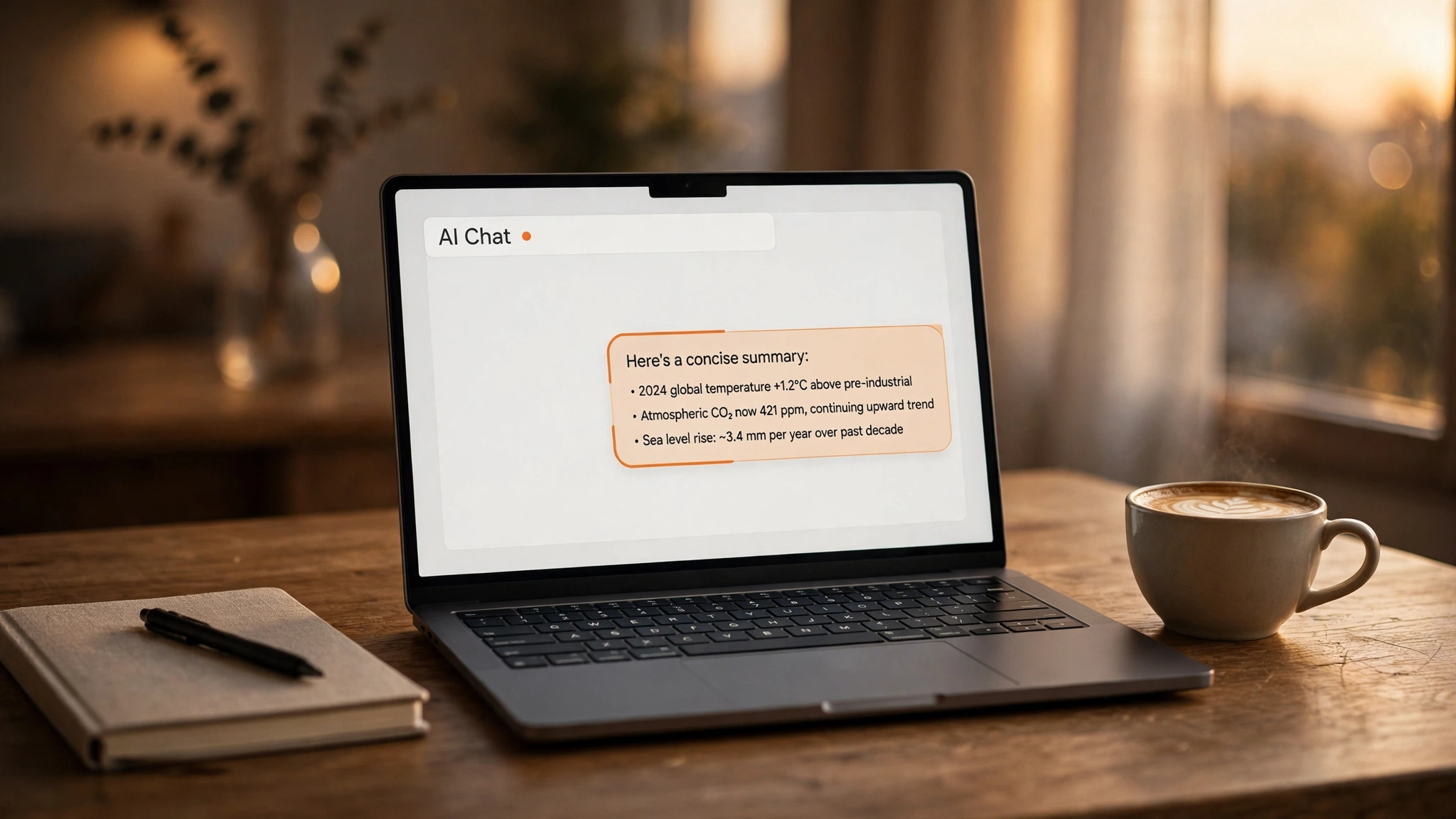
Temp Email for Mistral Vibe Signup: the Email Works, the Name Changed, and Your Chats Train the Model
The name on the door changed in May — and search has not caught up
If you go looking for Le Chat today, you will find it, and you will also not find it. The product is still at chat.mistral.ai, the login is the same, old conversations and plans carried over untouched — but the name above the door changed on May 28, 2026, when Mistral renamed its assistant Vibe. Search has not caught up. Half the guides on the internet still call it Le Chat, the other half call it Vibe, and a sizeable share of both halves describe features from before the rename as if nothing changed.
That confusion is the first thing to clear up, because it decides what you are actually signing up for. Vibe is not a new product with a waiting list. It is Le Chat with a new name and a wider job description: the same chat assistant, now split into two modes. Work mode takes on multi-step jobs — reading your email and calendar, researching a topic, writing up a report — and shows you its plan before it acts. Code mode writes code through a command line tool, an IDE extension, or the web, all the way to a change submitted on GitHub. One subscription covers both, and the free tier gives you a limited taste of each.
Mistral itself is the part of the story that makes the rename worth noticing. The company was founded in Paris on April 28, 2023, by three researchers out of Meta and Google DeepMind, and it built its reputation on open-weight models — weights you can download and run yourself — while the American labs kept theirs behind APIs. By September 2026 it was valued at more than 21 billion euros, making it the most valuable AI company in Europe. That is not a garage startup you are handing an email address to. It is a well-funded lab with a real privacy posture, a real business model, and a real opinion about what your conversations are worth. All three of those things shape what a temp email does and does not buy you here.
So the short answer first: yes, a temporary email works for Mistral Vibe signup. The verification arrives, the account opens, nobody asks for a phone number or a credit card. The rest of this post is about the three catches that make that yes less simple than it sounds — the rename, the free limit nobody will put a number on, and the training setting that is switched on before you ever see it.
The signup itself: an email, a link, no phone, no card
The signup flow is the plainest in this series so far, and plain is a compliment. Open chat.mistral.ai, click sign up, and you get four doors: email, Google, Apple, or Microsoft. Pick email. You type the address, set a password, and Mistral sends a verification link to the inbox. Click it and you are in, on the free tier, with no credit card asked for and no phone number anywhere in the flow.
That last detail deserves emphasis, because the last two posts in this series were defined by the step after the email. Manus takes your code and then asks for a phone number on direct email registration, and the phone step is policy, not a glitch. DeepSeek runs an allowlist that refuses disposable domains before any code is sent. Mistral does neither. There is no phone gate on the chat signup, and as far as anyone can publicly verify, Mistral publishes no disposable-domain blocklist for chat.mistral.ai. The code lands, the link works, the account opens. Kimi is the closest parallel in this series: another lab that simply never built the wall.
Two things to keep straight, because they are easy to confuse and the confusion costs people real money. First, the chat signup is not the API signup. Mistral runs a separate developer console at console.mistral.ai, and that product does ask for phone verification on its free Experiment tier, and it does want billing details before it hands you a working key. If you are here to chat with Vibe, none of that applies. If you are here to build on the API, you are reading the wrong post — and a temp email will not save you there either, because the phone step is the gate, not the inbox.
Second, the social doors are not shortcuts around the email question; they are a different trade. Signing in with Google means your Vibe account is anchored to a Google account that is anchored to a real identity, a recovery phone, and years of history. That is a fine choice if you want an account you will keep. It is a strange choice if the reason you reached for a temp email was to keep the account separate from your real identity. The email door is the only one that lets you walk in without attaching the account to something permanent. That is the whole point of this post, and it is also the reason the rest of it matters.
What the free tier actually buys you — and what it never tells you
Mistral's free tier is generous in the ways that are easy to list and stingy in the one way that matters most. On the free plan you get chat with the latest models, web search, basic image generation and editing, more than 100 connectors to services like Google Workspace, Outlook, Slack, and GitHub, and up to five scheduled tasks — little automations that run daily, weekly, or monthly without you asking. That is a serious free tier. It is also, deliberately, a tier whose actual limit Mistral will not print anywhere.
The pricing page says the free allowance is "limited" for messages, web searches, and coding sessions, and then it describes Pro as "up to 6x" more messages, "up to 5x" more web searches, and "up to 40x" more image generation than free. A multiplier against an unpublished number is not a number. Six times an unknown is still unknown. Independent reviewers who checked the page in October and November 2026 all note the same thing: the official site does not publish a daily message count, and the live quota only shows up inside the product once you are using it. Older articles that claim a specific daily figure are quoting a limit from a previous version of the product, and repeating them here would be inventing data.
So here is the honest version, stated as what we could verify and what we could not. We verified the shape of the free tier from Mistral's own pricing page: limited messages, limited web searches, limited coding sessions, basic image generation, 100-plus connectors, five scheduled tasks. We could not verify a number, because Mistral does not publish one. In practice that means the free tier is fine for trying Vibe — a few dozen real conversations, some searches, a coding session or two — and it is not a tier you can plan a workflow around. The wall arrives without warning, mid-task, and the only way past it is Pro.
The models behind the chat are worth knowing, because they explain why the free tier feels fast even when it is limited. The current lineup runs on Mistral Large 3, a 675-billion-parameter model with 41 billion active per token, alongside the smaller Small 4 and the dense Medium 3.5, all with a 256,000-token context window. Image generation runs on Black Forest Labs' Flux models. None of that is marketing trivia: the 256K context is why Vibe can swallow a long document and answer questions about it on the free tier, and it is also why the training question in the next section matters more than it looks.
The training toggle is the setting that matters most
Here is the sentence that should decide how you use a temp-email Vibe account: on Free and Pro, Mistral uses your conversations to train its models by default. You can switch it off in settings. Most people never do, because most people never open settings on a product they signed up for three minutes ago with an inbox that expires in ten.
This is not a scandal, and it is not hidden. Mistral's help center says so plainly, and the same default applies at ChatGPT and most of its rivals. What makes it the central fact of this post is the combination with a disposable inbox. A permanent account holder can change their mind next week, flip the toggle, and know the setting stuck. A temp-email account holder cannot come back next week. The inbox is gone, the password reset goes nowhere, and the toggle sits wherever it was left — which, for almost everyone, is on.
That is a real privacy cost, and it is worth pricing honestly against the alternative. The free tier of a frontier chatbot is not free. You are paying with your conversations, in the most literal sense: the questions you ask, the documents you upload, the code you paste. If the questions are ordinary — a recipe, a translation, a summary of a public article — the cost is trivial and the trade is good. If you paste work documents, private correspondence, or anything with names and numbers in it, the cost is not trivial, and a temp email does nothing to reduce it, because the email was never the thing being collected. The chat was.
My recommendation, stated plainly: if you sign up with a temp email, flip the training toggle off in your first minute, before your first real conversation. It takes ten seconds. It is the single highest-value action in this entire post, and it is the one almost nobody does, because the signup flow never shows it to you. The toggle is in settings, under data controls, and it applies to your inputs and outputs — including files you upload, which count as input. Team plans let an admin switch it off for everyone, and Enterprise has it off by default, which tells you what Mistral itself thinks the correct default is for people who are paying attention.
The connector trap: Vibe Work wants your real inbox

Work mode is the most interesting thing Vibe does, and it is also where a temp-email account quietly stops being private. The mode works by connecting to your real services: Google Workspace or Outlook for email and calendar, Slack, SharePoint, GitHub, and a hundred others. You ask Vibe to read your inbox, check your calendar, and write the report, and it shows you a plan and waits for approval before acting. That is genuinely useful, and genuinely different from a plain chatbot.
Now follow the chain. You created the account with an inbox that expires in ten minutes, because you did not want the account tied to your real identity. Then Work mode asks you to connect your real Gmail so it can read your real email. If you say yes, the disposable account now holds an OAuth token into the inbox you were trying to keep separate, plus your calendar, plus your files. The privacy you bought with the temp email is spent in one click, and the account that holds the keys is the one you cannot recover, cannot secure with a second factor you control, and cannot even reset the password on after the temp inbox dies.
That is not a reason to avoid Vibe. It is a reason to decide what the account is for before you connect anything to it. There are two honest ways to use it. The first is as a sealed test drive: temp email, training off, no connectors, no real documents, just questions and public text. You learn whether you like the product, and the account holds nothing that matters. The second is as a real account on a real email, with the training toggle off and connectors added deliberately, one at a time, because you actually want the agent to do work for you. The dishonest way — the way that gets people in trouble — is the middle: a temp-email account with a real Gmail connected to it, which has the permanence of neither and the exposure of both.
One more detail worth knowing before you connect anything: Vibe's connectors and scheduled tasks are the features that make the account sticky. Five scheduled tasks on the free plan, unlimited on Pro. A scheduled task that emails you a weekly summary needs an email address that still exists next week. A temp inbox does not. So the features that make Vibe worth paying for are, almost by design, the features a disposable account cannot keep.
The paid ladder: Pro at $14.99, and what it actually unlocks
The paid ladder is short, and the prices have been stable for a long time. Pro costs $14.99 a month, excluding taxes, billed monthly, and that price has printed unchanged on Mistral's pricing page in archived snapshots from May 2025 through October 2026. Verified students pay $5.99 a month for up to 12 months, and only if they have not used Vibe or Le Chat before. Team costs $24.99 per user a month. There is a seven-day free trial on the annual plan. Those are the numbers as Mistral prints them, and they are worth stating exactly, because the value question turns on them.
What Pro actually buys is capacity and coding, not a different model. You get up to six times the messages and five times the web searches of the free tier — again, multiples of an unpublished base — faster responses, a document library up to 15 GB instead of the free tier's limited storage, up to 1,000 project folders, unlimited scheduled tasks subject to fair use, and all-day coding in the CLI, the IDE, or the web. The coding agent is the real product here: one Pro subscription covers both the work agent and the coding agent, which is why the price undercuts ChatGPT Plus and Claude Pro by about five dollars a month while including a tool neither of them bundles at that tier.
Whether that is worth it depends on what you do all day. If you write code, Pro is the cheapest way into a full agentic coding setup from a major lab, and the student price is the best deal in the category. If you mostly ask questions and search the web, the free tier's unpublished limit is the thing to test first, because you may never hit it — or you may hit it on day two, and the only honest way to find out is to use it. Either way, the payment step is where a temp email stops working. Pro billing needs a payment method and a billing email that can receive receipts, invoices, and dunning notices. A disposable inbox cannot do that job, and Mistral's payments are non-refundable once charged, so a billing dispute with no access to the billing email is a dispute you have already lost.
What dies with the inbox

Every account you build on a disposable inbox has a second, invisible expiry date: the day you need the inbox again. For Vibe, that day comes sooner than people expect, and the list of what dies with it is longer than the signup flow suggests.
The password reset goes to the signup email. The training toggle you meant to flip lives behind a login you can no longer recover. The Pro subscription, if you ever upgraded, bills an email that no longer exists, and the receipts, the cancellation link, and the refund conversation all go there too. Your scheduled tasks keep running for a while, emailing summaries to an address nobody reads. The agents you built in the no-code agent builder, the libraries you filled, the project folders you organized — all of it sits behind an account whose front door has been bricked up. Grok has the same shape of problem: the account is owned by whatever login it is tied to, and the inbox is never just an inbox.
None of that is an argument against trying Vibe with a temp email. It is an argument for deciding, before the first conversation, whether this is a test drive or a home. A test drive should hold nothing you would miss: no documents you cannot re-upload, no agents you spent an afternoon building, no scheduled tasks you depend on, no payment method. If, halfway through the test drive, you discover you like the product — and plenty of people do, because the European data-residency story and the open-weight lineage are genuinely appealing — then make the real account on a real email and move your work there while you still can. The migration costs ten minutes. The recovery, after the inbox dies, costs the account.
Three ways to play it
There are three honest ways to use a temp email with Mistral Vibe, and they are not equal. Pick one on purpose, before you sign up, because the signup flow will not ask you to.
First, the sealed test drive. Temp email, training toggle off in the first minute, no connectors, no real documents, no payment method. Ask your questions, try the web search, run a coding session, see whether you like the answers. Close the tab when you are done and let the inbox expire. You have spent nothing and learned whether Vibe earns a place in your day. This is the right play for almost everyone reading this post.
Second, the dedicated permanent alias. Create a real, permanent email address — a Gmail, an Outlook, a ProtonMail — that you use only for Vibe, and nothing else. It is not disposable, so you can recover the account, change the training setting, receive billing mail, and keep your scheduled tasks. It is separate from your main inbox, so Vibe never learns your primary address and your primary inbox never learns about Vibe. This is the right play if the test drive convinces you to stay, and it is the play I would recommend to anyone who uses the product more than once a week.
Third, the full disposable account with connectors attached. Temp email, real Gmail connected for Work mode, scheduled tasks running, maybe a Pro trial on a card. This is the play that looks clever and ends badly: the account holds the keys to your real inbox, you cannot recover it, and the privacy you wanted is gone while the convenience you wanted expires with the inbox. Do not do this. If you catch yourself doing it, stop, make the alias account, and reconnect the services there.
When a temp email is the wrong call
A temp email is the wrong call in three situations, and they are all easy to recognize once you say them out loud. The first is when the account will hold anything you would pay to get back: a Pro subscription, an agent you built, a library of documents, a scheduled task your week depends on. The second is when you plan to connect real services to it, because a disposable account holding OAuth tokens into your real Gmail is the worst of both worlds. The third is when you need the account to last — for a course, a project, a job search — because the free tier's unpublished limit and the inbox's ten-minute life are both clocks, and they do not stop for your deadline.
In those cases the honest alternative is not your primary email. It is the dedicated alias from the previous section: a permanent address used for one purpose, recoverable, separate, and yours. It gives you almost everything the temp email gives you, minus the expiry, and the expiry was never the feature. The feature was separation. An alias is separation that lasts.
FAQ
Can I sign up for Mistral Vibe with a temp email?
Yes. The signup at chat.mistral.ai accepts an email address and password, sends a verification link to the inbox, and opens the account on the free tier with no credit card and no phone number. Mistral publishes no disposable-domain blocklist for the chat product, and the verification lands the same way it does for any other address.
Does Mistral Vibe ask for a phone number?
No, not on the chat signup. The email, Google, Apple, and Microsoft doors all work without a phone. The phone step people run into belongs to the separate developer console at console.mistral.ai, which asks for phone verification on its free API tier. That is a different product with a different gate.
Is Le Chat gone, or is it the same as Vibe?
It is the same product with a new name. Mistral renamed Le Chat to Vibe on May 28, 2026. The address stayed chat.mistral.ai, the login stayed the same, and conversations, settings, and plans carried over. If a guide still says Le Chat, it is talking about Vibe; if it says Vibe, it is talking about the product that used to be Le Chat.
What does the free plan actually limit?
Messages, web searches, and coding sessions are all limited, but Mistral does not publish the numbers — the pricing page says "limited" and describes Pro as a multiple of the free allowance. The free tier also includes basic image generation and editing, more than 100 connectors, and up to five scheduled tasks. The practical answer is that the free tier is built for trying the product, not for running a workflow on it.
Does Mistral train on my chats?
Yes, by default, on Free and Pro. Your inputs and outputs — including files you upload — are used for model training unless you switch it off in settings, under data controls. Team admins can switch it off for everyone, and Enterprise has it off by default. Flip it off in your first minute if you sign up with a temp email, because you will not be able to come back and change it after the inbox expires.
Do I need a credit card for the free plan?
No. The free tier asks for no payment method at all. The card only appears if you upgrade to Pro at $14.99 a month, and payments are non-refundable once charged — another reason the billing email should be one you control.
What happens to my Vibe account when the temp inbox expires?
The account keeps existing, but you lose the only way back into it. Password resets, billing mail, and account recovery all go to the signup inbox. Your chats, agents, libraries, and scheduled tasks sit behind a login you can no longer recover. Treat a temp-email Vibe account as a test drive, and move anything you want to keep to a permanent address while the inbox is still alive.
Need a disposable temporary email?
Protect your real inbox from spam and promotional clutter instantly and free.
Received a suspicious email, text, or charge alert?
Verify whether the sender domain is disposable, spoofed, or unverified before clicking links.