
Temp Email for Disney+ Signup: The Code Works — Then Your Living Room TV Asks for a Passcode You Can No Longer Receive
Signing up for Disney+ takes about three minutes. You type in an email address, pick a password, add a card, and you are watching. Nothing in that flow tells you what you just did with the email address — that you made it the permanent key to the account, the proof of address for your household, and the only place Disney+ will ever send a verification code when something needs checking. That is the part a temp email gets wrong, and it is the part that only shows up weeks or months later, on the living room TV, at the exact moment everyone has sat down to watch something.
The question people actually type into search is whether a temp email works for Disney+ signup. The short answer is that it probably works at signup and then quietly fails at the job the signup was for. Disney+ is not a newsletter form where the inbox is a detail. Since the paid-sharing crackdown that started in 2024, the email address on a Disney+ account is the anchor for the Household — Disney's word for the collection of devices at your primary residence — and the Household is checked by sending a one-time passcode to that email. A disposable inbox can receive the first code. It cannot receive the one that arrives in March, because the inbox closed in November.
Signing up takes three minutes. The email you type in lasts for years.
A Disney+ account is a MyDisney account, and the email address on it is your login ID across Disney's services, not just Disney+. It is the address password resets go to, the address billing notices go to, and — since the sharing crackdown — the address household verification codes go to. Disney's own login screens offer a six-digit code sent to the email on the account as a way back in, which tells you how central that address is: when Disney+ cannot tell whether the person on the couch is you, it asks the inbox.
That is worth sitting with for a second, because the signup form gives you no warning about it. The form asks for an email address the way every form does, as if it were a contact detail. On Disney+ it is closer to a house key. You would not rent a house key by the hour, and you should not rent the recovery address for a paid subscription by the hour either — which is what a temp inbox is, however the provider describes it.
The other thing the form does not tell you is that there is no free trial to hide behind. Disney+ offers no free trial in the United States, so the signup is a purchase from the first minute: a real card, a real monthly charge, and a real account whose recovery address you are about to throw away. A temp email makes sense for a signup you can abandon. A Disney+ signup is the opposite of that. It has your money attached to it from day one.
What the signup actually asks for — and what it costs now
The signup itself is short: an email address, a password, a plan, and a payment method. Disney+ then builds your account around the email address you entered. Profiles for the people in your house sit under that account, and every profile's viewing, every download, and every payment runs through it.
The price, as listed on Disney's United States plans page in September 2026, is $11.99 a month for Disney+ Basic with ads, and $18.99 a month for Disney+ Premium without ads, or $189.99 a year if you pay annually. Premium is the one that adds 4K picture, Dolby Atmos sound, and downloads. Disney+ launched in 2019 at $6.99 a month and has raised its prices six times since, and Disney announced another increase in late September 2026 that would lift Basic to $12.49 and Premium to $21.49 for new subscribers — so check the plans page before you sign up, because the number you remember from last year is almost certainly wrong. Bundles with Hulu start at $13 a month, a dollar more than Basic on its own, which is the upsell Disney+ wants you to notice.
None of that is a secret, and none of it is the point. The point is that the email address you type into that form is where the billing mail goes: the receipts, the failed-payment alerts when a card expires, the renewal notices, the "we could not charge your card" message that gives you a few days to fix it before the account stops working. Every one of those messages assumes an inbox that is still open. A temp inbox that expired two months ago does not bounce those messages back to Disney+ with a note explaining the situation. They just never arrive, and the first sign that anything is wrong is the subscription stopping.
The Household is the whole story
Everything that makes a temp email a bad fit for Disney+ runs through one word: Household. Disney+ defines a Household as the devices associated with the account holder's primary personal residence, used by the people who live there. It establishes your Household automatically from your subscription activity, your linked devices, and your internet connection, among other signals. It is not a single check at signup. It is an ongoing judgement about where your account lives.
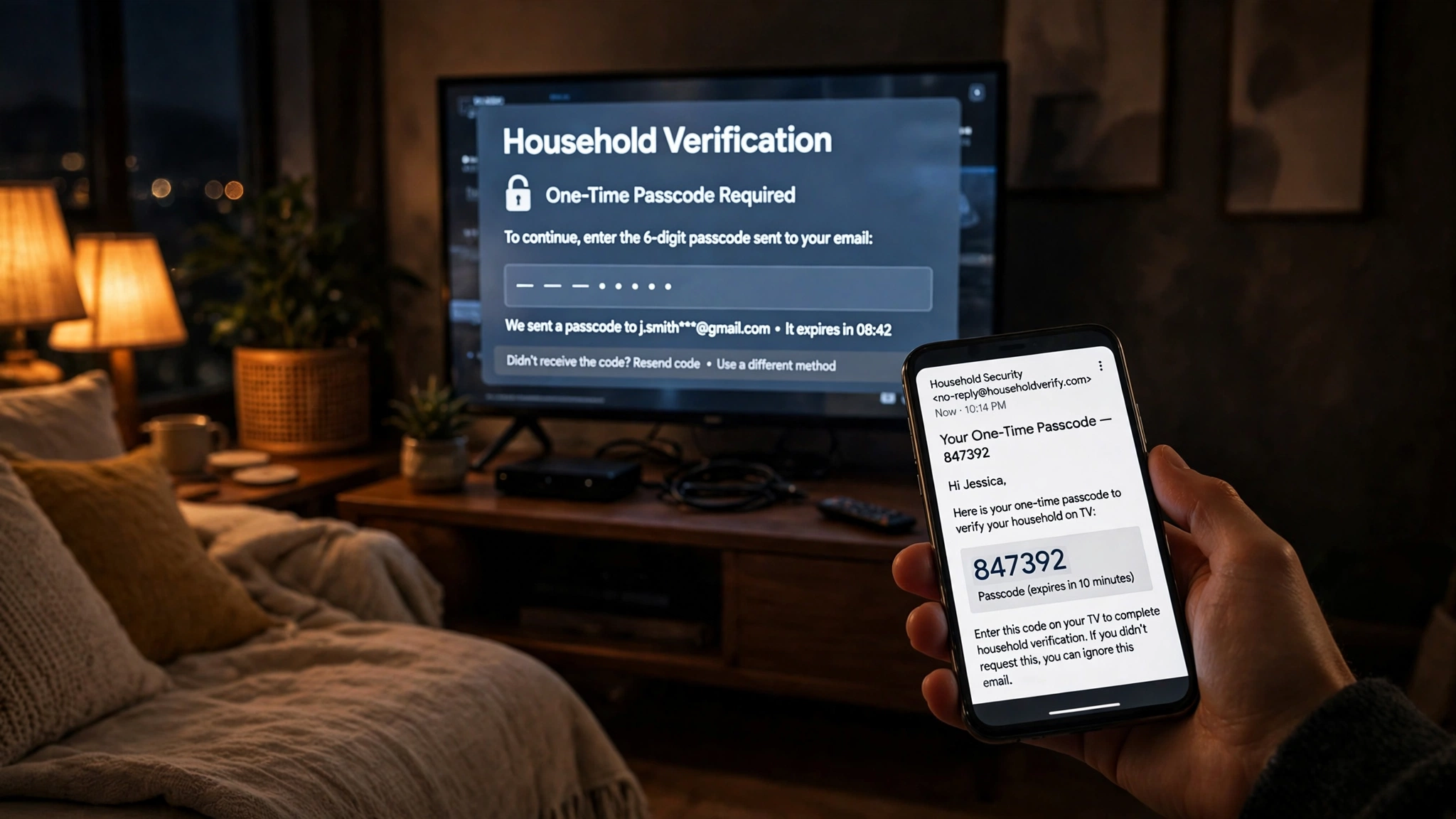
When a television outside the Household tries to play something, Disney+ stops it and offers a way to prove the TV belongs to you: a one-time passcode sent to the email address on the account. The screen gives you two other options — "I'm Away From Home" for a temporary trip, and "Update Household" if the current location should become the new Household — but the passcode is the route for a TV that genuinely belongs to the house and has been flagged anyway. On a phone or tablet, Disney+ offers the same idea in a different shape: connect to the home Wi-Fi, or request a code. Every route ends at the same place. The code goes to the email on the account, and the code is the proof.
That is the mechanism a temp inbox breaks. It does not break at signup. It breaks on a Tuesday night in February, when the TV in the living room — the TV that has played Disney+ a hundred times — gets flagged after a router change or a software update, and the passcode goes to an inbox that closed in November. The "Resend code" button resends the code to the same dead address. There is no other self-service way to clear the screen, because the email address is the verification method.
The paid way to share with someone outside the Household is the Extra Member add-on, and it is built the same way. In the United States it costs $6.99 a month on Disney+ Basic and $9.99 a month on Premium, with bundle prices from $7.99 to $14.99 a month. One slot per account, and only one: Premium does not buy you a second. The Extra Member must be at least 18, must live in the same country or region as the account holder, and cannot already hold their own Disney+, Hulu, or ESPN subscription. They get their own profile, their own login, and their own password — and the invitation that starts all of that goes to an email address. The account holder enters the invited person's email, the invited person creates a password and completes setup. A temp address on either side of that invitation is a door that locks behind the person walking through it.
Compare this with the gaming accounts in this series and the pattern sharpens. A Nintendo Account puts the same weight on one email address, and Nintendo at least gives you an authenticator app for two-step verification. PlayStation Network leans on the same email-first model, and the same warning applies there. Disney+ is stricter than both in one specific way: it does not just use the email for recovery, it uses it as proof of where you live. Your address on file is not a mailing address. It is an inbox, and the household check asks it to vouch for your living room.
A passcode, a TV, and an inbox that no longer exists
The failure is easier to see as scenes than as a policy, so here are the three that happen most often.
The first is the kid at college. The account belongs to a parent. The kid has a TV in a dorm room, two hundred miles from the house, and one night it gets flagged. The passcode goes to the email on the account — the parent's address. The kid texts the parent, the parent reads the code off their phone, the kid types it in, and the TV clears. That whole rescue only works because the parent's inbox is alive. If the account was created with a temp email, there is no parent to text and no inbox to read. The kid is staring at a verification screen for an account nobody can verify, and the fix is a support conversation about an account the family cannot prove it owns. Disney+ does give the kid a legitimate route — the Extra Member slot exists for exactly this situation, one person outside the Household with their own login — but that route also starts with an email invitation, and it costs $6.99 or $9.99 a month. The free version of this story ends at the verification screen.
The second is the second home, or the shared-custody household. Two places, one account, and a TV in each. Disney+ lets you pick "Update Household" and make the current location the new Household, which sounds like a solution until you read what it does: it demotes the old location's devices. The house you just left becomes the outside one. There are limits on how often you can move the Household, and every move is another moment the account asks the email on file to confirm something. A household that genuinely spans two addresses is the situation the Extra Member slot was built for, and it is also the situation where a temp inbox fails twice — once at each address.
The third is the friend you share with. Before 2024 this was the normal way people watched Disney+: one account, one password, four friends. Since the crackdown it is the way accounts get flagged. The friend's TV is outside the Household, the friend is not an Extra Member, and the passcode goes to your email — which means every verification is a phone call to you, in the middle of their movie night, asking you to read out a code. If your account email was a temp inbox, there is no code to read out, and your friend's TV stays dark. The sharing that used to be free now costs $6.99 or $9.99 a month through the official slot, or it costs the friendship a small amount of patience every time the TV asks.
| What the email does | When Disney+ sends it | What a dead inbox means |
|---|---|---|
| Password reset link | You forget the password, or sign in somewhere new | No self-service reset; the account is unreachable until support helps |
| Household passcode | A TV or device is flagged as outside the Household | The TV stays on the verification screen; resending sends to the same dead address |
| Extra Member invitation | You add someone outside the Household | The invited person cannot create their login or finish setup |
| Billing and failed-payment notices | A card expires or a charge fails | You never learn the payment failed until the subscription stops |
| Account recovery and login codes | You need to prove you own the account | The recovery path assumes an inbox you no longer control |
The table is the whole argument in five rows. Four of those five jobs happen after signup, and three of them happen without warning. That is why the signup question is the wrong question. The form accepting a temp email tells you nothing about whether the account survives on one.
Children's profiles deserve a line of their own here, because Disney+ is a family service in a way most of the accounts in this series are not. Profiles for kids sit under the account holder's email, and the account holder's address is the control panel for the whole household: it receives the notifications, it resets the passwords, it clears the verifications. The Roblox post in this series ended in the same place — an account that holds a child's progress and purchases is not an account you can afford to lose, and the address on it should be one that will still exist when the child is a teenager.
The one honest use for a temp email here
There is one, and it is narrower than the temp-mail providers admit. If you sign up for a single month, on a single TV, in a single household, to watch one show, and you cancel before the temp inbox expires, a disposable address will probably carry you through. The signup code arrives, the month plays, you cancel, the inbox dies, and nothing is lost — because the account held one month of one show and you were done with it anyway. Keep the password in a password manager, because you will need it to cancel, and cancel from the account settings rather than by letting the card fail.
Even that use is a worse trade than it looks. You are paying $11.99 or $18.99 for the month, so the privacy you gain is protection from marketing mail on an account that sends you mostly billing and verification mail anyway. And the risk is not zero even inside the month: a household check can arrive on any night, not on a schedule, and a router reboot is all it takes to trigger one. The honest version of the advice is that the one-month use works until the one night it does not, and the cost of that night is the rest of your month's viewing while you argue with support about an account you cannot prove is yours.
The genuinely good use for a temp email near Disney+ is not the subscription at all. It is the marketing signup — the email list, the newsletter, the "notify me" form on the website — where there is no account, no payment, and nothing to recover. That is what disposable inboxes are for: messages you want to receive once and never think about again. A Disney+ account is the opposite. It is a relationship with a monthly bill and a household to prove, and it needs an address that will still be there in a year.
Does Disney+ block disposable domains?
Straight answer: there is no published evidence that Disney+ blocks disposable email domains at signup, and I am not going to invent a blocklist that does not exist. No reliable test I could find shows a specific disposable domain being rejected by Disney's form, and Disney publishes nothing about disposable domains in its help material. If a temp-mail provider tells you Disney+ accepts their domains, they may well be right — at signup, on that day, with that domain.
What I did find, and what is worth more than a blocklist claim, is how stale the generic advice is. One temp-mail provider's compatibility table lists Disney+ as working for a "free trial signup" in about twenty seconds. Disney+ has no free trial in the United States. The table is describing a Disney+ that stopped existing years ago, and it is still being quoted as current. That is the level of care behind most "does temp email work for X" answers: a table, a checkmark, and no one who has opened the signup page lately.
The blocklist question is the wrong question anyway. Disposable domains do get added to blocklists constantly, and Disney+ could start rejecting one tomorrow without announcing it — but a domain that works at signup keeps working, because Disney+ does not re-check your address after signup. What locks you out is not a blocklist. It is the inbox expiring, which happens on a schedule regardless of any list. Blocklists decide whether the form accepts you; expiry decides whether the account survives you. On Disney+, expiry is the fixed fact, and it is the one that matters.
The four moments a dead inbox takes the account with it
If the Household section is the theory, this is the practice: four specific moments, each ordinary, each capable of ending the account for someone whose inbox is gone.
The first is the password reset. You get a new phone, or you try to sign in on the web to change the plan, and the password you typed from memory is wrong. Disney+ sends the reset link to the email on the account, and only there. A temp inbox that closed months ago cannot receive a reset link, and there is no other self-service way to get one. The account is not deleted. It is just unreachable, which for a subscription you are paying for amounts to the same thing until support sorts it out — and support will ask for billing details to prove the account is yours, which are also in the inbox you no longer have.
The second is the household passcode on the living-room TV, covered above but worth naming as the most likely failure, because it is the one that happens to people who did everything else right. You did not forget anything. You did not move house. Your router restarted, or Disney+ re-checked the Household, and the TV that has worked for a year suddenly wants a code. The code goes to the dead inbox. Movie night is over, and the fix is a support ticket, not a setting.
The third is the Extra Member invitation. You finally do the right thing and pay the $6.99 or $9.99 to add your kid at college properly — and the invitation goes to the email address you entered for them. If that address was a temp inbox, or if your own account address is dead and the confirmation comes back to you, the setup stalls halfway: an invited member with no working login, and a slot you are paying for that nobody can use. The paid solution fails for the same reason the free one did, because both of them run through email.
The fourth is the billing failure. Cards expire. Banks replace them. Disney+ emails the account address when a charge fails, and gives you a window to fix it. A dead inbox means you never see the warning, the subscription lapses, the profiles and watchlists go quiet, and the first you hear about it is the TV asking you to sign in again — to an account whose password you may also have forgotten, which takes you back to the first moment. This is the same recovery trap the two-factor post in this series describes: the email is not one recovery method among several, it is the recovery method, and everything else is a backup for the backup.
Frequently asked questions
Can I sign up for Disney+ with a temp email?
Probably yes. Disney+ publishes no disposable-domain blocklist, and the signup form will likely accept a working disposable address and send the first verification to it. The problem is everything after signup: password resets, household passcodes, Extra Member invitations, and billing notices all go to the address on the account. Use a permanent address for any subscription you intend to keep past the first month.
Does Disney+ send a verification code by email?
Yes. Household verification uses a one-time passcode sent to the email address on the account, and Disney's login screens also offer a six-digit code sent to that email as a way to sign in. The email address is the verification method — not a backup for one, but the method itself.
Does Disney+ have a free trial?
No, not in the United States. Signing up is a paid subscription from day one: $11.99 a month for Basic with ads, or $18.99 a month for Premium. Any temp-mail table that lists a Disney+ "free trial signup" is out of date, and that staleness is a good reason to distrust generic compatibility claims.
What is a Disney+ Household?
A Household is the collection of devices associated with the account holder's primary personal residence, used by the people who live there. Disney+ establishes it automatically from subscription activity, linked devices, and your internet connection. Sharing outside the Household is not allowed unless the plan permits it — which, since September 2024, it does through the paid Extra Member add-on.
Can I add someone outside my household to my Disney+ account?
Yes, through Extra Member: $6.99 a month on Disney+ Basic, $9.99 a month on Premium, one slot per account. The Extra Member must be at least 18, live in the same country or region as you, and not already hold their own Disney+, Hulu, or ESPN subscription. They get their own profile, login, and password, and the invitation goes to their email address.
What happens if I lose access to the email on my Disney+ account?
Password resets, household passcodes, and billing notices all go to that address, so a lost inbox means no self-service reset and no way to clear a flagged TV. Your remaining path is Disney+ support, which will ask for proof of ownership such as billing details — and the receipts that prove it were sent to the inbox you lost. Change the address to a permanent one while you still have access, before you need it.
The setup that actually works
The setup that survives the household checks is unglamorous, which is why it works. Use a permanent email address that you control for the Disney+ account — and a dedicated alias just for Disney+ is the best version of this, because it keeps the billing mail and the passcodes in one place without exposing your primary inbox to marketing. Put the password in a password manager, not in your memory. Use profiles for everyone in the house, with PINs on the kids' profiles. If someone lives outside the Household, pay for the Extra Member slot instead of sharing the password — it is $6.99 or $9.99 a month, and it is the only sharing Disney+ actually supports. And if you already signed up with a temp email, fix it now, while the temp inbox is still open: change the address in your account settings to a permanent one, confirm the change, and then test the password reset to the new address before you need it for real.
None of that is a trick, and that is the point. The temp-email question is usually asked by someone looking for a shortcut, and the honest answer is that the shortcut works at signup and charges interest later — in the form of a verification screen on the one night everyone sat down to watch something.
The honest answer
A temp email will almost certainly get you through Disney's signup form, and for a one-month, one-TV account you plan to cancel anyway, that is probably enough. For the account that holds your household, your profiles, your watchlists, and your monthly payment, it is the wrong tool — not because Disney+ blocks it, but because Disney+ built its whole sharing system around the email address and made that address the proof of where you live. A household check sends a passcode to an inbox, and an inbox with an expiry date is a proof of address that expires with it. Put a real address on the account, keep the temp inbox for the signups you can afford to lose, and let the living room TV stay a place you watch things instead of a place you get verified.
Need a disposable temporary email?
Protect your real inbox from spam and promotional clutter instantly and free.
Received a suspicious email, text, or charge alert?
Verify whether the sender domain is disposable, spoofed, or unverified before clicking links.