

Temp Email for Descript Signup: 100 Free Credits, a One-Time Passcode, and the Edit That Outlives the Inbox
The free plan hands you 100 credits and never refills them
Most AI tools ration their free tier by the month. Descript rations its best features by your entire lifetime as a free user. The free plan costs $0, needs no credit card, and gives you 60 minutes of media a month plus 100 AI credits. The minutes come back every month. The credits do not. They arrive once, at signup, and when they are gone they are gone until you pay. That single design choice changes the whole temp-email question, because the thing you are protecting with a throwaway inbox is not a subscription. It is a small, non-renewing pile of credits attached to an account that holds your projects, your transcripts, and your voice data.
Descript is the text-based editor that podcasters and video makers actually live in: you edit audio and video by editing the words on the page, delete a sentence and the audio goes with it, and the AI tools clean up room noise, fix eye contact, and clone your voice for overdubs. The company has raised $100 million, largely from the OpenAI Startup Fund, Andreessen Horowitz, Redpoint, and Spark Capital, and in September 2025 it moved a set of features that used to be unlimited into metered credit pools. That is the context the free plan lives in now. The editor itself is generous. The AI layer is a meter, and the meter starts running the day you sign up.
So the honest answer to the signup question is two answers. Can a temporary email get you through Descript signup? Almost certainly yes — the form takes any deliverable address, and there is no published disposable-email blocklist for Descript. Should the account you build on top of it live on an address that expires? That is a worse idea on Descript than on most tools in this series, because the free plan's value is front-loaded: your 100 credits, your first projects, and your first transcripts all land in the first days, and everything after that depends on still owning the inbox.
What Descript asks for when you sign up
Descript signup is short and it asks for less than most tools. You go to the signup page and you get three doors: email and password, Sign in with Google, or a one-time passcode through Continue with email. There is no credit card step on the free plan, no phone number field, and no trial clock ticking down from the moment you register — the free plan is permanent, not a seven-day teaser. After the account exists, Descript wants you to download the desktop app for Mac or Windows, because the editor is a desktop application, not a browser tab. The account lives in the cloud. The app lives on your machine. That split matters later, and we will come back to it.
The email field is the whole identity. There is no username, no separate account handle, and no way to sign in later without either the password you set or access to that inbox. Google signup folds the same dependency into your Google account instead: if you sign up with Google, the Descript account answers to that Google address, and losing the Google account loses Descript with it. The passcode route is the interesting one for temp-mail users, because it makes the inbox the password. Every sign-in becomes a fresh email, and every fresh email is a fresh chance for the address to be gone.
One more detail worth knowing before you type anything: Descript asks you to confirm you are over 18 during setup, and the onboarding asks what you plan to make. Neither step verifies anything about you. The only verification that matters is the one that lands in the inbox.
The one-time passcode, step by step
Descript offers passwordless sign-in, and it works the way passwordless always works: you type your email, Descript sends a one-time passcode to that address, you type the code back, and you are in. No password to remember, no password to lose. For a temp inbox this is the smoothest possible path, because there is nothing to type except the address and the code, and the code arrives in seconds when the address is live.

Here is the sequence as it actually runs. Open a fresh temp address and keep the inbox tab open. On the Descript signup page, choose Continue with email and enter the address. Watch the temp inbox — the passcode usually lands within a minute. Type it into Descript before it expires, and the account opens. If the code does not arrive, the usual fixes apply: wait a minute, check the spam folder, and if nothing shows, generate a fresh address from a different provider and try again. What does not work is hammering the same address with resend requests. Descript locks accounts temporarily after too many failed authentication attempts — its help center puts the lock at 15 to 60 minutes — and a flood of resends looks exactly like the behaviour the lock is built to stop.
The password route is the alternative, and it has one advantage the passcode route does not: once the password is set, you can sign in without the inbox, right up until the day you forget the password. That day is the day the inbox matters again, because Descript sends password resets from no-reply@authmail.descript.com, and a reset sent to an expired address goes nowhere. If you use a temp address, set a password you will actually remember and store it somewhere real. A password manager entry costs nothing. A lost account costs the work inside it.
I should be straight about the evidence here, because this series does not invent test results. I found no published test of a disposable address on Descript signup — no walkthrough video, no forum thread, no independent check the way the August 2026 Grammarly test exists. What I can say is that Descript publishes no disposable-email policy, its signup form accepts any deliverable address, and nothing in its help center mentions domain blocking. That is a reasonable basis to try, and it is not a guarantee. Acceptance changes by domain and by week, and the only way to know for your address is to try it.
The free plan, line by line
Here is the whole price ladder as it stands in November 2026, checked against the pricing page and three independent pricing trackers that verified it within the last few weeks. The numbers below are the annual-billing prices; monthly billing costs more on every tier.
| Plan | Price | Media per month | AI credits | Export | Storage |
|---|---|---|---|---|---|
| Free | $0 | 60 minutes | 100, one-time | 720p, watermarked | 5 GB |
| Hobbyist | $16 per month, billed annually ($24 month-to-month) | 10 hours | 400 per month | 1080p, no watermark | 100 GB |
| Creator | $24 per month, billed annually ($35 month-to-month) | 30 hours | 800 per month | 4K, no watermark | 1 TB |
| Business | $50 per month, billed annually ($65 month-to-month) | 40 hours | 1,500 per month | 4K, no watermark | 2 TB |
Read that table slowly, because the free column hides two different kinds of limit. The 60 media minutes reset every month, and the 5 GB storage is a standing cap. The 100 AI credits are a single lifetime grant. Studio Sound cleanup, eye-contact correction, image generation, and Underlord queries all draw from the same pool, and the pool does not refill. One independent reviewer who tracked the free tier closely put it bluntly: they ran out of credits doing exactly what the welcome email told them to do, twice. There is no visible credit counter by default, no warning mid-project, and no email when you hit zero. The tools simply stop working.
The watermark is the other honest limit. Free exports are 720p with a Descript watermark, and you get exactly one watermark-free export a month. A 45-minute episode eats most of the monthly media allowance on its own, so the free plan is genuinely sized for learning the editor and cutting a short clip or two — not for producing a weekly show. That is not a criticism. A real free plan that teaches you the tool is worth more than a seven-day trial that pressures you. But it means the free plan has a natural end, and the end arrives faster than the marketing suggests.
The paid tiers are where the credits become a subscription: 400 a month on Hobbyist, 800 on Creator, 1,500 on Business, with top-up bundles sold only on Creator and Business, and unused minutes and credits not rolling over. If you ever pay, the billing emails, the receipts, and the failed-payment warnings all go to the signup address. Keep that in mind before you attach a card to an account owned by an inbox with a ten-minute lifespan.
The credit cliff: what running out actually looks like
The reason the credit cliff deserves its own section is that it is silent. Most tools warn you before a limit bites. Descript does not, at least not on the free tier. You open a project, you run Studio Sound on a noisy interview, and nothing happens — or rather, something happens and then stops, and the interface does not make it obvious why. The reviewer who burned through the grant twice described the same shape both times: a welcome email that encourages you to try the AI tools, a first project that consumes a large share of the credits, and then a second project that quietly cannot use them at all.
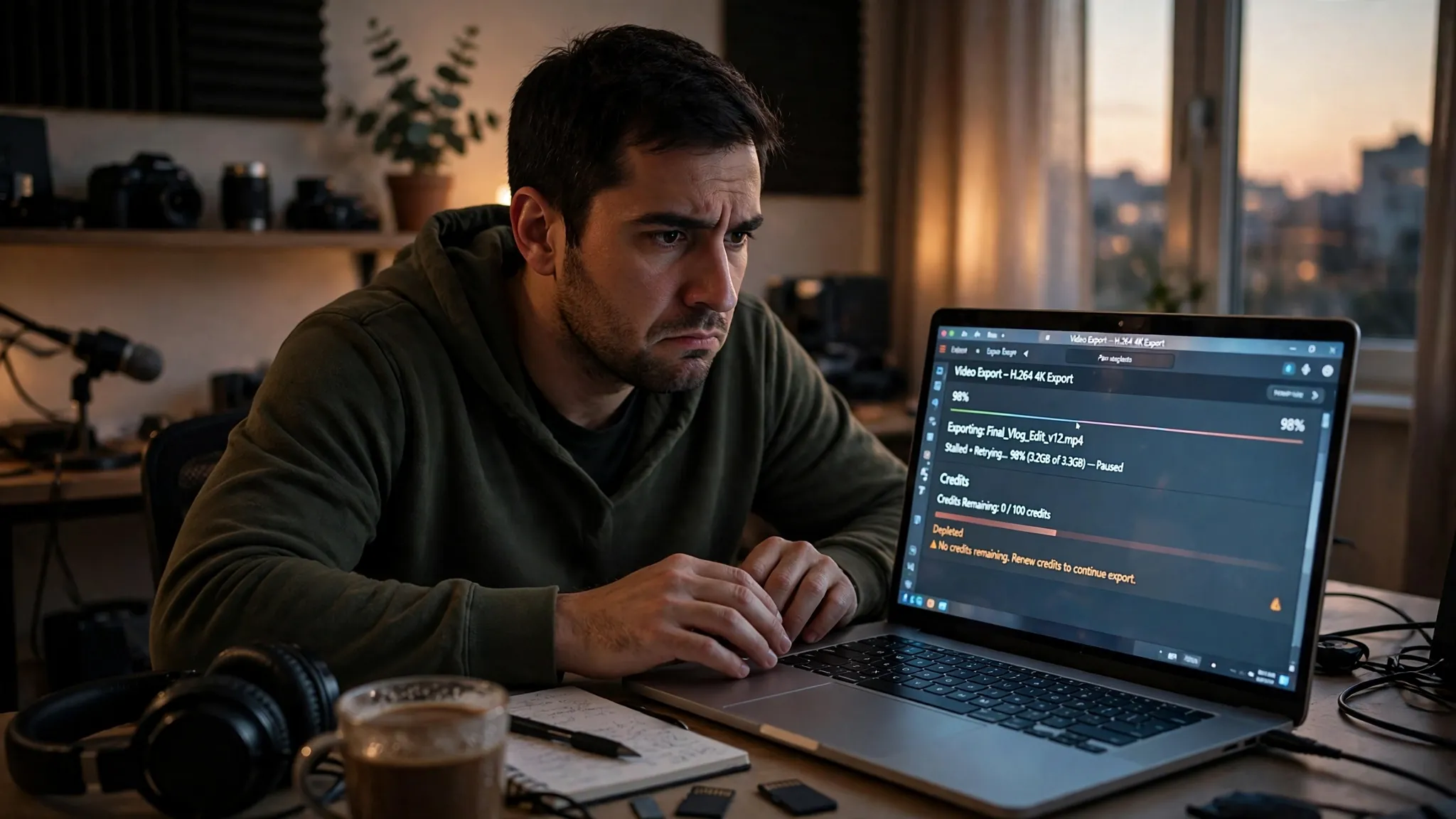
This is where the temp inbox stops being a neutral choice and starts being a liability. Your 100 credits are spent in the first days, while the inbox is still alive and everything feels fine. The account then sits there for weeks while you edit with the non-AI tools, and the day you actually need the account — a password reset, a billing question, a workspace invite, a support ticket about a failed export — the inbox is long gone. The credits were the front-loaded value. The inbox is the back-loaded dependency. A throwaway address lets you collect the first and forfeit the second.
Compare that shape with the other credit-metered tools in this series. ElevenLabs hands out 10,000 free credits and meters voice generation against them, so the grant lasts long enough for the inbox question to feel theoretical for weeks. Runway gives 125 credits against generations that cost real amounts per second, so the free tier ends quickly but the account holds little. Leonardo resets 150 tokens every single day, which makes the account worth keeping and the inbox worth owning. Descript is the odd one: a small grant, spent fast, attached to an account whose real value is the projects and transcripts that accumulate after the grant is gone.
Where a throwaway inbox works fine
None of this means a temp address cannot work. For the narrow job of trying Descript without handing over your real email, it works well. The signup form takes the address, the passcode arrives, the account opens, and you get the full free plan: 60 minutes a month, text-based editing, transcription, and the 100 credits. There is no card on file to leak, no trial to cancel, and no billing relationship to unwind. If your goal is a single afternoon of testing — open the editor, cut one clip, see whether editing by transcript fits your brain — a temp inbox is the lowest-friction way to do it.
It also works for the privacy case the tool was built for. If you are testing Descript from a network or a machine you do not trust, or you simply do not want another company holding your primary address for a product you may never use again, a disposable address keeps the experiment contained. The account holds nothing you care about, the inbox holds nothing after the passcode, and deleting both is clean. That is the correct use of a temp inbox on any tool: a bounded experiment with nothing valuable inside.
A temp address is also the right call for a second look. Maybe you tried Descript a year ago on your real email, forgot the password, and want to see the current editor before deciding whether to recover the old account. A throwaway lets you look at the new pricing and the new interface without committing your real inbox to another marketing list. Just remember that the look is all you are getting. The moment you start a project you care about in that account, the throwaway has stopped being a test and started being a risk.
Where it quietly breaks
The breakages are not dramatic, which is why people walk into them. They are administrative, slow, and they arrive weeks after signup, when the inbox is already dead.
The first is the password reset. It goes to the signup address from no-reply@authmail.descript.com, and Descript's own help center warns that providers flag it as spam. If the address is expired, there is no spam folder to check and no support form that will hand you the account. The help center's answer to a lost password is to use the email you signed up with. That sentence assumes the email still exists.
The second is the lockout. Too many failed sign-in attempts lock the account for 15 to 60 minutes, and the lock clears on its own. That is a minor annoyance on a real address and a confusing one on a temp address, because the natural response to a lockout is to request a passcode — which goes to the inbox you may no longer control. If you are locked out of the temp inbox itself, you are locked out twice over.
The third is billing. The day you decide the free plan is too small — and on Descript, that day comes sooner than on most tools — the upgrade, the receipts, the failed-payment notices, and the cancellation confirmations all go to the signup address. Upgrading a temp-inbox account means attaching a real payment method to an account whose recovery address you do not own. That is a bad trade in the other direction: you would be paying for an account you can lose by forgetting a password.
The fourth is collaboration. Descript workspaces hold projects, and paid tiers add seats — up to three on Creator, five on Business. Workspace invites, seat changes, and shared-project notifications all run through email. A temp address cannot receive an invite next month, and it cannot confirm a seat change. If you ever edit with another person, the account needs a real address.
The fifth is the one people forget: support. If an export fails, a transcript corrupts, or a charge looks wrong, Descript support verifies you through the account email. An account you cannot prove you own is an account support cannot help you with. The Grammarly version of this problem costs you documents, and the same logic applies here: a lost Descript account costs you the transcripts you edited in it, the projects you cut in it, and the voice data you trained in it. None of that lives on your machine. It lives in the account, and the account lives behind an email address you no longer own.
The desktop app wrinkle
Descript is a desktop application, and that creates a misunderstanding worth clearing up before you sign up. Downloading the app, installing it, and signing in does not move your account onto your machine. Your projects, transcripts, and credits live in Descript's cloud, behind the account. The app is a window. Uninstalling it deletes the window, not the account — and reinstalling it later signs you straight back in only if you still own the credentials.
This matters for temp-inbox users in a specific way. On a browser tool, losing the inbox usually announces itself: you click forgot password and nothing arrives. On a desktop app, the session can persist for weeks, signed in, working fine, while the inbox quietly expires in the background. Everything feels permanent until the day the session ends — a reinstall, a new machine, a password change, a lockout — and the account asks you to prove who you are through an address that no longer exists. The longer the app stays signed in, the easier it is to forget that the account is rented from an inbox you threw away.
The fix is unglamorous and it works: the day you sign up, set a password you will remember, store it in a password manager, and if the account starts holding work you care about, change the email to one you own. Descript allows an email change from account settings while you are signed in. Do it while you still can, because after the session ends you may not be able to.
Descript next to the other AI editors
Descript is not competing with one tool. It is competing with a whole shelf of AI editors that all take an email address and all meter something, and the differences between them are the differences that decide whether a temp inbox is sensible.
Runway gives you 125 credits against video generations that burn them in seconds, so the free tier is a demo with a hard stop, and the account holds almost nothing after it ends. Leonardo resets 150 tokens every day, which makes the free tier a daily habit and the account worth keeping. ElevenLabs hands out 10,000 credits for voice work, a grant big enough that the inbox question stays theoretical for a long time. Grammarly gives its free tier 100 AI prompts a month that do renew, and its signup is a six-digit code with a seven-day Pro trial attached. Vercel takes a six-digit code too, but its free tier is a hobby tier for deployments, not a meter that empties.
Descript sits in the middle of that shelf in an awkward spot: its media minutes renew like Grammarly's prompts, but its credits do not, and its best features are the ones the credits buy. The editor is the most genuinely useful free tool in the group — text-based editing is a real workflow, not a demo — and the account it creates is the most worth keeping. That combination is exactly why the inbox decision matters more here than on the tools where the free tier ends quickly and forgettably.
When a temp inbox is the right call, and when it is not
Use a temp inbox for Descript when the job is bounded: one afternoon of testing, one short clip, a look at the new pricing, or a second account to compare against the one you already own. In those cases the account holds nothing valuable, the credits are the whole point, and the inbox expiring afterwards is a feature, not a bug. Walk away when the test is done and delete the account if the settings allow it.
Do not use a temp inbox when the account will hold work. The line is easy to draw: if you have a project in Descript that you would be upset to lose, the account needs a real address. That includes the first podcast episode you edit, the first client video, the first transcript you spent an hour correcting, and the first voice clone you trained. It also includes any account you might pay for. The moment money enters the picture, the recovery address has to be one you control.
There is a middle path that gets you most of the privacy with none of the risk, and it is the one I recommend for Descript specifically: sign up with a temp address, test the editor, and if you decide to stay, change the email to a real address you own while you are still signed in. You keep the test clean and the account recoverable. The alternative — testing on your real email from the start — is also fine, and it is simpler. What does not work is the worst of both: a temp address on an account full of work you care about.
The bottom line
Descript's free plan is the rare one where the signup is the easy part and the account is the valuable part. The form takes any deliverable address, the passcode arrives in seconds, and there is no card, no trial clock, and no published rule against disposable email. The catch is not at the door. The catch is the 100 credits that never renew, the projects that accumulate after they are gone, and the password resets, billing notices, and lockouts that all answer to an inbox with a short life. A temp address is the right tool for trying Descript. It is the wrong foundation for keeping it. Test on the throwaway, and if the editor earns a place in your workflow, give the account a real address before the day you need it.
Questions people actually ask
Can I sign up for Descript with a temp email?
Yes, as far as anyone has published. Descript publishes no disposable-email policy, its signup form accepts any deliverable address, and I found no test showing a temp address being rejected. Try it with a live inbox and keep the tab open for the passcode. If one provider's domain is refused, try another — acceptance changes by domain and by week.
Does Descript send a verification code or a link?
A one-time passcode, if you choose Continue with email. You type the code back into Descript to sign in. If you sign up with a password instead, there is no code at signup, but the password reset later goes to the same inbox from no-reply@authmail.descript.com.
Can I use Descript free forever?
Yes. The free plan is permanent, not a trial: $0, 60 media minutes a month, 720p watermarked exports, 5 GB of storage, and one seat, with no credit card required. The limit is the 100 AI credits, which arrive once and never renew. The editor keeps working after they are gone. The AI tools do not.
What happens when my 100 AI credits run out?
The AI tools stop. There is no visible counter by default, no warning mid-project, and no email when you hit zero. Studio Sound, eye-contact correction, image generation, and Underlord queries all draw from the same pool. The only way to get more is to upgrade — Hobbyist adds 400 credits a month, Creator 800, Business 1,500 — or to buy top-up bundles, which are sold only on Creator and Business.
Can I change the email on my Descript account later?
Yes, from account settings while you are signed in. That is the single most useful sentence in this post for anyone who tested on a temp address and decided to stay: change the email before the session ends, because after it ends you may need the old inbox to prove who you are.
Will Descript ban my account for using a disposable email?
There is no published rule against it and no reported ban I could find. Descript's help center deals with lockouts from failed sign-ins, not with disposable domains. The realistic risk is not a ban. It is losing access to your own account the ordinary way — a forgotten password, a lockout, a billing question — with no inbox left to recover it through.
Need a disposable temporary email?
Protect your real inbox from spam and promotional clutter instantly and free.
Received a suspicious email, text, or charge alert?
Verify whether the sender domain is disposable, spoofed, or unverified before clicking links.