
Temp Email for Grammarly Signup: a Free Plan, a Six-Digit Code, and the Writing That Answers to One Inbox
The cheapest writing assistant asks for one thing
Grammarly is the most widely used writing assistant on the internet, and its pitch is disarmingly simple: the basic version costs nothing. More than 40 million people and 50,000 organizations use it to check spelling and grammar, adjust tone, and rewrite sentences, and the same corrections follow you from Gmail to Google Docs to Slack without copying text anywhere. Free is $0 a month, forever, with 100 AI prompts a month thrown in. Pro is $12 a member a month billed annually, or $30 billed monthly, and it lifts the prompt allowance to 2,000 a month and adds full-sentence rewrites, plagiarism checks, and AI detection.
The signup asks for almost nothing, and that is the point of this post. An email address and a password, or a Google, Apple, or Facebook account, and a six-digit code sent to that address. A temporary inbox clears that gate in about a minute, and a test run in August 2026 proved it: a disposable address from a public temp-mail service passed Grammarly's form validation, and the only thing that stopped the flow was a Google reCAPTCHA. Another walkthrough, filmed in May 2026, went further — the temp address received Grammarly's six-digit code, the code went in, and the account opened onto the Grammarly dashboard.
So the door is open. The question this post answers is what the door leads to, and what happens when the inbox that opened it stops existing. Grammarly is not a streaming service you abandon after a free month. It is where your documents, your style rules, your team seats, and your billing all live. The email address is the key to every one of them, and a temporary inbox is a key that dissolves.
What the signup actually asks for
Signing up for Grammarly takes about two minutes, and the form is honest about what it wants. You can sign up with an email address and a password, in which case Grammarly sends a six-digit verification code to that address and you type it back in. Or you can continue with Google, Apple, or Facebook, and skip the code entirely. There is no card on the Free plan, no trial countdown, and no phone number at signup. The homepage leads with two buttons — "Sign up, it is free" and "Sign up with Google" — and no email box or price on the first screen at all.
That six-digit code is the entire gate, and it is worth understanding what it does and does not prove. It proves that somebody controlled that inbox at the moment of signup. It proves nothing about who will control it next week, and Grammarly's system treats the address as the account's identity from that moment on. The email you verify is where password resets go, where team invitations go, where the Pro trial reminder goes, and where the receipt goes when you pay. The code is small. The commitment behind it is not.
There is a second gate behind the first, and it is the one that stopped the August 2026 test. Grammarly runs a Google reCAPTCHA during signup, and anti-abuse systems on big platforms are layered: domain blocklists, human verification, and IP reputation all sit in front of the form. A temporary email solves only the email layer. If the reCAPTCHA or the IP check decides you look automated, no email choice gets you past it — and that is true whether the address is disposable or permanent.
One more signup rule matters, and it catches students. Grammarly's education accounts are tied to an institutional email address — the .edu address your school or university issued. A temporary inbox cannot stand in for one, and the activation email for an education seat goes to the institutional address by design. If your Grammarly access comes through a school, the temp-email question is already answered: no.
The six-digit code, step by step
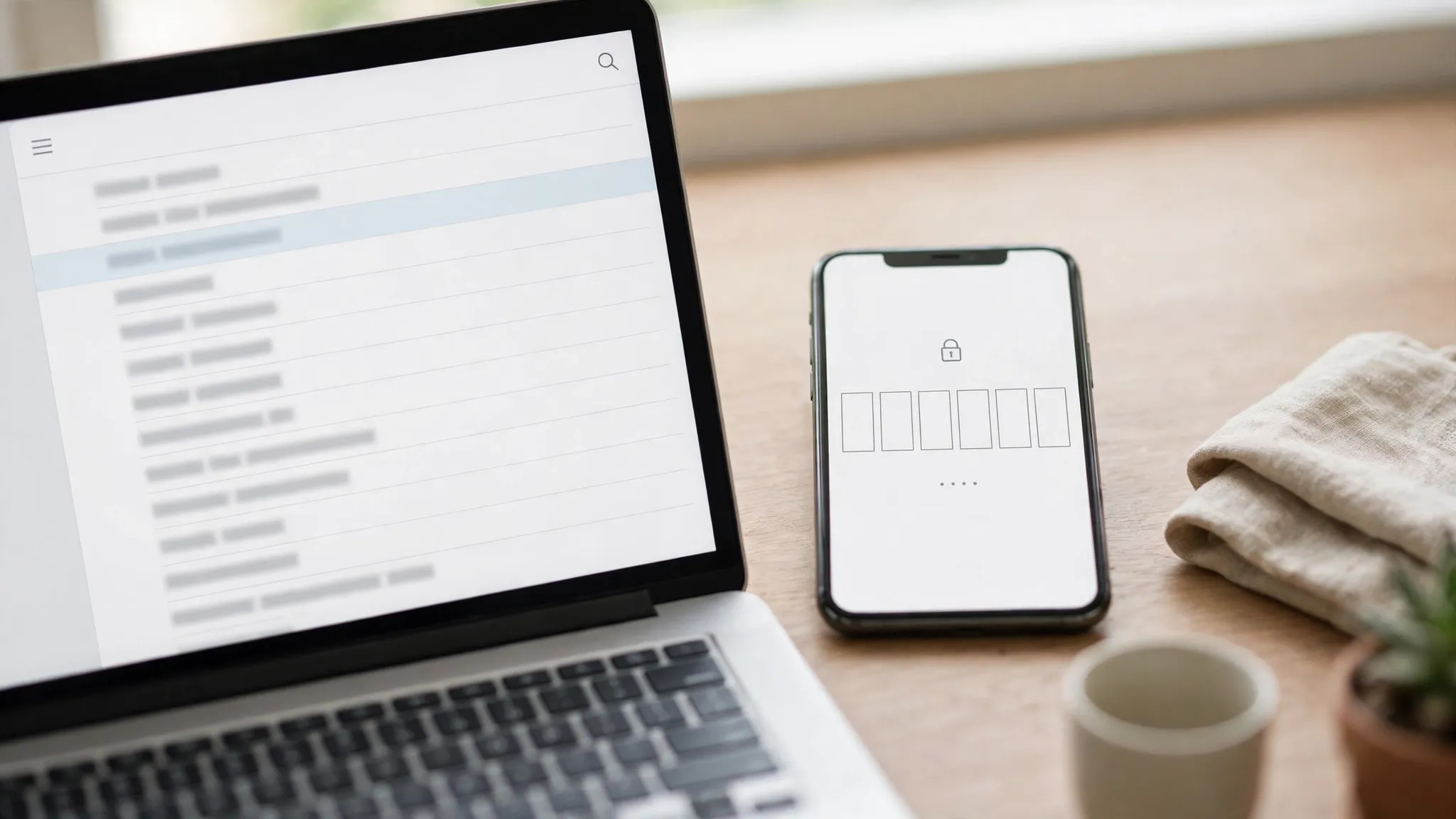
The flow, as it runs in late 2026, is short enough to describe exactly. Open a temporary inbox in one tab and Grammarly's signup page in another. Enter the temp address and a password you will actually remember — a password manager is worth it here, because this is the one credential the temp inbox cannot recover for you later. Grammarly sends a six-digit code to the address. Switch back to the inbox, find the message, type the code in, and the account opens onto the editor. The whole thing takes under two minutes when it works, and the code usually arrives in seconds.
If the code does not arrive, the fixes are unglamorous and they usually work: wait a minute or two, check the spam folder, and if nothing appears, generate a fresh address from a different temp-mail provider and try again. What does not work is retrying the same address twenty times. If Grammarly rejects a domain, that is its policy, and the correct move is an address you control — not a disguise. The August 2026 test is the honest benchmark here: the address passed, the reCAPTCHA stopped the flow, and the tester moved on. Acceptance is a moving target, and it changes by domain, by day, and by whatever Grammarly's abuse team tightened last week.
Free vs Pro, read November 2026
Grammarly's pricing has not moved since at least January 2025, which is unusual for a product that has been through an acquisition, a company-wide rename, and a full Enterprise repackaging in the meantime. Grammarly's parent company renamed itself Superhuman Platform Inc. on October 29, 2025, uniting Grammarly, Coda, Superhuman Mail, and the new Superhuman Go assistant under one brand. The prices below were read from Grammarly's own pricing page and independent pricing trackers in November 2026.
| Free | Pro | |
|---|---|---|
| Price | $0, free forever | $12 per member per month billed annually ($144 a year), $30 billed monthly, $60 per quarter |
| AI prompts | 100 per month | 2,000 per member per month |
| Core checks | Spelling, grammar, tone detection | Everything in Free, plus full-sentence rewrites and tone adjustment |
| Detection | No plagiarism or AI-text detection | Plagiarism and AI-text detection included |
| Team features | None | 1 style guide, 1 brand tone, up to 149 seats |
| Free trial | Not applicable | 7-day Pro trial, $0 today, email reminder 2 days before it ends |
| Refunds | Not applicable | Only if required by law |
Two things in that table deserve more attention than the numbers. First, the free tier is genuinely usable: spelling, grammar, and tone checks across more than a million apps and websites, with 100 AI prompts a month, and no time limit. For someone who writes emails and the occasional document, Free is the whole product. Pro is the plan for people whose writing is client-facing, or for a small team that needs one shared style guide and one brand tone.
Second, the trial is where the temp inbox turns from a privacy tool into a billing risk. The 7-day Pro trial costs $0 today, and Grammarly sends an email reminder two days before it ends. That reminder goes to the signup address. If the signup address was a temporary inbox that expired on day one, there is no reminder — and monthly Pro billing is $30, two and a half times the $12 annual rate. The trial is not a trap, and Grammarly does send the warning. The warning just goes to an inbox that no longer exists.
Why a temp inbox gets through the door
Here is the honest answer, with the uncertainty left in. Grammarly publishes no policy on disposable or temporary email addresses. We checked: the signup documentation describes the code flow and the social login options, and says nothing about which domains it accepts or rejects. Third-party guides that cover Grammarly are blunt about the same gap — acceptance is Grammarly's decision, it changes over time, and nobody outside Grammarly can promise it.
What that means in practice is simple. A temporary inbox can receive the six-digit code, because the code is an ordinary email and temp inboxes receive ordinary email. The August 2026 test and the May 2026 video walkthrough both prove the same thing from different angles: the address passes the form, the code arrives, the account opens. If the domain is blocked, the signup fails at the form, and no amount of retrying with the same provider will change that.
There is a second, quieter reason the door matters less than the hallway. Grammarly's Free plan is free forever — there is no seven-day window to stretch, no credit balance to reset, no Pro trial to harvest by churning addresses. The temp email does not unlock anything extra, because there is nothing extra to unlock at signup. It buys privacy and a look around. That is a legitimate use, and for a twenty-minute exploration it is the right tool. It buys nothing else.
And the privacy case is real. Grammarly reads what you write — that is the product — and it does so across Gmail, Docs, Slack, and everywhere else the extension runs. Signing up with your primary address links that writing history to your identity from the first sentence. A temporary address keeps the trial account separate from your name while you decide whether the trade is worth it. That separation is worth something, as long as you know what it costs.
Four ways the account breaks after the inbox dies
The failure modes are specific, and they arrive on a schedule. The first is the password reset. Forget the password on a temp-email Grammarly account and the reset link goes to an inbox that expired weeks ago. There is no support ticket that restores access to an account whose only recovery address is gone, and the documents inside it — drafts, saved work, the writing history Grammarly builds for you — go with it.
The second is the trial. Start the 7-day Pro trial from a temp inbox and the reminder that it is about to end goes nowhere. The trial itself is $0, but the conversion after it is not, and the email that would have warned you is sitting in a dead inbox. A $30 monthly charge is the kind of thing you notice on a statement a month later, not the kind you catch in time.
The third is teams. Pro supports up to 149 seats, one style guide, and one brand tone — and every invitation, every seat change, and every billing notice goes to the account owner's primary email. A team built on a temp-email owner account cannot invite anyone, because the invitations route through an address nobody controls. The workaround is a new account, which means rebuilding the style guide and the brand tone from scratch.
The fourth is billing itself. Pro is $12 a member a month billed annually, and the invoices, the renewal notices, and the usage summaries all go to the signup email. Grammarly's refund rule is strict — refunds are issued only if required by law — so a billing surprise on a dead-inbox account is a surprise you cannot reverse. Every one of these four failures has the same shape: the system works as designed, and the design assumes the email address is permanent.
The lockout, priced in documents
It is worth saying plainly what a lockout costs on Grammarly, because it is not the same as a lockout on a streaming service. A lost Netflix account costs you a watchlist. A lost Grammarly account costs you the drafts you wrote in it, the documents you edited in it, the tone settings you tuned, and the writing history that makes the suggestions better over time. None of that is stored on your machine. It lives in the account, and the account lives behind an email address you no longer own.
The account is not deleted when the inbox dies. It sits there, unreachable, with your work inside it. You can see the login screen, you can remember the password, and you still cannot get in, because the moment Grammarly asks you to prove it is you — a new device, a password reset, a security check — the proof goes to an address that stopped existing the day you signed up. That is the real price of the throwaway signup, and it is measured in documents, not dollars.
Grammarly against the other AI tools
Grammarly is the friendliest version of a pattern this series has now documented across the AI tools. On Replit, the signup email owns an app, a database, and a credit meter that bills whether the build works or not. On Midjourney, there is no free trial to game at all — the door is $10 a month and a card on file, and the images answer to one inbox. On ElevenLabs, the free tier is 10,000 credits a month and the reset trick stops working after two or three accounts. On Perplexity, search is free with no account, and then Pro, Comet, and your history all want the real inbox. On Suno, the free plan is 50 credits a day with no downloads and no commercial rights, and free songs never become commercial even after you upgrade.
Grammarly differs in two respects that matter more than the rest. First, the free tier is real and permanent, so there is no trial to game and no reason to churn addresses — the temp inbox buys privacy, not money. Second, the thing at stake is your writing, which is harder to replace than an image or a song. A lost Midjourney account costs you images you can regenerate. A lost Suno account costs you songs you can re-create. A lost Grammarly account costs you drafts and documents that existed in one place only. The signup email is not a formality on this platform. It is the filing cabinet, and a disposable inbox is a filing cabinet with a timer on it.
When a throwaway is the right tool
A temporary inbox is the right tool for Grammarly in exactly the situations where you can afford to lose the account. Twenty minutes of looking around the editor. Testing whether the tone suggestions fit how you write before you commit. Checking whether the browser extension plays nicely with the apps you use every day. Kicking the tires on the free tier without handing over your primary address. In each of those cases, the account holds nothing you care about, and losing it costs you nothing.
It is the wrong tool the moment the account holds anything with a future. A document you will keep editing for months. A style guide you tuned for a client. A team seat, a trial, or a single dollar of billing. A draft whose only copy lives in the Grammarly editor. The test is simple and it never changes across this whole series: if losing the account would cost you more than the five minutes it took to create it, sign up with an address you will still control in a year.
There is a middle path, and it is the one we recommend. Sign up with the temp inbox to look around, and if the account survives the first weekend, add your permanent address in the account settings and make it primary before you write anything that matters, start a trial, or invite anyone. The temp address stays on the account as a login method; the permanent address becomes the one that receives the notices that matter. It takes three minutes and it removes the entire failure class this post describes.
The bottom line
Grammarly Free is genuinely free and genuinely useful, and that is not faint praise — spelling, grammar, and tone checks across more than a million apps, with 100 AI prompts a month, for zero dollars, is a remarkable offer, and Grammarly deserves credit for keeping it free forever instead of turning it into a trial. The platform is honest about what it costs and what it forbids. The only thing it does not do is warn you, at signup, that the email address is the account.
So the rule is the same one this series keeps arriving at, with the stakes measured in documents instead of dollars. Use a temp inbox to look. Use an address you will own in a year to write. And if you already built something real on a throwaway, open your account settings today, add your permanent address, and make it primary — three minutes now, or a password reset later that goes nowhere.
Questions people actually ask
Can I sign up for Grammarly with a temp email?
Usually, yes — Grammarly publishes no disposable-email policy, and signup is a six-digit code sent to whatever address you enter. An independent test in August 2026 found a temp address accepted at the form, with the flow stopping at a reCAPTCHA, and a video walkthrough completed the full signup with a temp inbox. Acceptance is Grammarly's decision and it changes over time, so nobody can promise it, and if the address is rejected, use an address you control instead of trying to disguise it.
Is Grammarly really free?
Yes. The Free plan is $0 a month, free forever, with spelling and grammar corrections, tone detection, and 100 AI prompts a month. Pro is $12 a member a month billed annually ($144 a year), $30 billed monthly, or $60 per quarter, and adds 2,000 AI prompts a month, full-sentence rewrites, tone adjustment, and plagiarism and AI-text detection.
What happens if I start the Pro trial with a temp email?
The 7-day trial costs $0 today, and Grammarly sends a reminder email two days before it ends. If the signup address was a temporary inbox, that reminder goes nowhere, and the trial can convert to paid billing — $30 a month on monthly billing — without you seeing the warning. Refunds are issued only if required by law.
Can I change the email on my Grammarly account later?
Yes, in your account settings, and that is the fix this post recommends: sign up with the temp inbox to look around, then add your permanent address and make it primary before the account holds anything that matters. Do it before starting a trial or inviting anyone to a team.
Can I use a temp email for a Grammarly education account?
No. Education access is tied to an institutional .edu email address, and the activation email goes to that address by design. A temporary inbox cannot stand in for one.
What do I lose if my temp inbox expires?
Everything behind the login: the drafts and documents in the account, the tone and style settings, the team seats, and the ability to reset the password or receive billing notices. The account is not deleted — it is simply unreachable, because every recovery path runs through an address that no longer exists.
Need a disposable temporary email?
Protect your real inbox from spam and promotional clutter instantly and free.
Received a suspicious email, text, or charge alert?
Verify whether the sender domain is disposable, spoofed, or unverified before clicking links.