

Temp Email for Pinterest Signup: The Board That Outlives Its Inbox
A board is a slow archive, not a feed
Most social signups are judged by their first five minutes: did the code arrive, did the account open, done. Pinterest breaks that test, because almost nothing valuable on Pinterest happens in the first five minutes. A Pinterest account is not a feed you scroll and forget. It is a collection you build slowly — a kitchen renovation board started in January and finished in September, a wedding board that accumulates for a year, a recipe file that becomes the way you actually cook. The value of the account is not the profile. It is the archive, and archives punish short-lived signups in a way feeds do not.
That is the whole argument of this post, and it cuts against the usual temp-mail advice. A throwaway address is a fine tool for a signup you will abandon. Pinterest is one of the platforms where abandonment is the least likely outcome, because the product is designed to make you return to the same boards, month after month, as a project moves from idea to reality. The longer a board lives, the more the signup email matters, and the more a disposable address looks like building a library on rented land.
My position, stated plainly: use a temp address for Pinterest only when you have already decided the boards are disposable too. If there is any chance the boards become a project you care about — and on Pinterest, that chance is high by design — start on an address you control for years, or move the account to one while you still can. The rest of this post is the evidence, the failure modes in the order you will meet them, and the one migration window that makes the whole problem cheap instead of expensive.

What Pinterest actually asks at signup
Pinterest signup starts simply: an email address and a password, or a one-tap continuation through Google, Facebook, or Apple. When we checked Pinterest's own help documentation, the email side of the account was described in plain terms: your email address is linked to your account and is used to log in, receive updates, and handle important notifications. That sentence does more work than it looks like, because it makes the email three things at once — an identity, a mailbox, and a recovery path — and a temp address is only good at one of them, briefly.
The verification step is a code, not just a link. Pinterest's help article on managing your email address says that when you change the address on an account, Pinterest sends a confirmation code to the new address in an email with the subject line "Your Pinterest verification code," and you enter that code back in Pinterest to confirm. Signup verification works on the same principle: prove you can read the inbox, and the account is yours. The catch is that Pinterest checks readability at the moment of signup, not durability over the life of the account. An inbox that can receive one code today and vanishes next week passes the only test Pinterest runs at the start, and fails every test that comes later.
One more signup fact matters before you choose an address. When we checked, we found no public Pinterest list of disposable domains it accepts or blocks, and no promise that a domain that receives a code today will receive one tomorrow. Treat any claim that a particular temp provider "works with Pinterest" as a snapshot, not a guarantee. The failure mode here is usually silent: the form accepts the address, and the code simply never arrives, or arrives after a second request has already invalidated the first. If the code does not arrive within a couple of minutes, do not hammer the resend button. Repeated requests are exactly the pattern that triggers stricter checks on most platforms, and each new code usually kills the previous one.
The three jobs your Pinterest email does
It helps to separate the three jobs, because a temp address performs very differently at each one, and people judge it only by the first.
The first job is login identity. The email is how Pinterest knows which account is yours when you sign in. A temp address does this job fine on day one. You type it, you enter the password, you are in. Nothing about login identity requires the inbox to last, as long as you remember the password and stay signed in on a device Pinterest recognizes.
The second job is notification delivery. Pinterest sends updates about repins, comments, new followers, and account changes to the signup email. On a temp address, you never see these, which sounds like a privacy win until a security notice is among them. A warning that someone changed your password, or that Pinterest flagged a login from an unfamiliar place, is useful only if it reaches you while you can still act on it. A dead inbox turns every security notice into a letter to an empty house. You find out about the problem when you try to use the account, which is usually weeks after the moment when a quick response would have fixed it.
The third job is recovery, and it is the one that decides everything. Password resets, email changes, and suspicious-activity checks all route back to the address on file. Pinterest's help documentation is blunt about the shape of this problem: if you have forgotten or lost access to the email associated with your account, you are sent to troubleshooting for logging in with an email address, which is a slower, harder path than a reset link. A temp address does the recovery job only while it exists, and Pinterest accounts are exactly the kind of accounts you recover months or years after creating them — after a phone upgrade, a forgotten password, or a new device that Pinterest does not recognize.
The honest summary is this: a temp address passes job one, silently fails job two, and fails job three at the worst possible moment. Any signup decision that only weighs job one is underpriced.
The one-email-one-account rule, and the test-account trap
Pinterest's help documentation states the rule plainly: each email address can only be connected to one Pinterest account at a time. That single sentence creates the trap that catches temp-mail users, because it works in both directions.
In one direction, it means a temp address burned on a test account is occupied until that account is gone. You cannot spin up a second Pinterest account on the same address to start clean, and you cannot hand the address to a different project. If the test account was created on an address you no longer control, you cannot easily free the address either, because freeing it requires access to the account, which requires access to the address. It is a small loop, and it closes quietly.
In the other direction, it means an address that has already been used for a Pinterest account cannot simply be reused for a fresh one. Pinterest's help article describes the specific case: if you receive an error saying the email address is already in use, you may have accidentally created another account with it, and if the email is being used on a different account, you will need to deactivate that account and wait seven days for the email to become available again. Seven days is a long time to wait for a fresh start, and it is a wait that a temp address makes worse, not better: the address may expire, or be claimed by someone else on a public temp service, during exactly that window. A durable address waits out seven days without drama. A disposable one may not survive the wait at all.
This is also where the comparison with other social signups breaks down in Pinterest's favor, and then against it. On TikTok, as our [TikTok signup guide](https://tempomailusa.com/post/temp-email-for-tiktok-signup-reality) explains, deletion holds the address for a full 30 days. Pinterest's seven-day wait after deactivation is shorter, which looks friendlier — until you realize the temp address still has to outlive it. Shorter is not the same as safe when the address itself is measured in hours or days.
The honest uses: research, gifts, and single-session scouting
There are real uses for a temp address on Pinterest, and naming them honestly makes the warning credible. The common thread is that the boards are worth nothing if they vanish, and you know that before you sign up.
The first is single-session research. You want to browse Pinterest's full search and saved-item features for an afternoon — comparing kitchen layouts, wedding venues, or travel ideas — without handing Pinterest your real address and without starting an algorithmic profile attached to your identity. A temp address opens that session, and when the session ends, you close it deliberately. Save anything worth keeping as screenshots or notes outside Pinterest, because the boards themselves are not part of the plan.
The second is gift and surprise planning. A board for someone else's birthday, anniversary, or wedding is a case where the secrecy matters more than the archive, and where the board's useful life is measured in weeks. A temp address keeps the project off your main account's recommendations and history, which is a genuine privacy benefit. The condition is the same: export the ideas before the inbox dies, because a surprise board you cannot open is not a surprise, it is a loss.
The third is a clean test. Designers, marketers, and curious users sometimes want to see Pinterest as a brand-new user sees it — default recommendations, onboarding flow, search behavior — without polluting a real account. A test account on a temp address is the right tool for that, precisely because it will be abandoned on purpose. The test is honest only if the abandonment is deliberate: delete the account when you are done, rather than letting it strand with a username and a dead address attached.
What these three uses share is a decision made in advance: this account is allowed to die. The failure mode on Pinterest is not using a temp address. It is using one while quietly hoping the account lives.
Where it breaks, in the order you will meet them
If you do sign up with a temp address and the account grows into something you care about, the breaks arrive in a predictable order. Knowing the order helps, because the first two have warning signs and the last one does not.
The first break is the new-device check. You create the account on your phone, then try to sign in on a laptop or a replacement phone, and Pinterest, seeing an unfamiliar device, wants verification through the email you no longer control. This is the same pattern our [two-factor guide](https://tempomailusa.com/post/temp-email-two-factor-authentication-recovery-risk) describes in general: a second factor or verification step is only as durable as the inbox behind it. The account is not necessarily locked. It is asking for proof from an address that no longer exists, and every failed attempt tends to make the next check stricter.
The second break is the password reset you did not plan to need. Test accounts are created with passwords people do not save, because the account was supposed to be disposable. Then the app logs you out after an update, or you clear your browser data, and the reset link goes to a dead inbox. At that point the account is stranded: still visible, still holding its boards, and no longer yours in any practical sense. Stranded boards are worse than deleted ones, because the ideas you collected are visible to no one who can use them, and Pinterest will not hand the account to someone who cannot prove ownership through the address on file.
The third break is the email-change wall. Suppose you realize the problem in time and try to fix it by changing the account's email to a durable address. Pinterest's own help article describes the process: enter the new address in account settings, and Pinterest sends a confirmation code to the new address. That part is easy. The hard part is everything around it: you must still be logged in, the change must be confirmed from the new inbox, and if you have already lost access to the account, the self-serve path is gone and you are in support-troubleshooting territory. Changing the email while you are logged in is a settings page. Changing it after you are locked out is a case. The entire economics of this post is that asymmetry: cheap now, expensive later, and the price is charged in the currency you have least of when things go wrong, which is time.
The swap window: moving a board to a durable address
There is a window in which the whole problem disappears, and it is worth describing exactly, because most people miss it by waiting.
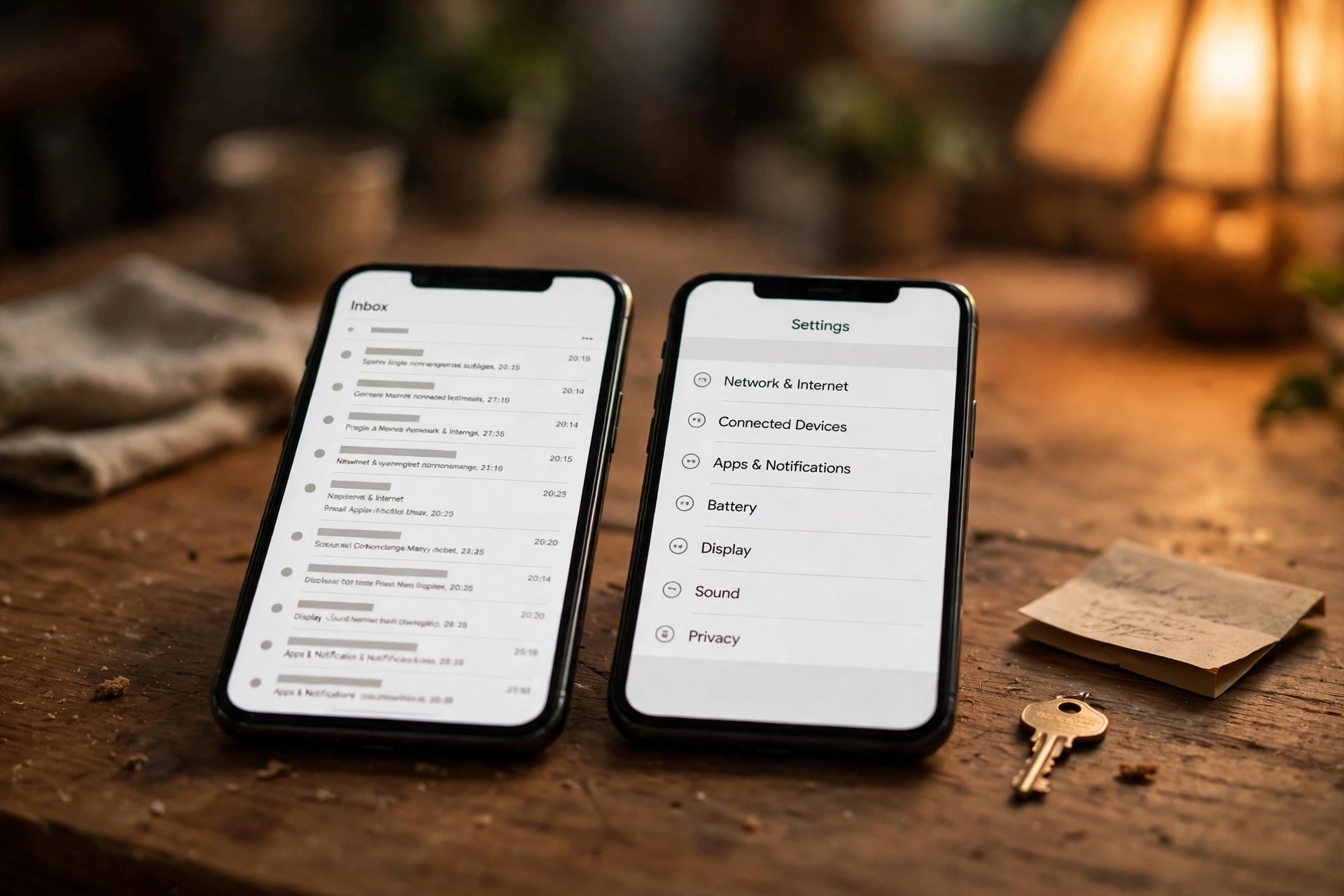
While you are still logged in, and while the temp inbox is still alive, open Settings, then Account management, and enter a durable address in the Email field. Pinterest will send a confirmation code to the new address — the help article names the subject line as "Your Pinterest verification code" — and you enter that code back in Pinterest to confirm. Do this before the temp inbox expires, before you switch phones, and before you forget the password. Two minutes per step while the inbox is alive beats a support case after it is dead.
The swap has a second half that people skip: after confirming the new address, save the password in a password manager, and, if you use Pinterest for anything that matters, turn on two-factor authentication with an authenticator app rather than email codes. The point of the swap is to move the account off an expiring dependency entirely, not to replace one fragile email with another. An authenticator app generates its codes on your device, with no inbox in between, which is why our two-factor guide ranks it above email codes for any account you intend to keep.
One caution about the swap: do not swap a test account to your primary personal address just because you can. The right destination is a durable secondary address — one you control, check regularly, and do not use for banking or work. That gives you nearly all the privacy benefit of the temp address, with a recovery path that still works in a year. Pinterest does not get your main inbox, your main inbox does not get Pinterest's marketing mail, and the boards survive a phone upgrade. Less dramatic than a burner, and that is the point. It survives the second ask.
Business accounts: a stricter version of the same problem
Everything above applies twice to a Pinterest business account, and for a different reason: a business account is not just a collection of boards, it is a storefront. Business accounts carry a website claim, product pins, audience data, and, often, ad history. The recovery stakes are commercial, not just personal, and the notification job matters more, because Pinterest sends business updates, policy notices, and billing-related messages to the account email.
A temp address on a business account fails the same three jobs, but the second job — notifications — becomes a business risk rather than an inconvenience. Missed policy or billing notices do not wait for you to notice them. And the one-email-one-account rule bites harder here, because a business that creates a test business account on a temp address, then tries to create the real one, can find the address occupied or the test account stranded in a way that confuses customers who find it.
My rule for business use is absolute, where my rule for personal use has exceptions: never start a Pinterest business account on a temp address, even as a test. Test the personal features on a personal test account if you must, and create the business account once, on a durable business address, with a second person able to access the inbox if the business depends on it. A storefront built on an expiring address is not a test. It is a liability with a logo on it.
The setup I would use
Here is the decision tree I would actually follow, because advice without a decision is just commentary.
First, before signup, answer one question honestly: is this account allowed to become something I care about? If the answer is no — a pure test, an afternoon of research, a surprise board with a short life — then a temp address is a fine tool, with three conditions. Keep the session alive on one device and do not log in elsewhere. Do not save anything you would mind losing, and export anything worth keeping the same day. And when you are done, delete or deactivate the account deliberately, rather than letting it strand.
If the answer is yes, or even maybe — you might post, you might keep the boards, you might one day want the username — then do not start on a temp address at all. Start on a durable secondary address you control and check. That is the correct middle tool, and it is the tool most temp-mail guides skip because it is less dramatic than a burner. Less dramatic is the point.
For the middle case — an account that started as a test and is turning into something real — migrate now, while you are still logged in, and treat the migration as a checklist, not a vague intention. Change the email from inside account settings and confirm the new address with the code Pinterest sends. Save the password in a password manager. Turn on app-based two-factor authentication. Only after all three are done should you start investing real effort in the boards. And one final guardrail, borrowed from our guide on [reusing the same temp email](https://tempomailusa.com/post/reusing-the-same-temp-email): do not use one shared disposable address across Pinterest and other platforms to keep things simple. One address per purpose, or the privacy gain is mostly theatre, because a shared identifier links every account it touches.
Frequently asked questions
Can I sign up for Pinterest with a temp email?
Sometimes, and that is the honest word. Pinterest signup accepts an email address and password, and a temp address can receive the verification code that opens the account. But Pinterest publishes no guarantee about which disposable domains it accepts, and a domain that works today can be filtered tomorrow. A successful signup is a snapshot, not a promise, and it says nothing about whether password resets or email changes will work later.
What happens when my temp inbox expires?
Nothing dramatic, and that is the problem. The Pinterest account keeps existing, but every path back into it that runs through email — password resets, new-device verification, email changes — goes silent. The boards are still there, but you can no longer prove you own them through the address on file, and Pinterest routes you to slower troubleshooting instead of a reset link.
Can I change the email on a Pinterest account later?
Yes, while you are still logged in. In Settings, under Account management, enter the new address in the Email field, and Pinterest sends a confirmation code to the new address, with the subject line "Your Pinterest verification code." Enter that code in Pinterest to confirm. The change is a settings page while you have access, and a support case after you lose it, so do it early.
Can I use the same email for two Pinterest accounts?
No. Pinterest allows each email address to be connected to only one account at a time. If you see an "already in use" error, you may have created another account with that address, and Pinterest's help article says you will need to deactivate that account and wait seven days for the email to become available again. Plan around that week; do not assume a fresh account on the same address is available immediately.
Is a temp email safe for a Pinterest business account?
No, not even as a test. A business account carries website claims, product pins, and billing-related notices, all routed through the account email. A temp address risks missed notices and a stranded storefront, and the commercial stakes make the recovery failure far more expensive than a lost personal board. Create business accounts once, on a durable business address.
The check before you sign up
Pinterest rewards patience and punishes short-term thinking, which is an unusual combination for a social platform and exactly why it deserves its own signup advice. Before you type any address into the signup form, run this check: if this inbox vanished tonight, would I lose boards I cannot rebuild in ten minutes? If the answer is yes, the account is not a test anymore, and a temp address is the wrong tool for it. If the answer is no, use the temp address freely, export what matters the same day, and delete the account when you are done instead of letting it strand.
Boards are slow archives. Give them an address that lives as long as they do.
Need a disposable temporary email?
Protect your real inbox from spam and promotional clutter instantly and free.
Received a suspicious email, text, or charge alert?
Verify whether the sender domain is disposable, spoofed, or unverified before clicking links.